
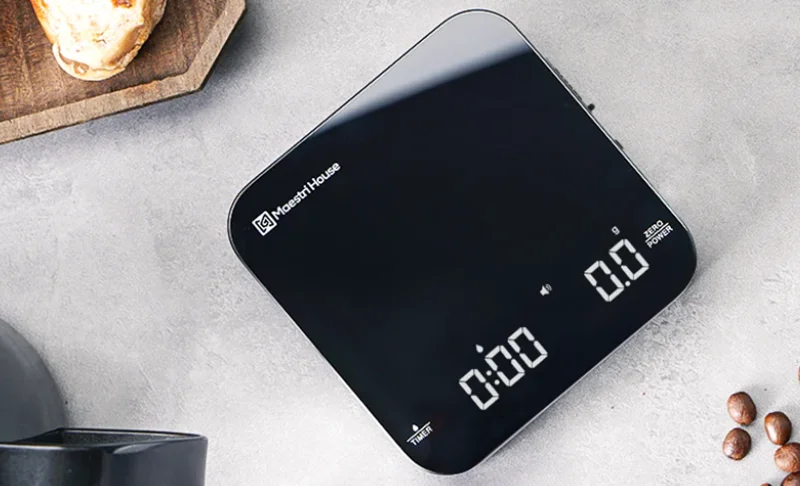

Maestri House K112 Digital Coffee Scale
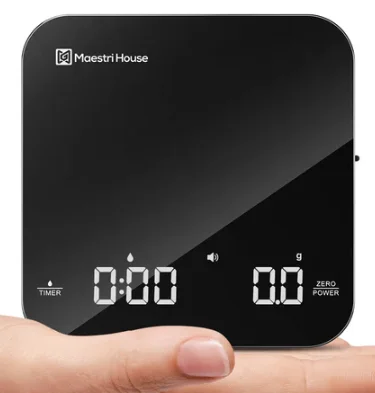
Important Information Before Use
Thank you for choosing the Maestri House Mini Coffee Scale. Before using, please read the instruction manual carefully. If you need assistance during use, please get in touch with us via email at [email protected].
Please handle the packaging box with care and keep all packaging materials. Open the box and take out the coffee scale. Ensure it is complete, and inspect the accessories by carefully reading the instruction manual. Before the first use, clean the coffee scale thoroughly using a clean cloth to ensure proper hygiene.
Product Component Introduction
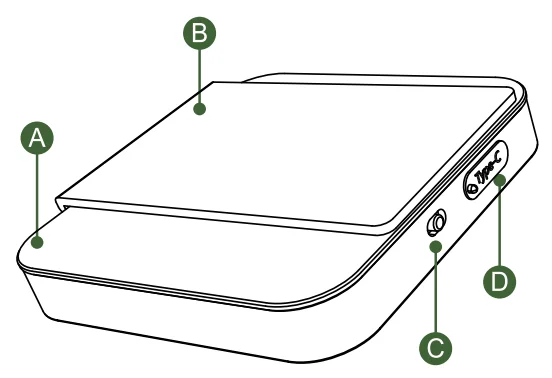
- A: Operation Panel
- C: Power Switch
- B: Insulated Silicone Pad
- D: Type-C Charging Port

Introduction to Button and Display Area
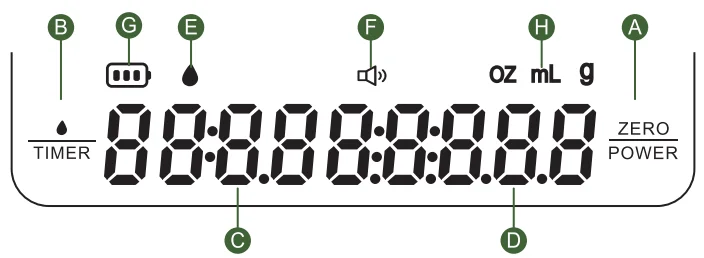
- A Power/Tare Button: Long-press for 2 seconds to power on/off. Short-press to tare. Double-click to toggle between weight units (g/ml/oz).
- B Timer Button: Short press to start/pause the timer, double-click to reset the timer. Long-press for 2 seconds to activate auto-timer mode, indicated by a water drop icon at position E.
- C Timing Range: 0:00-9:59, with a maximum value of 9 minutes and 59 seconds.
- D Weighing Range: Displays the corresponding numerical value based on the selected unit of weight measurement. Maximum five-digit display.
- E Automatic Timer Indicator: Automatic timing mode activated.
- F Sound Indicator: Press
 and hold the
  button for 2 seconds to toggle sound on or off.
 - G Battery Indicator: Charging Display: The charging indicator flashes during charging and remains steady when fully charged. Low Battery Display: The indicator flashes when the battery is low, and “LO” is displayed when the battery is depleted, indicating a shutdown.
- H Weight Unit Indicator: Displays the current weight measurement unit.
 and hold the
 Instructions
- Turn on the coffee scale by toggling the switch at the back to the ON position.
- Place the coffee scale on a flat surface.
- The coffee scale will automatically perform a self-calibration and reset the displayed value to zero. If the weight display does not reset to zero, press the button to zero it out.
- Once the above steps are completed, you can start weighing your coffee beans.
Manual Timer Mode
- Press the once to start or pause the timer. Double-click the to reset the timer to zero. After resetting, press again to restart the timer.

- Single-click to reset to zero, and double-click to switch units of measurement.

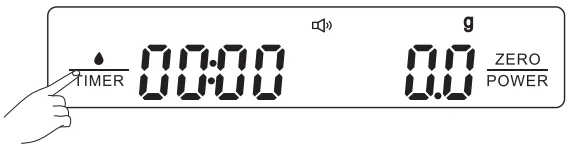
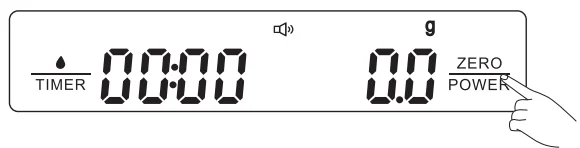
Automatic Timer Mode
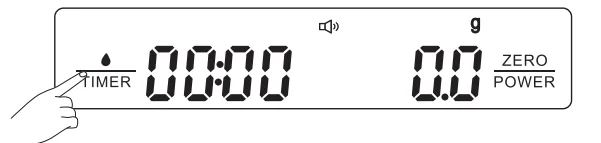
- Long-press for 2 seconds to activate/deactivate the automatic mode, and the droplet icon will be displayed.

- Place the cup on the weighing surface and click to zero it (Note: You can also press the to reset to zero in special cases or for your specific needs.).

- When pouring liquid, the weight display starts showing and continuously increases. Once the water flow becomes steady and consistent, the automatic timing function is activated (there might be a slight delay in timing initiation based on the stability of the water flow). When the pouring of liquid stops, the coffee scale ceases weighing and timing, allowing for the accurate reading of time and weight.

- To restart the automatic mode for weighing and timing, simply press the to reset all values to zero, and then proceed with your desired operations.

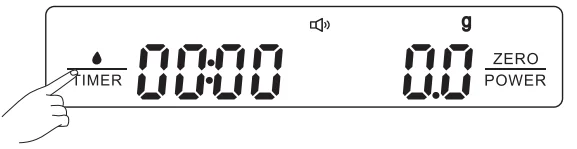
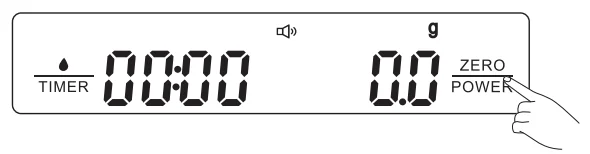
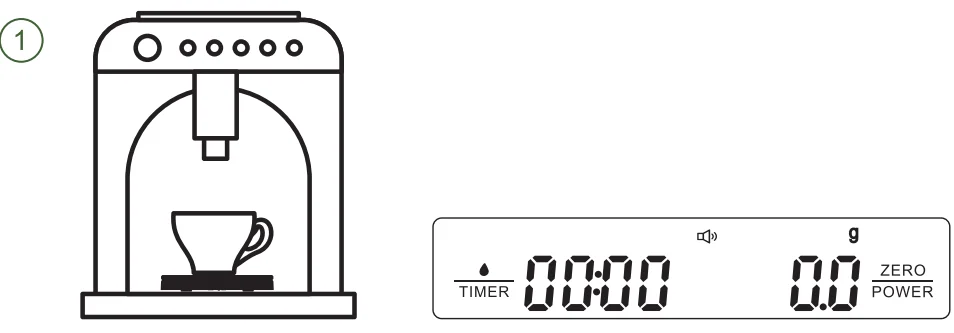
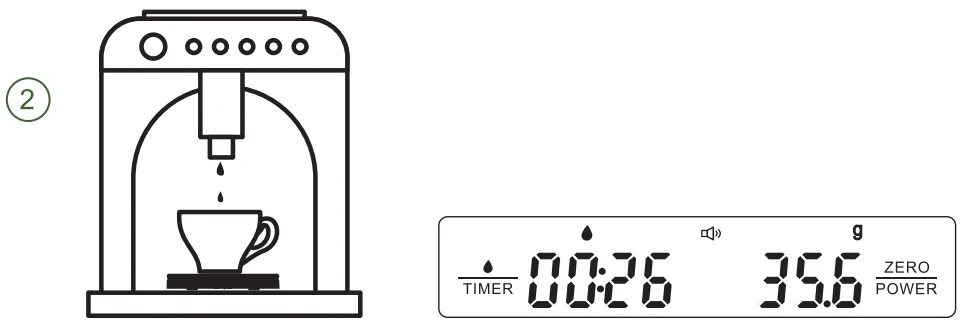
Espresso Machine Automatic Timer Mode
- After turning on the machine, place the coffee scale flat on the tray of the espresso machine. After automatic detection, put the coffee cup on the coffee scale platform. Click to zero it, then long-press to enter the automatic weighing and timing mode.

- Long-press for 2 seconds to enter the automatic weighing and timing mode. The droplet symbol will be displayed, indicating the start of the espresso machine for making coffee. When the coffee flows into the cup, the scale starts weighing, and the timer begins. When the coffee machine stops making coffee and the coffee stops flowing into the cup, the coffee scale stops weighing and timing. If you need to restart the weighing and timing process, simply press the to reset all values to zero and proceed with making the next cup of coffee.

Manual Timer Mode for Pour-over Brewing
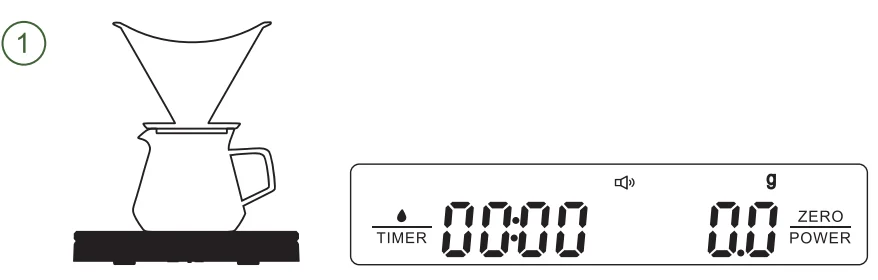
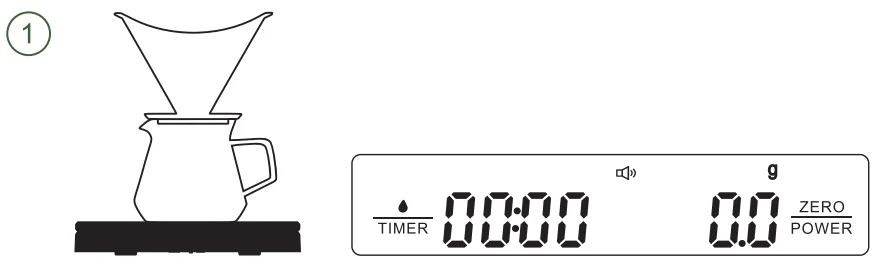
- After powering on, place the coffee scale on a flat surface. Once the scale detects itself, sequentially place the pour-over brewing equipment on the scale platform. After wetting the coffee filter paper, briefly press
 to zero the weight.
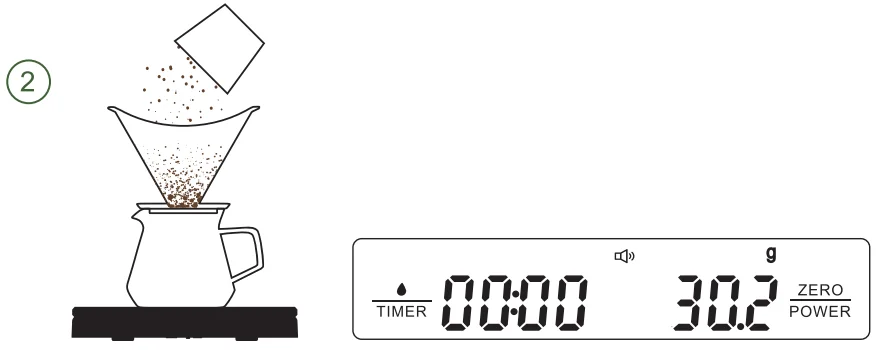
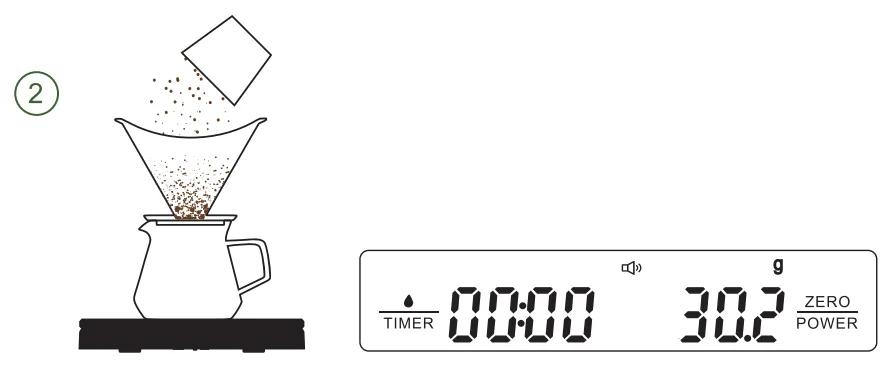
- Add the freshly ground coffee into the brewing equipment while paying attention to the displayed weight.

- Press again to reset the weight to zero. You are now ready to start brewing your coffee. Press the briefly to activate the timer function, which will help you control the steeping and pouring time effectively.

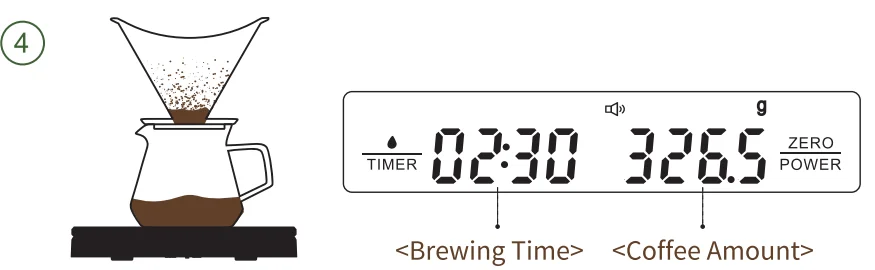
- After completing the brewing process, press the to stop the timer. The coffee scale will provide accurate brewing data for your reference.

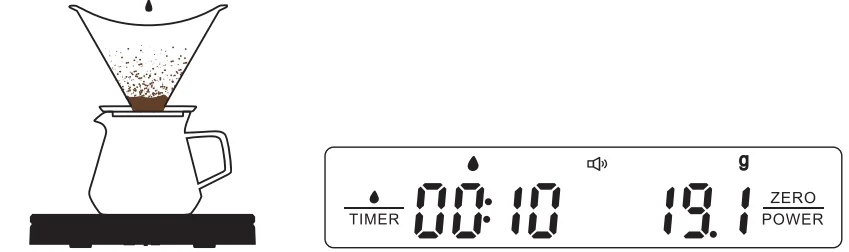
Automatic Timer Mode for Pour-over Brewing
- After powering on, place the coffee scale on a flat surface. Once the scale detects itself, sequentially place the pour-over brewing equipment on the scale platform. After wetting the coffee filter paper, briefly press to zero the weight.

- Add the freshly ground coffee into the brewing equipment while paying attention to the displayed weight.

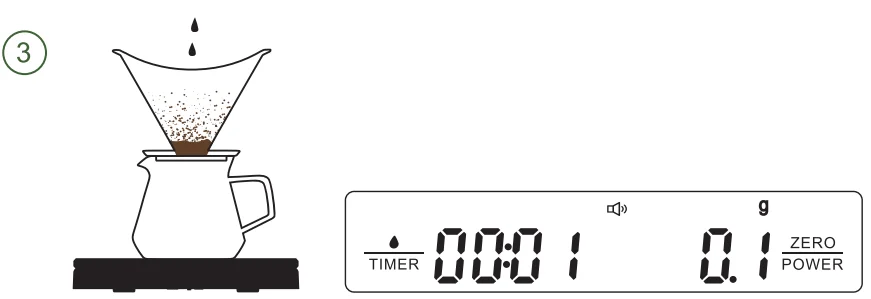
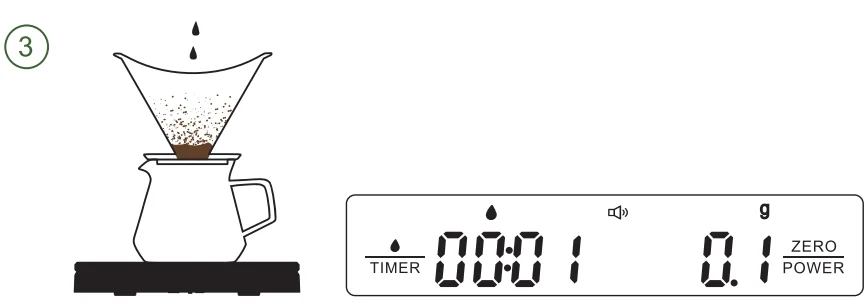
- Press and hold for 2 seconds to activate the automatic timer/weighing mode on the coffee scale (indicated by the water drop symbol), with all values reset to zero. You are now ready to prepare your pour-over coffee. Once you start pouring water, the timer and weighing functions will automatically begin. Please note that there may be a slight delay in timer initiation based on the stability of the water flow, which is a normal detection delay.

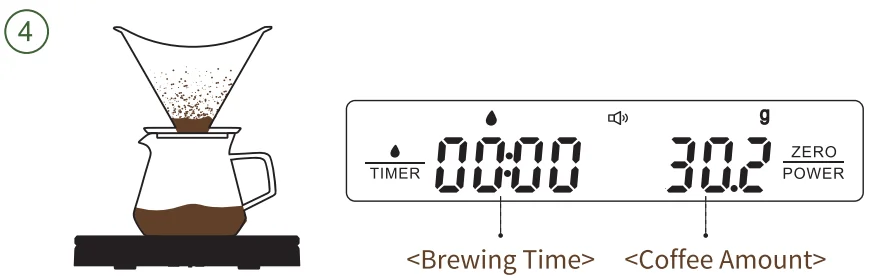
- After brewing, the coffee scale will stop the timer and weighing functions, providing you with accurate brewing data. Remove the brewing equipment and press the to reset all timer and weighing data to zero. You can now start a new pour-over coffee brewing session.

Auto Power-off
The coffee scale will enter sleep mode and power off automatically after 5 minutes of inactivity upon startup. To reactivate it, simply press and hold the  .
.
Product Specifications
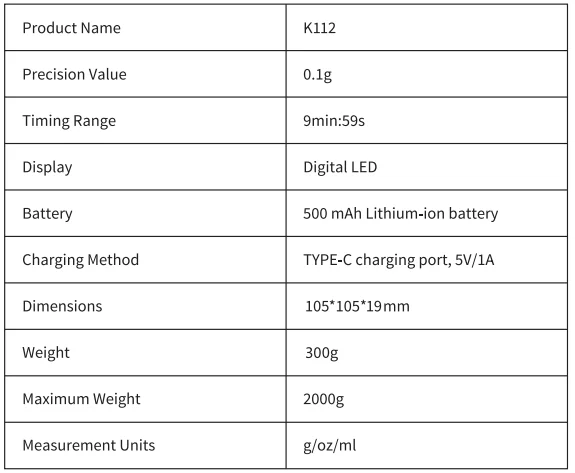
Important Notices
- Please use this product on a stable and level surface, as the electronic scale components are delicate. Avoid heavy impact or dropping.
- It is recommended to use a heat-resistant silicone pad to better protect the surface and internal components of the product.
- The operating temperature range for the product’s surface is from -10°C to 60°C. With the use of the Insulated
- Silicone Pad, the temperature range extends from -20°C to 100°C.
- The electronic scale is not waterproof. Do not wash with water and keep the charging port dry.
- The weight capacity of the electronic scale is 2000 g. Do not weigh objects that exceed this limit to avoid damage.
- Please do not use the product while it is being charged.
- To maintain optimal performance, it is recommended to recharge the product once every month when it is not being used for an extended period of time.
Package Contents
- Digital Coffee Scale x 1
- Silicone Pad x 1
- TYPE-C Charging Cable x 1
- User Manual x 1
Disposal and Recycling
 Please follow local waste regulations for disposing of the packaging material. This product should not be treated as household waste when discarded. It must be taken to designated recycling facilities. Thank you for your contribution to environmental conservation.
Customer Support
Maestri House provides a 1-year warranty on all products. This warranty is valid and enforceable if you have purchased a new product from us or from one of our authorized retailers or resellers in a jurisdiction where we sell our products. If you have any further questions, please feel free to contact us at [email protected].
About Us
Maestri House is a brand that offers aesthetically pleasing, functional, and enjoyable coffee equipment and services for enthusiasts who love making their coffee. For more information about our products and services, please visit our website: www.maestrihouse.com.
For More Manuals By Maestri House, Visit ManualsLibraryy.
Maestri House K112 Digital Coffee Scale -FAQs
What is the Maestri House K112 Digital Coffee Scale used for?
The Maestri House K112 is designed for precise coffee brewing by measuring coffee grounds and water accurately. It also tracks extraction time, helping users maintain consistent brew ratios for espresso and pour-over coffee, resulting in better flavor control and repeatable results.
How accurate is the Maestri House K112 coffee scale?
The K112 offers high precision with measurements accurate to 0.1 grams, making it suitable for detailed coffee brewing. It supports a weighing range from around 0.5 grams up to 2 kilograms, ensuring reliable performance for both small espresso doses and larger pour-over brews.
Does the K112 coffee scale have a built-in timer?
Yes, the K112 includes dual timer modes, allowing both automatic and manual timing. The automatic mode can start when brewing begins, while manual timing gives users more control, making it ideal for tracking espresso shots or pour-over bloom and extraction phases.
Is the Maestri House K112 rechargeable or battery-powered?
The K112 features a built-in rechargeable battery that charges via USB-C. It can last for extended periods, with standby time reaching up to several weeks or even months, reducing the need for frequent charging during regular coffee brewing routines.
What measurement units are available on the K112 scale?
This coffee scale supports multiple units, including grams, ounces, and milliliters. Users can easily switch between units depending on their brewing method, making it versatile for different coffee recipes and suitable for both beginners and experienced coffee enthusiasts.
Is the K112 suitable for espresso machines and small spaces?
Yes, the K112 is ultra-compact and designed to fit under most espresso machines. Its small footprint makes it ideal for tight brewing setups, while still offering full functionality for accurate measurements and timing in both espresso and pour-over environments.
Does the Maestri House K112 include a tare function?
Yes, the scale includes a tare function that allows users to subtract the weight of cups or containers. This ensures precise measurement of coffee or water only, which is essential for maintaining accurate brewing ratios and consistent coffee quality.
Is the K112 coffee scale durable and easy to clean?
The K112 features a borosilicate glass surface that is both durable and easy to clean. It also includes a removable silicone pad that protects against heat and spills, making it practical for daily use in coffee brewing environments.
Does the scale have an auto shut-off feature?
Yes, the K112 automatically powers off after a short period of inactivity to conserve battery life. This feature is especially useful for users who may forget to turn it off, ensuring longer battery performance between charges.
Does the scale have an auto shut-off feature?
Yes, the K112 automatically powers off after a short period of inactivity to conserve battery life. This feature is especially useful for users who may forget to turn it off, ensuring longer battery performance between charges.
Is the Maestri House K112 good for beginners?
The K112 is beginner-friendly thanks to its simple touch controls, clear display, and intuitive functions. While it offers advanced features like auto timing, new users can quickly learn to use it effectively for improving their coffee brewing skills at home.