
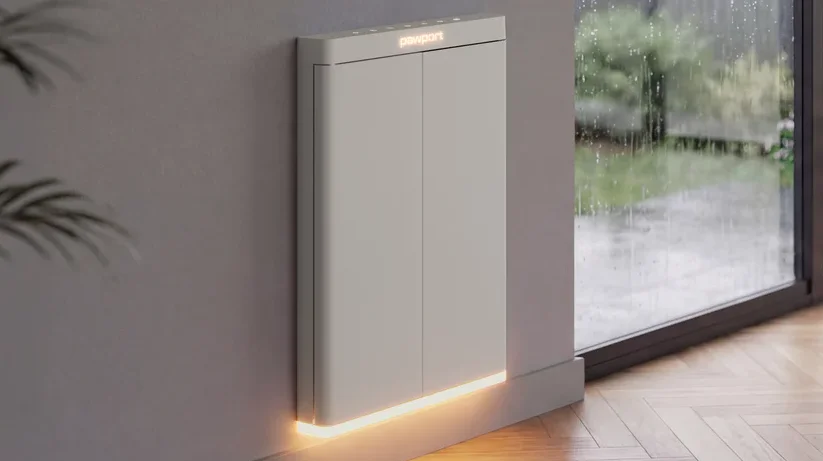

Pawport Smart Pet Door
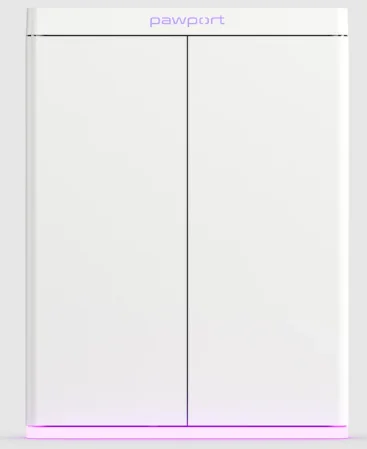
Install your Pawport Smart Pet Door
Unbox your Smart Pet Door and install it using the installation manual for your situation.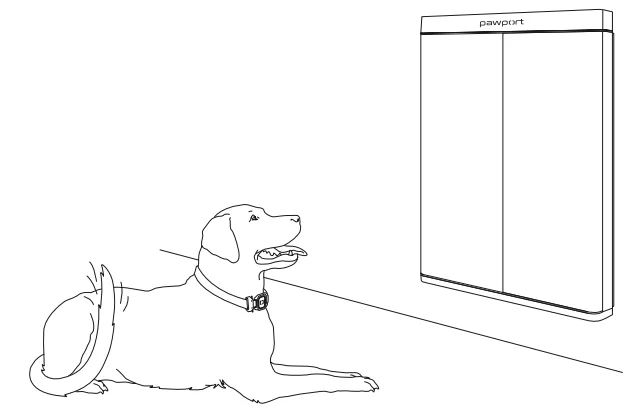
Download the Pawport app.
Create an account to get started.
Add your Smart Pet Door
Follow the steps in the app to pair your device and connect it to Wi-Fi.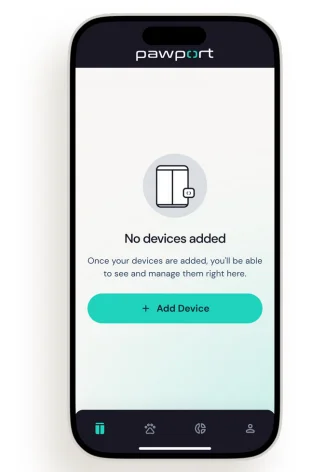
Add your Smart Pet Tag
Tap to add a new device. Follow the steps in the app to add your tag.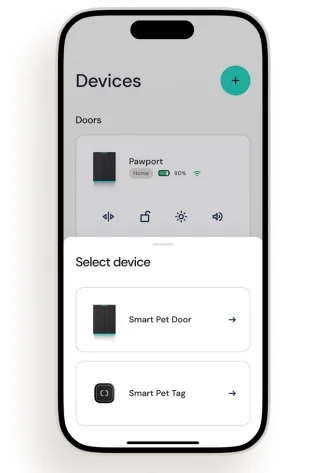
Add your pet
Follow the steps in the app to create a pet profile and assign your tag to your pet.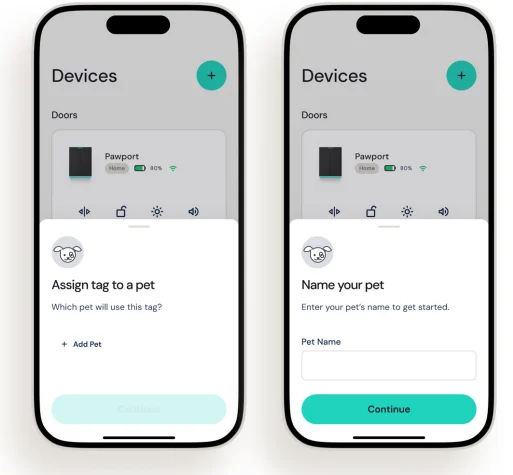
Assign your pet to your Smart Pet Door.
Follow the steps in the app to assign your pet to your Smart Pet Door.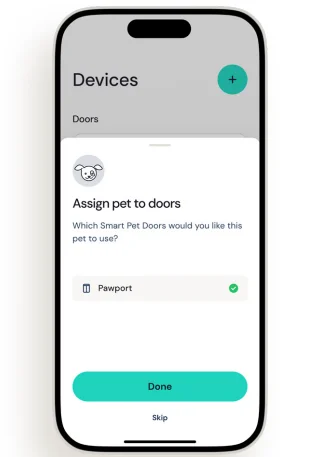
Top control panel
 Tap to open or close the doors manually.
 Tap to lock or unlock the doors manually.
 Tap to dim the lights in five increments.
 Short tap to sleep/wake the door. Hold for three seconds to restart the door.
 Hold for five seconds to initiate Bluetooth door pairing.
 Wi-Fi connection indicator.
 Battery status indicator.
 Tap to open or close the doors manually.
 Tap to lock or unlock the doors manually.
 Tap to dim the lights in five increments.
 Short tap to sleep/wake the door. Hold for three seconds to restart the door.
 Hold for five seconds to initiate Bluetooth door pairing.
 Wi-Fi connection indicator.
 Battery status indicator.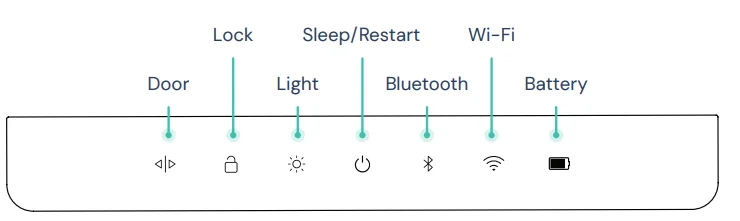
Top rear inputs and switches
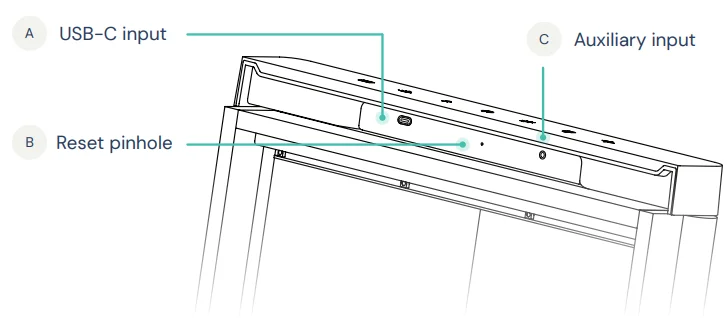
- A Use to hardwire the door or connect a Pawport Solar Panel.
- B Access to restore the door to factory settings.
- C Use to connect a Pawport Outdoor Pet Door or Exterior Sensor.
Bottom rear inputs and switches
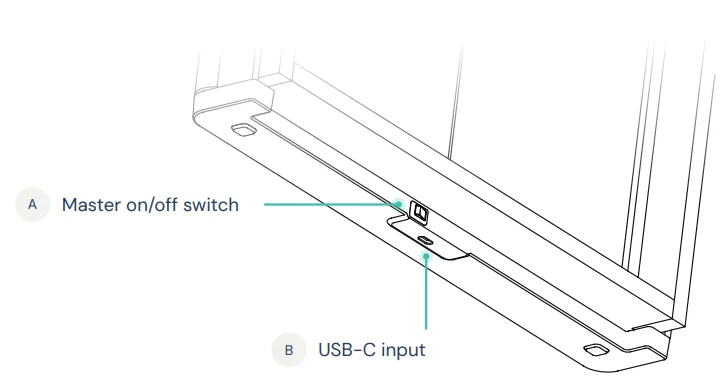
- A power-on/off switch for the door, or a toggle to reboot.
- B Charge or power the door from here.
App features and functions
Explore the Pawport app for the following controls:
- Door lock schedules – Control individual pet access times and set curfews.
- Light schedule – Adjust automatic on/off times for the door lights.
- Door open range – Choose 90° or 120° as desired.
- Door open duration – Set how long the doors stay open for your pet.
- Volume – Control the volume level of the door sounds.
- Inside/outside range – Control the distance your pet can be from the door to open it.
Weather lock – Choose to lock the door during rain or lightning in your area. - Disable top controls – Temporarily disable the top control panel so children can’t open the door.
- Customize lights – Select the color and brightness of the lights.
- Invite guests – Allow others to access and control the door remotely.
- Remote control – Manually open/close or lock/unlock the door remotely.
- Monitor status – Check on Wi-Fi connectivity and battery life.
- Create pet profiles – Add your pets and control their access.
- Monitor pet usage – Track your pet’s indoor/outdoor time and door usage.
- Manage notifications – Control which alerts you see.
- Set up voice control – Use your voice to control door opening, locking, lights, and more.
- Smart home control – Integrate the door into your smart home and create automations and shortcuts.
Other operations, functions, tips, and troubleshooting
- Manual closing – Always close the doors using the top control panel or the app. Do not push the doors closed. If you need to close the doors manually for any reason, do so gently and slowly so as not to damage the motors.
- Door safety/jams – If an object or pet blocks the doors from opening or closing, the doors will gently reverse and wait a couple of seconds before trying again. After three tries, if the block is still present, the doors will revert to where they started, and the “jam alert” sound will play. Inspect the problem and close/open the doors via the app or top controls if necessary.
- Battery indicator status – If you’ve installed a battery, the battery status indicator on the top control panel will turn red when the battery level drops below 20%. The indicator will pulse white during charging.
- Sleep/wake modes – Tapping the sleep/restart button will put the door into sleep mode, saving power and not allowing your pet access. Tapping it again wakes the door.
- Restart – Long-pressing the sleep/restart button will restart the door microprocessor. Use this as a general way to easily troubleshoot any issues.
- Reboot/troubleshooting – The master toggle switch, located on the back near the middle of the door, serves as the main power switch. Use it when transporting the door or for most troubleshooting scenarios, as it will clear any error conditions. Make sure all doors are closed before switching it off and on.
- Factory reset – Use a paperclip to push the factory reset button located inside the pinhole at the top rear of the door. Hold for 10 seconds until the door restarts. This will erase all of your Smart Pet Tag pairings and door settings and restore the door to the firmware that it shipped with. Use this only when transferring the door to another owner.
- Pairing mode – When pairing the door to your Wi-Fi network, the Bluetooth indicator on the top control panel will pulse. If you fail to successfully pair the door, wait until it stops blinking to restart pairing mode.
- Door issues – If the doors don’t close completely, something is likely blocking them. Inspect the finish trim pieces (if installed) and ensure the tunnel/frame area is clear. Remove any obstruction and try again.
- Battery considerations – To prolong battery life (if installed), it is recommended to reduce the brightness of the lights and schedule the lights so that they are not on all of the time.
- Alarm sound – Pawport is built to withstand significant force. If the doors are somehow opened and it was not triggered by a Smart Pet Tag or a manual action, an alarm sound will alert you. A notification will also be sent to your phone.
- Tag placement – For best results and range predictability, try to position the Smart Pet Tag at your pet’s throat area. Pawport will deliver the most consistent range to open for your pet when placed this way.
- Lockout prevention – When you set a curfew (or any schedule), consider enabling “Lockout Prevention” when you set the schedule. This will allow your pet back inside if the curfew hits while they are outside.
- Firmware updates – From time to time, we will add features and necessary security measures to your Pawport Smart Pet Door and Smart Pet Tags. Make sure to always update firmware if notified of an available update.
Need help?
www.pawport.com/support
[email protected]
For More Manuals By Pawport, Visit ManualsLibraryy.
Pawport Smart Pet Door-FAQs
What is the Pawport Smart Pet Door, and how does it work?
The Pawport Smart Pet Door is an automated pet entry system that opens when your pet approaches wearing a smart tag. It uses sensors and app controls to manage access, allowing pets to enter or exit while keeping unwanted animals out and maintaining home security.
Can the Pawport Smart Pet Door fit my existing pet door?
Yes, the Pawport Smart Pet Door is designed to retrofit over almost any existing pet door without requiring professional installation. It adjusts to different sizes and shapes, making it a flexible solution for homeowners who already have a pet door installed.
Does the Pawport Smart Pet Door require professional installation?
No, installation is generally simple and can be completed without professional help if you already have a pet door. It mounts directly over the existing frame, although new installations or complete systems may require more setup depending on your home structure.
How does the smart tag system work for pets?
Each pet wears a lightweight, waterproof smart tag that communicates with the door. When your pet comes within a customizable range, the door automatically unlocks and opens, ensuring only authorized pets can pass through at scheduled or permitted times.
Is the Pawport Smart Pet Door safe for pets?
Yes, the door includes anti-pinch safety technology that ensures it opens and closes slowly to prevent injuries. It is specifically designed to detect movement and operate gently, making it safe even for smaller or more cautious pets.
What happens if the power or Wi-Fi goes out?
The Pawport Smart Pet Door can still function without Wi-Fi, and optional battery backups ensure continued operation during power outages. This prevents pets from being locked out or trapped inside due to connectivity or electricity issues.
Is the Pawport Smart Pet Door secure against intruders?
Yes, it features a dual deadbolt locking system and a strong steel frame that keeps the door securely closed when not in use. This design helps prevent break-ins and blocks unwanted animals or pests from entering your home.
Can the Pawport Smart Pet Door be used in different installation locations?
The door can be installed in various locations, including walls, standard doors, and even sliding glass doors with the right mounting kit. This versatility makes it suitable for different home layouts and construction types.
What sizes are available for the Pawport Smart Pet Door?
The Pawport Smart Pet Door comes in multiple sizes, such as medium, large, and extra-large, to accommodate pets of different weights and heights. Choosing the right size depends on your pet’s dimensions and the opening where the door will be installed.
Can I control the Pawport Smart Pet Door remotely?
The Pawport Smart Pet Door can still function without Wi-Fi, and optional battery backups ensure continued operation during power outages. This prevents pets from being locked out or trapped inside due to connectivity or electricity issues.