
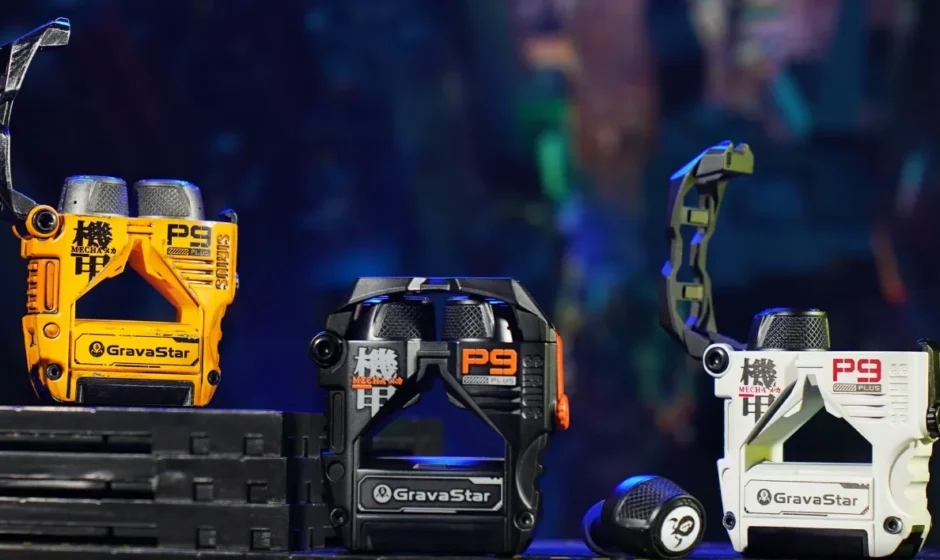

GravaStar Sirius Plus Wireless Earbuds
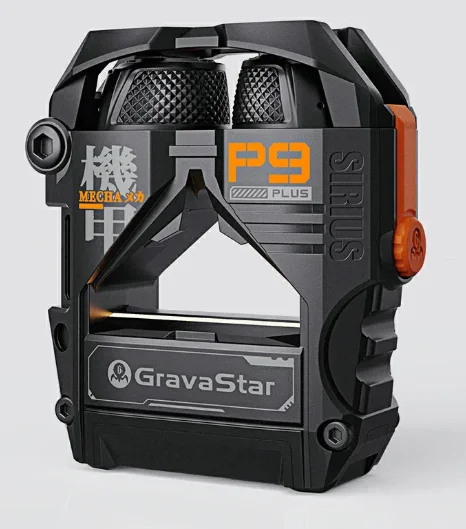
Product Introduction
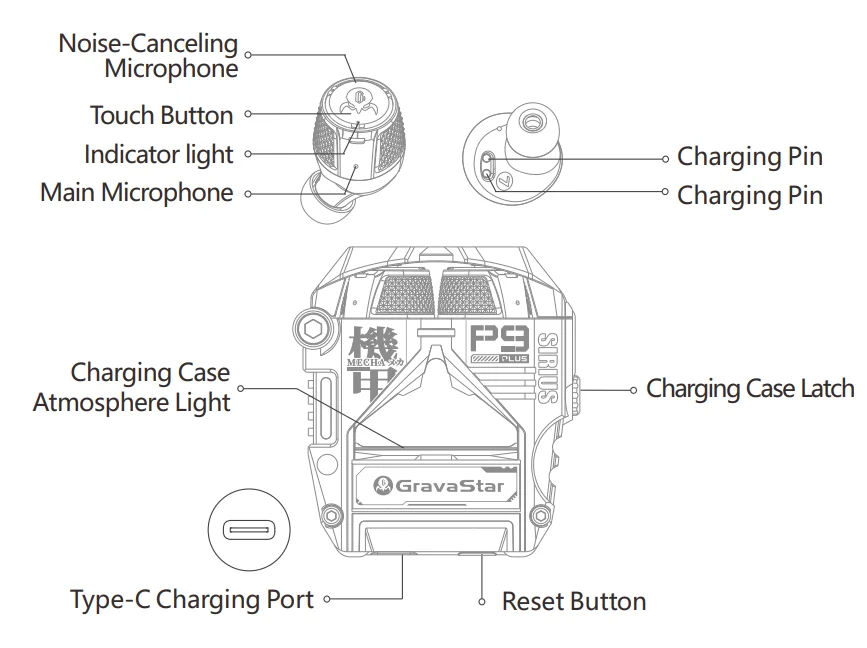
Tech Spec
Earbuds
- Product Model: P9 PLUS
- BT Version: V5.3
- Transmission Distance: >10 meters
- Noise Cancellation Mode: ANC Active Noise Cancellation Environmental Noise Cancellation
- Decode Support: SBC/AAC
- Charging Time: 1.5H
- Battery Life: About 7H (Turn off ANC mode and play at 70% volume)
- Total Battery Life: About 28h (Turn off ANC mode and play at 70% volume)
Charging Case
- Input: 5V~500mA
- Output: 5V~100mA
- Charging Time: 2H
- Battery Capacity: 500mAh
- Charging Port: Type-C
- Product Dimension: 60*56*21mm
- Product Weight: 68g
What’s Included
- Earbuds, Ear Tips*3 sets, Manual, Charging Cable, Accessory Box
Maintenance
Please do not wear earbuds to take a bath, get wet, put them in the washing machine, or use them in extreme environments such as abnormal temperatures. After each normal use, please use a dry cloth and other tools to wipe off sweat or rain on the earbuds, which can effectively extend the use time of the earbuds.
How To Wear Earbuds
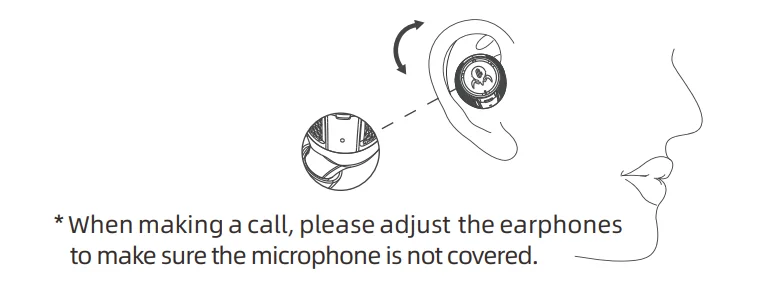
Gently insert the ear tip downwards into the ear canal, ensuring the earphones remain stable when you lightly shake your head (the correct way to wear them is with the logo facing upwards)
Charging
When using the device for the first time, please remove the earphones, remove the protective film from the earphones, and fully charge both the charging case and the earphones.
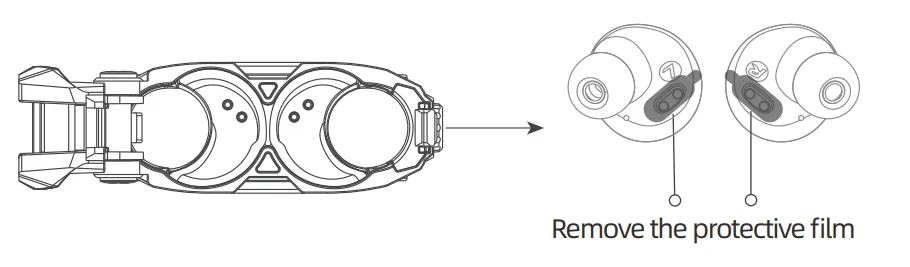
Earphone Charging Method:
Place the earphones into the charging case and close the lid to charge. The earphone indicator will show a red breathing light, which will turn off after one minute.
Charging Case Charging Method:
Use a Type-C charging cable to charge. The charging case indicator light will pulse red when the battery is below 30%, and pulse green when it is above 30%, with a gradual breathing effect. Once fully charged, the green light will remain solid.
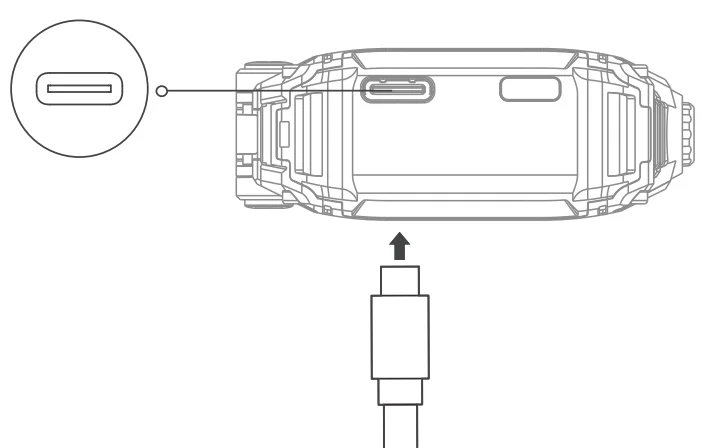
Earphone Battery Level:
When the battery level is ≤10%, a notification sound will play every five minutes, saying “Not enough energy.
Charging Case Battery Level:
When opening or closing the charging case, or when taking the earbuds out of or placing them into the charging case.
- Red light flashes once when the battery is below 30%
- The green light flashes once when the battery is above 30%
- At 10% battery, the red light flashes rapidly for 3 seconds
Power On/Off
Earbuds automatically turn on when removed from the charging case and turn off when placed back in.
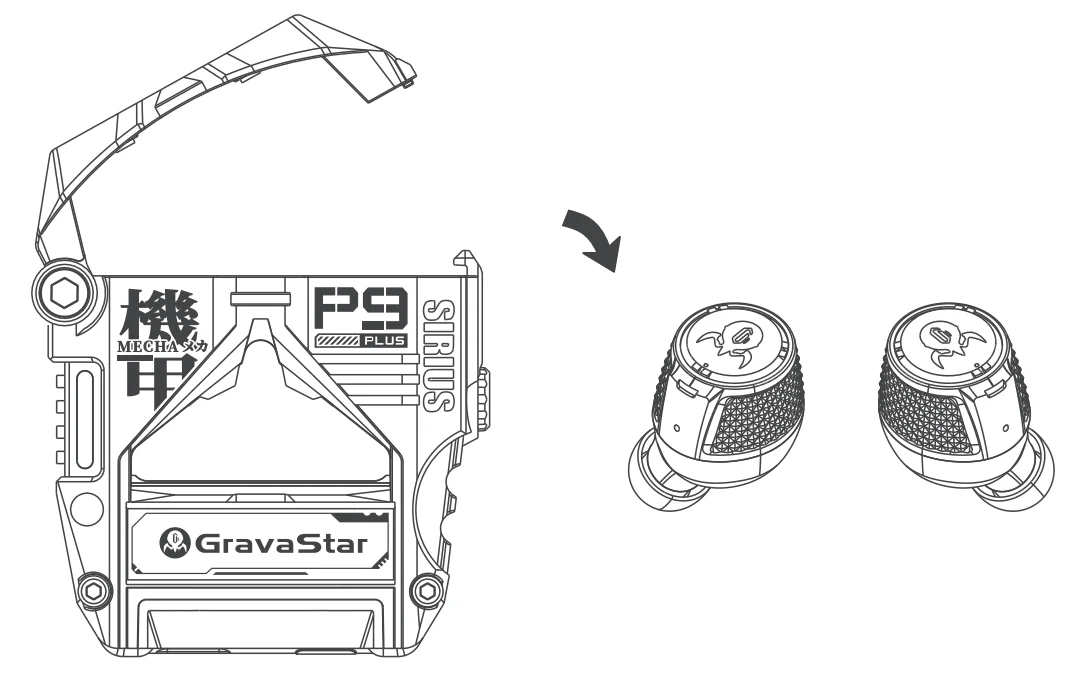
Atmosphere Light
- Single-click the case button to:
- Turn on ambient light
- Cycle through 6 colors (red, green, purple, orange, cyan, blue)
- The light automatically turns off after 5 minutes
- Double-click the case button to turn off ambient light
Bluetooth Pairing
Open the charging case, on your phone, search for “GravaStar Sirius Plus” in Bluetooth settings, tap to connect. “Bluetooth connected” indicates successful pairing. “Bluetooth disconnected” plays when the connection is lost. “Ready to pair” sounds when searching for a new connection.
- True Wireless Stereo (TWS) Mode: Remove both earbuds from the charging case for automatic pairing.
- Single Earbud Mode: Return either earbud to the charging case to switch automatically.
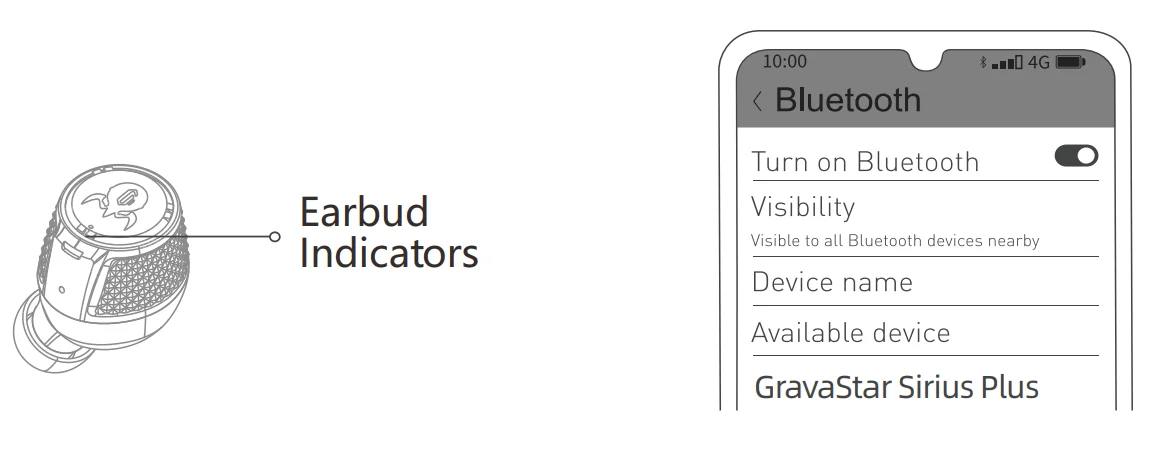
If pairing fails, return both earbuds to the charging case and try again. After initial pairing, earbuds will automatically reconnect to the last paired device when removed from the case (ensure Bluetooth is enabled on your device).
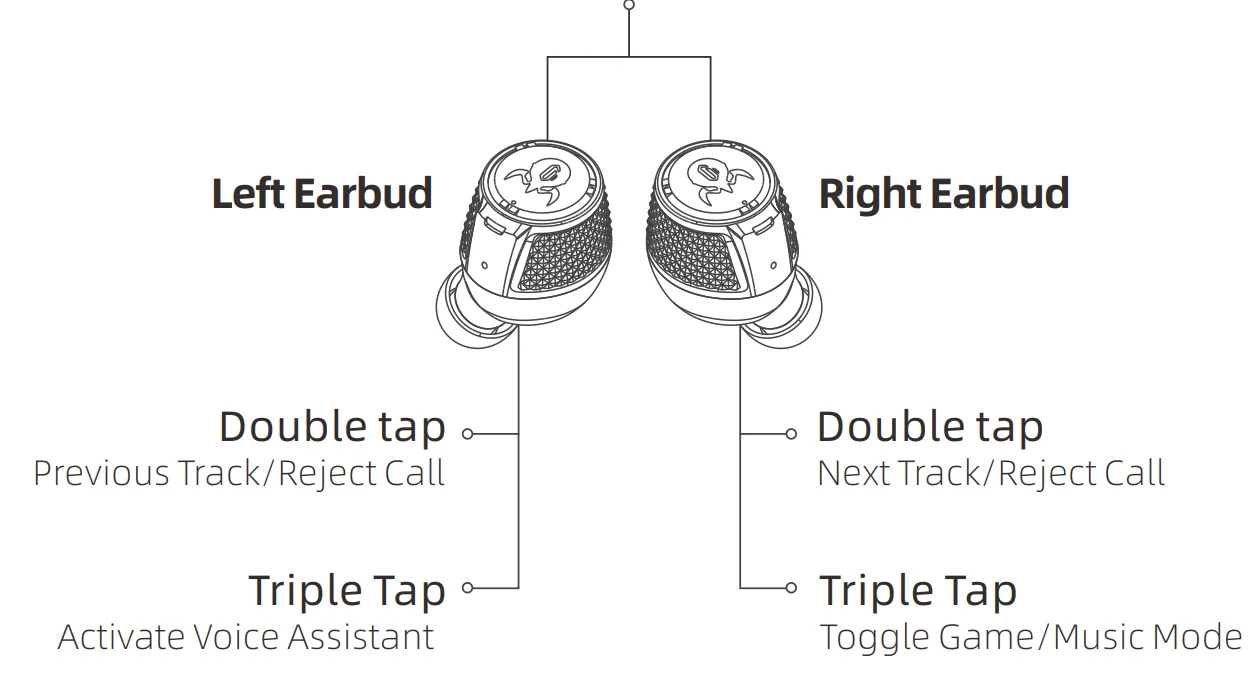
Earbud Controls
- Press and hold for 3 seconds: Power On/Off
- Single Tap: Play/Pause/Answer/End Call
- Press And Hold For 1.5 Seconds: Cycle Noise Control (ANC On/Transparency/ANC Off)
- Triple Tap: Activate Voice Assistant (Single Earbud Mode):
Factory Reset
Press and hold the charging case button for 5 seconds. This will: Clear all paired device records; Reset the True Wireless Stereo (TWS) connection between earbuds; Cause the earbud lights to quickly alternate between red and white 3 times.
Troubleshooting Guide
- No Sound from One Earbud:
- Clear all Bluetooth pairing and connection records on your device.
- Place both earbuds back in the charging case, then remove them.
- Attempt to reconnect the earbuds to your device.
- When to Reset Your Earbuds: Reset your earbuds if you experience any of the following issues:
- Only one earbud is working
- Unable to connect to your phone
- Failure to switch from single earbud to dual earbud mode
- Any other functional issues To reset, follow the earbuds reset procedure in the user manual.
- Charging Issues: If you’re having trouble charging your earbuds or case:
- Note: It’s normal for the indicator light to be off when the charging case is fully charged.
- Ensure the charging cable is properly connected to both the case and the power source.
- Try unplugging and replugging the charging cable several times.
- Test with different power adapters and outlets.
- Check the charging pins in the case for damage or loss of springiness.
Precautions
Warning
- Do not disassemble, repair, or modify the headphones for any reason, as this may cause a fire or permanently damage the product.
- Do not expose the device to extremely low or high temperatures (below 0°C or above 45°C).
- Avoid directing the product’s indicator light into the eyes of children or animals.
- Do not use this product during thunderstorms, as thunderstorms can cause the device to malfunction and increase the risk of electric shock.
- Do not use alcohol or other volatile liquids to clean this product.
- Keep this product away from liquids.
Attention
- Please read this user manual carefully before using the product and keep it in a safe place.
- Before the first use, please fully charge this product.
- If the product is not used for a long time (more than two weeks), please recharge it.
- Use only chargers from reputable manufacturers that are certified by the national CCC.
- Extended use of headphones at high volume may damage hearing; please limit usage time and volume.
- Using headphones reduces awareness of external sounds; do not use them in environments that may pose a safety risk.
FCC Statement
This device complies with Part 15 of the FCC Rules. Operation is subject to the following two conditions: (1) this device may not cause harmful interference, and (2) this device must accept any interference received, including interference that may cause undesired operation. Changes or modifications to this unit not expressly approved by the party responsible for compliance could void the user’s authority to operate the equipment.
NOTE: This equipment has been tested and found to comply with the limits for a Class B digital device, pursuant to Part 15 of the FCC Rules. These limits are designed to provide reasonable protection against harmful interference in a residential installation. This equipment generates uses and can radiate radio frequency energy and, if not installed and used in accordance with the instructions, may cause harmful interference to radio communications. However, there is no guarantee that interference will not occur in a particular installation. If this equipment does cause harmful interference to radio or television reception, which can be determined by turning the equipment off and on, the user is encouraged to try to correct the interference by one or more of the following measures:
- Reorient or relocate the receiving antenna.
- Increase the separation between the equipment and receiver.
- Connect the equipment into an outlet on a circuit different from that to which the receiver is connected.
- Consult the dealer or an experienced radio/TV technician for help.
This device and its antenna(s) must not be co-located or operate in conjunction with any other antenna or transmitter.
Radiation Exposure Statement
The device has been evaluated to meet the general RF exposure requirement in portable exposure conditions without restriction.
For more manuals by Gravastar, visit ManualsLibraryy
GravaStar Sirius Plus Wireless Earbuds-FAQs
Are the GravaStar Sirius Plus earbuds worth buying?
Yes, these earbuds are known for their unique futuristic design and strong audio performance. They offer a comfortable fit for long use and include features like Active Noise Cancellation and Transparency mode, making them suitable for both music and daily activities.
How do I pair the Sirius Plus earbuds with my phone?
To connect, open the charging case and enable Bluetooth on your device. Search for “GravaStar Sirius Plus” in the Bluetooth list and tap to connect. A voice prompt confirms when pairing is successful.
What is the difference between ANC and ENC in earbuds?
ANC (Active Noise Cancellation) blocks outside noise for a better listening experience, while ENC (Environmental Noise Cancellation) improves call quality by reducing background noise for the person on the other end.
Is GravaStar a reliable brand?
GravaStar is known for combining innovative design with modern audio technology. The brand focuses on delivering stylish products with solid performance, especially in the wireless audio category.
Can I wear earbuds while sleeping?
While it is possible, wearing earbuds for long periods during sleep may cause discomfort or ear issues. It’s generally better to use them for shorter durations.
Which brands are considered top competitors in earbuds?
Popular earbud brands include Sony, Bose, JBL, and Sennheiser, all known for their sound quality and advanced features.
Do the earbuds turn on automatically?
Yes, the earbuds automatically power on when removed from the charging case and turn off when placed back inside, making them easy to use without manual controls.
How comfortable are these earbuds for long use?
The earbuds are designed ergonomically to fit securely in the ears. This makes them comfortable for extended listening sessions without causing significant discomfort.
Can I use these earbuds for calls and gaming?
Yes, the earbuds are suitable for both calls and gaming. ENC technology helps deliver clearer voice quality during calls, while low latency ensures a smoother audio experience for gaming.
Does Bluetooth connectivity affect safety?
Bluetooth earbuds use low-power, non-ionizing radio waves, which are generally considered safe for everyday use. Their radiation levels are much lower than smartphones.