
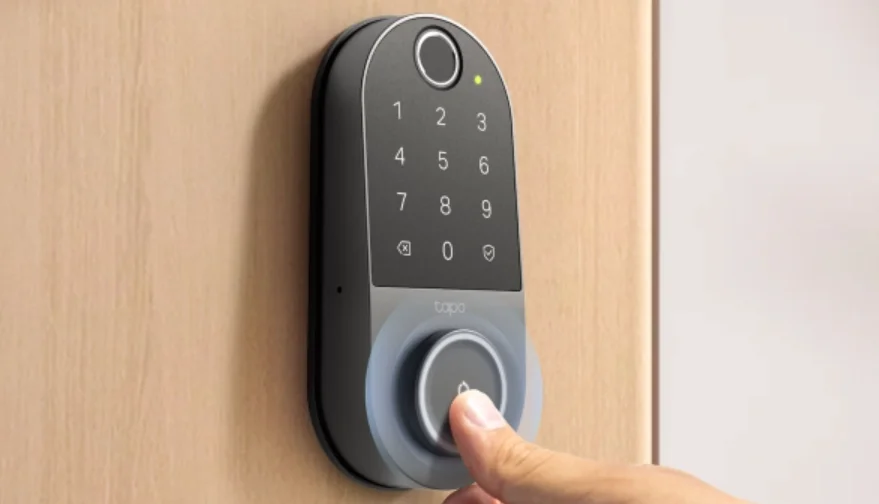

Tapo Smart Wi-Fi Door Lock
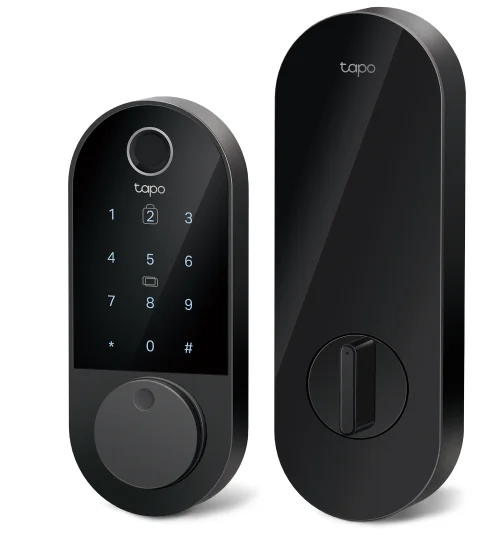
6 Ways to Access
Unlocking the door has never been easier with options like fingerprint, Bluetooth access, Wi-Fi remote access, custom PINs with keypad, backup physical keys, and temporary passcodes, or by using voice commands. With ANSI/BHMA Grade 2 certification, the door lock surpasses Grade 3 locks by providing superior durability and higher security standards, making it ideal for those seeking enhanced protection.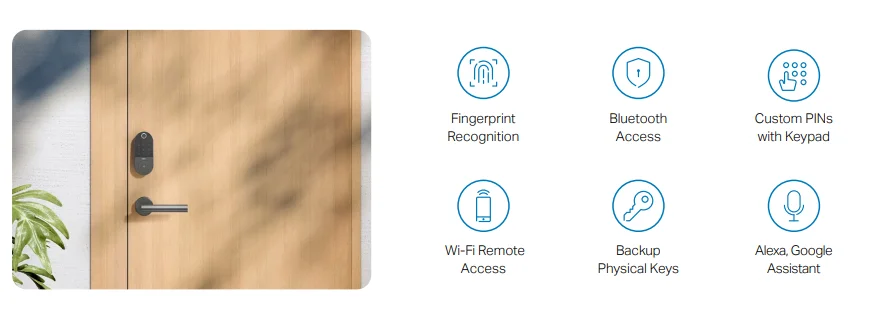
Smudge-Proof Access Panel
Keep your codes private and your keypad spotless.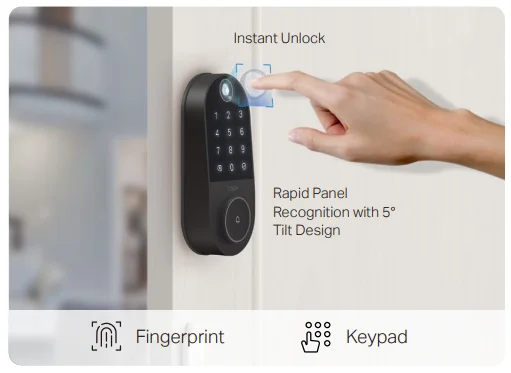
Control & Manage with the Tapo App
Control and manage your door lock with the Tapo app, whether locally within Bluetooth range or remotely anytime, anywhere with Wi-Fi connected.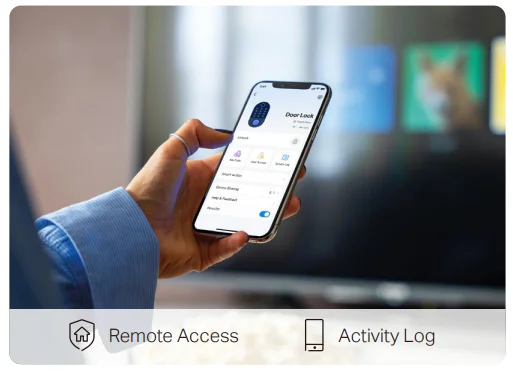
Certified and Reliable
Professional BHMA Grade 2
An ANSI/BHMA Grade 2 certified smart lock is twice as durable as standard locks. It can handle up to 10 daily uses for 40 years, ensuring long-lasting reliability.
Durable IP65 (Exterior Assembly)
With an IP65 weatherproof rating for the exterior assembly, it withstands the harshest weather conditions.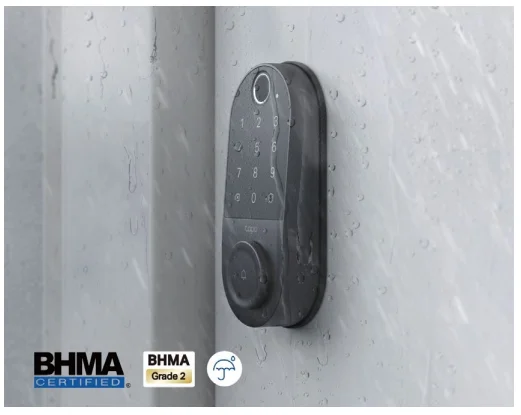
Build Your Tapo Ecosystem
Tapo products work together seamlessly to offer you a wide range of smart home devices, including security cameras, plugs, and lighting—all controlled by a single app. Simplify your smart home experience with one of the industry’s largest ecosystems.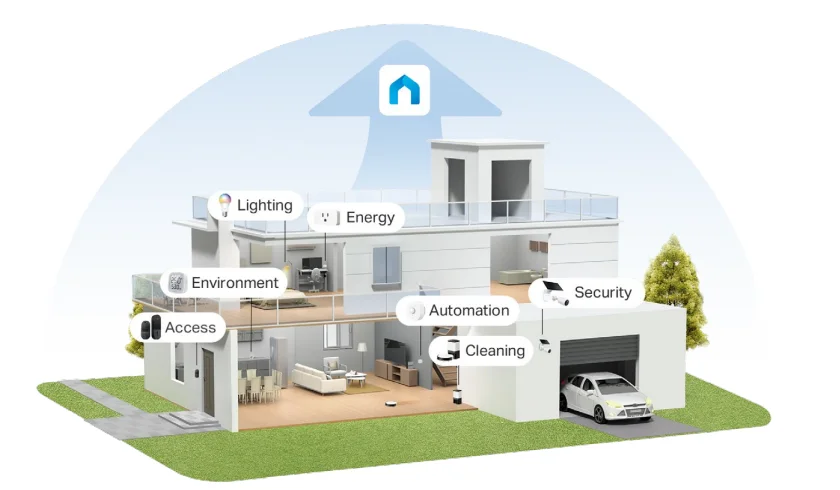
Features
 Rapid Fingerprint Recognition
Recognizes fingerprints accurately and quickly, with a capacity for up to 100 fingerprint registrations.
 Resident & Guest Access
Create resident profiles with custom permanent codes or set up one-time and scheduled codes for guests.
 Peek-Proof Passcodes
Input random digits with your passcode to securely shield it from prying eyes.
 Remote App Control
Lock, unlock, and manage from anywhere with convenient Wi-Fi access.
 Bluetooth Access
If a Wi-Fi connection is unavailable, control your lock using Bluetooth connectivity while in range.
 Auto-Lock with Custom Timer
Automatically locks the door after use with customizable timing for added peace of mind.
 Emergency Power Backup
The rechargeable, removable battery and USB Type-C port keep DL110 effortlessly powered.
 Easy DIY Installation
With a simple, straightforward installation process and all necessary mounting tools included, Tapo DL110 will be ready to use in a snap.
 Built-in Doorbell
DL110’s built-in doorbell adds an extra layer of convenience to your door lock system.
 Detailed Activity Log
Track lock and unlock activity with detailed timestamps, ensuring you always know who accessed your home.
 Smart Home Integration
Connects seamlessly with popular smart home ecosystems like Alexa, Google Home, and Samsung SmartThings.
 Prevents Break-Ins
Locks down PIN code or fingerprint access after multiple failed attempts and sends real-time alerts for suspicious activity.
† Battery life is based on TP-Link laboratory tests, assuming 20 unlocks per day. Estimated durations are up to 1 year in Wi-Fi mode and up to 2 years in Bluetooth mode. Actual battery life may vary due to device settings, router specifications, usage, and environmental factors. ‡ The app UI is for reference only and is subject to optimization and improvement. § The lock should connect to the internet. For more information, please visit https://www.tapo.com/. All brands and product names are trademarks or registered trademarks of their respective holders. Specifications are subject to change without notice.
Specifications
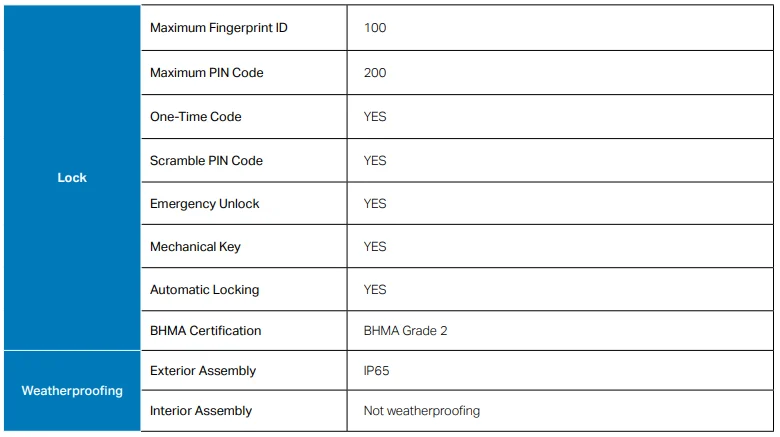
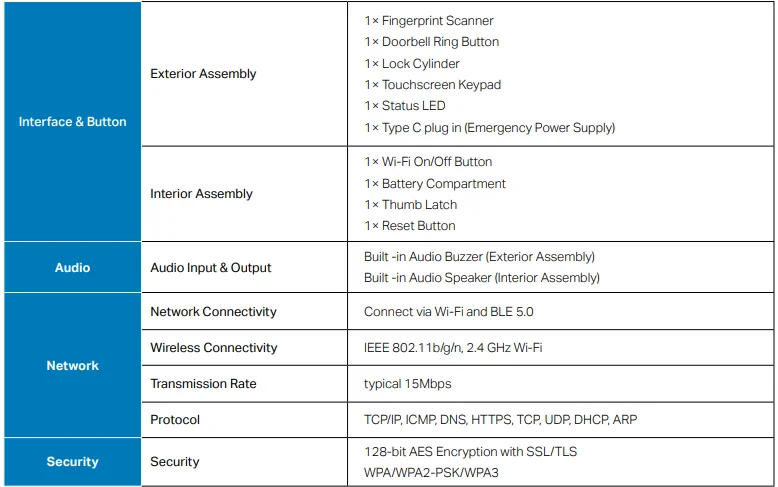
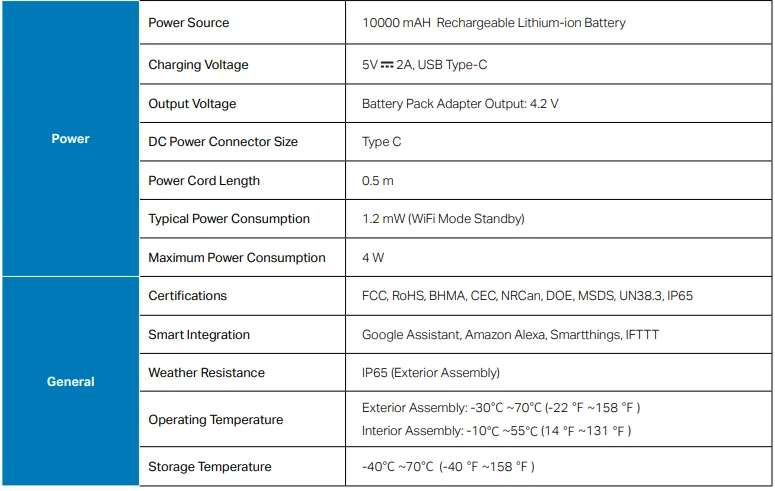
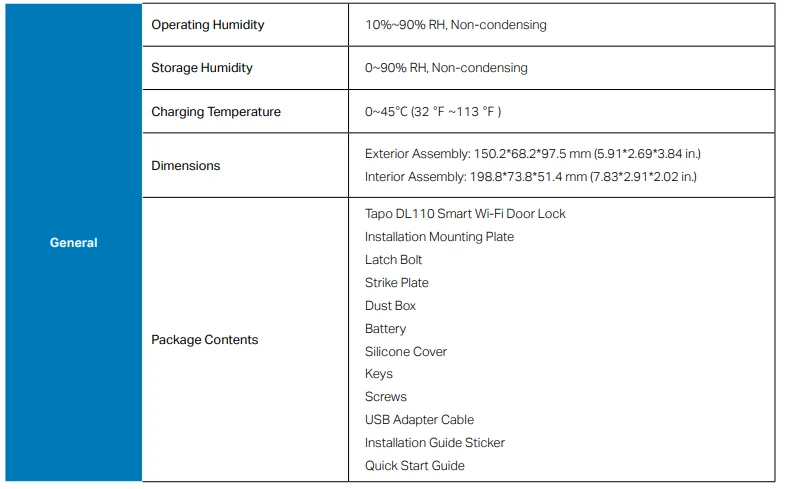
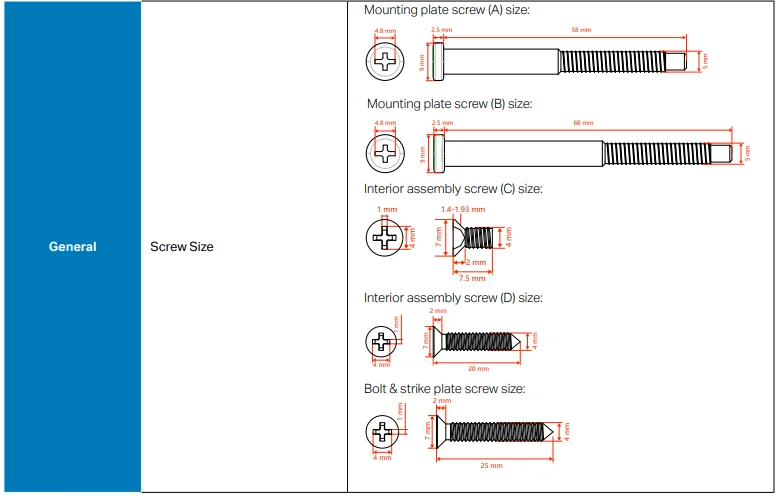
For More Manuals By Tapo, Visit ManualsLibraryy.
Tapo Smart Wi-Fi Door Lock-FAQs
What is the Tapo Smart Wi-Fi Door Lock, and how does it work?
The Tapo Smart Wi-Fi Door Lock is a keyless security device that lets you lock and unlock your door using a smartphone app, keypad, or smart assistants. It connects via Wi-Fi and Bluetooth, allowing remote access, real-time monitoring, and activity tracking from anywhere.
What are the different ways to unlock the Tapo smart door lock?
Tapo smart locks support multiple unlocking methods, including keypad PIN codes, mobile app control, Bluetooth proximity access, voice commands with PIN verification, and traditional backup keys. Some models also include fingerprint unlocking for faster and more convenient entry.
Does the Tapo Smart Wi-Fi Door Lock require a subscription?
No, Tapo smart door locks do not require a monthly subscription. All core features like remote access, notifications, and activity logs are available through the Tapo app without recurring fees, making it a cost-effective smart home security solution.
Can you control the Tapo door lock remotely?
Yes, the lock can be controlled remotely through the Tapo mobile app using Wi-Fi connectivity. Users can lock or unlock doors, check status, receive alerts, and review access logs from anywhere, providing convenience and improved home security management.
How secure is the Tapo Smart Wi-Fi Door Lock?
The lock includes multiple security features such as PIN attempt limits, encrypted communication, activity logs, and optional PIN masking that hides your code within random digits. These features help prevent unauthorized access and improve overall home security reliability.
How long does the battery last on a Tapo smart lock?
Battery life depends on the model and usage. Standard models can last around seven months on Wi-Fi mode and up to ten months on Bluetooth mode, while advanced versions with rechargeable batteries may last up to a year before needing recharging.
Can you create temporary or guest access codes?
Yes, the Tapo smart lock allows you to create multiple types of access codes, including permanent, one-time, and scheduled codes. This feature is useful for guests, family members, or service personnel, allowing controlled and time-limited entry without sharing physical keys.
Does the Tapo Smart Wi-Fi Door Lock support smart home integration?
Yes, it integrates with platforms like Amazon Alexa, Google Home, and Samsung SmartThings. This enables voice control and automation, allowing users to include the lock in smart routines and manage it alongside other connected home devices easily.
Is the Tapo door lock easy to install?
The lock is designed for simple installation on standard deadbolts without requiring drilling or complex modifications. Most users can install it themselves using basic tools, making it a convenient upgrade for existing doors without professional assistance.
What happens if the battery dies on the Tapo smart lock?
If the battery runs out, the lock includes backup solutions such as physical keys and a USB-C emergency power option. This ensures you can still access your home even when the lock’s battery is completely drained.