
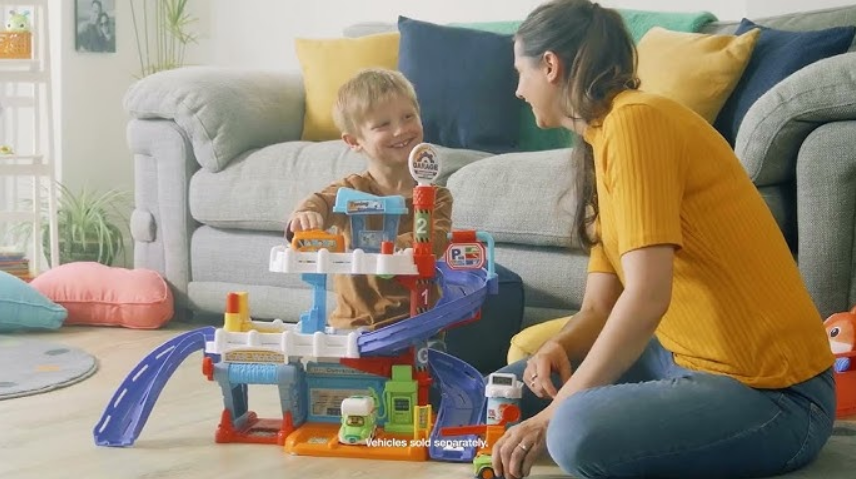

VTech Toot-Toot Drivers Garage Set
INTRODUCTION
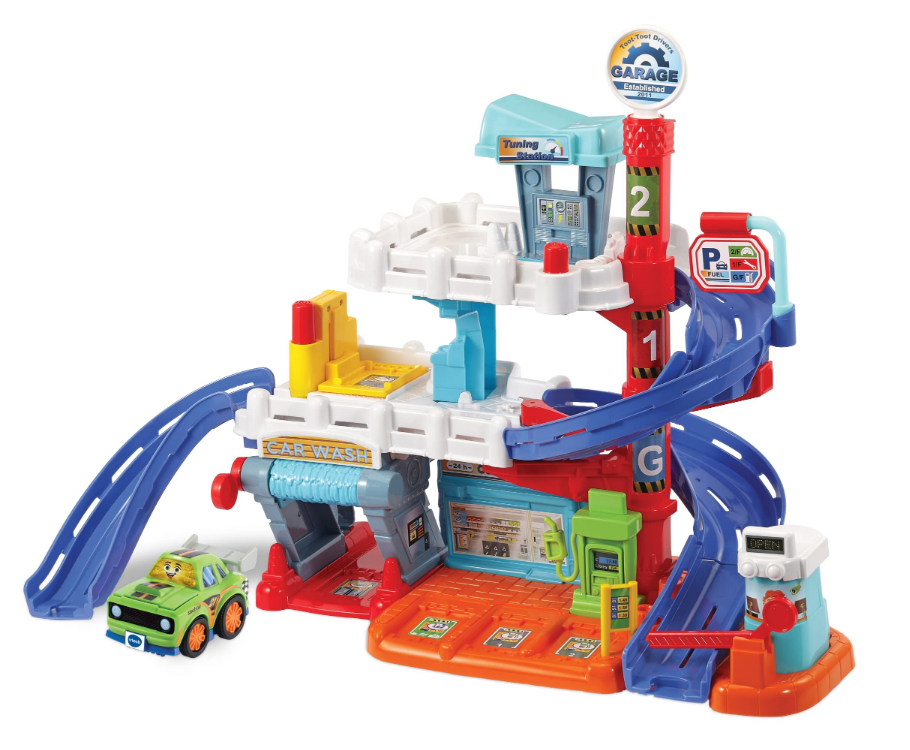
Thank you for purchasing the VTech® Toot-Toot Drivers® Garage! Park, play, and learn with the Toot-Toot Drivers® Garage. This interactive garage features three floors of pretend play and learning fun.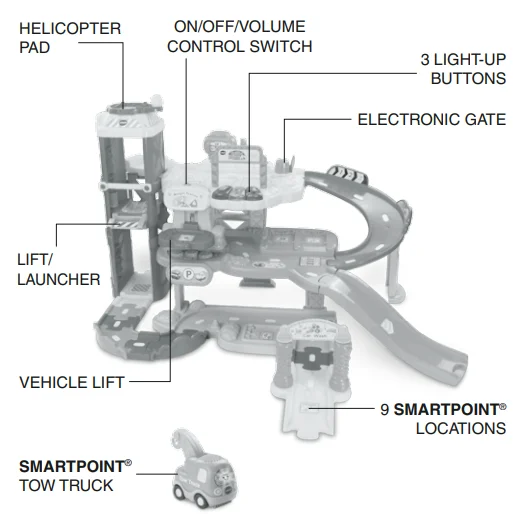
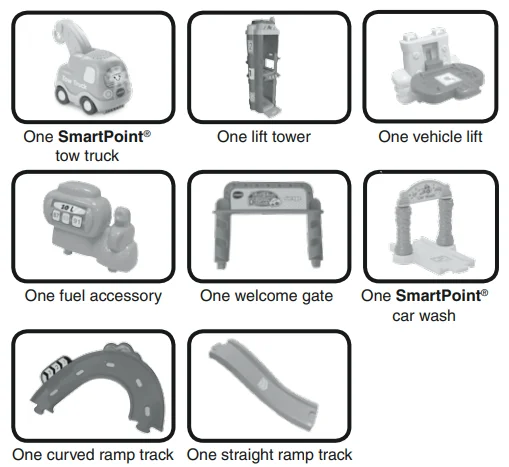
INCLUDED IN THIS PACKAGE
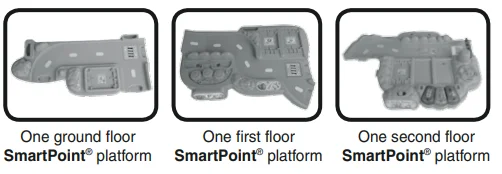
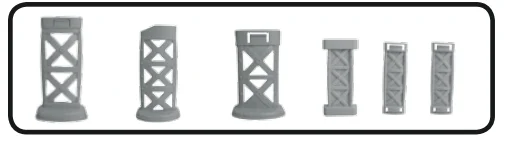
- One snap-in large support
- One medium support
- One snap-in small support
- One mini support
- Two snap-in mini supports

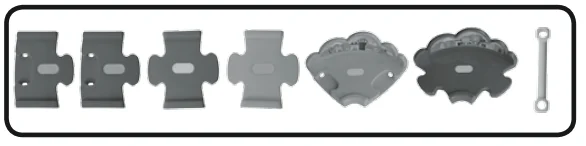
- Two male/female connector tracks
- Two male connector tracks
- One 90-degree female track
- One 90-degree male track
- One lift support piece

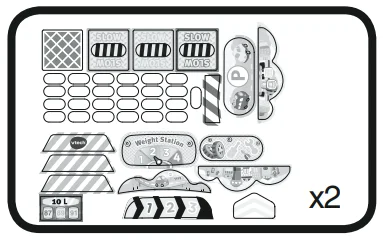
- Two label sheets
- One user’s manual
GETTING STARTED
BATTERY INSTALLATION – TOW TRUCK
- Make sure the unit is turned OFF.
- Locate the battery cover on the bottom of the tow truck. Use a coin or a screwdriver to loosen the screw.
- Install 2 new “AAA” (AM-4/LR03) batteries following the diagram inside the battery box. (The use of new alkaline batteries is recommended for maximum performance.)
- Replace the battery cover and tighten the screw to secure.

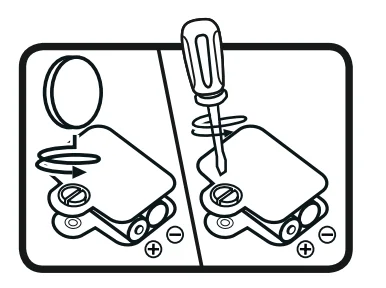
BATTERY INSTALLATION – GARAGE
- Make sure the unit is turned OFF.
- Locate the battery cover on the top platform of the garage. Use a coin or a screwdriver to loosen the screw.
- Install 2 new “AA” (AM/3/LR6) batteries following the diagram inside the battery box. (The use of new alkaline batteries is recommended for maximum performance.)
- Replace the battery cover and tighten the screw to secure.

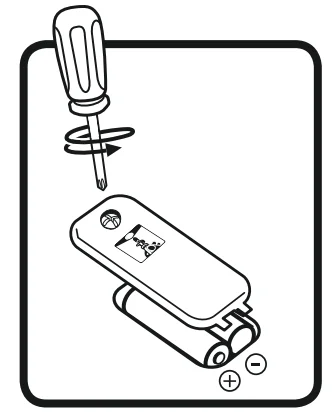
BATTERY NOTICE
- Use new alkaline batteries for maximum performance.
- Use only batteries of the same or equivalent type as recommended.
- Do not mix different types of batteries: alkaline, standard (carbon-zinc) or rechargeable (Ni-Cd, Ni-MH), or new and used batteries.
- Do not use damaged batteries.
- Insert batteries with the correct polarity.
- Do not short-circuit the battery terminals.
- Remove exhausted batteries from the toy.
- Remove batteries during long periods of non-use.
- Do not dispose of batteries in a fire.
- Do not charge non-rechargeable batteries.
- Remove rechargeable batteries from the toy before charging (if removable).
- Rechargeable batteries are only to be charged under adult supervision.
Disposal of batteries and products
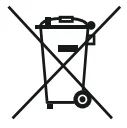 The crossed-out wheelie bin symbols on products and batteries, or on their respective packaging, indicate they must not be disposed of in domestic waste as they contain substances that can be damaging to the environment and human health. The chemical symbols Hg, Cd, or Pb, where marked, indicate that the battery contains more than the specified value of mercury (Hg), cadmium (Cd), or lead (Pb) set out in the Battery Directive (2006/66/EC). The solid bar indicates that the product was placed on the market after 13th August 2005. Help protect the environment by disposing of your product or batteries responsibly.
For more information, please visit: www.recycle-more.co.uk / www.recyclenow.com.
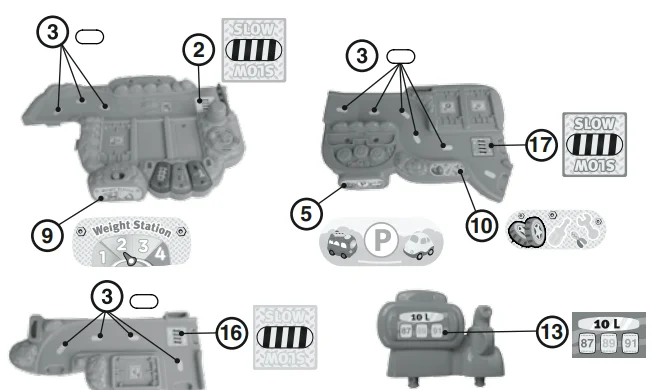
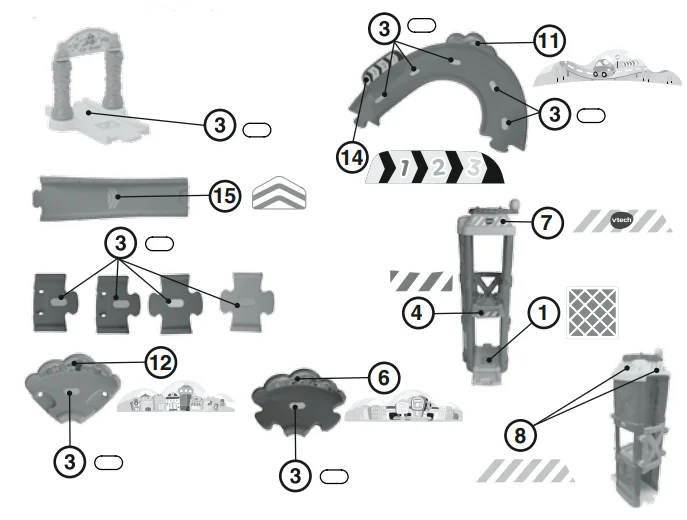
Please stick the labels to the play set securely as indicated on the following page:
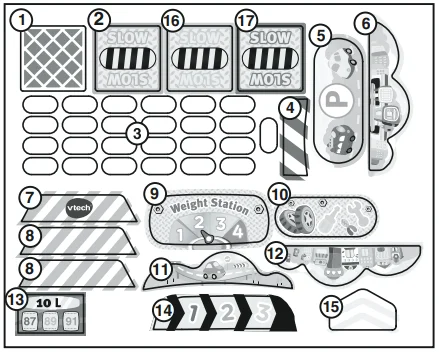
ASSEMBLY INSTRUCTIONS
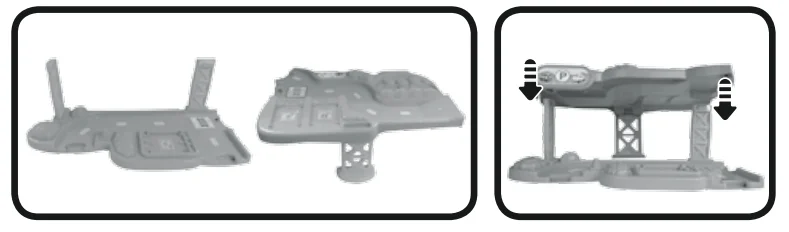
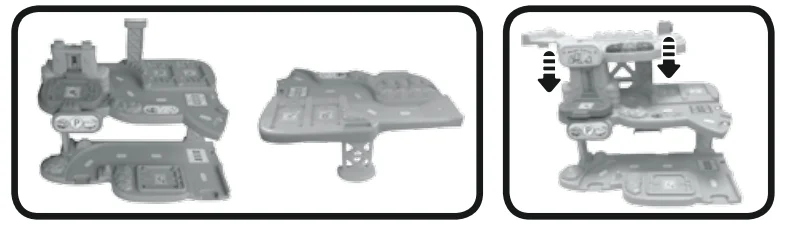
- With the ground floor platform right-side up, insert the two snap-in mini supports into the slots on the ground floor platform as shown. The snap-in mini supports will fit in the slots snugly. The teeth on the snap-in mini supports will grip the ground floor platform.

- With the first floor platform upside-down, insert the snap-in small support into the slot on the first floor platform as shown. The snap-in small support will fit in the slot snugly. The tooth on the small support will grip the first-floor platform.

- Turn the first-floor platform right-side up. Next, connect the open first-floor platform support slots to the snap-in mini supports attached to the ground floor platform, as shown. Press down to make sure the pieces are securely connected.

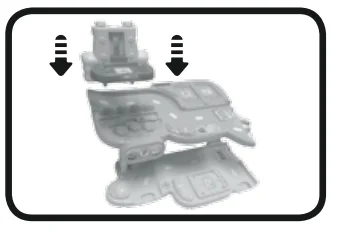
- Insert the bottom of the vehicle lift into the first floor platform as shown. You will hear a click sound to indicate the vehicle lift is secure. Once the vehicle lift is connected to the first floor platform, it cannot be detached.

- Insert either side of the mini support into the slot on the first-floor platform as shown.

- With the second floor platform upside-down, insert the snap-in large support into the largest slot on the second floor platform as shown. The snap-in large support will fit in the slot snugly. The tooth on the snap-in large support will grip the second-floor platform.

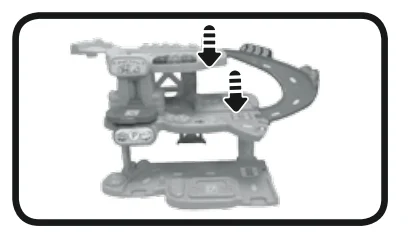
- Turn the second-floor platform right-side up. Next, line up the vehicle lift and mini support with the second-floor platform slot openings as shown. Then, press down on the second-floor platform to secure it to the vehicle lift and mini support.

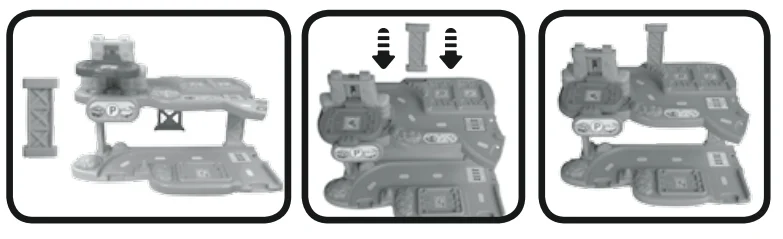
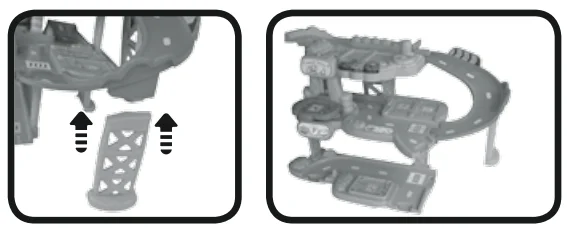
- Attach the curved ramp track to the first-floor platform and second-floor platform as shown.

- Insert the medium support into the slot on the bottom of the curved ramp track as shown.

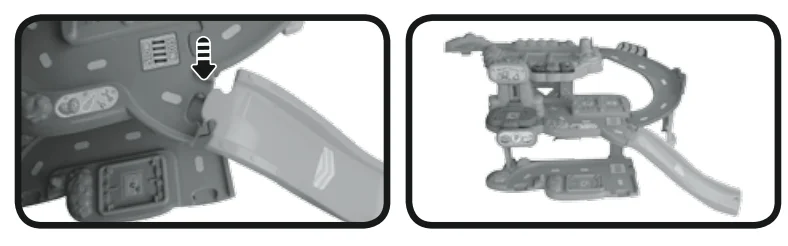
- Attach the straight ramp track to the first-floor platform as shown.

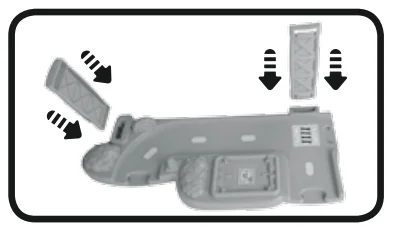
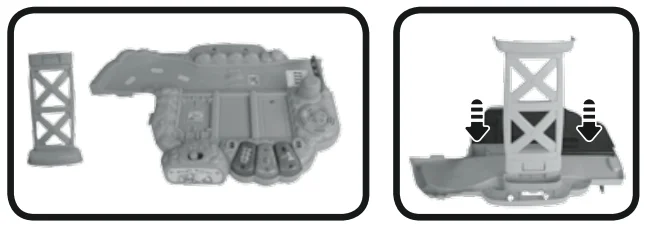
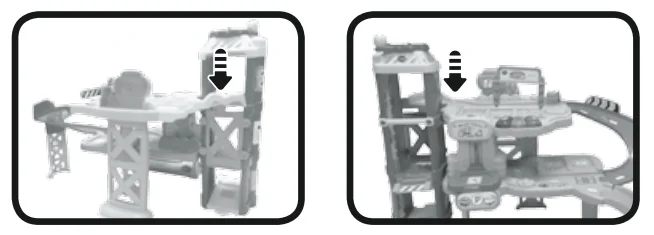
- Attach the lift tower to the second-floor platform. First, connect the track portion of the second-floor platform to the back of the lift tower as shown. Next, connect the open slot on the lift tower to the connector piece on the second-floor platform as shown. You will hear a click sound to indicate that the lift tower is secured to the second-floor platform. Once the lift tower is connected to the second-floor platform, it cannot be detached.

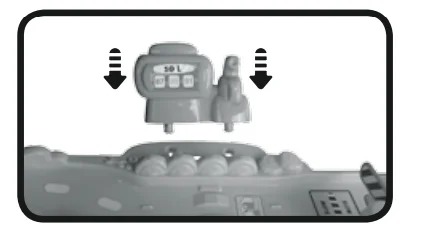
- Attach the fuel accessory to the second-floor platform as shown. You will hear a click sound to indicate the fuel accessory is secured to the second-floor platform. Once the fuel accessory is connected to the second-floor platform, it cannot be detached.

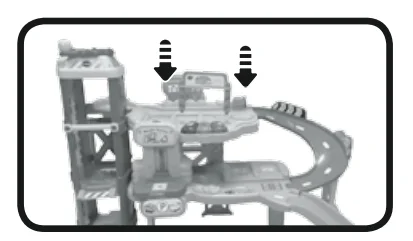
- Attach the welcome gate to the second-floor platform as shown.

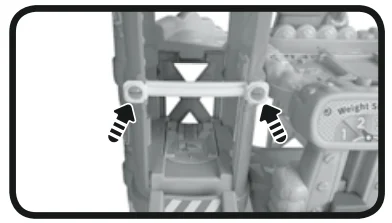
- With the lift/launcher at the base of the lift tower, attach the lift support piece to the lift tower as shown. You will hear a click sound to indicate that the lift support piece is secured to the lift tower. Once the lift support piece is connected to the lift tower, it cannot be detached.

- Once you’ve completed the above steps, you are ready to play! You can connect these pieces to the other included track pieces, or you can connect this play set to other Toot-Toot Drivers® play sets (each sold separately).

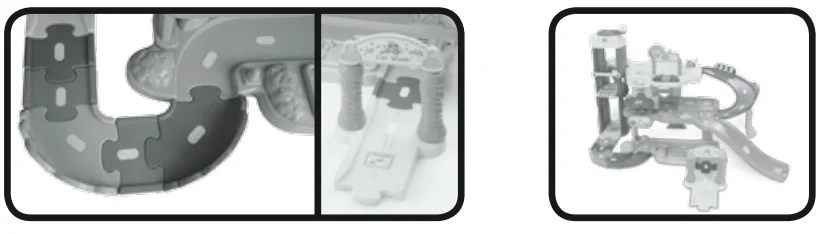
Expand & Explore
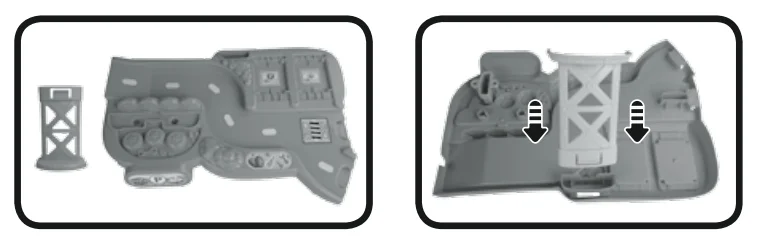
Connect to the Toot-Toot Drivers® Deluxe Track Set (as shown below) or other Toot-Toot Drivers® play sets (each sold separately) to expand the Toot-Toot Drivers Garage and inspire creativity.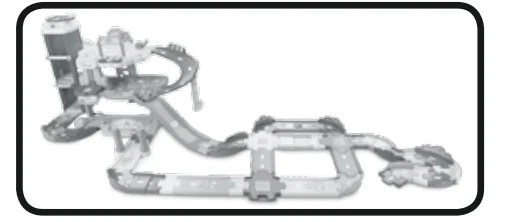
PRODUCT FEATURES – TOW TRUCK
1. ON/OFF SWITCH
To turn the tow truck ON, slide the ON/OFF SWITCH on the tow truck to the ON  position. To turn the tow truck OFF, slide the ON/OFF SWITCH to the OFF
 position.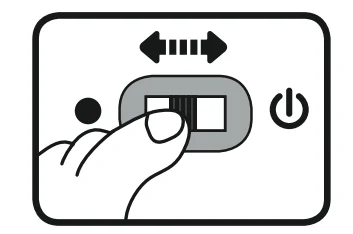
2. AUTOMATIC SHUT-OFF
To preserve battery life, the tow truck included with the VTech® Toot-Toot Drivers® Garage will automatically power down after approximately 65 seconds without input. The unit can be turned on again by pressing the light-up face button or pushing the tow truck quickly.
Note: This product is in try-me mode in the packaging. After opening the package, turn the vehicle off and on again to proceed with normal play.
ACTIVITIES – TOW TRUCK
- Slide the ON/OFF SWITCH to the ON position to turn the unit ON. You will hear a song, a phrase, and sounds. The light will flash with the sounds.

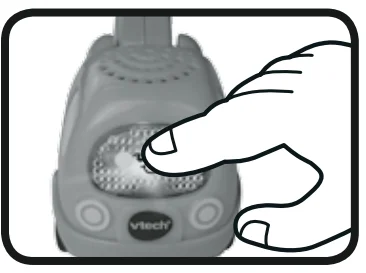
- Press the light-up face button to hear tow truck sounds, songs, and phrases. The light will flash with the sounds.

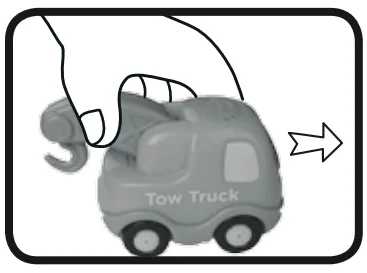
- Push the tow truck to hear fun sounds and melodies. While the melody is playing, push the vehicle again to add fun sounds on top of the melody. The light will flash with the sounds.

- For added fun, the tow truck interacts with the Toot-Toot Drivers® Garage. Simply roll or place the tow truck on one of the play set’s SmartPoint® locations to hear the tow truck play fun sounds, short tunes, and sing-along songs. The tow truck even interacts with other Toot-Toot Drivers® play sets (each sold separately).
PRODUCT FEATURES – GARAGE
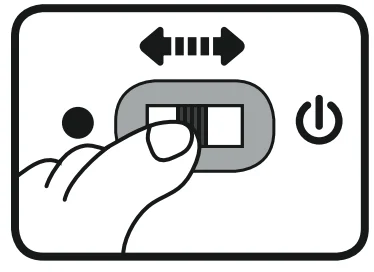
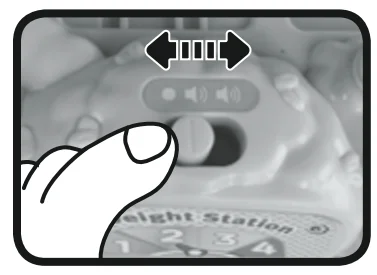
ON/OFF/VOLUME CONTROL SWITCH
To turn the unit ON, slide the ON/OFF/VOLUME CONTROL SWITCH to the low volume  or high volume
  position. To turn the unit OFF, slide the ON/OFF/VOLUME CONTROL SWITCH to the OFFposition.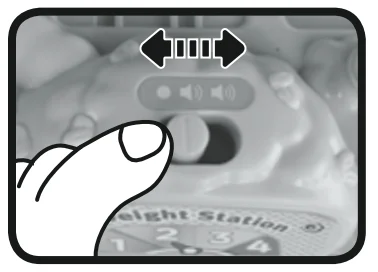
SMARTPOINT® LOCATIONS
The garage includes 9 SmartPoint® locations that interact with the included tow truck or any other Toot-Toot Drivers® SmartPoint® vehicle (each sold separately). Simply roll or place the vehicle over a SmartPoint® location to hear fun sounds, phrases, and music.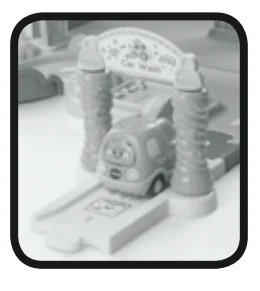
AUTOMATIC SHUT-OFF
To preserve battery life, the VTech® Toot-Toot Drivers® Garage will automatically power down after approximately 55 seconds without input. To wake up the unit, activate any of the electronic features on the play set.
ACTIVITIES – GARAGE
- Slide the ON/OFF/VOLUME CONTROL SWITCH to either volume setting to turn the unit on. You will hear a song, a phrase, and fun sounds. The lights will flash with the sounds.

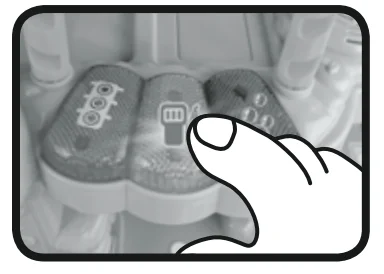
- Press the LIGHT-UP BUTTONS to hear fun phrases, sounds, songs, and melodies. While a melody is playing, press any of the 3 LIGHT-UP BUTTONS to add fun sounds on top of the melody. The lights will flash with the sounds.

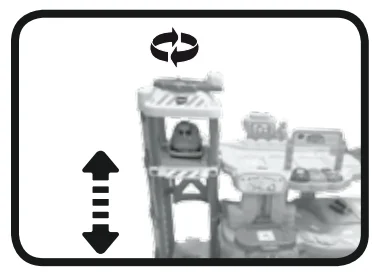
- Place a vehicle on the LIFT/LAUNCHER, and rotate the HELICOPTER PAD clockwise or counterclockwise. Based on the way the HELICOPTER PAD is rotated, the LIFT/LAUNCHER will go up or down the LIFT TOWER. As the LIFT/LAUNCHER reaches each floor, you will hear fun sounds and phrases. When the LIFT/LAUNCHER reaches the second floor, it will trigger the launcher button.

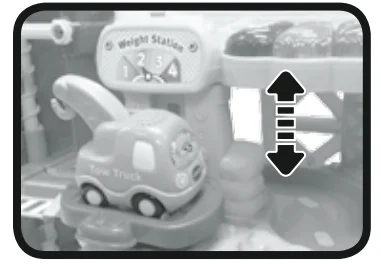
- Raise the VEHICLE LIFT to hear fun sounds. The lights will flash with the sounds.

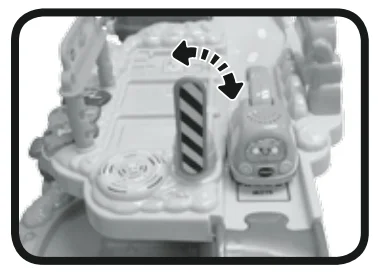
- Raise the ELECTRONIC GATE up or down to hear fun sounds and a phrase. The lights will flash with the sounds.

CARE & MAINTENANCE
- Keep the unit clean by wiping it with a slightly damp cloth.
- Keep the unit out of direct sunlight and away from any direct heat source.
- Remove the batteries when the unit will not be in use for an extended period of time.
- Do not drop the unit on hard surfaces, and do not expose the unit to moisture or water.
TROUBLESHOOTING
If, for some reason, the program or activity stops working or malfunctions, please follow these steps:
- Please turn the unit OFF.
- Interrupt the power supply by removing the batteries.
- Let the unit sit for a few minutes, then replace the batteries.
- Turn the unit ON. The unit should now be ready to play again.
- If the product still does not work, replace it with an entire set of new batteries.
If the problem persists, please call our Consumer Services Department on 01235 546810 (from the UK) or +44 1235 546810 (outside the UK) and a service representative will be happy to help you.
IMPORTANT NOTE:
Creating and developing VTech® products is accompanied by a responsibility that we take very seriously. We make every effort to ensure the accuracy of the information, which forms the value of our products. However, errors can sometimes occur. You need to know that we stand behind our products and encourage you to call our Consumer Services Department on 01235 546810 (from the UK) or +44 1235 546810 (outside the UK), with any problems and/or suggestions that you might have. A service representative will be happy to help you.
PRODUCT WARRANTY
Thank you for choosing this quality product from VTech. We hope it will bring many hours of entertainment, imaginative play, and learning.
- The product detailed above is covered by a one-year warranty from the date of purchase against any defects in materials or workmanship.
- The product may be returned to the place of purchase. Alternatively, the product can be returned to VTech Electronics Europe plc (see address below) with proof of purchase. Without proof of purchase, no replacement will be provided.
- VTech Electronics Europe plc will examine the product and, if it is found to be defective due to faulty materials or workmanship, will replace the product at its discretion.
- If the product covered by this warranty is damaged due to misuse, modification, or unauthorized repair, or because of faulty batteries, battery discharge, or incorrect electrical connections, then this warranty becomes void.
- This warranty is personal to the original purchaser and is not transferable.
- Breakages to the LCD screen are not covered by the warranty.
- Returns to VTech Electronics Europe plc should include a cheque or postal order for £1.50 towards the cost of return postage and packaging.
- Products returned to VTech Electronics Europe plc should be addressed as follows and packed carefully to avoid damage in transit (please do not include batteries or the adaptor).
Please include details of the fault together with your name and address. VTech Electronics Europe plc, c/o Tablogix Limited, 200 Milton Park, Abingdon, Oxon OX14 4TA. THIS WARRANTY IS OFFERED AS AN EXTRA BENEFIT AND DOES NOT AFFECT CONSUMERS’ STATUTORY RIGHTS.
For More Manuals By VTech, Visit ManualsLibraryy.
VTech Toot-Toot Drivers Garage Set-FAQs
How do I assemble the Toot-Toot Garage?
Insert the gate arm through the gate base, attach the gate to the base, and connect the platform track to the ramp support. Once done, the set is ready to play.
How do the Toot-Toot Drivers vehicles work?
Roll the vehicle over SmartPoints on the tracks to trigger lights, fun sounds, greetings, and sing-along songs.
Where do I put the batteries in the garage set?
The battery compartments are located on the back of the main garage unit and the tow truck. Use a coin or screwdriver to open, then insert 2 AA batteries following the diagram inside.
What type of batteries do Toot-Toot Drivers vehicles need?
Most Toot-Toot Drivers vehicles use 2 or 3 AA batteries, while some special toys may require LR44 button cells. Always use new alkaline batteries for best performance.
How do I change the batteries?
Open the battery cover with a coin or screwdriver, remove old batteries, insert new ones following the polarity diagram, and close the cover securely.
Can the vehicles drive by themselves?
The trains move automatically when switched on. Cars need to be pushed manually but interact with SmartPoints to play sounds and music.
Can all Toot-Toot sets connect together?
Yes. Tracks and accessories are interchangeable, allowing you to connect multiple Toot-Toot play sets for expanded play.
How do I use the garage door and traffic lights?
Drive the vehicle over the SmartPoint near the gate to activate lights and sounds. Stop at red lights and go on green to simulate real traffic play.
What age group is this garage set suitable for?
The Toot-Toot Garage is recommended for children aged 1 to 5 years.
Does the garage set play sounds and songs?
Yes. Pressing the vehicle’s light-up button or rolling over SmartPoints triggers fun phrases, realistic sound effects, and sing-along songs.