


Petwant F6 Six-Meals Automatic Pet Feeder
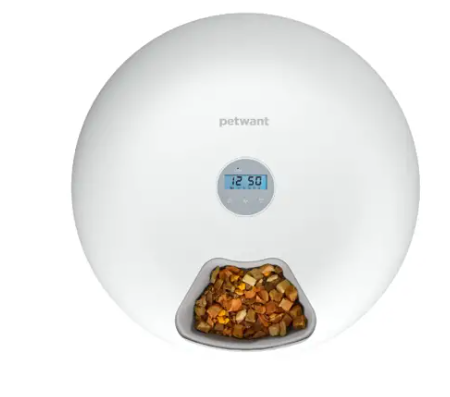
Meet Your Automatic Pet Feeder
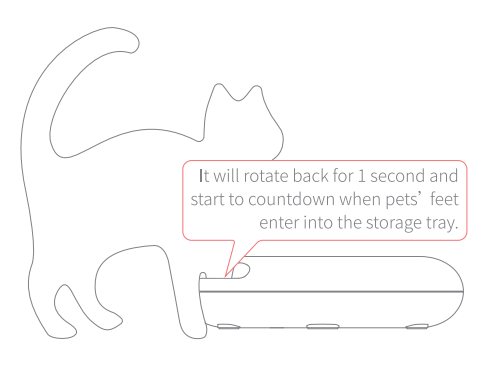
Pet Feet Protection
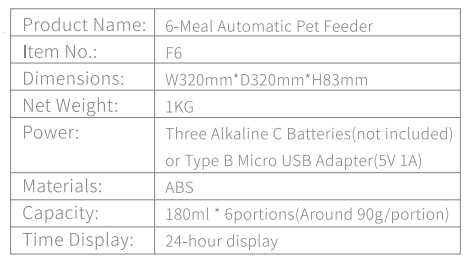
Product parameters
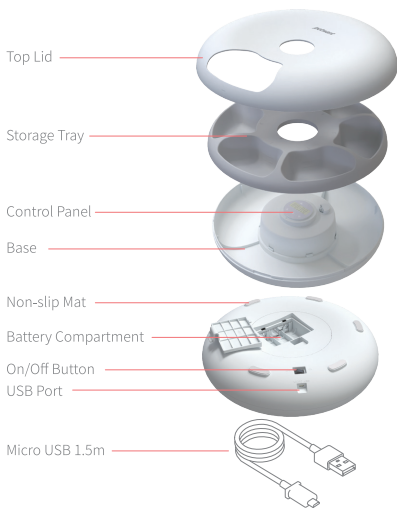
Assemble & Disassemble
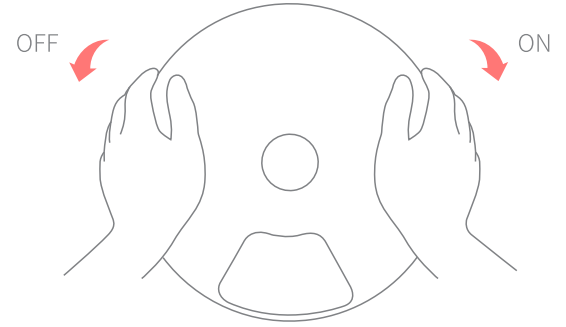
Press down both sides of the top lid and rotate in the direction of the arrow to disassemble the top lid.
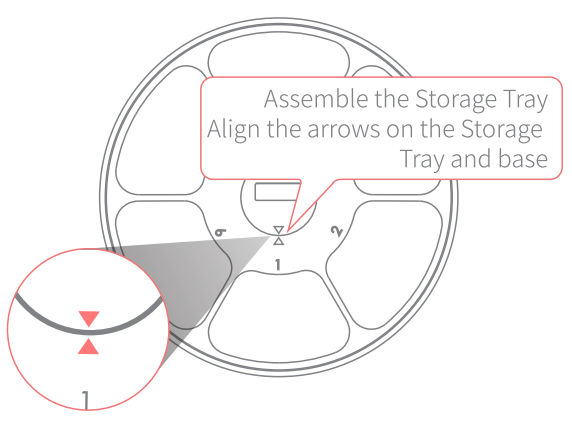
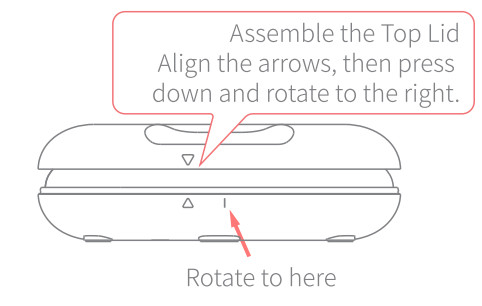
- Test Before Using:
- Plug in the micro-USB cable or install three size batteries and switch them on, then you can start to set up your automatic pet feeder.
- Please long-press press button for one second to check if the food tray rotates properly.
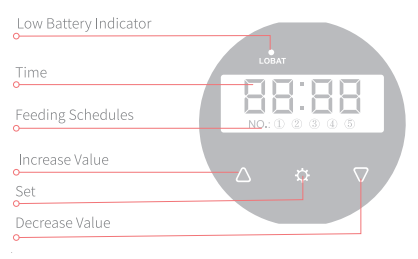
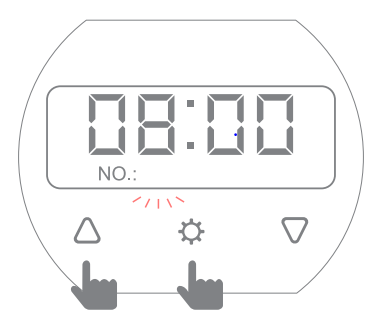
- Unlocking The Screen: If no activity takes place in 30 seconds, the unit will shut down and enter standby mode. Press the and button at the same time for 1 second to unlock the screen and follow the instructions below to manage the settings.
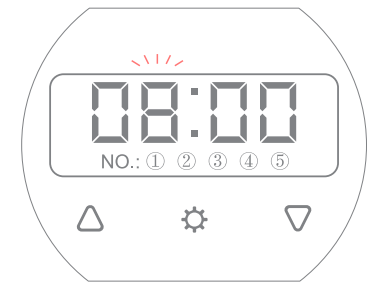
- Set CurrentTime:
- Press the button, and the hour digits will flash.
- Press and “Q ” button to find the current hour and press again to save.
- Once an hour is saved, the minute digits will flash.
- Press and button to find the current minute and press again to save and enter First Meal Settings.

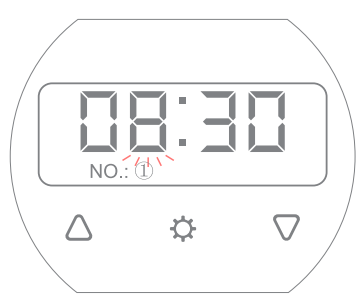
- Set First Meal Time:
- When the digits are flashing, repeat step 1 to set the feeding time.
- Press shortly to save the schedule and go to the second meal settings. (If only 2 or 3 meals needed, please long-press press button to return to the current time page; your feeding schedules will be automatically saved.)

- Restore Factory Setting:
- Press the button, and the hour digits will flash.
- Hold and buttons at the same time to clean all programmed meals and settings.

Important Safety Information
Proper safety warning information can avoid potential danger for people and pets. Please read the safety information carefully.
- Do not place anything on top of the feeder.
- The feeder is suitable for operation by users over 12 years old.
- Suitable for both wet and dry food.
- Support both the power supply and the Micro USB Interface power supply.
- The feeder body is forbidden to dip in, or it will cause the feeder to break.
- When the low voltage indicator is solid, please replace the battery in time. If you do not use the battery for a long time, please take it out to avoid battery corrosion.
- When both plug in and install the battery, the power supply is in priority.
FOR MORE MANUALS BY PETWANT, VISIT MANUALSLIBRARYY
Petwant F6 Six-Meals Automatic Pet Feeder-FAQs
How do I set up the Petwant F6 feeder?
Place the feeder on a flat surface, insert batteries or connect the power cord, fill the tray with food, and program the timer for up to six meals.
Why is my Petwant feeder not working?
Ensure the power cord is properly plugged in and the outlet works. If using batteries, remember they are meant only as a backup power source.
What is the main function of the automatic pet feeder?
It dispenses pre-measured food portions at scheduled times, ensuring pets are fed on time even when you are away.
Can I use wet food in the Petwant F6 feeder?
Yes, the feeder supports both dry and wet food, but wet food should not be left inside for long periods to avoid spoilage.
Do I need Wi-Fi for the Petwant F6 feeder?
No, this model does not require Wi-Fi. It works with manual programming through its control panel.
How do I clean the feeder?
Unplug the unit, remove the food tray, and wash it with warm soapy water. Wipe the main body with a soft, damp cloth and dry thoroughly before reassembling.
How can I check if the feeder is working properly?
Test the feeder by running a few feeding cycles before relying on it. You should hear the tray rotate and food dispense as programmed.
Are there any disadvantages to using an automatic feeder?
Some pets may overeat if food portions are not controlled, and regular cleaning is necessary to maintain hygiene.