


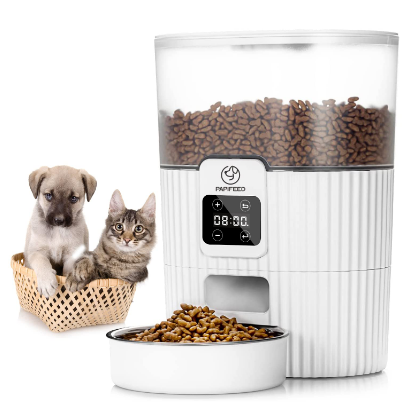
Papifeed PB-33 Smart Automatic Pet Feeder
Daily Feeding
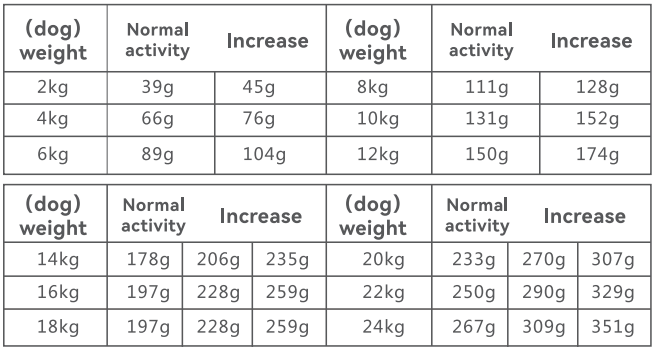
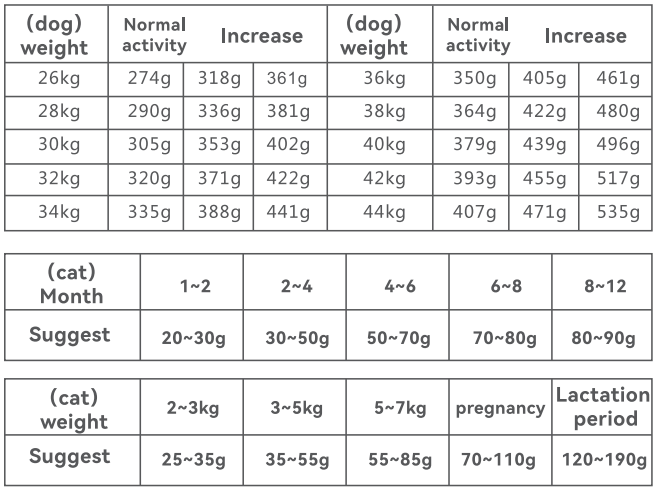
If the pet fails to eat up the previously programmed meal, please reduce the next meal portion.
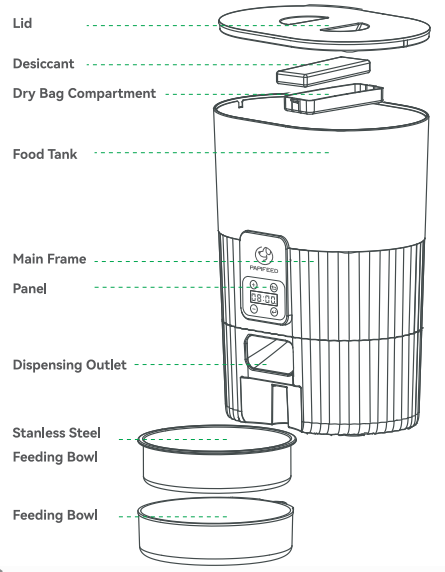
Component Breakdown
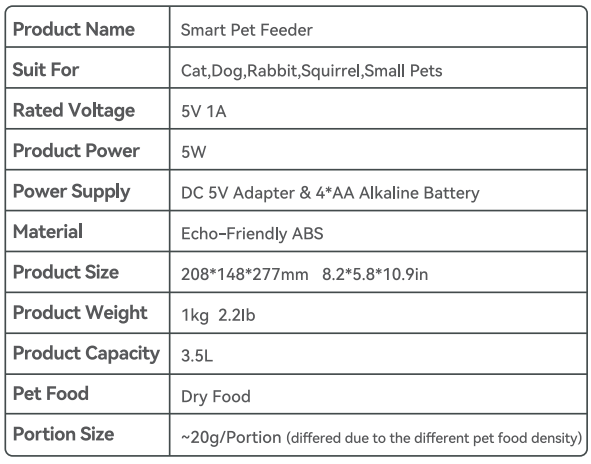
Product Specifications
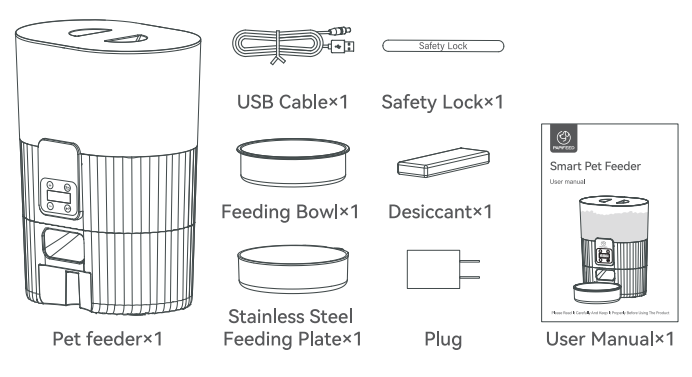
Packing List
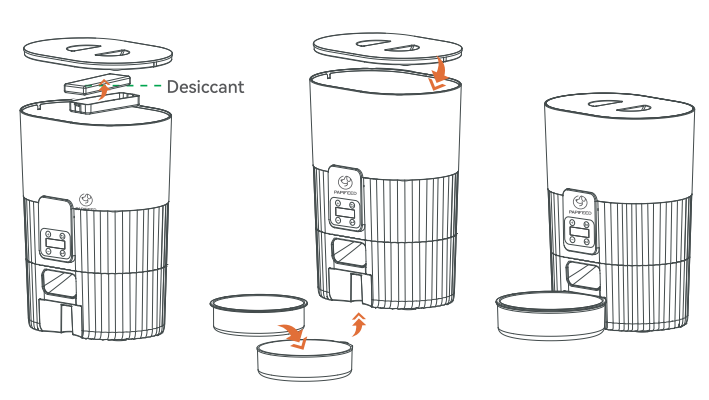
Procluct Harnware Assembly Steps
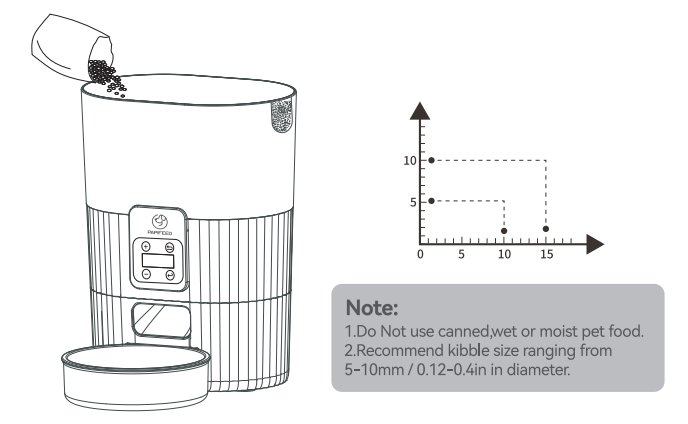
- Installation of a grain bin.

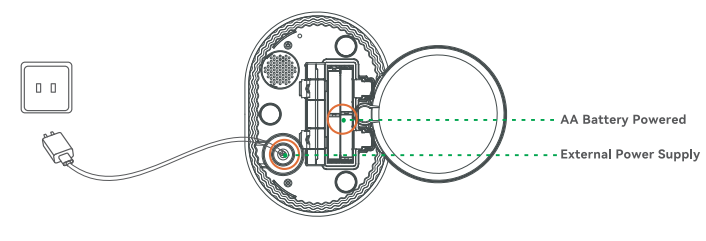
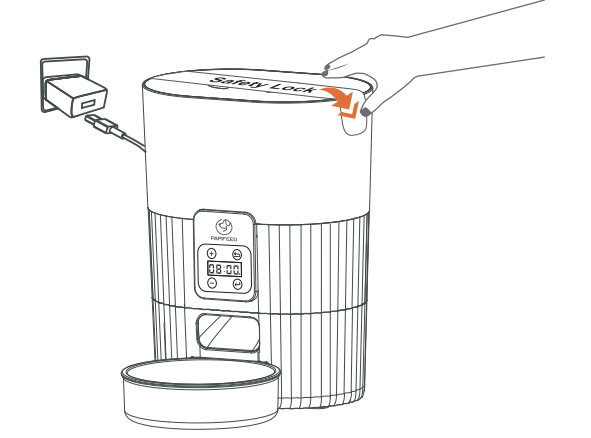
- There are two ways to connect the power supply: you can choose to use the power adapter to connect the power supply, or you can choose to use 4 AA batteries as the power supply. (It is recommended to have two power supplies at the same time. When there is a power failure at home, AA batteries can be used as a backup power supply to prevent the feeder from stopping working.)

- Pour the grain.

- Install the Safety Lock.

Daily Feeding
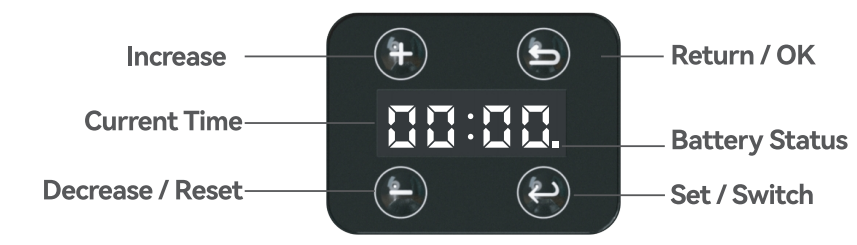
[Voltage Indicator (On Battery Power)
- Indicator Light Disappears: Sufficient power for normal use.
- Indicator Light Appears: Low power, will automatically shut down.
- Indicator Light Blinking: Battery replacement reminder, please replace the battery immediately.
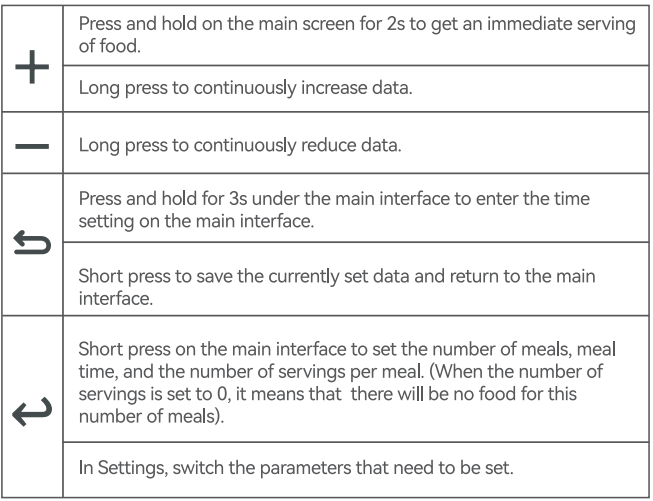
Basic Interface Understanding
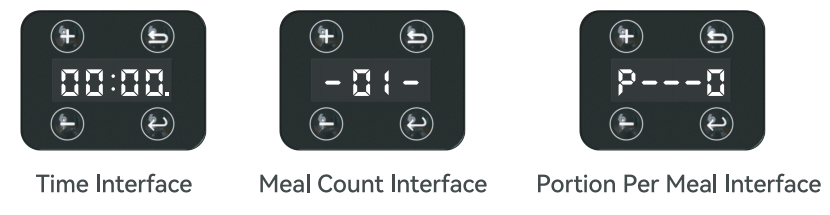
Time Setting
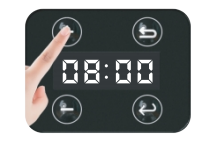
- Under the main interface, long-press the [
 ] key for 3s to set the time.
- Press the key[+/-] to increase or decrease the hours and minutes value. Press [ ] to switch between hour and minute.

- After completing the setting, press the [] to return to the main interface.

 ] key for 3s to set the time.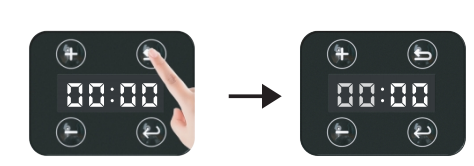
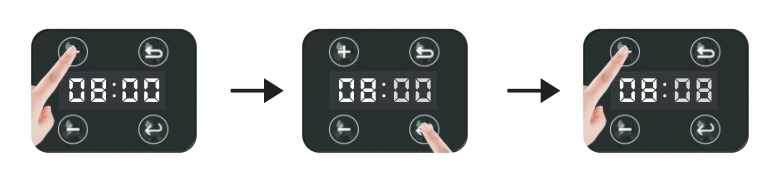
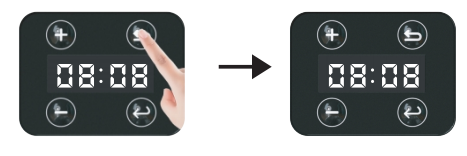
Manual Feeding
Long-press the [ +] for 2s to feed for one portion. Press once to release one portion.
Meal setting
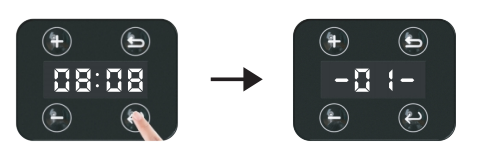
- Under the main interface, short-click the [] to enter into meal setting interface. There are [-01-] [-02-] [-03-] [-04-] meals.

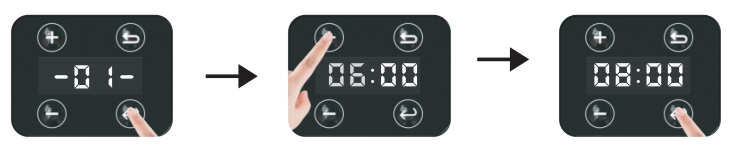
- Press the [] again to enter the hours setting of the meal time, and long-press the [+] or [ – ] to quickly set the data.

- Press [ ] further set the minutes of meal time, and long-press [+] or [-] to quickly set the data.

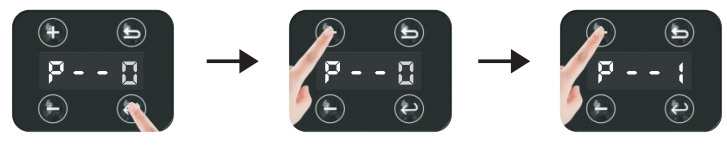
- Press [] to set the portions, adjust the value with the key[+/ – ] ;

- Tip: If enough meals have been set, you can directly press the [] key to complete the current meal number setting. If you need to set more meals, please press the [] key to enter the next meal number setting.

- After the setting is completed, press [ ] to confirm and save the settings, and prompt [—-]to return to the main interface (Time interface).




Product Disassembly & Cleaning
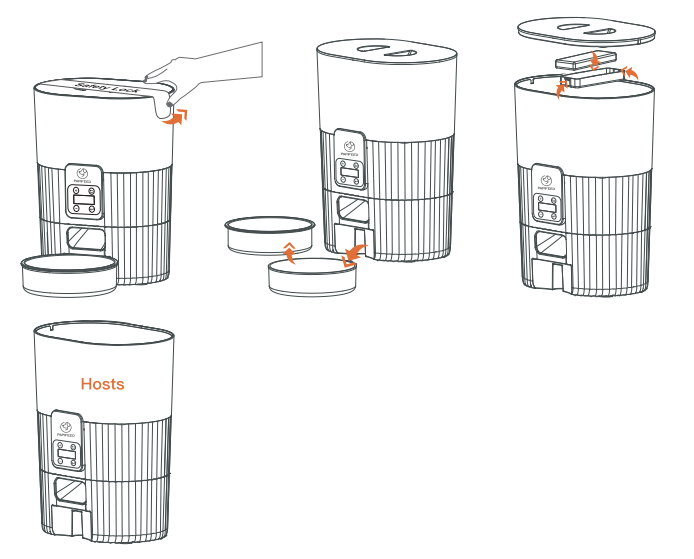
Note: In addition to the host part of the feeder’s other assembled parts can be disassembled and cleaned.
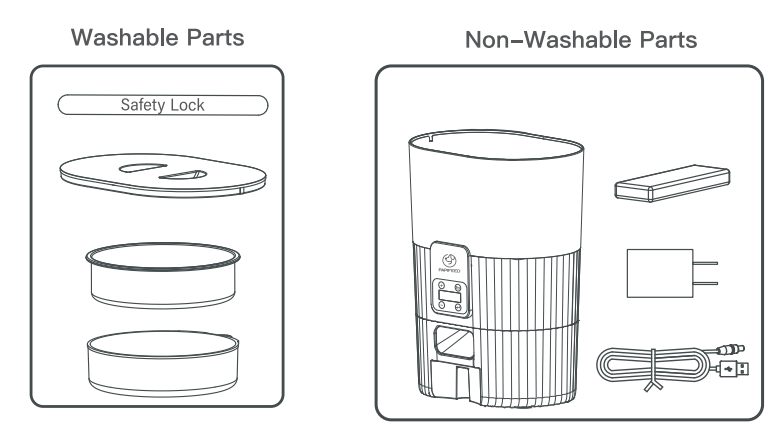
Q&A Troubleshooting
Q: Why, with the programmed meal, no food dispensing from the feeder?
A: Please check the following:
- There are some pet foods in the food hooper.
- If there is any error indicated on the screen.
- Make sure you have poured non-sticky dry food into the feeder instead of wet and canned food.
Q If the power cord is bitten off by a pet. Will it electrocute the pet?
A: We use a 5V safety voltage. No electrocution to pets!
Q: Why can the food hooper not be washed?
A: Non-detachable, mainly because of the simple internal structure of the product; there is no blind Angle. Press one key to release the food from the hopper and wipe out the dispensing outlet and the inner wall to keep the food fresh.
100% After Sales Service
We provide a 1-year warranty for this appliance.
Please email our support team at ([email protected]) if you have any questions. Attach your order number and describe your problem in your email. We will get back to you within 24 hours.
For more manuals by Papifeed, visit ManualsLibraryy
Papifeed PB-33 Smart Automatic Pet Feeder- FAQs
What app does Papifeed use?
The feeder works with the Smart Life app on iOS and Android.
How do I connect it to Wi-Fi?
Power the feeder, turn on phone Wi-Fi/Bluetooth, open Smart Life, and add the device.
How much food is in one portion?
Each portion is about 20 ml, adjustable via the app.
Can I use wet food?
Yes, wet food is supported and should be placed in the stainless steel bowl.
How do I clean the feeder?
Unplug, remove the lid and food container, wash with warm soapy water, rinse, and dry.
How often should I feed my pet?
Kittens: 3 meals/day; Adult cats: 1–2 meals/day; Follow vet guidance for dogs.
Can I record a voice message for my pet?
Yes, press the Record button for up to 10 seconds for a meal call.
How long can my pet be left alone?
The feeder can manage meals for 2–3 days, but longer periods need human interaction.