
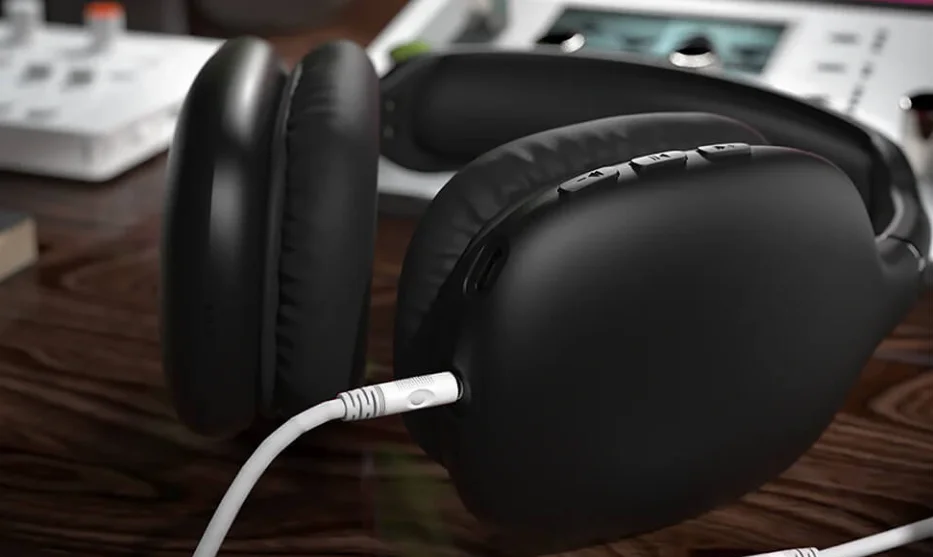

Hypergear HBT03 Vibe Wireless Headphones
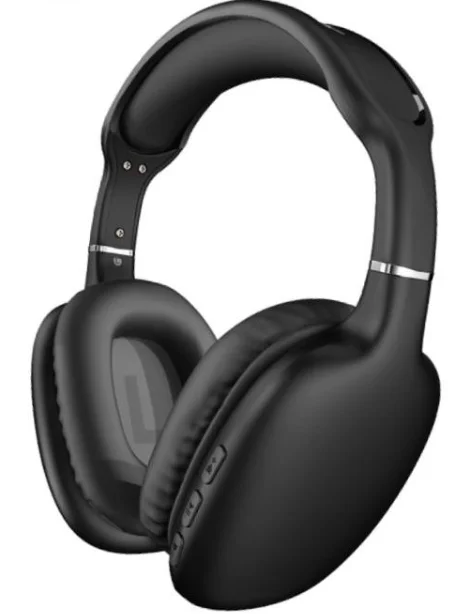
SPECIFICATIONS
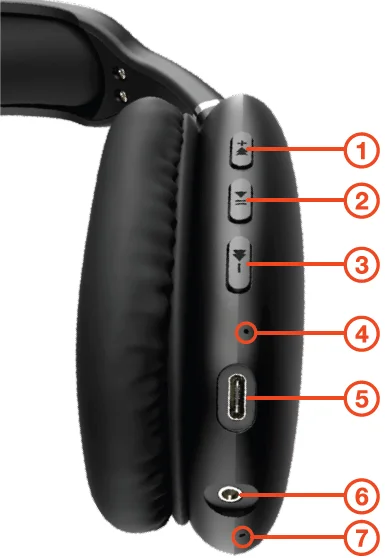
- Volume Up/Next Track
- Play/Pause
- Volume Down/Previous Track
- LED Indicator
- USB-C Charging Port
- Auxiliary Input
- Microphone
INSTRUCTIONS
Fully charge your headphones before first use
HOW TO CHARGE
Connect to a USB power source using the included USB-C charging cable.
- RED, Charging
- BLUE, Fully Charged (approximately 1.5 hours)
HOW TO PAIR
When you power your headphones on, the LED will flash BLUE and RED to indicate pairing mode.
- Using the Bluetooth menu on your device (phone, tablet, etc.), enable searching for nearby Bluetooth devices.
- Select “HyperGear VIBE” to connect and pair.
NOTE: If your device prompts for a PIN code, enter “0000”.
- Once paired, the LED will flash BLUE, and you will hear a tone confirming the successful connection.
NOTE: The headphones will automatically reconnect to the last paired Bluetooth audio device when the unit is turned on.
PLAY VIA AUX
Use a 3.5mm auxiliary cable to connect the headphones to other audio sources, including non-Bluetooth devices. Your music will automatically play.
NOTE: When wired via AUX, the headphones power off to save battery, and Bluetooth functions are automatically disabled. Use the controls on your source device instead.
FUNCTIONS
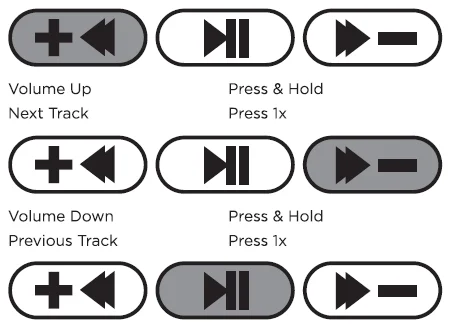
Multifunction (MFB)
- Power On: Press & Hold (2 sec)
- Power Off: Press & Hold (4 sec)
- Play/Pause: Press 1x
- Answer/End Call: Press 1x
- Reject Call: Press & Hold (2 sec)
- Redial Call: Press 2x
- Activate Voice Assistant: Press 3x
Remote functions may vary depending on phone models.
Need help? Visit www.myhypergear.com for additional product information or email [email protected]
IMPORTANT
Read all safety instructions and warnings prior to using this product. Improper use and failure to follow safety guidelines could result in damage, excess heat, toxic fumes, fire, explosion, electrical shock, or other hazards, causing serious and/or fatal injury and/or property damage, and is not the manufacturer’s responsibility. The user is responsible for maintaining this product with care for maximum use.
- Do not store the device in a depleted state. Battery cells may be damaged. Charge your unit at least once every 3 months, even when not in use.
- Permanent hearing loss may occur if you listen at high volumes. Set the volume to a safe level.
- Do not store at extreme temperatures (below 40°F or above 90°F).
- Recharge your device with the included USB-C charging cable or a certified 3rd party cable and a 2A charging adapter. Standard cables and adapters may charge the battery too slowly and damage/overheat the battery, or cause a fire hazard
- Do not attempt to modify, disassemble, or repair this product.
- Avoid excessive drops, bumps, and abrasions. If the device has dents, punctures, tears, deformities, or corrosion, discontinue use and contact the manufacturer or dispose of it in an appropriate manner.
- If you find this product rapidly increasing in temperature, emitting odor, deformed, abraded, or demonstrating an abnormal phenomenon, discontinue use immediately.
- Disposal of the unit in the garbage is unlawful under state and federal environmental laws and regulations.
Contact [email protected] to submit a warranty claim. Proof of purchase is required.
For more Manuals by Hypergear, visit ManualsLibraryy
Hypergear HBT03 Vibe Wireless Headphones-FAQs
How do I turn on my HyperGear Vibe headphones?
Press and hold the middle power button until the LED flashes, indicating the headphones are on.
How do I pair Vibe headphones with a ?
Enable Bluetooth on your phone or tablet, select “HyperGear VIBE” from the available devices, and enter the PIN code 0000 if prompted.
How do I reset my Vibe headphones?
Disconnect them from all devices, then reconnect the USB cable briefly to reset. You can also remove them from your device’s Bluetooth list and pair again.
What is Bluetooth pairing mode?
Pairing mode lets your headphones connect to other Bluetooth devices. The LED flashes blue when the headphones are ready to pair.
Why won’t my headphones connect?
Ensure the headphones are in pairing mode, within range, and your device’s Bluetooth is enabled. Removing old connections and restarting the device often fixes issues.
How long do HyperGear headphones take to charge?
It typically takes around 2 hours to fully charge the headphones.
How can I tell if my headphones are fully charged?
The LED light will turn off or change color (usually from red to blue/green) when charging is complete.
Are HyperGear headphones waterproof?
Yes, they have an IPX6 rating, making them safe for outdoor use with protection against splashes and rain.several months with normal daily use.