
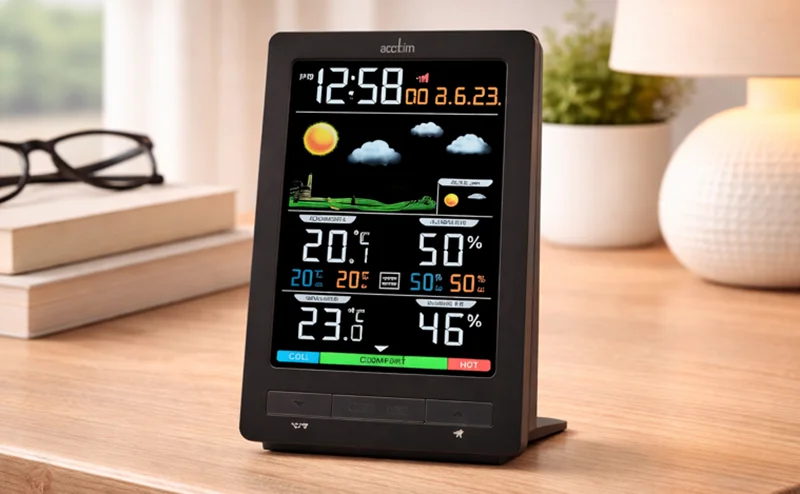

Acctim 16177 Ermir Weather Station
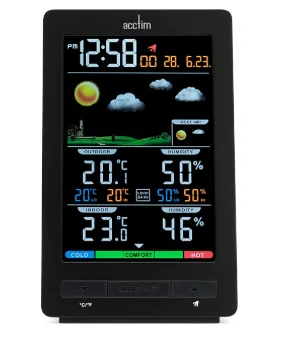
The Acctim 16177 Ermir Weather Station is a modern, multi-functional clock designed to keep you informed and on schedule. Featuring a sleek digital display with a bright, easy-to-read colour HD LCD screen, it shows time, date, and day alongside a detailed weather forecast. It monitors both indoor and outdoor temperature, humidity, and barometric pressure using a wireless sensor, giving you accurate, real-time conditions. Packed with practical features like a comfort indicator, frost alert, and crescendo alarm with snooze, it’s ideal for everyday use. With its combination of smart weather tracking and reliable timekeeping, the Ermir Weather Station is perfect for adding both functionality and a contemporary touch to your bedside or workspace.
LCD WEATHERSTATION ALARM CLOCK OPERATING INSTRUCTIONS
Thank you for your purchase of this quality clock. Please read these instructions carefully and keep them in a safe place for future reference.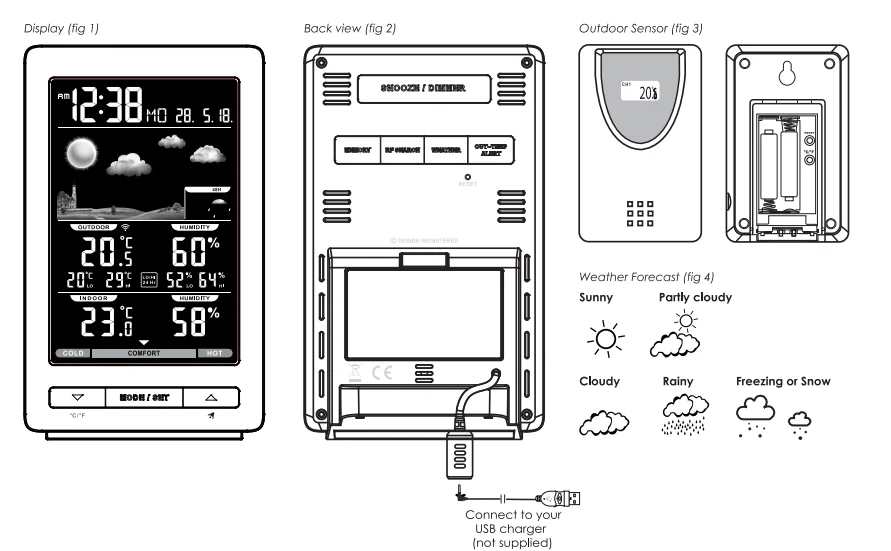
ACTIVATING THE OUTDOOR SENSOR
Insert 2 x AAA batteries into the battery compartment, taking care to observe the polarity. The outdoor sensor will automatically start to transmit the temperature and humidity readings. The sensor should be securely mounted onto a horizontal surface in a dry and shaded area. The maximum transmission range is up to 70 meters from the clock.
Note: Reset the sensor if it is moved to a new location. To select °C or °F display, press the °C/°F button at the back of the sensor.
ACTIVATING THE CLOCK
- Remove the protective film from the LCD screen.
- To activate the clock, you can use either the battery or USB power.
- Battery power: Insert 2 X AA batteries into the battery compartment, taking care to observe the polarity. Note: On battery power, the backlight will only light up for 5 seconds, and the Alarm will not sound.
- USB power: Insert the DC jack of the supplied USB lead into the back of the clock and connect the other end to your USB charger (not supplied). Now, plug the charger into a standard household outlet.
Note: On USB power, the backlight will light up continually. It is recommended to use USB power when setting the clock. When the clock is activated, the weather forecast icon will flash on the display, and enter the current weather by pressing the or button. Press the WEATHER button to confirm the setting. The clock automatically starts searching for the signal from the outdoor sensor for 3 minutes. RF  Icon will start to flash.
Note: Press the “RF SEARCH” button for 3 seconds to start or stop transmission manually.
Note: Always reset the clock if it is moved to a new location.
TO SET THE CLOCK
- Press and hold the MODE/SET button for 3 seconds, the 12Hr will flash. Press
 button to select between 12/24 format.
 - Press the MODE/SET button once again, and the hour digits will flash.
- Press button to set the hour, ensuring AM/PM is set correctly.
- Press the MODE/SET button once again, and the minute digits will flash.
- Press button to set the minute.
- Press the MODE/SET button once again, and the seconds will flash.
- Press the MODE/SET button once again, and the year digits will flash.
- Press button to set the year.
- Press the MODE/SET button once again, and the month digits will flash.
- Press button to set the month.
- Press the MODE/SET button once again, and the date digits will flash.
- Press the button to set the date.
- Press the MODE button once again.
 button to select between 12/24 format.
SETTING THE ALARM
- In normal time, press the MODE/SET button twice, and the display will show the Alarm time (AL), then press and hold the MODE/SET button until the hour flashes.
- Press the button to set the desired alarm hour, ensuring AM/PM is set correctly. Press the ALARM button once again; the minute digits will flash.
- Press the button to set the minutes. Press the MODE/SET button to return to the normal time display.
TO TURN ON/OFF THE ALARM
Press the ▲ button once to turn ON/OFF the alarm. When the alarm is activated, the  icon will show. When the alarm sounds, press the SNOOZE/LIGHT button to stop the alarm. The alarm will sound again 5 minutes later. Press any other button to stop the snooze function.
For more innovative Acctim products, please visit: www.acctim.com.
For More Manuals By Acctim Clocks, Visit ManualsLibraryy.
Acctim 16177 Ermir Weather Station-FAQs
What are the main features of the Acctim 16177 Ermir Weather Station?
The Acctim 16177 Ermir Weather Station is a multifunctional device combining a clock and weather monitor. It displays time, date, weather forecast, indoor and outdoor temperature, humidity, and comfort indicators, all on a bright colour HD LCD screen for easy viewing.
Does the Ermir weather station include an outdoor sensor?
Yes, the device comes with a wireless outdoor sensor that collects accurate external weather data. It transmits information such as temperature and humidity to the main unit, allowing users to monitor both indoor and outdoor conditions conveniently from one display.
How accurate is the weather forecast feature?
The weather forecast provides a general prediction based on barometric pressure trends, typically covering the next 6 to 12 hours and sometimes up to 48 hours. While not as precise as professional forecasts, it offers reliable short-term insights for everyday planning.
What kind of display does the Acctim Ermir use?
The clock features a high-definition colour LCD display with a true black background and adjustable brightness. This ensures clear readability during both day and night, while the dimmer function helps reduce glare for comfortable nighttime use.
Does the Ermir weather station have an alarm function?
Yes, it includes a crescendo alarm that gradually increases in volume to wake users gently. It also features a snooze function, allowing users to delay the alarm for a few extra minutes if needed.
Can the clock alert you to extreme weather conditions?
Yes, the device includes alert functions such as frost warnings and high/low temperature alerts. These notifications help users stay informed about sudden weather changes, making it useful for planning outdoor activities or protecting sensitive environments.
What power options are available for this weather station?
The Acctim Ermir can be powered via a USB connection or with AA batteries, offering flexibility depending on user preference. This dual power option makes it suitable for both stationary use and portable setups.
What is the range of the wireless outdoor sensor?
The included outdoor sensor has a transmission range of up to approximately 70 meters. This allows users to place it outside, such as in a garden or balcony, while still receiving accurate data indoors without signal issues.
What information is displayed on the screen?
The screen shows a wide range of data, including time, date, day of the week, weather icons, indoor and outdoor temperature, humidity levels, and comfort indicators. This all-in-one display makes it a practical tool for daily monitoring and planning.
Is the Acctim Ermir Weather Station good value for money?
Yes, it is considered good value due to its combination of advanced features like weather forecasting, wireless sensor support, and a high-quality display at a mid-range price point. It offers both functionality and convenience for users seeking a compact weather monitoring solution.