
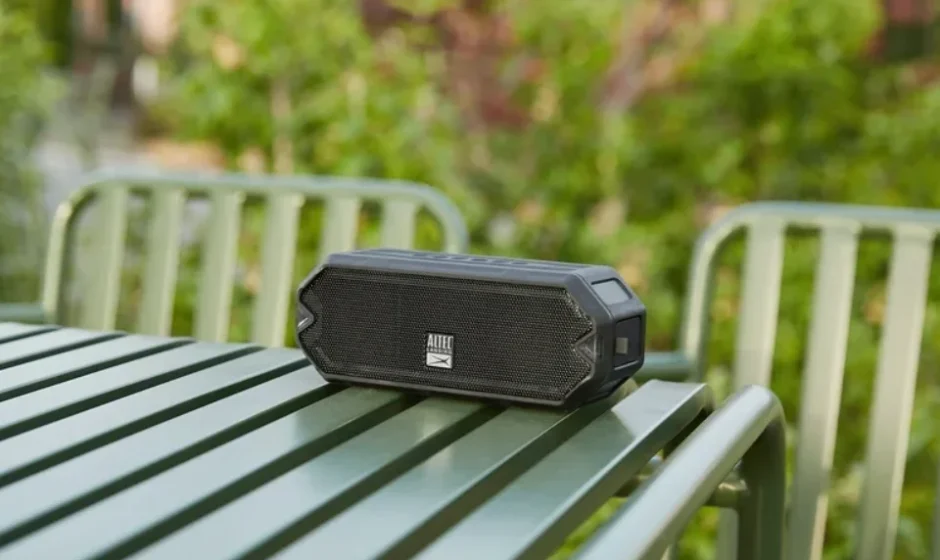

Altec HydraJolt Everythingproof Wireless Speaker
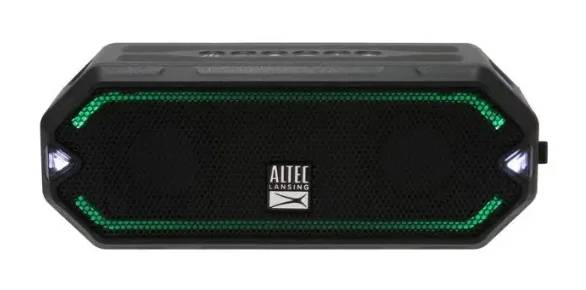
In the Box
- IMW1200 HydraJolt Everythingproof Wireless Speaker
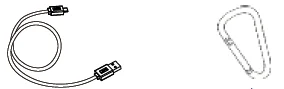
- USB-C Charging Cable
- Carabiner

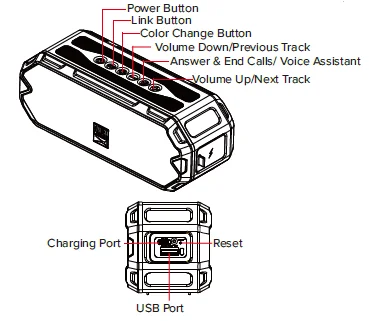
A Closer Look
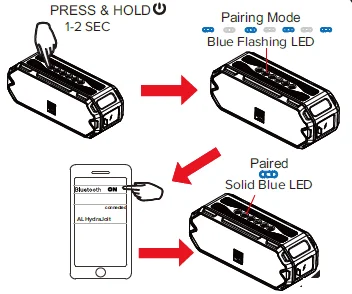
Powering On/Bluetooth Pairing
True Wireless Pairing
- Turn on the first speaker and connect it with a Bluetooth compatible device.
- Turn on the second speaker and press the button.
- Press and hold the button for 2-3 seconds on the first speaker. The Link Buttons will illuminate green, indicating that the speakers have paired together.
With the speakers connected, True Wireless uses the speaker as a left and right channel to create a cinematic experience.
Disconnect the TWS function: power off the unit
Light Change Mode
To toggle between the different light modes:
- Multicolor slow transition
- Single color pulse to music
- Multi-color pulse to music
- Single color slow fade
- Single color
- Multicolor cycle changed
- Multicolor fast changed with the background color
- Multicolor slow fade
- Four color slow fade
- Four color rotation with pulse to music
- Four color rotation
- Off
Press & Hold the color change button for 1-2 seconds to change the Strobe light modes
off Pulse to music Blink off
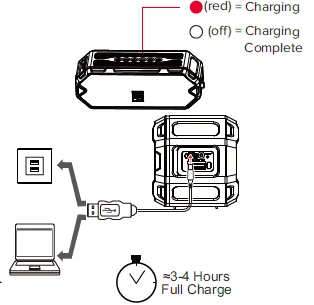
Charging
Speaker Controls
PRESS
- + Volume up
- – Volume down
- Play/Pause
 Answer & End Call
 Answer & End Call
Just Ask / Reset
Press
To activate JUST ASK (Siri or Google Assistant)
Reset- Press & Hold
Disconnect Bluetooth: Press and hold for five seconds, and the speaker will beep
Reset all connections: Press and hold for ten seconds, and the speaker will power off
Overall battery performance varies depending on use settings and environmental conditions. For further information, please visit www.alteclansing.com
Contact Information
Sakar International Inc.
195 Carter Drive, Edison, New Jersey 08817, USA
855-292-4087
For more Manuals by Altec Lansing, visit ManualsLibraryy
Altec HydraJolt Everythingproof Wireless Speaker-FAQs
How do I use the Altec HydraJolt speaker?
Turn on the speaker using the Power button, enable Bluetooth on your device, and select your HydraJolt from the list. Once paired, you can play music, adjust volume, or use buttons for playback control.
How do I put the HydraJolt in pairing mode?
Power on the speaker, then hold the Bluetooth button until the LED begins flashing. This indicates it is ready to pair with your device.
How do I tell if my Altec speaker is fully charged?
A solid LED light (usually green or white depending on the model) means the speaker is fully charged. While charging, the light remains red or blinks.
Why is my Altec speaker blinking red while charging?
A flashing red light means the battery level is critically low. Keep it connected to a power source for at least 4 hours for a full charge.
How do I check the battery level on my speaker?
Most Altec speakers show battery status through indicator LEDs or voice prompts. Some models also display battery level inside the Altec Lansing mobile app.
Is the Altec HydraJolt waterproof?
Yes. The HydraJolt is Everythingproof—meaning it is waterproof, shockproof, and snowproof. It can handle splashes, rain, and even submersion depending on its IP rating.
Can I use the HydraJolt speaker in the shower?
Yes, it is safe for shower use as long as it meets IPX7 or higher waterproof rating. It can withstand splashes and brief immersion.
Can the speaker be damaged by water?
The HydraJolt is designed to resist water, but saltwater or long-term submersion may cause damage. Rinse it with fresh water after exposure to saltwater.
How do I link two Altec speakers together?
Use True Wireless Pairing (TWS). Turn on both speakers, enable Bluetooth, and press the TWS button until both speakers pair with each other. Then connect to your phone.