
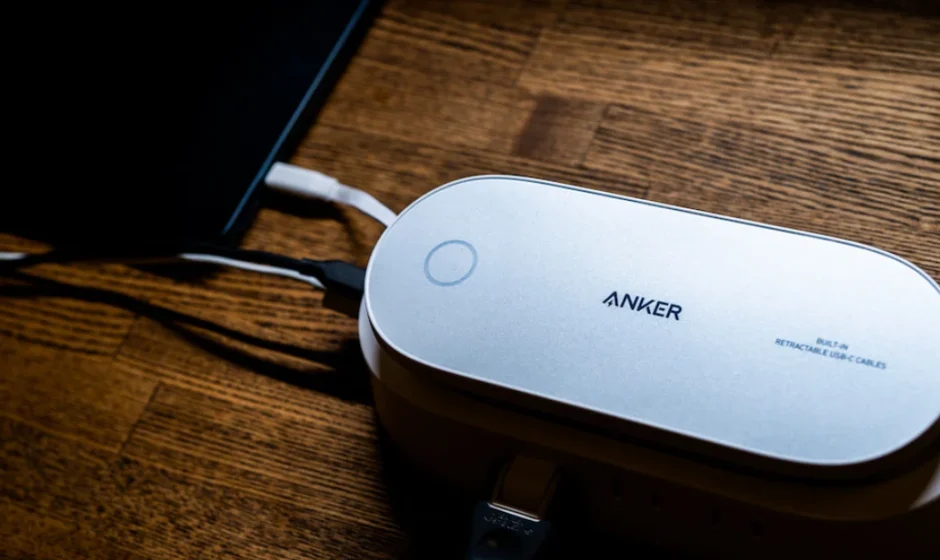

Anker 647 10-in-1 Power Strip Charging Station
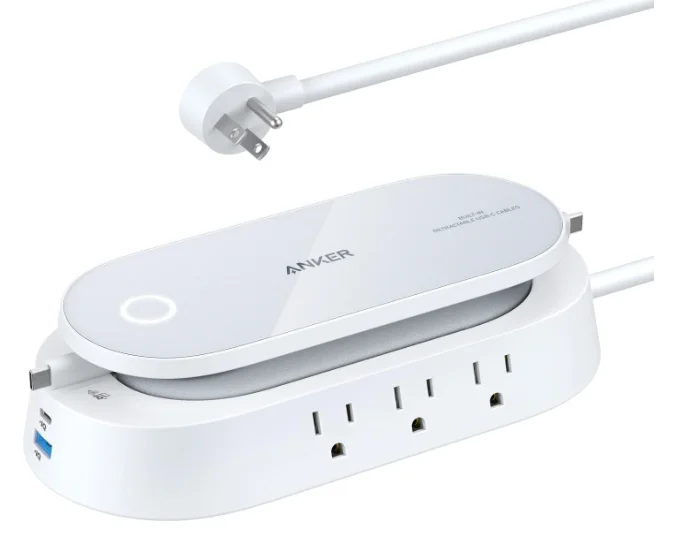
Overview
Anker 647 is not a wireless pad.
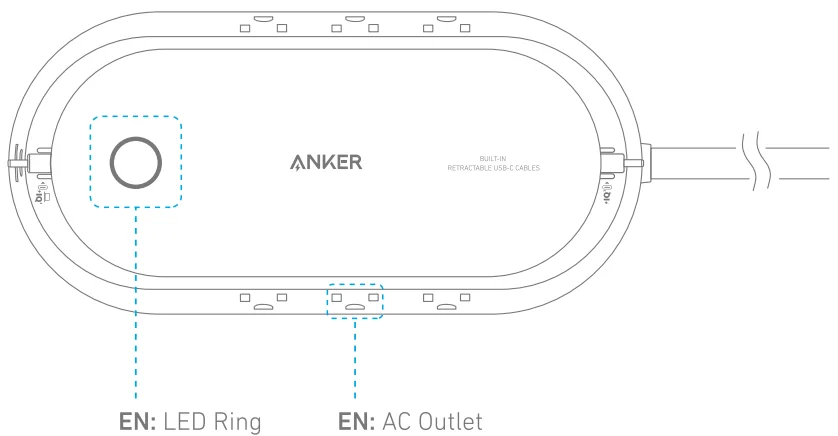
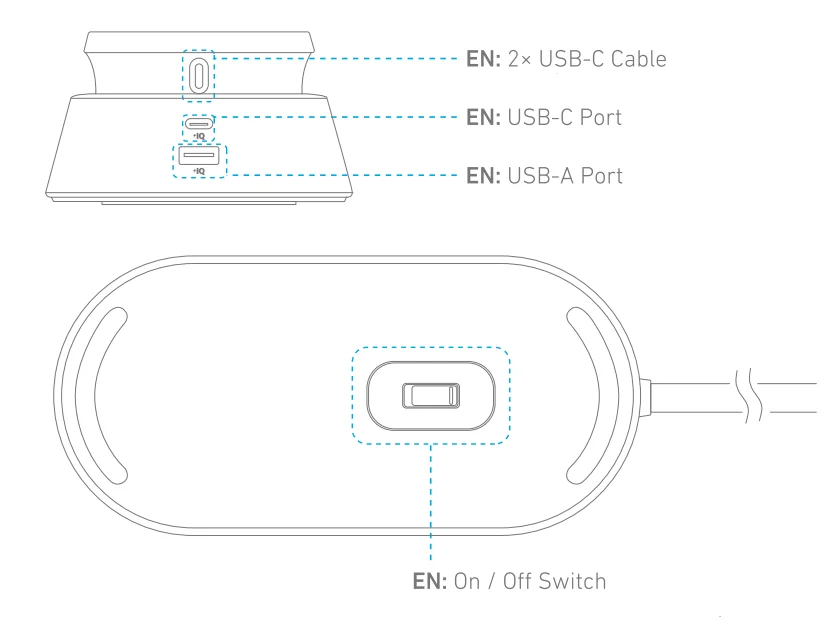
Using Your Product
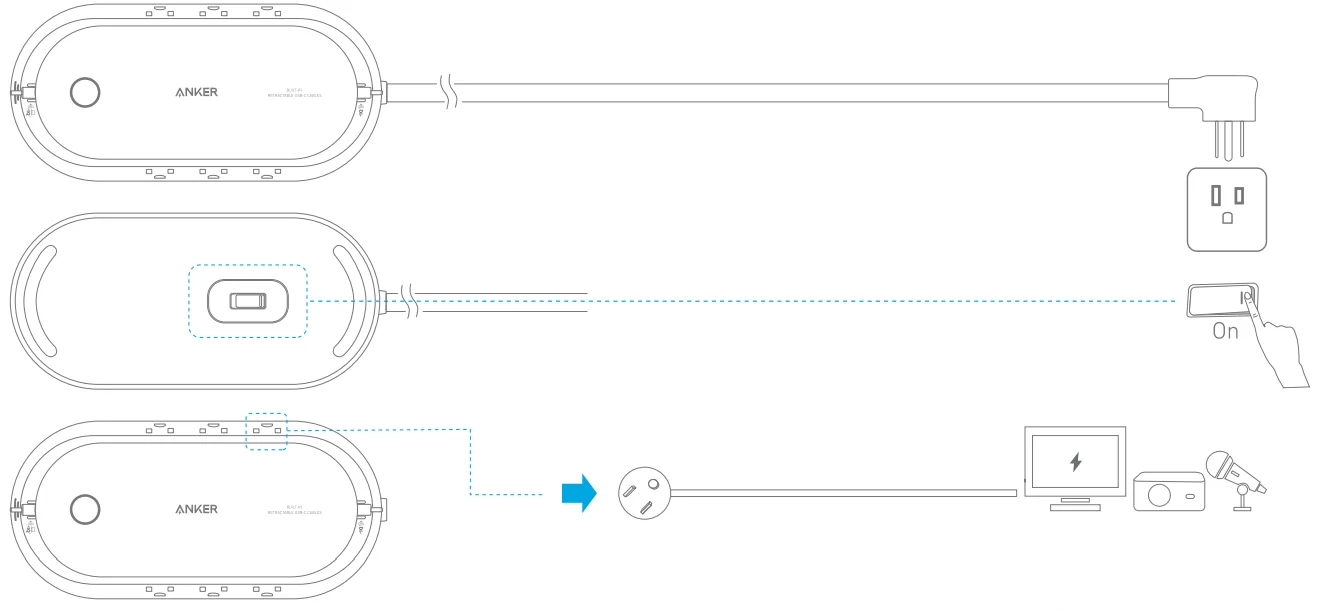
The LED ring will light up when the switch is tumed an.
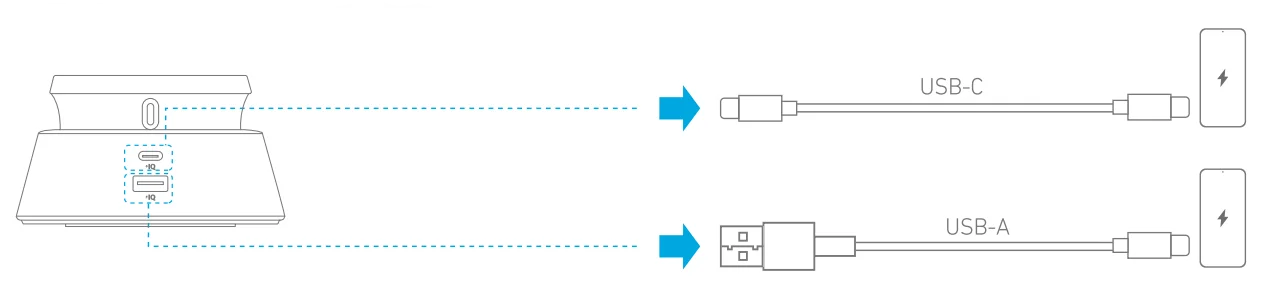
Built-In Retractable USB-C Cables
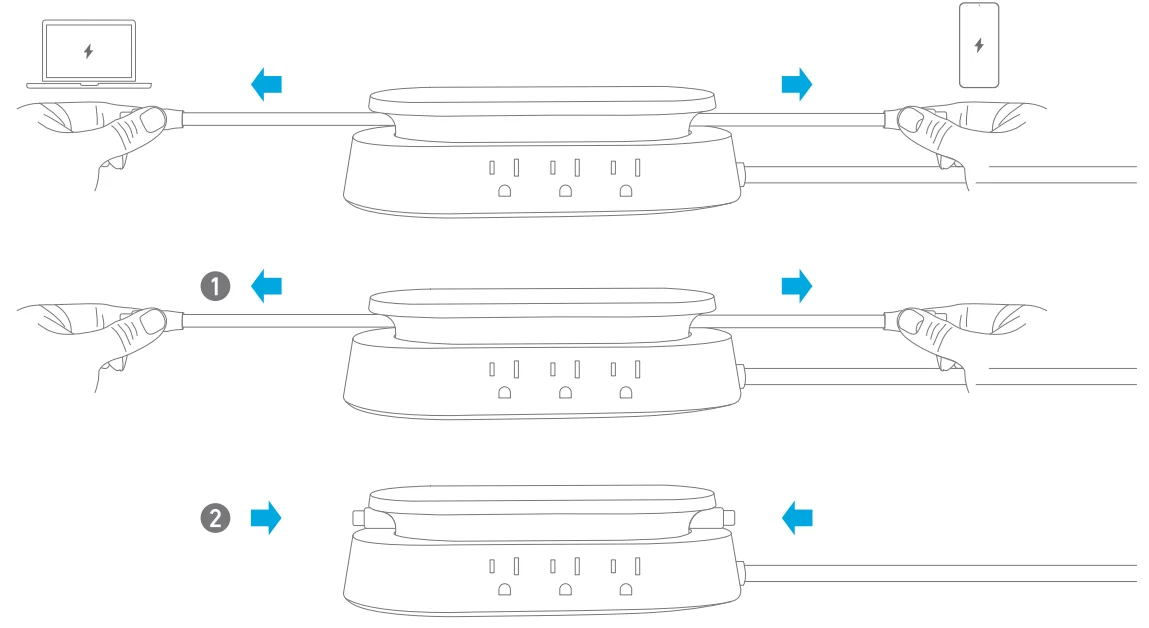
Pull out the called US~C cables to use them. Two Laptops can be charged simultaneously with the two cables. To retract the cable, pull on it slightly and then let go.
Specifications
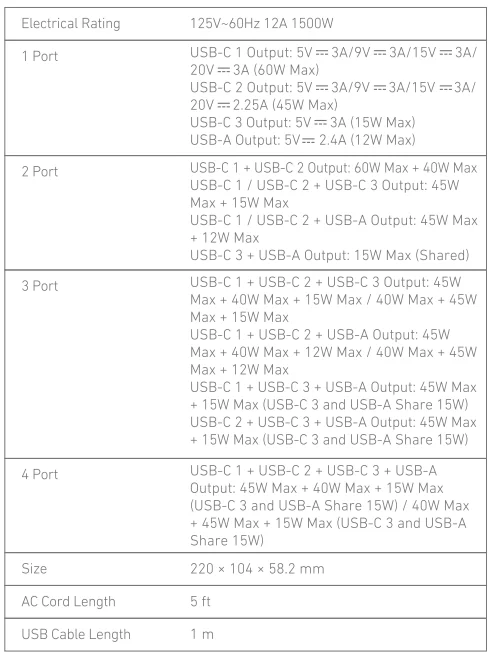
USB-C 1 and USB-C 2 are retractable cables.
Note: The built-In USB module supports an Input Yoltage of 100-240V- 50160Hz.
Safety
- Do not connect this product to enungrounded outlet
- Do not use with extension cords.
- Do not exceed electrical ratings.
- Use in dry locations and Indoors only.
- Install this product away from heat-emitting appliances such as radiators.
- Keep children away from this product.
- If you want to clean the product, only use a dry cloth or brush.
- This product is not intended to be repaired by service personnel in case of failure or eom ponent defect (the product can be disposed of).
FCC Statement
This device complies with Part 15 of the FCC Rules. Operation is subject to the following two conditions:
- This device may not cause harmful interference, and
- This device must accept any interference received, including interference that may cause undesired operation.
Warning: Changes or modifications not expressly approved by the party responsible for compliance could void the user’s authority to operate the equipment.
NOTE: This equipment has been tested and found to comply with the limits for a Class B digital device, pursuant to Part 15 of the FCC Rules. These limits are designed to provide reasonable protection against harmful interference in a residential installation.
This equipment generates, uses, and can radiate radio frequency energy and, if not installed and used in accordance with the instructions, may cause harmful interference to radio communications. However, there is no guarantee that interference will not occur in a particular installation. If this equipment does cause harmful interference to radio or television reception, which can be determined by turning the equipment off and on, the user is encouraged to try to correct the interference by one or more of the following measures:
- Reorient or relocate the receiving antenna.
- Increase the separation between the equipment and receiver.
- Connect the equipment into an outlet on a circuit different from that to which the receiver is connected,
- Consult the dealer or an experienced radio/TV technician for help.
The following importer is the responsible party (for FCC matters only). Company Name: Fantasia Trading LLC
Address: 5350 Ontario Mills Pkwy, Suite 100, Ontario, CA 91764
Telephone: +1 800 988 7973
IC Statement
This device complies with Industry Canada license – ICES-003. Operation is subject to the following two conditions:
- This device may not cause Interference, and
- This device must accept any interference, including interference that may cause undesired operation gf the device.
Customer Service Service client
 18-Monlh Limilod Warranty
 Lifetime Technical Support

 (US/CAI + 1 (800)988 7973
For more manuals by Anker, visit ManualsLibraryy
Anker 647 10-in-1 Power Strip Charging Station- FAQs
How do I use the Anker 647 charging station for the first time?
Before first use, plug the power strip into a wall outlet to ensure it is powered correctly. Then connect your devices to the USB ports, AC outlets, or wireless charging pad as needed.
How do I start charging a device with an Anker charger?
Simply connect your device using a compatible cable or place it on the wireless charging area. If your device does not start charging, press the power button if available.
Why is the light blinking on my Anker charging station?
A blinking light usually indicates improper charging, weak power input, or poor device alignment. Try reconnecting the cable, removing metal objects, or repositioning the device.
Does a green light mean the device is fully charged?
Yes. A solid green light typically indicates that charging is complete or the device is in standby mode.
Does Anker stop charging automatically when full?
Yes. Anker charging stations are built with safety features that stop power delivery once devices reach full charge.
Can I charge multiple devices at the same time?
Yes. The Anker 647 is designed to safely power multiple devices simultaneously using its AC outlets, USB ports, and wireless charging surface.
What should I do if my Anker charger is charging slowly?
Slow charging can happen due to low-power adapters, damaged cables, background apps on your device, or overheating. Use a certified fast-charging cable and adapter.
Why is my Anker charger plugged in but not charging?
This is often caused by a faulty cable, incompatible adapter, dust in the charging port, or unstable power supply. Try changing the cable or outlet.
How do I know when my Anker device is fully charged?
When all indicator lights are solid and no longer blinking, the connected device or power unit is fully charged.