
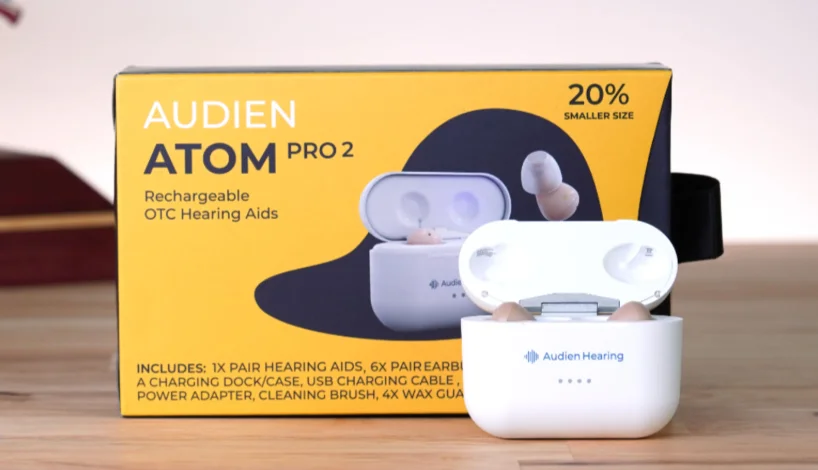

Audien Atom Pro 2 OTC Hearing Aids
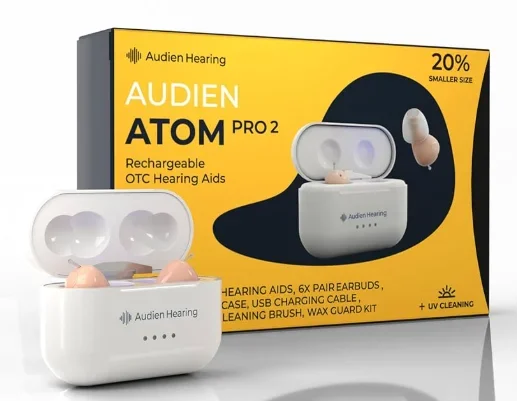
DEVICE DIAGRAM

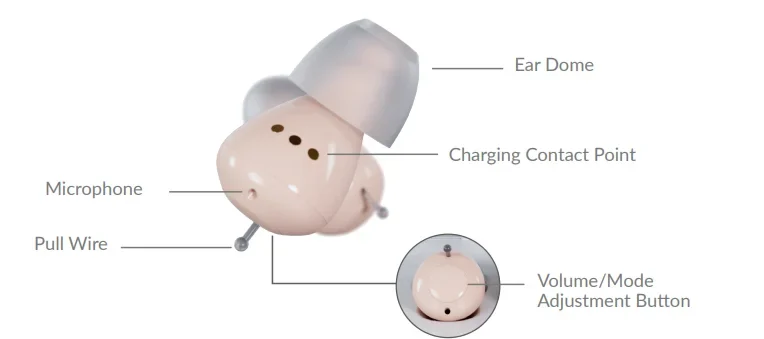
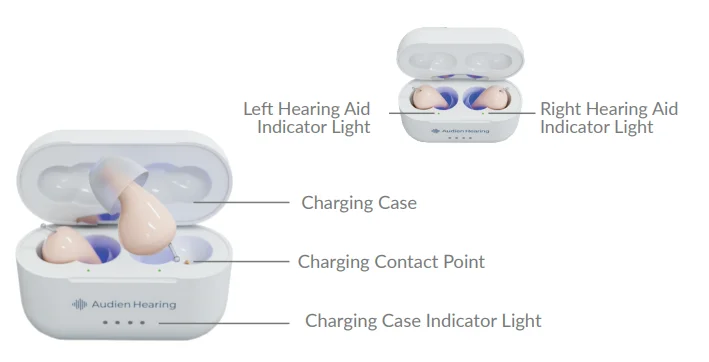
PACKAGE CONTENTS
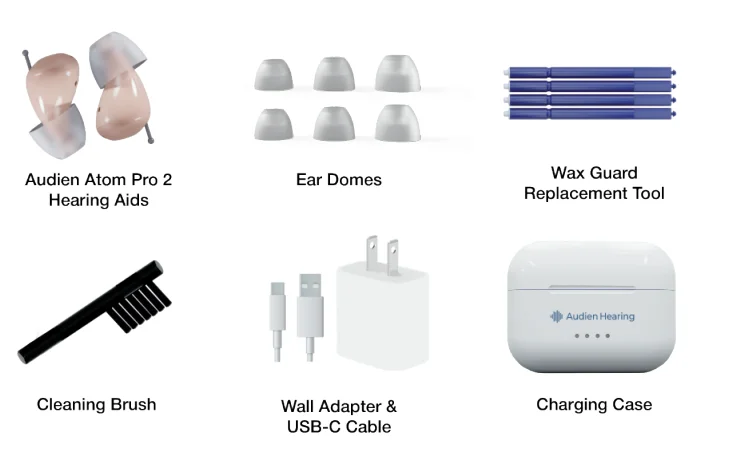
SETTING UP YOUR DEVICE
Fitting Your Ear Domes
Your Audien Atom Pro 2 comes with small, medium, and large sizes of Ear Domes. To remove an Ear Dome from your device, simply pull with enough force until it pops off. When attaching an Ear Dome, be sure to press firmly. You’ll feel a “pop” or “click” when it attaches. Be sure the Ear Dome is not pressed against the receiver, as this can block sound and cause feedback.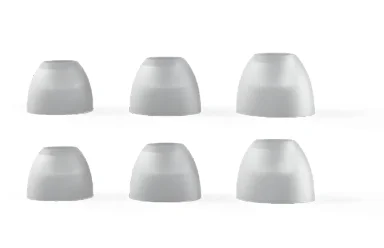
Adjusting The Volume
Pressing the button on the back of the hearing aid adjusts the volume. The hearing aid will beep for each volume setting: 1 beep for volume setting 1, up to 5 beeps for volume setting 5. There are 5 volume levels, and your device’s default is volume level 3.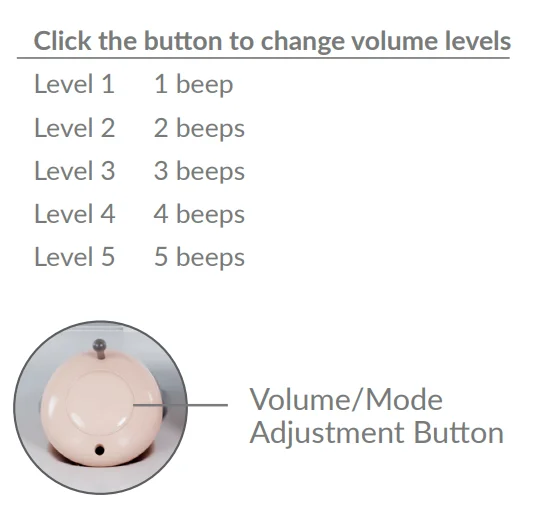
Switching The Listening Mode
To change listening modes on your Atom Pro 2, press and hold the volume button for 3 seconds or until you hear a lower-toned booping sound. The number of boops demonstrates which mode your device is in.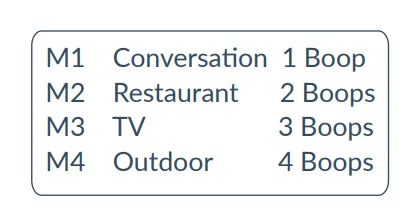
First Use
When first using the Atom Pro 2, be sure to start on the default volume setting or lower, which is volume setting 3. This will ensure the safest and most effective use of the device. Be sure not to turn the volume too high, as this can cause discomfort in your ears.
Inserting Into the Ear
The Audien Atom Pro 2 can be worn differently depending on the user’s ear canal shape. Neither device is LEFT or RIGHT ear specific, ensuring a universal fit. Try inserting it into your ear, curving both forwards and backwards to determine which is most comfortable for you.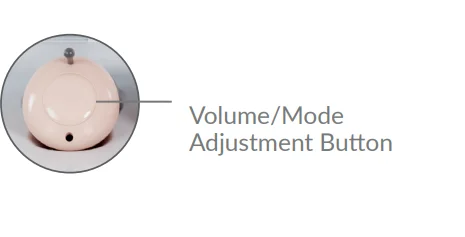
Powering ON/OFF
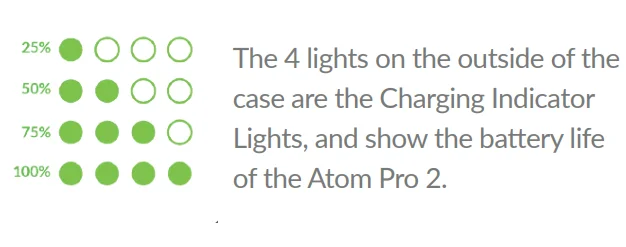
The Atom Pro 2 does not have an ON/OFF switch. The device will automatically power off and begin charging when placed into the Charging Case. The first time you use the Charging Case, press the button on the back. This action lets you monitor the battery level of both the Charging Case and the hearing aids.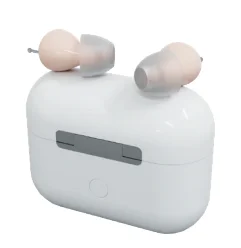
Charging Indicator Lights
The outside lights of the Charging Case glow when it is plugged into power. The inside left and right Hearing Aid Indicator lights glow red while charging, then glow green when fully charged. The Charging Case will support up to three additional hearing aid charging cycles. The hearing aids must always be returned to the Charging Case when not in use. Otherwise, the devices will remain on and drain the battery.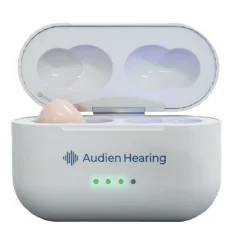
Locate the USB-C charging port on the bottom of the Charging Case.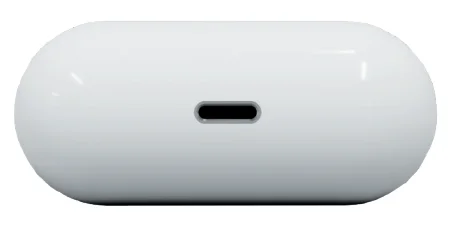
Charging Your Device
CHARGE TIME: 4 HOURS
Plug the USB-C cable into the charging port and connect the Wall Adapter to an outlet. Note: When the Charging Case is connected to power, the UV light will turn on for 5 minutes to disinfect the units. The Atom Pro 2 kills bacteria by using UV light.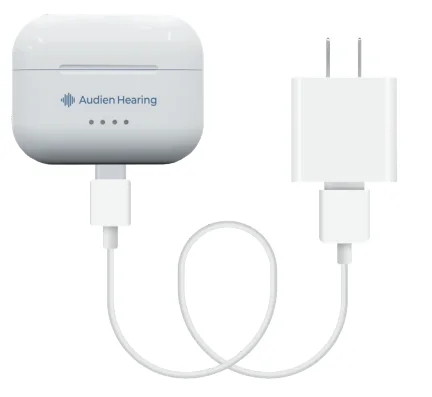
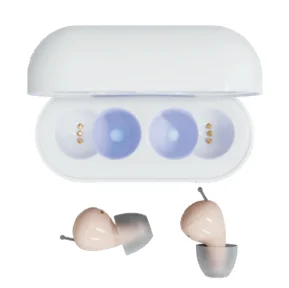
- If you look inside the Charging Case, you will notice a hollow section.

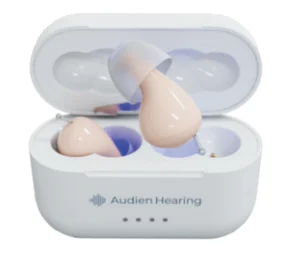
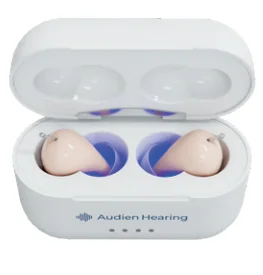
- Lower the device into the Charging Case with the earbuds facing down into the hollow section.

- Make sure the Removal Wires are not bent and the connection is secure.

INTERNAL CASE CHARGING INDICATORS
- Red light = Hearing aid is not fully charged yet.
- Green light = Hearing aid is fully charged.
- Purple light = UV sterilization.

Cleaning Your Device
Locate the Cleaning Brush from the accessory box. Remove the Ear Domes from your Atom Pro 2. Use the Cleaning Brush to remove wax, dirt, or any debris from both the Ear Domes. Clean the Charging Contact points often. Do not use water. Regular cleaning is necessary. Our hearing aids come with a cleaning brush and replacement wax guards. It’s very important to clean your device and replace your wax guards every month. You can visit AudienHearing.com to access support tools & to order new accessories.
Replacing The Wax Guard
Remove the Ear Domes and retrieve the Wax Guard Replacement Tool.
- Use the A end of the Wax Guard Replacement Tool to remove the old Wax Guard from your Audien Atom Pro 2.
- Flip the tool over, then use the B end of the Wax Guard Replacement Tool to install a new Wax Guard.


UV Sterilization
Plug in your USB-C Charging Cable and open the Charging Case. When the Charging Case is connected to power, the UV light will turn on for 5 minutes to disinfect the units, then it will automatically turn off.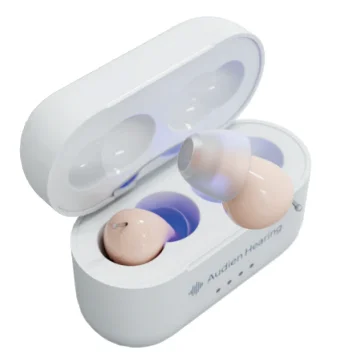
Feedback/Whistling
- To resolve this, lower the volume and increase it slowly.
- You may be accidentally putting pressure on or obstructing the microphone when fitting the device. Do not worry. Once the device is secure in your ear, remove your hands, and the whistling will stop.
- Try changing the size of your Ear Domes.
No Sound/Not Working
- Be sure that both devices are secure in the Charging Case, making a firm connection. Let the devices charge, then try using the hearing aids again.
- Remember that it’s expected for your devices to feel strange or not normal for the first few weeks. Focus on using your devices 1–2 hours per day, and gradually build up as you get used to processing new sounds.
TROUBLESHOOTING
Need Help?
If you are still experiencing issues with your device and require assistance, contact the Audien Hearing support team by visiting: AudienHearing.com/support
Technical Specifications

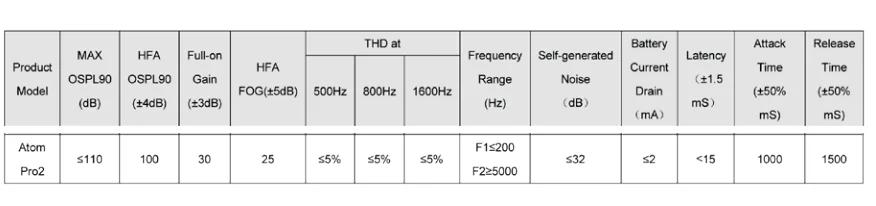
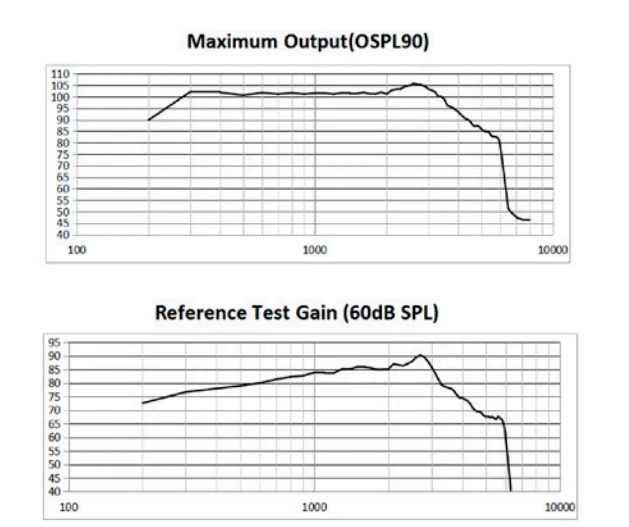
Power Adapter: Input: 100-240V~50/60Hz, max 350mA, Output: DC5V=1A. For additional specifications, go to: audienhearing.com/pages/atompro2-manuall 1009
Production Date & Product Life
That is, the normal working time of the product. The product needs to be stored and used as required. After exceeding the specified service time, it’s expected that the function will be affected (e.g., unable to meet the requirements of product performance indicators, etc). The product life of hearing aids is 5 years. Please see the label for the production date.
For More Manuals By Audien Hearing, Visit ManualsLibraryy.
Audien Atom Pro 2 OTC Hearing Aids-FAQs
Is the Audien Atom Pro 2 a real hearing aid?
Yes, it is a true OTC (over-the-counter) hearing aid designed for adults with mild to moderate hearing loss.
Do I need a prescription to use it?
No, it can be used without a prescription or audiologist visit.
Does the Audien Atom Pro 2 have Bluetooth?
No, it does not include Bluetooth connectivity or a mobile app for adjustments.
Is it an amplifier or a hearing aid?
It functions as both—it amplifies sound while improving clarity like a standard hearing aid.
What is the battery life?
The hearing aids last about 24 hours on a single charge, and the portable charging case provides extra charges, extending use to 48 hours.
Is it rechargeable?
Yes, it comes with a rechargeable case that also features UV cleaning for hygiene.
How do I charge the Audien Atom Pro 2?
Place the hearing aids in the provided charging case and close it. The device will charge automatically, and the case can recharge the hearing aids multiple times.
How do I stop feedback or whistling?
Make sure the device is inserted properly, the ear canal is clear, and the volume is not too high. Cleaning or adjusting the fit can also reduce feedback.
How do I insert the hearing aid correctly?
Choose the right ear tip, gently place it in your ear canal, and ensure it fits snugly without discomfort.