
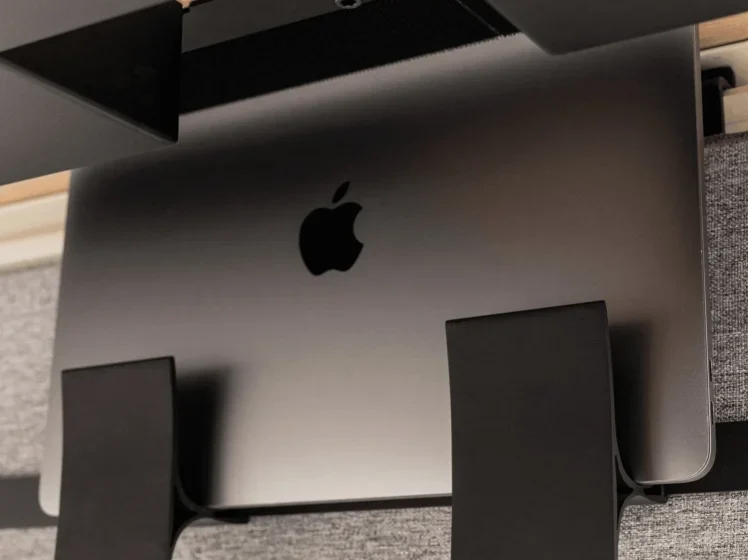

Beflo Syncline Integrated Laptop Holder
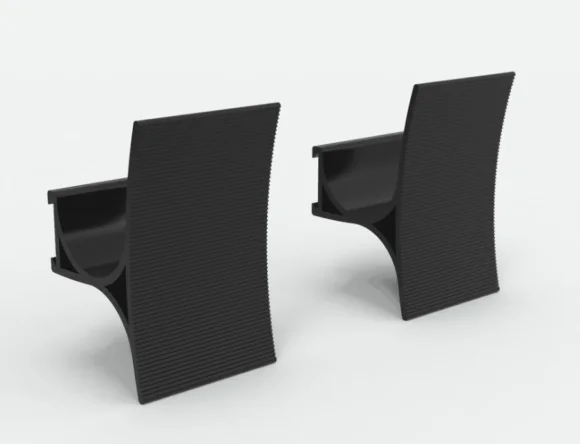
Product Introduction
Beflo Syncline Integrated Laptop Holder is a sleek and practical solution designed to enhance your workspace ergonomics and efficiency. Crafted for modern professionals, this integrated laptop holder allows you to position your laptop at an optimal height and angle, reducing neck and shoulder strain while promoting better posture during long hours of work.
The Syncline holder seamlessly integrates with desks, offering a stable and secure platform for your laptop. Its smart design ensures that your device remains firmly in place while providing easy access to ports and controls. Elevating your laptop also frees up valuable desk space underneath, allowing you to organize accessories, documents, or other essentials neatly and efficiently.
Constructed with high-quality materials, the Beflo Syncline Integrated Laptop Holder combines durability with a modern aesthetic that complements any office or home setup. It’s ideal for remote workers, students, and creatives who value both functionality and style. With its ergonomic benefits, space-saving design, and premium build, this laptop holder transforms your desk into a more comfortable, organized, and productive workspace.
Want to create different heights? Try different sides of Syncline!
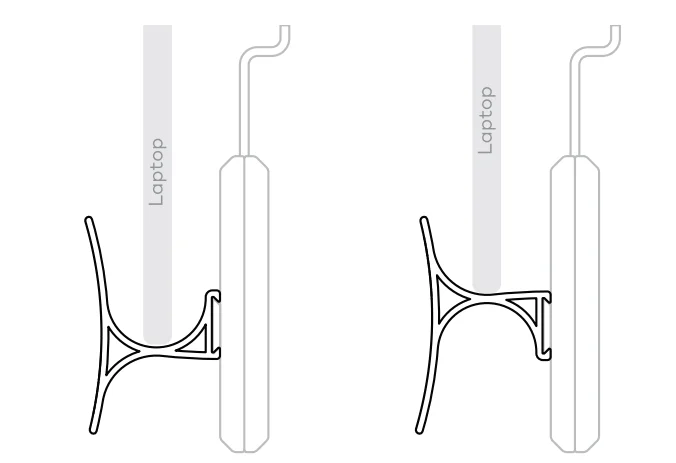
NOTICE
Avoid contact between the sides of any laptop or tablet and the desktop surface, as this may damage the desk.
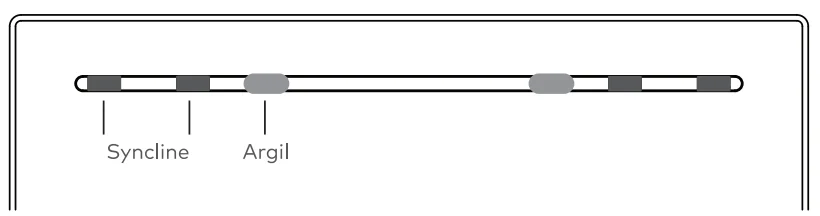
Use the Argil cable holder to indicate the location of the laptop holder in order to ensure the laptop will be positioned properly. Either on the right or left side of the desk (see illustration). Argil can also keep the USB-C in reach for your laptop.
Nonet Inc assumes no liability for, and provides no guarantee against, damage and operational defects that may arise due to failure to comply with the instructions in the user manual.
Specification
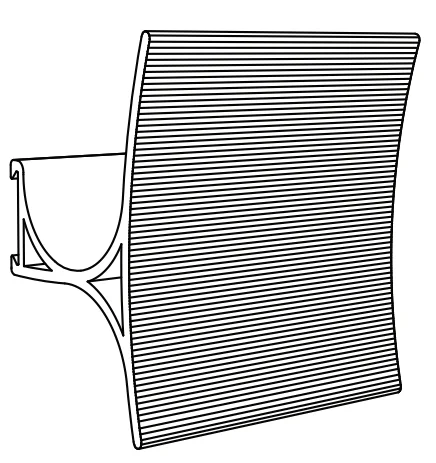
- Dimensions: 39 x 35.4 x 23.6 in (99x90x60 mm)
- Weight: 3.7 oz ( 110 g)
- Max Load: 15 lb ( 7 kg)
Instruction
- Slidethe Syncline into the rail of Granite, with the same side up.

- Place your laptop.

- Congratulation! All set.


For more manuals by Beflo, visit ManualsLibraryy
Beflo Syncline Integrated Laptop Holder- FAQs
What is the Beflo Syncline Integrated Laptop Holder?
The Beflo Syncline is an ergonomic laptop holder designed to raise your laptop to eye level, improve posture, and create a more comfortable desk setup.
Is it okay to put a laptop on a stand?
Yes. Using a laptop stand helps reduce neck, shoulder, and back strain by promoting better posture, especially if you use a laptop for long hours.
What are the benefits of using a laptop holder?
A laptop holder improves posture, reduces body pain, enhances airflow for cooling, saves desk space, and improves productivity.
What is the best height for a laptop stand?
The top of the laptop screen should be at or slightly below eye level to avoid neck bending and maintain a natural sitting posture.
Can I use the Beflo Syncline without a desk?
It is best used on a flat, stable surface. If no desk is available, place it on a hard surface rather than soft bedding.
What are the disadvantages of a laptop stand?
Laptop stands may take up desk space and may require extra accessories like an external keyboard and mouse.
What is the correct posture when using a laptop stand?
Sit with your elbows, hips, and knees at 90-degree angles, feet flat on the floor, and the screen positioned at eye level.
Does the Beflo Syncline require an external keyboard and mouse?
Yes. Since the laptop is raised for ergonomic viewing, using an external keyboard and mouse ensures proper hand and wrist positioning.