
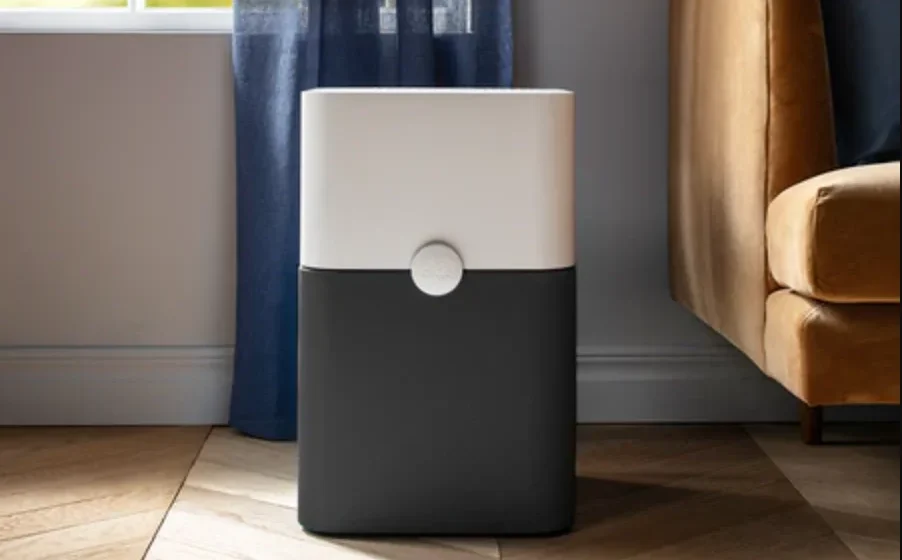

Blueair Blue PURE 231 Air Purifier
General safety instructions
General
WARNING:
To avoid hazardous conditions, only the manufacturer, a service center authorized by Blueair, or similarly qualified persons shall replace the power cord if damaged.
CAUTIONS:
- Use the grounded power cable provided with your Pure 231 unit to plug directly into an appropriate, grounded electrical outlet. (Refer to the rating label on your unit).
- Do not alter the plug in any way.
- Remember to always disconnect the power supply before servicing the unit.
- Do not use the unit if the power cable or plug is damaged or malfunctions in any manner.
- Keep the power cable away from heated surfaces.
- Do not sit on, stand, or climb onto the unit or use the unit either as a table or for storage.
- Do not place any objects on top of the unit, block air outlets or intakes, or allow foreign objects to enter the unit, as this may cause an electric shock or damage the unit.
Intended Use
CAUTIONS:
- Supervise children to ensure that they do not play with the appliance.
- This appliance is not intended for use by persons (including children) with reduced physical, sensory, or mental capabilities, or a lack of experience and knowledge, unless they have been given supervision or instruction concerning use of the appliance by a person responsible for their safety.
SYSTEM OVERVIEW
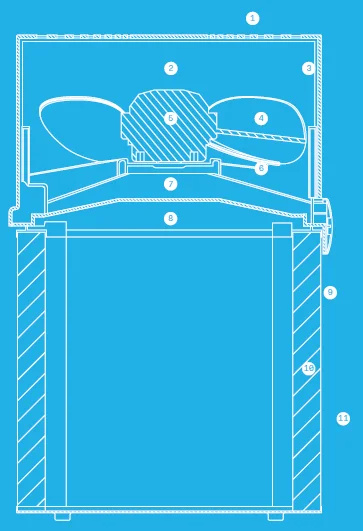
- Air outlet
- Ion chamber (Air stream optimizer)
- Inner wall
- Fan
- Motor
- Fan base
- Protective grill
- Release button for filter
- External metal frame (optional fabric pre-filter)
- Particle + Carbon filter
- Air inlet 360°
WHAT’S IN THE BOX
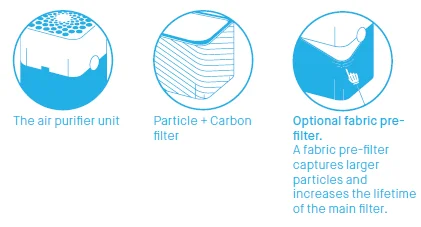
Air purifier unit package
Options
- Particle + Carbon filter
- Two fabric pre-filters
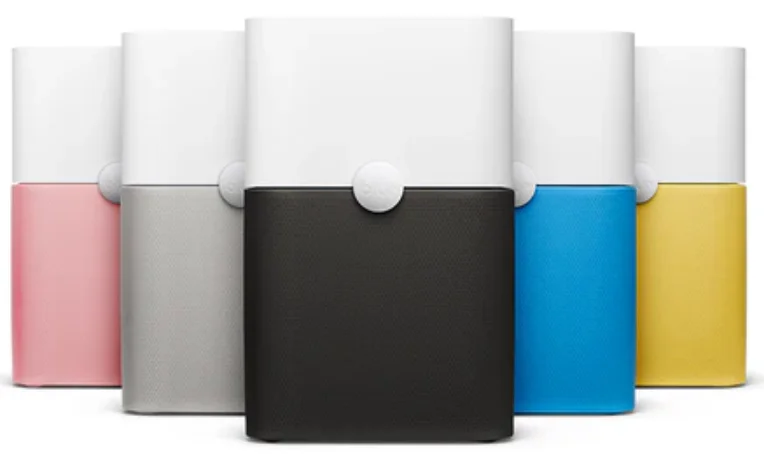
- Choice of color for the fabric pre-filter
USAGE
Placement
Place Pure 231 in an upright position on the floor in your room. Be sure to place the unit where it won’t be knocked over by any person or pet in the household.
Using Pure 231 in your bedroom?
Do not worry. After 7 seconds, the light automatically dims to 10% of the full effect.
Placing the unit:
- Place the unit in a location where air can circulate freely in, out, and around the unit.
- Do not place the unit closer than 10 cm (4”) from another object.
- Do not place the unit directly on or against soft furnishings such as bedding or linen.
- Do not place the unit near sources of heat, such as radiators, fireplaces, or ovens.
- Do not place the unit near wet areas, such as bathrooms or laundry rooms, where it may come into contact with water.
- Do not place the unit outdoors.
SET UP
Getting started
If the optional pre-filter is used, refer to steps 1 to 5. Otherwise, refer to steps 5 and 6.
- Gently press the buttons on both sides of the unit simultaneously.
- Remove the top portion of the unit.
- Then attach the fabric pre-filter. To ensure a smooth fit, pull it carefully over the metal frame.
- Next, reposition the top of the unit onto the bottom and make sure it clicks into place.
- Plug in the unit.
- Press the button to turn the unit on.
ON/OFF AND OPERATING SPEEDS
On/off and speed control
- On/Low: Press once to turn the unit on.
- Medium: Press twice to set to medium speed.
- High: Press three times to set to high speed.
- Off: Press a fourth time to turn the unit off.
Moreover, Pure 231 has an Autostart feature. This means that Pure 231 will automatically restart at the set speed if a power failure occurs, the unit is unplugged, or a power switch timer is used.
Filters
General information
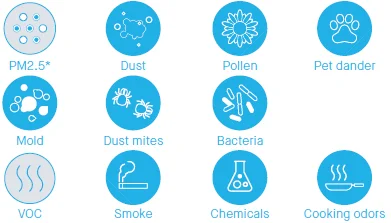
The unit is delivered with two fabric pre-filters and a particle + carbon filter. These filters remove the following pollutants:
Particle + carbon filters remove:
Particle matter smaller than 2.5 microns
IMPORTANT!
Use only genuine Blueair filters to ensure proper function of your unit and to qualify for full warranty coverage.
Filter replacement indicator
Change filter indicator
When the indicator turns yellow (after 5 months of operation), it’s time to order a new filter.
Change filter
When the indicator light turns red (after 1 extra month of operation), you should change the main filter.
Reset the filter alert
Press the button for three seconds to reset the filter alert.
You can change the filter before the indicator light turns red, i.e., when it first turns yellow. In this case, just reset the unit after changing the filter and use it for another 6 months. (see “Change the main filter”)
Vacuum or wash the pre-filter
Occasionally, vacuum the exterior of the fabric pre-filter to remove dust.
Before removing the fabric pre-filter, turn off and unplug the unit.
- Gently pull and detach the pre-filter from the lower half of the unit.
- Wash the prefilter on a gentle, low temperature cycle in the washing machine.
- Before replacing the fabric pre-filter, gently press the release buttons on both sides of the unit until you hear a click.
- Lift off the top of the unit.
- Re-fit the fabric pre-filter over the bottom part of the unit.
- Replace the top of the unit, pressing firmly until you hear a click.
- Plug in the unit.
- To restart the unit, press the button for three seconds and then release it.
Change the main filter
Be sure to unplug the unit before changing the main filter.
- When the indicator light glows red, it’s time to change the main filter.
- Turn off the unit and unplug it.
- Gently press the release buttons on both sides of the unit until you hear a click.
- Lift off the top of the unit.
- Remove the main filter from the unit.
- Insert the replacement filter into the unit.
- Firmly press the top of the unit onto the replacement filter until you hear a click.
- Plug in the unit.
- To reset the unit, press the Pure 231 button for three seconds. The indicator will flash three times, then change from red to white.
CARE AND MAINTENANCE
General care
Take good care of your Pure 231 air purifier to ensure that it delivers optimal performance.
- Occasionally, vacuum the inside and outside of the main filter to remove any dust.
- Change the main filter every six months, depending on the operating conditions.
- When the unit is open to change the filter, vacuum any dust that may have accumulated inside the unit.
- Occasionally, wipe the top of the unit with a dry dust cloth.
Contact Information
Blueair Inc.
- Suite 1900 100 N LaSalle Street Chicago, IL 60602 USA
- Tel: +1 888 258 3247
- www.blueair.com
For more Manuals by BlueAir, visit ManualsLibraryy
Blueair Blue PURE 231 Air Purifier-FAQs
Can I sleep with the air purifier running all night?
Yes. It is safe to run the Blue PURE 231 all night as long as it matches your room size. Most air purifiers are designed to provide multiple air changes per hour, making overnight use perfectly fine.
Is it recommended to keep the air purifier on while sleeping?
Yes. Running the purifier during sleep helps keep the air fresher and cleaner, improving comfort and reducing allergens while you rest.
Which country is Blueair from?
Blueair is a Swedish company known for its high-performance, well-designed air purifiers.
Are air purifiers safe for your lungs?
Yes, quality air purifiers like Blueair remove over 99% of fine particles. Just note that they filter particles—not gases like ozone or radon—so placement and proper usage are important.
Do air purifiers use a lot of electricity?
No. Most air purifiers consume between 30–100 watts depending on the speed setting, making them energy-efficient and affordable to run continuously.
How long do Blueair filters last?
Blueair recommends replacing filters every 6 to 9 months. If connected to the Blueair app, you can track the filter life and receive alerts when it’s time for replacement.
Do Blueair purifiers remove mold?
Yes. The Blue PURE 231 helps capture airborne mold spores through its HEPASilent™ filtration technology.
What should I avoid when choosing an air purifier?
Avoid units with misleading performance claims or unclear CADR (Clean Air Delivery Rate) ratings. Always check the purifier’s CADR for smoke, pollen, and dust.
What type of air filtration do hospitals use?
Hospitals typically rely on HEPA filters, which remove airborne contaminants in sensitive areas like operating rooms.
Which room benefits the most from an air purifier?
The living room is usually the most important, as it’s where people spend significant time. Place the purifier near your main seating area, ensuring airflow isn’t blocked.