
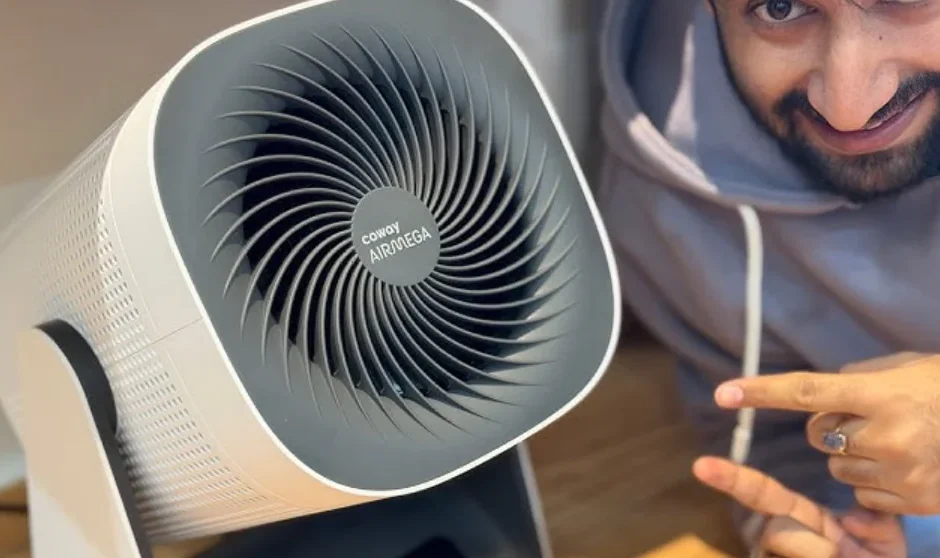

Coway Airmega Prox
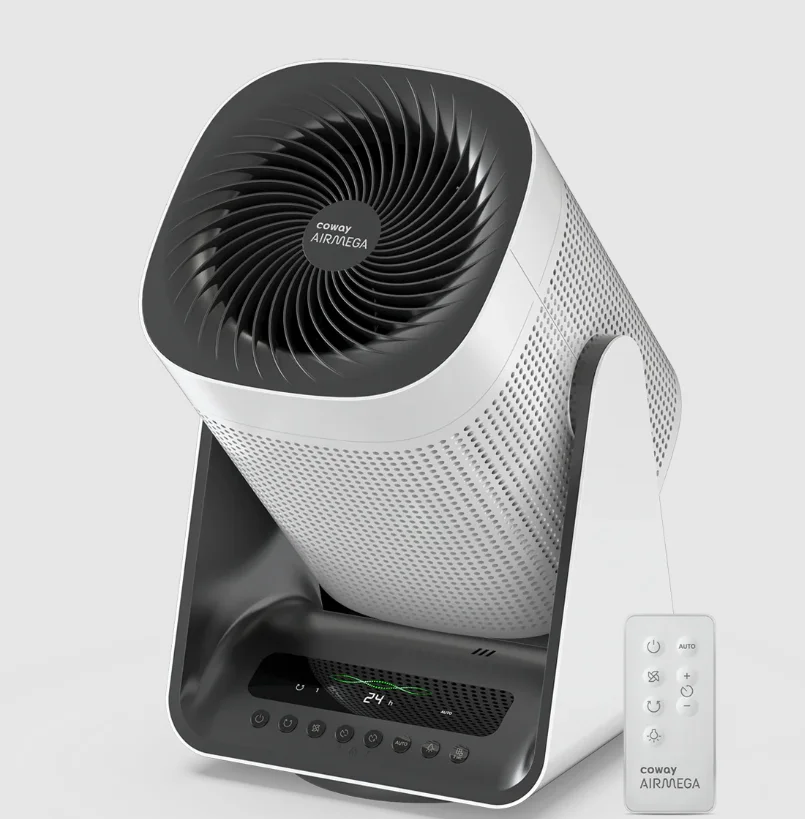
Specification
The specification is subject to minor changes to improve the product performance.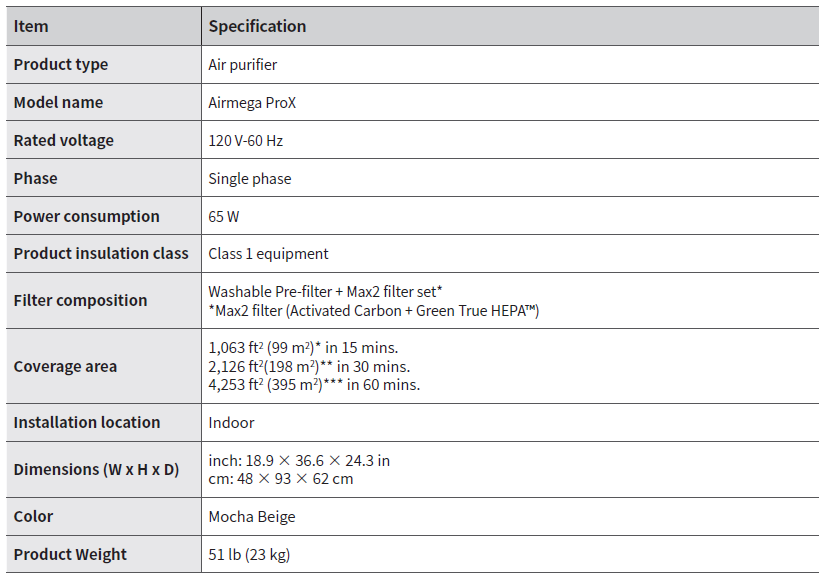
The coverage area of the air purifier is based on an area where the air cleaner can make two air changes per hour (ACPH). An air change per hour translates to how many times an air purifier can clean an area, assuming the height of the ceiling is 8 ft, in one hour. Therefore, * means four air changes per hour, which means that the cleaner can clean the area once every 15 minutes. And ** means two air changes per hour, which means that the cleaner can clean the area once every 30 minutes. And *** means one air change per hour, which means that the air purifier can clean the area once every 60 minutes. The energy efficiency of this ENERGY STAR-certified model is measured based on a ratio between the model’s CADR for Smoke and the electrical energy it consumes, or CADR/Watt.
Quick start guide
Before operating the product, you must remove the plastic wrapping from the inserted Max2 filter on both sides. For details, see the next page. Do not operate the product until you complete these steps first.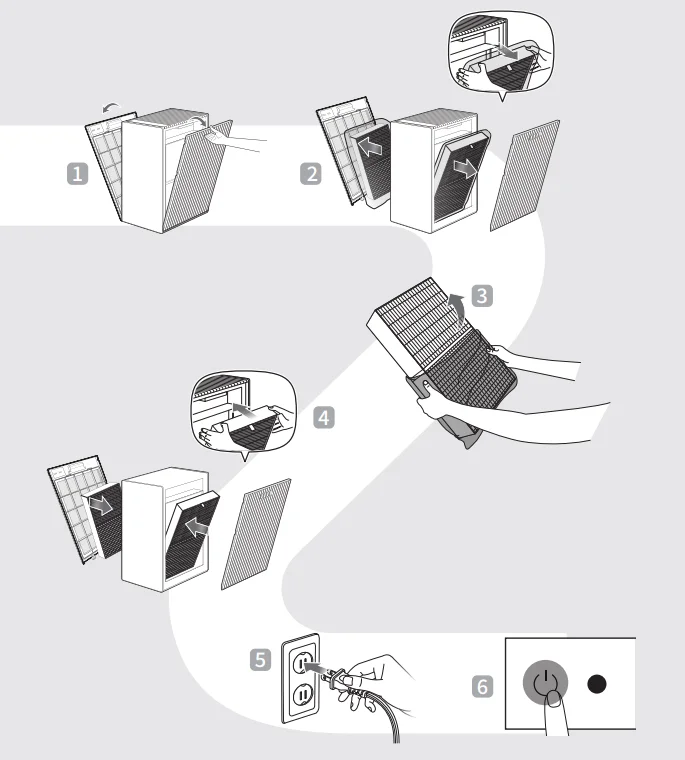
Setting up the product
Before using the product, you must remove the plastic wrapping from the inserted Max2 filter on both sides.
CAUTION: Make sure that the power cord is unplugged before opening the covers.
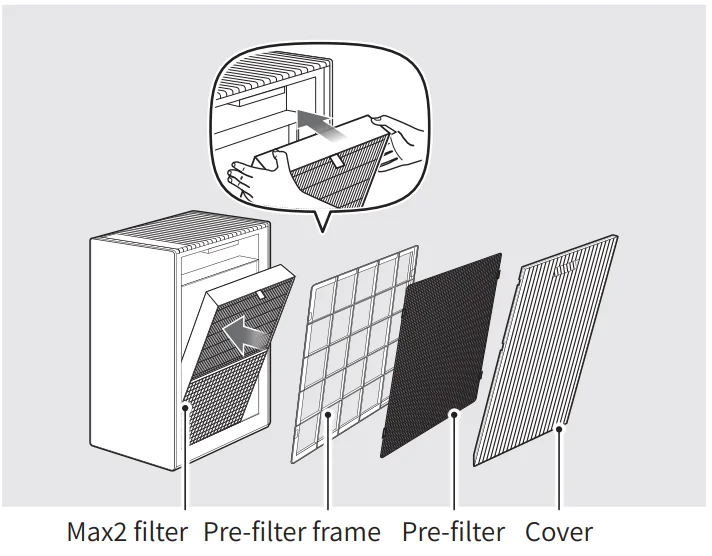
- Remove both sides of the covers and filters in the following order.
Cover ▶ Pre-filter ▶ Pre-filter frame ▶ Max2 filter
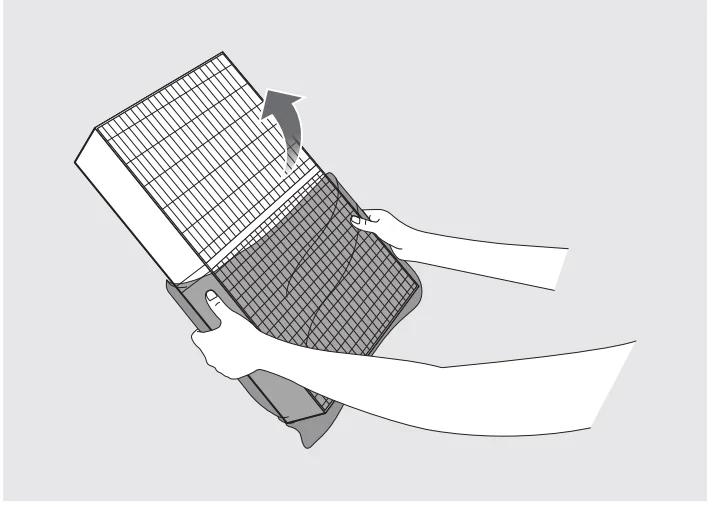
- Remove the plastic wrapping from the Max2 filter on both sides.
Discard the plastic wrapping for the Max2 filter.
CAUTION- When removing the plastic wrapping from the filter, be careful not to damage the surface of the filter.
- Do not allow children to play with the plastic wrapping.

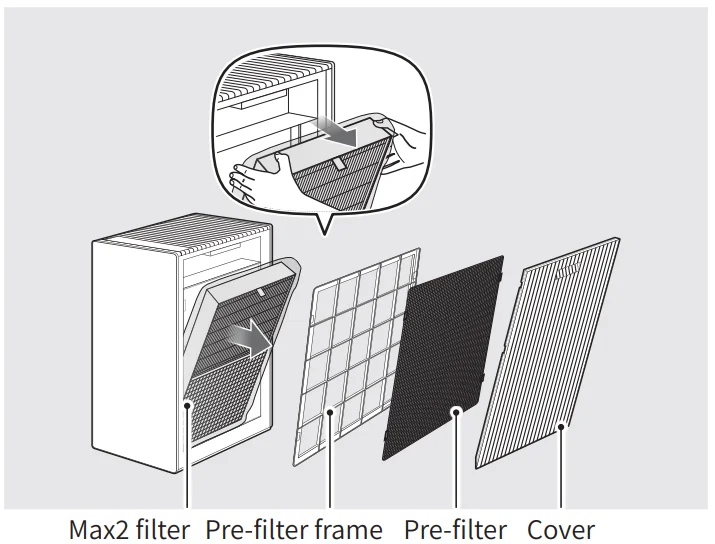
- Return both sides of the filters and covers in reverse order at the first step.
Max2 filter ▶ Pre-filter frame ▶ Pre-filter ▶ Cover
NOTE- Place the Max2 filter with the green side facing the Pre-filter frame (exterior of the product).
- The product will not turn on if the right and left covers are installed incorrectly.
How to use locking wheels
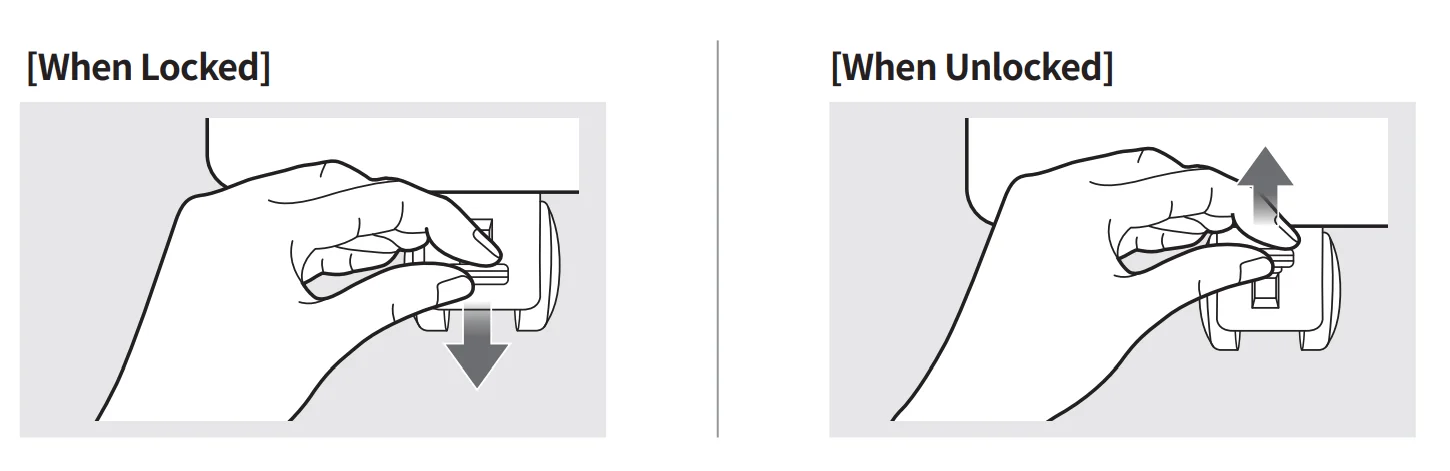
For your safety during use, the movable wheels are equipped with a locking system. If you want to fix the appliance location, you can push down the locking system of the four wheels to fix the wheels, as illustrated. If you want to move the product, make sure to unlock the wheels before moving it.
BEFORE USING THE PRODUCT
Safety instructions
Read and follow all the safety tips and warnings before using the product.
- WARNING: Warning indicates a potentially hazardous situation that may result in death or severe injury to the user or others.
- CAUTION: Caution indicates a potentially hazardous situation that may result in injury to the user or others, or the loss of property.
WARNING
- Do not exceed the voltage and power rating of the power outlet or connection device. This may generate excessive heat and cause electric shock or fire.
- Only use the appropriate type of electric socket for the product. Connecting the product to an incorrect socket may result in damage.
- Do not immerse the product or any of its parts in water. Operate the product only after a qualified technician examines and replaces the underwater parts.
- Do not handle the power plug with wet hands.
- If the electrical outlet is wet, carefully unplug the product and let the electrical outlet dry completely before subsequent use.
- Do not operate the product if the motor fan fails to operate or is damaged.
- Disconnect the power plug from the electric outlet if strange sounds, smells, or smoke come from the product. Contact the customer service center immediately for instructions.
- Disconnect the power plug from the electric outlet when the product is not in use and before cleaning, inspecting, or replacing parts.
- Use a dedicated electric outlet for the product. Do not connect the product to a power strip that has connections to several other products.
- Do not operate the product if the power plug or cords are damaged.
- Do not forcibly bend, twist, pinch, or damage the power cord.
- Do not force the power plug into an incorrect electric outlet or into a loose electric outlet. Contact a qualified technician to install a proper electric outlet.
- If the power cord is damaged, do not replace the cord yourself. Contact the service center to have it replaced.
- Remove the power plug from the electric outlet by grasping the power plug and pulling it gently. Never pull the cord to remove the power plug.
- Keep the electric cord away from heat sources.
- Do not repair the product unless this manual recommends it. Doing so will void your warranty. All repair work must be carried out by a qualified technician.
- This product has a polarized plug (one blade is wider than the other). To reduce the risk of electric shock, this plug is intended to fit in a polarized outlet only one way. If the plug does not fit fully in the outlet, reverse the plug. If it still does not fit, contact a qualified electrician. Do not attempt to defeat this safety feature.
- Do not use this product in industrial areas or factories where oil, grease, or dust particles may be present.
- Do not change the filter while the product is operating. Always turn off the product and unplug the power plug before accessing the components inside the product.
- Do not place the product near a humidifier or in humid areas, such as bathrooms or laundry rooms, where the product may come into contact with water.
- Do not place the product near flammable gases, cigarettes, incense, or other combustible materials.
- Do not place the product on a bed or against soft objects, such as curtains.
- Do not clean the product using detergents, paint thinner, or other household solvents.
- Do not spray insecticides or other flammable materials near the product.
CAUTION
- The appliance is not to be used by children under 8 or persons with reduced physical, sensory, or mental capabilities, or a lack of experience and knowledge, unless they have been given supervision or instruction.
- Do not allow children to play with the plastic wrapping and product.
- Do not use this product with any solid-state speed control device, as it may result in electric shock or fire.
- Do not use an adapter or extension cord, as it may cause fire, shock, or personal injury.
- Do not use attachments or filters not recommended by the manufacturer.
- Exercise caution while removing the components from the product. Ensure that your body parts do not get stuck or scratched while servicing the product.
- Do not insert any objects or fingers into the openings of the product. If any objects fall into the openings, immediately turn off the product and unplug the power plug. Contact a qualified technician or the manufacturer to remove the object.
- Do not wash or reuse the Max2 filter.
- Do not block the air outlet of the product. Doing so may decrease the efficiency of the product and increase the risk of injury.
- This product is for household use as described in this manual. Using it in an industrial environment or any other place not recommended by the manufacturer may result in electric shock, fire, and injury
to a person. - Do not place anything on top of the product.
- Change the filters at the recommended intervals so that excess dust does not accumulate.
- Do not place the product where both sides of the product are blocked.
- Do not place the product in direct sunlight.
- Do not place the product next to or on windows.
- Place the product on a firm, flat, and dry surface that provides sufficient air circulation.
- Do not run cord under carpeting. Do not cover the cord with throw rugs, runners, or similar coverings. Arrange the cord away from the traffic area and where it will not be tripped over.
- The end user has to be informed to keep at least 20 cm separation from the antenna while this end product is installed and operated.
- Operation is subject to the following two conditions: (1) this device may not cause harmful interference, and (2) this device must accept any interference received, including interference that may cause undesired operation.
PREPARATION
Control panel
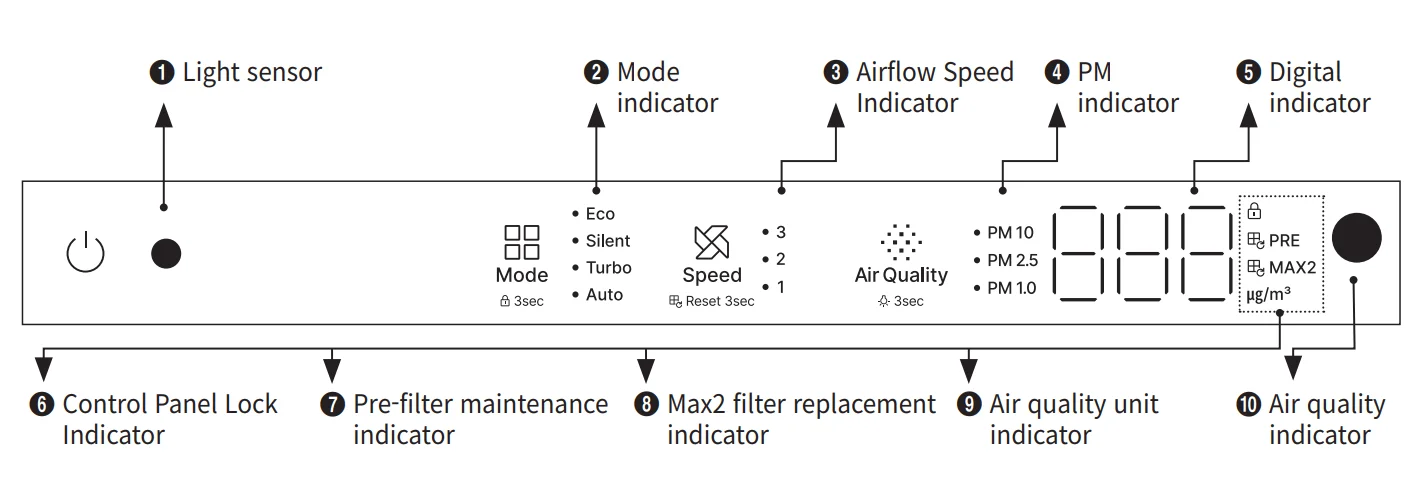
- Light sensor

This sensor detects light around the product.
* This sensor detects the intensity of light. When the product is set to Smart mode, and it is dark for 3 minutes, the product enters Sleep mode automatically. However, if the air speed is set manually or the pollution level is above normal (in Smart Mode), Sleep mode will not be activated automatically. - Mode indicator

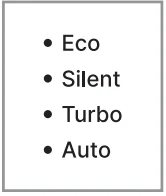
The operation mode selected by the user is indicated. - Airflow Speed Indicator

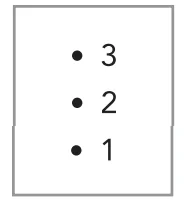
The current airflow speed is indicated.
* Not displayed when the machine is in Turbo or Silent mode. - PM indicator

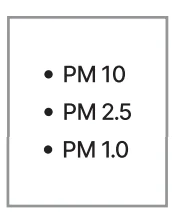
It indicates which Particulate Matter(PM) concentration is being displayed. - Digital indicator

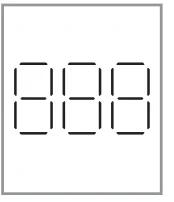
The particulate matter information is displayed in a digital form. - Control Panel Lock Indicator

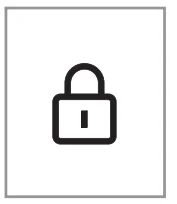
This indicator turns on when entering the Control Panel Lock function. The Control Panel Lock function is activated when the Mode button is pressed and held for more than 3 seconds. - Pre-filter maintenance indicator

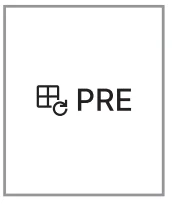
The notification light turns on when the Pre-filter is used 100% and needs maintenance. When you wash/clean the Pre-filter and press and hold the Airflow speed button for more than 3 seconds, the filter usage will reset to 0%, and the indicator light will turn off. - Max2 filter replacement indicator

The notification light turns on when the Max2 filter is used 95% and needs maintenance. When you replace the filter and press and hold the Airflow speed button for more than 3 seconds, the filter usage will reset to 0%, and the indicator light will turn off. - Air quality unit indicator

The indicator turns on with numeric values when displaying the PM1.0/ PM2.5/PM10 information. - Air quality indicator

The indicator displays the colors of the current air quality.
* Good: Blue, Moderate: Green, Unhealthy: Yellow, Very Unhealthy: Red
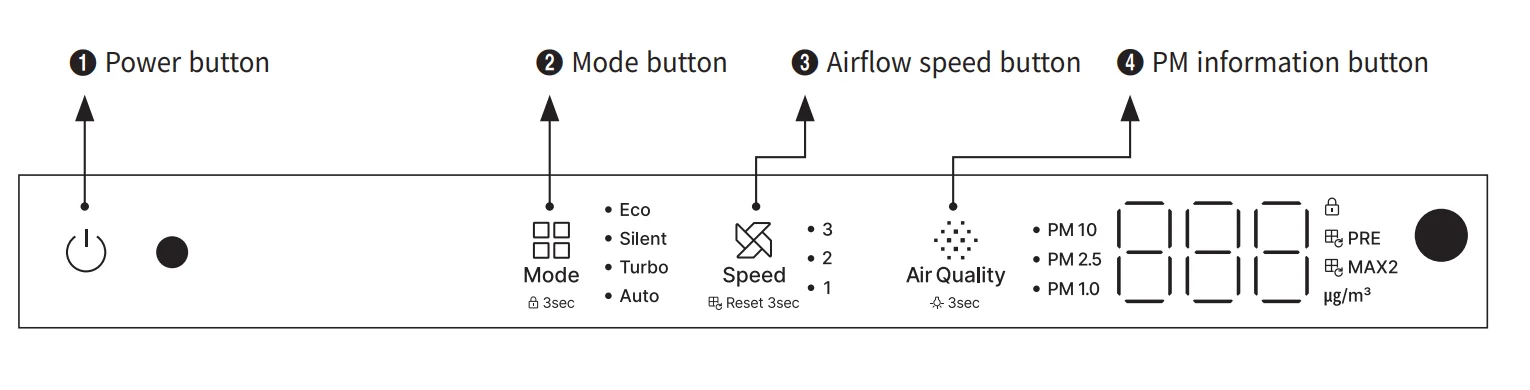
- Power button

Use the button to turn the product on and off.
* When turning on the product for the first time, it will operate in auto mode. Turning off afterward will preserve the current mode settings. - Mode button

It is used to switch between modes. It changes in the following order: Auto → Turbo → Silent → Eco - Airflow speed button

Press the Airflow speed button to increase and decrease the airflow speed. Level 1→ Level 2 → Level 3 - PM information button

Press the button to scroll through the Particulate Matter (PM) sensor. PM2.5 → PM10 → PM1.0
OPERATION
Auto mode
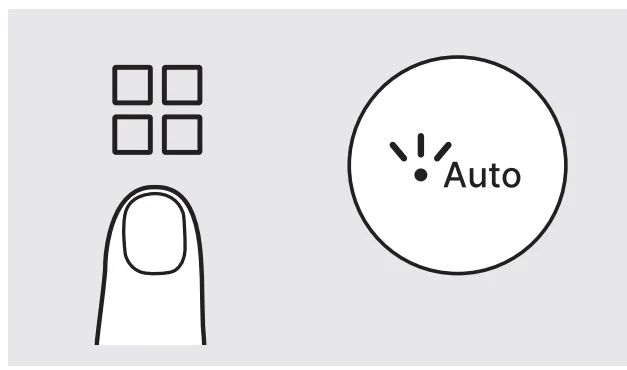
The product automatically adjusts the airflow speed (Levels 1, 2, and 3) for efficient operation depending on the indoor air quality detected by the sensor. The mode is intended for general users’ convenience.
[Sleep mode (Only available in auto mode)]
When the machine’s light sensor determines that the space is dark for more than 3 minutes when in auto mode, the device enters sleep mode automatically (operates the same as silent mode). All indicators except the silent mode indication are turned off when in sleep mode. If the area is bright for more than 5 minutes, the purifier will exit sleep mode and revert to auto mode.
Eco mode
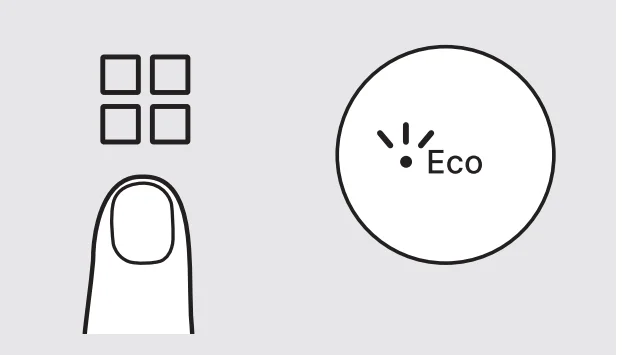
Although it operates the same way as the auto mode, it pauses the purification process for 30 minutes if the PM2.5 concentration is maintained at 2㎍/m³ or less for 10 minutes. When the machine is in Eco Mode, all indicators except for the air quality and Eco Mode indicators are turned off. The purification is resumed when the PM2.5 concentration becomes 3㎍/m³ or higher or when there is a user input (pressing any button).
Silent mode
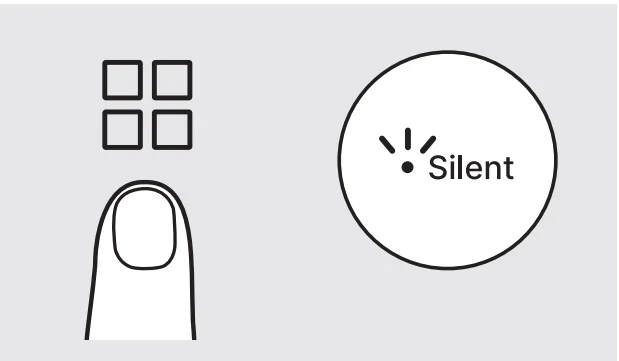
This setting reduces airflow speed during operation to create a quiet and comfortable environment. It consumes less power and produces minor noise during operations.
Turbo mode
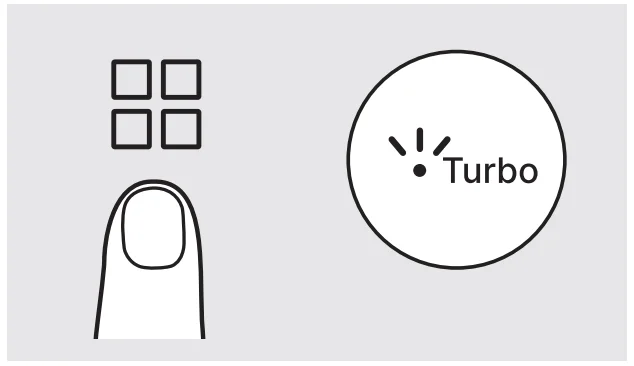
Turbo mode accelerates the air purification process with a faster airflow speed equivalent to Level 3 in manual mode. At maximum airflow speed, it consumes more energy and may produce noise.
* Turbo mode lasts 10 minutes and reverts to auto mode.
Manual speed mode
The machine continuously operates with the airflow speed selected by the user. You can choose the airflow speed from Level 1, Level 2, and Level 3.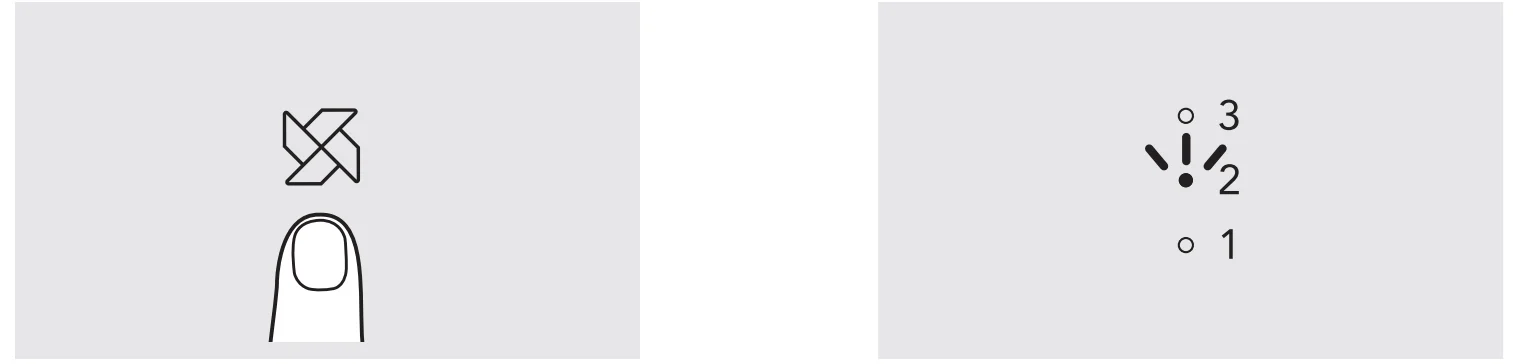
Setting function
[Light function]
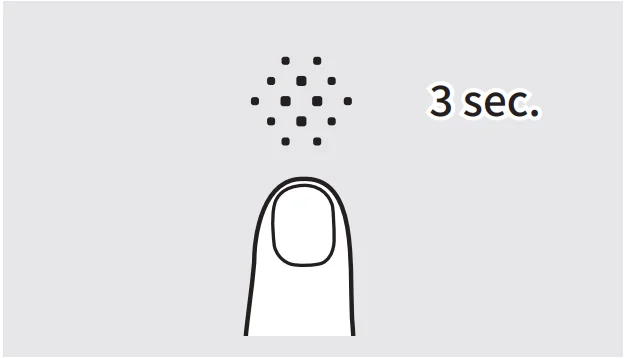
You can change the control panel’s indication lights. Turn the product on, and press and hold the PM information button for more than 3 seconds to switch off the indicator lights. If you touch any button when the indicator lights are off, they will light up for 3 seconds. Press and hold the button for more than 3 seconds to restore the lights.
[Control Panel Lock function]
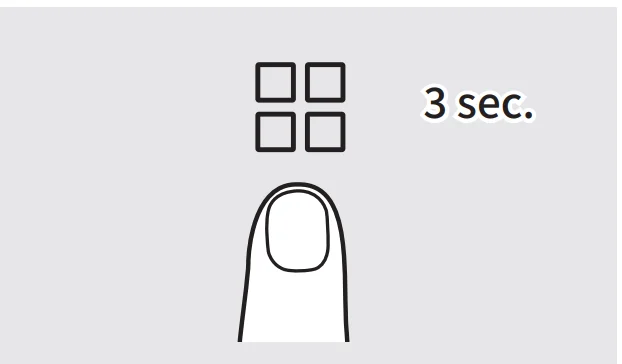
This function is useful for preventing unnecessary inputs. If you press and hold the Mode button for more than 3 seconds, it will disable all the buttons. To reactivate the controls, press and hold the Mode button for more than 3 seconds.
Cover open notification display
When opening the cover(s) while using the product. If either one or both covers are not detected as being properly installed, the product will cease, and the digital indicator will blink in “—”. Additionally, all other indicators will turn off. However, if both covers are properly installed, the product will return to its previous operation mode.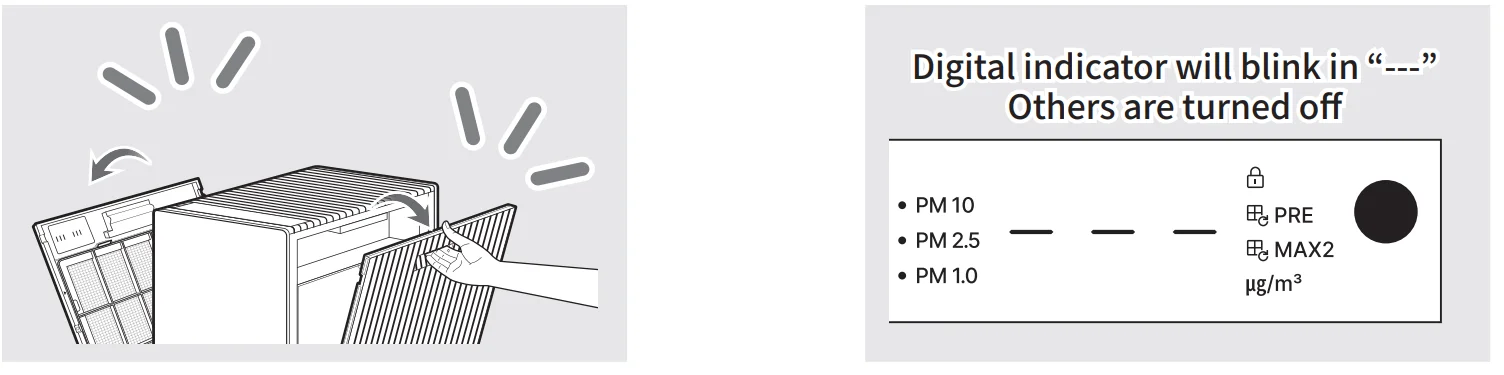
Air quality sensor sensitivity adjustment
Air quality indication guide

How to adjust the sensitivity of the air quality sensor
When you operate the product for the first time, the air quality sensor is set at the normal sensitivity. If the air quality indicator remains at “Very Unhealthy (Red)” or Good (Blue) for more than two hours, you can adjust the sensor’s sensitivity as follows.
- While the product is operating, press the Airflow speed button and the PM information button simultaneously for more than 3 seconds.
- Display the current air quality sensor sensitivity on the digital Indicator. To indicate that the air quality sensor sensitivity is being adjusted, the Level 1 Airflow Speed Indicator and PM1.0, PM2.5, and PM10 indicators are turned on.

- Press the PM information button to change the air quality sensor sensitivity.
- If the Airflow speed and PM information button are pressed and held simultaneously for more than 3 seconds, or if left alone for more than 7 seconds, then the selected air quality sensor sensitivity is applied.

MAINTENANCE
The Pre-filter maintenance indicator is turned on when the filter is used 100% and Max2 filter replacement indicator is turned on when the filter is used 95%. To deactivate the indicator and reset the filter usage, press and hold the airflow speed button for 3 seconds.
* If the Pre-filter maintenance notification indicator and Max2 filter replacement indicator are turned on at the same time, both are deactivated.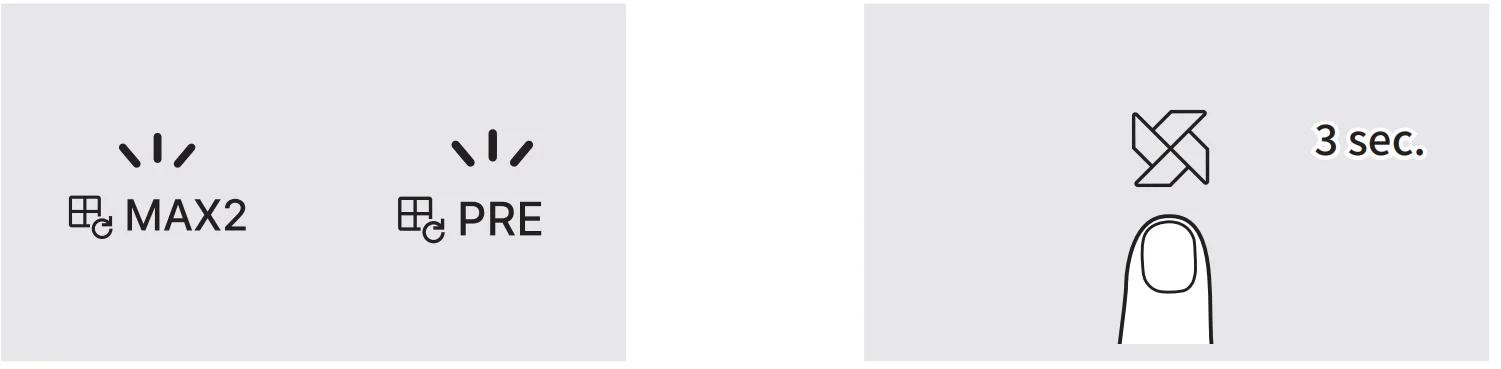
Forced filter usage reset mode
This function is to reset the filter usage if a user has cleaned or replaced the filter in advance before filter maintenance or replacement notification. Through this action, you can manage the usage of the Filter.
- While the filter maintenance or filter replacement notification has yet to occur, press and hold the Airflow speed button for more than 3 seconds.
- The filter maintenance indicator lights up and displays the current filter usage through the digital indicator. Press the Airflow speed button and select the filter to reset its usage. When choosing the filter, follow the following order.
NOTE- Pre-filter (PRE) → Max2 filter (MAX2) → Pre-filter (PRE)
- After selecting the filter, press and hold the Airflow speed button for more than 3 seconds to reset filter usage.
- If the reset button is not pressed for more than 7 seconds, the Forced filter usage reset mode is canceled.
How to replace the filter
- Use a genuine Coway filter to maintain optimal performance of the product.
- Always unplug the power cord before replacing the filter.
How to replace the Max2 filter (Every 12 months)
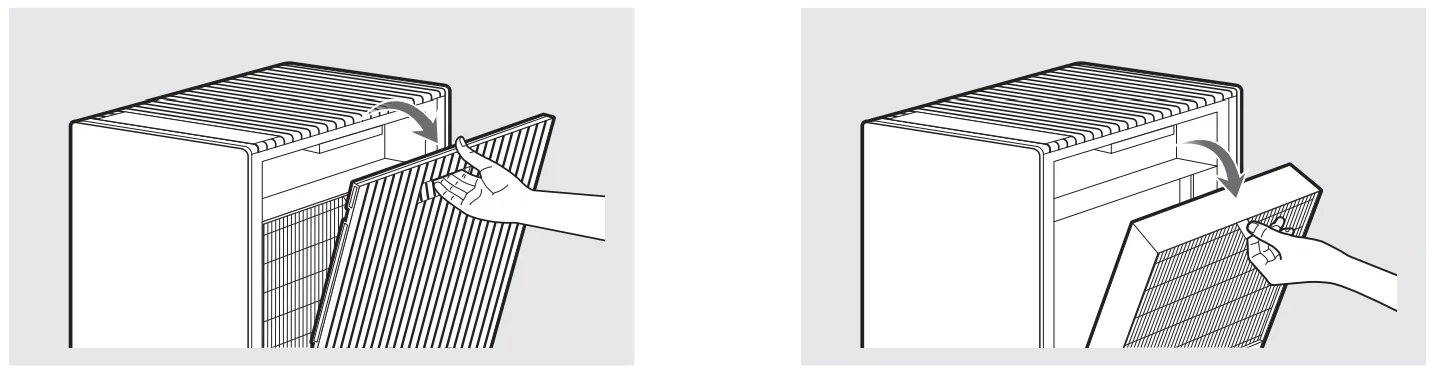
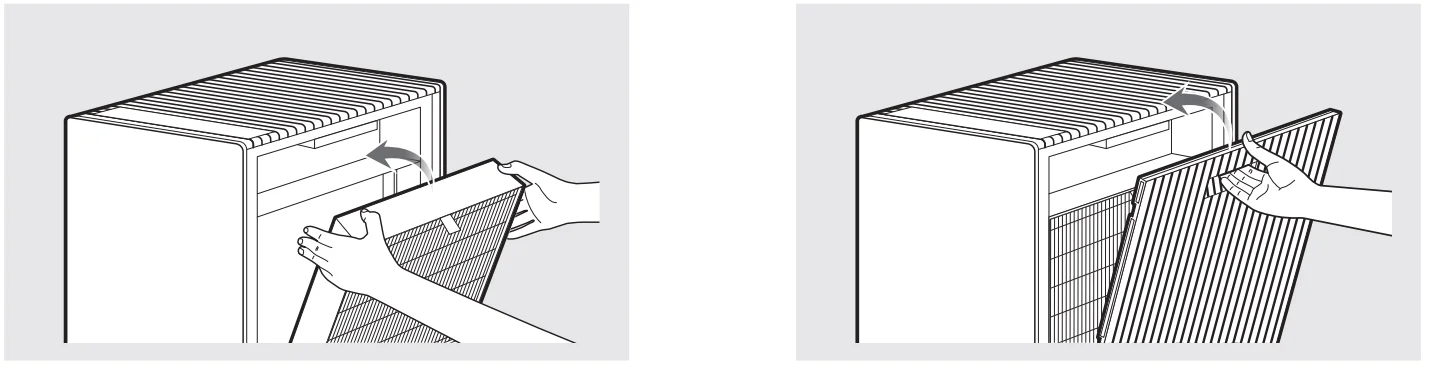
When the Max2 filter replacement Indicator is on, replace your Max2 filter on both sides. Follow these instructions below to replace the filter.
- Open the filter cover and remove the Max2 filter.

- Remove the packaging vinyl from the new Max2 filter, and replace the old one with it. Use the reverse order of the removal to install the filter.
NOTE- Check if the filter is installed in the right orientation and direction of insertion (up, down, left, and right).
* Upper filter system: Green True HEPA(TM) filter – Pre-filter (left/right 1EA) Lower filter system: Green True HEPA(TM) filter – Activated carbon filter – Pre-filter (left/right 1EA)
- Check if the filter is installed in the right orientation and direction of insertion (up, down, left, and right).
- Press and hold the Airflow speed button on the control panel to reset the filter usage.
How to clean the pre-filter
When the Pre-filter maintenance indicator is on, clean your Pre-filter on both sides. Follow these instructions below to clean the filter.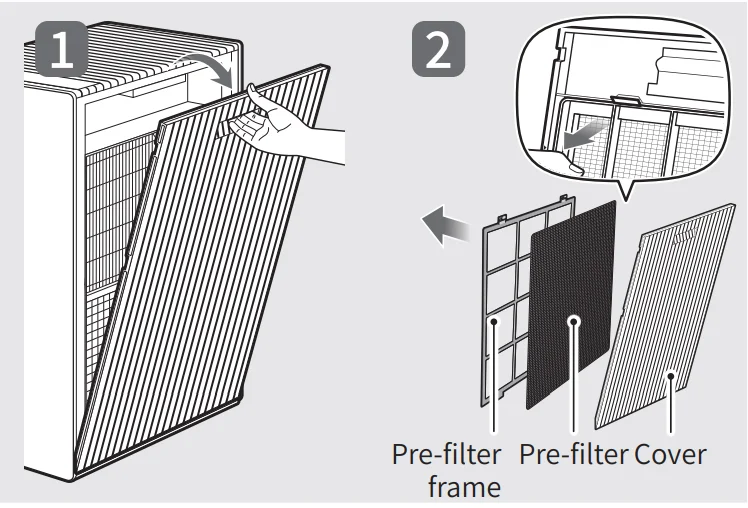
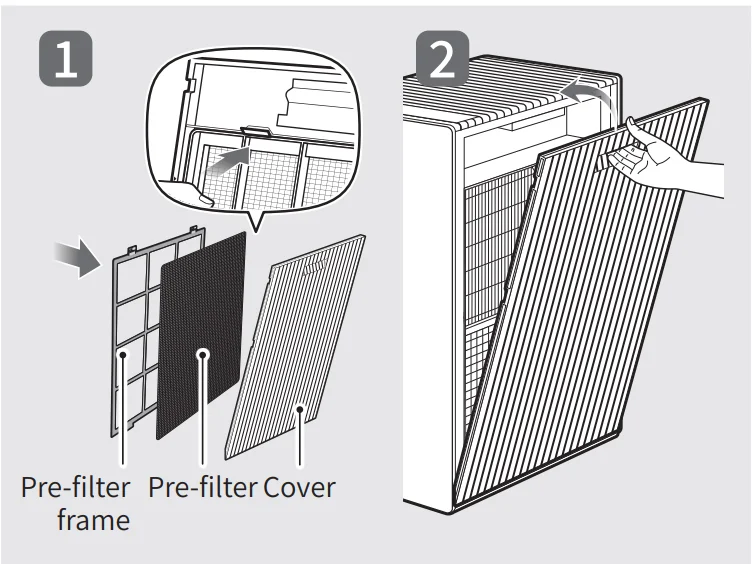
- Remove both sides of the covers and the pre-filter.
NOTE- While removing it, do not let dust drop onto it.
- Care must be taken with the protrusions on both sides when you remove the Pre-filter cover from the filter lid.

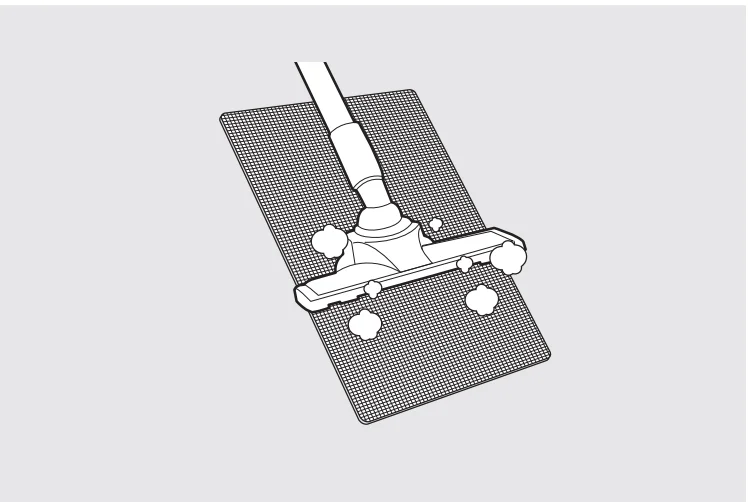
- Remove dust with a vacuum cleaner or water.
If vacuuming does not seem to sufficiently clean the Pre-filter, gently wash it under water.
CAUTION: If you use water to clean the Pre-filter, dry the Pre-filter in the shade before reinstalling it.
- Dry off the pre-filter and mount it in the pre-filter frame. Then, combine the pre-filter frame with the cover, insert the cover into the lower hanger and upper hook precisely, then close the cover.
- Press and hold the Airflow speed button on the control panel to reset the filter usage.
Filter cleaning and replacement cycle

Troubleshooting
Before contacting the customer service center, please attempt the following solutions. All other servicing should be done by a Coway authorized service center.
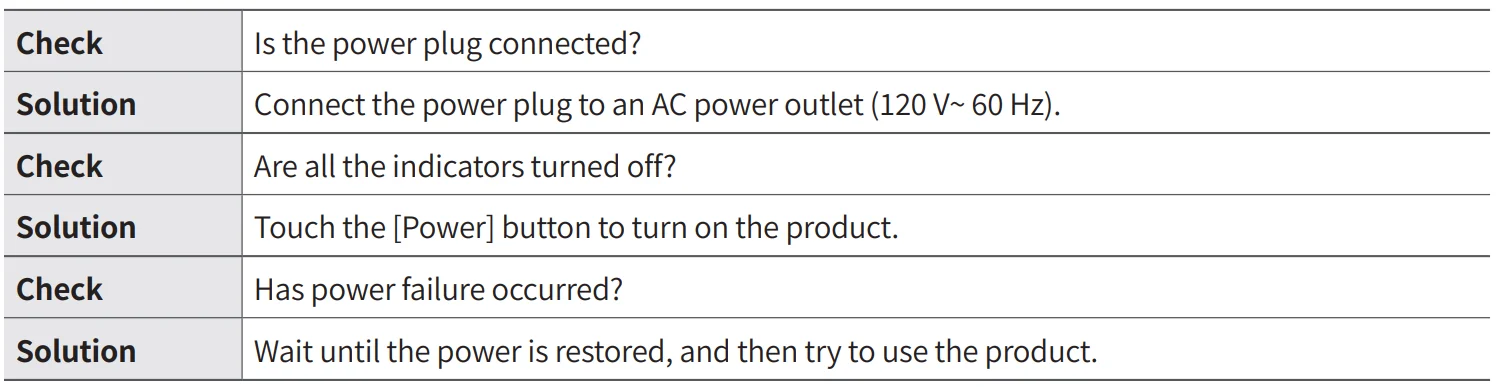
No air is blowing out from the air outlet.
Airflow speed from the air outlet is significantly low.

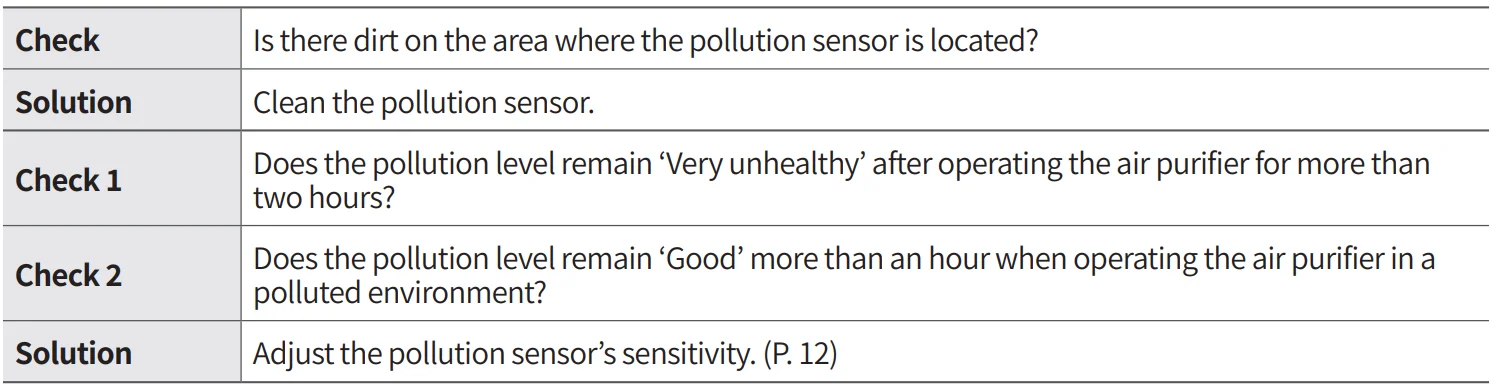
The pollution level does not change.
A bad smell comes out from the air outlet.

Limited Warranty
LIMITED WARRANTY (USA/CANADA/MEXICO)
ARBITRATION NOTICE: THIS LIMITED WARRANTY CONTAINS AN ARBITRATION PROVISION THAT REQUIRES YOU AND COWAY TO RESOLVE DISPUTES BY BINDING ARBITRATION INSTEAD OF IN COURT, UNLESS YOU CHOOSE TO OPT OUT. IN ARBITRATION, CLASS ACTIONS AND JURY TRIALS ARE NOT PERMITTED. PLEASE SEE THE SECTION TITLED “PROCEDURE FOR RESOLVING DISPUTES” BELOW.
Should the motor or other electronic parts of Coway’s product fail due to a defect in materials or workmanship under normal home use, during the warranty period set forth below, Coway will at its option, repair or replace the part and/or the product. This limited warranty is valid only to the original retail purchaser of the product and applies only when purchased and used within the United States, Canada, and Mexico. Proof of original retail purchase and the video of the issue are required to obtain warranty service under this Limited Warranty.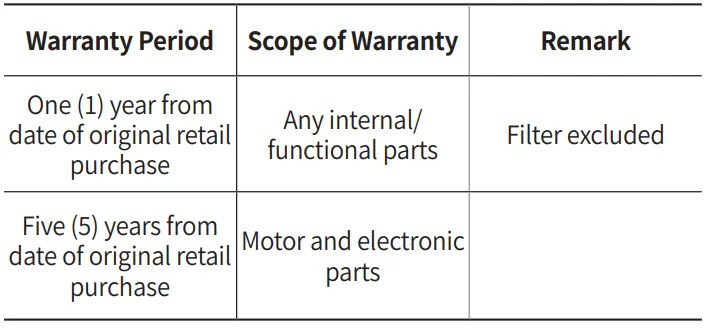
˙ Replacement products and parts are warranted for the remaining portion of the original warranty period or ninety (90) days, whichever is greater.
˙ Replacement products and parts may be new or remanufactured.
THIS WARRANTY IS INSTEAD OF ANY OTHER WARRANTY, EXPRESS OR IMPLIED, INCLUDING, WITHOUT LIMITATION, ANY WARRANTY OF MERCHANTABILITY OR FITNESS FOR A PARTICULAR PURPOSE. TO THE EXTENT ANY IMPLIED WARRANTY IS REQUIRED BY LAW, IT IS LIMITED IN DURATION TO THE EXPRESS WARRANTY PERIOD ABOVE. NEITHER THE MANUFACTURER NOR ITS DISTRIBUTOR SHALL BE LIABLE FOR ANY INCIDENTAL, CONSEQUENTIAL, INDIRECT, SPECIAL, OR PUNITIVE DAMAGES OF ANY NATURE, INCLUDING WITHOUT LIMITATION, LOST REVENUES OR PROFITS, OR ANY OTHER DAMAGE WHETHER BASED IN CONTRACT, TORT, OR OTHERWISE.
Some states, provinces, or countries do not allow the exclusion or limitation of incidental or consequential damages or limitations on how long an implied warranty lasts. Therefore, the above exclusion or limitation may not apply to you. This warranty gives you specific legal rights, and you may also have other rights which vary from state to state.
For more manuals by Coway, visit ManualsLibraryy
Coway Airmega Prox-FAQs
Are Coway air purifiers worth buying?
Yes, Coway air purifiers are known for strong air-cleaning performance, energy efficiency, and long-lasting filters, making them a reliable choice for homes and offices.
Is Coway better than Dyson air purifiers?
Coway focuses on quiet operation, durability, and effective dust removal, while Dyson emphasizes premium design and odor control. Coway is often preferred for everyday air purification needs.
Is Coway a Chinese brand?
No, Coway is a South Korean company, founded in 1989, and is globally recognized for air and water purification technology.
Is Coway considered a good brand?
Yes, Coway is a trusted global leader in air care, known for innovation, quality, and dependable performance.
Does the Coway Airmega ProX use a True HEPA filter?
Yes, the Coway Airmega ProX uses True HEPA filtration, capable of capturing up to 99.97% of airborne particles, including dust, pollen, and allergens.
Can the Coway Airmega ProX remove dust effectively?
Yes, it is highly effective at removing dust and fine particles, helping improve overall indoor air quality.
Does an air purifier use a lot of electricity?
No, Coway models are energy-efficient and designed for long-term daily use without significantly increasing electricity costs.
Does Coway Airmega ProX produce ozone?
No, Coway air purifiers are designed to be safe and do not rely on harmful ozone-producing ionizers.