

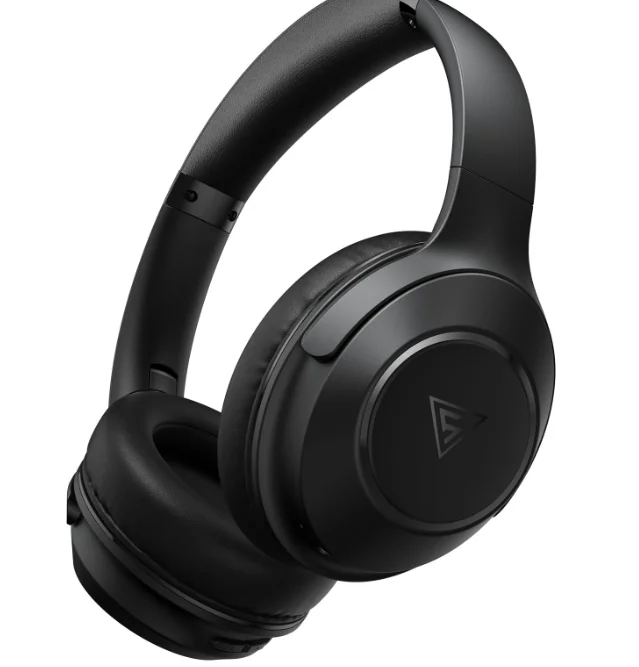
DOQAUS LIFE 5 Wireless Headphones
Package includes
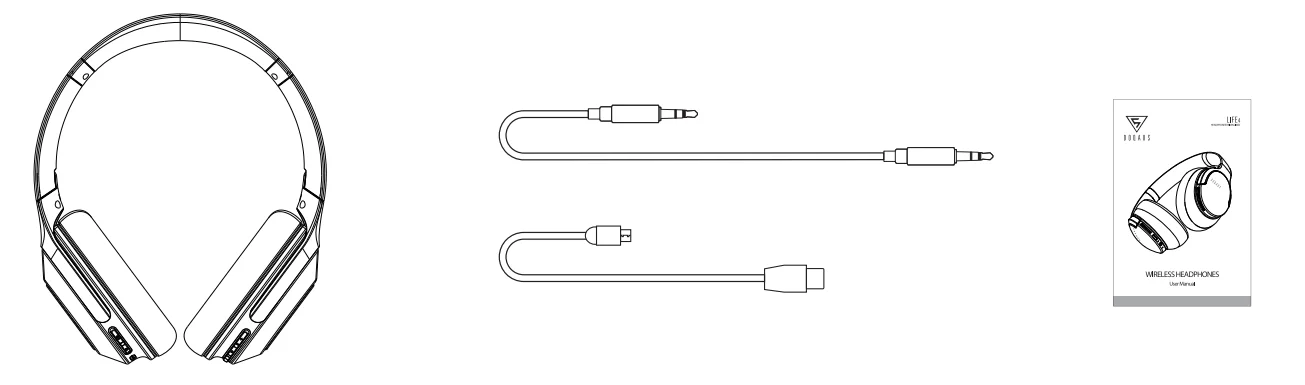
- DOQAUS Headphones x1 Pc
- AUX Cable x1 Pc
- Charging Cable x1 Pc
- User Manual x 1 Pc
Headphones Controls
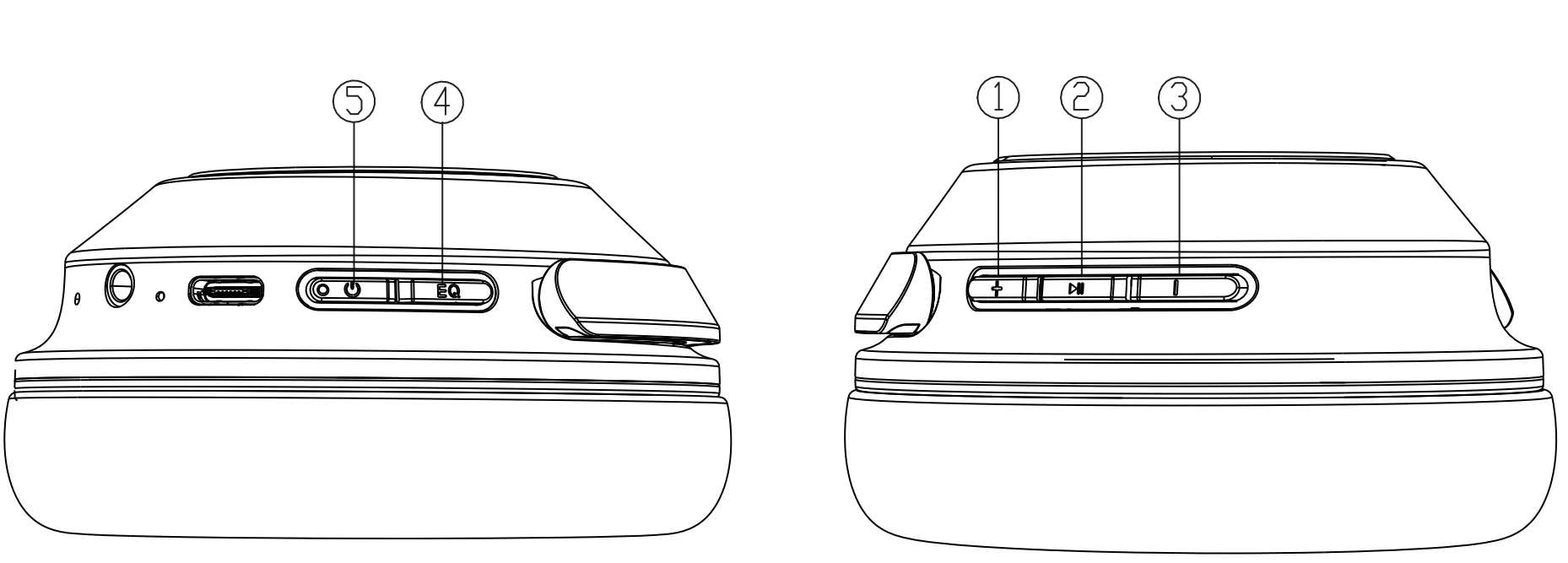
- Volume Up: Connected with one Bluetooth device, press once to increase the volume. Press and hold for 3 seconds to increase the volume quickly.
- Multifunction Button: Connected with one Bluetooth device, press once to play/pause;
- Press and hold for 3 seconds: Activate Siri or other voice assistant software
- In playback state: quickly press twice–next song, quickly press three times–previous song;
- Incoming call: press once to answer, press and hold for 3 seconds to reject.
- Outgoing call: press once to cancel;
- Ongoing call: press once to end call; press and hold for 3 seconds to choose the call hearing and talking via cellphone or DOQAUS headphones.
- Volume Down: Connected with one Bluetooth device, press once to decrease the volume. Press and hold for 3 seconds to decrease the volume quickly.
- EQ Button: Press once to switch between EQ modes, and you can hear the voice prompt.
(Note: Press and hold the EQ button for 8 seconds will clear the headphone pairing list from all devices, and the headphones are ready to connect.) - Power On/Off: when the headphones are off, press and hold for 2 seconds to power on; when on, press and hold for 2 seconds to power off.
Specifications:
- Bluetooth Version: 5.3
- Battery: 3.7V,600 mAh
- Playtime: Up to 70 hours
- Distance: up to 20 meters(66 feet)
- Output power: 20 mW x2 (32Ω)
- Speaker: φ 40MM
- Input power: DC 5V (500 mA)
- Charging Time: 2 hours
3 Sound Effects, you choose the one you like
Press once EQ, the sound effect shifts to another one once you hear the sound prompt (a total of 3 different effects)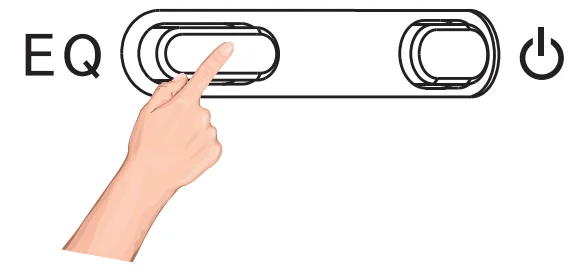
- Normal sound effect (the treble, middle, and bass equal )
- Bass sound effect (super bass)
- High definition sound effect (voice clear)
Note: this headphone will remember the sound effect you enjoyed last time once you power it on again.
Bluetooth pairing, start to enjoy music:
- LIFE 5 headphones will automatically enter Bluetooth pairing mode after they are powered on- white light flashes.
- Turn on the Bluetooth of your device, as a cell phone, iPad, PC, or else, search and select “DOQAUS LIFE 5” from the list of Bluetooth devices. The Bluetooth PIN is 0000 if it is necessary to enter.
- Once paired successfully, the white LED light will blink 2 times in 5 seconds, and then you can enjoy music.
Simultaneously connect to two Bluetooth devices
This headset is able to connect to two Bluetooth devices simultaneously to provide a more convenient user experience.
- Step 1: Connect the headphones to the first device and then turn off the Bluetooth feature on the first device.
- Step 2: On the second device, go to Settings> Bluetooth, find “DOQAUS LIFE 5,” and tap to connect.
- Step 3: Turn on the Bluetooth of the first device and reconnect “DOQAUS LIFE 5”
Then the headphones will build a connection with two devices simultaneously, and you can change the headphones’ connection between the two devices back and forth.
Switch between two connected devices:
- Pause audio on your first mobile device.
- Play audio on your second mobile device.
Note: You can only play audio from one device at a time.
Wired connection via aux cable, enjoy music endlessly:
Connect one end of the audio cable into the 3.5mm jack of headphones and the other end to your laptop, mobile phone,mp3/4, or CD player to play music files from the AUX in, without using battery power. Button controls on the headphones are disabled in the wired connection mode.
Note: Inserting the aux cable into the 3.5mm jack will deactivate the Bluetooth wireless connection, and the headphones will be powered off.
Power management, power off automatically:
- No pairing: power off automatically after 10 minutes;
Charging:
*Do not use the adaptor without Safety certification, not rated 5V. ( The headphone is designed with a power protection circuit. The headphone will stop charging to protect the battery and itself if using the adaptor is unmatched.)
- Power-on state: charge the product immediately when a low battery is prompted.
- When the Bluetooth icon on the mobile phone indicates that the battery is low, please charge the headphones as soon as possible.
- The red LED light is on when charging. The white LED light is on, which indicates that the battery is fully charged.
Reset:
The reset button is located in the AUX jack. When the Bluetooth of the headset fails to work normally under certain circumstances, the system needs to be restarted for activation. You can use a small needle to reach into the AUX jack and press the reset button. (If the battery is exhausted, charge it first)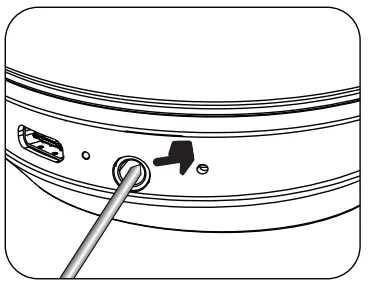
Note: When the status light glows solid white due to the loss of pairing with devices, you must reset the headphones to initialize them to the factory settings.
FAQ:
1. Q: How to pair with a smartphone via Bluetooth?
A: Press the On/Off button for 2 seconds, and the LED indicator will flash white. Turn Bluetooth on your device, search and select “ DOQAUS LIFE 5” from the list of Bluetooth devices. Once paired successfully, the white light flashes 2 times every 5 seconds.
2. Q: What is the Bluetooth version?
A: The LIFE 5 Bluetooth headset is built with the latest technology Bluetooth chip, Bluetooth version 5.3.
3. Q: Can be connected with a laptop or, iPad?
A: The headphones can be compatible with any Bluetooth-enabled device, including smartphones, laptops, and iPads etc.
4.Q: Can make phone calls via headphones wirelessly?
A: Yes, LIFE 5 headphones have with built-in mic which can deliver clear hands-free calls.
5. Q: How long can it be used for one time after being fully charged?
A: LIFE 5 headphones have with 600 mAh polymer battery. After being fully charged, they can be used for more than 70 hours.
Safety Instructions:
- Please fully charge the headphones before first use.
- Please charge the headphones at least once every 3 months to keep the battery in good condition.
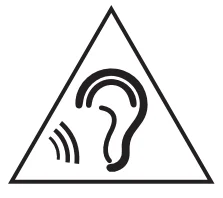
- To protect your hearing, please do not use the headphones long time with too high volume.
- Free from extreme temperature, humidity, and dust.
- Do NOT make unauthorized alterations to the headphones.
- Do NOT expose the headphones to rain, liquid, or moisture.
For more manuals by DOQAUS, visit ManualsLibraryy
DOQAUS LIFE 5 Wireless Headphones-FAQs
How long does the DOQAUS LIFE 5 battery last?
The DOQAUS LIFE 5 offers long-lasting performance, providing up to 52–90 hours of playback, depending on the model and usage.
How long do the headphones take to charge?
A full recharge takes around 2.5 hours using the included charging cable.
Are DOQAUS headphones waterproof?
The DOQAUS LIFE 5 itself is not fully waterproof, but some DOQAUS models like the FOCUS5 offer water-resistant protection. Always check the specific model’s rating before exposure to moisture.
How do I pair DOQAUS wireless headphones?
Turn on the headphones, then hold the power or pairing button until the LED starts blinking. Open Bluetooth settings on your device and select “DOQAUS LIFE 5” from the list.
Where is the pairing button located?
Most DOQAUS headphones use the power button for pairing. Hold it for a few seconds until the LED blinks to enter pairing mode.
Are Bluetooth headphones okay to use in the rain?
Avoid using non-waterproof headphones in the rain or in humid conditions, as moisture can damage internal components.
Can I use the DOQAUS LIFE 5 for phone calls?
Yes. The headphones come with a built-in microphone, allowing hands-free calling over Bluetooth.
Are headphones safe to use for long periods?
Follow the 60/60 rule: listen at 60% volume for no more than 60 minutes at a time to protect your hearing.