
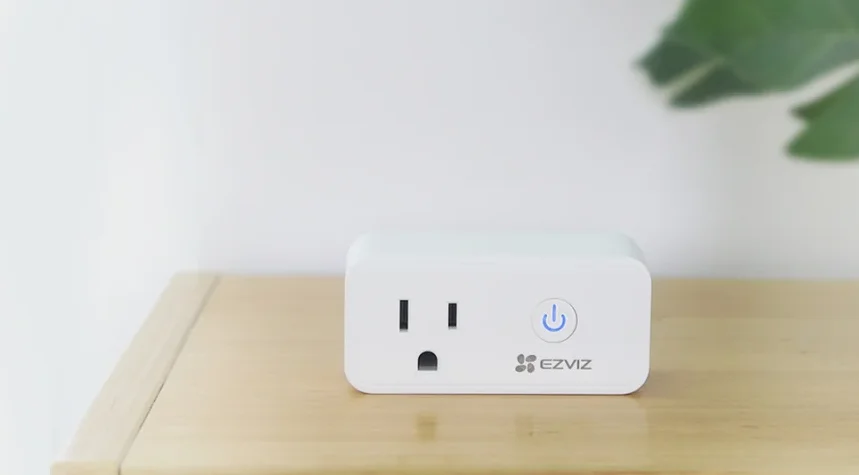

EZVIZ T30-10B-EU Remote Control Smart Plug
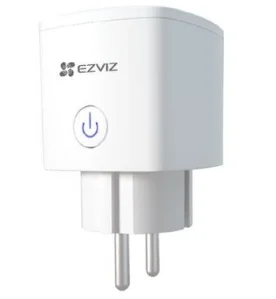
Set Up Your System
1 Brief Introduction
You can experience the various advanced features of the product with the EZVIZ app.
Main function:
- Connect or cut off power through the EZVIZ app
- Show working status
- Countdown
- Timing
Remove device:
- Remove the device from the EZVIZ app.
Statistics of today’s electricity consumption:
- Today’s electricity consumption
- Today’s runtime
- Current power
Note: Currently, only device with product model T30-10B-EU supports this feature.
2 Package Contents
The device’s appearance is subject to the actual one you have bought.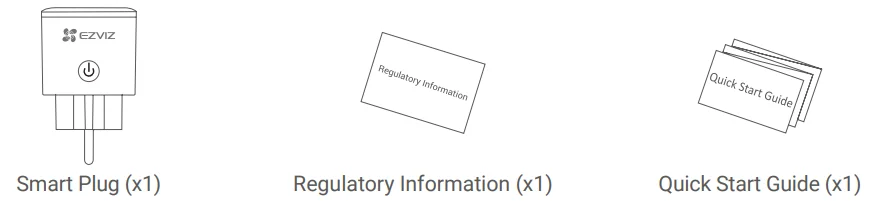
3 Basics
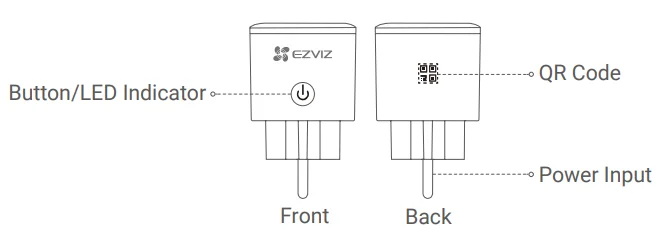
Name Description
Button
- Press to connect or cut off power.
- Press this button for 5 seconds to initiate Wi-Fi configuration.
LED Indicator
- Solid Blue: The device is switched on.
- Off: The device is switched off.
- Fast-flashing Blue: The device is ready for Wi-Fi configuration.
- Slow-flashing Blue: The network is disconnected.
QR Code
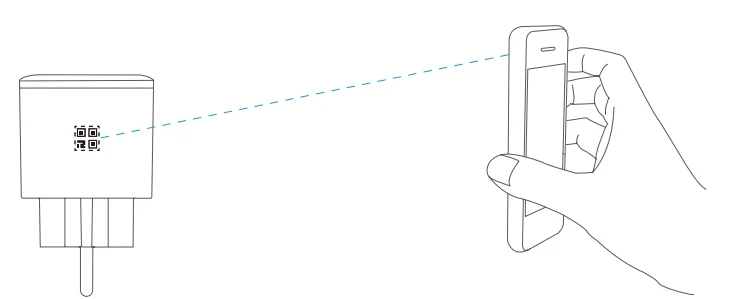
Scan the QR code with the EZVIZ app to add the device to your account.
Power Input
230 VAC
Get the EZVIZ app
- Search for “EZVIZ” in App Store or Google Play StoreTM.
- Download and install the EZVIZ app.
- Launch the app, and register an EZVIZ user account.
Note:
- If you already use the app, make sure that you are using the latest version.
- To find out if an update is available, go to the app store and search for EZVIZ.
Setup
Follow the steps to set your device:
- Power on your device.
- Log in to your EZVIZ app user account.
- Connect your device to the Internet.
- Add your device to your EZVIZ account.
1 Power on your device
Plug the device into a power outlet. When the LED indicator is fast-flashing blue, it is ready for the Wi-Fi connection.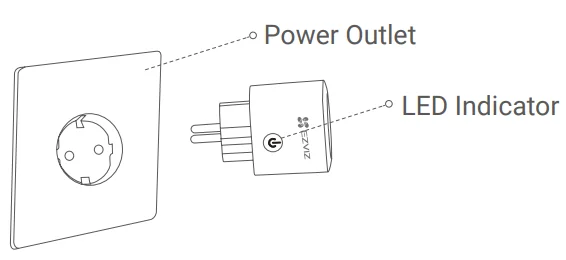
Note:
- Hold the button for 5 seconds to initiate Wi-Fi configuration if the LED indicator isn’t fast-flashing blue.
- Do not insert into each other.
2 Connect to the Internet
Steps:
- Log in to your account using the EZVIZ app.
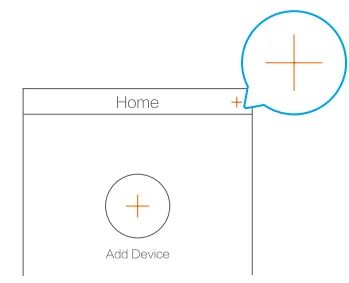
- On the Home screen, tap “+” in the upper-right corner to go to the Scan QR Code interface.

- Scan the QR code on the Quick Start Guide cover or on the back of the device.

- Follow the EZVIZ app wizard to finish Wi-Fi configuration.
Note:
- The device works with 2.4GHz Wi-Fi signals. If you have a dual-band router with separate 2.4GHz and 5GHz networks, make sure your phone is connected to the 2.4GHz one.
- Please choose to connect to the same Wi-Fi for your device as your mobile phone has connected to.
- If you failed to connect your device to Wi-Fi, press the button for 5 seconds till the indicator turns fast-flashing blue, then repeat the steps above.
3 EZVIZ Connect
Use Amazon Alexa
These instructions will enable you to control your EZVIZ devices with Amazon Alexa. If you run into any difficulties during the process, please refer to Troubleshooting.
Before you start, make sure that:
- EZVIZ devices are connected to the EZVIZ app.
- You have an Alexa-enabled device (i.e., Echo Spot, Echo Show, All-new Echo Show, Fire TV (all generations), Fire TV Stick (second generation only), or Fire TV Edition smart TVs).
- The Amazon Alexa app is already installed on your smart device, and you have created an account.
To control EZVIZ devices with Amazon Alexa:
- Open the Alexa app and select “Skills and Games” from the menu.
- On the Skills and Games screen, search for “EZVIZ”, and you will find “EZVIZ” skills.
- Select your EZVIZ device’s skill, then tap ENABLE TO USE.
- Enter your EZVIZ username and password, and tap Sign in.
- Tap the Authorize button to authorize Alexa to access your EZVIZ account, so that Alexa can control your EZVIZ devices.
- You will see “EZVIZ has been successfully linked”, then tap DISCOVER DEVICES to allow Alexa to discover all your EZVIZ devices.
- Go back to the Alexa app menu and select “Devices”, and under devices, you will see all your EZVIZ devices.
Voice Command
Discover a new smart device via the “Smart Home” menu in the Alexa app or the Alexa Voice Control function. Once the device is found, you can control it with your voice. Speak simple commands to Alexa. Examples are listed below:
- “Alexa, turn on the plug.”
- “Alexa, turn off the plug.”
Note: Your device’s name, for example: “show xxxx plug”, can be modified in the EZVIZ app. Every time you change the name of the device, you will need to discover the device again to update the name.
Troubleshooting
What do I do if Alexa fails to discover my device?
- Check if there are any Internet connection problems.
- Try to reboot the smart device and rediscover the device on Alexa.
Why does the device’s status show “Offline” on Alexa?
- Your wireless connection might have been disconnected. Reboot the smart device and rediscover it on Alexa.
- Internet access on your router could be unavailable. Check if your router is connected to the Internet and try again.
Note: For details about countries that support the use of Amazon Alexa, see its official website.
Use Google Assistant
With the Google Assistant, you can activate your EZVIZ device and watch live by speaking Google Assistant voice commands.
The following devices and apps are required:
- A functional EZVIZ app.
- A TV with a functional Chromecast connected to it.
- The Google Assistant app on your phone.
To get started, follow the steps below:
- Set up the EZVIZ device and make sure it works properly on the app.
- Download the Google Home app from the App Store or Google Play StoreTM and log in to your Google account.
- On the My Home screen, tap “+” in the upper-left corner, and select “Set up device” from the menu list to go to the Set up interface.
- Tap “Works with Google”, and search for “EZVIZ”, where you will find “EZVIZ” skills.
- Enter your EZVIZ username and password, and tap Sign in.
- Tap the Authorize button to authorize Google to access your EZVIZ account, so that Google can control your EZVIZ devices.
- Tap “Return to app”.
- Follow the above steps to complete the authorization. When synchronization is completed, the EZVIZ service will be listed under your list of services. To see a list of compatible devices under your EZVIZ account, tap on the EZVIZ service icon.
- Now try some commands. Use the name of the plug that you created when you set up the system.
Users can manage devices as a single entity or in a group. Adding devices to a room allows users to control a group of devices at the same time using one command.
See the link for more information: https://support.google.com/googlehome/answer/7029485?co=GENIE.Platform%3DAndroid&hl=en. For detailed information, please visit www.ezviz.eu.
For More Manuals By EZVIZ, Visit ManualsLibraryy.
EZVIZ T30-10B-EU Remote Control Smart Plug-FAQs
What does the EZVIZ T30-10B-EU Smart Plug do?
The EZVIZ T30-10B-EU lets you remotely control connected appliances through the EZVIZ app, turning ordinary devices into smart devices. It supports scheduling, timers, and voice control, making it useful for managing lights, fans, coffee makers, and other household electronics more conveniently.
Does the EZVIZ T30-10B-EU support energy monitoring?
Yes, one of the standout features of the EZVIZ T30-10B-EU is electricity usage tracking. It provides power consumption statistics through the app, helping users monitor appliance energy use, reduce wasted electricity, and better understand operating costs over time.
Can I schedule appliances with the EZVIZ T30-10B-EU?
Yes, the smart plug includes scheduling and countdown timer features that let you automate when devices turn on or off. This is helpful for lamps, routers, or small appliances, and can add convenience, energy savings, and an extra layer of home automation.
Does the EZVIZ T30-10B-EU work with Alexa or Google Assistant?
Yes, the EZVIZ T30-10B-EU supports voice control with compatible Alexa and Google Assistant setups. Users can turn connected appliances on or off with voice commands, which adds hands-free convenience and makes it easier to integrate into a smart home ecosystem.
What appliances can I use with the EZVIZ T30-10B-EU?
The plug is suitable for many small household devices such as lamps, fans, coffee machines, routers, and similar appliances within its rated limits. With support up to 10A and around 2300W, checking your device’s power requirements before use is important.
Is the EZVIZ T30-10B-EU easy to set up?
The EZVIZ T30-10B-EU is generally easy to install through 2.4GHz Wi-Fi and the EZVIZ app. Most users find the setup straightforward, especially for first-time smart plug owners, and app controls make managing schedules, monitoring, and remote access simple.
Does the EZVIZ T30-10B-EU work after a power outage?
Yes, one useful feature is memory recovery after interruptions. The plug can resume preset schedules when power or connectivity returns, which helps maintain automation routines without constant manual resetting and makes it more dependable for everyday smart home use.
Is the EZVIZ T30-10B-EU safe to use?
The smart plug includes safety-focused design elements such as flame-resistant materials and is built for everyday appliance control within rated loads. Following wattage guidelines is important, but overall, it is designed to provide both convenience and protection for connected devices.
Can the EZVIZ T30-10B-EU help reduce electricity bills?
It can help reduce energy waste by letting users automate shutoff schedules and monitor consumption trends. While savings depend on usage habits, the plug’s scheduling and power tracking tools can support smarter energy management and potentially lower unnecessary electricity costs.
Is the EZVIZ T30-10B-EU worth buying?
For users wanting remote control, energy monitoring, scheduling, and voice assistant support in one compact plug, the EZVIZ T30-10B-EU offers strong value. It is especially appealing for people starting smart home automation or looking to make standard appliances smarter.