
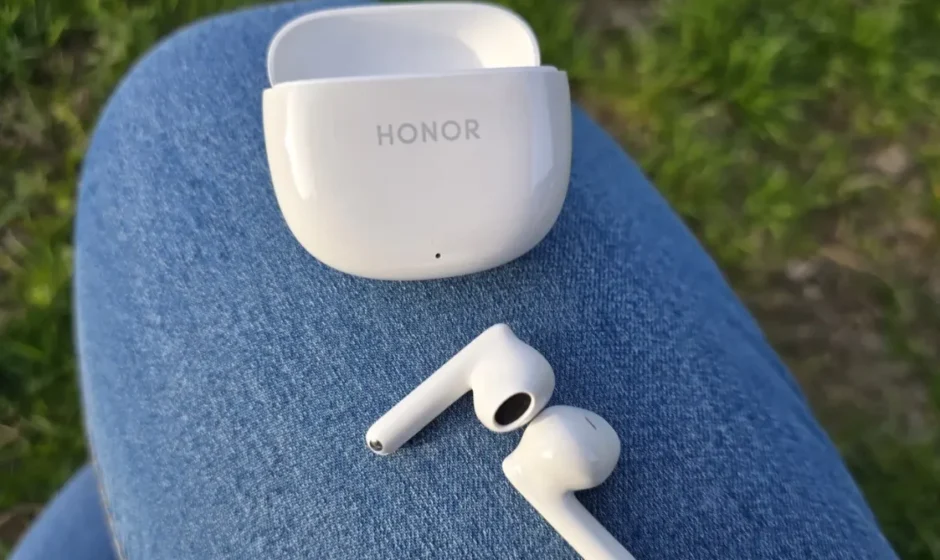

HONOR Earbuds X6
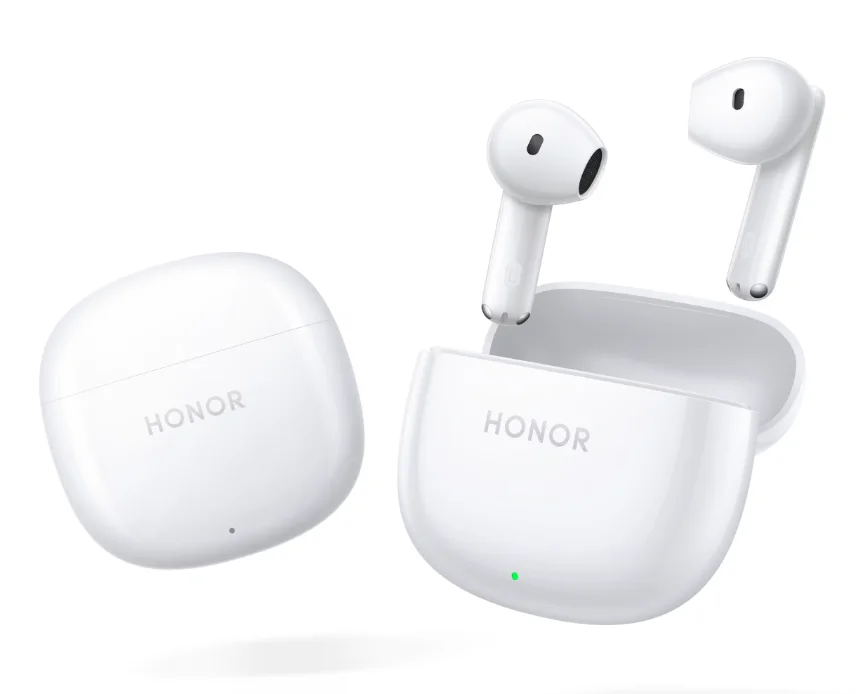
Getting Started
Appearance
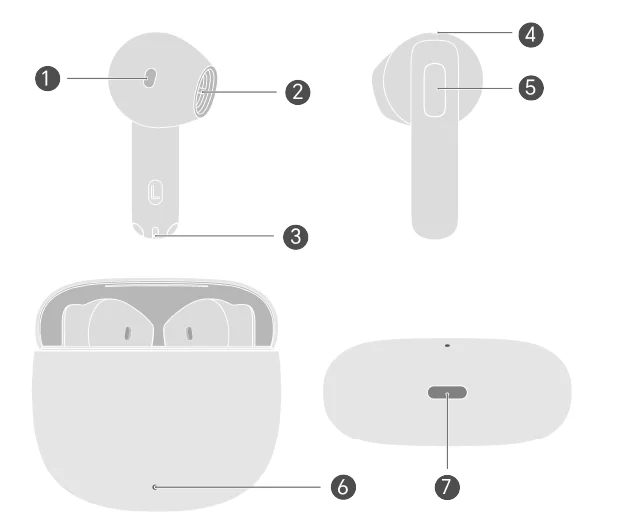
- Front air outlet
- Sound hole
- Microphone
- Back air outlet
- Touch control area
- Indicator light
- USB-C port
Pair by Bluetooth
- Rest the earbuds in the case, keep the lid open, and press the touch control areas of both earbuds for 3 seconds simultaneously. White light blinking indicates that the earbuds are the pairing mode.
- Enable Bluetooth on the device that is to pair with the earbuds. Search for and connect with the earbuds.
 The first time you open the case lid, the earbuds enter the pairing mode automatically. While wearing both earbuds, press the touch control areas of both earbuds for 4 seconds simultaneously to enter the pairing mode.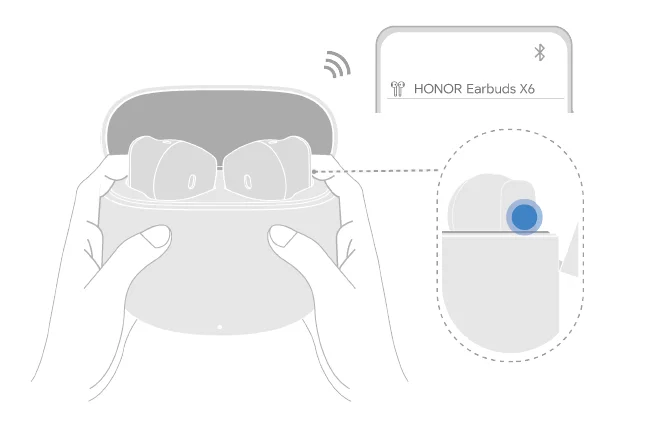
Restore factory settings: Rest the earbuds in the case, keep the lid open, and press the touch control areas of both earbuds for 10 seconds simultaneously. Red light blinking indicates the earbuds are restored to factory settings, and the earbuds re-enter the pairing mode. While wearing both earbuds, press the touch control areas of both earbuds for 12 seconds simultaneously to restore factory settings.
Indicator light
You can tell the power level in the earbuds and the charging case by the indicator light. The charging case has an external indicator light. When one earbud is in the case, it shows the power of that earbud. When two are in the case, it shows the power of the one with lesser power. If neither is in the case, it shows the power of the case.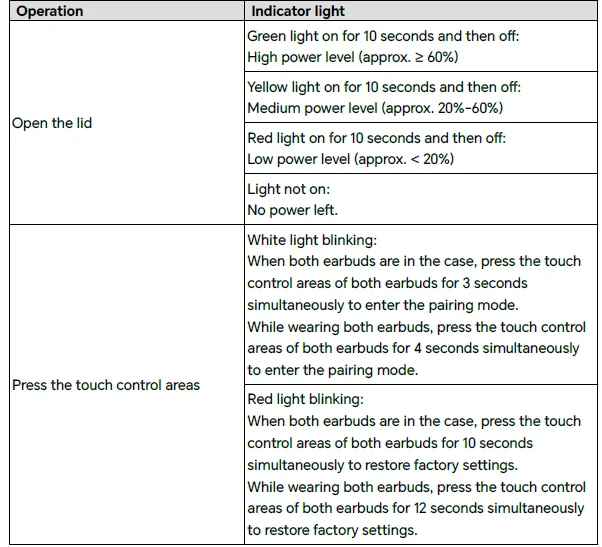
Touch controls
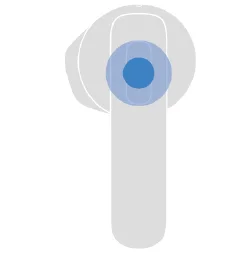
- Tap twice: Play/Pause music.
- Tap twice: Answer/End a call.
 You can also customize shortcut operations in the HONOR AI Space app to suit your needs.
Charge
Charge the earbuds
Put the earbuds into the charging case and close the lid. The charging case automatically charges the earbuds. The earbuds are not charged when the lid is open.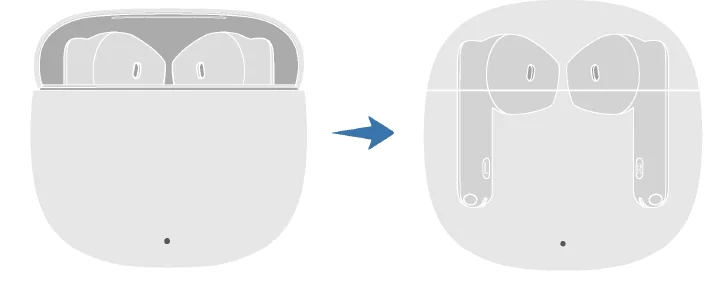
Charge the charging case.
Use the USB-C charging cable to charge the case.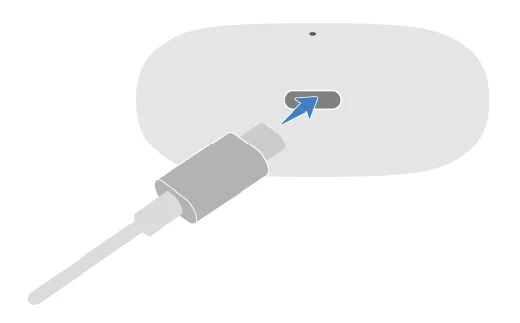
When the charging case is charging, the indicator light on it is always on, which indicates that the charging works fine.
Basic operations
Add earbuds to HONOR AI Space.
Adding earbuds to HONOR AI Space allows you to manage your earbuds conveniently and access more functions and custom settings for a better audio experience.
Download and install HONOR AI Space.
Scan the QR code or search HONOR AI Space in AppGallery to download and install the latest version of HONOR AI Space.
Discover nearby earbuds
Some phones/tablets (Magic UI 4.0 and above) can discover and connect to nearby earbuds.
- Enable Bluetooth on the phone/tablet.
- Turn on the earbuds/Open the lid of the case on the first use, or rest the earbuds in the case, keep the lid open, and press the touch control areas of both earbuds for 3 seconds simultaneously. White light blinking indicates that the earbuds are the pairing mode.
- Keep the lid open and bring the case close to the phone/tablet. A connection window will appear. Follow the on-screen instructions to complete the connection.
If the devices have been paired before, the earbuds will be automatically reconnected, and a power level interface will pop up on the phone/tablet.
Find Earbuds
With Find Earbuds, you can play a sound on your lost earbuds to locate them. When the earbuds are connected to your phone/tablet, follow the steps below to locate them:
- Open HONOR AI Space, go to the details page of the earbuds, and open Find Earbuds.
- Tap Start finding and play a sound on the earbuds according to the on-screen instructions.
- This feature is not available when both earbuds are not connected.
- To protect your hearing, please don’t use Find Earbuds to play a sound when you wear the earbuds.
Auto-reconnect
In an open and distraction-free environment, the optimal range of the earbuds is 10 meters for music and calls. Beyond this range, the earbuds will stutter, become silent, or be disconnected. They will be automatically reconnected if you return to the optimal range (10m) within the required time. If Auto-reconnect fails, you can reconnect in the following ways:
- Turn off Bluetooth on your phone/tablet and turn it back on. Pair the earbuds again.
- Put the earbuds in the case, close the lid, and reopen it.
- Go to the Bluetooth interface on your phone/tablet and tap the device name in the paired list to re-establish the connection.
More settings
Update
After the earbuds are connected to the phone/tablet, you can update them in two ways:
Method 1: Update through the HONOR AI Space app.
- Open the HONOR AI Space app and go to the details page of the earbuds.
- Select Update at the very bottom and tap Check for updates. When prompted for a new version, you can download and install it and follow the on-screen instructions to complete the update.
Method 2: Update through Audio Product Manager.
- Turn on the Honor phone/tablet (Magic UI 7.0 and above), go to Settings > Bluetooth > Paired devices, tap
 behind the corresponding earbuds name to enter the Audio Product Manager page.
 - Select Updates at the very bottom and tap Check for updates. When prompted for a new version, you can download and install it and follow the on-screen instructions to complete the update.
 behind the corresponding earbuds name to enter the Audio Product Manager page.
Once the update is complete, open and close the lid to reconnect the earbuds to the phone/tablet.
Rename your earbuds
When the earbuds are connected to your phone/tablet, follow the steps below to change the Bluetooth name of your earbuds:
- Turn on the Honor phone/tablet, go to Settings > Bluetooth > Paired devices.
- Tap
 the button to the right of your earbuds’ name, and follow the on-screen instructions to complete the change.
The new name will only take effect on the current device and will not be synced to any other phones/tablets.
EQ sound mode
When the earbuds are connected to your phone/tablet, follow the steps below to select your preferred sound effect:
- Open HONOR AI Space and go to the details page of the earbuds.
- Tap EQ sound mode and select the sound effect you like according to the on-screen instructions.
Health instructions
When worn, earbuds remain in contact with your skin. If used properly, they will not only be more comfortable to wear, but will also give the best sound quality and noise canceling.
- Using earbuds at a high volume for long periods of time may cause damage to your hearing. We recommend that you do not use your earbuds for more than 60 minutes at a time and that the volume does not exceed 60% of the maximum. Please remove your earbuds when sleeping.
- If irritating substances such as sweat, soapy water, or skincare products are attached to the surface of the earbuds, they cause skin irritation. We recommend that you keep your wireless earbuds and your skin dry and clean to prevent long-term damage to your earbuds.
- If you experience itching, redness, or other signs of irritation, we recommend that you immediately stop using and clean the earbuds and observe whether your discomfort resolves spontaneously. If the discomfort is pronounced, we recommend that you consult your doctor before deciding whether to continue wearing the earbuds.
Cleaning and maintenance
For better product performance (e.g., sound quality, noise reduction, phone calls) and to prevent problems such as ear canal allergies, we recommend that you clean your earbuds regularly (once 1 week/time). You can use alcohol or disinfectant to clean the surface of the earbuds. To prevent moisture or water ingress, do not use damp cloths on the charging contacts or charging port, speaker mesh, air outlet, or microphones.
Clean the charging case, charging port, and charging contacts:
- Use a soft, dry cloth to clean the charging case. If necessary, you can also wipe the external surface of the charging case with 70% alcohol. Make sure the charging case is dry naturally before putting the earbuds back.
- Use a clean, dry, soft-bristled brush to clean any crumbs from the charging port.
- Use a clean, dry, pointed cotton swab to gently wipe the surface of the charging contacts of the charging case.
- Do not use a damp cloth. Do not use excessive force when wiping to avoid deformation or surface damage to the contact points of the charging post inside the charging case.
If your earbuds have been in contact with sweat, body wash, shampoo, or other liquids, or if worn during exercise, please make sure the surface of the earbuds and the charging contacts are clean and dry before putting the earbuds into the charging case. Clean the sound hole, air outlet, and microphones: Use a clean, dry, pointed cotton swab to gently brush out the dirt and earwax from the hole or mesh, then wipe clean with a soft cloth.
For More Manuals By Honor, Visit ManualsLibraryy
HONOR Earbuds X6-FAQS
How do I turn on Noise Cancellation on HONOR Earbuds X6?
Press and hold either earbud to switch to Noise Cancellation Mode.
Do the HONOR Earbuds X6 have noise cancellation?
Yes. They support AI Noise Cancellation (ENC) for clearer calls and basic noise cancellation for everyday use.
How do I check the battery level of HONOR Earbuds X6?
You can view the battery percentage on your smartphone’s Bluetooth settings or supported pop-up interface when the case is opened.
How do I check the battery level of the charging case?
Open the case near your smartphone. The pop-up or Bluetooth menu will show the case battery level if supported by your device.
How do I reset HONOR Earbuds X6?
Place both earbuds inside the charging case, then press and hold the touch areas on both earbuds for 10 seconds until the red light flashes. The earbuds will reset and enter pairing mode.
Are HONOR Earbuds X6 waterproof?
Yes. The earbuds come with an IP54 water- and dust-resistant rating, suitable for sweat and light splashes.
Are HONOR Earbuds X6 good for phone calls?
Yes. With ENC technology, background noise is reduced so your voice stays clear during calls.
How do I clean my HONOR Earbuds X6?
Use a soft cloth with 70% isopropyl alcohol to clean the surface. Avoid moisture around the charging pins, speaker mesh, and microphone.
What is touch control on earbuds?
Touch control allows you to manage playback, calls, and volume using taps or long presses on the earbud surface.
Should I charge my earbuds before first use?
Yes. It’s recommended to fully charge the earbuds and case before initial use.
Why do my HONOR X6 earbuds keep disconnecting?
Common causes include low battery, Bluetooth interference, long distance from the device, or outdated phone software. Re-pairing the earbuds often resolves the issue.