
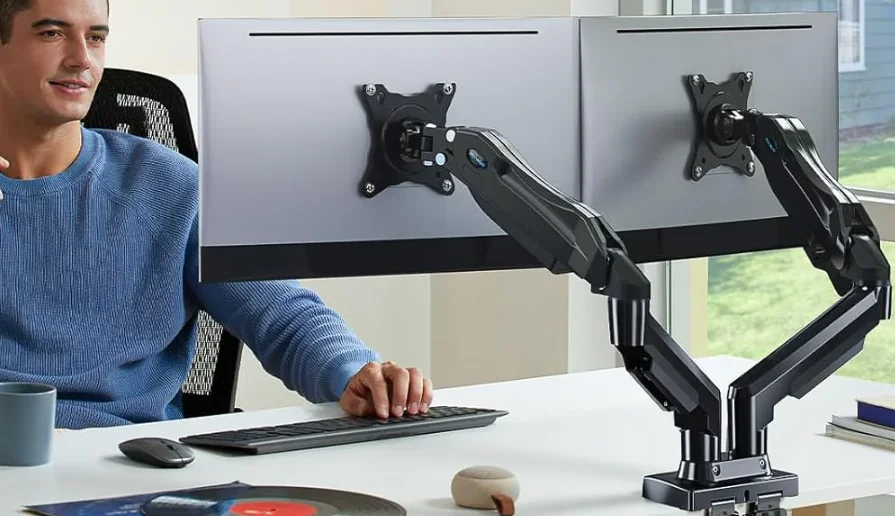

HUANUO HNDS6 Fully Adjustable Monitor Stand

Product Features


Before getting started, let’s make sure this mount is compatible.
- Is the VESA pattern of your monitor 75 x 75mm (3 x 3″) or 100 x 100mm (3.9 x 3.9″)?

- Tools Needed (not included)

- Important Safety Information


NOTE
- Please carefully read all instructions before attempting installation. If you do not understand the instructions or if you have any questions or concerns, please call technical support or email customer service.
- Not all hardware included in this package will be used.
CAUTION
- Avoid potential injuries and property damage!
- Do not use this product for any purpose that is not explicitly specified in this manual. Do not exceed the weight capacity. We are not liable for damage or injury caused by improper mounting, incorrect assembly, or inappropriate use.
- Before starting assembly, verify all parts are included and undamaged. Do not use damaged or defective parts. If you require replacement parts, please call technical support or email customer service.
WARNING
- This product contains small parts that may pose a choking hazard.
- This product contains gas spring arms, which are under high pressure. Do not puncture these arms or expose the arms to fire or flame. If the product is defective, please call technical support or email customer service.
- The information contained in this manual does not cover all possible conditions or variables in relation to the installation of this product.
Supplied Parts and Hardware


Step 1: Install the Base

Option A: For C-Clamp Mounting


If your desktop does not fit properly, you may be able to use a wooden board or block spacer. Please note that the oval C-clamp plate must make full contact with the desk and/or wood spacer.
Example 1
If there is a crossbar underneath the desk, you need to use a spacer that is the same height as the crossbar.
Example 2
A spacer can be placed underneath the desk to fulfill the required dimensions.
Example 3
A spacer can also be placed on top of the desk to maximize installation height.
Option B: For Grommet Mounting


Step 2: Attach the Arm Assembly


Step 3: Hang the Monitors on the Mount

With the top bolts attached, hang the monitor onto the VESA plate using the top 100 mm slots or 75 mm holes. Thread in the bottom bolts, then firmly tighten all bolts to secure the monitor to the mount arm.

Step 4: Adjust Monitor Height
- Press the upper arm down into a horizontal position to access the gas spring tension bolt. Adjust the bolt to raise or lower the upper arm so the monitor stays in a proper position.

- Use the largest Allen key to adjust the height of the upper arm until the monitor stays in position.


Step 5 Adjustment
5-1 Monitor Rotation

5-2 Tilt Adjustment
Tilt the monitor to the desired angle.
- Turn the bolt clockwise to increase tension and hold the monitor more firmly in place.
- Turn the bolt counterclockwise to reduce tension for more flexibility.


Step 6 Cable Management

Step 7 Swivel Restriction

For More Product Details Visit: www.huanuo.com.
For More Manuals By HUANUO, Visit ManualsLibraryy.
HUANUO HNDS6 Fully Adjustable Monitor Stand-FAQs
What is the HUANUO HNDS6 monitor stand used for?
The HUANUO HNDS6 is designed to securely hold your monitor while allowing you to adjust height, tilt, rotation, and viewing distance for better comfort and posture.
How does an adjustable monitor stand work?
It uses a mechanical arm system that lets you move the monitor up, down, forward, backward, tilt it, or rotate it between portrait and landscape modes.
How do I adjust the HUANUO HNDS6 monitor stand?
You can adjust the height by lifting or lowering the arm, tilt the screen forward or backward, and rotate it side to side or vertically until it feels comfortable.
What is the correct position for a monitor on this stand?
Your monitor should sit at or slightly below eye level and be tilted back about 30–45 degrees to reduce neck and eye strain.
Are HUANUO monitor stands compatible with all monitors?
Most monitors work as long as they have a VESA mounting pattern and meet the size and weight limits specified for the HNDS6.
How far should I sit from my monitor?
For most setups, a distance of 20–30 inches (50–76 cm) is recommended. Larger monitors may require sitting slightly farther back.
What is the difference between a monitor stand and a monitor arm?
A monitor stand lifts your screen to a fixed height, while a monitor arm like the HNDS6 offers full movement and flexible positioning.
Can I mount a TV on the HUANUO HNDS6 monitor stand?
Yes, but only if the TV matches the supported VESA size and does not exceed the weight limit of the stand.
What is VESA, and why does it matter?
VESA refers to standard mounting hole patterns on the back of monitors. The HUANUO HNDS6 supports common VESA sizes like 75×75 mm and 100×100 mm.