
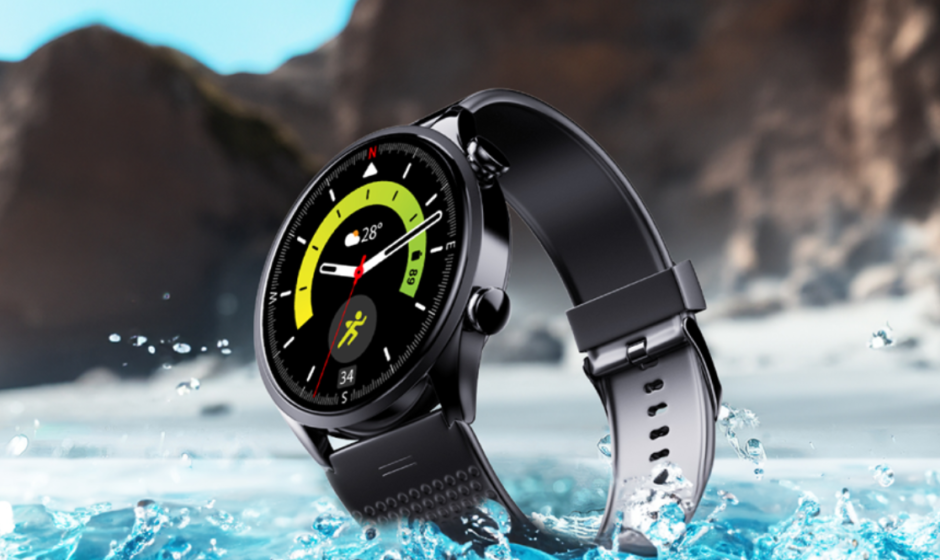

LAVA Probwatch ZN
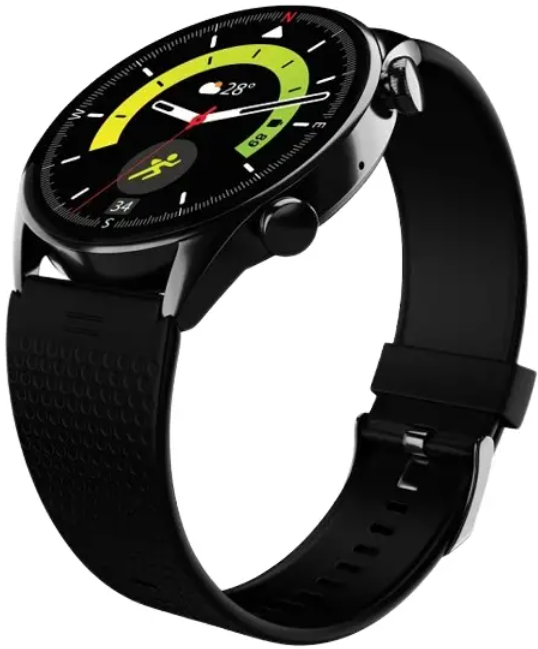
Please read the instructions before use:
- The Company reserves the right to modify the content of this user manual without prior notice or intimation.
- It is recommended to use the original charging cable provided with the device.
- The Charging tip connects with the magnetic charging port present on the back of the watch.
APP DOWNLOAD and LOGIN
- App Name: “Prospot”:
- Download the app from the Google Play Store onto your smartphone.
- Or scan the QR code on the watch (compatible: android10 & above).
- Once the app is installed, register and log in to the application.
- Allow the application to search and connect with the Prowatch. Keep the device close to the phone during the connection process.
DIAL INTERFACE:
From the Home screen interface,
- Swipe from top to bottom to enter the shortcut interface.
- Swipe from bottom to top to enter the notifications interface.
- Swipe from left to right to enter the menu list.
- Swipe from right to left to navigate other watch features like Call, Activity, Sleep, Voice Assistant, Heart Rate, and others
Button functions:
- Top Button: Press the top button to ON/OFF the screen on or off. The top button can also act as a rotary encoder to navigate the UI of the watch.
- Bottom button: Press the bottom button to access sports modes instantly.
More function introduction:
 Frequent contacts
After the watch is connected to the app, the user can add up to 20 favorite contacts through the app onto the watch. Motion data
View and analyze activity data such as number of steps, distance, and calories. Quick Reply
The user can send a quick reply sms from the watch at the time of receiving calls. Customized messages can be set through the incoming call settings in the app. Dial
Dial
After the watch is connected with the app via Bluetooth, use the dial pad in the watch to dial the desired number to make a call directly from the watch. Notifications
Once notifications are enabled for desired apps on Prospot, they will be pushed from your smartphone to the watch simultaneously. Voice Assistance
After the watch is connected to the mobile app, tap the voice assistant icon to activate the voice assistant and issue a command. Stress
Measures the stress value based on heart rate variations. Find Phone
Click on the find device function in the watch to search for the phone. Games
Games
Enjoy your free time with four game options: 2048, Puzzle, Racing, and Colour Puzzle. Weather
After selecting the city in the weather settings in the app, the weather will be automatically synchronized to the watch. Camera
Open the camera widget on the watch to accessthe camera of the phone. Calculator
Open the calculator to make calculations such as addition, subtraction, multiplication, and division. Menu Style
Customize your menu style options by choosing from List Mode or Grid Mode. AOD Clock
Choose the Analogue or Digital clock display (AOD) option from the Settings. Vibration
You can control the intensity of the watch’s vibration with multiple options. Brightness Provision to adjust the brightness of the screen by just tapping on the icon AOD Time
Set the desired time for AOD. The set time will be effective post-last activity on the watch Battery
Click the battery icon to view the current battery level and enter power saving mode. QR Code
You can scan the QR code to download the APP from the Google Play Store.- Flashlight
The flashlight function can be accessed by clicking on the flashlight icon in the menu list.  Heart rate monitoring
Heart rate measurement can be initiated through the HR widget on the watch. The measurement is normally completed in about 30 to 60 seconds. Ringtone Settings
In the ringtone settings interface, users can select different ringtones and set desired volume levels. Blood oxygen monitoring
Blood oxygen (SpO2) measurement can be initiated through SpO2 widgetBlood oxygen (SpO2) measurement can be initiated through SpO2 widget Sleep monitoring
The watch needs to be worn while sleeping to monitor sleep and provide sleep monitoring data with details such as deep sleep, REM, etc. Alarm clock
Use this feature to set an alarm for a desired time. Music
Music
After connecting the app, you can control the music playback on the phone. The user can play, pause, and move to the next or previous tracks in the playlist. About
About
View information about the device, such as Bluetooth name, MAC address, and firmware version- Workout
Use this feature to track performance with various sports modes like walking, running, climbing, cycling, etc. - Stopwatch
Users can use this feature to monitor the timely performance. Press the left button to reset the stopwatch.  Timer
Timer
Users can utilize this feature to set timers for specific durations. Reset
Reset
Use this function to factory reset the watch, all the existing data will get erasedt Restart
Click Restart, and the watch will shut down and then restart. Shutdown
Click the shutdown icon to power off the watch
 Frequent contacts
 Motion data
 Quick Reply
 Dial
Dial Notifications
 Voice Assistance
 Stress
 Find Phone
 Games
Games Weather
 Camera
 Calculator
 Menu Style
 AOD Clock
 Vibration
 AOD Time
 Battery
 QR Code
 Flashlight
 Heart rate monitoring
 Ringtone Settings
 Blood oxygen monitoring
 Sleep monitoring
 Music
Music About
About Workout
 Stopwatch
 Timer
Timer Reset
Reset Restart
 Shutdown
Product parameters
- Even though the health data provided by the watch is accurate, it should be used for reference only and should not be mistaken for medical data. In case of any abnormality, the user should immediately consult a doctor
- The waterproof level of the watch is IP68. You can use it normally in scenarios such as hand washing and rain, and to a maximum depth of 1.5 metres in fresh water for up to 30 minutes. Do not place your watch in hot water.
For more manuals by LAVA, visit ManualsLibraryy
LAVA Probwatch ZN-FAQs
Is the LAVA Probwatch ZN worth buying?
Yes, the LAVA Probwatch ZN offers strong value for money. It combines a premium AMOLED display, durable metal body, health tracking features, and long battery life at a budget-friendly price, making it a good choice for everyday users.
What warranty does the LAVA Probwatch ZN come with?
The smartwatch includes a 2-year manufacturer warranty, which is longer than what many competitors offer in this price range.
Can I reply to messages on the LAVA Probwatch ZN?
You can view notifications for calls, SMS, and apps like WhatsApp, but replying directly from the watch is not supported.
Is it safe to wear the LAVA Probwatch ZN all day?
Yes, it is safe to wear continuously. For comfort and hygiene, it’s recommended to remove it occasionally to allow your skin to breathe.
How far can the smartwatch stay connected to my phone?
The Bluetooth connection typically works within a range of up to 10 meters (about 30 feet) in open spaces.
Can I use the LAVA Probwatch ZN without my phone nearby?
Basic functions like time, step counting, and some health tracking work independently. However, features like notifications and call alerts require Bluetooth connection with a smartphone.
What is the battery capacity of the LAVA Probwatch ZN?
The watch is equipped with a 350 mAh battery, which can last several days on a single charge depending on usage.
What type of display does the LAVA Probwatch ZN use?
It features a 1.43-inch AMOLED display with a resolution of 466 × 466 pixels and up to 600 nits brightness, ensuring clear visibility indoors and outdoors.