
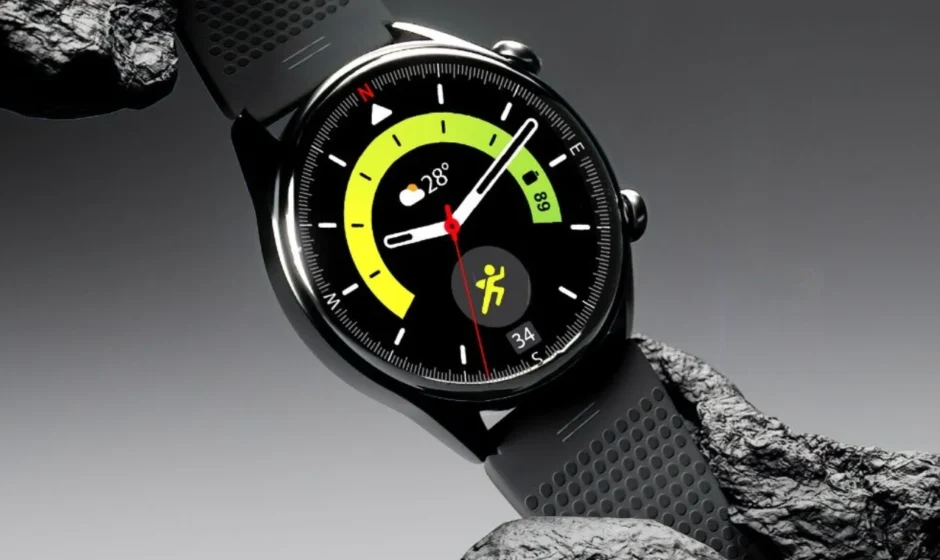

LAVA ProWatch X
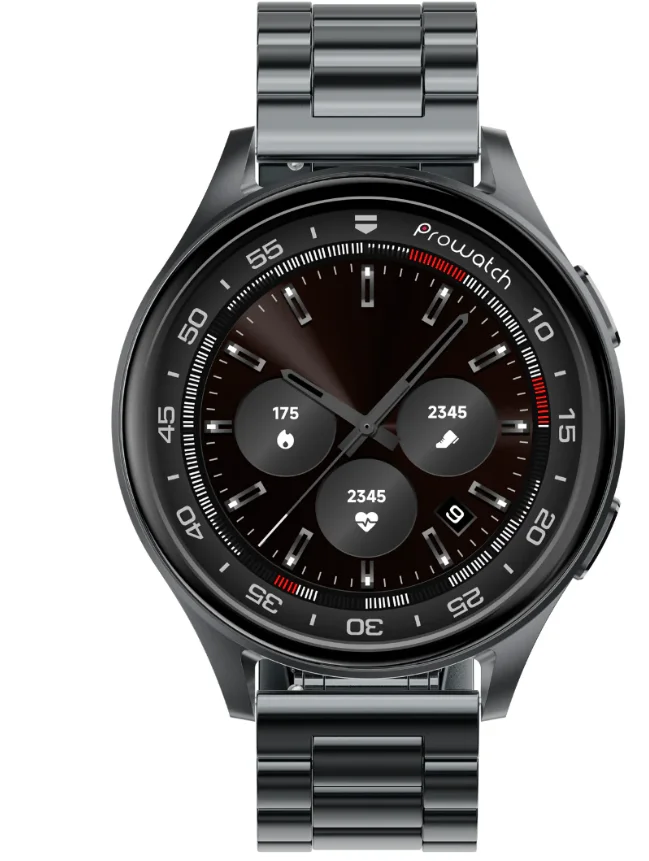
Health Features
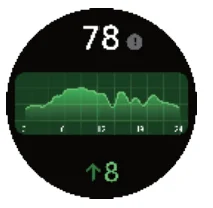
- Body Energy
Body Energy is a feature that uses a combination of Heart Rate Variability (HRV), Stress, Sleep and Activity to estimate a user’s energy reserves throughout the day, this feature provides a number out of 100 based on the energy level estimated; the higher the number, the better.
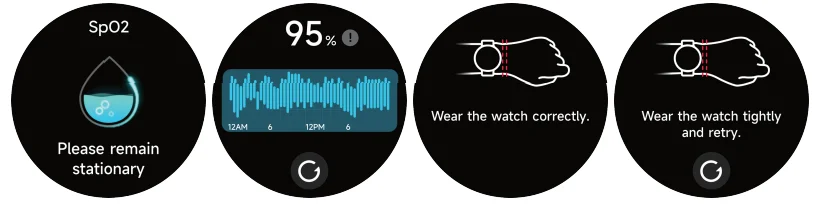
- SpO2
Measure your blood oxygen levels manually or enable continuous 24/7 monitoring. For accurate results, keep your wrist still and remain patient until the measurement is completed.
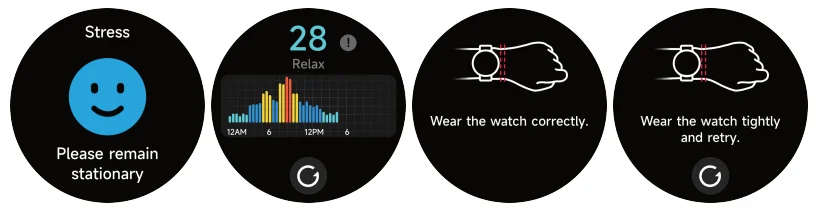
- Stress
Measure stress levels manually or activate continuous automatic monitoring through the app settings. To ensure accuracy during measurements, keep your arm steady and wait for the process to finish. Stress scores rangedfrom 1 to 100. The lower the score, the better the stress level- 1-29 – Relax
- 30-59- Normal
- 60-79-Medium
- 80-100- High

- BreatheTraining
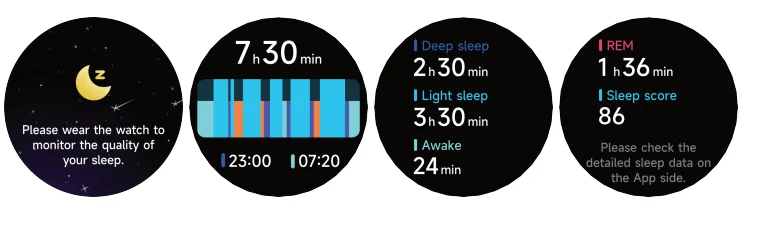
Use the Breathing feature to adjust your breathing with customizable durations. Start the guided breathing session and follow the vibration and animations to relax and manage emotions effectively. - Sleep
Check your most recent sleep records and view detailed insights into your sleep stages and status.
- Heart rate monitoring
Measure your heart rate via the heart rate widget on the watch, typically completed within 30–60 seconds.
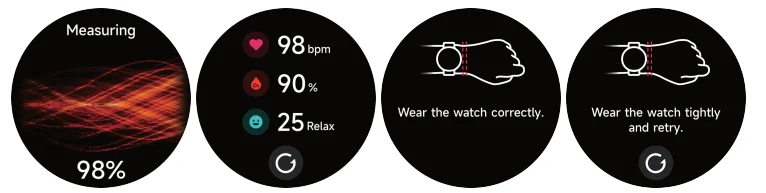
- Push for measurement
Heart rate, stress, and blood oxygen levels can all be measured simultaneously. Ensure your arm and wrist remain still during each measurement and wait patiently until it is complete.
- Heart Rate Variability (HRV):– HRV measures slight variations in the time between heartbeats, reflecting small changes that add or subtract fractions of a second between beats. Heart rate variability for a healthy person should be between 25ms to 200ms
- Heart rate monitoring
- Workout
Access up to 20 default exercise types, including running, cycling, swimming, and yoga, and customize or rearrange them via the app. A total of 110 activity options are available - Intelligent Exercise Recognition
The watch automatically detects and tracks your activity without needing to activate a specific workout mode. Currently, this feature is available for the following activity types:- Auto-Activity Detection Running, Walking, Elliptical, Rowing Exercise
- Auto-Pause Detection Running, Outdoor Cycling
- Auto-End Detection Running, Walking, Outdoor cycling, Rowing, Elliptical, Swimming
- Running Courses
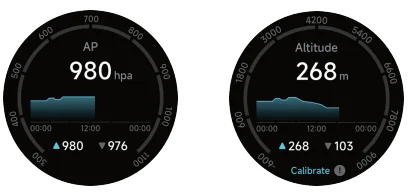
Follow six structured running courses, including three each for walking and running, with step-by-step guidance to progress from beginner to advanced levels. - Barometer and altimeter

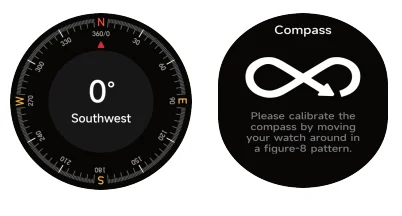
The built-in barometric sensor and altimeter measure surrounding atmospheric pressure and altitude. - Compass
Use the built-in compass to determine directions after calibration.
- An inbuilt GPS in a smartwatch tracks your location and movement without needing a connected smartphone. It enables accurate measurement of distance and directions for outdoor activities. It is recommended to update the A-GPS. from the app for faster connectivity. Users are recommended to use in open settings
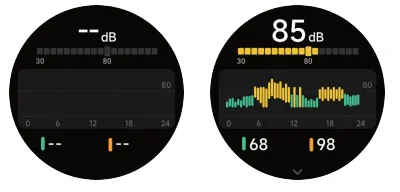
- Ambient sound: You can manually measure noise levels on the watch, which also supports continuous 24/7 noise monitoring. You can enable or disable this feature and view the data through the app settings.


FEATURES & FUNCTIONS
 Brightnes
Adjust the display brightness by tapping the brightness icon. Menu Style
Choose from 2 different menu styles to customize your watch interface. Vibration
You can control the intensity of the watch’s vibration with multiple options. Alarm clock
Use this feature to set an alarm for the desired time. AOD Time
Set the desired time for AOD. The set time will be effective post-last activity on the watch. Battery
Tap the battery icon to check the charge level and enable power-saving mode.- Flashlight
Access the flashlight feature by selecting the flashlight icon from the menu.  Find Phone
Use the “Find Device” feature to locate your connected smartphone. Cycle Tracking
After accessing Cycle Tracking in the app, the watch will show the available cycle tracking options. You can configure the cycle length, reminder time, and other settings, with periodic reminders sent accordingly.
- Stopwatch
Track time accurately and reset the stopwatch using the left button. The stopwatch has a “Lap” function.
 Music
Music
Control phone music playback—play, pause, and switch tracks—directly from the watch. Camera
Access and control the phone’s camera through the watch’s camera widget. About
About
View device details, including Bluetooth name, MAC address, and firmware version. Shutdown
Power off the watch using the shutdown option. Favorite contacts
Add up to 10 favorite contacts through the app to access them directly on the watch. Dial
Dial
Use the watch’s dial pad to make calls via Bluetooth connection. Notifications
Enable notifications for selected apps in Prospot to receive updates on the watch. World Clock
You can view the local time on your watch and configure the app to display the time for cities in other countries directly on the watch. Timer
Timer
Set and run timers for custom durations. Reset
Reset
Factory reset the watch to erase all existing data. Restart
Restart the watch by selecting the restart function Weather
After selecting a city in the app, weather updates sync automatically to the watch. Voice Assistance
Activate the voice assistant on the watch via the app to issue commands seamlessly.
 Brightnes
 Menu Style
  Vibration
 Alarm clock
 AOD Time
 Battery
 Flashlight
 Find Phone
 Cycle Tracking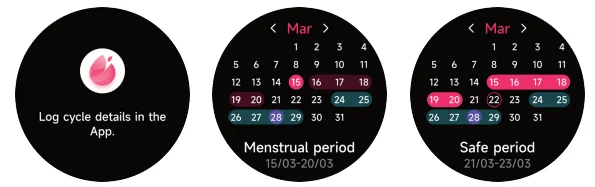
 Stopwatch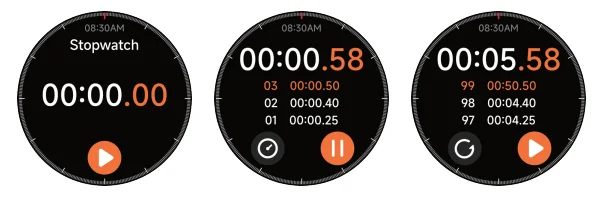
 Music
Music Camera
 About
About Shutdown
 Favorite contacts
 Dial
Dial Notifications
 World Clock
 Timer
Timer Reset
Reset Restart
 Weather
 Voice Assistance
For more manuals by LAVA, visit ManualsLibraryy
LAVA ProWatch X-FAQs
Is the LAVA ProWatch X worth buying?
Yes, the LAVA ProWatch X offers strong value for money. It features a premium AMOLED display, durable design, accurate health tracking, Bluetooth calling, and long battery life, making it a solid choice in the affordable smartwatch category.
What are the main benefits of using LAVA ProWatch X?
The watch includes advanced fitness and productivity features such as heart rate variability, body energy tracking, stress monitoring, sleep tracking, barometer, altimeter, compass, and a Pomodoro timer to help improve focus and productivity.
Does the LAVA ProWatch X have GPS?
Yes, the ProWatch X comes with built-in GPS, allowing you to track outdoor activities like walking, running, and cycling without carrying your phone.
How accurate is the heart rate sensor on ProWatch X?
The heart rate and SpO₂ sensors are quite accurate, with only minimal differences compared to premium smartwatches, making it reliable for daily health monitoring.
How long does the LAVA ProWatch X battery last?
The smartwatch offers up to 10 days of battery life on regular use and around 17 hours with GPS enabled, depending on usage patterns.
Does the ProWatch X require a monthly subscription?
No, the LAVA ProWatch X does not require any monthly fee. All core features work without additional subscriptions.
Is it safe to wear the LAVA ProWatch X all day and while sleeping?
Yes, it is safe to wear the smartwatch 24/7. However, it’s recommended to remove it occasionally to allow your skin to breathe and maintain proper hygiene.
Can I control music from the ProWatch X?
Yes, you can control music playback directly from the watch, including play, pause, and track switching, when paired with your phone.
Can I make and receive calls on the LAVA ProWatch X?
Yes, the watch supports Bluetooth calling with an in-watch dialer, speaker, and microphone when connected to your smartphone.