
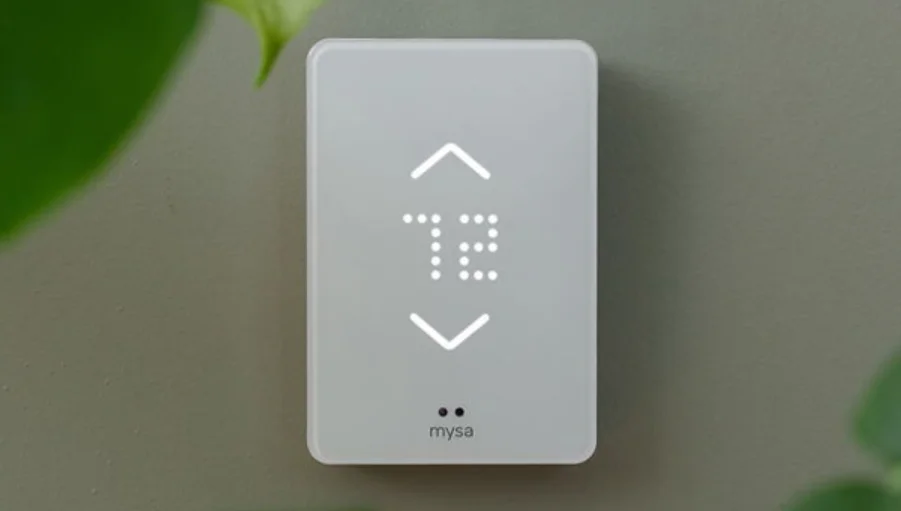

Mysa BB2-0 Smart Thermostat for Electric In-Floor Heating
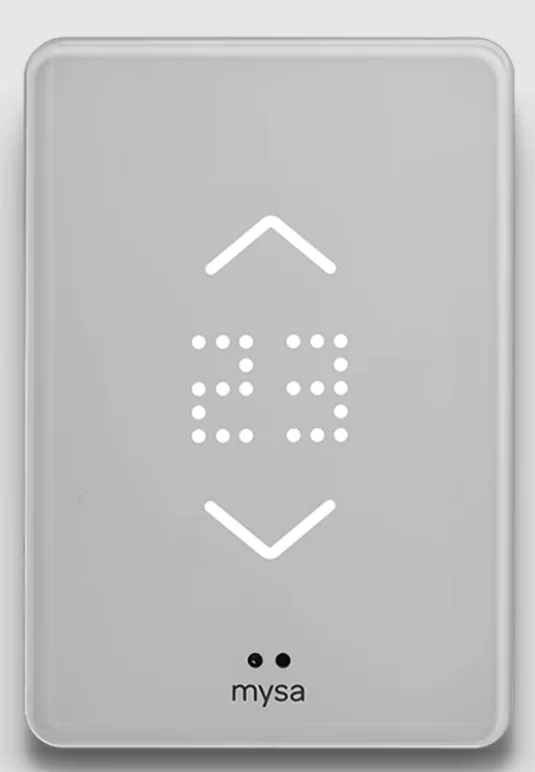
Quick Overview
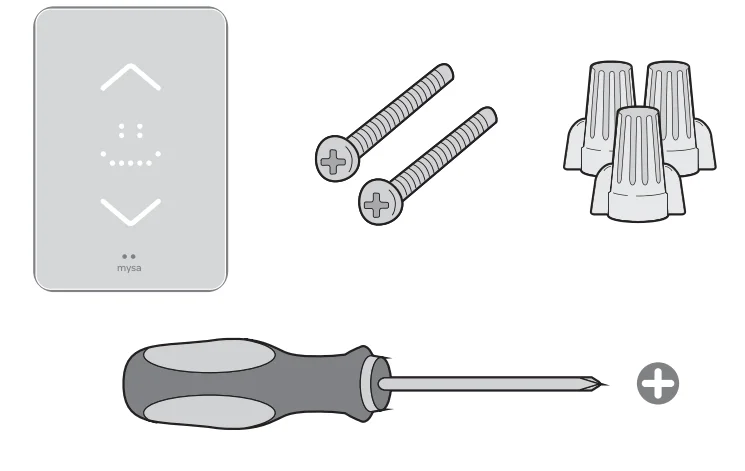
In the Box
- Mysa Smart Thermostat for Baseboard Heaters
- 2x Mounting Screws
- 3x Wire Nuts
What You’ll Need
- Phillips Screwdriver
- Wire Stripper (optional)
- Pliers (optional)
Compatibility
Mysa Smart Thermostat works with most 120-240 VAC electric/resistive heating systems. Mysa is not compatible with 24 V systems. Common 24 V systems include forced air, variable speed, heat pump, radiant systems, or fuel types such as natural gas or oil
- Max Load 16 A
- 1900 W @ 120 VAC
- 3800 W @ 240 VAC
You can check your compatibility at: getmysa.com/compatibility
Getting Started – Install App
For the best installation experience, use the Mysa app. Download the Mysa app from the Google Play Store or App Store and create an account or log in to your existing account. Tap on “Install and Support” then “Install” to access our most comprehensive step-by-step guide.

You’ll find the most up-to-date information through the app as we are constantly updating and improving it based on customers’ feedback. Because we (like you!) care about our planet, we’ve minimized paper instructions — we strongly encourage you to use the app for installation and setup.
High Voltage Warning
Installing this product involves handling high-voltage wiring. Each step of the enclosed instructions must be followed carefully. To avoid personal injury or death, turn off your circuit breakers and follow the proper safety precautions before proceeding.
WARNING: UNSURE ABOUT HANDLING ELECTRICAL WIRING? CONSULT A QUALIFIED ELECTRICIAN.
The installation of the thermostat must comply with the applicable Local and/or National Electrical Codes and Utility Requirements. This installation should be entrusted to duly qualified personnel where required by law. Use this thermostat with copper wire. Do not use it with aluminum wire.
Getting Started – Critical Installation Information
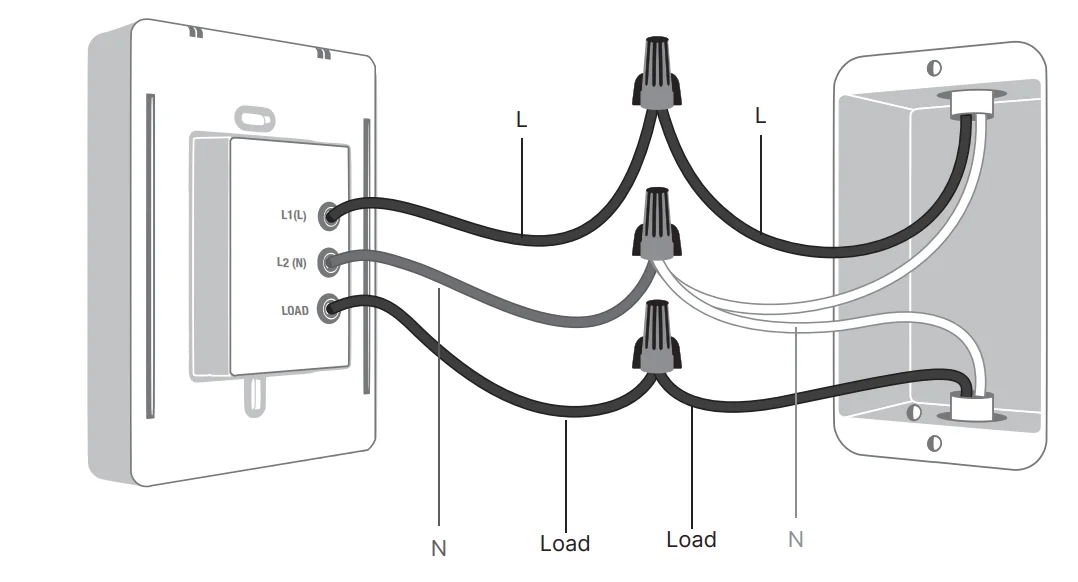
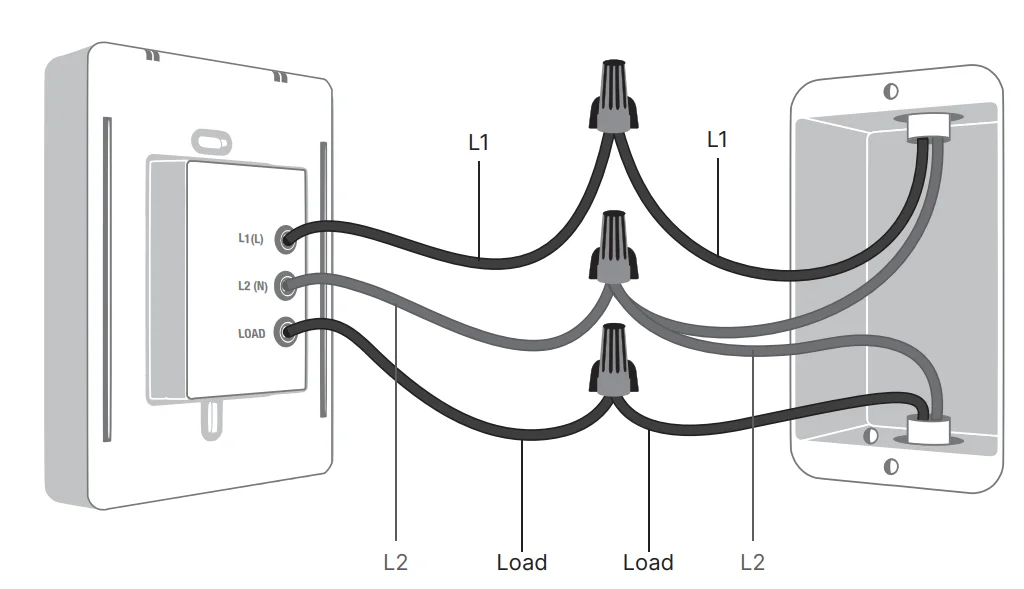
Mysa requires at least two (2) 120-240 VAC cables coming into the gangbox, containing at least two (2) wires each for thermostat functionality. A single cable containing at least two (2) wires will not meet Mysa’s internal power requirements and will result in a non-functional thermostat.
Getting Started – Warning – Turn Off Power
Turn off the power before completing any electrical installation.
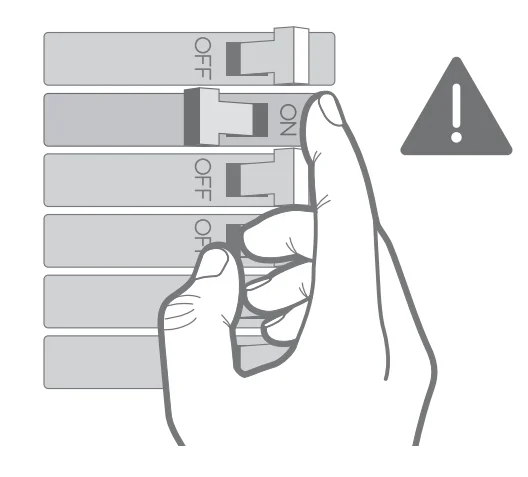
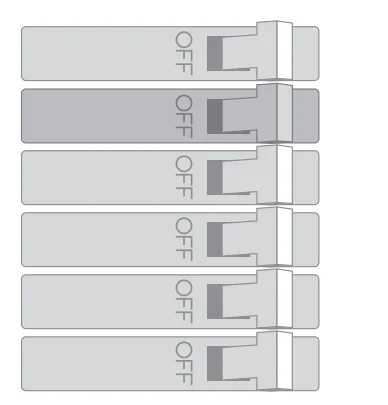
- Locate your electrical panel and find the breaker/fuse that protects your baseboard heating circuit. Place the breaker in the OFF position.
- If you are using a dial thermostat, confirm the heater is off by doing the following:
- Turn the thermostat all the way up.
- Wait 5-10 minutes.
- Put your hand on the heater and make sure no heat is coming through.
If you have multiple heaters, check each separately.
- If you are using a digital thermostat, confirm the heater is off by doing the following: Ensure that the display is turned off.
- Remove your existing thermostat. Only proceed with the installation if your existing thermostat was installed using wire nut connectors or screw terminals on the thermostat.
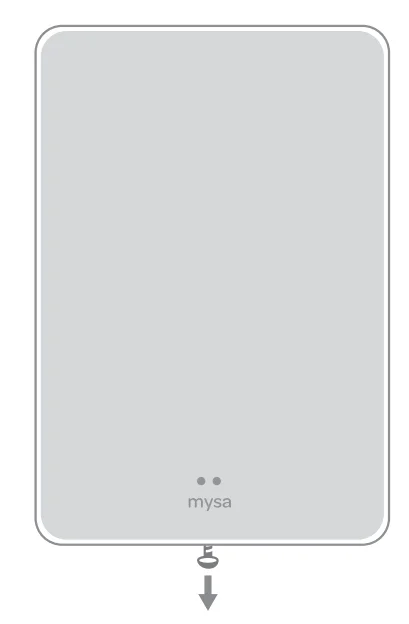
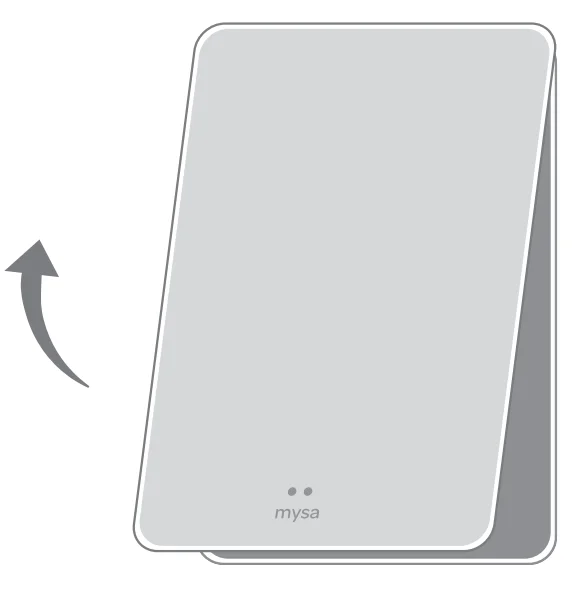
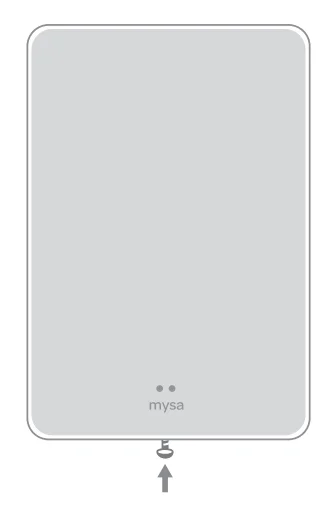
If you are unable to confidently identify the heating circuit’s corresponding breaker/fuse or are unsure that the power to your heater(s) is off, stop work and call an electrician to complete the installation. - Loosen the screw on the bottom of the front plate.

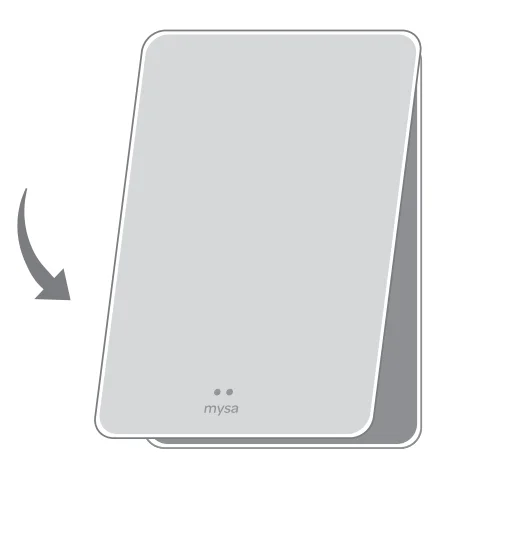
- Remove the front plate of your Mysa to access the mounting screw holes.

- Setup – 120V

- Setup – 240V

- Setup – 240V
- Connect the front plate to your Mysa. It should easily glide into place.

- Secure the front plate to your Mysa by tightening the screw. Ensure not to overtighten the screw.

- Turn ON the power at the circuit breaker that controls your Mysa.

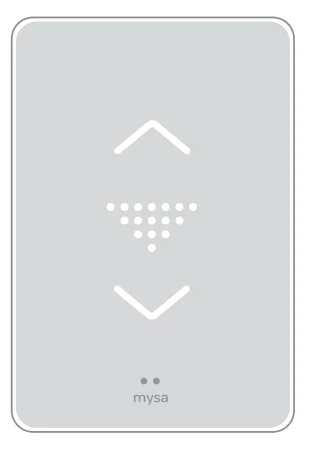
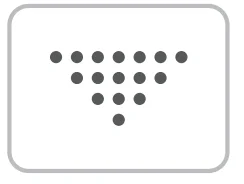
- Verify the thermostat powers ON, lights up, and displays a triangle.

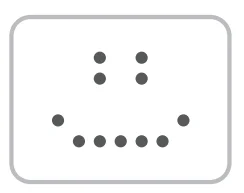
- Welcome
You’ll see Mysa smile on startup or after successful pairing.
- Pairing Mode
The triangle means Mysa is ready to begin the pairing process.
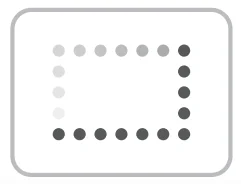
- Software Update
That spinning rectangle means Mysa is getting a software update from us over the internet.
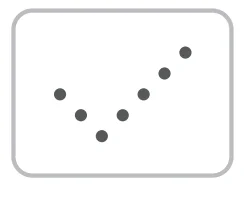
- Settings Change
Check! This will pop up when you change your settings from the app.
Error Codes
Error codes have a LETTER/NUMBER format (A1, Z4, BS5). If you see this, please visit help.getmysa.com.
Advanced Troubleshooting
WARNING: UNSURE ABOUT HANDLING ELECTRICAL WIRING? CONSULT A QUALIFIED ELECTRICIAN.
What do I do if I get an H2 Error Code?
The H2 code means your Mysa did not detect a heater between Mysa Load and L2 (N). The most common resolution to an H2 error is to turn off the breaker and make sure the wires connecting Mysa to your heater are properly secured within each wire nut— as more wires are put in a wire nut, it’s possible for them to lose connection. Once you’ve performed this check, turn your breaker back on to verify that the code has cleared.
‘What do I do if there’s no heat coming from the heater(s)?
The most common cause for this is an incorrect connection between the heater load wire and the Mysa load wire. Please check that the heater load is securely connected to the Mysa load.
What dol do if the heat won’t shut off?
When the heater does not shut off, this is often due to a heater wire being connected to the panel L1 (L) supply wire. The panel L1 (L) supply wire (most often a black wire) should be connected to Mysa L1 (L). Please review the wiring and ensure that the heater wires are correctly connected between Mysa Load and Mysa L2 (N). If the heater remains on, please contact our Customer Experience team for further
assistance.
What do I do if the thermostat won’t power on?
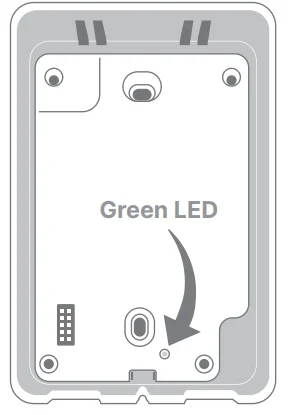
If the thermostat is not powering on at all, first ensure that there is a green light showing when the faceplate is removed. If the green light is not showing, please review the wiring to ensure that the panel L1 (L) supply wire (most often a black wire) is securely connected to the Mysa L1 (L). If the green light is showing, the unit is receiving power. Please remove the faceplate for 3-5 minutes and replace it. If the faceplate does not light up, contact our Customer Experience team for resolution of the issue.
 Mysa’s features are all controlled by the Mysa app. Head to the Google Play Store or the App Store to download the Mysa app and create an account. Follow the instructions to pair your Mysa to your phone and take advantage of smart features like Scheduling, Geofencing, Energy Charting, and more!
 If you’re having trouble with anything Mysa-related (installation, wiring, app, pairing, etc), connect with our friendly team of Customer Experience experts for help! help.getmysa.com
 Mysa’s features are all controlled by the Mysa app. Head to the Google Play Store or the App Store to download the Mysa app and create an account. Follow the instructions to pair your Mysa to your phone and take advantage of smart features like Scheduling, Geofencing, Energy Charting, and more!
 If you’re having trouble with anything Mysa-related (installation, wiring, app, pairing, etc), connect with our friendly team of Customer Experience experts for help!
 Product Safety Specifications:
- Product: Mysa Smart Thermostat for Electric Baseboard Heaters
- Model: Mysa BB V2-0
- Max ambient temperature: 40 °C
- Sensing element range: -40 to 85 °C
Independently mounted control for flush mounting
- Type 1 action
- Type 1. C
- PD2
- Rated Impulse Voltage: 1500Vpk
Making change comfortable
With Mysa, you don’t have to live off the grid, but you can reinvent it. Making small changes in our homes can create real impact; together, we’re getting smart about keeping things cozy.
Welcome to the family.
For more detailed instructions or different wiring setups, download the Mysa app, tap on “Install and Support’, then “Install”.
For more manuals by Mysa, visit ManualsLibraryy
Mysa BB2-0 Smart Thermostat for Electric In-Floor Heating-FAQs
Do smart thermostats work with underfloor heating?
Yes, smart thermostats like the Mysa BB2-0 are designed to work with electric in-floor (radiant) heating systems. They allow you to control temperature precisely and automate heating schedules for better comfort and efficiency.
Is the Mysa thermostat a good choice?
Mysa thermostats are known for their easy installation, modern design, and user-friendly app. They provide features like scheduling, remote control, and energy tracking, making them a reliable option for managing electric heating systems.
Can I use this thermostat with electric heating systems?
Yes, the Mysa BB2-0 is specifically built for high-voltage electric heating systems, including electric in-floor heating, baseboard heaters, and radiant ceiling systems.
How does Mysa control electric underfloor heating?
It connects directly to your floor heating system and regulates temperature through built-in sensors. You can adjust settings manually or through the mobile app for precise and convenient control.
Should underfloor heating run all day?
It can be more efficient to keep underfloor heating on continuously at a low temperature, especially in colder months, and adjust it when needed instead of turning it completely off.
What type of thermostat is needed for electric floor heating?
Electric floor heating requires a line-voltage thermostat like the Mysa BB2-0, which is designed to handle high-voltage systems safely and efficiently.
Is a C-wire required for Mysa BB2-0?
Yes, Mysa thermostats typically require a C-wire (common wire) to provide continuous power for smart features and Wi-Fi connectivity.
What are the disadvantages of smart thermostats?
Some drawbacks include higher upfront cost, possible compatibility issues with certain systems, and reliance on a stable Wi-Fi connection for full functionality.
What is the difference between a smart thermostat and a regular thermostat?
A smart thermostat connects to Wi-Fi and can be controlled remotely via an app. It also offers automation, energy tracking, and integration with smart home systems, unlike traditional thermostats.