

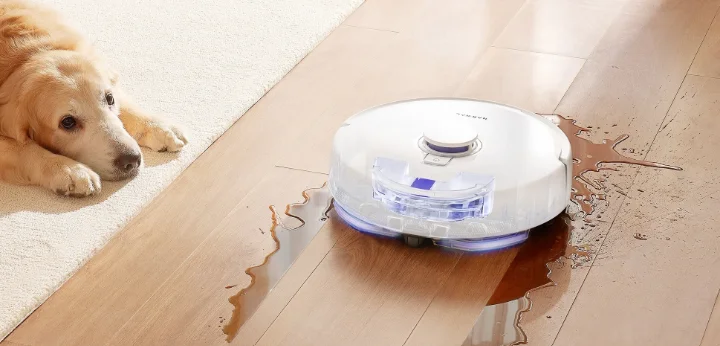

Narwal Freo X Plus Robot Vacuum
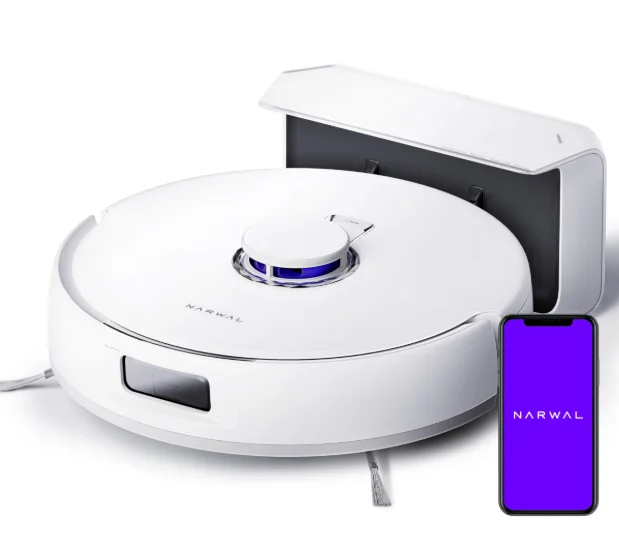
Product at a Glance
Check list
Main parts
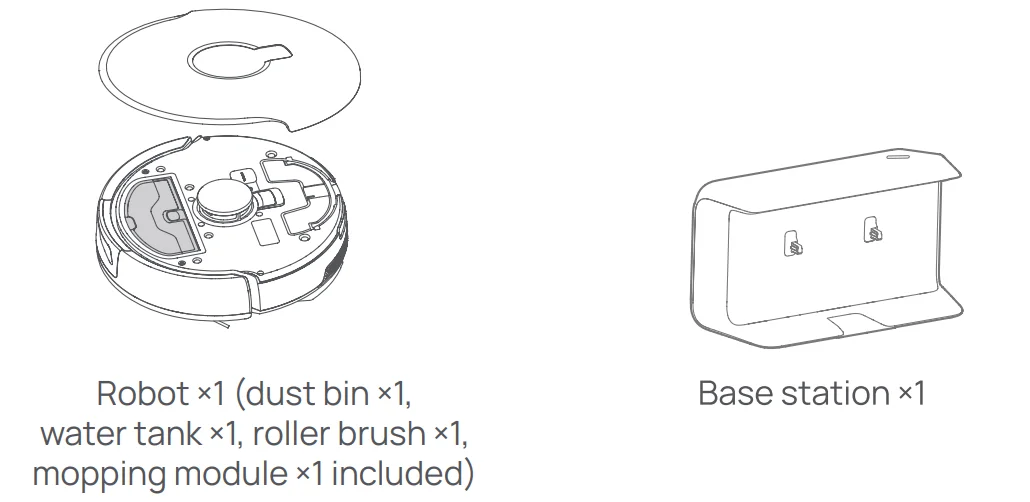
Accessories
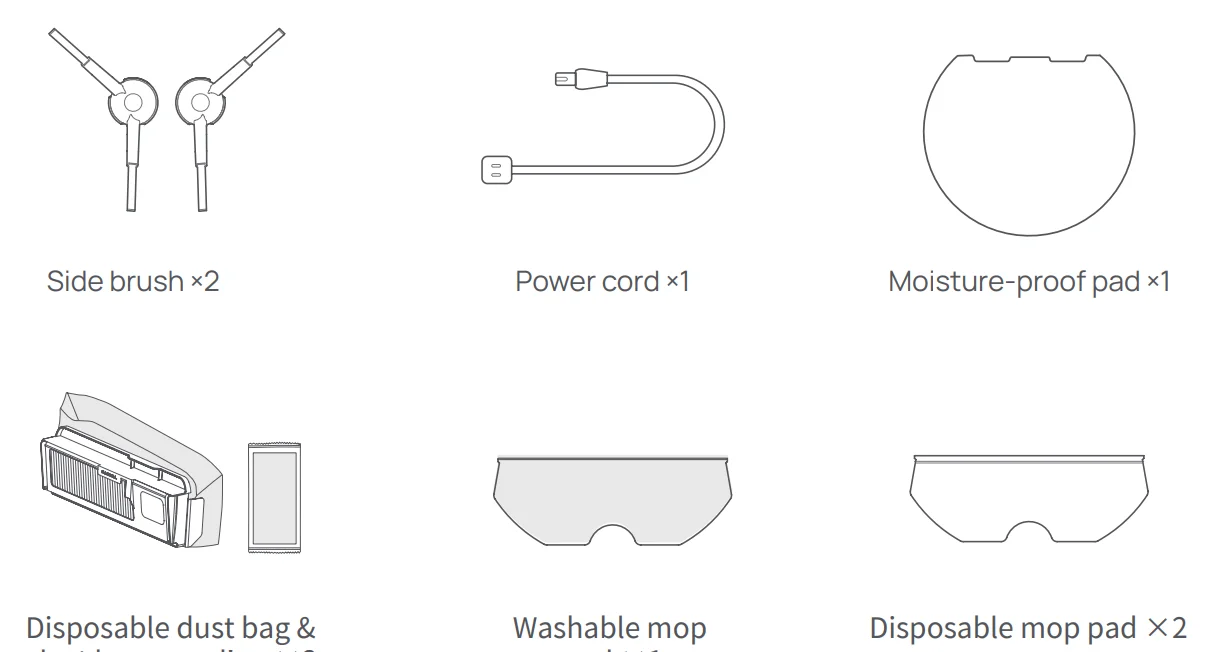
Robot
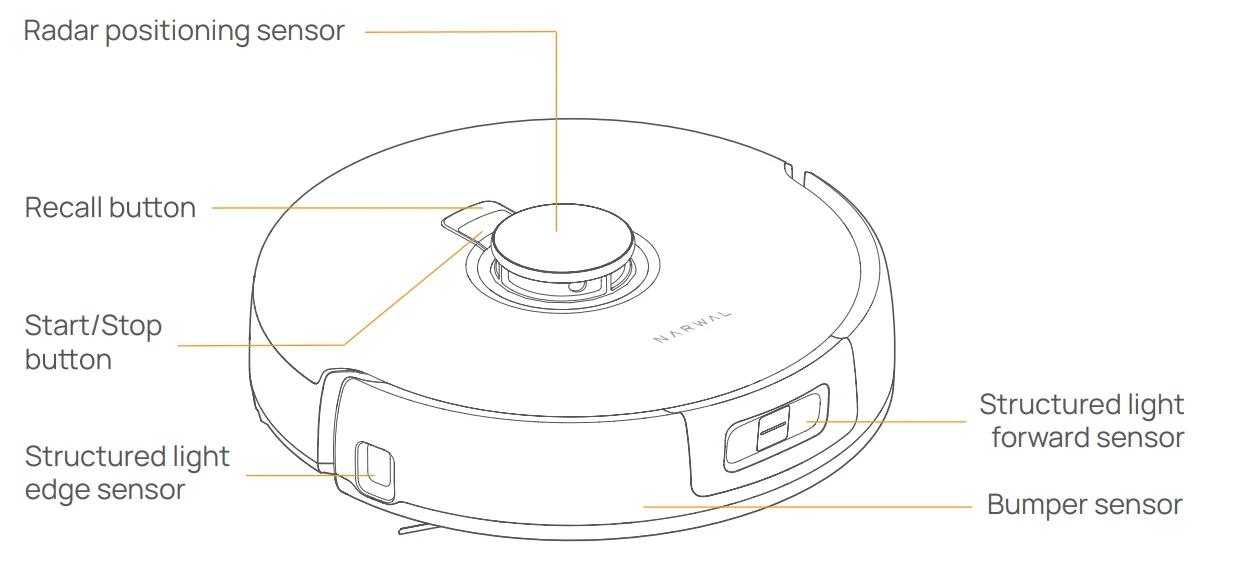
Front (top cover closed)
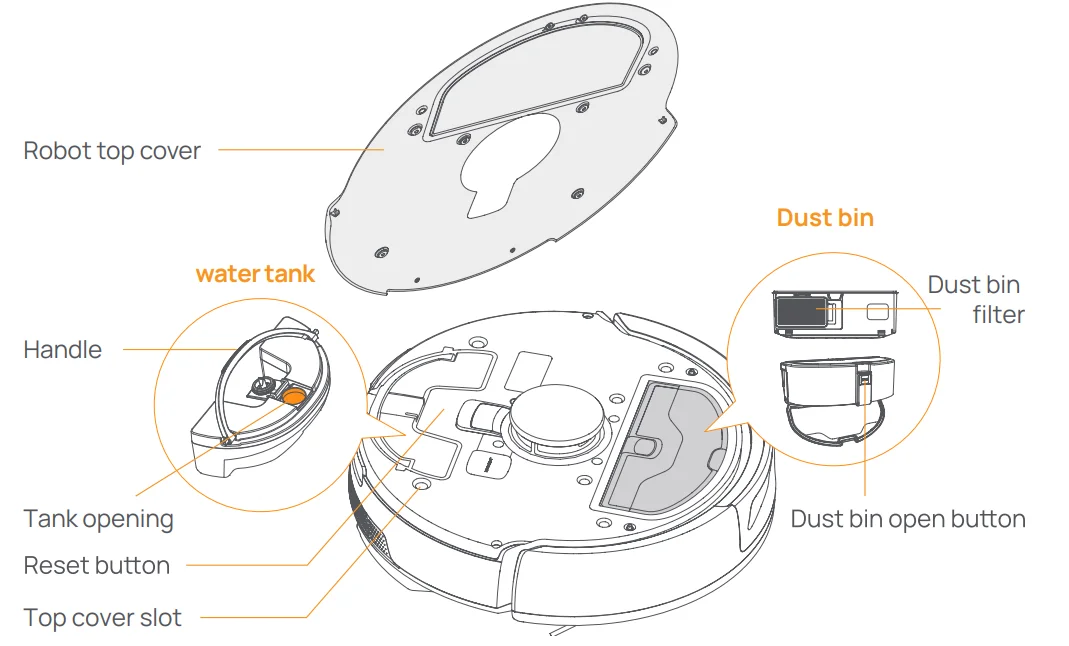
Front (top cover open)
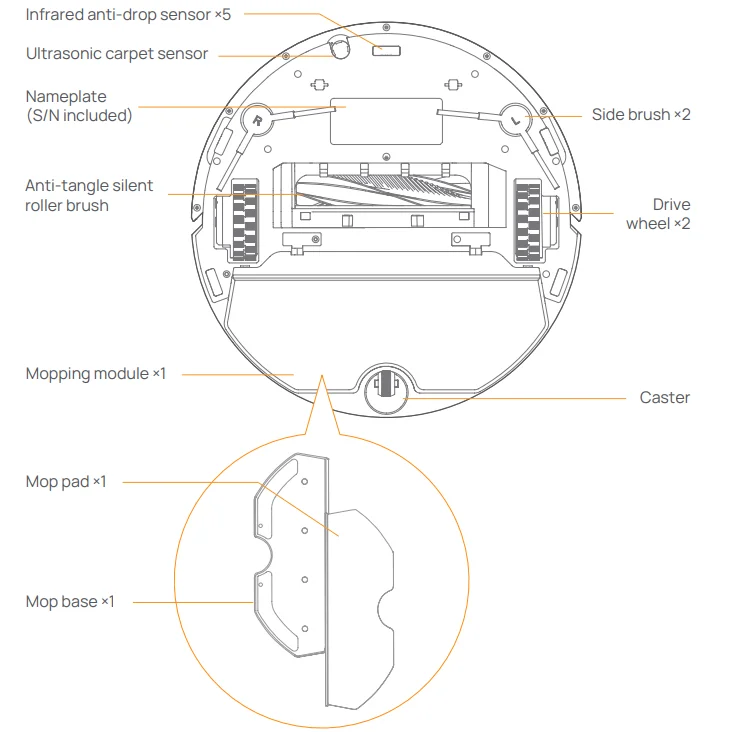
Robot bottom
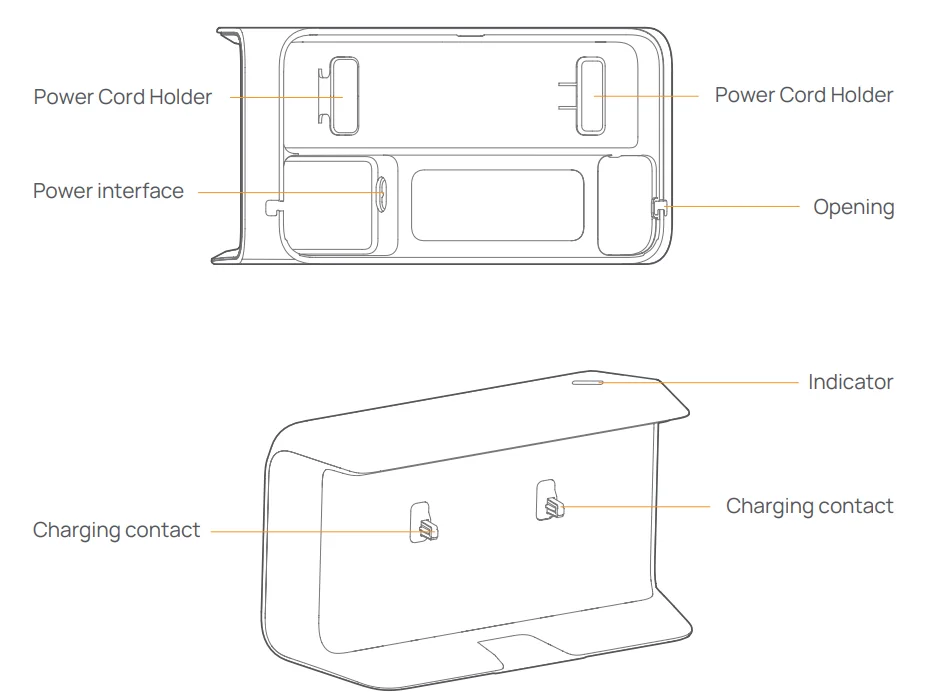
Base station
Robot buttons and indicators
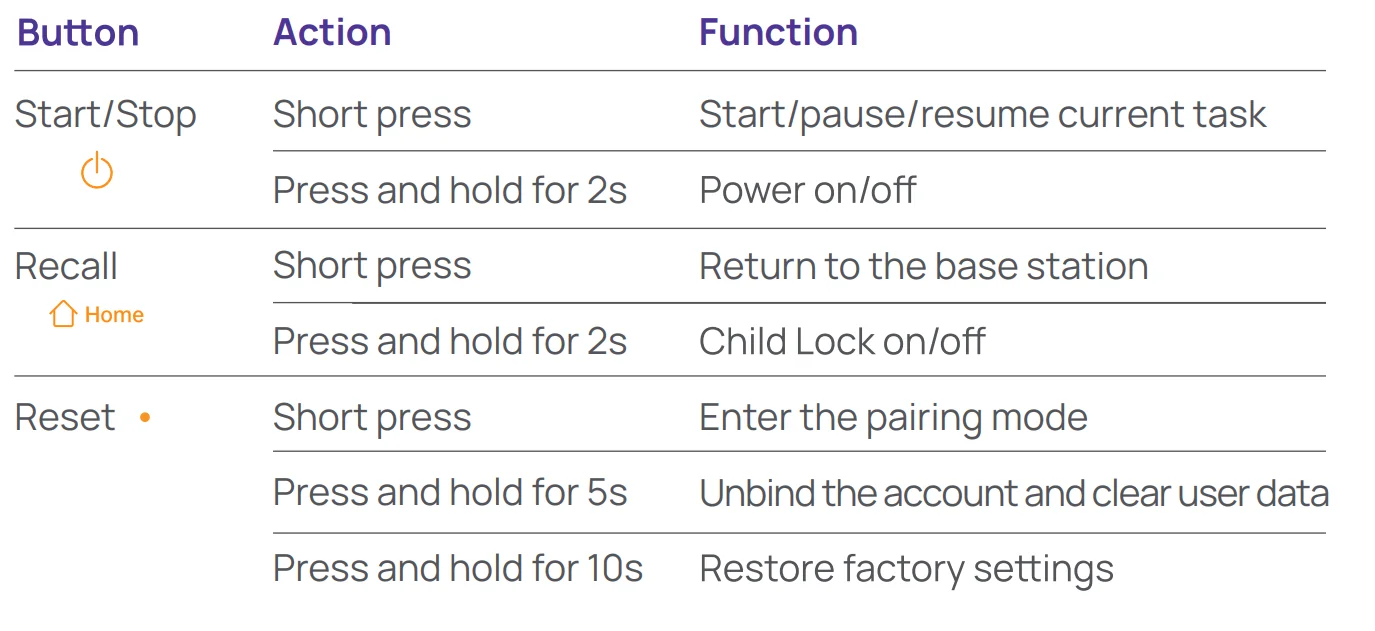
Robot buttons
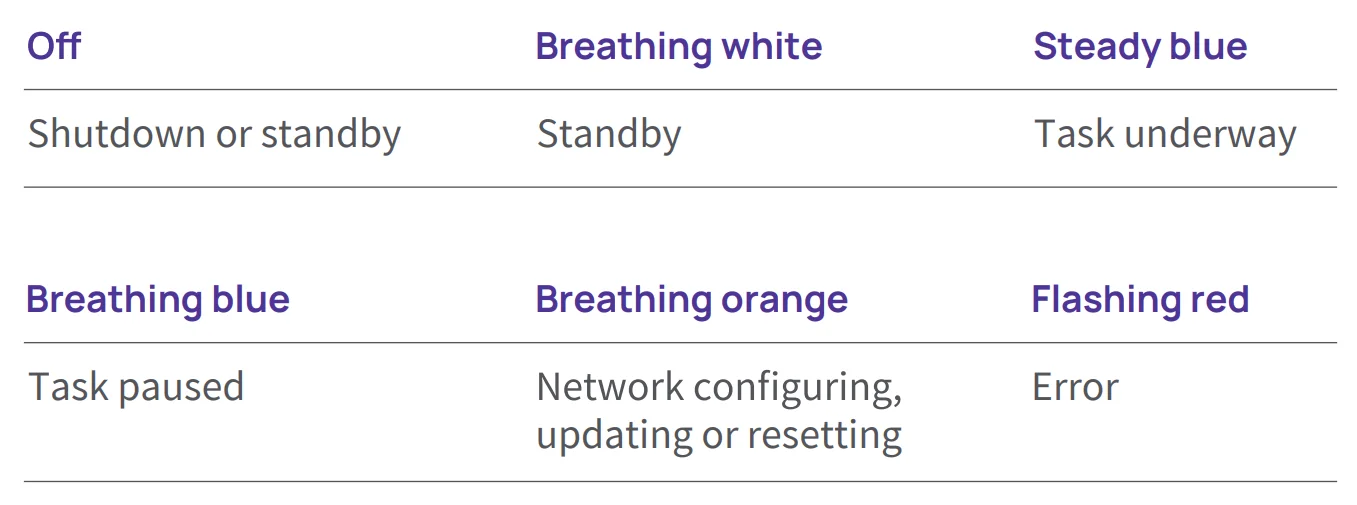
Robot indicators
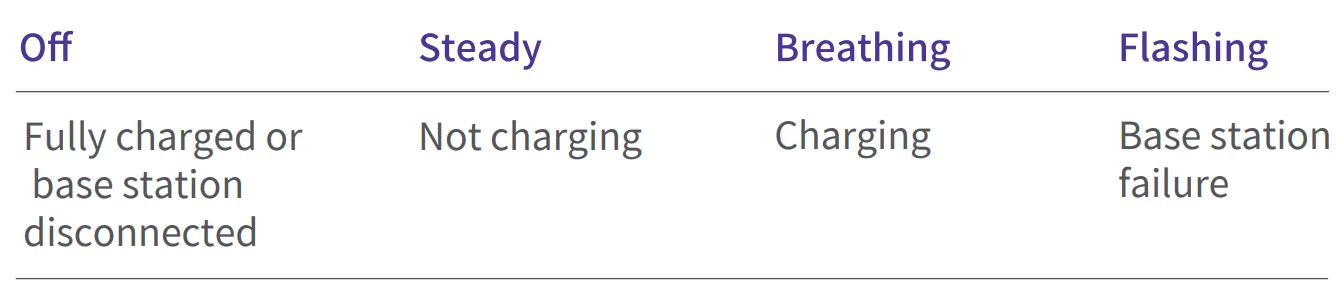
Base station indicators
Get Ready before Use
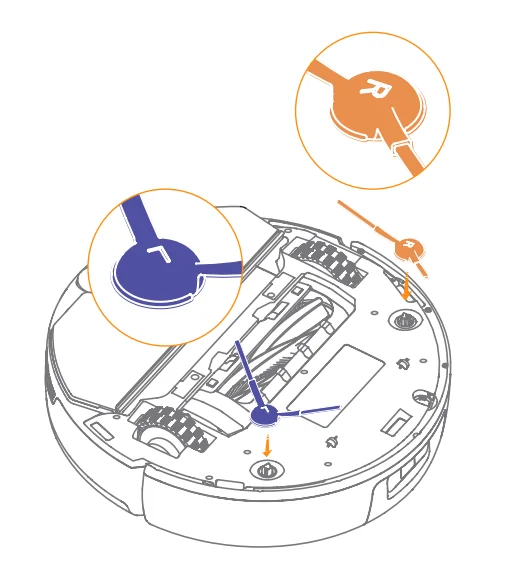
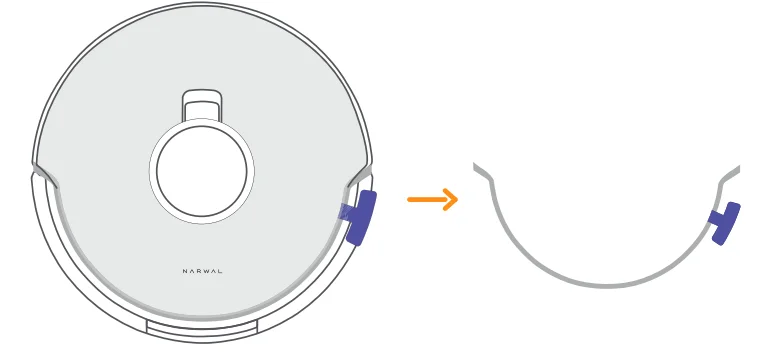
Install the side brushes
Press the side brushes into the slots as indicated by color until they click into place.
Remove the anti-collision foam
Open the robot’s top cover and remove the anti-collision foam.
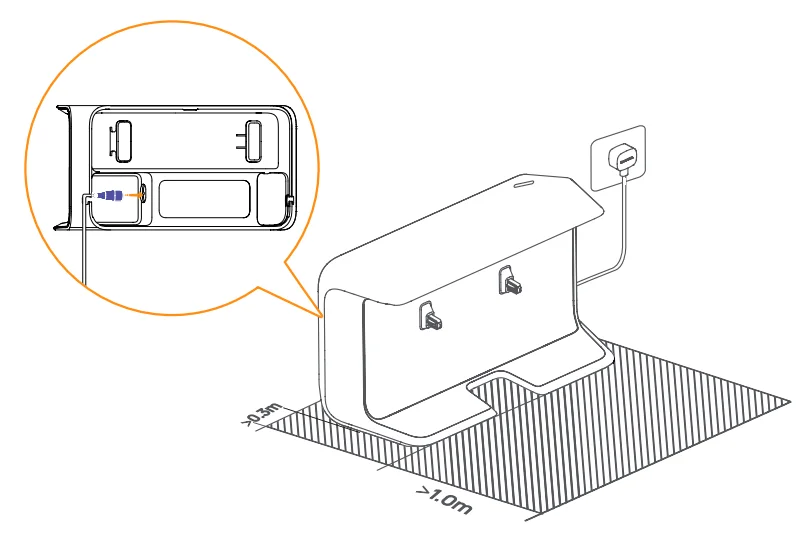
Place the base station
Plug in the power cord in the back of the base station. Put the base station on a flat and hard surface against the wall, and leave an open space of at least 1.0m in front of the base station for the robot to enter and leave the base station.
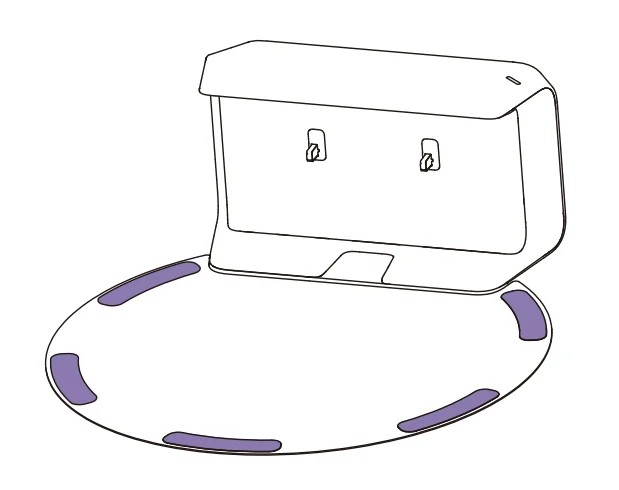
Fix the moisture-proof pad
Once the base station is put in place, wipe the indicated area clean with a dry cloth. Peel off the Double-sided tape on the back of the moisture-proof pad, and stick the map onto the floor as indicated.
Note:
- The moisture-proof pad only applies to the wooden floor.
- To remove the pad from the floor, please keep it slow to avoid residual glue.
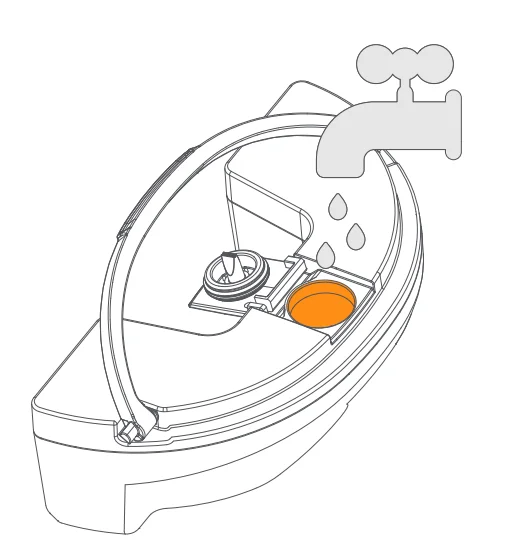
Add Water
Before mopping, add clean water to the water tank.
- Open the robot’s top cover and remove the water tank. Fill the water tank with clean water through the tank opening.
- Close the tank, put it back into the robot, and place the robot’s top cover back.
Boot Settings
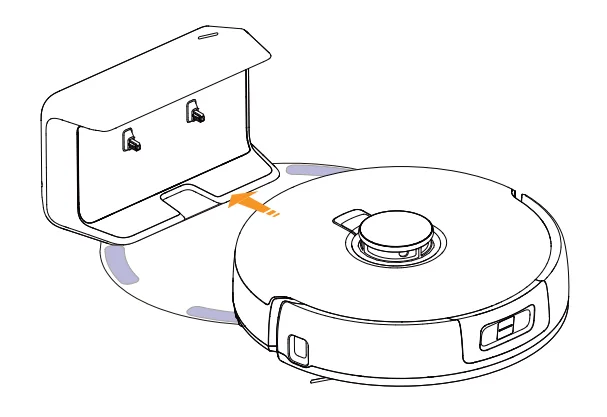
Push the robot into the base station and ensure the charging contacts are properly connected. The base station indicator goes out and the robot will turn itself on and broadcast a message.
Connect and bind the robot in the App
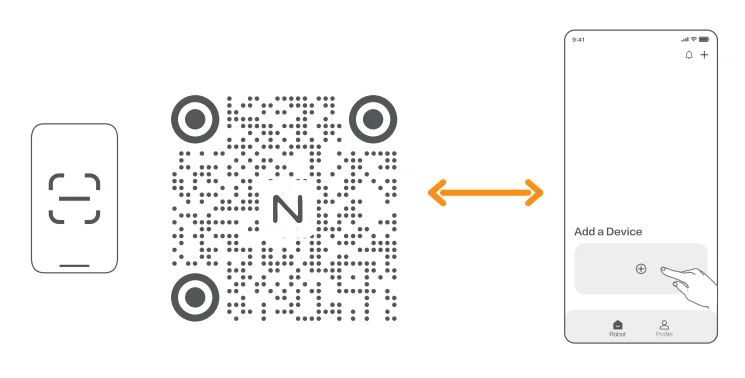
Scan the QR code to download the Narwal App, tap “Add Device” and select the model in the App, and follow the instructions for connecting and binding the robot.
Note:
- Tap “Settings”-“Device” in the App, then long-press the “Restart Robot” for 10s to switch on/off the Standby Mode.
- Only available in the US market.
How to Use
Before using the robot, please make sure you have finished the installation and base station setup in Chapter 2.
Organize the home environment
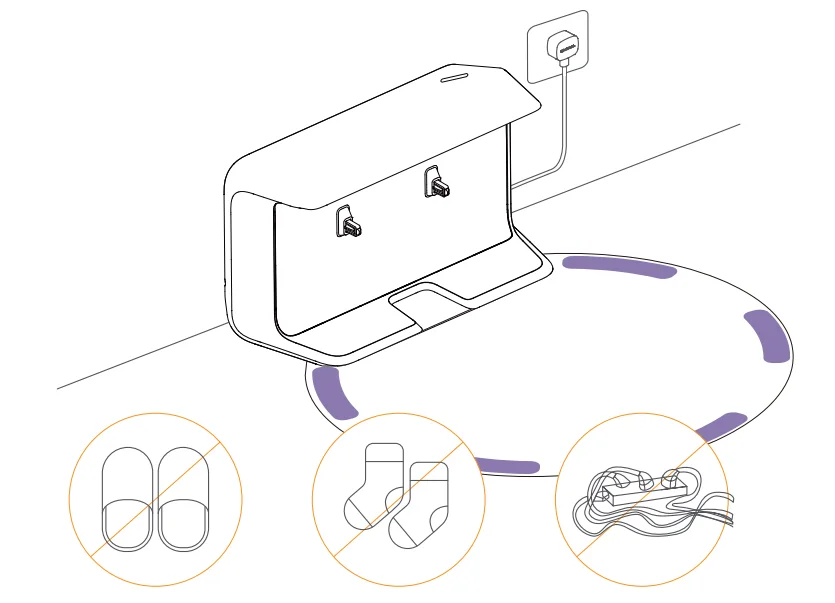
- A.Put away the clutter on the floor, e.g. scattered cables, rags, slippers, clothes, and books.

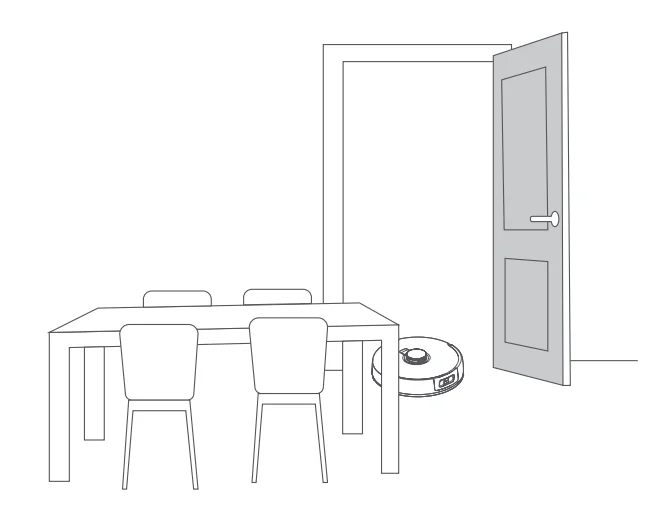
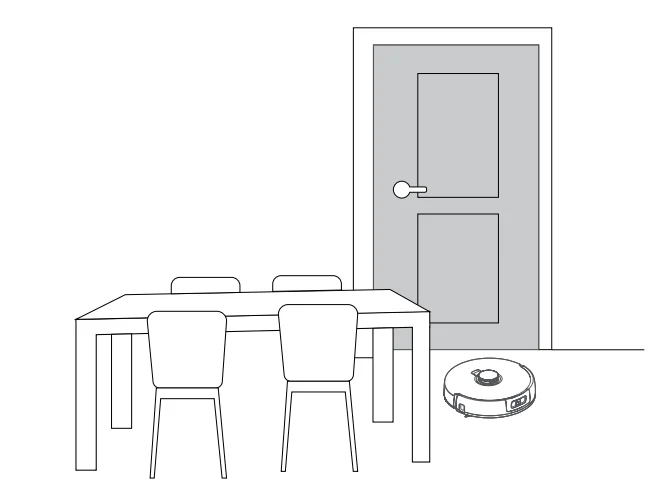
- B.Open the doors of the rooms to be cleaned and arrange the furniture to leave as much space as possible for cleaning.

- C.Leave other doors closed and install the fence to prevent the robot from entering elevated or low areas.

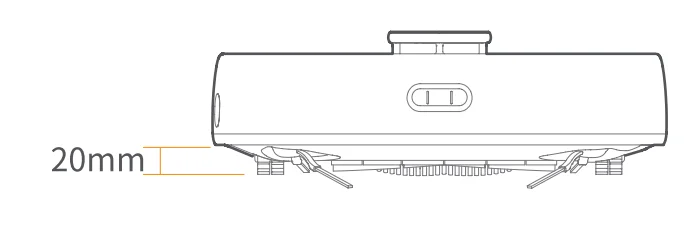
- D.The maximum obstacle crossing height is 20mm, and the robot cannot enter rooms with a threshold height of over 20mm. You can purchase the Narwal Threshold Ramp to help the robot climb over and around obstacles more efficiently.

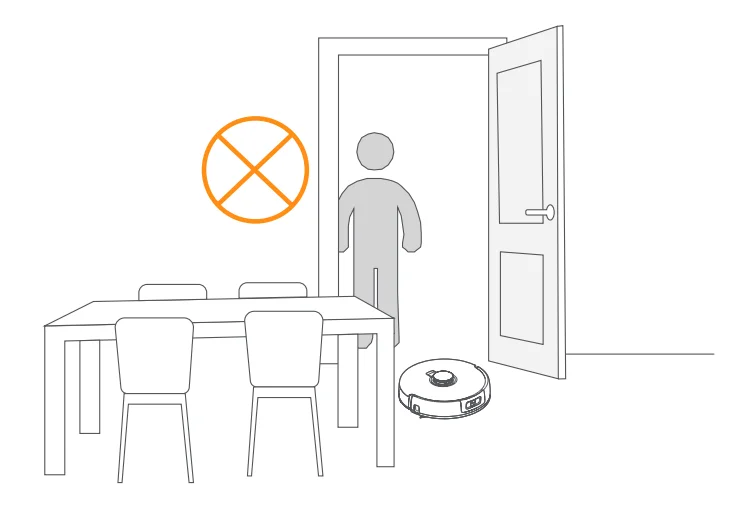
- E.DO NOT stand in front of the robot, on the threshold or in narrow aisles to avoid omission.
Mapping
Before cleaning a new home, the robot needs to explore the environment and create a map. Before first-time cleaning, you can trigger mapping by short-pressing the [Start/Stop]button on the robot or tapping “Start Mapping” in the App.
Note:
- 0nce amap is created, it can be edited in the App.
- Please DO NOT move the base station after the Amap is created, or you will have to restart mapping. If large furniture in your home is rearranged, it is recommended to create a new map.
Cleaning
Select cleaning modes
The product comes with four built-in cleaning modes: Vacuum, Mop, Vacuum and Mop, and Vacuum then Mop. You can select and adjust parameters like cleaning cycles, suction, and mop humidity for each mode in the App.
Set Freo Advice
Freo Advise is an intelligent cleaning assistant. When the Freo Advise mode is on, the robot can intelligently set cleaning parameters. You can enable Freo Advice after selecting the cleaning mode in the App.
Start the cleaning task
You can start the robot for cleaning in the following two ways:
- Tap
 [Start Cleaning] in the App
 - Short press the
 [Start/Stop] button on the robot and the robot will activate the Vacuum Mode by default;
 [Start Cleaning] in the App
 [Start/Stop] button on the robot and the robot will activate the Vacuum Mode by default;
Note: You can adjust the cleaning mode and set more cleaning parameters in the App.
Pause/resume current task
You can pause/resume the task in the following two ways:
- Tap[Pause]/
 [Resume] in the App;
 - Short-press the
 [Start/Stop] button on the robot;
 [Resume] in the App;
End current task
The robot will navigate itself back to the base station when cleaning ends. You can view the current cleaning report in the App. You can manually end the task in the following two ways:
- Press and hold[Finish] for 2s in the App;
- Short-press the
 [Recall] button on the robot;
 [Recall] button on the robot;
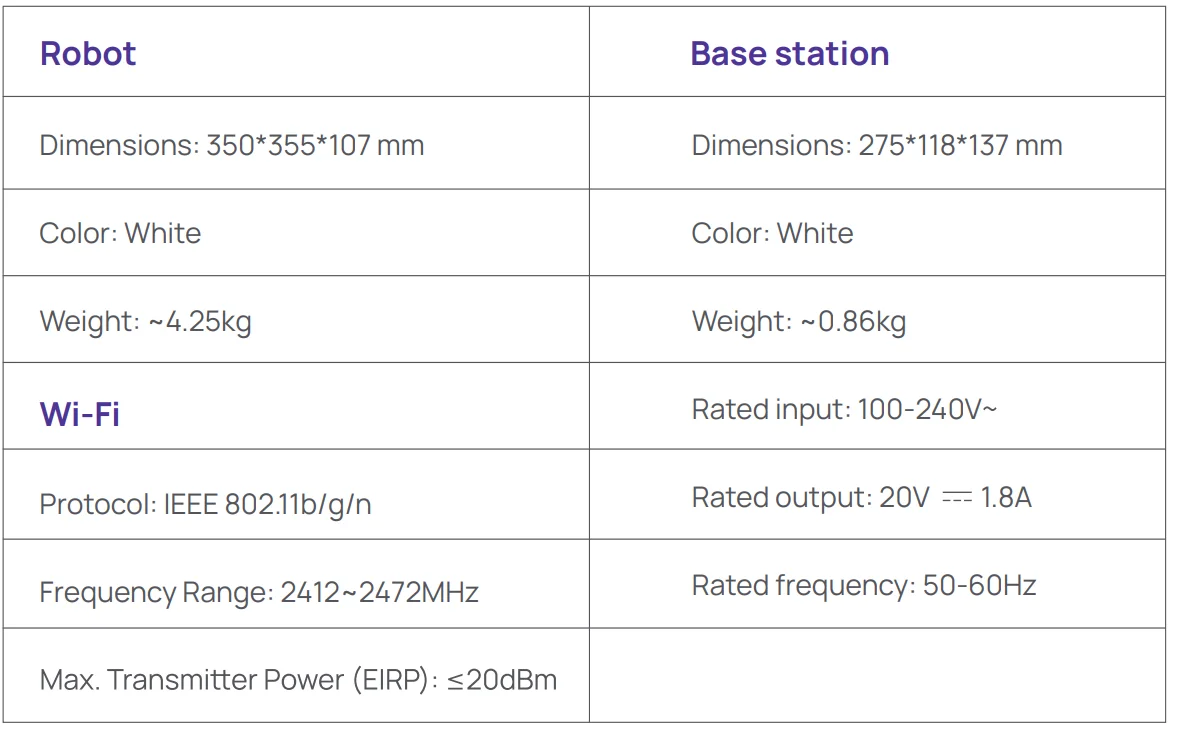
Parameters
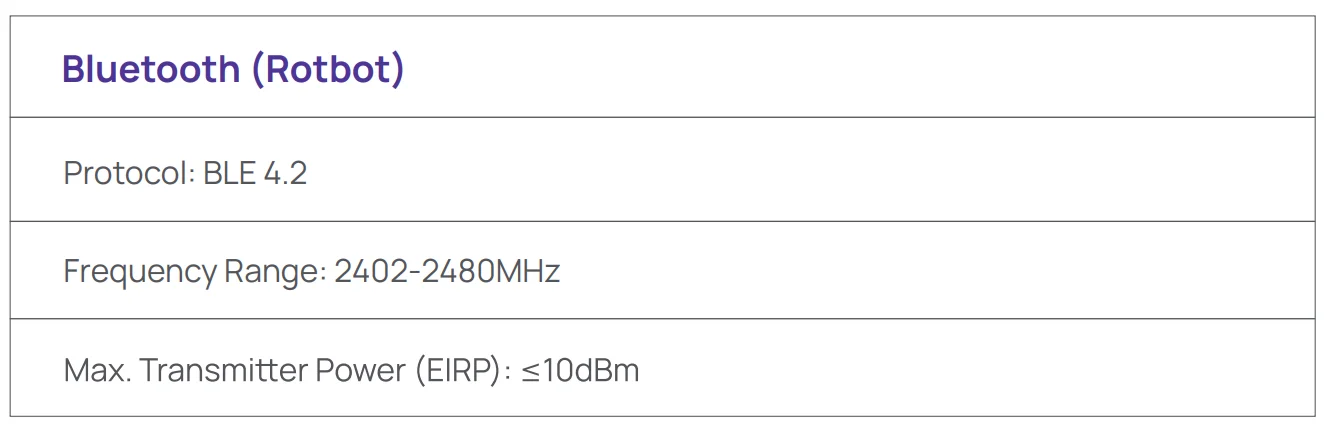
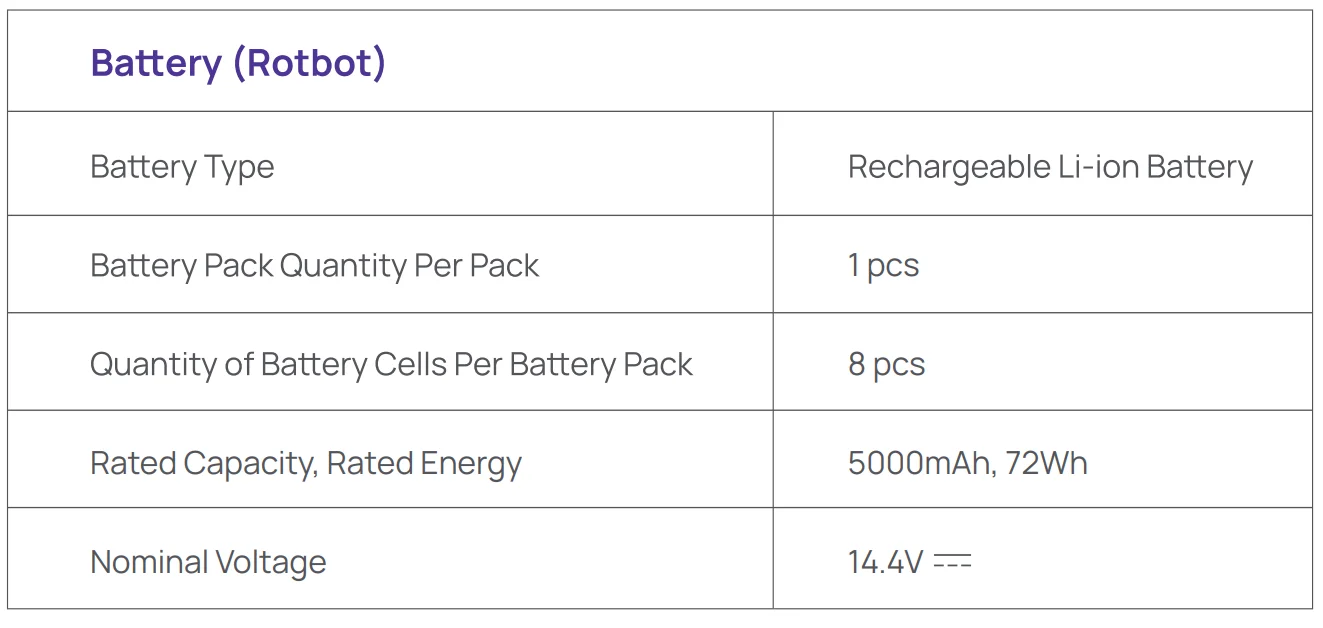
Specifications
For more manuals by NARWAL, visit ManualsLibraryy
Narwal Freo X Plus Robot Vacuum-FAQs
What are the main features of the Narwal Freo X Plus Robot Vacuum?
The Narwal Freo X Plus combines powerful vacuuming with effective mopping in one device. It features strong suction, smart navigation, and an advanced cleaning system designed for different floor types. The robot also includes automated maintenance features, reducing manual effort and making it suitable for everyday home cleaning.
How strong is the suction power of the Narwal Freo X Plus?
This model offers high suction power of around 7,800 Pa, making it effective for picking up dust, debris, and pet hair. It performs well on hard floors and carpets, ensuring deep cleaning. The strong airflow helps remove fine particles, improving overall cleaning efficiency in both small and large spaces.
How long does the battery last on a full charge?
The Narwal Freo X Plus provides up to 250+ minutes of runtime on a single charge, depending on cleaning mode and surface type. This long battery life makes it ideal for larger homes. The robot automatically returns to its dock for recharging and resumes cleaning if needed.
Can the Narwal Freo X Plus clean both carpets and hard floors?
Yes, the robot is designed to clean multiple surfaces, including carpets and hard floors. It can automatically adjust suction power for carpets and uses a mopping system for hard floors. This allows it to handle everyday messes efficiently without requiring manual switching between cleaning modes.
Does the Narwal Freo X Plus support mopping as well as vacuuming?
Yes, it includes a built-in mopping function along with vacuuming. The system is designed to scrub floors effectively while avoiding over-wetting. This dual functionality helps remove dust and stains in a single cleaning cycle, making it a convenient all-in-one cleaning solution.
Can I use the Narwal Freo X Plus without Wi-Fi?
Yes, basic cleaning functions can work without Wi-Fi, allowing you to start or stop cleaning directly from the device. However, connecting to the app unlocks advanced features like scheduling, mapping, and customization, providing better control and a more efficient cleaning experience.
How does navigation and obstacle avoidance work?
The robot uses advanced sensors and mapping technology to navigate your home efficiently. It detects obstacles like furniture and avoids collisions while cleaning in an organized pattern. This helps ensure complete coverage and reduces the chances of getting stuck during operation.
What are the common drawbacks of the Narwal Freo X Plus?
Some users may find limited customization in app controls compared to competitors. In certain situations, obstacle detection may not be as precise as premium models. Additionally, like most robot vacuums, it may struggle with very tight spaces or heavily cluttered areas.
Is the Narwal Freo X Plus suitable for daily cleaning?
Yes, it is designed for regular use and can safely run daily. Frequent cleaning helps maintain a dust-free environment, especially in homes with pets or high foot traffic. Regular use may require occasional maintenance, such as cleaning brushes and filters for optimal performance.
How long do robot vacuums like this typically last?
Robot vacuums generally last around 4 to 6 years, depending on usage and maintenance. Keeping the brushes, filters, and sensors clean can extend the lifespan. Proper care ensures consistent performance and helps maintain strong suction and efficient cleaning over time.