
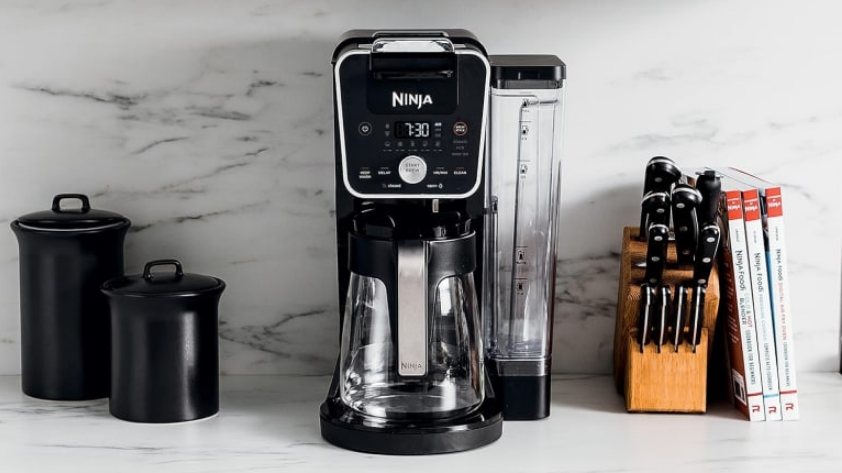

Ninja DualBrew Pro Coffee Maker
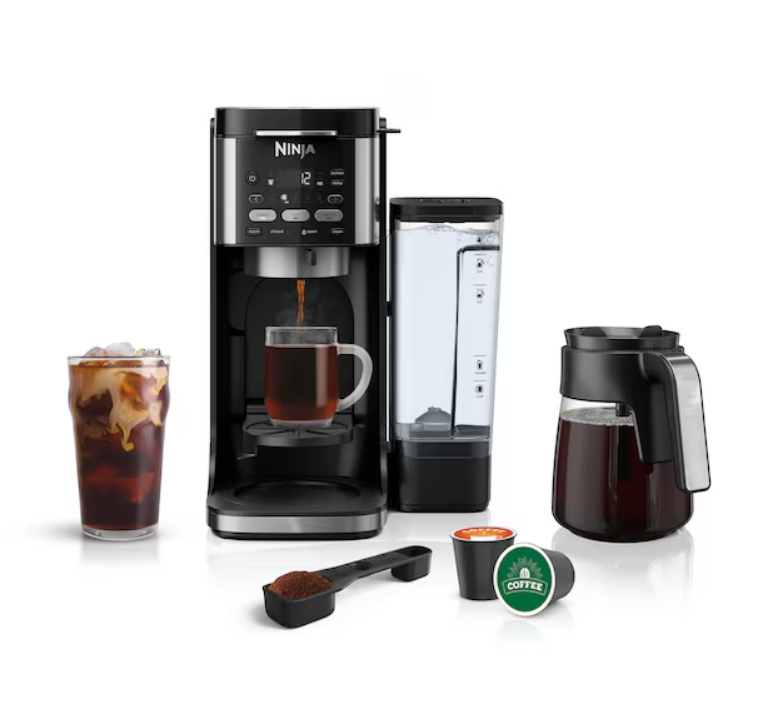
HERE’S WHAT’S IN THE BOX
NINJA DUALBREW
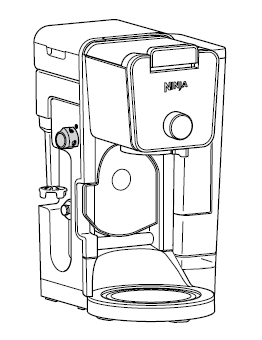
NINJA POD ADAPTER
Comes fully installed in the brewer. Always ensure to insert it over the brew basket when brewing pods.
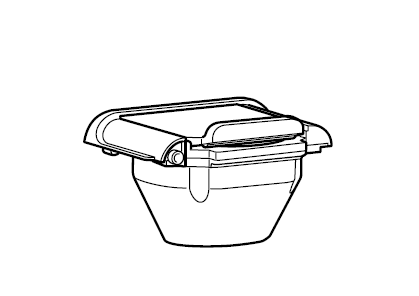
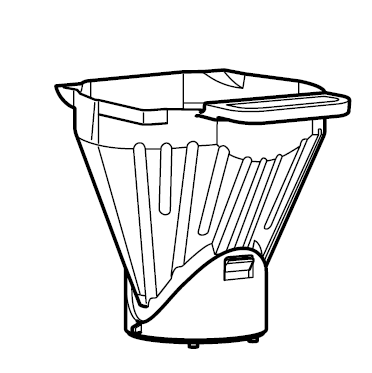
BREW BASKET
Comes fully installed in the brewer. It must always be inserted when brewing pods or grounds.
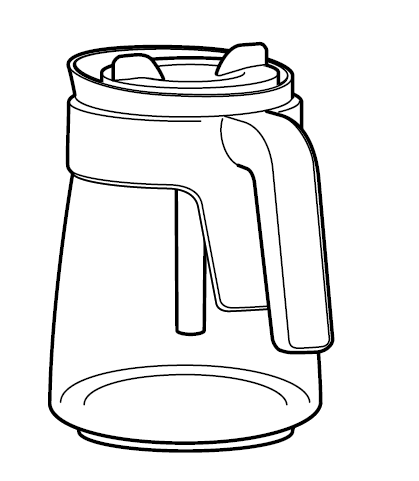
60 OZ. GLASS CARAFE
FROTHER WHISK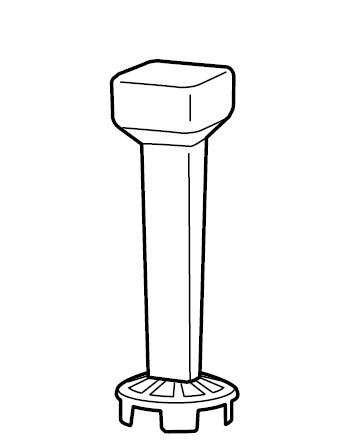
60 OZ. REMOVABLE WATER RESERVOIR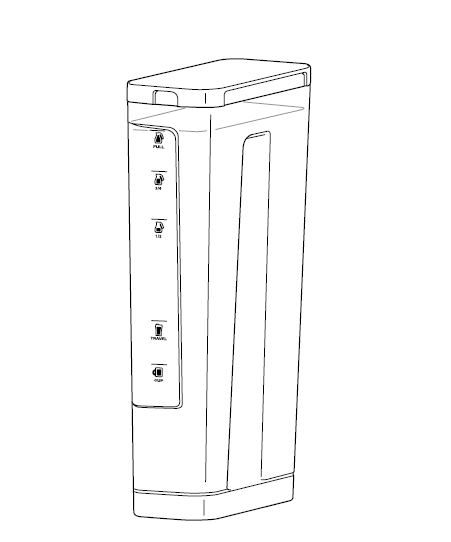
NINJA SMART SCOOP™
Use this to measure coffee grounds.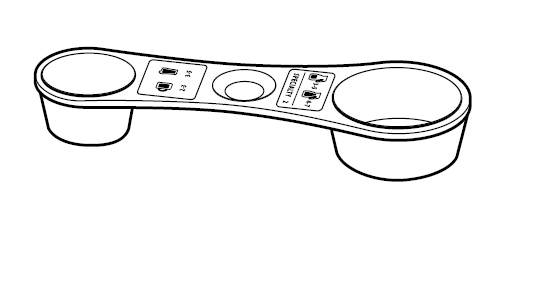 PAPER FILTER KIT
Fold along the seams before inserting firmly in brew basket.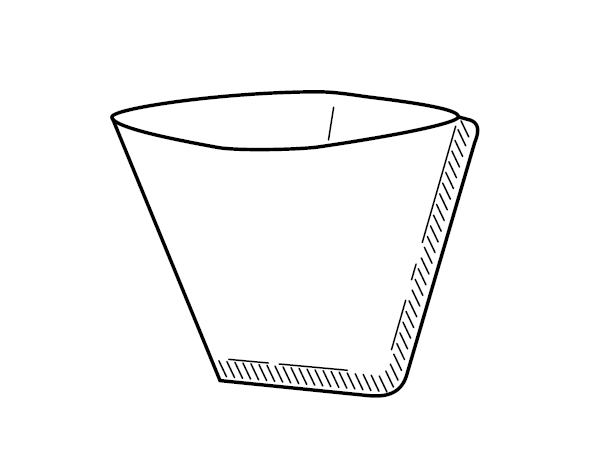
FILLING THE WATER RESERVOIR
FILL TO THE FULL LINE
Fill up to, but do not exceed, the Full line.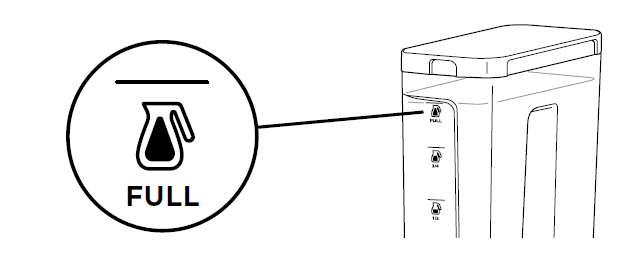
POSITIONING THE WATER RESERVOIR
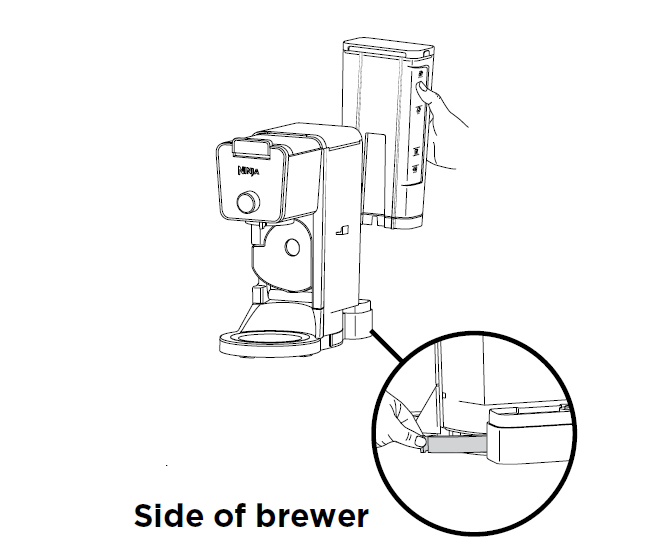
The water reservoir can be positioned to the right or along the back of the brewer to optimize counter space.
STEP 1.
Remove the reservoir from the base. Remove the removable latch from the back of the brewer.
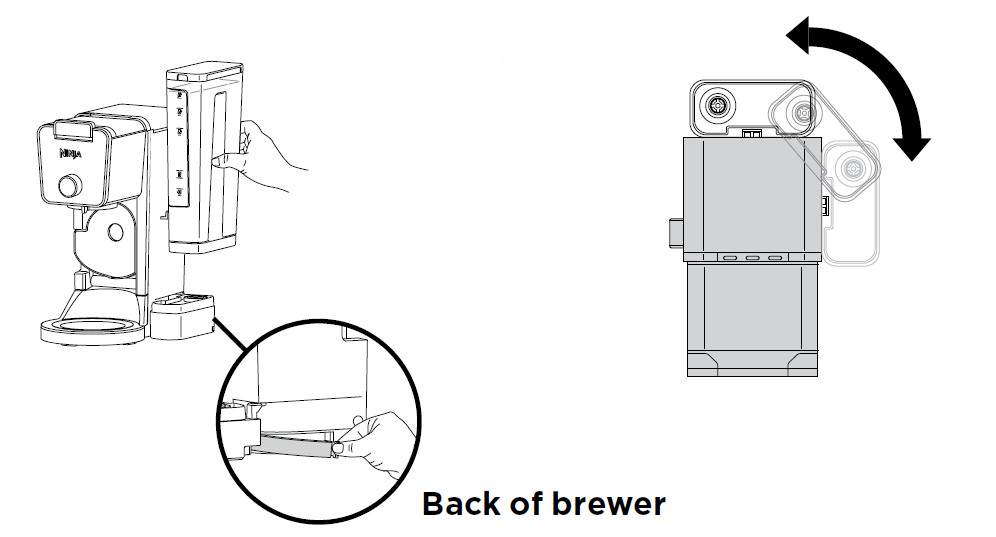
STEP 2.
Swing the reservoir base around the brewer until it clicks into place.You may feel some resistance. Then, rotate the removable latch 180 degrees and reinsert it in the new gap where the base was previously positioned.
CUP, MUG, OR CARAFE
CUP Pull down the cup platform to set a mug on it.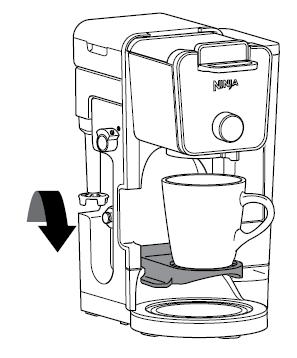
TRAVEL MUG& XL SIZES
Place an XL Cup, Travel Mug, or XL Tumbler on the base of the brewer. 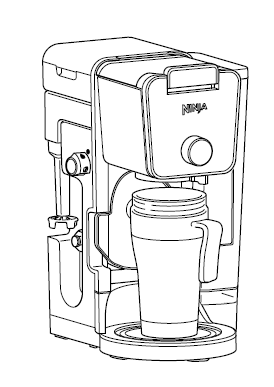
CARAFE
Place the carafe on the Intelligent Warming Plate. The Intelligent Warming Plate will turn on only if brewing a carafe size on Classic or Rich brew.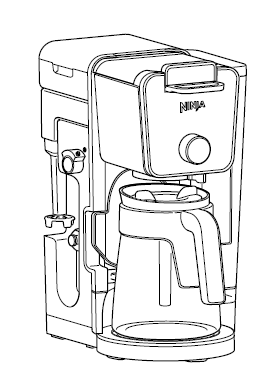
WANT YOUR COFFEE TO STAY HOT LONGER?
The Intelligent Warming Plate will automatically turn on while brewing a Classic or Rich brew on any Carafe size and remain on for 2 hours. To adjust how long the Intelligent Warming Plate remains on (up to 4 hours), refer to the Owner’s Guide. When the Intelligent Warming Plate is on, it can be turned off manually by pressing KEEP WARM. It can be turned on manually by pressing KEEP WARM while a Classic or Rich brew and any Carafe size is selected.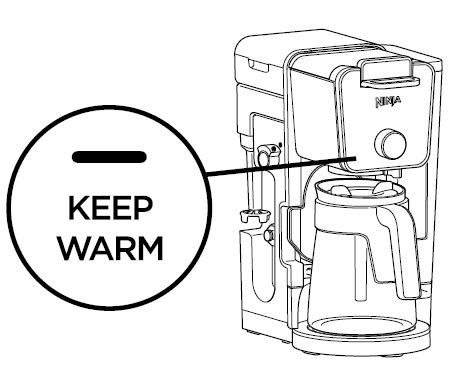
IMPORTANT: The light on the base of the brewer will illuminate only when the warming plate is hot and will remain illuminated until the plate has cooled down.
BREW BASKET AND NINJA POD ADAPTER ASSEMBLY
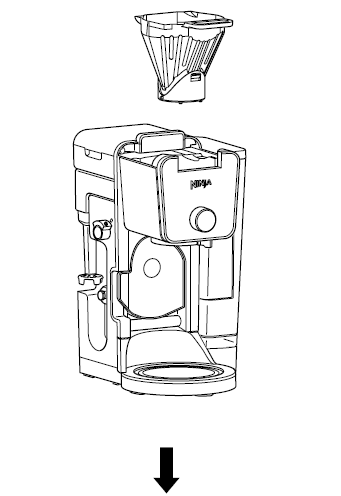
BREW BASKET MUST BE INSERTED WHEN USING GROUNDS OR PODS.
 BREW BASKET
Must always be inserted when brewing pods or grounds.
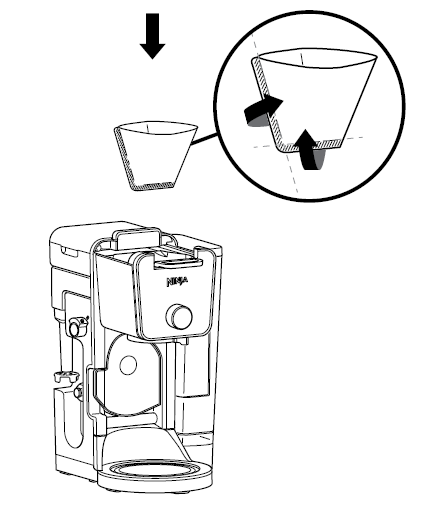
INSERT FILTER
Fold the #4 paper cone filter along the seams,open the top fully, then insert filter firmly into the brew basket.
OR

BREW BASKET
Must always be inserted when brewing pods or grounds. Do not insert a filter.
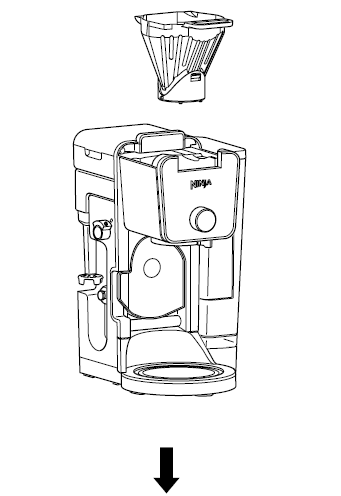
NINJA POD ADAPTER
Ensure adapter is in the REMOVE position before installing. Always insert over the brew basket when brewing pods.
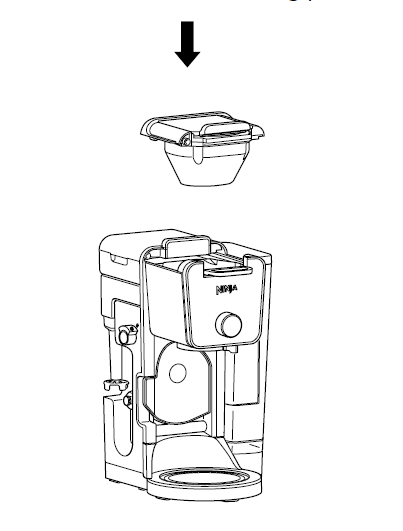
LOCKING AND REMOVING THE NINJA POD ADAPTER
The Ninja DualBrew Pro Coffee System comes with a unique Ninja Pod Adapter already installed on the brewer. Always ensure the adapter is installed over the brew basket.
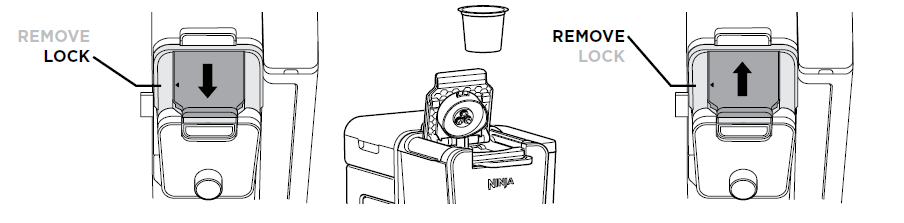
- Once the adapter is installed in the brewer, make sure the position indicator on the left side of the adapter is aligned with LOCK by pulling the handle toward you. Then, lift to open the handle, insert a pod, firmly push down on the handle to pierce the pod, and begin programming your brew.
- To uninstall the adapter, remove the used pod andclose the handle. Push the handle away from you so the position indicator is in the REMOVE position.Then, using the edges on the left and right, lift the adapter out of the brewer.
NOTE: The Ninja Pod Adapter is compatible only with K-Cup pods. It is not compatible with reusable K-Cup filters. If using ground coffee h a paper or permanent filter (sold separately) to brew a single-serve size.
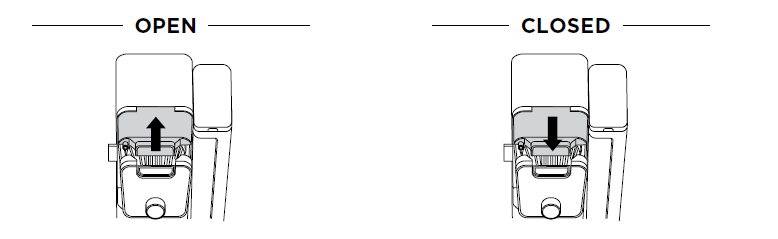
SLIDING LID
The sliding lid is used only when brewing loose coffee grounds. To use it, first remove the Ninja Pod Adapter.Then, using the handle on top of the brewer, slide the lid toward you until it firmly clicks into place.
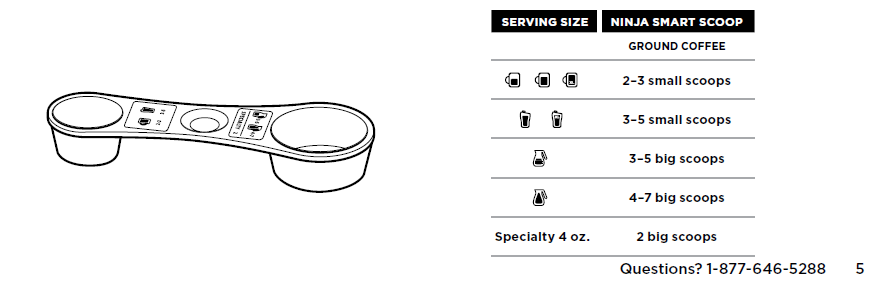
NINJA SMART SCOOP™
The Ninja Smart Scoop is used for accurately measuring coffee grounds. The numbers beside the icons show the number of level scoops recommended for each brew size.
For how-to videos and more, visit ninjakitchen.com
- Choose A Method
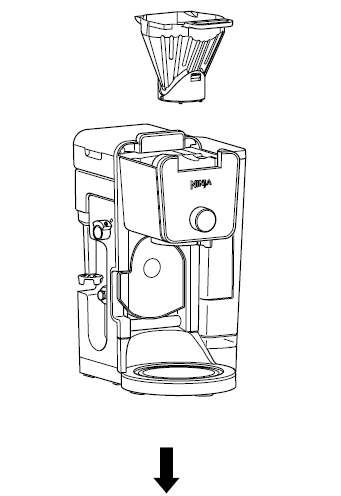
Ensure the brew basket is installed and the Ninja Pod Adapter is removed. Then, insert a paper filter in the basket (refer to steps on pages 4 and 5).
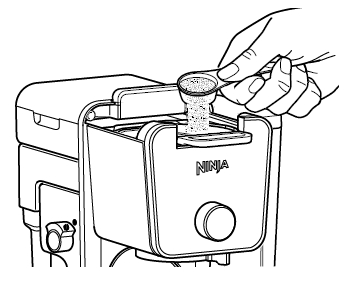
Use the Ninja Smart Scoop™ to add your desired amount of coffee grounds (refer to the Smart Scoop section on page 5).
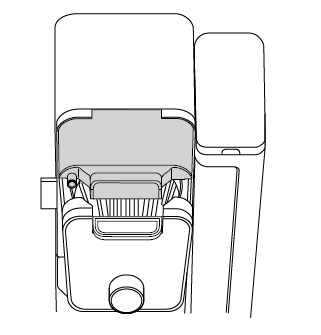
Slide the sliding lid forward, ensuring it is completely closed.
OR
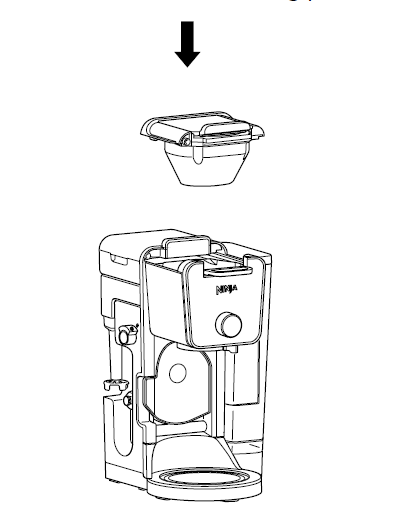
Ensure the brew basket and Ninja Pod Adapter are installed in the brewer (refer to steps on pages 4 and 5).
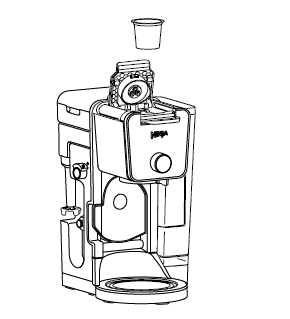
Lift adapter handle to reveal pod holder and insert a pod.
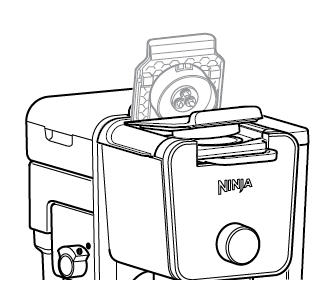
Firmly push down on the handle to pierce the pod. Some noise and resistance is normal.
OR

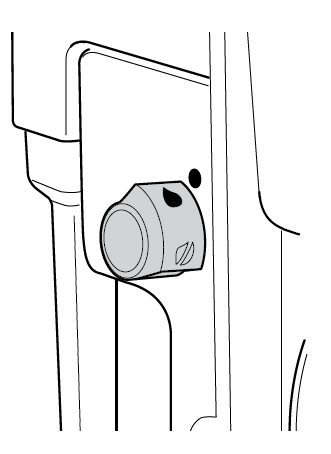
The water outlet is completely separate from the coffee outlet to ensure clean water is dispensed every time.To enter hot water mode, turn the dial on the left side of the brewer to the water droplet icon, aligning it with the marker. You will See a change in the display.
The hot water will dispense next to the coffee outlet.
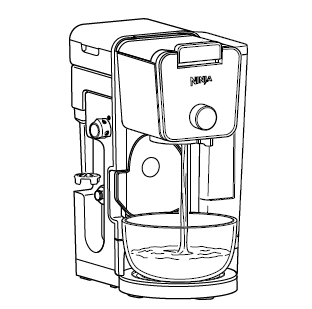 IMPORTANT: Close the drip stop before brewing hot water to ensure no excessive coffee drips into the vessel (refer to the drip stop section on page 8).
CHOOSE A SIZE
Approximate brew volumes based on Classic brew. Richbrew will produceslightly less output.Refer to the Approximate BrewVolumes chart in the Owner’s Guide for more information. 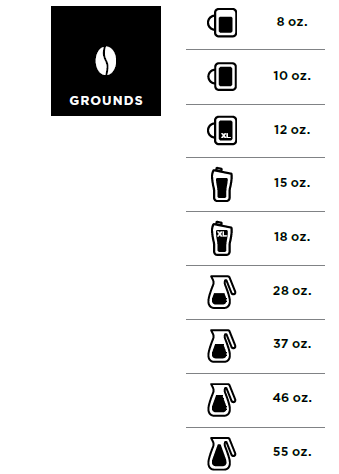
Pods cannot brew in carafe sizes . Pods cannot brew in carafe sizes. Approximate brew volumes based on Classic brew. Rich brew will produce slightly less output. Refer to the Approximate Brew Volumes chart in the Owner’s Guide for more information.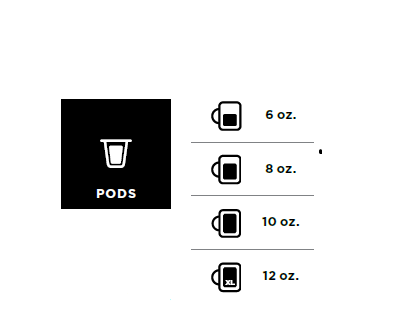
17 size options ranging from 2 oz. to 60 oz.
NOTE: Make sure to use a vessel that is big enough for the brew size you select.
CHOOSE A BREW
 Smooth, wellbalanced flavor.
 Specially designed to brew hot over ice for freshly brewed iced coffee that is not watered down.Always fill your vessel to the top with ice cubes before brewing Over Ice.
 Richer than classic, with more intense flavor that stands up to milk, cream, or flavoring.
 A super-rich concentrate that allows you to make coffee-based drinks like cappuccinos and lattes.
HOT WATER MODE ONLY
 Two watertemperatures for a variety of different foods and beverages.
NOTE: DO NOT use any glassware except the provided Ninja carafe, which is made of specialized glass that is safe to use.
BREW
 Press the START BREW button to start brewing. There will be an illuminating progress bar on the display to track the status of your brew. THE BREW MAY PAUSE ONCE OR MULTIPLE TIMES DURING THE BREW CYCLE. THAT’S OK. Pausing allows the coffee grounds to fully extract and unlock the full flavor of the brew style
NOTE: Ensure the drip stop is open before starting your coffee brew.
CAPPUCCINO-STYLE COFFEE
Brew: Specialty Makes: 1 serving (12-ounce cup).
INGREDIENTS
- 2 Ninja Big Scoops
- (4 tablespoons)ground coffee
- 1⁄2 cup milk
- Sweetener
- As desired Ground cinnamon for garnish.
DIRECTIONS
- Following the measurement provided, place the ground coffee into the filter.
- Pour milk into a 12-ounce mug. Microwave for 45–60 seconds, then froth for 30 seconds.
- Set the mug containing frothed milk in place to brew.
- Press the BREW STYLE button to select SPECIALTY, then press the START BREW button to begin the brew.
- When brew is complete, sweeten and garnish as desired.
ICED NUTTY COCOA LATTE
Brew: Specialty Makes: 1 serving (18-ounce cup)
INGREDIENTS
- 2 Ninja Big Scoops(4 tablespoons) ground coffee
- 2 tablespoons chocolate syrup, plus more for garnish
- 1 tablespoon caramel syrup, plus more for garnish
- 2 cups ice
- 1⁄2 cup milk
- 1 tablespoon peanut butter
DIRECTIONS
- Following the measurement provided, place the ground coffee into the filter.
- Add chocolate syrup, caramel syrup, and ice to an 18-ounce cup and set in place to brew.
- Press the BREW STYLE button to select SPECIALTY, then press the START BREW button to begin the brew.
- While coffee is brewing, place milk and peanut butter in a large mug, stir to combine, then microwave for 45–60 seconds.
- When brew is complete, stir to combine.
- Froth milk mixture for 30 seconds, then gently.
GUIDE TO KEEPING COFFEE HOT
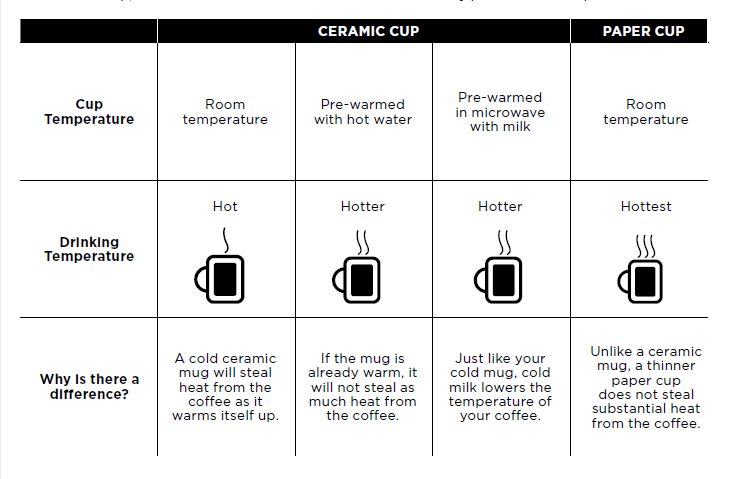
The type of cup you brew into can greatly influence the drinking temperature of your coffee. For a hotter cup, use the hot water mode on BOIL to conveniently pre-warm the cup.
NOTE: DO NOT put the carafe in the microwave.
For Manuals By Ninja, Visit ManualsLibraryy
Ninja DualBrew Pro Coffee Maker-FAQs
How do I descale my Ninja coffee maker?
Fill the reservoir with equal parts water & white vinegar (or commercial descaling solution).
Run a brew cycle (no coffee/pod).
Rinse by running 2 cycles with fresh water.
Can the Ninja DualBrew Pro make iced coffee?
Yes! Use the Over Ice setting to brew a concentrated batch that won’t dilute when poured over ice.
How do I know when my coffee maker needs cleaning?
The Clean Cycle Indicator turns orange when descaling is needed (~every 3 months).
Does the Ninja DualBrew Pro make espresso?
No, it brews strong coffee but not true espresso (requires high pressure).
What’s the “Rich” brew setting for?
The Rich setting extracts bolder, stronger coffee by slowing the brew time.
How do I prevent mineral buildup?
Use filtered water.
Descale every 1–3 months (more often with hard water).
Can I make tea in the Ninja DualBrew Pro?
Yes! Use the Hot Water setting for tea bags or loose-leaf tea (no coffee grounds).
How do I clean the filter basket?
Remove and rinse after each use.
Wash with warm soapy water or place in the dishwasher.
Can I use milk instead of water?
No! Only use water in the reservoir to avoid clogging and damage.
How do I set auto-brew?
Set the clock (see Q2).
Press PROGRAM, then adjust the brew time with the dial.
Press START BREW to confirm.
What’s in descaling solution?
Most contain citric acid or vinegar to dissolve mineral deposits.