
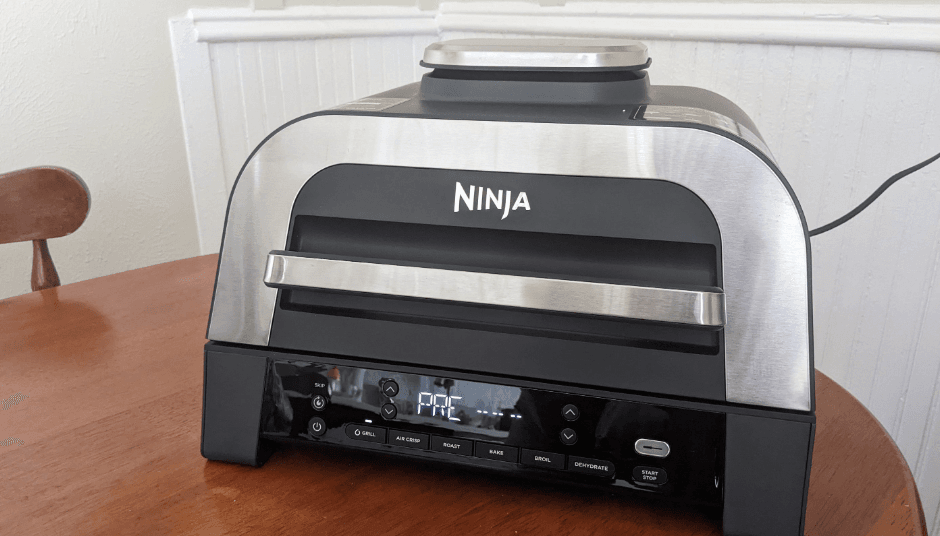

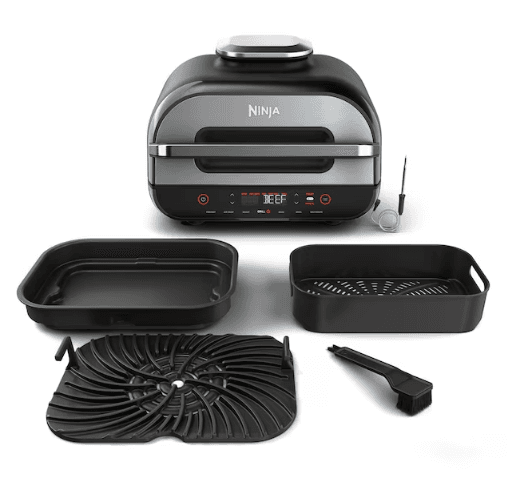
Ninja FG551 Foodi Smart XL 6-in-1 Indoor Grill with Air Fry
IMPORTANT SAFEGUARDS
- To eliminate a choking hazard for young children, discard all packaging materials immediately upon unpacking.
- This appliance can be used by persons with reduced physical, sensory, or mental capabilities or a lack of experience and knowledge if they have been given supervision or instruction concerning the use of the appliance in a safe way and understand the hazards involved.
- Keep the appliance and its cord out of reach of children. DO NOT allow the
appliance to be used by children. Close supervision is necessary when using near children. - This appliance is for household use only. DO NOT use this appliance for anything other than its intended use. DO NOT use in moving vehicles or boats. DO NOT use outdoors. Misuse may cause injury.
- Ensure the surface is level, clean, and dry. DO NOT place the appliance near the edge of a countertop during operation.
- ALWAYS ensure the appliance is properly assembled before use.
- When using this appliance, provide at least 6 inches (15.25 cm) of space above and on all sides for air circulation.
- DO NOT use an extension cord. A short power-supply cord is used to reduce the risk of children grabbing the cord or becoming entangled and to reduce the risk of people tripping over a longer cord.
- To protect against electrical shock, DO NOT immerse the cord, plugs, or main unit
housing in water or other liquid. - DO NOT use the appliance if there is damage to the power cord or plug. Regularly inspect the appliance and power cord. If the appliance malfunctions or has been damaged in any way, immediately stop using it and call.
Customer Service. - NEVER use an outlet below the countertop surface.
- DO NOT place the appliance and let the cord hang over the edges of tables, counters, or touch hot surfaces.
- Only use recommended accessories included with this appliance or authorized by SharkNinja. The use of accessories or attachments not recommended by SharkNinja may cause a risk of fire or injury.
- Before placing any accessory into the cooker, ensure they are clean and dry.
- DO NOT use the appliance without the removable cooking pot and splatter shield installed.
- ALWAYS ensure the hood is fully closed before operating.
- DO NOT move the appliance when in use.
- DO NOT cover the air intake vent or air outlet vent while the unit is operating. Doing so will prevent uneven cooking and may damage the unit or cause it to overheat.
- DO NOT touch hot surfaces. Appliance surfaces are hot during and after operation. To prevent burns or personal injury, ALWAYS use protective hot pads or insulated oven mitts and use available handles and knobs.
- DO NOT touch accessories during or immediately after cooking. The grill grate and basket become extremely hot during the cooking process. Avoid physical contact while removing the accessory from the appliance. To prevent burns or personal injury, ALWAYS use care when interfacing with the product. Recommend the use of long-handled utensils and protective hot pads or insulated oven mittens.
- DO NOT use this appliance for deep-frying.
- DO NOT place hands near the Foodi™ Smart Thermometer cord when in use to prevent burning or scalding.
- The Foodi Smart Thermometer DOES NOT replace an external
food thermometer. - To prevent possible illness, ALWAYS use an external food thermometer to check that your food is cooked to the recommended temperatures.
- Should a grease fire occur or the unit emit black smoke, unplug immediately. Wait for smoking to stop before removing any cooking accessories.
- Please refer to the Cleaning & Maintenance section for regular maintenance of the appliance.
- To disconnect, turn the unit to “off”, then unplug from the socket when not in use
and before cleaning. - Allow to cool before cleaning, disassembling, putting in, or taking off parts and storage.
- DO NOT clean with metal scouring pads. Pieces can break off the pad and touch electrical parts, creating a risk of electric shock.
- Cleaning and user maintenance shall not be made by children.
- DO NOT place on or near a hot gas or electric burner or in a heated oven.
- Extreme caution must be used when moving an appliance containing hot oil or other hot liquids.
PARTS
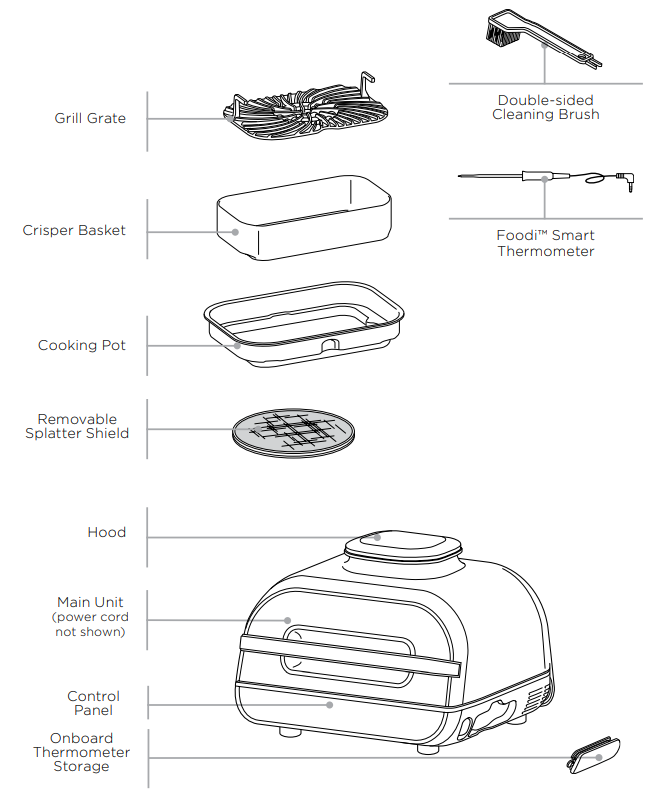
GETTING TO KNOW THE NINJA® FOODI® SMART XL GRILL

FUNCTION BUTTONS
GRILL: Grill indoors while creating even char, grill marks, and grilled flavor.
AIR CRISP: For crispiness and crunch with little to no oil.
BAKE: Bake cakes, treats, desserts, and more.
ROAST: Tenderize meats, roast vegetables, and more.
DEHYDRATE: Dehydrate meats, fruits, and vegetables for healthy snacks.
BROIL: Add the crispy finishing touch to meals or melt cheese on sandwiches.
OPERATING BUTTONS
POWER button: Once the unit is plugged in, press the power button to turn on the unit. Pressing it during cooking stops the current cooking function and turns off the unit.
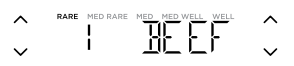
Left arrows: Use the up and down arrows to the left of the display to adjust the cooking temperature in any function or to set the internal doneness when using the PRESET and MANUAL buttons.
Right arrows: Use the up and down arrows to the right of the display to set the food type when using PRESET or to adjust the cook time when not cooking with the Foodi Smart Thermometer.
MANUAL button: Switches the display screen so you can manually set the thermometer’s internal doneness. The manual button does not work with the Dehydrate function.
PRESET button: Switches the display screen so you can set the thermometer, food type, and internal doneness based on the preset temperatures. The preset button does not work with the Dehydrate function.
START/STOP button: After selecting temperature and time, press the START/STOP button to begin cooking.
Standby Mode: If there has been no interaction with the control panel for 10 minutes and the unit is not cooking, the unit will go into Standby Mode, and the control panel will dim.
Preheat: If the unit is preheating, it will be indicated by a progress bar on the display screen, and the PREHEAT button will illuminate. To turn off Preheat, press the PREHEAT button while the grill is in preheat state. ADD FOOD will display
BEFORE FIRST USE
- Remove all packaging material, promotional labels, and tape from the unit.
- Remove all accessories from the package and read this manual carefully. Please pay particular attention to operational instructions, warnings, and important safeguards to avoid any injury or property damage.
- Wash the grill grate, splatter shield, crisper basket, thermometer, cleaning brush, and cooking pot in warm, soapy water, then rinse and dry thoroughly. All accessories, except the thermometer, are dishwasher safe. NEVER clean the main unit or thermometer in the dishwasher.
USING THE NINJA® FOODI® SMART XL GRILL
SPLATTER SHIELD
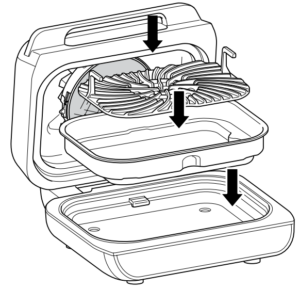
Located on the underside of the hood, the splatter shield keeps the heating element clean. ALWAYS ensure the splatter shield is installed when cooking. Failure to use the A splatter shield will result in oil buildup on the heating element, which can cause smoking.
Removing the splatter shield
Remove the splatter shield for cleaning after every use. Once the splatter shield has cooled completely, remove it by pushing the upper left tab toward the back of the hood. This will release the splatter shield, allowing you to remove i. .t
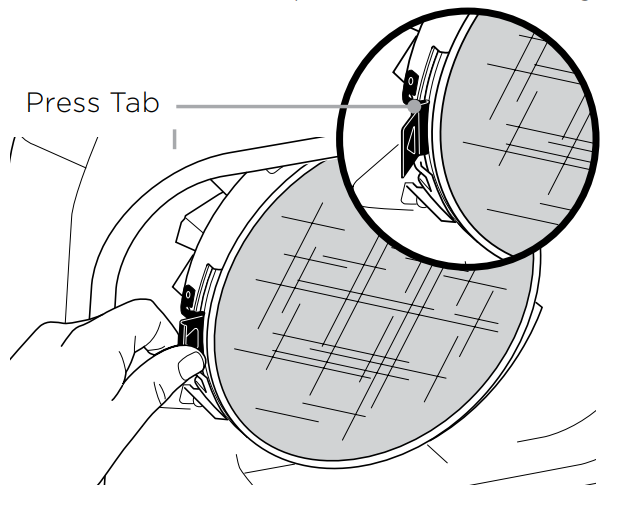
Installing the splatter shield
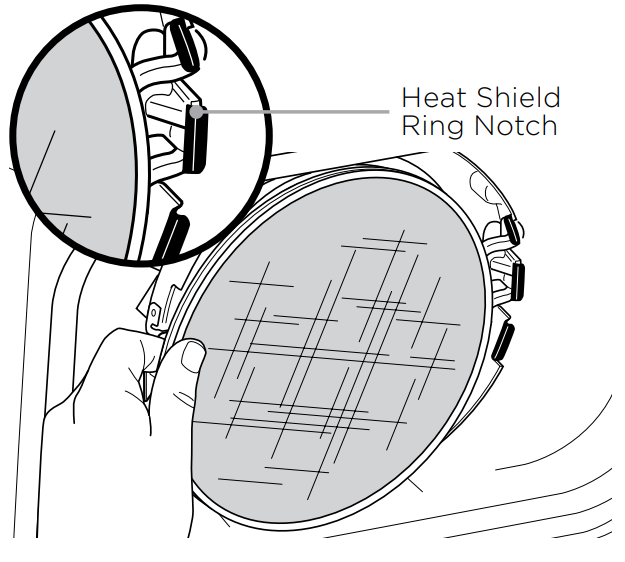
To install, insert the splatter shield so the grooves on the splatter shield ring match
those of the fixed heat shield ring notch on the right. Then gently push the splatter shield upward until it clicks into the tab on the left side.
GRILLCONTROL TECHNOLOGY
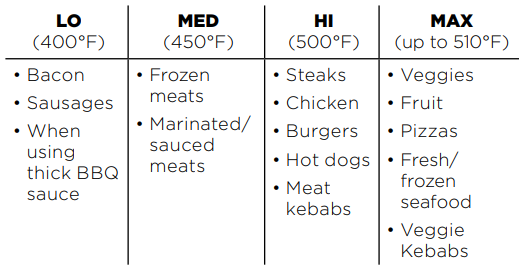
When using the Grill function, you will need to select the grill grate temperature setting.
Below are recommended temperature levels for common ingredients.
Switching to the Grill after using another function
If the unit is already warm from using a different function, “ADD FOOD” may appear
on the screen immediately. We recommend allowing the grill grate to heat up for at least
6 minutes before placing ingredients on it.
Batch grilling
When grilling more than two consecutive batches of food, it is recommended that you empty the fat/oil from the removable cooking pot. It is also HIGHLY recommended to clean the splatter shield in between uses. This will help prevent grease from burning and causing smoke. If you would like to skip the Preheat process, press the PREHEAT button
Before First Use
Make sure the thermometer jack is free of any residue, and the cord is free of knots
before plugging it into the jack.
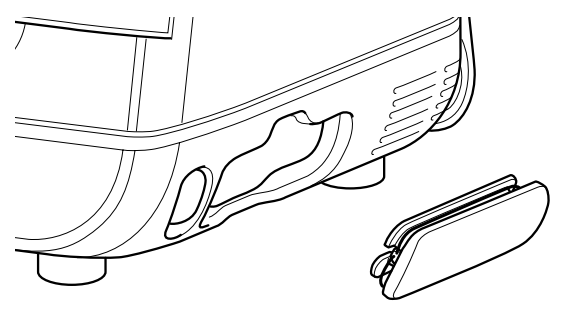
- Pull the thermometer storage compartment on the right side of the unit outward. Then unwind the cord from the compartment to remove the thermometer.
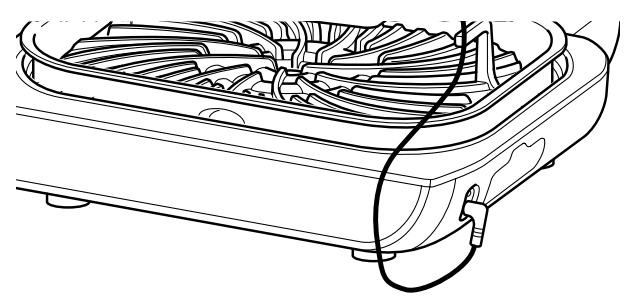
- Plug the thermometer into the jack. Push firmly on the plug until it cannot go into the jack any further. Place the storage compartment back onto the side of the unit.

- Once the thermometer is plugged into the jack will enable and illuminate the
PRESET and MANUAL thermometer buttons. Select the desired cook function
(e.g., Grill) and cooking temperature.
- Press PRESET and use the arrows to the right of the display to select your desired
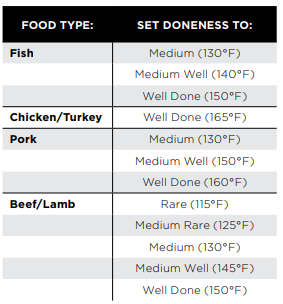
food type and the arrows to the left of the display to set the internal doneness of your food (Rare through Well).

- Place the accessory required for your selected cook function in the unit and close the hood. Press START/STOP to begin preheating.
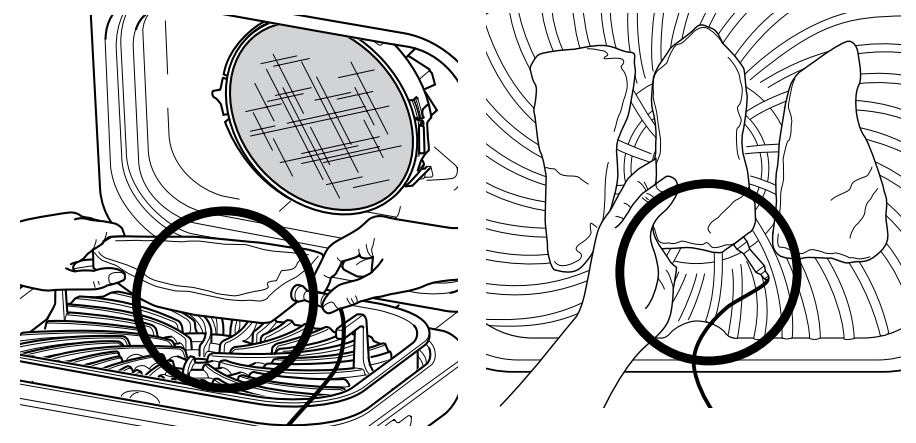
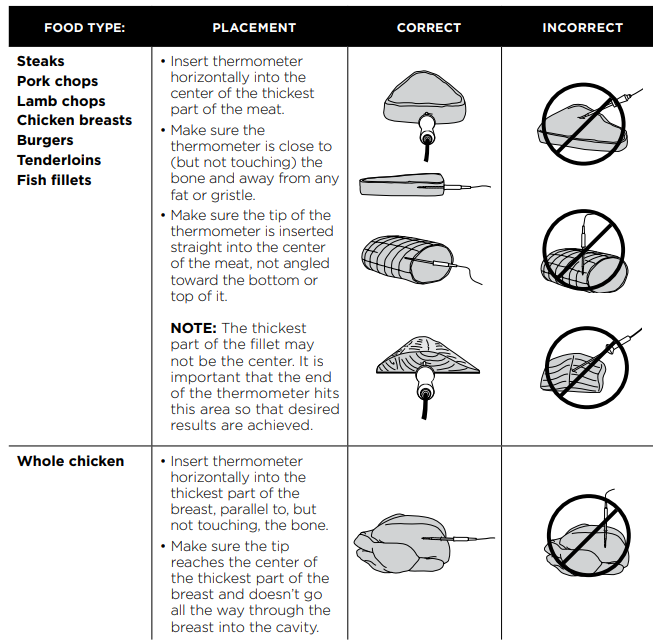
- While the unit is preheating, insert the thermometer horizontally into the center
of the thickest part of the piece of protein. Refer to the chart on the adjacent page
for further thermometer placement instructions. - When the unit has preheated and “ADD FOOD” appears on the screen, open the hood, place the food with the inserted thermometer in the unit, and close the hood over the thermometer cord.

- The progress bar at the top of the display will track doneness. Flashing doneness
indicates progression to that doneness. - The unit will automatically stop when desired doneness is almost reached, as it accounts for carry-over cooking, and “GET FOOD” will display on the screen.
- Transfer the protein to a plate while “REST” displays on the screen. The thermometer does not need to still be inserted. The protein will continue to cook to your set doneness, which will take about 3–5 minutes. This is an important step, as not resting could lead to results looking “less” cooked. Carry-over cook times can vary based on the size of the protein, the cut of the protein, and the type of protein.
USING THE THERMOMETER IN DIFFERENT COOKING SCENARIOS:
Cooking 2 or more proteins of the same size to different levels of doneness:
- Set the Preset feature to the highest desired level of doneness.
- Insert the thermometer in the protein with the desired level of doneness.
- After preheating, place the proteins inside the grill. When the lower desired level of
Doneness is reached; remove the protein without a thermometer. - Continue cooking the remaining protein until the next desired level of doneness is reached. he.d
Cooking 2 or more proteins of different sizes:
- Insert the thermometer in the smaller protein and use the Preset feature to choose the level of doneness.
- When that protein is done cooking, remove it from the unit.
- Using oven mitts, transfer the thermometer to the larger protein and use the arrows to the left of the display to choose its level of doneness.
Cooking 2 or more different types of protein:
- Insert the thermometer into the protein with the lower desired level of doneness.
- Use the Manual feature to choose the desired internal temperature.
- When that protein is done cooking, remove it from the unit.
- Using oven mitts, transfer the thermometer to the other protein and use the Manual feature to choose the desired internal temperature.
HOW TO CORRECTLY INSERT THE THERMOMETER
USING THE NINJA® FOODI® SMART XL GRILL – CONT.
COOKING FUNCTIONS
Plug in the unit and press the power button to turn it on.
Grill
- Place the cooking pot in the unit with the indent on the pot aligned with the bump on the main unit. Then place the grill grate in the pot with the handles facing up. Ensure the splatter shield is in place, then close the hood.

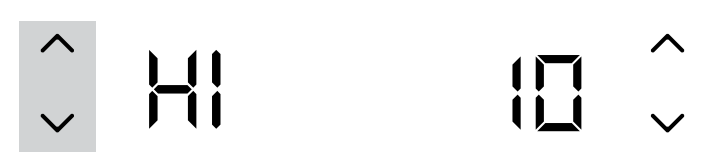
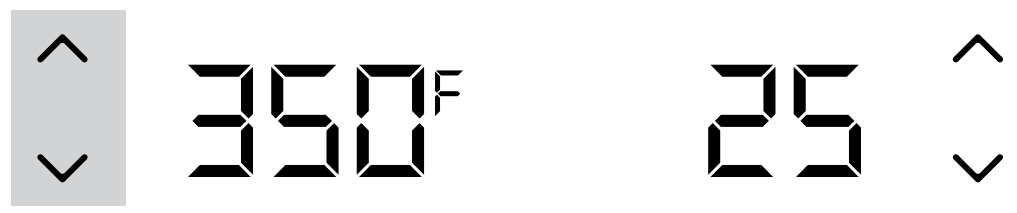
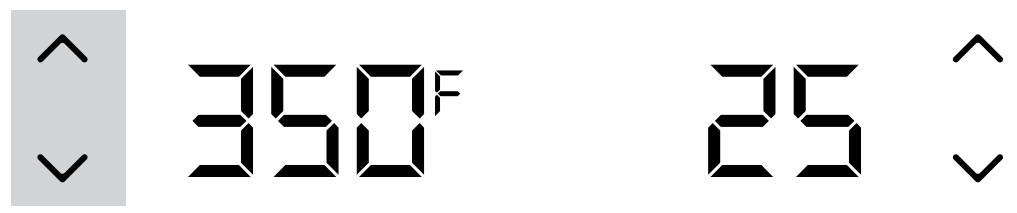
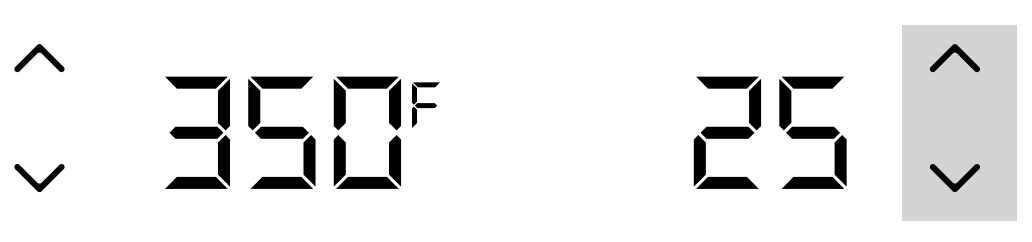
- Press the GRILL button. The default temperature setting will display. Use the set of arrows to the left of the display to adjust the temperature up to MAX.

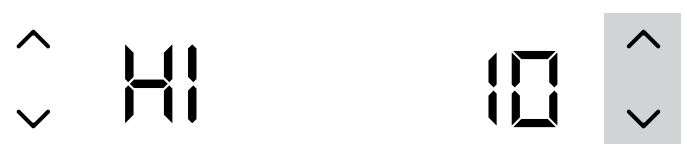
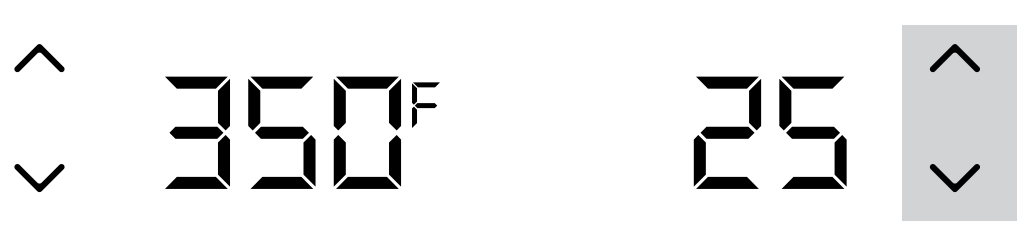
- Use the set of arrows to the right of the display to adjust the cook time, in 1-minute increments, up to 30 minutes, or, if using the thermometer, refer to the instructions on previous pages.

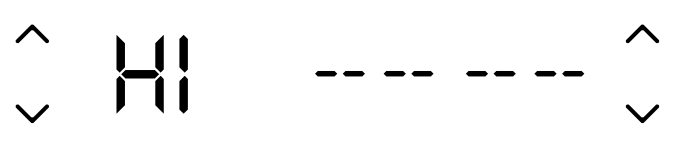
- Press START/STOP to begin preheating. The progress bar will begin illuminating.
It will take approximately 10 minutes for the unit to preheat.
- When preheating is complete, the unit will beep, and “ADD FOOD” will appear on the display. When preheating is complete, the unit will beep, and “ADD FOOD” will appear on the display.

- Open the hood and place ingredients on the grill grate. Once the hood is closed,
Cooking will begin, and the timer will start counting down. - When cook time is complete, the unit will beep and END will appear on the display.


Air Crisp
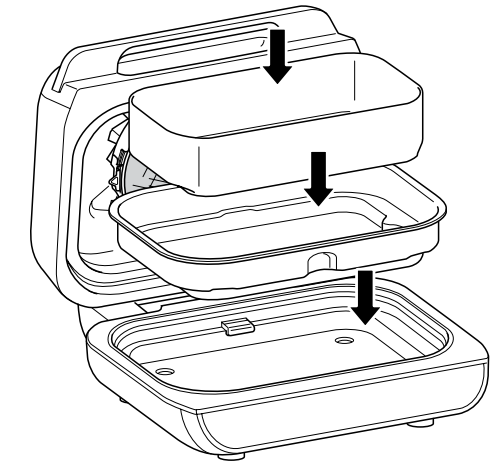
- Place the cooking pot in the unit with the indent on the pot aligned with the bump
on the main unit. Place the crisper basket in the pot. Ensure the splatter shield is in
place, then close the hood.
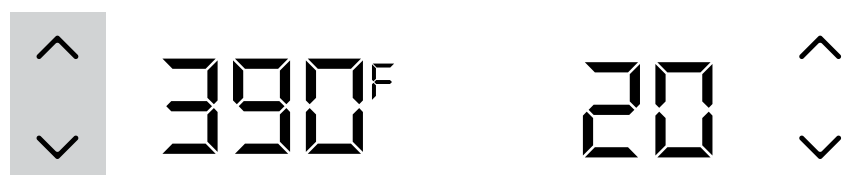
- Press the AIR CRISP button. The default temperature setting will display. Use the set of arrows to the left of the display to adjust the temperature up to 400°F.

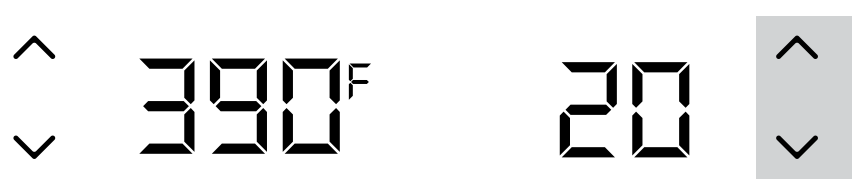
- Use the set of arrows to the right of the display to adjust the cook time, in 1-minute increments, up to 1 hour, or, if using the thermometer, refer to the Using the Foodi™ Smart Thermometer section.

- Press START/STOP to begin preheating. The progress bar will begin illuminating.
It will take approximately 3 minutes for the unit to preheat
- When preheating is complete, the unit will beep, and “ADD FOOD” will appear on
the display. - Open the hood and place ingredients in the crisper basket. Once the hood is closed, cooking will begin, and the timer will start counting down.
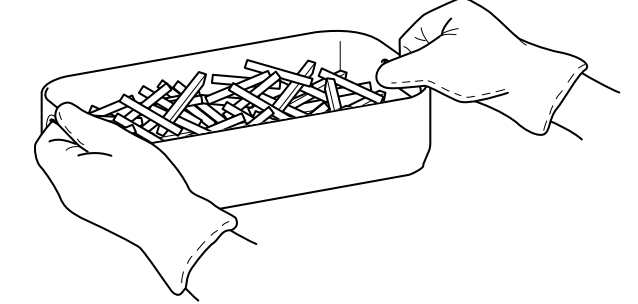
- For best results, we recommend shaking ingredients frequently. When you open the hood, the unit will pause. Use silicone-tipped tongs or oven mittens to shake the basket. When done, replace the basket and close the hood. Cooking will automatically resume after the hood is closed.

- When cook time is complete, the unit will beep and END will appear on the display.




Roast
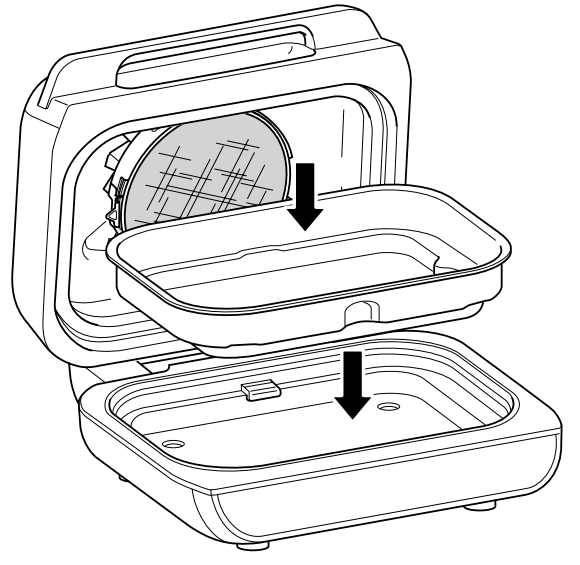
- Place the cooking pot in the unit with the indent on the pot aligned with the bump
on the main unit. Ensure the splatter shield is in place, then close the hood.
- Press the ROAST button. The default temperature setting will display. Use the set of arrows to the left of the display to adjust the temperature up to 425°F.

- Use the set of arrows to the right of the display to adjust the cook time in 1-minute increments up to 1 hour and 5-minute increments from 1 to 4 hours, or, if using the thermometer, refer to the Using the Foodi Smart Thermometer section.

- Press START/STOP to begin preheating. The progress bar will begin illuminating. It will take approximately 3 minutes for the unit to preheat.

- When preheating is complete, the unit will beep, and “ADD FOOD” will appear on the display.
- Open the hood and place ingredients in the pot. Once the hood is closed, cooking will begin, and the timer will start counting down.
- When cook time is complete, the unit will beep and END will appear on the display.



Bake
- Place the cooking pot in the unit with the indent on the pot aligned with the bump
on the main unit. Ensure the splatter shield is in place, then close the hood.
- Press the BAKE button. The default temperature setting will display. Use the set of arrows to the left of the display to adjust the temperature up to 400°F.
- Use the set of arrows to the right of the display to adjust the cook time in 1-minute increments, up to 1 hour, and in 5-minute increments from 1 to 2 hours, or, if using the thermometer, refer to the Foodi™ Smart Thermometer section.
- Press START/STOP to begin preheating. The progress bar will begin illuminating. It will take approximately 3 minutes for the unit to preheat
- When preheating is complete, the unit will beep, and “ADD FOOD” will appear on the display
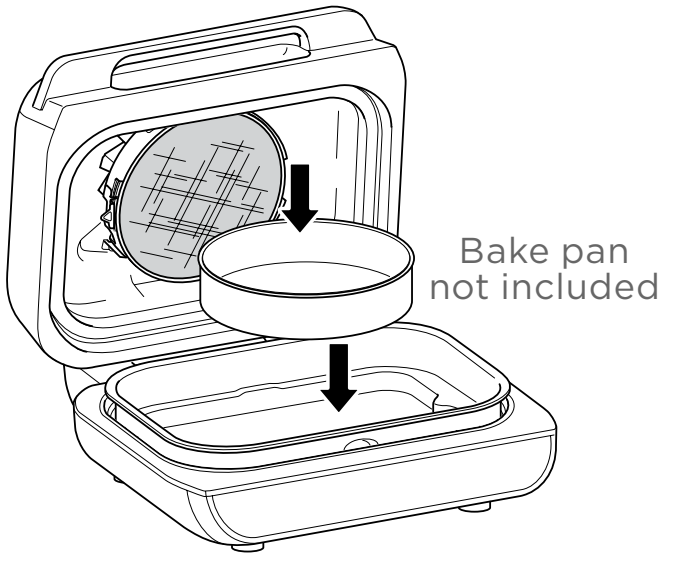
- Open the hood and add ingredients to the pot or set the baking pan directly in the pot, and close the hood to start cooking. Once the hood is closed, cooking will begin, and the timer will start counting down.
- When the cook time is complete, the unit will beep, and END will appear on the display.y



Dehydrate
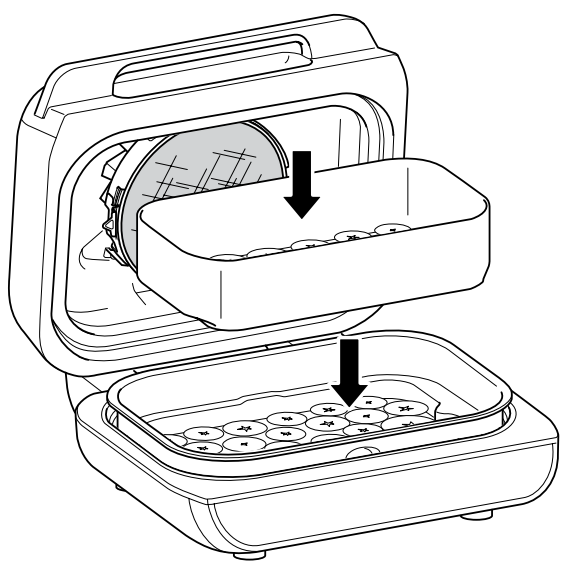
- Place the cooking pot in the unit with the indent on the pot aligned with the bump on the main unit. Place a single layer of ingredients in the pot. Then place the crisper basket in the pot on top of the ingredients and add another layer of ingredients to the basket. Ensure the splatter shield is in place, then close the hood

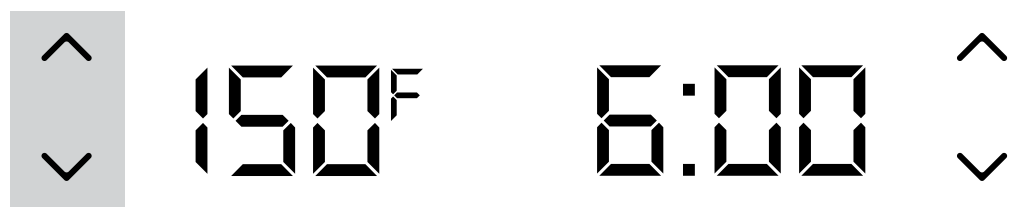
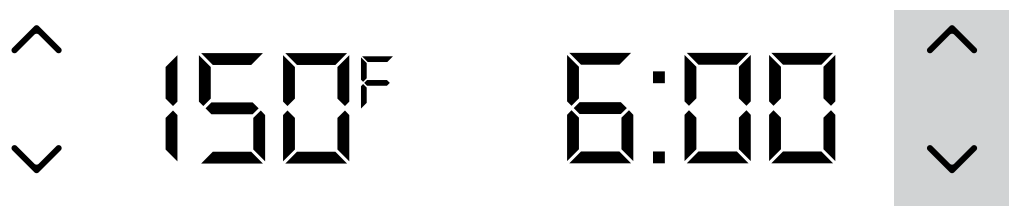
- Press the DEHYDRATE button. The default temperature setting will display. Use the set of arrows to the left of the display to adjust the temperature up to 195°F.

- Use the set of arrows to the right of the display to adjust the dehydration time, in
15-minute increments, up to 12 hours.
- Press START/STOP to begin. (The unit does not preheat in Dehydrate mode.)
- When dehydration time is complete, the unit will beep, and END will appear on the display.

Broil
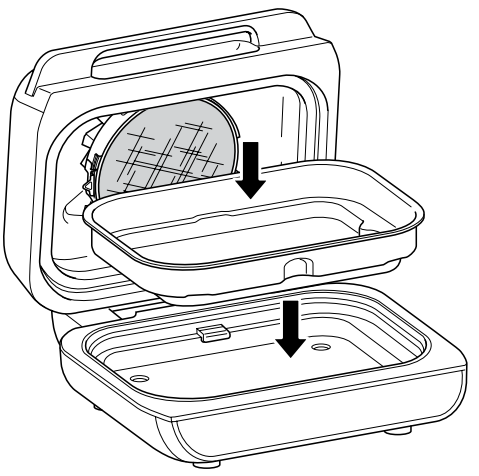
- Place the cooking pot in the unit with the indent on the pot aligned with the bump
on the main unit. Place ingredients in the pot. Ensure the splatter shield is in place,
then close the hood.
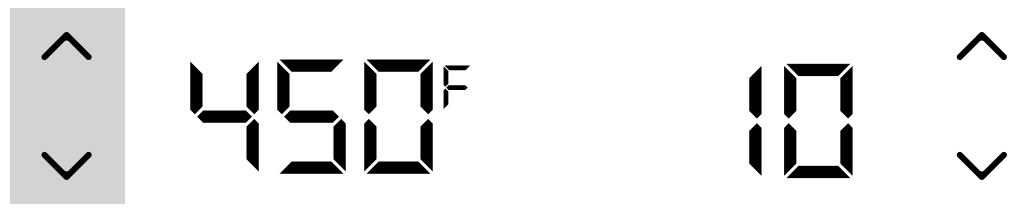
- Press the BROIL button. The default temperature setting will display. Use the set of arrows to the left of the display to adjust the temperature up to 500°F.

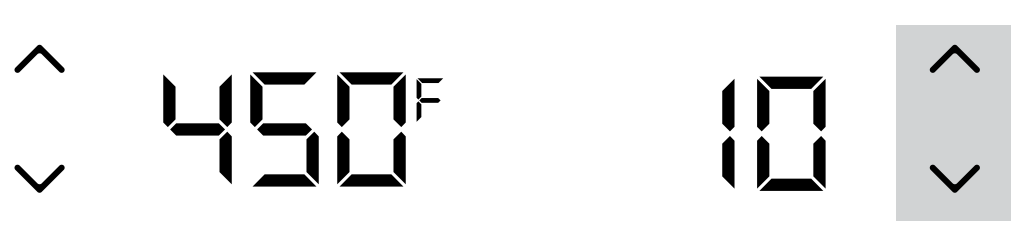
- Use the set of arrows to the right of the display to adjust the cook time in 1-minute increments up to 30 minutes, or, if using the thermometer, refer to the Using the Foodi™ Smart Thermometer section.

- Press START/STOP to begin. (The unit does not preheat in Broil mode.)
- When cook time is complete, the unit will beep and END will appear on the display.

CLEANING YOUR NINJA® FOODI® SMART XL GRILL
- Unplug the unit from the wall outlet before cleaning. Keep the hood open after removing your food to allow the unit to cool quicker.
- The cooking pot, grill grate, crisper basket, splatter shield, cleaning brush, and any other included accessories are dishwasher safe, except the thermometer. DO NOT place the thermometer in the dishwasher.
- For the best dishwasher cleaning results, we recommend rinsing the grill grate, crisper basket, splatter shield, and any other accessories with warm water
before placing them in the dishwasher. - If hand-washing, we recommend using the included cleaning brush to help wash the parts. Use the opposite end of the cleaning brush as a scraper to assist with releasing baked-on sauces or cheese. Air-dry or towel-dry all parts after hand-washing.
- If food residue is stuck on the grill grate, splatter shield, or any other removable part, soak it in warm soapy water before cleaning.
- Clean the splatter shield after every use. Soaking the splatter shield overnight will help soften the baked-on grease. After soaking, use the cleaning brush to remove the grease from the stainless steel frame and front tabs.
- Deep clean the splatter shield by putting it in a pot of water and boiling it for 10 minutes. Then, rinse with room temperature water and allow to dry completely.
- The Foodi Smart Thermometer and holder are hand-wash only. DO NOT immerse any part of the thermometer in water or any other liquid. We recommend cleaning with a damp cloth only.
TROUBLESHOOTING
- “Add Food” appears on the control panel display.
The unit has completed preheating, and it is now time to add your ingredients. - “Shut Lid” appears on the control panel display.
The hood is open and needs to be closed for the selected function to start. - “Plug In” appears on the control panel display.
The thermometer is not plugged into the jack on the right side of the control panel. Plug the thermometer in before proceeding. Press the thermometer in until you hear a click. - “PRBE ERR” appears on the control panel display.
This means the unit timed out before food reached the set internal temperature.
As a protection for the unit, it can run for only certain lengths of time at specific
temperatures. - “E” appears on the control panel display.
The unit is not functioning properly. Contact Customer Service at 1-877-646-5288. So we may better assist you - Why is my food overcooked or undercooked even though I used the thermometer?
It is important to insert the thermometer lengthwise into the thickest part of the
ingredient to get the most accurate reading. Make sure to allow food to rest for
3–5 minutes to complete cooking. For more information, refer to the Using the Foodi™ Smart Thermometer section. - Why does the preheat progress bar not start from the beginning?
When the unit is warm from previously being used, it will not require the full preheating time. - Can I cancel or override preheating?
Preheating is highly recommended for best results, but you can skip it by selecting the PREHEAT button after you press the START/STOP button. - Should I add my ingredients before or after preheating?
For best results, let the unit preheat before adding ingredients. - Why is my unit emitting smoke?
When using the Grill function, always select the recommended temperature setting. Recommended settings can be found in the Quick Start Guide and the Inspiration Guide. Make sure the splatter shield is installed. - How do I pause the unit so I can check my food?
When the hood is opened during a cooking function, the unit will automatically pause. - Will the thermometer grip melt if it touches the hot grill grate?
No, the grip is made of a high-temperature silicone that can handle the Ninja® Foodi® Smart XL Grill’s high temperatures. - My food is burned.
Do not add food until the recommended preheat time is complete. For best results, check progress throughout cooking, and remove food when the desired level of brownness has been achieved. Remove food immediately after the cook time is complete to avoid overcooking. - Why did a circuit breaker trip while using the unit?
The unit uses 1760 watts of power, so it must be plugged into an outlet on a 15-amp
circuit breaker. Using an outlet on a 10-amp breaker will cause the breaker to trip. It is also important that the unit be the only appliance plugged into an outlet when in use. To avoid tripping a breaker, make sure the unit is the only appliance plugged into an outlet on a 15-amp breaker. - Why does the unit have a 1–9 scale for the Beef Preset?
Perception of what a specific internal doneness looks like differs from person to person, even from restaurant to restaurant. The 1–9 scale provides a wide range of options for each doneness level, so you can customize doneness to your liking.
FOR MORE MANUALS BY NINJA, VISIT MANUALSLIBRARYY
Ninja FG551 Foodi Smart XL 6-in-1 Indoor Grill with Air Fry-FAQs
Can you use the Ninja Foodi grill without the thermometer?
Yes! The thermometer is optional but helps with precision cooking. You can manually set cooking times and temperatures.
Can the Ninja Foodi Smart XL grill bake?
Absolutely! It works as a countertop oven, baking cookies, bread, and casseroles efficiently.
How much power does the Ninja Foodi Smart XL use?
It operates on standard household electricity (120V). Exact wattage varies by function but is energy-efficient.
Is the Ninja Foodi Smart XL dishwasher-safe?
Yes, most parts are dishwasher-safe, including:
Grill grate
Crisper basket
Splatter shield
Cleaning brush
Do NOT wash the thermometer or base unit in the dishwasher.
Is the Ninja grill non-stick?
Yes! The removable grill plates have a non-stick ceramic coating for easy cleaning.
Can you line the Ninja Foodi grill with foil?
Yes, aluminum foil is safe to use for easier cleanup—just avoid blocking airflow.
Is the Ninja Foodi Smart XL worth buying?
Yes! It’s a versatile, space-saving appliance that replaces multiple kitchen gadgets (grill, air fryer, oven, dehydrator).
Can you air fry in the Ninja Foodi XL?
Yes! The Air Crisp function works like an air fryer for crispy foods with 95% less oil than deep frying.
Can you cook ribs on the Ninja indoor grill?
Yes! Use the Grill or Roast function for tender, BBQ-style ribs.
Where is the lid sensor on the Ninja Foodi?
A metal pin inside the lid detects if it’s closed for safe operation.
What is the lowest temperature setting?
The Dehydrate function goes as low as 105°F (40°C) for gentle drying.