
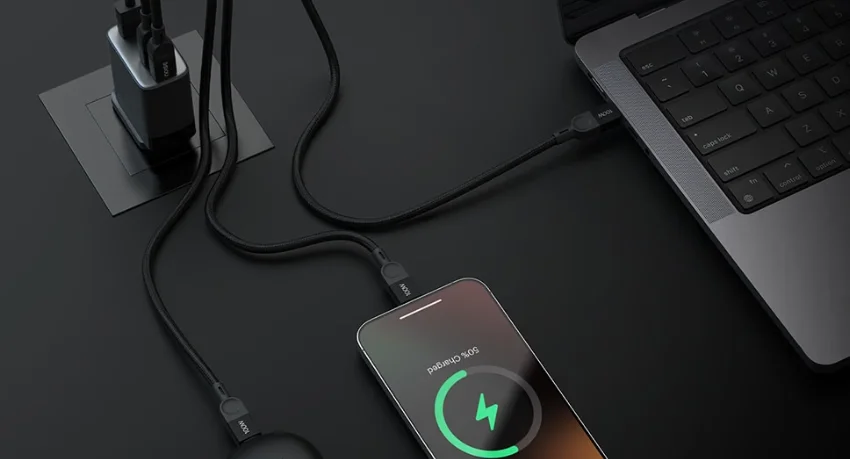

Noise Power Series 65W GaN Adapter
WHAT’S IN THE BOX
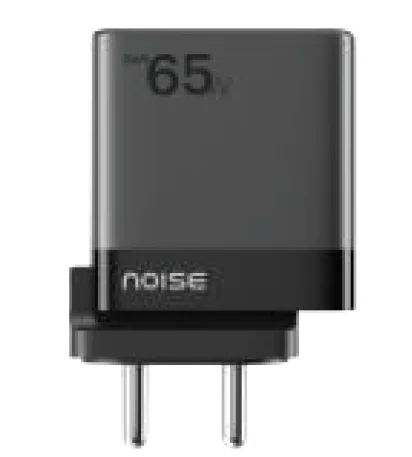
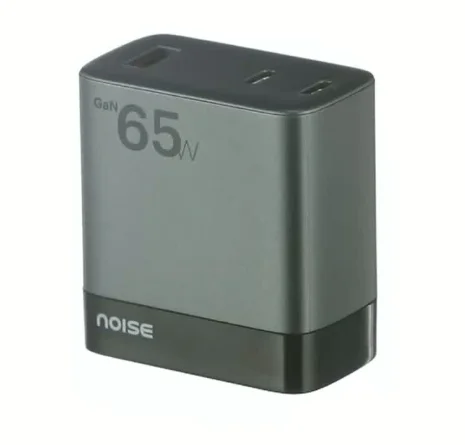
- Noise Power Series 65W GaN Adapter x 1
- User manual x 1
- Warranty card x 1
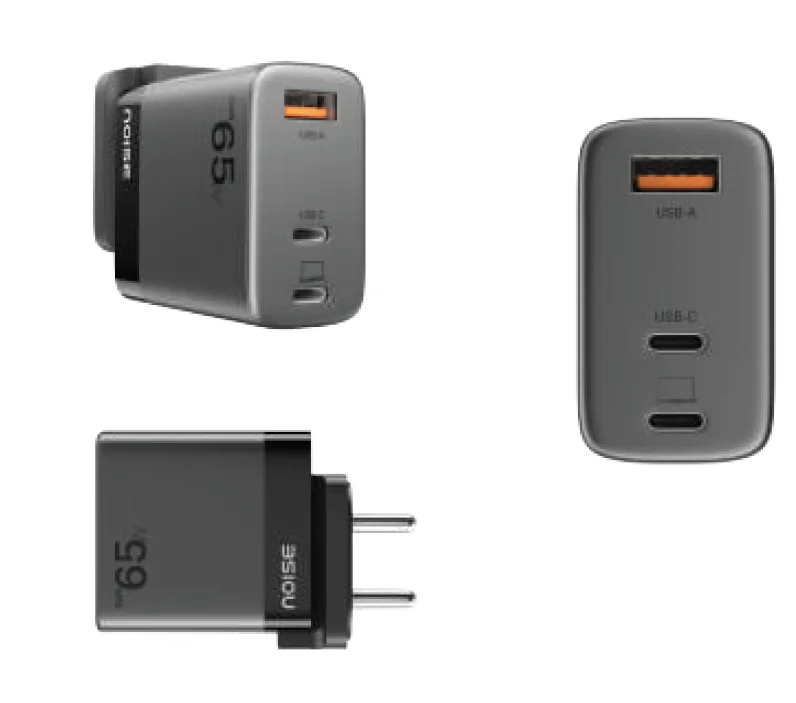
PRODUCT APPEARANCE AND STRUCTURE
HOW TO USE THE NOISE POWER ADAPTER
- Plug the adapter into the socket
- Connect a charging cable (not included with this product) at one end to the adapter and your device/s at the other end
- Disconnect the device/s after it has been fully charged
Tip: For the fastest and safest charge, use a Noise Power Series cable or your device’s original cable.
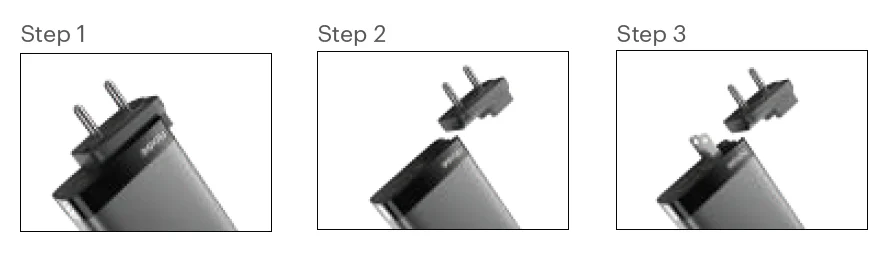
How to use the US Pin in the Noise Power Adapter?
- Detach the India Pin: Gently slide the India pin outward from the adapter.
- Extend the US Pin: Pull up the US pin by lifting it from its recessed position.
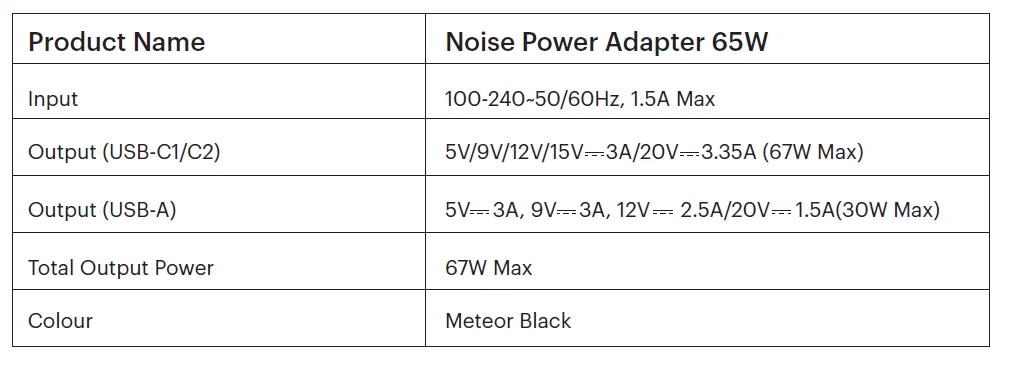
PERFORMANCE INDEX
FEATURES
- Advanced 65W adapter with fast-charging technology
- Compact form factor with a size reduction of 30-50% than traditional adapters
- GaN (Gallium Nitride) technology for efficient power delivery and low heat generation
- Intelligent power management for optimal charging speeds
- USB-A and 2 USB-C ports for versatile device compatibility
- Built-in protection against overcharging
- Sleek metallic finish with a premium look and feel
- Lightweight and portable design for hassle-free travel
- Global compatibility with India and the US pins
TROUBLESHOOTING
- For optimum performance, please use the adapter after carefully going through this user manual
- Please plug the adapter into an AC socket with a rated voltage of 100-240V.
- Do not use the adapter with any product that is not in conformity with the rated specifications of this adapter.
- If the adapter stops working suddenly, it may be due to an incident of overcurrent, overtemperature, overvoltage, or short-circuit protection. In this case, please unplug the connected device(s). Reconnect your device(s) after 30 seconds, and the adapter will resume normal functioning.
DISPOSAL AND RECYCLING INFORMATION
Electrical and electronic devices may not be disposed of with domestic waste. Consumers are obliged by law to return the electrical and electronic devices at the end of their service lives to the public collection points set up for this purpose or the point of sale. Details of this are defined by the national law of the respective country. By recycling, reusing materials or other forms of utilizing old devices, you are making an important contribution to protecting our environment.
SAFETY INSTRUCTIONS
- Do not place the adapter close to any sources of heat, such as fire, stove, candles, etc.
- Please ensure that no form of liquid is spilt on the adapter. (Any such spill of any liquid on the adapter voids the warranty on the product.)
- The disconnection from line voltage is made by an AC plug.
- In case of broken plugs, the product must be disposed of.
- If you want to clean the product, only use a dry cloth or brush.
- The socket-outlet shall be installed near the equipment and shall be easily accessible.
- The power supply is not intended to be repaired by service personnel in case of failure or component defect (the product can be disposed of).
- For the fastest and safest charge, use a Noise Power Series cable or your device’s original cable.
CUSTOMER SUPPORT
If you experience any problem with the adapter, please contact us at support.gonoise.in
For more manuals by GoNoise, visit ManualsLibraryy
Noise Power Series 65W GaN Adapter-FAQs
What does GaN mean in an adapter?
GaN stands for Gallium Nitride, a material that is more efficient than traditional silicon. GaN adapters are smaller, generate less heat, and can charge devices faster—up to ten times quicker than standard chargers.
How fast can a 65W GaN charger charge my devices?
A 65W GaN charger delivers fast charging for most smartphones, tablets, and ultrabooks. Smartphones typically reach 100% in 1–2 hours, while laptops may take 2–4 hours depending on battery size.
How many amps does a 65W adapter provide?
Depending on the voltage, a 65W charger can deliver around 3.25A to 4.3A.
Is a 65W charger enough for laptops and phones?
Yes. A 65W GaN charger can power devices that normally use 45W chargers, including ultrabooks like MacBook Air, Dell XPS 13, tablets, and most flagship smartphones.
Can I use a 65W charger with a 100W device?
You can use it, but charging may be slower, as the charger provides less power than the device’s maximum rating.
Does a GaN charger overheat?
GaN chargers are highly efficient and produce less heat than silicon chargers. However, overheating is still possible if used in very hot environments or with incompatible devices.
What are the disadvantages of GaN chargers?
Some drawbacks include higher cost, potential compatibility issues, and concerns about long-term durability due to newer technology.
Do chargers stop automatically when the device is fully charged?
Yes. Most modern chargers, including GaN adapters, have built-in protection to stop charging automatically when the battery reaches 100%.
What is the 80/20 rule for battery charging?
Charge your device up to 80% for daily use and only go to 100% when necessary, like before a long trip. Avoid letting the battery drop below 20% regularly.
Should I unplug my charger at 100%?
It’s recommended. Leaving a device plugged in continuously can keep the battery at high stress, potentially accelerating wear and reducing lifespan.