
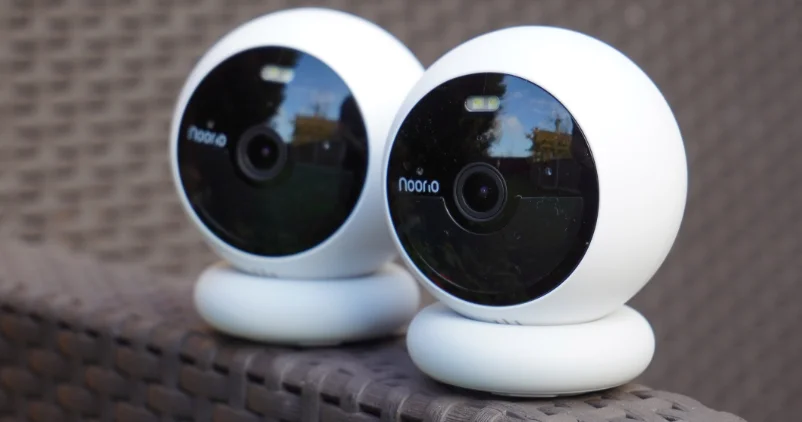

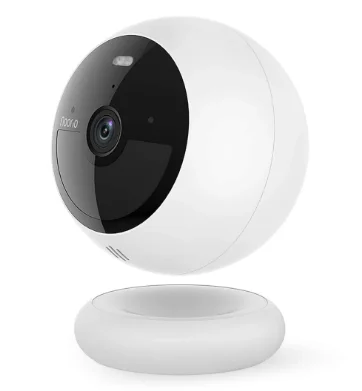
Noorio B200 Wireless Security Camera
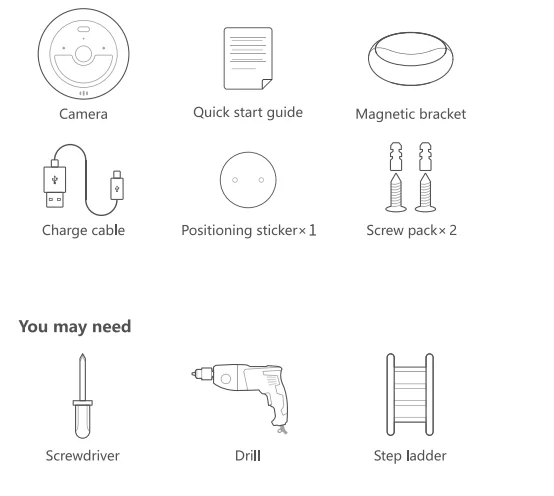
What’s Included
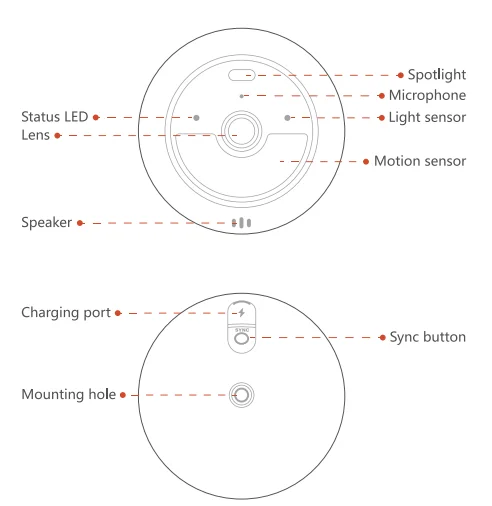
Product Overview
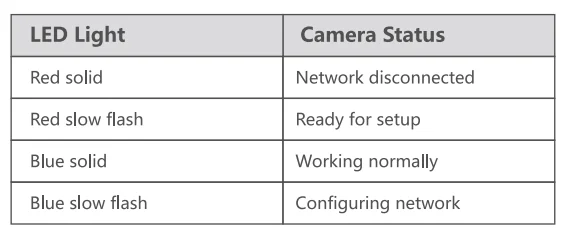
LED Indication
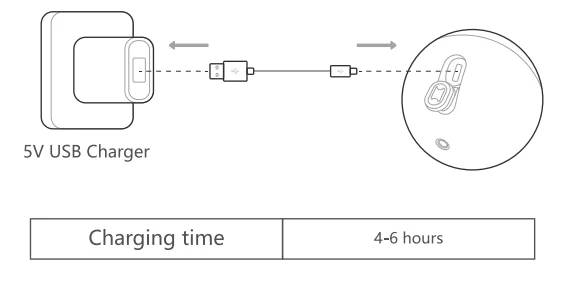
Charging Device
Set Up Your Device
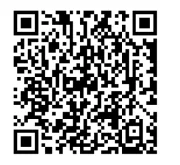
- Scan the code below to get the app.
- Tap “Set Up a Device” to add your camera.

To access the distribution network setup methods and get more assistance, please scan the QR code below.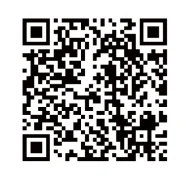
Installation Instructions
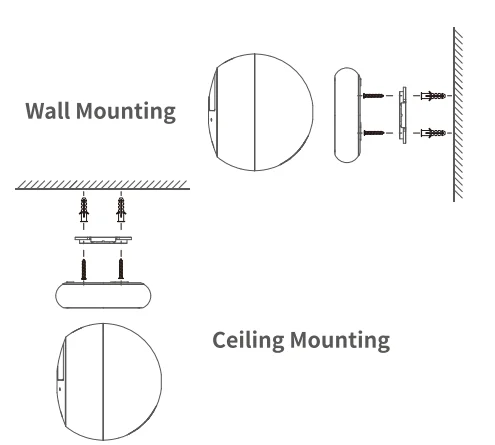
The wall must be able to support at least three times the weight of the camera. The product is compatible with both ceiling and wall mounting.
Installation steps:
- Drill holes into the wall.
- Insert expansion screws (not required for wooden walls).
- Secure the bracket with screws.

FAQ
What if the device is offline?
- Check if the Wi-Fi signal is normal (currently, the camera only supports 2.4 GHz Wi-Fi).
- Detect whether the device is offline because of no power. You need to charge the device; it is recommended to use a DC5V/2A adapter.
- Short-press SYNC once after the device is fully charged and the blue light is on. If the blue light of the device is not on, long-press SYNC for more than 6 seconds to reset and rewire the network.
What if I don’t receive alarm messages?
If you notice that the camera detects events but your phone does not receive notifications, please check whether message push is enabled in your app settings and if your phone has granted notification permissions for the app.
What if the charge doesn’t respond?
- Check if the power adapter and charging TYPE-C cable are bad; it is recommended to use a DC5V/2A adapter.
- The blue light is always on after charging, and it takes 4–8 hours to charge fully.
- The blue light is not always on after charging up.
Equipment cannot be added.
- It is recommended to charge the new device for 4–8 hours, and it is recommended to use a DC5V/2A adapter.
- Check whether the Wi-Fi signal is normal. Currently, the camera only supports 2.4G Wi-Fi and does not support dual-band Wi-Fi (2.4G and 5G).
- Make sure the Wi-Fi password is entered correctly. If there is any problem with all of the above steps, contact customer service for troubleshooting.
Notice
FCC Statement
This device complies with Part 15 of the FCC Rules. Operation is subject to the following two conditions:
- This device may not cause harmful interference.
- This device must accept any interference received, including interference that may cause undesired operation.
Caution: Any changes or modifications not expressly approved by the party responsible for compliance could void the user’s authority to operate the equipment.
Note: This equipment has been tested and found to comply with the limits for a Class B digital device under Part 15 of the FCC Rules. These limits are designed to protect reasonably against harmful interference in a residential installation. This equipment generates, uses, and can radiate radio frequency energy and, if not installed and used according to the instructions, may cause harmful interference to radio communications.
However, there is no guarantee that interference will not occur in a particular installation. Suppose this equipment does cause harmful interference to radio or television reception, which can be determined by turning the equipment off and on. In that case, the user is encouraged to try to correct the interference by one or more of the following measures:
- Reorient or relocate the receiving antenna.
- Increase the separation between the equipment and receiver.
- Connect the equipment to an outlet on a circuit different from the receiver’s.
- Consult the dealer or an experienced radio/TV technician for help.
Radio Frequency Exposure Statement
The device has been evaluated to meet general RF exposure requirements. The device can be used in fixed/mobile exposure conditions. The minimum separation distance is 20 cm.
This product complies with the radio interference requirements of the European Community.
Declaration of Conformity
This product complies with the essential requirements and other relevant provisions of Directive 2014/53/EU. For the declaration of conformity, visit https://www.nooriolife.com/.
This symbol means the product must not be discarded as household waste and should be delivered to an appropriate collection facility for recycling. Proper disposal and recycling help protect natural resources, human health, and the environment. For more information on the disposal and recycling of this product, contact your local municipality, disposal service, or the shop where you bought this product.
IC Statement
This device complies with Industry Canada license-exempt RSS standard(s). Operation is subject to the following two conditions:
- This device may not cause interference.
- This device must accept any interference, including interference that may cause undesired operation of the device.
IC RF Statement
When using the product, maintain a distance of 20 cm from the body to ensure compliance with RF exposure requirements.
For More Manuals By Noorio, Visit ManualsLibraryy.
Noorio B200 Wireless Security Camera-FAQs
Is the Noorio B200 waterproof?
Yes. The Noorio B200 has an IP66 rating, making it dustproof and safe from rain, sprinklers, and powerful water jets. It works reliably outdoors.
Does the Noorio B200 record all the time?
Yes. It supports 24/7 continuous recording and automatic motion tracking to ensure no activity is missed.
How long does the battery last?
A fully charged battery lasts 3–6 months, depending on usage, motion detection frequency, and environmental conditions.
Does the Noorio B200 have night vision?
Yes. It is equipped with night vision, allowing clear footage in low light or complete darkness.
Is the Noorio B200 suitable for outdoor use?
Absolutely. With its wireless setup, waterproof design, and durable build, it works well both indoors and outdoors.
Does the Noorio B200 require a subscription?
No. The camera comes with 16GB local storage and does not require any subscription or hidden fees.
How do I know if the camera is recording?
Typically, the LED light indicates activity. A red light often means the camera is recording or in active mode, while a solid blue light shows normal operation.
Can the Noorio B200 work without Wi-Fi or internet?
Yes. The camera can record to local storage without an internet connection. Remote viewing may require Wi-Fi.
What is the maximum number of Noorio cameras I can use?
You can connect up to 4 cameras and 64 sensors to one Noorio Smart Hub.