
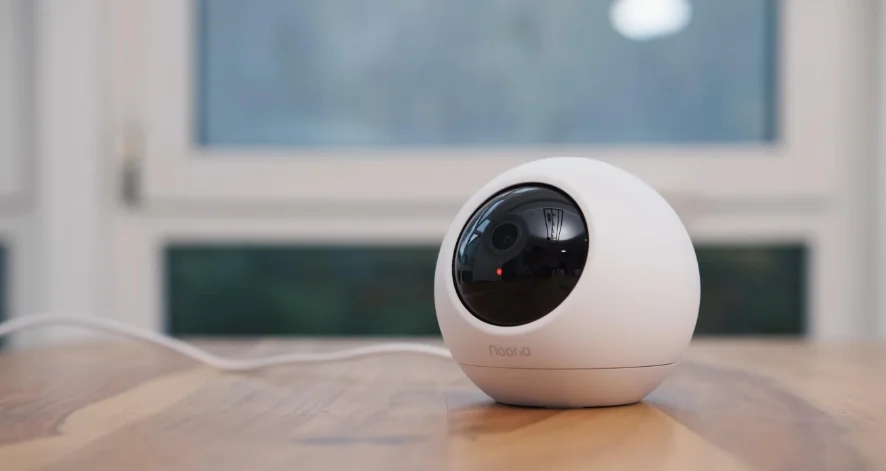

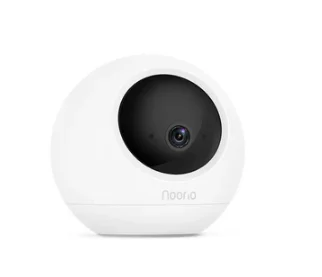
Noorio B211 Battery Wireless Security Camera
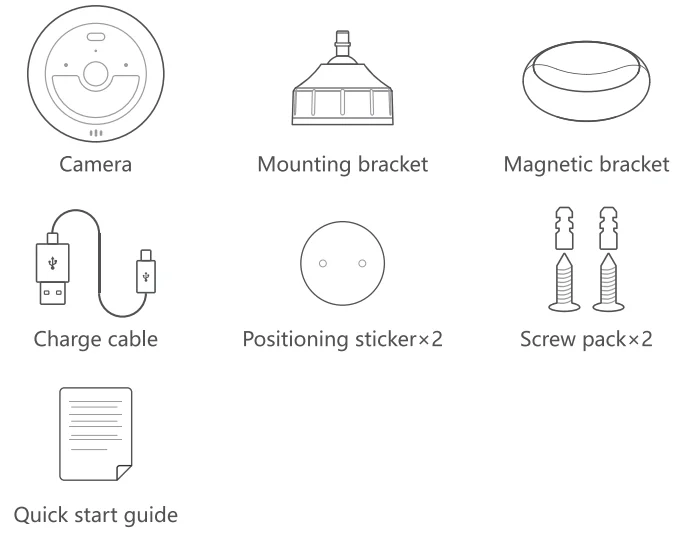
What’s Included
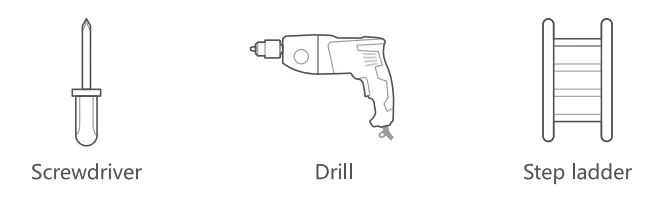
You may need
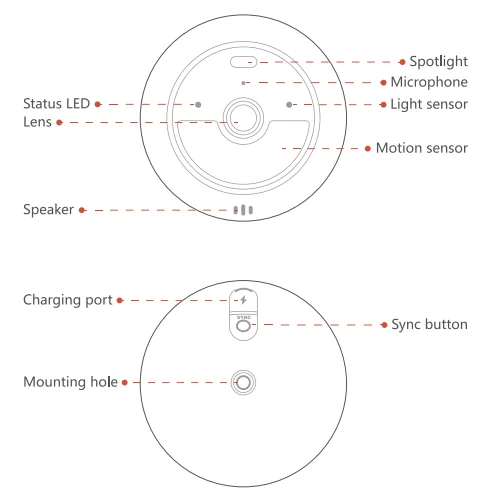
Product Overview
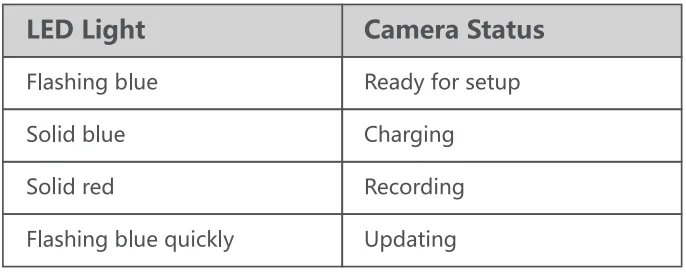
LED Indication
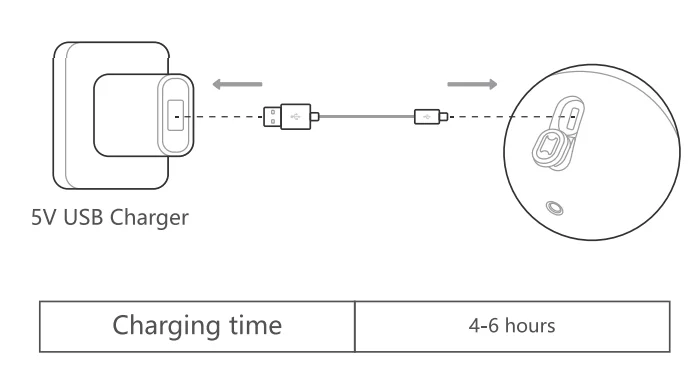
Charging Device
Set Up Your Device
- Scan the code below to get the Noorio app.
- Tap “Set Up a Device” to add your camera.
For online help and support, visit https://support.nooriolife.com/
Notice
FCC Statement
This device complies with Part 1 S of the FCC Rules. Operation is subject to the following two conditions:
- This device may not cause harmful interference.
- This device must accept any interference received, including interference that may cause undesired operation.
Caution: Any changes or modifications not expressly approved by the party responsible for compliance could void the user’s authority to operate the equipment.
Note: This equipment has been tested and found to comply with the limits for a Class B digital device under Part 15 of the FCC Rules. These limits are designed to protect reasonably against harmful interference in a residential installation. This equipment generates uses and can radiate radio frequency energy and, if not installed and used according to the instructions, may cause harmful interference to radio communications. However, there is no guarantee that interference will not occur in a particular installation. Suppose this equipment does cause harmful interference to radio or television reception, which can be determined by turning the equipment off and on. In that case, the u~ ~ is encouraged to try to correct the interference by one or more of the following measures:
- Reorient or relocate the receiving antenna.
- Increase the separation between the equipment and receiver.
- Connect the equipment to an outlet on a circuit different from the receivers.
- Consult the dealer or an experienced radio/TV technician for help.
Radio Frequency Exposure Statement
The device has been evaluated to meet general RF exposure requirements. The device can be used in fixed/mobile exposure conditions. The min separation distance is 20cm.
 This product complies with the radio interference requirements of the European Community.
Declaration of Conformity
This product complies with the essential requirements and other relevant provisions of Directive 2014/S3/EU. For the declaration of conformity, visit https://www.nooriolife.com/
Battery Safety (Only for products that have batteries)
Do not expose the device to fire. Explosion or other hazard. Do not use the device in an environment at too hot or too cold. Never expose the device to strong sunshine or too too-wet environment. It is recommended to charge the device in an environment with a normal room temperature and good ventilation.
 This symbol means the product must not be discarded as household waste, and should be delivered to an appropriate collection facility for recycling. Proper disposal and recycling help protect natural resources, human ea lth ,and the environment. For more information on dithe sposal and recycling of this product, contact your local municipality, disposal service, or the shop where you bought this product.
IC Statement
This device complies with Industry Canada licence-exempt RSS standard( s).Operation is subject to the following two conditions.
- This device may not cause interference, and
- This device must accept any interference, including interference that may cause undesired operation of the device.
IC RF Statement
When using the product, maintain a distance of 20cm from the body to ensure compliance with RF exposure requirements.
Customer Service
Warrant1-year limited warranty
Email Us
Customer Support [email protected]
Noorio Innovations Limited
Office 216 2nd Floor, Alpha House, 27-33 Nathan Road, Tsim Sh, Tsui,
Kowloon, Hong Kong
For more manuals by Noorio, visit ManualsLibraryy
Noorio B211 Battery Wireless Security Camera- FAQs
How long does the Noorio B211 battery last?
A fully charged Noorio B211 battery typically lasts 3 to 6 months, depending on how often motion events are triggered, the recording length, Wi-Fi strength, and temperature conditions.
How long does it take to charge the Noorio B211 camera?
It takes about 4–6 hours to fully charge the B211 using a 5V/2A charger, or around 12 hours with a 5V/1A charger.
Can I leave my Noorio camera charging overnight?
Yes. It’s safe to charge your camera overnight using the original charger. The built-in overcharge protection keeps the battery safe.
How do I know if the Noorio B211 is charging?
The LED indicator glows solid blue while charging. When the light turns off, the battery is fully charged.
What type of battery does the Noorio B211 use?
The B211 is powered by a built-in rechargeable lithium battery, designed for long-term use and recharging convenience.
How long do Noorio camera batteries last before replacement?
Rechargeable lithium batteries can typically last 2–3 years or more before their capacity noticeably declines.
Can I connect the Noorio B211 to my phone?
Yes. You can control, view, and receive alerts from your Noorio B211 through the Noorio mobile app on your smartphone.
Does the Noorio B211 work without Wi-Fi?
The camera can record locally to its built-in storage even when Wi-Fi is disconnected, but remote viewing requires an active internet connection.
How far can the Noorio B211’s wireless signal reach?
The typical range is up to 150 meters (490 feet) outdoors and around 50 meters (160 feet) indoors, depending on obstacles and interference.