
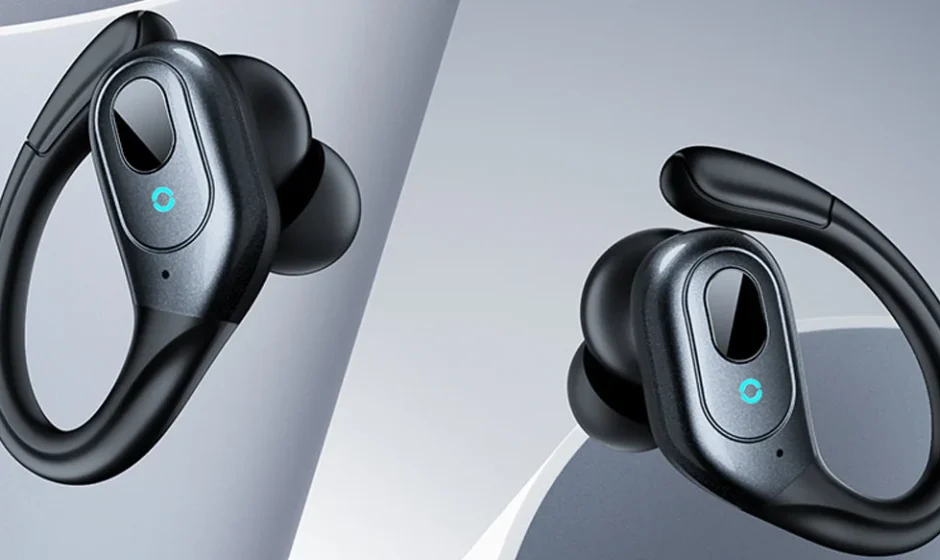

Occiam T9 True Wireless Sports Earbuds
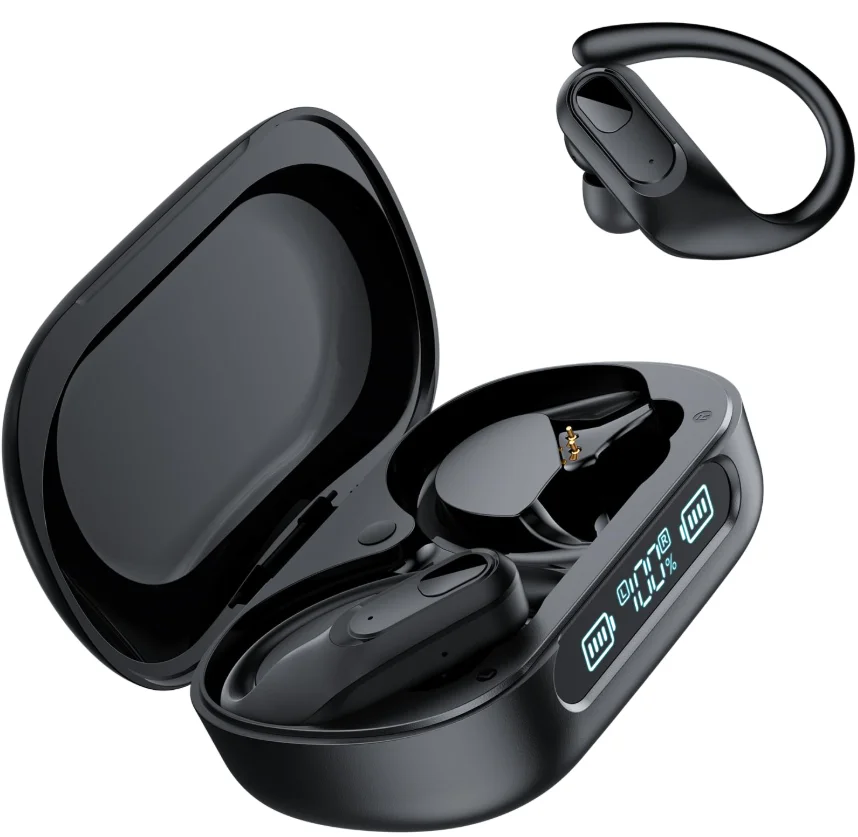
What’s in the box?
- Charging Case x1

- Wireless Earbuds x2

- Type-C Cable x1

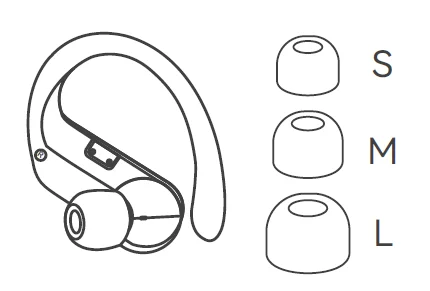
- Ear Tips x3 Default M size on the earbuds

- User Manual x1
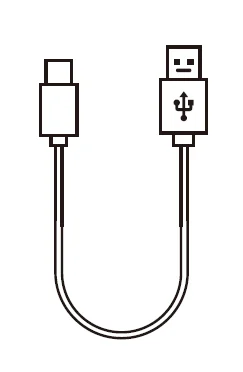
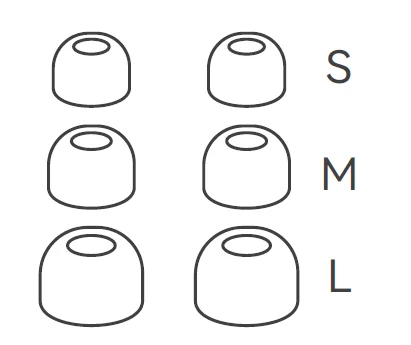
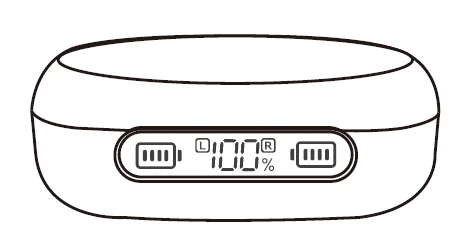
Note: Please remove the protective films from the LED power display and charging contacts before using it.
Overview
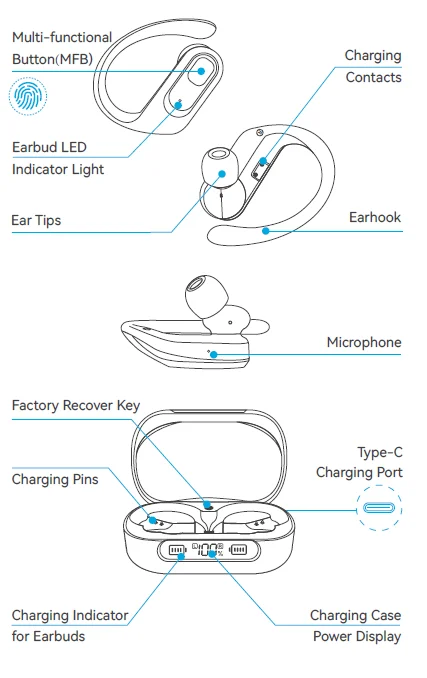
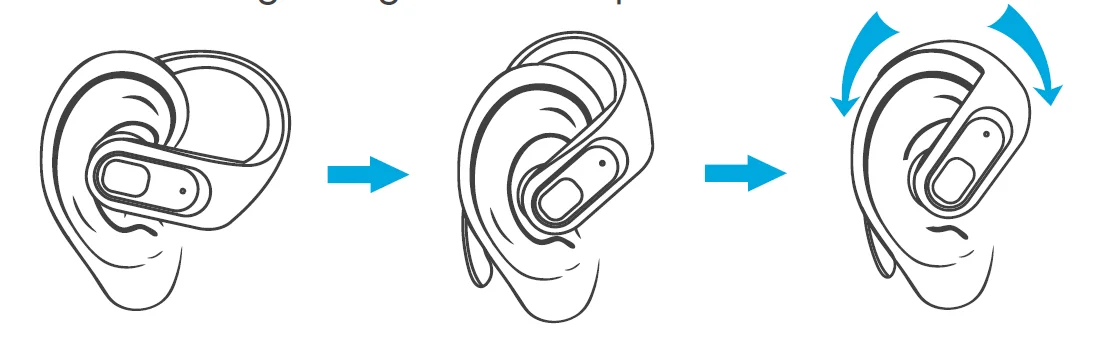
How to Wear?
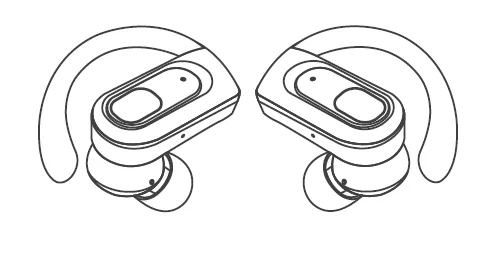
- Choose the most comfortable ear tips to wear on the earbuds.

- Choose the right angle and eartips.

Caution
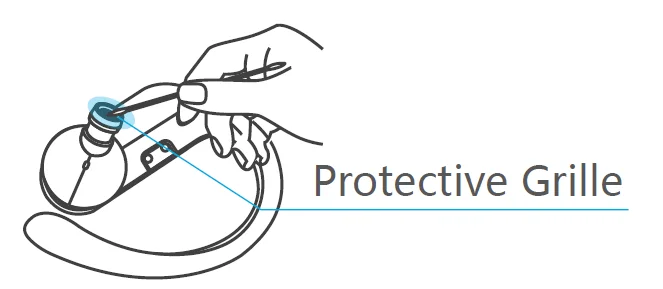
Please clean the protective grille of both earbuds if the sound becomes low.
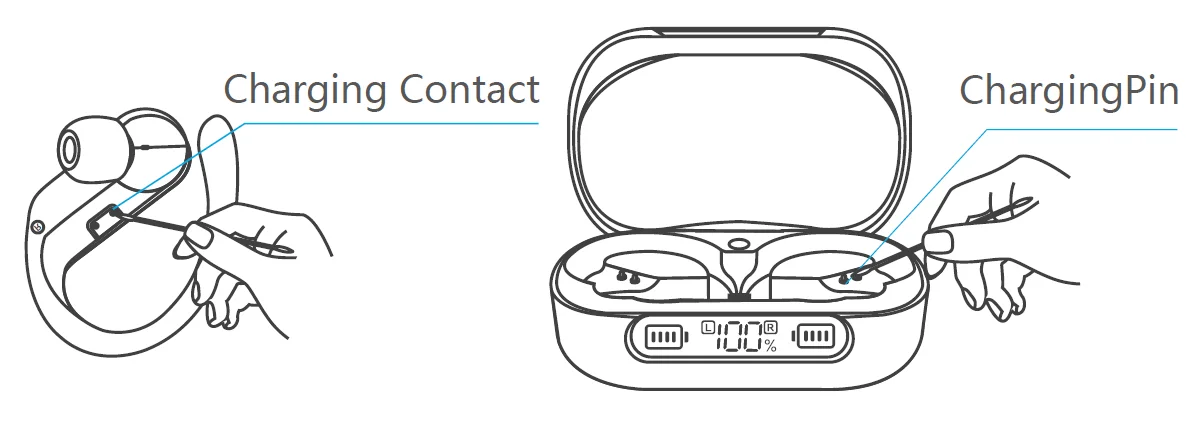
Please clean the magnet charging contact on the earbud and the charging pin on the charging case with alcohol wipes if the headphones can’t be charged.
Power On/Off
Manual Power On
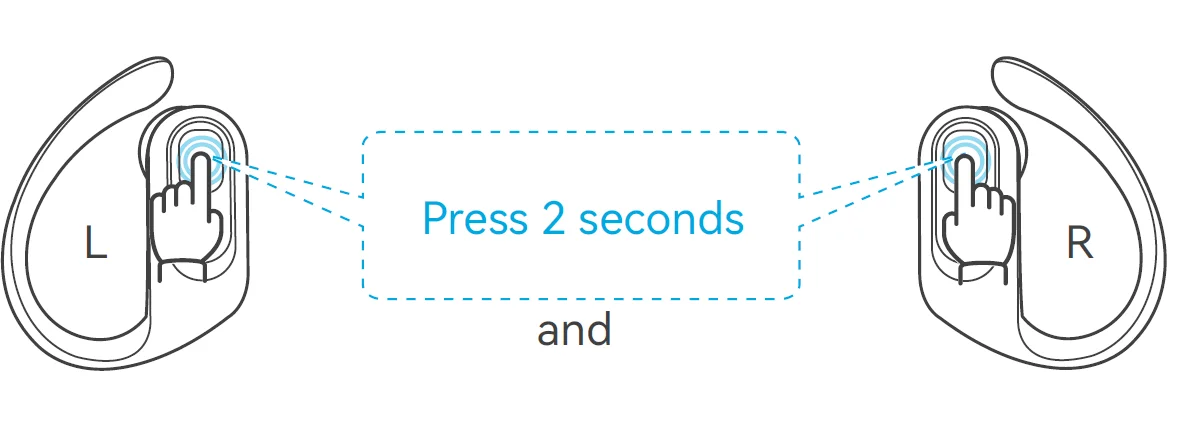
When the earbuds are in the shut-down state and not in the charging case:
- Press and hold the MFB (Multi-Function Button) on the R earbud for 2 seconds to power the R earbud on.
- Press and hold the MFB on the L earbud for 2 seconds to power the L earbud on.
Manual Power Off
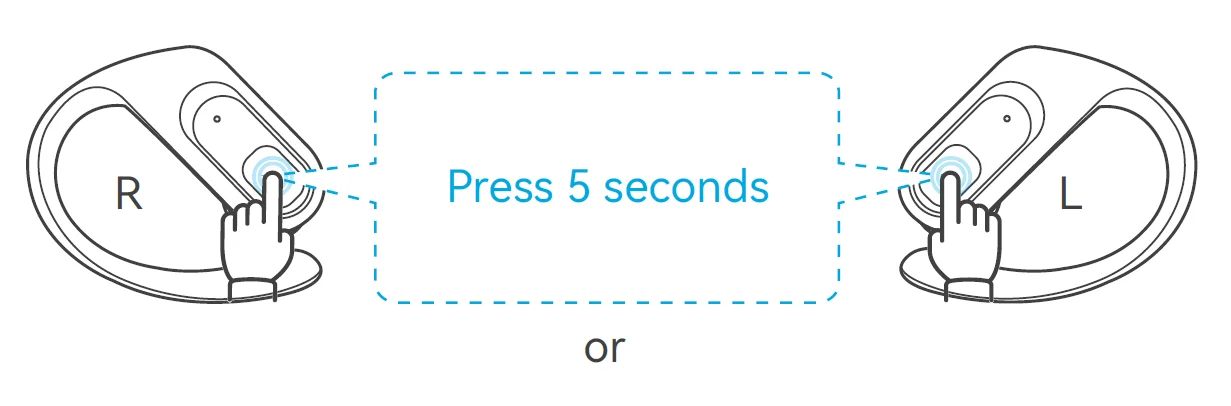
If the earbuds are not in the charging case, press and hold either earbud’s MFB for 5 seconds to power off both earbuds. (Before the first use, please ensure that both the earbuds and the charging case are fully charged.)
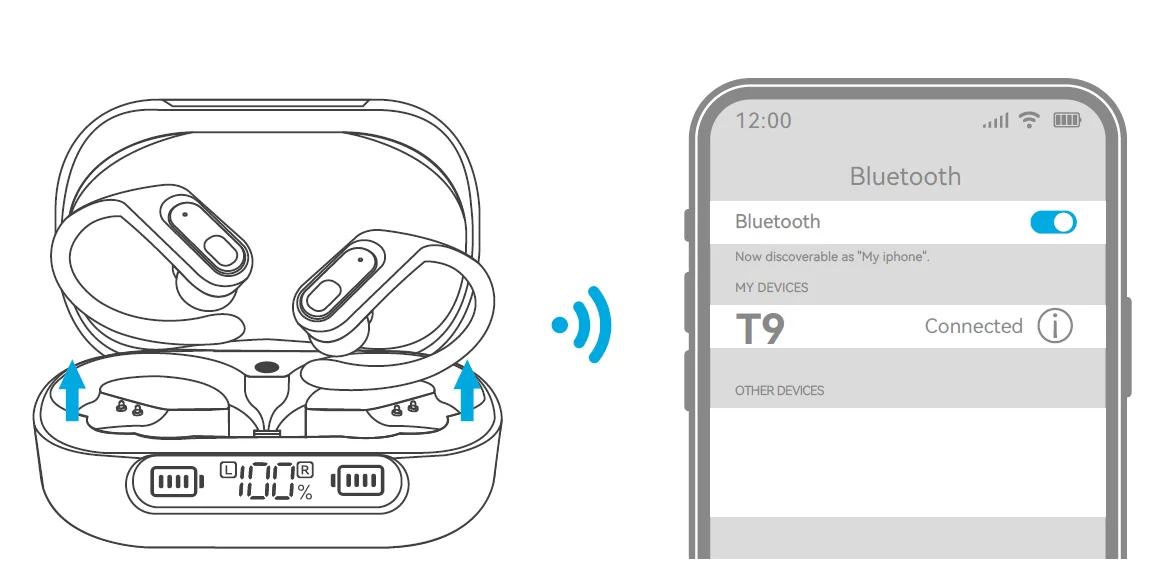
- Take out both earbuds from the charging case. Both earbuds will power on automatically and enter pairing mode. (P.S. In pairing mode, one earbud indicator will flash red and blue alternately, while the other earbud indicator will flash blue slowly.)
- Then, search for ‘T9’ on your device and click to connect.
Note: The earbuds will reconnect to the previously paired device by priority. If you want to pair them with a second device, please disconnect the Bluetooth connection on the paired device. Additionally, if the earbuds are not connected to any devices for over 5 minutes, they will automatically power off.
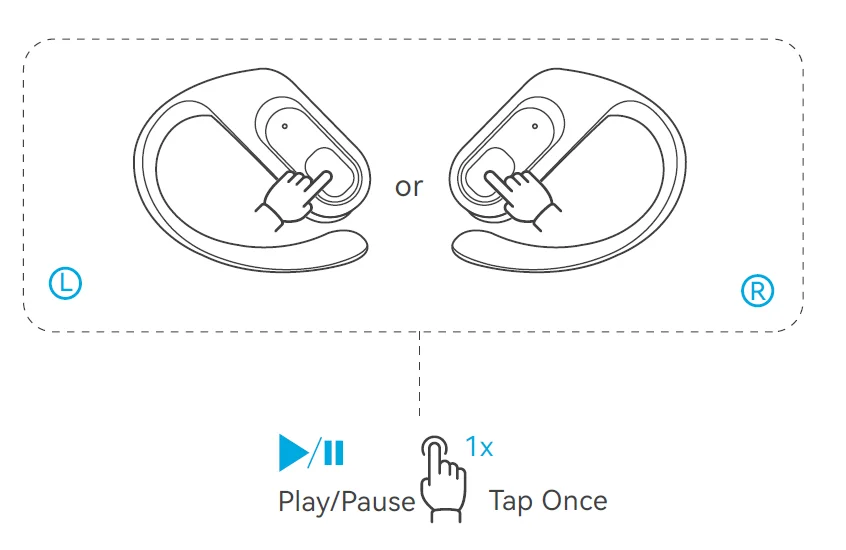
Music
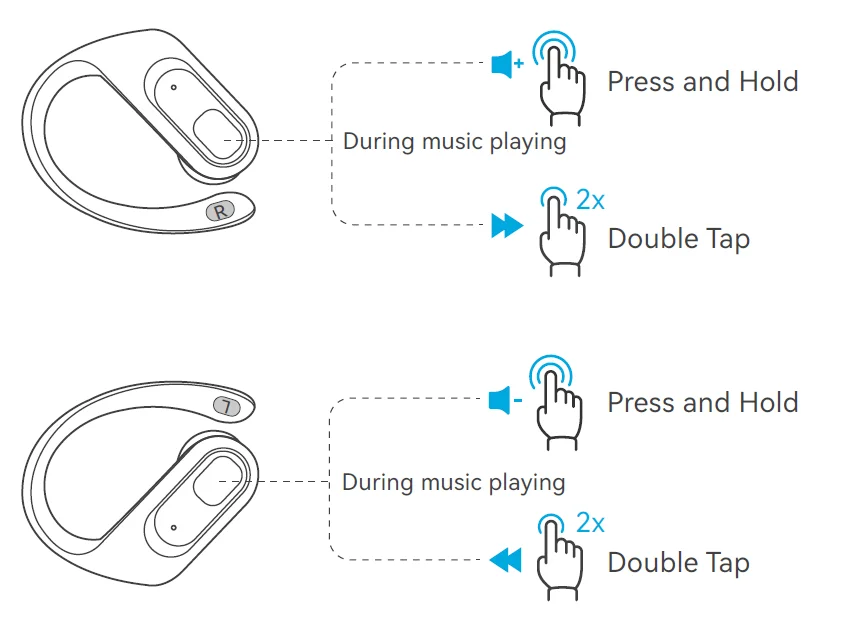
Note: In single ear mode, the button does not support volume control. Please adjust the volume directly on your device.
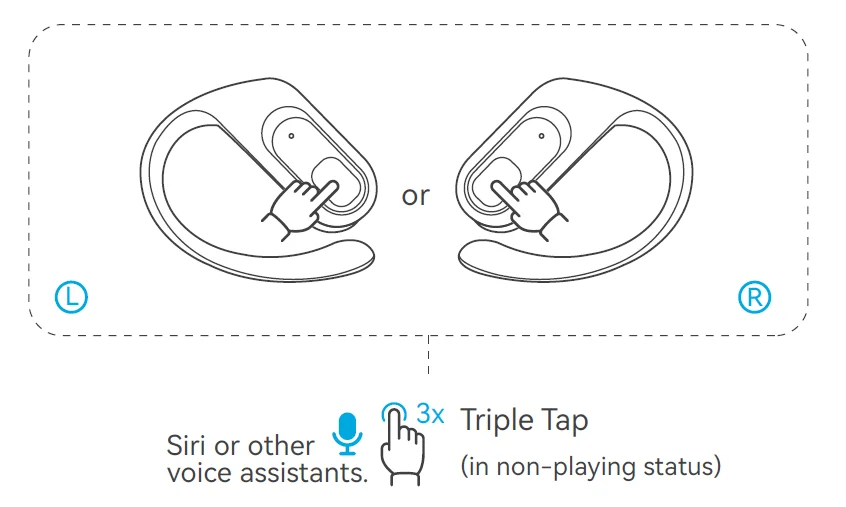
Voice Assistant
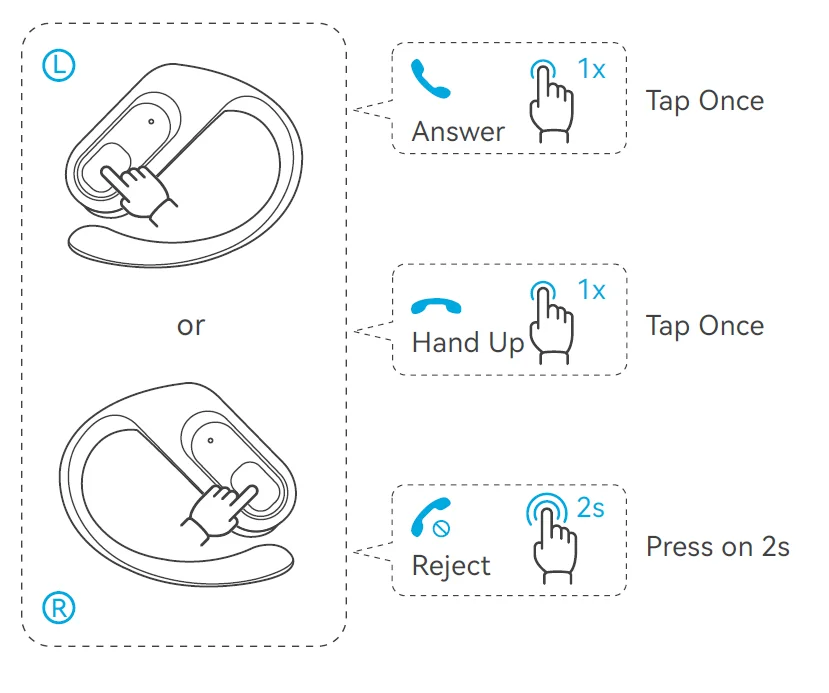
Phone Call
Reset
When should I reset?
- When only one side plays music.
- When you can’t use both earbuds together.
- When both earbuds fail to pair with each other or occur connection related issues.
How to reset T9?
Before resetting, please ensure that the charging case and both earbuds are not in a low battery status.
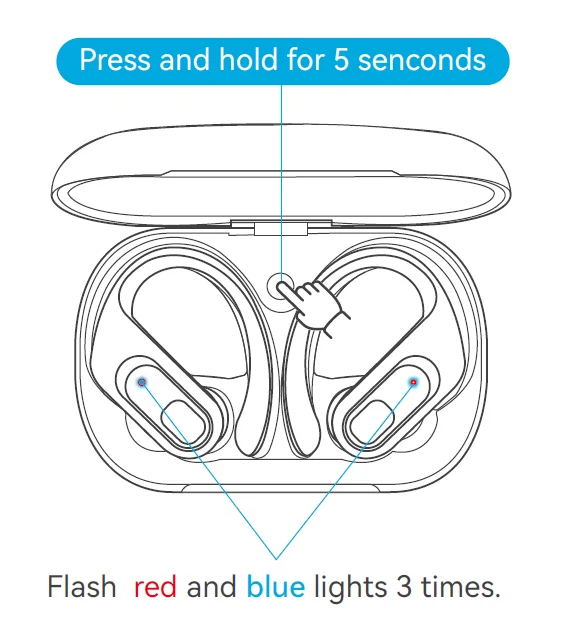
- Place both earbuds in the case and leave the case open.
- Press and hold the Factory Recovery Key on the case for 5 seconds or until the LED indicator lights on both earbuds flash red and blue 3 times.
Charging
Earbuds Charging
The earbuds will alert you with a voice prompt saying ‘Low battery, please charge’ when the battery level is low. Please place the earbuds inside the charging case, and they will automatically enter charging mode.
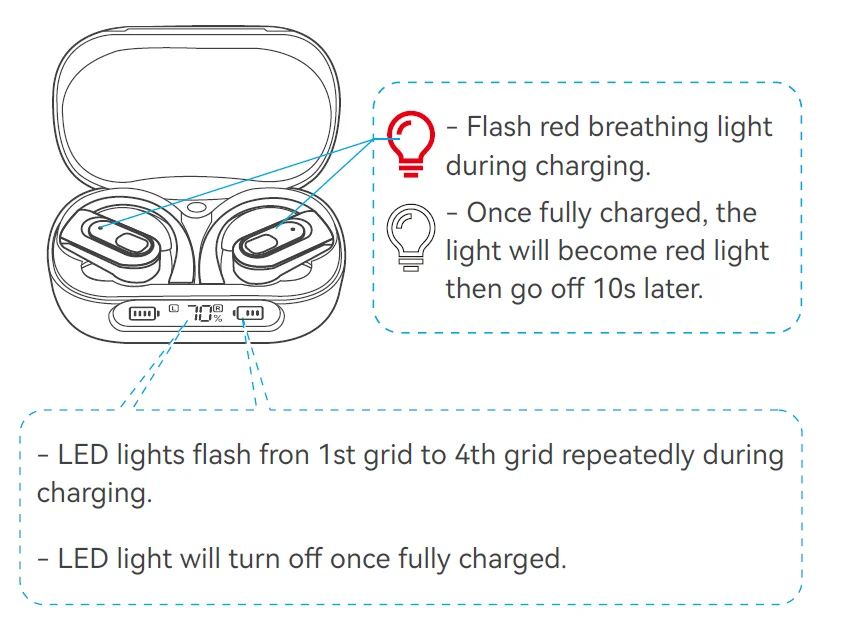
Note: You can check the power level of the earbuds in the Bluetooth list or in the notification bar after connecting them to your phone.
To avoid charging failures, please clean the charging contacts of the earbuds and the charging pins of the charging case promptly.
Charging Case Charging
After inserting the charging cable into the USB Type-C charging port on the case, the case will automatically start charging.
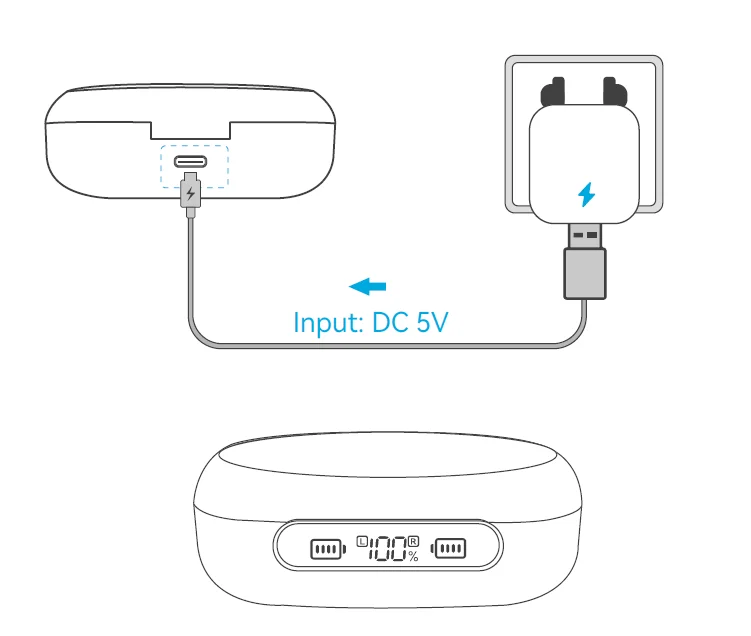
The LED screen will display an incremental power change from 0 to 100 during charging. When it reaches 100, it indicates a full charge.
How do I check the battery level of the charging case?
The LED on the case indicates the battery level when you place the earbuds in the charging case or when the case is charging.
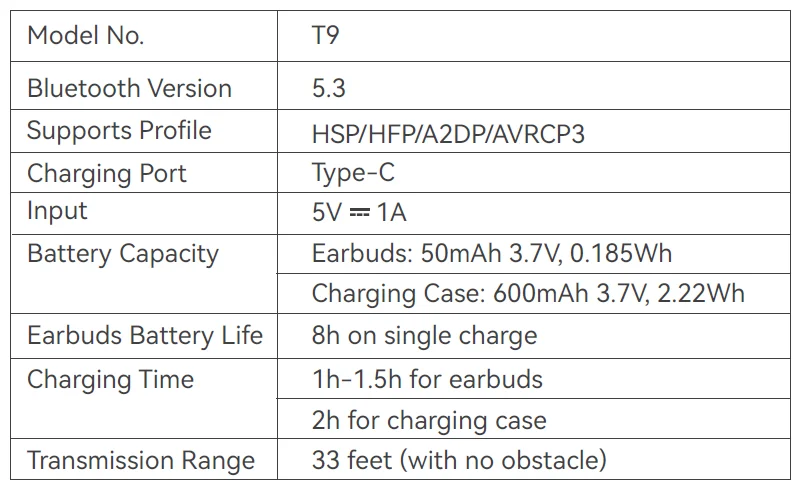
Product Parameters
Battery Warning
Using the wrong battery can cause fire and other hazards (for example, in the case of some lithium battery types).
- Disposal of a battery into fire or a hot oven, or mechanically crushing or cutting of abattery, can result in an explosion.
- Do not leave a battery in an extremely high temperature environment thatcan resuilt in an explosion or the leakage of flammable liquid or gas.
- A battery subjected to extremely low air pressure may result in an explosion or the leakage of flammable liquid or gas.
Storage and Maintenance
- If the earbuds have been unused for more than 3 months, we recommend that you charge them.
- Please use chargers that are FCC (Federal Communications Commission) approved.
- Do not disassemble the earbuds.
- Adult supervision is required for children aged 6 and under.
- Do not expose the earbuds to high or low temperatures, and do not use the earbuds in a thunderstorm. Avoid falling or violent impact of the device. Keep the device away from fire, do not put the device in water.
- Do not use oil or any volatile liquid to clean this product.
FCC Warning Statement
Changes or modifications not expressly approved by the party responsible for compliance could void the user’s authority to operate the equipment. This equipment has been tested and found to comply with the limits for a Class B digital device, pursuant to Part 15 of the FCC Rules. These limits are designed to provide reasonable protection against harmful interference in a residential installation. This equipment generates uses and can radiate radio frequency energy and, if not installed and used in accordance with the instructions, may cause harmful interference to radio communications. However, there is no guarantee that interference will not occur in a particular installation. If this equipment does cause harmful interference to radio or television reception, which can be determined by turning the equipment off and on, the user is encouraged to try to correct the interference by one or more of the following measures:
- Reorient or relocate the receiving antenna.
- Increase the separation between the equipment and receiver.
- Connect the equipment into an outlet on a circuit different from that to which the receiver is connected.
- Consult the dealer or an experienced radio/TV technician for help.
This device complies with part 15 of the FCC Rules. Operation is subject to the following two conditions:
- This device may not cause harmful interference, and
- This device must accept any interference received, including interference that may cause undesired operation.
Any questions, please send me a message to us, and we’ll help you solve it as soon as pos sible. You can choose us with confidence. Thanks.
For more manuals by Occiam, visit ManualsLibraryy
Occiam T9 True Wireless Sports Earbuds-FAQs
Are Occiam T9 earbuds waterproof?
Yes, the Occiam T9 earbuds come with an IPX8 waterproof rating. Both the earbuds and the charging case feature a nano-coating that protects them from water exposure up to 1 meter for 30 minutes. This makes them suitable for workouts, running, gym sessions, and light rain, offering reliable protection during sports activities.
How do I pair Occiam T9 earbuds with my phone?
To pair the Occiam T9 earbuds, remove both earbuds from the charging case. They will automatically turn on and pair with each other. Open your phone’s Bluetooth settings, search for “Occiam T9”, and tap to connect. Once paired, the earbuds will automatically reconnect to your device in future uses.
How do I put Occiam T9 earbuds into pairing mode?
If pairing doesn’t start automatically, turn off the earbuds first. Then press and hold the touch control on both earbuds for about 10 seconds until the LED indicators flash red and blue. This means the earbuds have entered pairing mode and are ready to connect to a new device.
How do I reset Occiam T9 earbuds?
To factory reset the Occiam T9 earbuds, place both earbuds back into the charging case. Press and hold the touch controls on both earbuds for 10–15 seconds until the LED lights flash. This clears previous Bluetooth connections and restores default settings, fixing most connection issues.
How long do true wireless earbuds like Occiam T9 last?
On average, true wireless earbuds last 1–3 years, depending on usage, battery care, and charging habits. With proper maintenance, the Occiam T9 earbuds can provide reliable performance for daily listening and workouts over a long period.
Why is only one Occiam T9 earbud working?
If only one earbud is working, the earbuds may not be synced properly. Place both earbuds in the charging case, reset them, and then pair again. This usually restores proper left-right synchronization.
Are Occiam T9 earbuds good for sports and workouts?
Yes, the Occiam T9 earbuds are designed specifically for sports use. Their secure in-ear fit, lightweight design, and IPX8 waterproof protection ensure they stay in place during running, cycling, gym workouts, and other high-movement activities.
Do Occiam T9 earbuds support noise cancellation?
The Occiam T9 earbuds feature ENC (Environmental Noise Cancellation) for clearer voice calls. ENC reduces background noise during calls but does not actively cancel noise during music playback like ANC. This makes them suitable for calls, workouts, and outdoor use.
How long does the Occiam T9 battery last?
The Occiam T9 earbuds provide up to 4–5 hours of continuous playback on a single charge. The charging case extends total usage time significantly, allowing multiple recharges, making them ideal for long workouts or daily use without frequent charging.
Why are my Occiam T9 earbuds not connecting or pairing?
This usually happens due to Bluetooth conflicts or saved connections. Try resetting the earbuds and delete “Occiam T9” from your phone’s Bluetooth list before pairing again. Also ensure the earbuds are fully charged and within close range of your device during pairing.