
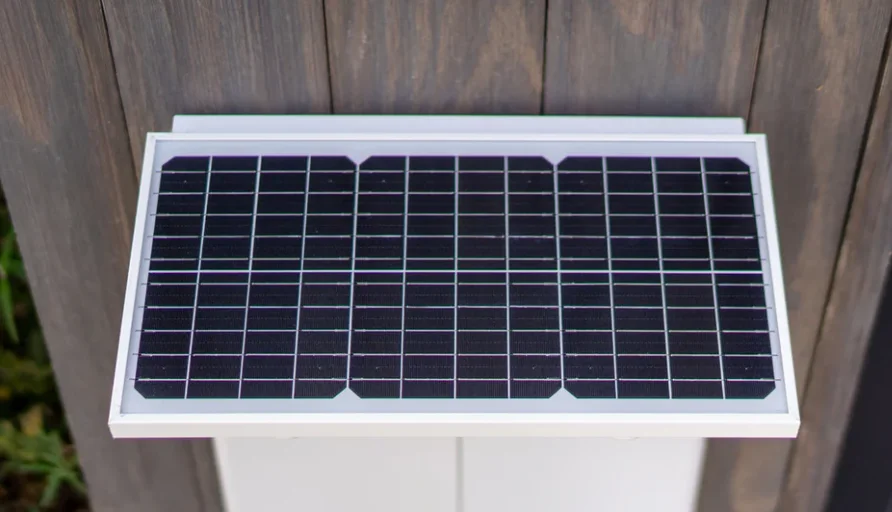

Pawport Solar Panel
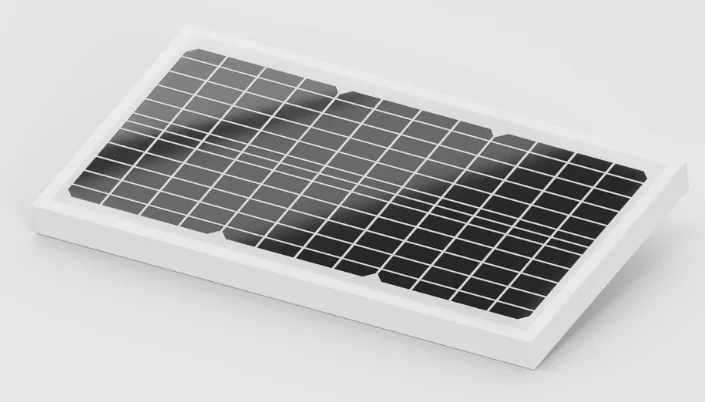
WARNING
Important Safety Information – Please Read First
Before you begin installation, please read all instructions, safety information, and warnings provided in this manual and in the included safety documentation. The Pawport Solar Panel is designed for use only with the Pawport Smart Pet Door. Ensure it is mounted securely to the Tunnel & Frame System to prevent falls, damage, or injury, and keep the Solar Panel and cable out of reach of children and pets. Do not disassemble, modify, or submerge the Solar Panel in water. For best performance, make sure the Solar Panel remains free of obstructions and receives adequate sunlight for charging.
What’s included
Before you start installing your Solar Panel, check that you have everything you need.
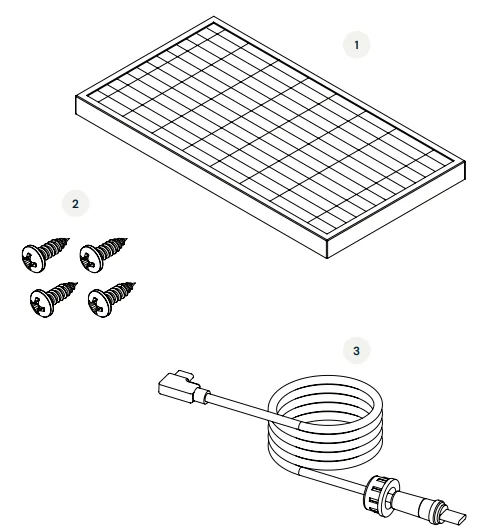
- Solar Panel
- M4.8 screws ×4
- 1 m connector cable
- You will also need the mounting bracket, included with the Pawport Tunnel & Frame System.

- You will also need the mounting bracket, included with the Pawport Tunnel & Frame System.
Installing the Solar Panel
Option 1
Mounting directly onto the Pawport Tunnel & Frame System (with or without a Pawport Outdoor Pet Door)
If your Pawport Tunnel & Frame System is installed in an area with high sun exposure (average of at least six hours per day), you can mount the Solar Panel directly over your pet door opening using the mounting bracket included with the Tunnel & Frame System. Proceed to the next page to get started.
Option 2
Mounting adjacent to or near any pet door opening (Pawport system or other manufacturer)
If your pet door opening is NOT installed in an area with high sun exposure, or if you are adding the Solar Panel to a retrofit installation, you can mount the Solar Panel to an exterior wall adjacent to your pet door opening. For this installation method, you will need the Pawport Solar Wall Mount (sold separately). Please refer to the manual included with the Solar Wall Mount.
Getting started
STOP!
In order to mount the Solar Panel, you must have access to the exterior frame of the Pawport system. If you have a Pawport Outdoor Pet Door or magnetic trim installed, remove it now.
IMPORTANT!
The Solar Panel connector cable is required to connect a Solar Panel. It is recommended to install the connector cable at the same time as the Pawport Tunnel & Frame System. For instructions, refer to the Tunnel & Frame System Installation Manual. If you did not install the connector cable during the Tunnel & Frame System installation, remove the Smart Pet Door now and proceed to the next step.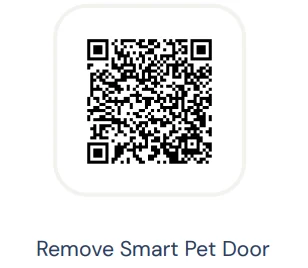
Hate to read?
We feel you! Scan below to view the instructional video and follow along.
Step 1
Use a Phillips head screwdriver to remove the upper accessory adapter plate from the exterior frame. Keep these screws handy.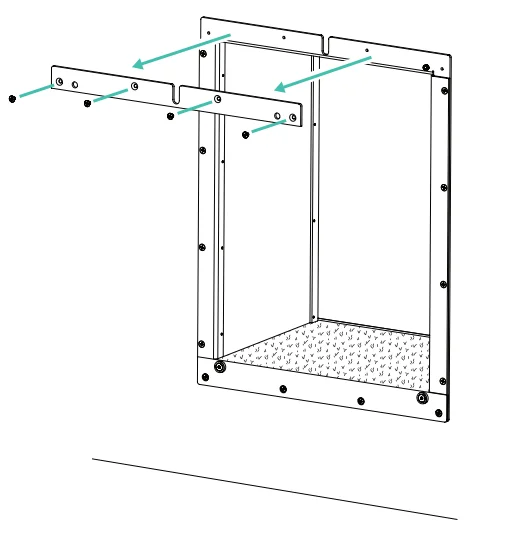
Step 2
Use a sharp tool carefully when opening sealed slots. Avoid applying excessive force that could damage the frame or wall surface. Wear protective gloves as needed.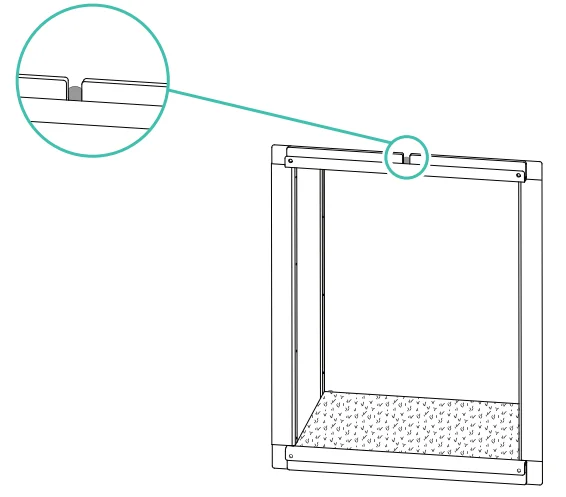
CAUTION: Locate the slot at the top of the interior frame. There should be a small opening in the slot exposing the wall behind the frame. If this space was previously sealed with caulk or filler, remove the sealant or use a sharp tool to create a small hole the width of the slot.
Step 3
Locate the slot at the top of the exterior frame. There should be a small opening in the slot exposing the wall behind the frame. If this space was previously sealed with caulk or filler, remove the sealant or use a sharp tool to create a small hole the width of the slot.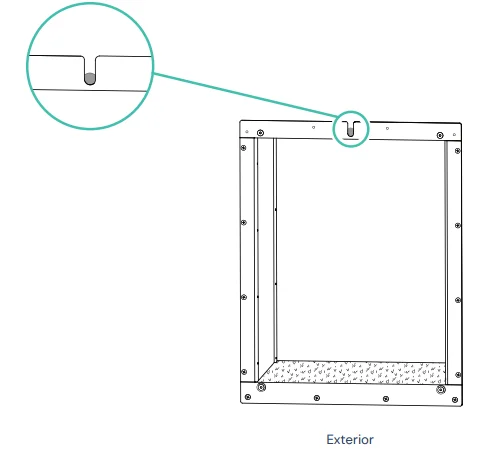
Step 4
With the arms of the mounting bracket (included with the Tunnel & Frame System) facing you, thread the right-angle USB-C end of the connector cable (item 3) through the hole in the top-right corner of the bracket. The end with the screw-on waterproof connector will not fit through the hole, leaving the bracket hanging on the cable.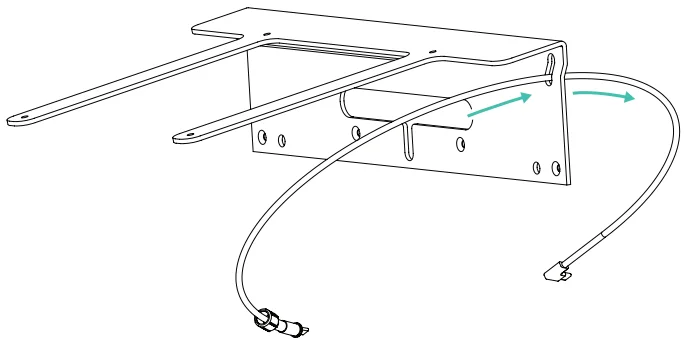
Step 5
Use a fish tape or a slender, stiff rod to guide the connector cable from the exterior wall through the holes in the slots at the top of the tunnel. Pull it completely through so the wire enters the exterior slot and exits the interior slot.
NOTE: Since the bracket will be hanging on the cable, a second person may be required for this step. The right-angle USB-C end of the cable should be positioned on the interior of the home. The end with the screw-on waterproof connector should be positioned on the exterior.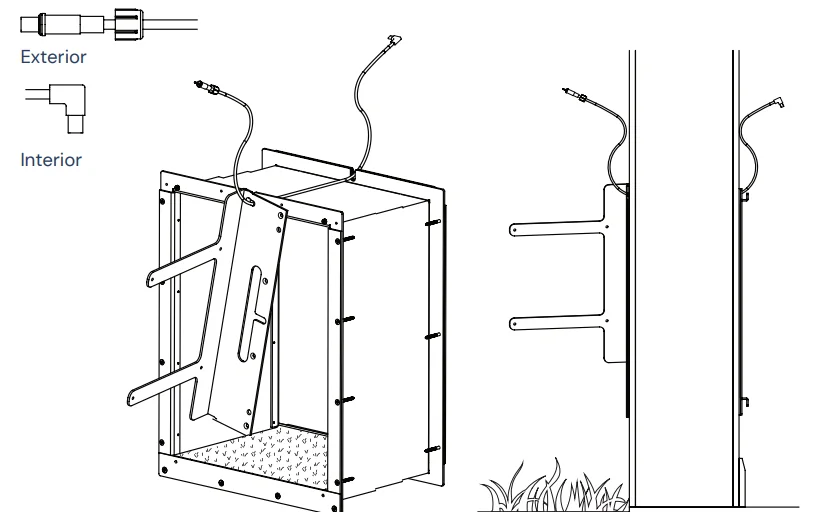
Step 6
With the screws you removed in step 1, install the mounting bracket in place of the upper accessory adapter plate. Be careful not to overtighten these screws or pinch the connector cable. If you have an Outdoor Pet Door, thread the pairing wire through the large slot in the mounting bracket.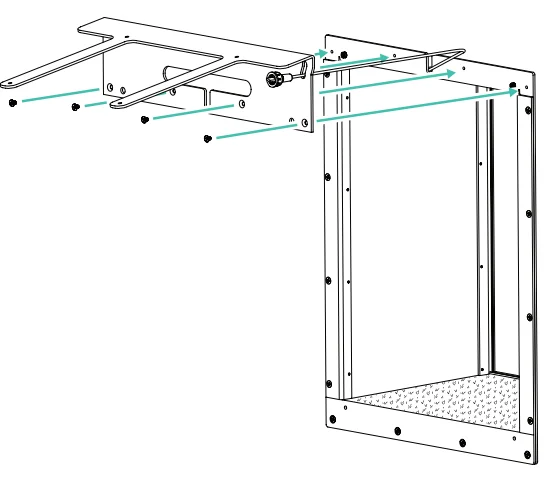
Step 7
Place the Solar Panel (item 1) on top of the mounting bracket with the grid side up. Line up the four holes on the mounting bracket with the four holes on the underside of the Solar Panel. Use a Phillips head screwdriver and the four included screws (item 2) to secure the Solar Panel to the mounting bracket. Do not overtighten.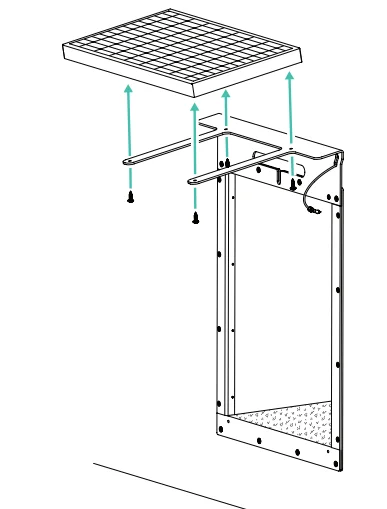
Step 8
Locate the plug under the Solar Panel and insert the connector cable into the plug. Twist the locking cap tightly to secure. Tuck the excess cable into the wall. Reinstall the Outdoor Pet Door or magnetic trim, making sure not to pinch any wires or cables.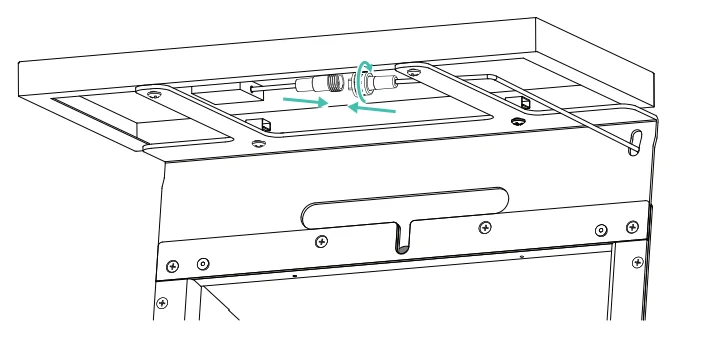
Step 9
On the interior of your home, plug the right-angle USB-C end of the cable into the USB-C input on the top back of the Smart Pet Door. Make sure the cable is fully inserted; do not force it. Reinstall the Smart Pet Door, making sure not to pinch any wires or cables. Tuck the excess cable into the wall.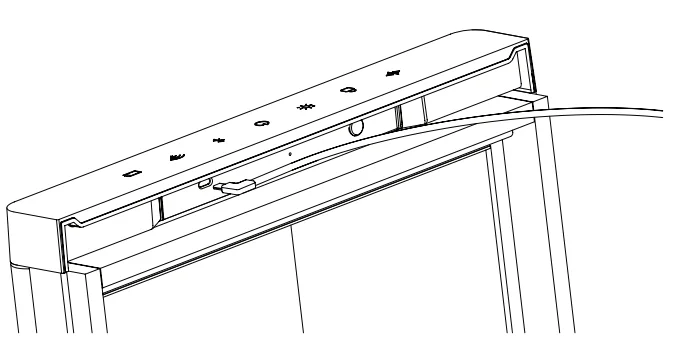
Job done!
Your Solar Panel installation is now complete. For additional manuals and video tutorials, visit: www.pawport.com/support.
For More Manuals By Pawport, Visit ManualsLibraryy.
Pawport Solar Panel-FAQs
What is the Pawport Solar Panel used for?
The Pawport Solar Panel is designed to provide renewable power to the Pawport Smart Pet Door system. It helps charge the connected lithium-ion battery using sunlight, reducing reliance on wired electricity and offering a convenient solution for outdoor or remote installations.
How does the Pawport Solar Panel work with the pet door?
The solar panel captures sunlight and converts it into electrical energy, which is used to charge the Pawport rechargeable battery. This stored energy powers the smart pet door, ensuring consistent operation even in areas where direct electrical connections are limited.
Is the Pawport Solar Panel compatible with all Pawport systems?
Yes, the solar panel is designed as an accessory that integrates with the Pawport Smart Pet Door and related components. It works alongside the battery system and can be used with other accessories like the outdoor pet door for enhanced functionality.
Can the solar panel fully power the Pawport system?
The solar panel can significantly extend battery life and reduce charging frequency, but full performance depends on sunlight availability. In areas with strong sunlight, it may provide most of the required energy, while in low-light conditions, supplemental charging may still be needed.
Where should the Pawport Solar Panel be installed?
The solar panel should be installed in a location that receives consistent direct sunlight throughout the day. Proper placement ensures efficient charging performance, so areas with minimal shade, such as exterior walls or rooftops, are typically recommended for best results.
Does the Pawport Solar Panel work during cloudy weather?
Yes, the solar panel can still generate power during cloudy conditions, although efficiency is reduced. It will continue to charge the battery at a slower rate, so having a backup charging option or a fully charged battery is helpful during extended periods of low sunlight.
Is the Pawport Solar Panel weather-resistant?
The solar panel is designed for outdoor use and built to withstand common weather conditions such as rain and sunlight exposure. However, proper installation and secure mounting are important to ensure long-term durability and consistent performance in different environments.
Do you need a battery to use the Pawport Solar Panel?
Yes, the solar panel works in combination with the Pawport rechargeable lithium-ion battery. It does not directly power the pet door but instead charges the battery, which then supplies energy to the system for continuous and stable operation.
Can the solar panel be used with the outdoor pet door setup?
Yes, the Pawport Solar Panel is compatible with the outdoor pet door configuration. It can be integrated into a complete system that includes the smart pet door and outdoor module, helping maintain power efficiency in more advanced installations.
Is the Pawport Solar Panel worth using?
The solar panel is a valuable addition for users seeking energy efficiency and reduced dependence on wired power. It is especially useful in outdoor setups or areas with limited electrical access, providing a sustainable and low-maintenance way to keep the system powered.