


Petwant PWC-105 Ceramic Pet Water Fountain Product Overview
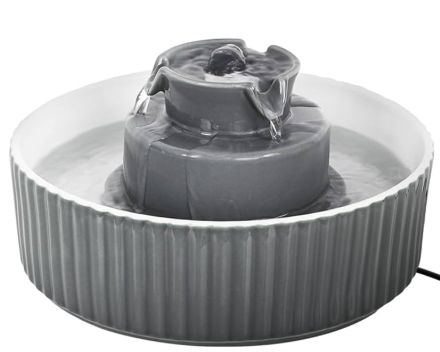 Product Overview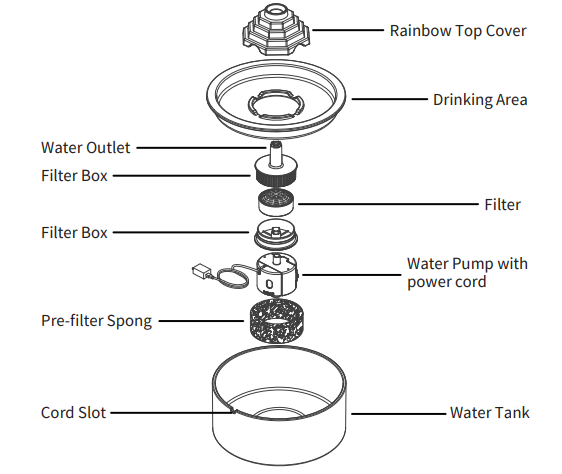
How to Use
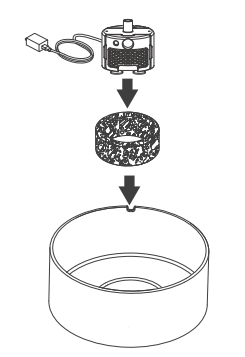
1 Install the pre-filter sponge and the pump
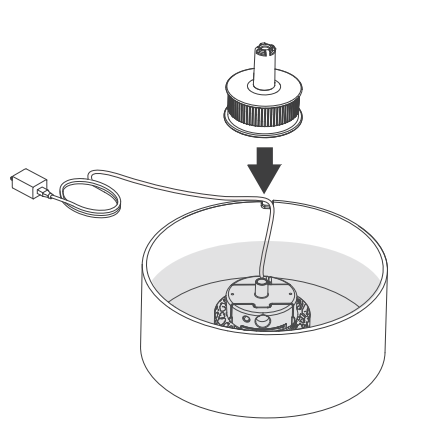
- Insert the pump into the foam filter and set both down into the round inside the bowl. Press down so the suction cups attach

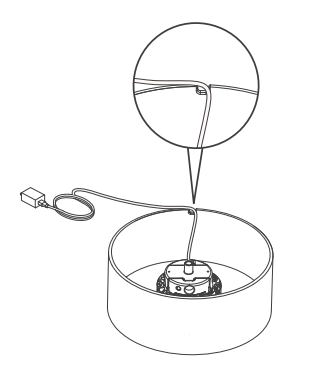
- The water pump USB cable goes through the cord slot

2 Install the filter
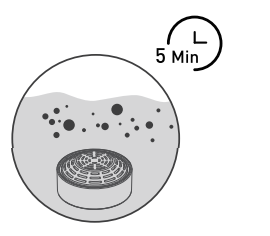
- Step 1: Soak the filter in a clean bowl for 5 minutes.

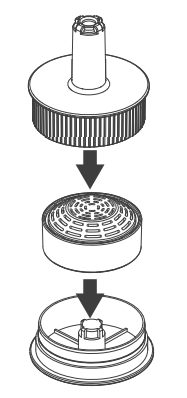
- Step 2: Put the filter in the filter box, and close the lid.

- Step 3: Install the filter box.

Notes:
- Fully soak the filter before turning on the appliance; otherwise, water may not flow through the filter smoothly and cause spillage.
- Do not soak the filter in the water tank of the fountain in case of any surface dust
Install the water tray and rainbow top cover
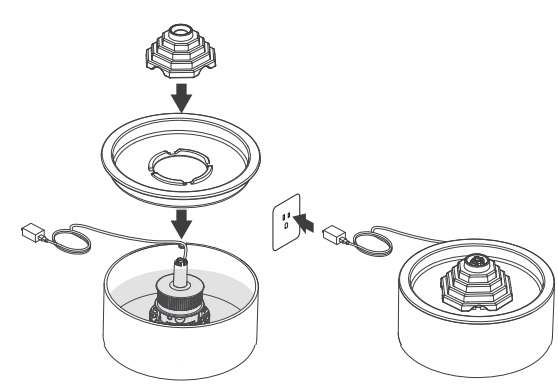
- Put back the water tray and the rainbow
- Connect the power adaptor.

To extend product life, please clean the pump every 2 weeks.
- Remove the Pump Cover

- Clean the pre-filter grate with soap and warm water.
- Remove the Impeller and clean the parts with soap and warm water.

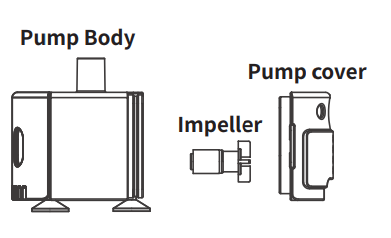
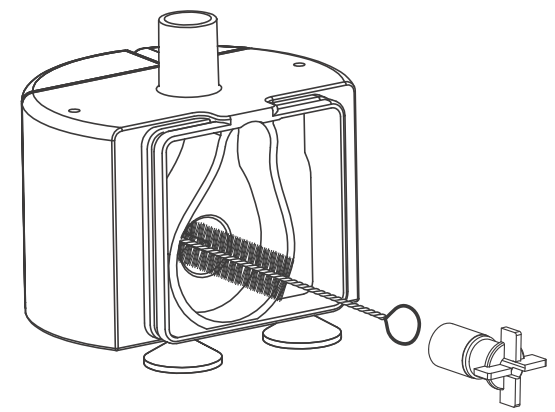
Cautions
- Be sure to shut down and disconnect the power supply for safety when the equipment is not in use.
- This product is for indoor use only.
- The power adapter and wire plug must not be flooded during cleaning.
- This product is not allowed to run without water (can be ignored for models with the function of automatically running without water).
- Please disconnect the power supply before maintaining and cleaning the machine.
Product Overview
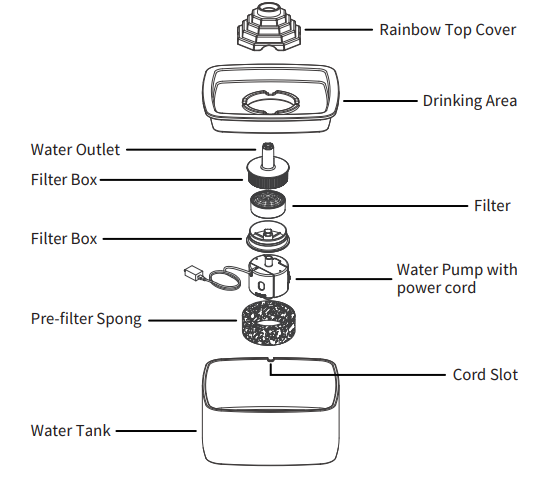
How to Use
1 Install the pre-filter sponge and the pump
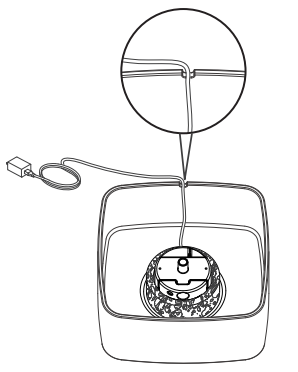
- Insert the pump into the foam filter and set both down into the round inside the bowl. Press down so the suction cups attach.

- The water pump USB cable goes through the cord slot.

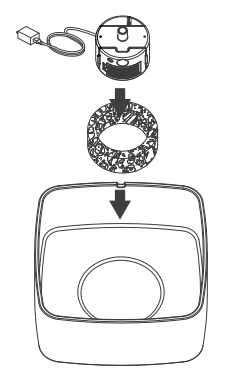
2 Install the filter
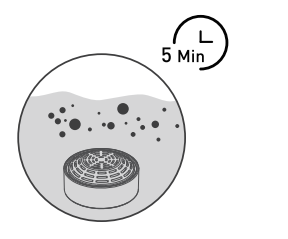
- Step 1: Soak the filter in a clean bowl for 5 minutes.

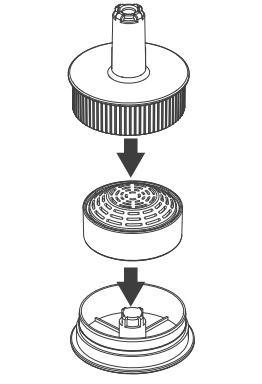
- Step2:Put the filter in the filter box, and close the lid.

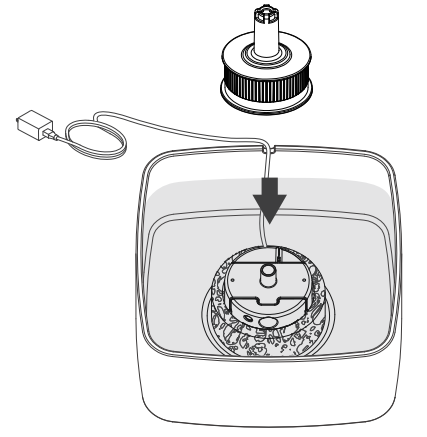
- Step 3: Install the filter box.

Notes:
- Fully soak the filter before turning on the appliance; otherwise, water may not flow through the filter smoothly and cause spillage.
- Do not soak the filter in the water tank of the fountain in case of any surface dust.
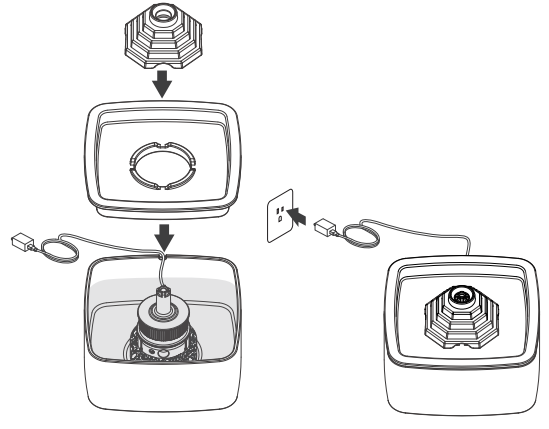
Install the water tray and rainbow top cover
- Put back the water tray and rainbow top cover to form a seal.
- Connect the power adaptor.

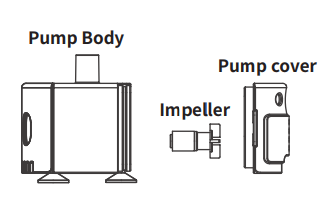
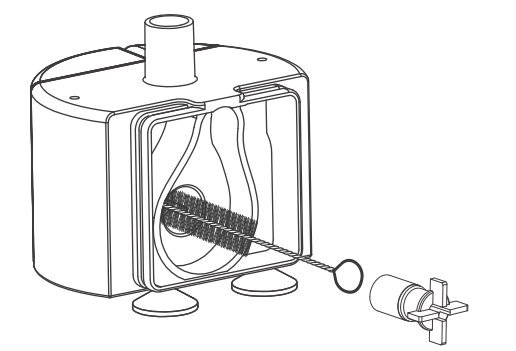
To extend product life, please clean the pump every 2 weeks.
- Remove the Pump Cover.
- Clean the pre-filter grate with soap and warm water.

- Remove the Impeller and clean the parts with soap and warm water.

Cautions
- Be sure to shut down and disconnect the power supply for safety when the equipment is not in use.
- This product is for indoor use only.
- The power adapter and wire plug must not be flooded during cleaning.
- This product is not allowed to run without water (can be ignored for models with the function of automatically running without water).
- Please disconnect the power supply before maintaining and cleaning the machine.
For More Manuals By Petwant, Visit ManualsLibraryy.
Petwant PWC-105 Ceramic Pet Water Fountain-FAQs
What is the Petwant PWC-105 Ceramic Pet Water Fountain used for?
It provides a continuous flow of clean, filtered water to keep your pets hydrated and encourage regular drinking.
How often should I clean the fountain?
It is recommended to clean the ceramic body and pump at least once a week to maintain hygiene and water freshness.
Can the ceramic parts go in the dishwasher?
Yes, the ceramic components are dishwasher safe. However, the pump and filter should be hand-washed only.
How often should I replace the filter?
The carbon filter should be replaced every 3–4 weeks, depending on the number of pets and water quality.
Is the fountain safe for both cats and dogs?
Yes, it is suitable for both cats and small to medium-sized dogs.
Does the fountain make noise while operating?
The pump operates quietly, but ensure the water level stays above the minimum line to avoid noise and pump damage.
How do I set up the fountain for the first time?
Assemble the ceramic bowl, insert the pump, add the filter, fill with clean water, and plug it into a power outlet.
What should I do if the pump stops working?
Check the water level, clean the pump, and ensure the filter isn’t clogged. If issues persist, replace the pump as recommended in the manual.