
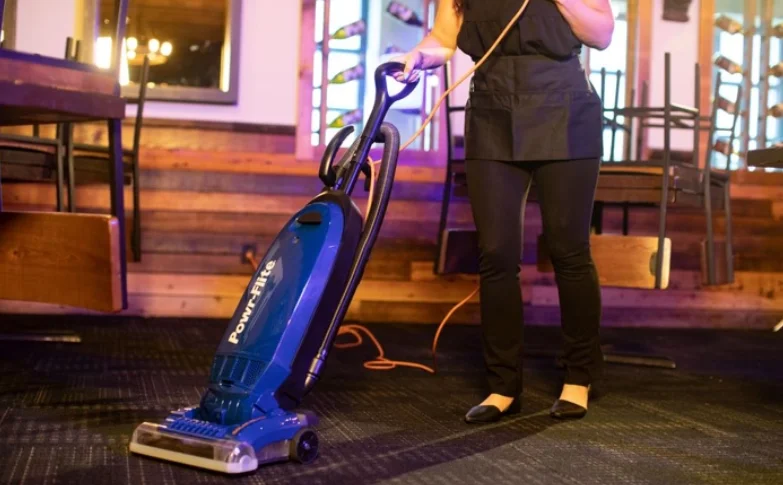

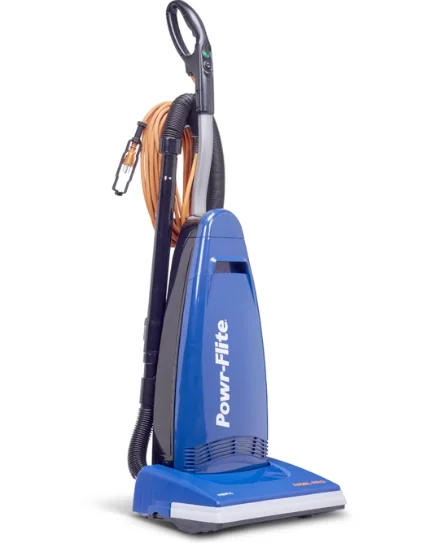
Powr-Flite PV100-W14-U Rigel Pro Commercial Upright Vacuum
IMPORTANT SAFETY INSTRUCTIONS
READ AND UNDERSTAND ALL INSTRUCTIONS BEFORE USING THIS UNIT. Read and understand this owner’s manual and all labels on the unit before operating. Safety is a combination of common sense, staying alert, and knowing how your unit works. Use this unit only as described in this manual. Use only the manufacturer’s recommended attachments. To reduce the risk of personal injury or damage to your unit, use only recommended accessories. WARNING: To avoid fire, DO NOT use with a flammable or combustible liquid or floor cleaner. WARNING: To avoid electric shock, DO NOT expose to rain. Store indoors. When using this unit, basic precautions should always be followed, including the following:
- DO NOT leave the unit when plugged in. Unplug from the outlet when not in use and before servicing.
- DO NOT allow the unit to be used as a toy. Close attention is necessary when used around or near children.
- Use only as described in this manual. Use only the manufacturer’s recommended attachments.
- DO NOT use with a damaged cord or plug. If the unit is not working properly because it has been dropped, dropped into water, left outdoors, or damaged in any way, contact a service center.
- DO NOT handle the plug or the appliance with wet hands.
- DO NOT put any objects into openings.
- DO NOT use with any opening blocked; keep free of dust, lint, hair, or anything that may reduce air flow.
- Keep hair, loose clothing, fingers, and all parts of the body away from openings and moving parts.
- DO NOT pick up anything that is smoking or burning, such as cigarettes, matches, or hot ashes.
- DO NOT use it to pick up hazardous chemicals.
- Turn off all controls before unplugging.
- Turn the unit off immediately if foam or liquid comes from the machine exhaust.
- DO NOT use to pick up flammable or combustible liquids such as gasoline or use in areas where they may be present.
- DO NOT use where oxygen or anesthetics are used.
- Replace damaged or worn parts immediately with genuine original equipment parts to maintain safety.
- This unit must be connected to a properly grounded outlet only. See grounding instructions.
- DO NOT use equipment outdoors or in the rain.
- DO NOT use equipment near or around flammable or explosive materials, fuels, or solvents.
- DO NOT allow the unit to freeze.
- Anyone designated to operate this equipment must, without fail, read and thoroughly understand all instructions and precautions before use.
- Do not operate in standing water.
- Do not operate equipment under any unsafe condition.
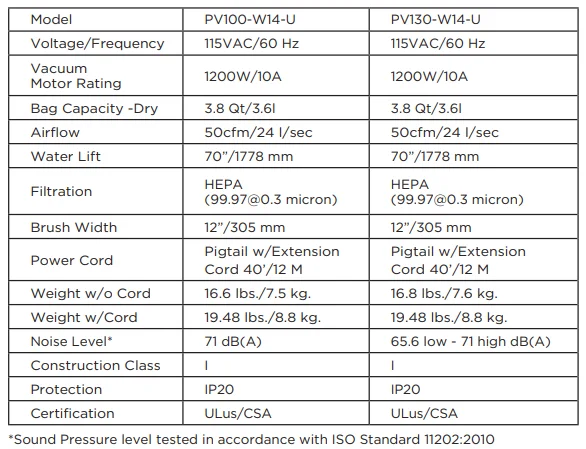
TECHNICAL SPECIFICATIONS
PARTS IDENTIFICATION
- Ergonomic handle
- Main on/off power switch
- On the PV100-W14-U, this is an On indicator light below. On the PV130-W14-U, this is a quiet mode switch instead of an indicator. When in a noise-sensitive area, press the quiet mode switch forward. The power will decrease to approximately 70%, thereby reducing the noise of the unit. After you have left the noise-sensitive area, press the quiet mode switch backward to return the unit to full power. NOTE: The unit remains in the quiet mode until the full power mode is selected.
- Power cord
- Carrying handle
- Bag compartment cover (to replace vacuum bag)
- Vacuum nozzle
- Furniture guard
- Carpet/floor selector (for model PV130-W14-U only)
- Quick-release cord hook
- Fast Task™ tools
- Suction control dial
- Combination dusting / upholstery brush
- Crevice tool
- Thermal reset button
- Full bag indicator
- Handle the release pedal
NOTE: The PV130-W14-U comes with (2) plastic extension wands as well as a reusable cloth bag with a clamp. The reusable cloth bag can be ordered as an optional item for the PV100-W14-U.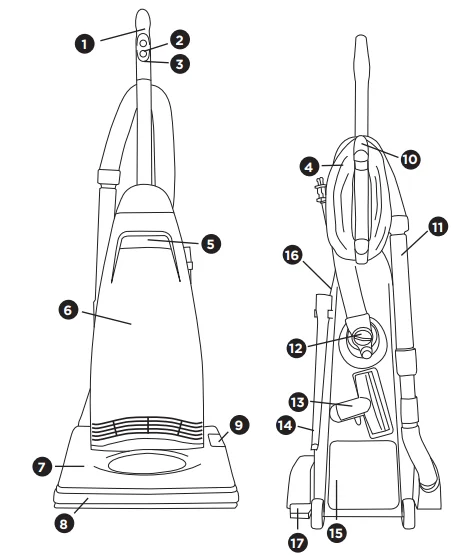
OPERATION
Before Using Your Unit For the First Time.
Attach the handle to the vacuum. The vacuum cleaner and the handle are packed separately.
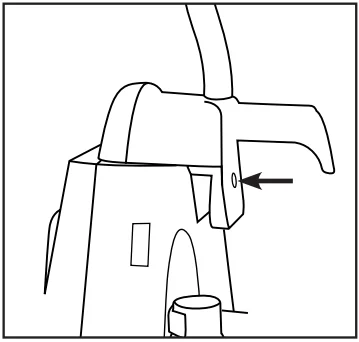
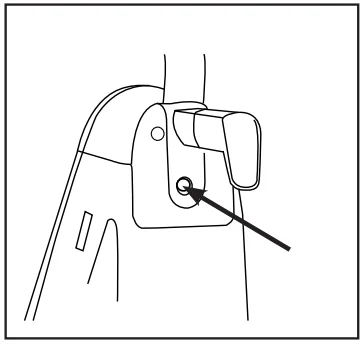
- After first removing the handle screw, position the handle behind the vacuum cleaner and level it with the top of the unit. Hold the power cord down and away from the vacuum while the handle is being attached. Make sure that the switch on the handle is positioned toward the front of the vacuum cleaner.

- On the bottom of the handle are two “T-shaped” rails that slide forward onto two guides located on the top of the vacuum cleaner. Line up the handle so that the “T” rails will slide into the guides and push the handle forward.
- Insert the handle screw and tighten securely.

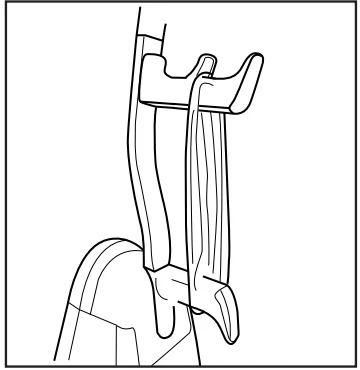
- Turn the upper cord storage hook to the upright position and wind the power cord around the cord storage hooks when storing the vacuum cleaner.

Unwinding the Power Cord
The upper cord hook rotates to allow for quick access to the power cord.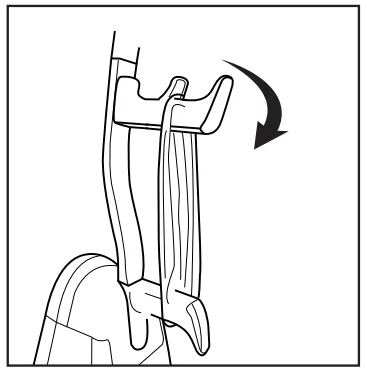
Connect the Power Cord
Attach the extension cord (provided) to the pigtail on the vacuum. Ensure all cord connections are made using the cord lock system that comes with the vacuum.
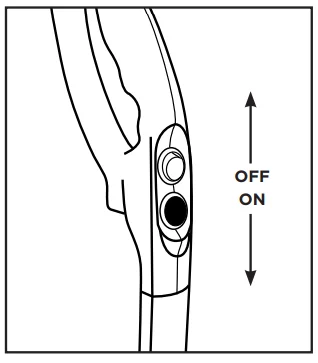
On / Off Switch PV100-W14-U
- To start the vacuum cleaner, flip the “on/off” switch located on the handle to the “on” position.
- To stop the vacuum cleaner, flip the “on / off” switch to the “off” position.
- Turn the vacuum cleaner off before unplugging it from the electrical outlet.

On / Off Switch PV130-W14-U
- To start the vacuum cleaner, flip the “on/off” switch located on the handle to the “on” position.
- To stop the vacuum cleaner, flip the “on / off” switch to the “off” position.
- Turn the vacuum cleaner off before unplugging it from the electrical outlet.
There is a quiet mode switch instead of an indicator. When in a noise-sensitive area, press the quiet mode switch forward. The power will decrease to approximately 70%, thereby reducing the noise of the unit. After you have left the noise-sensitive area, press the quiet mode switch backward to return the unit to full power. NOTE: The unit remains in the quiet mode until the full power mode is selected.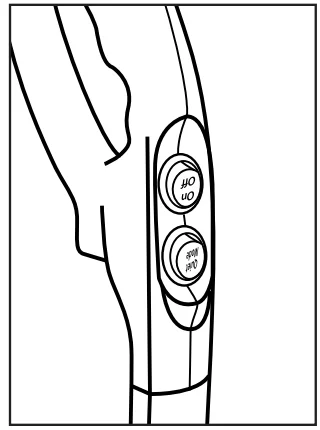
Vacuuming Carpet PV130-W14-U
For carpet cleaning, slide the carpet/floor selector toward the back of the nozzle so that it reads “Carpet”.
Vacuuming Hard Surfaces and Using Tools PV130-W14-U
To prevent the brushroll from spinning when cleaning bare floors or using tools, slide the carpet/floor selector toward the front of the nozzle so that it reads “Floor & Tools”.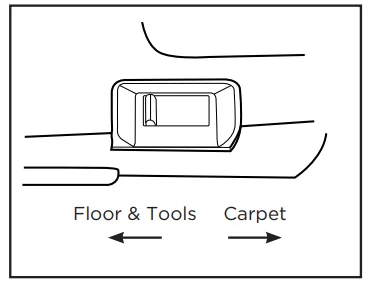
Carpet Height Adjustment
Your Powr-Flite upright vacuum cleaner is designed with an automatic self-adjusting rug nozzle. No manual adjustments are required. The height of the rug nozzle is instantly and automatically adjusted to the carpet pile height. This self-adjusting feature allows the rug nozzle to float evenly over all carpet pile surfaces.
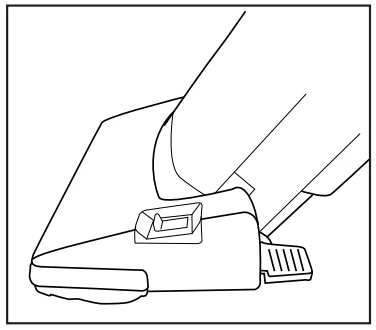
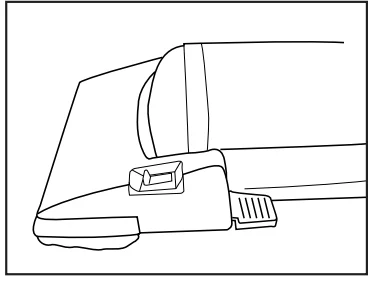
Vacuuming Under Furniture
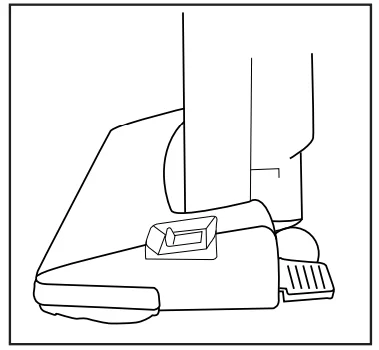
Your unit will lie flat on the floor for effective cleaning under beds and tables.
- Press the foot pedal release once for normal vacuum cleaning.

- Press the foot pedal release a second time to enable the vacuum to lie flat on the floor.


Carrying the Vacuum
To safely transport your vacuum, especially when carrying the vacuum up and down stairs, use the carry handle.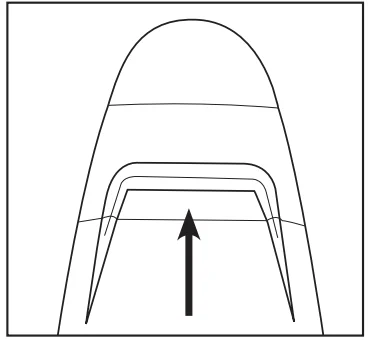
ATTACHMENT CLEANING
Wand Cleaning
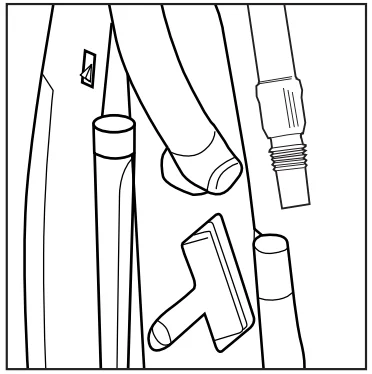
With the on-board cleaning tools and vacuum wand, your unit becomes a comprehensive cleaning system. The models equipped with on-board tools include an upholstery tool, dusting brush, crevice tool, extension wand, and stretch hose. The PV130-W14-U also comes with (2) extra plastic extension wands that can be added to the telescopic wand to extend the reach for cleaning higher up.
- Remove the telescopic wand from the body of the vacuum.

- Extend the wand by pushing the button forward and pulling the smaller wand out of the larger wand.

- Attach any of the on-board tools to the end of the wand, or if you do not need the wand, any tool can be connected directly to the hose.
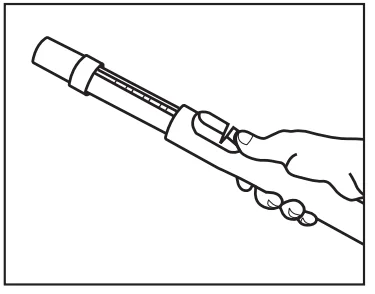
Fast Task™ Cleaning Tools
Your vacuum is equipped with a dusting brush, upholstery brush, and crevice tool. Other tools are available at your authorized retailer. Remove the cleaning wand from the vacuum (PV130-W14-U only; turn the carpet/floor selector to the “Floor & Tools” position, see page 12). Insert any of the tools onto the end of the wand.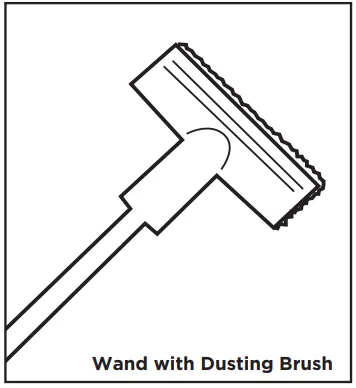
Dusting Brush
Ideal for table tops, shelves, blinds, or hard surface floors.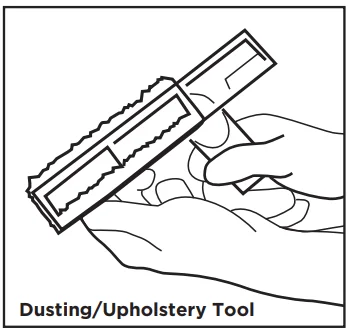
Upholstery Tool
Ideal for soft surfaces like chairs and couches. Remove the dusting brush clip for upholstery cleaning.
Crevice Tool
Ideal for tight places like between seat cushions or corners.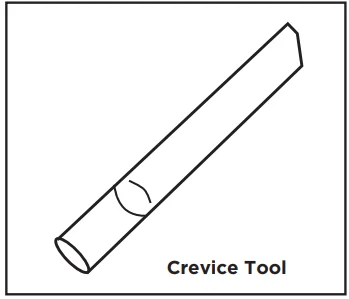
Adjusting the Suction Power for Tool Cleaning
On the back of the vacuum, locate the suction control dial and turn it to the desired position. This reduces the suction power coming through the hose. Close the suction control dial when finished to restore full suction power.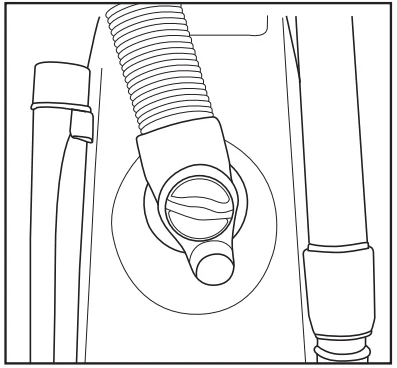
WARNING: PV100-W14-U
There is no way to turn the brushroll off. Therefore, when using the cleaning tools, it is important to keep your vacuum from running in the same spot for a period of time, as carpet or flooring damage could result. If you need to keep the vacuum in the same spot for a period of time, such as at the base of the stairs when cleaning the stairs, place something, like a flattened cardboard box, under the vacuum to prevent damage to the floor.
When to Change the Vacuum Bag / Full Bag Indicator Light
The full bag indicator light is designed to show when the bag is full or when there is a clog in the vacuum. The system measures airflow and alerts the user when airflow is significantly reduced, most commonly from full bags and clogs.
The light could also come on when vacuuming fine powders such as flour or drywall dust. These materials can quickly block the bag’s pores, significantly reducing airflow before the bag appears to be full. The vacuum bag should still be changed. The light could also come on during attachment cleaning.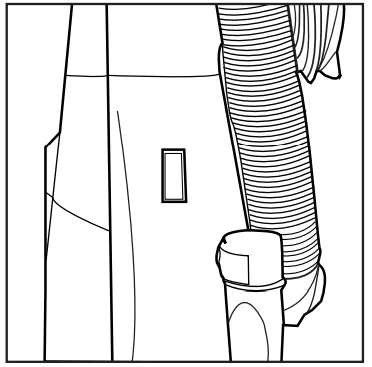
NOTE: The vacuum bags are disposable and intended to only be used once. Do not attempt to reuse, as suction and filtration performance would be greatly reduced.
PV130-W14-U
A re-usable shake-out bag is included with this model. When the bag is full, the bag full indicator light is illuminated. Remove the bag and slide the clamp off, and dispose of dirt in a trash receptacle. Before replacing the clamp, tap the bag to loosen and remove any dirt still remaining. You can also use the dusting brush to brush the inside of the reusable cloth bag, removing as much dust as possible. When using the reusable cloth bag, it should be replaced at least every six months.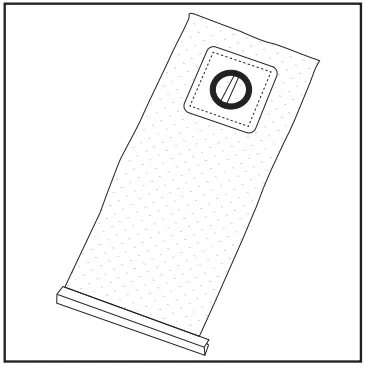
MAINTENANCE AND CARE
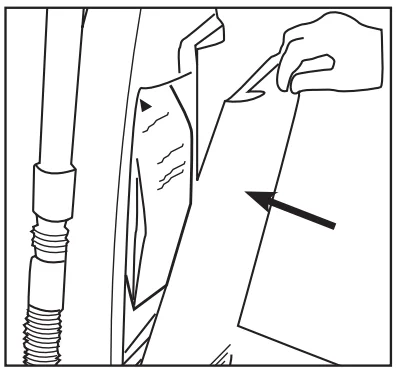
Replacing the Vacuum Bag
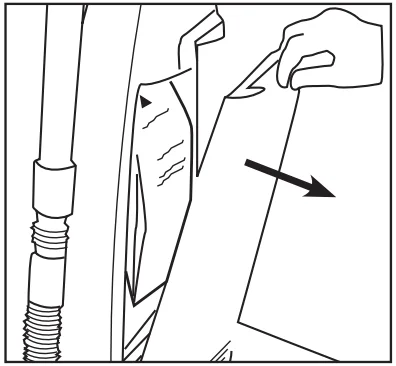
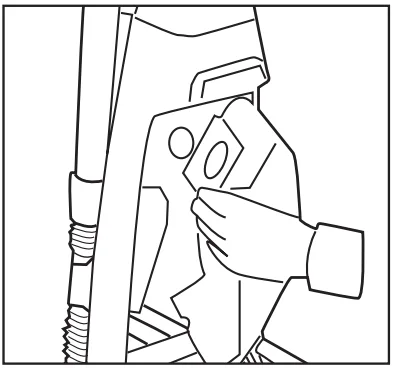
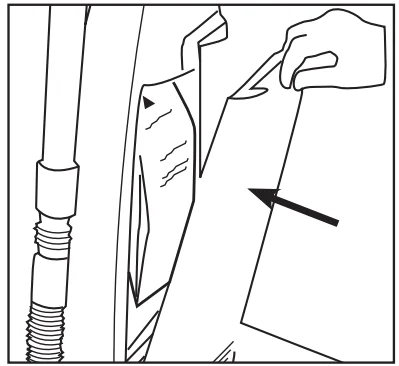
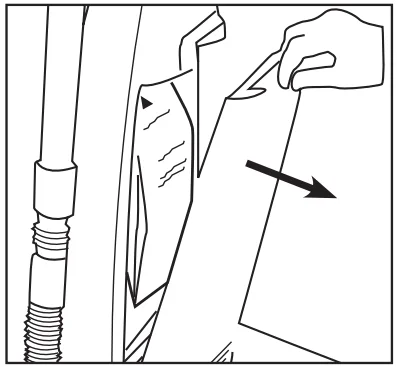
- Open the bag compartment lid.

- Remove the vacuum bag by pulling the bag collar off the bag holder.
- Attach the new vacuum bag to the bag holder.

- Tuck the bag corners into the vacuum before replacing the bag compartment lid.
- Replace the lid and press the vacuum until it snaps into place.

When to Change the Filters
At a minimum, it’s recommended to replace the filters once a year or after using twelve vacuum bags, whichever comes first. If someone in your household is highly sensitive to airborne allergens, it is recommended to change the filter set after every six vacuum bags.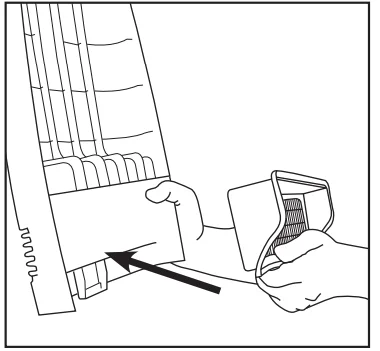
Replacing the HEPA Post Filter
- Open the bag compartment lid and locate the post filter on the inside base of the cover.
- Remove the used filter and throw it away.
- Press the new HEPA post filter into place on the inside base of the cover.
- Close the bag compartment lid.
NOTE: Post filters cannot be washed.
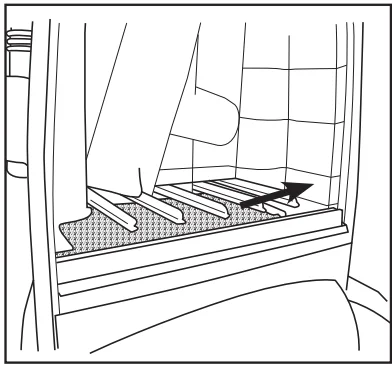
Replacing the Secondary Filter
The secondary filter protects the motor from dust and dirt. Before installing a new vacuum bag, check the filter. Accumulated dirt in the bag compartment will be collected on this filter and may restrict motor performance when the filter becomes dirty.
- Open the bag compartment lid and locate the secondary filter on the bottom of the bag compartment.

- Remove the secondary filter from the bottom of the bag compartment.
- The foam secondary filter can be washed and reused. If washed, make sure the filter is completely dry before reinstalling.

- Insert the new filter by sliding it under the bag support.
- Close the bag compartment lid.

Removing and Reinstalling Bottom Plate
CAUTION: Disconnect the vacuum cleaner from the electrical outlet before removing the bottom plate.
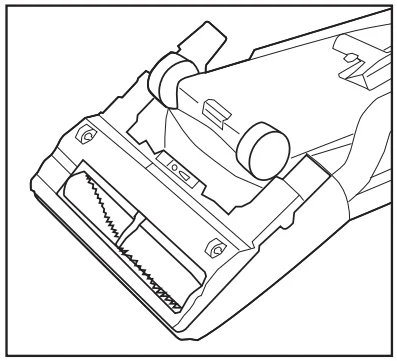
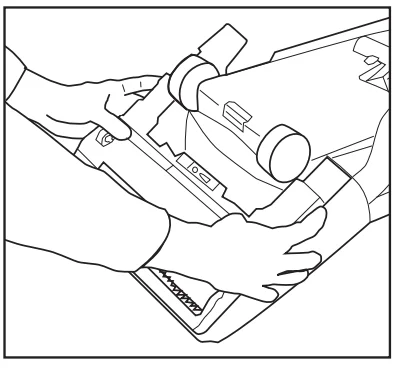
- Depress the handle release pedal twice and place the vacuum cleaner in the low position.

- Turn the vacuum cleaner over, exposing the underside.
- Slide the locking latch to the right.
- Press tabs inward on each side and pull the bottom plate off.

- Reinstall by placing the lower edge of the bottom plate along the lower edge of the nozzle. Snap the plate into place. Slide the locking latch to the left to secure.

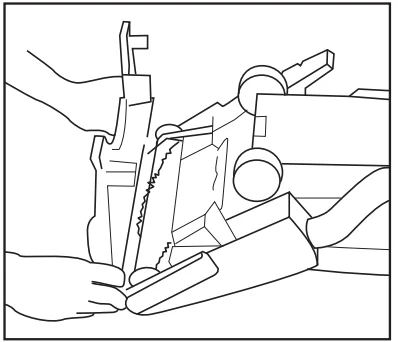
Replacing the Agitator Beltm PV100-W14-U
NOTE: To ensure maximum cleaning efficiency, the condition of the belt should be checked regularly. If the belt is stretched, cracked, or if excessive slipping is occurring, replace the belt.
- Disconnect the vacuum cleaner from the electrical outlet.

- Turn the unit over and remove the bottom plate (see “Removing and reinstalling bottom plate”).
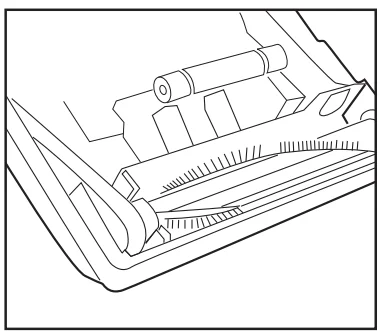
- Remove the agitator and the worn or broken belt.
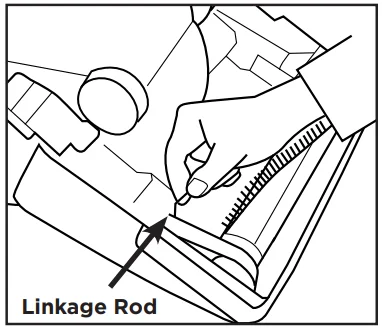
- Loop the new belt around the motor drive shaft and the agitator pulley.

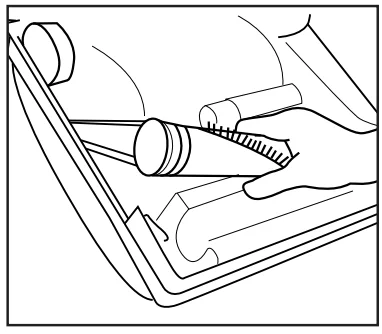
- Reinstall the agitator into the housing while making sure that the positioning fork faces down and straddles the support guide.

- Rotate the agitator pulley, making sure that the belt is not twisted.
- Reinstall the bottom plate (see “Removing and reinstalling the bottom plate”).
Edge Cleaning
The edge cleaning feature provides for improved cleaning of carpets near walls and stationary furniture. For maximum edge cleaning, place the right side of the nozzle against the wall or furniture.
PROBLEM SOLVING GUIDE
Unclogging Nozzle and Hose
CAUTION: Disconnect the vacuum cleaner from the electrical outlet before cleaning the nozzle housing.
The nozzle hose, located on the back of the vacuum, carries the dirt from the nozzle to the vacuum bag. The hose also functions as the attachment cleaning hose. First, check to see that a bag is installed or that the bag has not broken open.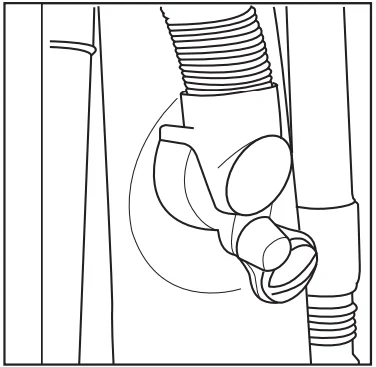
If the Hose Should Become Clogged
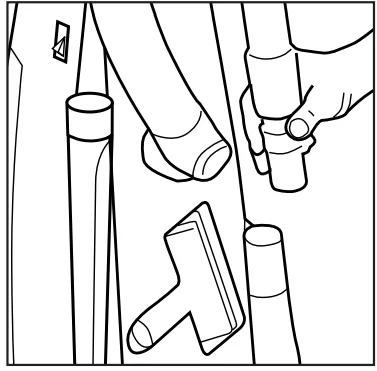
- Pull out and turn the lid of the cleaning attachment opening. Remove the clog or blockage.

- Remove the hose cuff from the nozzle inlet and check for a clog.
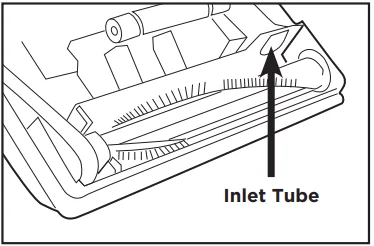
- Turn the unit over and remove the bottom plate (see “Removing and reinstalling bottom plate”). Check the nozzle inlet tube for obstructions. Clear the tube and reinstall the bottom plate.

Thermal Motor Protection
Your unit is equipped with a safeguard to recognize when the vacuum heats up and shuts itself down to protect your vacuum cleaner. Common reasons why a vacuum may overheat include operating a vacuum with a full bag or when there is a clog in the vacuum.
- Unplug the vacuum.
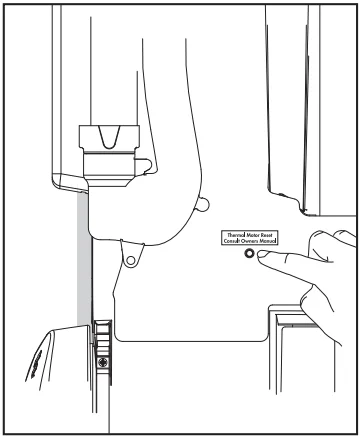
- Inspect your vacuum for a full bag condition or a hose clog and correct the problem. Locate the Thermal Motor Reset button on the back of the vacuum. Press the button and resume vacuuming.
- If the problem continues, contact your Authorized Distributor.

Trouble Shooting
Visit WWW.POWR-FLITE.COM for more information.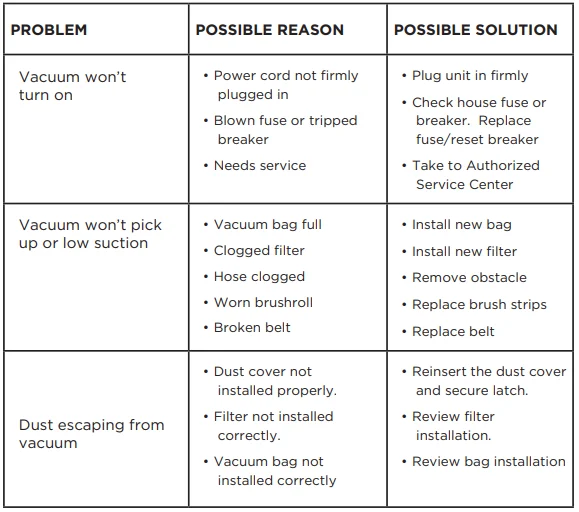
For Best Performance
- Keep the machine and all accessories clean and in good operating condition.
- Change vacuum bags and filters as recommended to maintain optimum cleaning efficiency.
- Always use genuine bags, filters, and parts, as use of other products may result in poor cleaning or filtration performance. Powr-Flite filtration products are designed for maximum performance.
- Have the machine checked periodically by an Authorized Service Center.
- Store the machine carefully in a dry area.
- For optimum cleaning performance and safety, follow your owner’s manual.
For More Manuals By Powr-Flite, Visit ManualsLibraryy.
Powr-Flite PV100-W14-U Rigel Pro Commercial Upright Vacuum -FAQs
What makes the Powr-Flite PV100-W14-U Rigel Pro a good commercial vacuum?
The Powr-Flite Rigel Pro is engineered for professional environments such as offices, schools, and hotels. It features a powerful 1,200-watt motor, automatic height adjustment, and a 14-inch cleaning path, helping it handle both hard floors and carpets efficiently. Its HEPA filtration system captures fine dust and allergens, improving air quality during extended cleaning sessions.
Can this vacuum clean both carpets and hard floors?
Yes. The Rigel Pro includes automatic height adjustment, which adjusts the nozzle for optimal cleaning performance as you move between carpets and hard surfaces. This feature eliminates manual adjustments and helps maintain consistent suction across different flooring types.
What filtration system does the Rigel Pro use?
The Rigel Pro comes with a 3-stage HEPA filtration system that includes a HEPA bag, secondary filter, and HEPA exhaust filter. It captures up to 99.97% of particles down to 0.3 microns, making it ideal for environments where cleaner air output is important. A reusable cloth shake-out bag is also available as an option.
What warranty coverage does this model have?
The Powr-Flite PV100-W14-U Rigel Pro comes with 2 years of parts coverage and 1 year of labor coverage. This warranty supports peace of mind and gives commercial users reliable protection for typical service needs.
Does the Rigel Pro have any safety features?
Yes. It includes thermal overload protection, which helps safeguard the motor against overheating during heavy or continuous use. Following the manual’s safety guidelines ensures long-term performance and reduces the risk of damage.
What maintenance tasks should I perform regularly?
Routine maintenance includes changing the HEPA filtration bag and filters, replacing worn brush strips, and clearing the airpath clean-out port when necessary. Tool-free access to these components makes maintenance simple and helps prolong the vacuum’s life.
How do I know when the dust bag is full?
The Rigel Pro includes a bag full indicator that lets you see when the HEPA bag needs to be replaced. Monitoring this helps maintain peak suction performance and prevents loss of airflow due to an overfilled bag.
Is the Rigel Pro easy to maneuver and carry?
Yes. The vacuum has a D-grip handle, built-in carry handle, and large rubber-overmolded wheels, which make moving and transporting easier, even during long cleaning sessions. These ergonomic features reduce operator fatigue and improve mobility on different surfaces.