
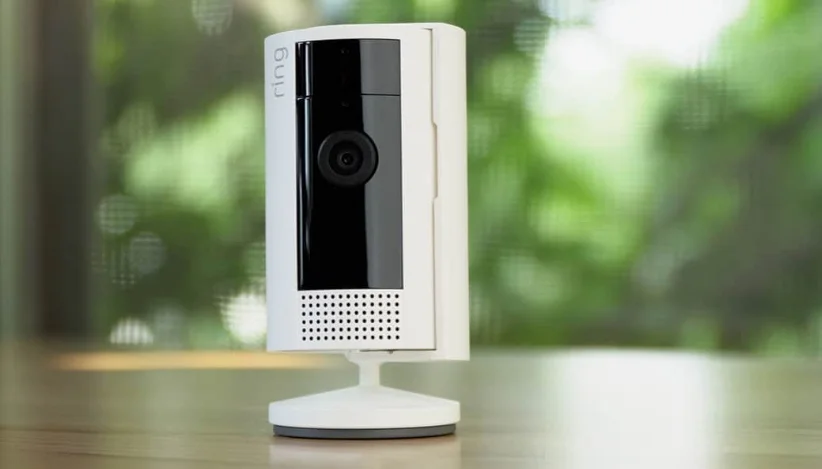

Ring Indoor Cam 2nd Gen
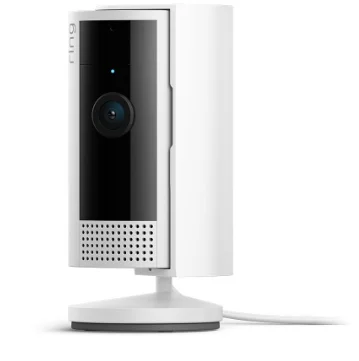
The Ring Indoor Cam 2nd Gen is a compact plug-in home security camera that helps you keep an eye on what’s happening inside your home with crisp 1080p HD video and color night vision. It includes advanced motion detection with customizable zones and sends real-time alerts to your phone, while two-way talk with noise cancellation lets you hear and speak through the camera. A built-in manual privacy cover lets you quickly block the camera lens and microphone when you want privacy. Easy to install on a shelf, wall, or ceiling and compatible with the Ring app and Alexa, this second-generation indoor cam delivers reliable monitoring and smart features in a simple, modern design.
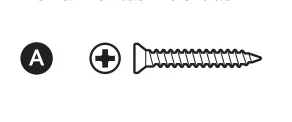
Hardware included
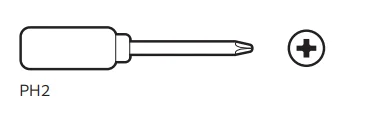
Tools needed
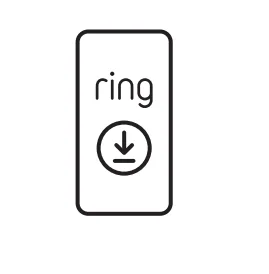
- Download the Ring app.

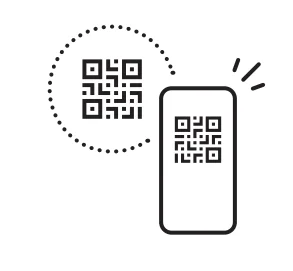
- Scan the QR code on your device.

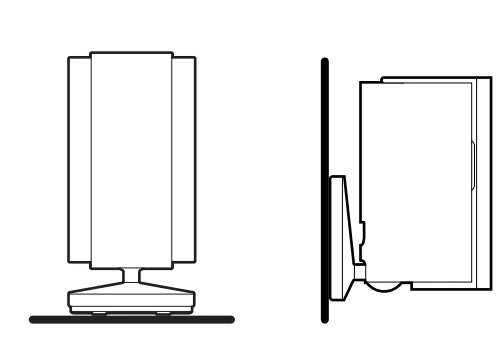
- Choose a location. Caution: Ring Indoor Cam and its accessories are for indoor use only. Don’t expose your device to steam, extreme heat, or cold. For example, do not install your device near any heat sources such as space heaters, heater vents, radiators, stoves, or other things that produce heat. Use your device in a location where temperatures remain within the device’s operating temperature range outlined in this guide. Your device may get warm during normal use. To reduce the effect of the warming, place your device on a heat-resistant surface.

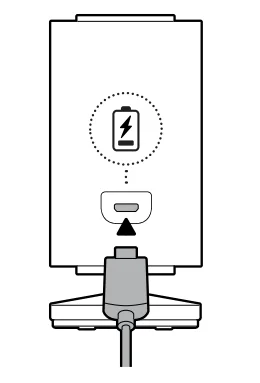
- Plug in the power cable.

Warning: Use only accessories supplied with your device or specifically marketed for use with your device. Use of third-party accessories may impact your device’s performance. In limited circumstances, use of third-party accessories may cause damage to your device or the third-party accessory. Read all safety instructions for any accessories before using them with your device.
When this device is plugged into an electrical outlet, unplugging this device will disconnect it from the AC mains supply. Only plug this device into an easily accessible socket outlet. Devices with a power cord must be located near the socket outlet. Your device does not have an on/off button. If you wish to stop power from flowing into your device, unplug the power cord. Do not plug multiple electric devices into the same wall socket. Overloading a socket can cause it to overheat and may result in a fire. If the adapter or cable appears damaged, discontinue use immediately.
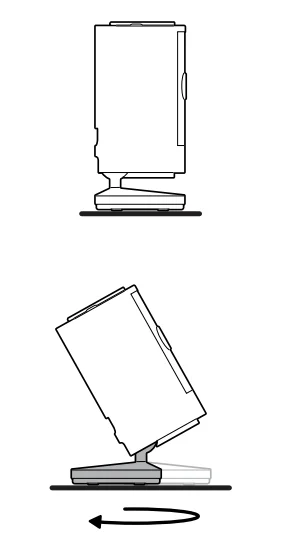
Flat installation
Wall/Ceiling installation
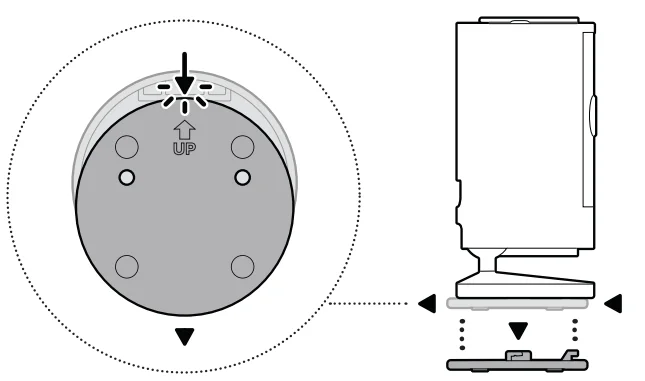
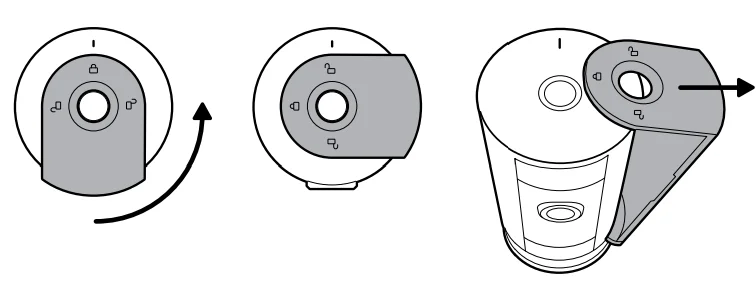
- Slide down to unhook and remove the mounting plate.

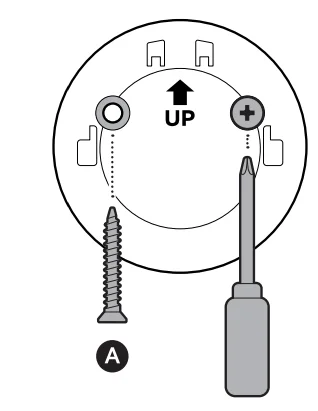
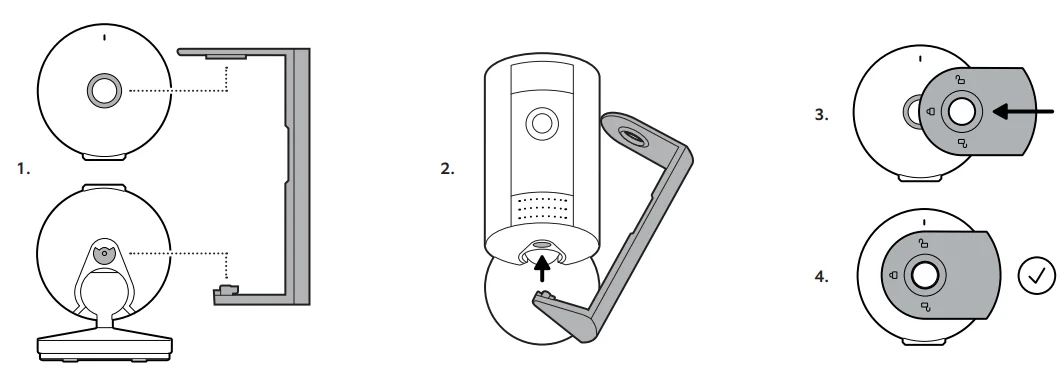
- Install the mounting plate.

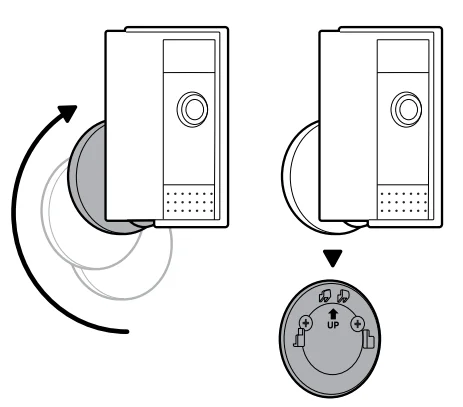
- Slide onto the mounting plate.

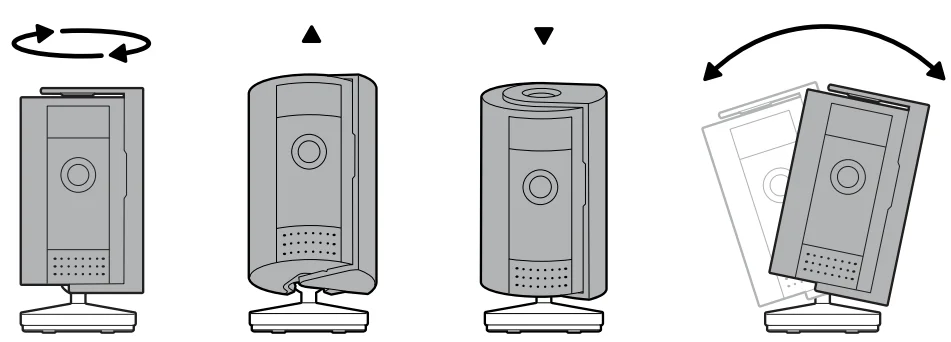
- Adjust the camera angle.

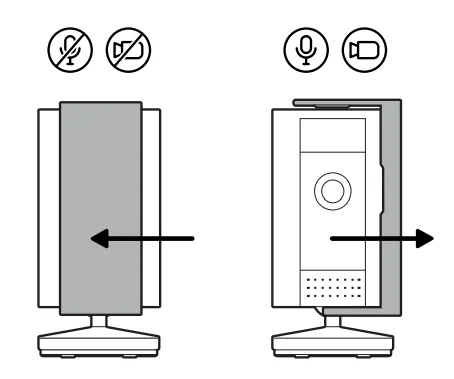
- Using the privacy cover.

- Removing the privacy cover.

- Attaching the privacy cover.

Free Ring Protect Plan for 30 Days
Your new device comes with a free, 30-day trial of Ring Protect. This subscription service lets you review, save, and share your video and photo history anytime, so you never miss a moment. To continue using Ring Protect after your free trial ends, visit ring.com/protect-plans to compare plans and pricing. Your free trial isn’t applicable to locations with an existing Ring Protect subscription. See ring.com/protect-plans to learn more about your plan’s retention period.
 : ring.com/callus
 : ring.com/help
For More Manuals By Ring, Visit ManualsLibraryy.
Ring Indoor Cam 2nd Gen-FAQs
Is the Ring Indoor Cam (2nd Gen) still worth buying?
Yes, the Ring Indoor Cam (2nd Gen) is still worth buying for users looking for an affordable, compact indoor security camera with solid smart features. It offers 1080p HD video, Color Night Vision, Two-Way Talk, and integration with the Ring ecosystem. While it may not have 4K resolution like some premium cameras, it delivers reliable performance for monitoring pets, kids, or entry points inside the home.
What is the difference between Ring Indoor Cam 1st Gen and 2nd Gen?
The Ring Indoor Cam (2nd Gen) improves upon the first generation by adding a manual, removable Privacy Cover that physically blocks the lens and disables audio and video when closed. It also features an upgraded adjustable mount for more flexible placement. Video quality remains 1080p HD, but the newer model offers refinements in design, privacy control, and overall usability.
Does the Ring Indoor Cam (2nd Gen) have night vision?
Yes, the Ring Indoor Cam (2nd Gen) includes Color Night Vision, allowing you to see clearer details in low-light conditions compared to traditional black-and-white infrared night vision. This feature enhances visibility after dark and helps distinguish objects, pets, or people more easily. Combined with 1080p HD resolution, it provides reliable indoor monitoring both during the day and at night.
Does the Ring Indoor Cam (2nd Gen) require a subscription?
No, a subscription is not required to use the Ring Indoor Cam (2nd Gen) for live viewing, real-time alerts, and two-way communication. However, without a Ring Protect Plan, you cannot access recorded video history or save and share footage. A subscription unlocks cloud storage and extended event history, which many users find valuable for reviewing past activity.
Does the Ring Indoor Cam (2nd Gen) have a battery?
No, the Ring Indoor Cam (2nd Gen) is powered by a plug-in adapter and does not include a rechargeable battery. It connects to a standard power outlet using the included USB-A power adapter. Because it is wired for power, it provides continuous operation without needing recharging, making it suitable for consistent indoor monitoring.
Will the Ring Indoor Cam work in Pakistan?
Ring devices are not officially sold in Pakistan, and the company does not guarantee performance or full functionality outside supported regions. While the device may connect to WiFi and function through the Ring app, certain services or support options may be limited. Buyers should consider potential compatibility issues before importing the camera for use in unsupported countries.
How long does the Ring Indoor Cam (2nd Gen) last?
With proper care, the Ring Indoor Cam (2nd Gen) can last several years since it does not rely on a rechargeable battery that degrades over time. As a plug-in device, its lifespan depends mainly on usage conditions and electrical stability. Software updates from Ring may also help extend usability, though long-term performance varies by environment and maintenance.
Is Ring better than a traditional CCTV system?
Ring indoor cameras are convenient, easy to install, and integrate well with smart home ecosystems. Traditional CCTV systems often provide continuous 24/7 recording, potentially higher resolution options, and centralized monitoring for multiple cameras. Ring is ideal for users who want app-based alerts and simple setup, while CCTV systems may be better suited for comprehensive, always-on surveillance coverage.
What makes the Ring Indoor Cam (2nd Gen) a good indoor security option?
The Ring Indoor Cam (2nd Gen) stands out for its compact design, privacy-focused features like the manual cover, Color Night Vision, and seamless app integration. It is easy to install, affordable compared to many competitors, and works well for monitoring pets, children, or specific rooms. For users already invested in the Ring ecosystem, it integrates smoothly with other Ring cameras and doorbells.