
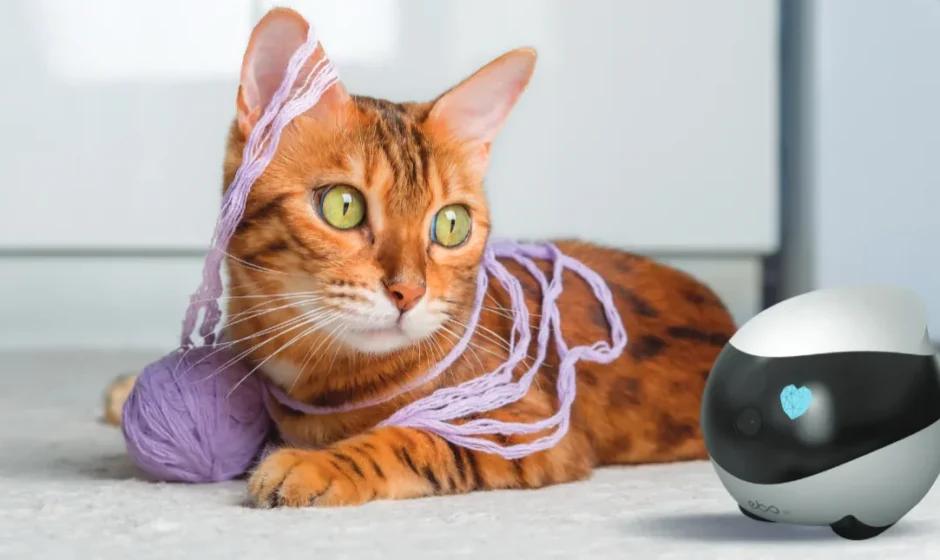

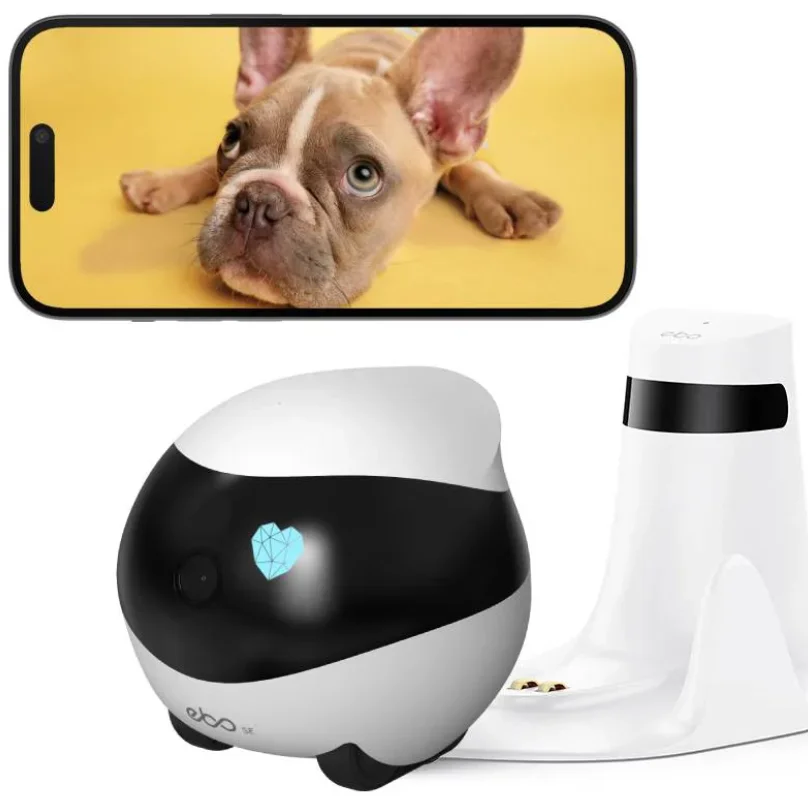
ROLA Mini Companion Robot
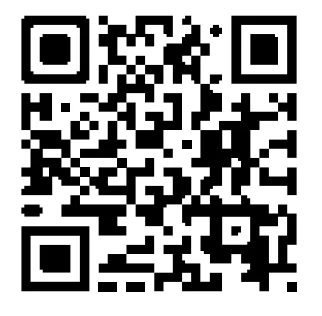
Scan the QR code above. Download the ROLA App
Safety Information
Please read the following safety instructions carefully and take normal safety precautions before using this product.
- Only authorized technicians can disassemble the product. Users should not try this themselves.
- Remove the protective film from the product before use to ensure normal operation of the robot.
- To avoid damage from falling. do not place the robot in places where it may fall, such as tables, coffee tables, 1V cabinets, etc.
- Do not use the robot in an environment with open flames, fragile items, or flammable items.
- Do not drop or kick the product.
- Avoid using the product on wet floors, such as bathrooms or near kitchen sinks.
- Only use the product in an environment with a temperature between -10°C and 45°C.
- Ensure that the Wi-Fi signal covers the product’s range of activity.
- Avoid excessively bending wires and placing heavy or sharp objects on the product.
- Do not let pets bite the product’s wires, as it may cause pet safety hazards.
- Any operation inconsistent with the instructions may cause damage to the product.
- The main unit of this product cannot be immersed or soaked in water.
- This product must be charged with a power adapter of SVoutput voltage and an output current of no less than 2A
- If using a power adapter to supply power, please purchase a power adapter that meets the corresponding safety standards.
- Operation of this device in the band 5150-5250MHz/5250-5350MHz is restricted to indoor use only.
Packaging

Product Introduction
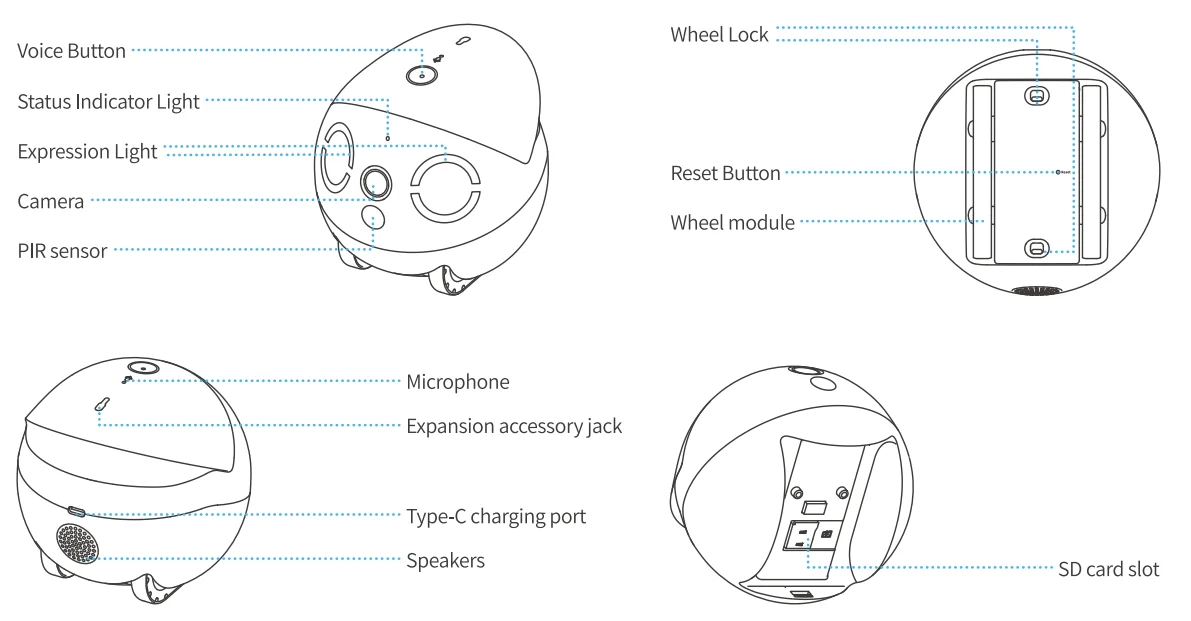
Networking Instructions
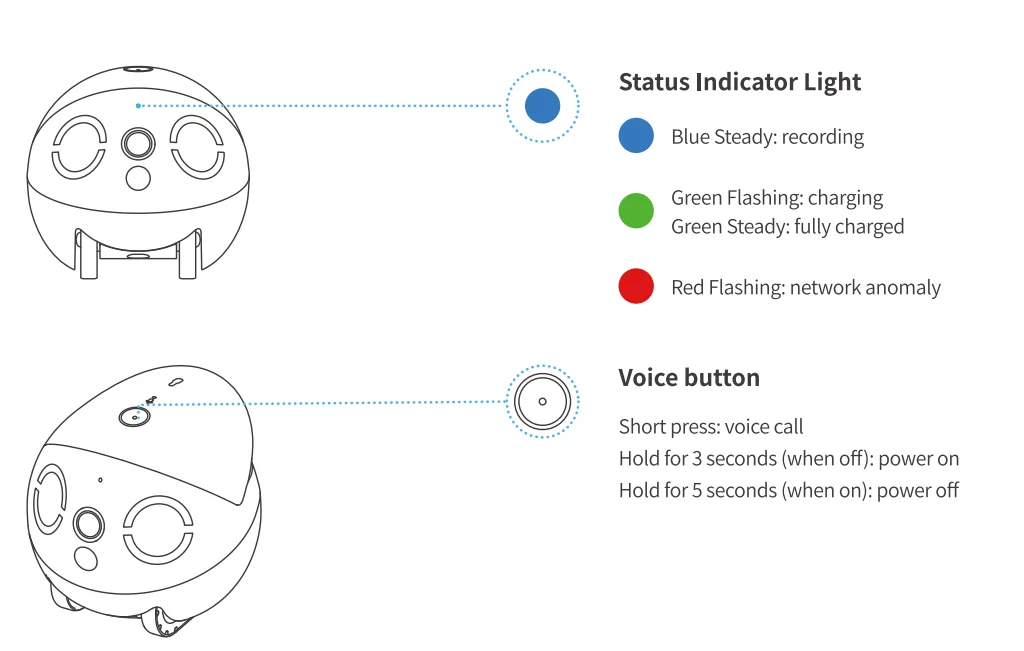
- After the robot is turned on, the Indicator lights
 start blinking. The robot has now entered the QR-code binding state.
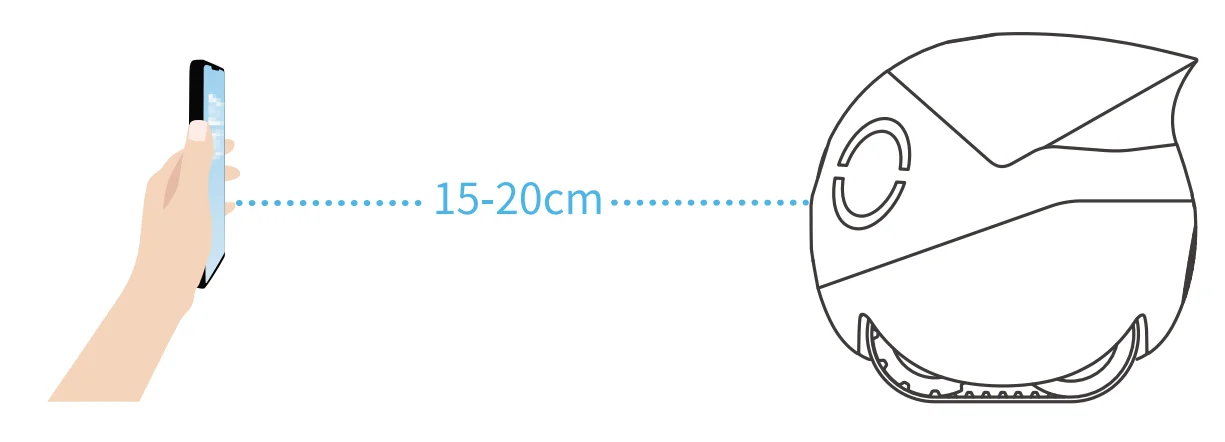
- Download the ROLA App, click “Add Device” or “+” on the home page, and follow the steps to prepare your robot for network access. Please pay careful attention and fill in the correct WI-Fl name and password. After generating the QR code, scan the code about 15-20cm away from the robot to connect it to the network.

- When the robot has successfully connected to the network, it will emit a successful binding sound, and the App will alert you that the binding is successful.
 start blinking. The robot has now entered the QR-code binding state.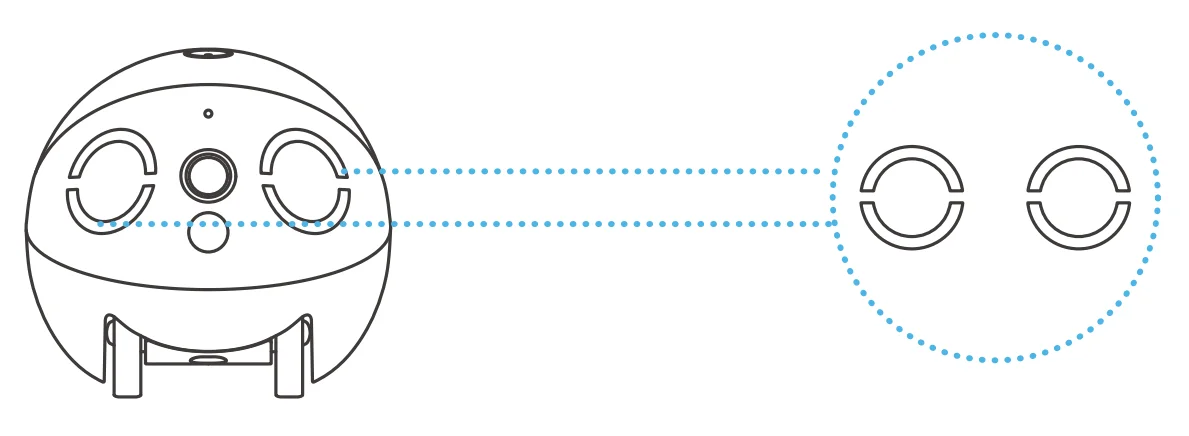
Usage Instructions
Robot charging
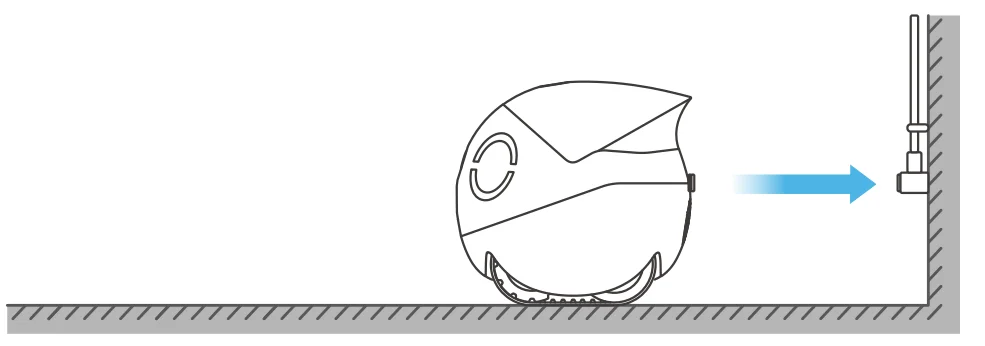
- It is recommended to charge the robot when using it for the first time. When charging, just connect the magnetic connector of the charging cable.

- Fix the charging cable to the wall or the ground and fix the robotto the ground while charging.

SD Card Installation
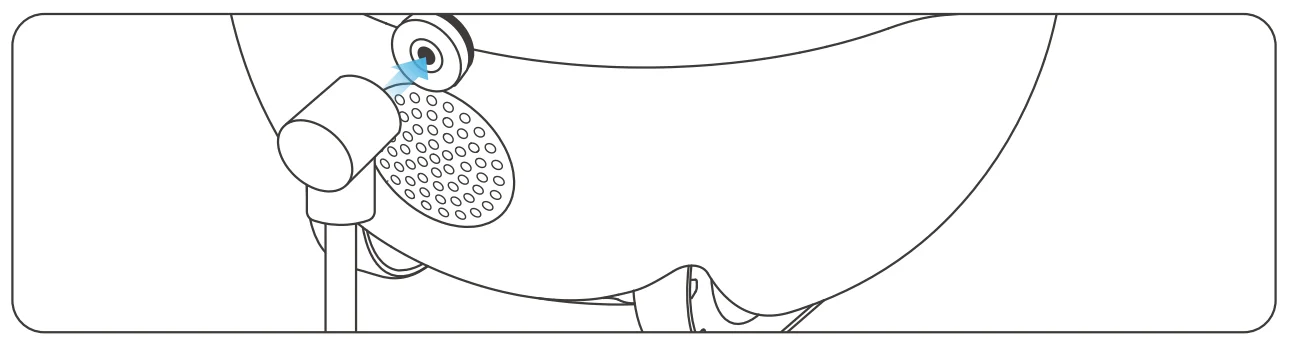
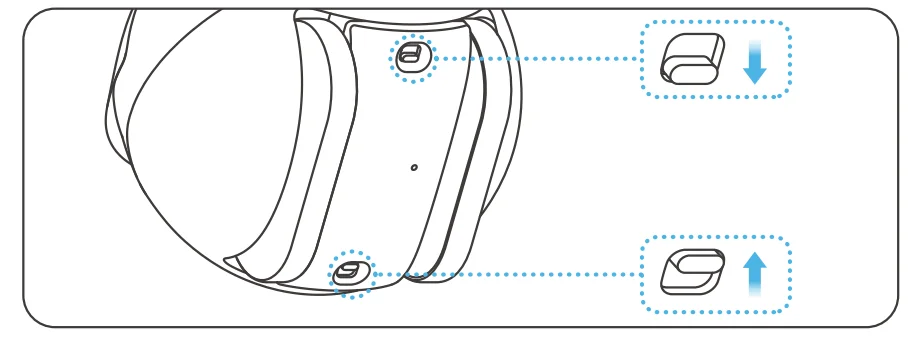
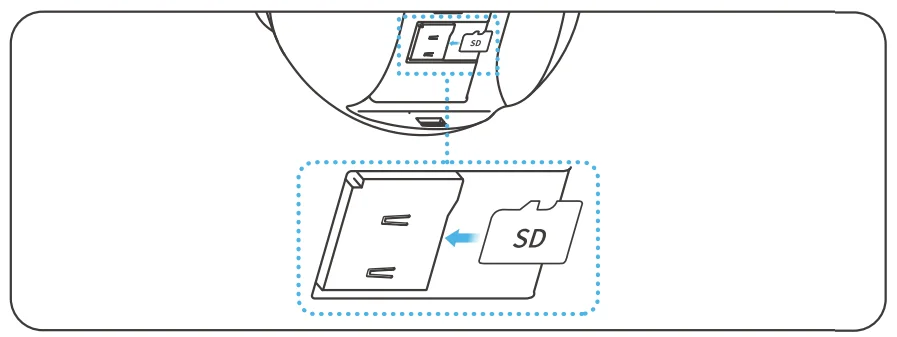
Make sure the robot is powered off. Open the wheel lock and remove the wheel to expose the SD card slot. Insert the SD card into the slot as shown. The SD card read and write speeds should be no less than Ul/Class 10.
Restore Factory Settings
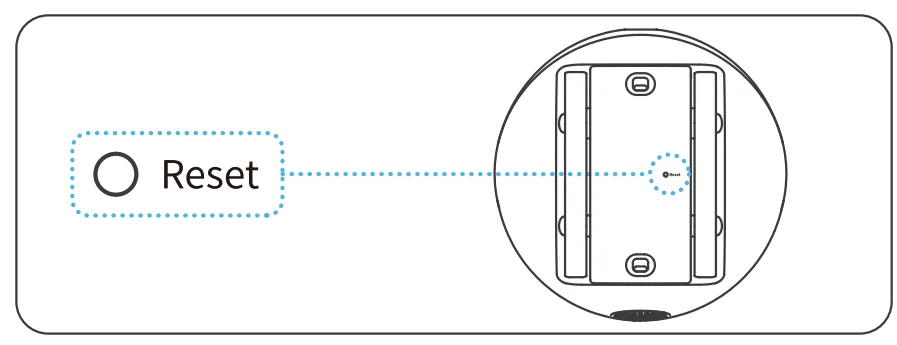
Hold the reset button on the bottom of the robot for>5 seconds. When you hear the “ROLA Fine” prompt tone, reconnect to the network.
Expansion Accessory Installation
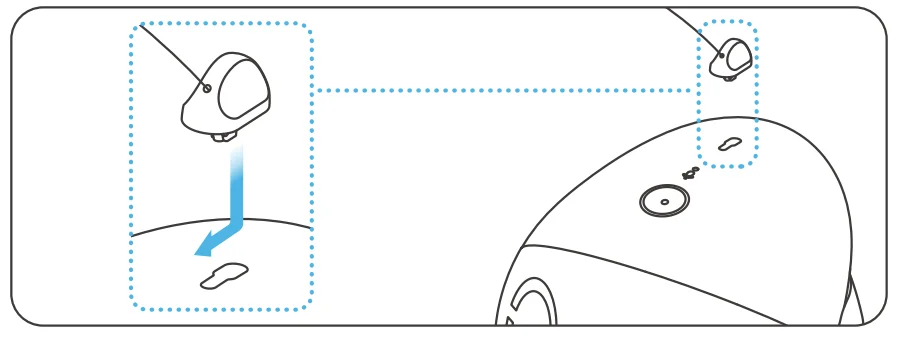
(*Expansion accessories must be purchased separately) Insert the male end of the expansion accessory into the accessory socket on the top of the robot. Slide forward to lock it in.
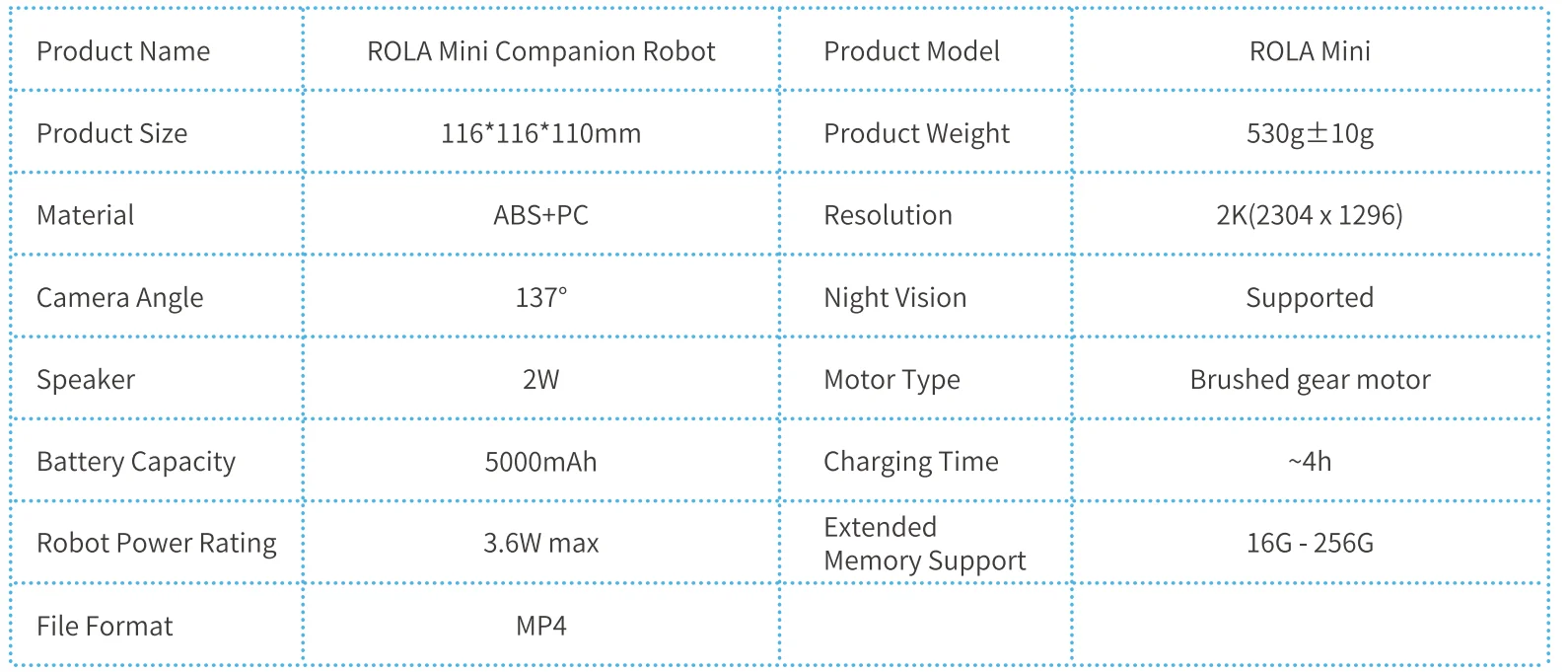
Specifications and Parameters
Legal Statement
- Before using the product, please read this document and keep it for reference.
- The illustrations and descriptions in this document are for reference only, and the actual product should take precedence. For certain specifications and configurations, please check the relevant specification documents or consult the seller.
- The nominal storage capacity and technical performance indicators are only specifications. Actual data may vary depending on the environment and settings, etc. Factors vary.
- If you use other products or software, you are solely responsible for compatibility and legality.
- No content in this document shall constitute a modification of Enabot’s product warranty policy.
- This product is not designed for organ transplantation or other life support system applications. In such applications, product failure may result in personal injury or death.
- No one may copy, delete, compile, store, transmit or translate this document without Enabot’s authorization.
The device has been approved for use in EU countries and is therefore provided with the CE mark. All necessary documentation is available on the website: www.electric-collars.com
Changes to technical parameters, properties, and printing errors are reserved.
Service center and distribution
- Reedog, sro Sedmidomky 459/8 101 00 Prague 10
- Phone: + 1 646 980 4569
- Email: [email protected]
For more manuals by Enabot, visit ManualsLibraryy
ROLA Mini Companion Robot-FAQs
How do I reset the ROLA Mini Companion Robot?
To restore factory settings, press and hold the reset button located on the bottom of the robot for more than 5 seconds. When you hear the prompt tone, release the button and reconnect the robot to your Wi-Fi network through the app.
How do I charge the ROLA Mini?
You can charge it using the official magnetic charging cable. Alternatively, remove the magnetic connector and plug in a USB-C cable. For faster charging, use a 5V/2A (or higher) power adapter.
How long does the battery last?
The built-in 5000mAh battery can last up to 25 days on a full charge, depending on usage, movement frequency, and video streaming time.
How do I set up the ROLA Mini?
Download the ROLA app (iOS or Android), power on the robot, tap “Add Device,” and follow the on-screen steps. Make sure you connect to a 2.4 GHz Wi-Fi network for stable pairing.
What can the ROLA Mini robot do?
It allows remote home and pet monitoring with a 2K camera, two-way audio, mobile app control, obstacle crossing up to 10 mm, and slope climbing up to 15°. You can move it around your home in real time.
Is the ROLA Mini worth buying?
Many users find it useful for pet interaction, home monitoring, and entertainment. It’s especially helpful for checking on pets while away from home.
Why won’t my ROLA Mini connect to Wi-Fi?
Ensure you’re using a 2.4 GHz network, enter the correct password, and keep the robot close to the router during setup. Restarting both the robot and router often fixes pairing issues.
Can I replace the battery?
The battery is built-in. For replacement or servicing, it’s recommended to contact official support.
Are companion robots safe to use?
Yes, companion robots like the ROLA Mini are generally safe when used as directed. They are designed for indoor use and secure app-based operation.