
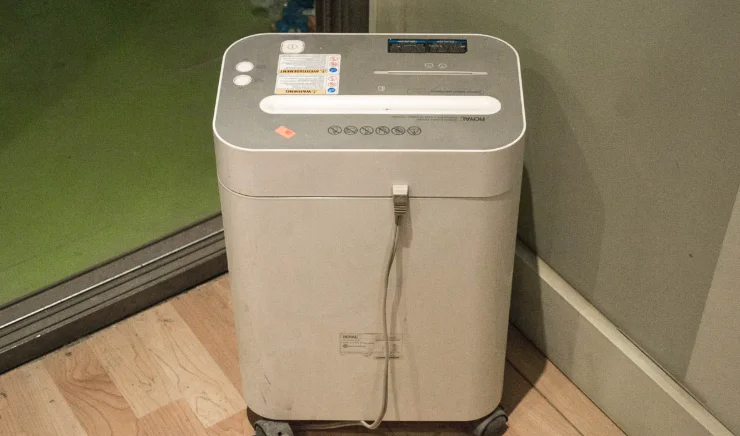

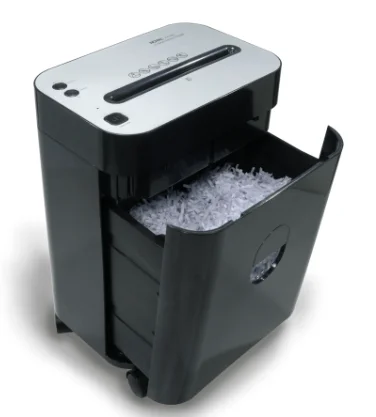
Royal PX1201 Cross Cut Paper Shredder
WARNING
- ALWAYS keep out of the reach of children as serious injury could occur.
- DO NOT place finger too close to feed slot as serious injury could occur.
- AVOID getting jewelry, hair or loose clothing too close to feed slot as serious injury could occur.
- ALWAYS keep shredder off and unplugged when not in use.
- ALWAYS unplug shredder when moving, cleaning or empting the waste receptacle.
- DO NOT attempt to feed more sheets of paper than specified on the feeder.
- DO NOT attempt to shred materials other than paper and credit cards in the provided feed slots.
- ALWAYS install shredder near the socket-outlet and have it easily accessible.
- ALWAYS limit continuous shredding to the specified time as suggested in the instruction manual.
- ALWAYS empty the waste receptacle prior to the receptacle becoming full.
- DO NOT attempt to operate shredder if the shredder is experiencing any kind of problem.
- DO NOT use flammable synthetic oil, petroleum-based or aerosol products of any kind on shredded
Assembly:
Please be aware the shredder will operate only when assembled correctly and the wastebasket is placed properly in the shredder cabinet. When assembling the shredder, be careful not to place your fingers near the cutter blades and use caution when positioning the shredder head onto the shredder cabinet
- With the wastebasket removed from the shredder cabinet, position the shredder head over the cabinet. Place the shredder head on top of the shredder cabinet as shown in Fig. 1.
- Firmly push down on the four corners of the shredder head to lock the shredder head in place.
- To install the rolling casters, carefully place the shredder upside down on a flat surface. Insert the locking casters into the front holes of the cabinet and press firmly until they snap in place. Place the two non-locking casters into the remaining two holes and press firmly until they snap into place.
- Carefully place the shredder into the upright position on a level surface and slide the wastebasket fully into the shredder cab
Operating the shredder:
With the electrical cord plugged in, the ON/OFF ( ) button depressed and the wastebasket properly in place, the LED will light up. This means that the shredder is now ready for operation. When paper is inserted into the feed opening, the shredding process will start automatically and stop when the paper has completed its travel through the feed opening.
Located on top of the shredder are the ON/OFF, Reverse ( V ), Forward ( ), and LED. Their purposes are:
- When the ON/OFF ( ) button is depressed, the shredding process will start when paper is inserted into the feed opening and will continue until it has completely passes through the feed opening.
- The Reverse ( V ) Button is used to assist in the removal of a paper jam, which reverses the shredding process prior to a completed forward cycle, thus clearing the cutters. When switching from Forward ( ) to Reverse ( V ), always stop
momentarily to prevent possible damage to the motor. - The OFF position is used to terminate the AC power to the shredder. It is recommended to turn the shredder off when the shredder is not being used for a prolonged period of time.
- When the LED is lit it lets the user know that the wastebasket is inserted correctly and that the shredder is turned on and ready for use. If the LED does not light up, make sure that the plug is plugged in, the basket is inserted correctly and the ON/OFF ( ) button is depressed
Shredder capacity:
The Royal PX1201 will shred up to twelve (12) sheets of 20-lb. bond paper and will accept paper widths up to 8 5/8”. When shredding small material like envelopes, credit cards or receipts, insert them in the middle of the paper feed opening
Cautions:
- Keep all loose articles of clothing, ties, jewelry, hair or other small items away from the feed opening to prevent injury.
- Keep the shredder turned off or unplugged when not in use for prolonged periods of time.
- The PX1201 will cut staples, small paper clips and credit cards; however, proper discretion is recommended.
- Do not place hands or fingers into the shredder throat as serious injury could result.
- When manually changing feed direction, pause long enough for the motor to stop.
- Continuous shredding average capacity 1-6 sheets should not exceed the maximum run time.Exceeding the maximum run time could result in overheating the motor.
- Always turn off or unplug the shredder prior to moving, cleaning or emptying the wastebasket.
- Do not allow children to shred or play with the paper shredder or serious injury could result.
- Empty wastebasket frequently
Paper jams and motor overload situations:
The Royal PX1201 is equipped with an automatic motor overload protection circuit. Continuous shredding of paper at average capacity 1-6 sheets should not exceed 10 minutes. The PX1201 will automatically terminate power during any of the following abnormal situations:
- Operating the shredder at the maximum 12-sheet capacity continuously for a prolonged period of time without stopping.
- Exceeding the shredding capacity, eg. Inserting more than twelve (12) sheets of 20-lbs. paper in one pass, or if the paper is not fed squarely into the feed opening.
Both abnormal operations may result in the activation of the automatic thermal motor overload protection circuit, which terminates the power to the shredder.A paper jam could cause the thermal motor overload protection to terminate AC power to the motor. Never allow the shredder to remain in a jammed condition with the AC power turned on. If this occurs you should:
In case of a minor paper jam:
- Press the Reverse ( V ) button and pull the remaining sheets of paper out of the feed opening. Remove the unshredded portion of paper from the top and clear any excess paper shreds from the feed opening. Be sure to keep fingers and any personal effects away from the throat of the feed opening while the shredder cutters are in motion.
In case of a major paper jam:
- Turn off or unplug the power cord from the AC outlet and wait at least 20 minutes for the thermal overload protection to reset.
- Plug in the AC power cord and press the ON/OFF ( ) button. If paper was left inside the feed opening prior to the overload, press the Reverse (V) button and grasp the excess paper from the top and pull it out. Be careful not to place
your fingers near the feed opening or serious harm could result. Clear any excess paper shreds from the feed opening. - You are now ready to resume normal shredding.
Specifications:
- Shred Type: Cross-Cut
- Shred Width: 5/32” x 1 5/16”
- Shredding Capacity: 12 Sheets
- Feed Opening: 8 3/4”
- Suggested Run Time
- average capacity: 10 min ON / 20 min OFF
- Suggested Run Time
- maximum capacity: 3 min ON / 25 min OFF
- Weight: 13.6 lbs.
- Input: 115 volt AC, 5 amp
FOR MORE MANUALS BY ROYAL, VISIT MANUALSLIBRARYY
Royal PX1201 Cross Cut Paper Shredder-FAQs
Why is my shredder not pulling paper through?
This may happen due to a paper jam, overheating, or worn feed rollers. Try running the shredder in Reverse to clear any stuck paper and let it cool for 30 minutes before restarting.
What’s the difference between a strip-cut and cross-cut shredder?
A strip-cut shredder slices paper into long strips and is more affordable.
A cross-cut shredder, like the Royal PX1201, cuts paper into small confetti-like pieces, providing better security for sensitive documents.
How do I know when my shredder needs oiling?
If your shredder slows down, makes unusual noises, or struggles to shred normally, it’s time to oil the blades. Regular oiling helps maintain speed and prevents jams.
How do I reset the Royal PX1201 shredder?
If the shredder stops working due to overheating, turn it off and unplug it. Wait 30–60 minutes for it to cool down, then restart. This resets the internal thermal protection circuit.
What kind of oil should I use for my shredder?
Use official shredder oil or lubricant sheets. Avoid using WD-40 or household oils, as they can damage the cutting blades or cause paper jams.
What causes a shredder to stop working suddenly?
This could be due to overheating, a full waste bin, or a paper jam. Allow the machine to rest for 20–30 minutes before using it again.
How long does a paper shredder usually last?
With proper use and maintenance, a paper shredder can last 3 to 10 years. Regular cleaning and oiling extend its lifespan.
Is Royal a good brand for shredders?
Yes. Royal shredders are durable, reliable, and secure, making them a popular choice for both home and office document destruction.
What are signs I need a new shredder?
Frequent jams, a burning smell, slower shredding, loud noises, or visible blade wear are signs it’s time to replace your shredder.