
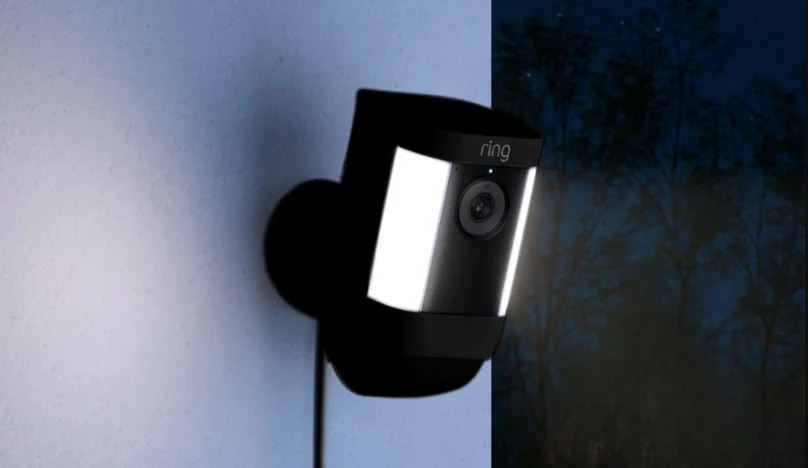

Spotlight Cam Pro Battery
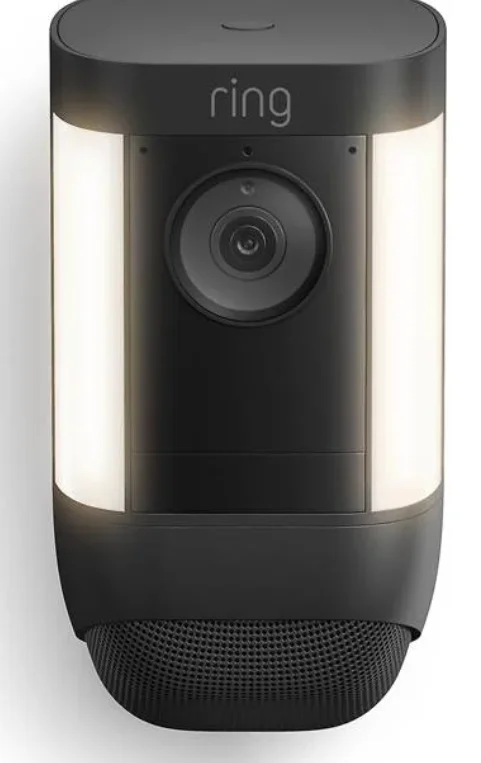
Description
Ring Spotlight Cam Pro Battery is a powerful outdoor security camera designed to provide advanced home protection with flexible battery-powered installation. Built for modern smart homes, this camera delivers crisp 2K video with HDR, allowing you to monitor your property with clear detail during both day and night. It also features color night vision, ensuring that important moments are captured even in low-light conditions. One of the standout features of the Spotlight Cam Pro Battery is its 3D Motion Detection powered by radar technology, which helps detect movement more accurately and reduce false alerts. With Bird’s Eye View, users can see an aerial map of motion activity to understand exactly where a person came from and where they went on the property. The camera includes motion-activated LED spotlights and a remote-activated siren, adding an extra layer of security by illuminating suspicious activity and allowing users to respond instantly through the mobile app. It also supports Two-Way Talk with Audio+, enabling clear communication with visitors, delivery drivers, or anyone near the camera. Powered by a rechargeable battery pack, the device is easy to install without complicated wiring, making it ideal for outdoor areas such as driveways, yards, or entrances. With Wi-Fi connectivity and compatibility with Alexa-enabled devices, the Spotlight Cam Pro Battery offers a convenient, smart, and reliable solution for modern home surveillance.
Setup Guide
ring.com/manuals
Download the full manual online
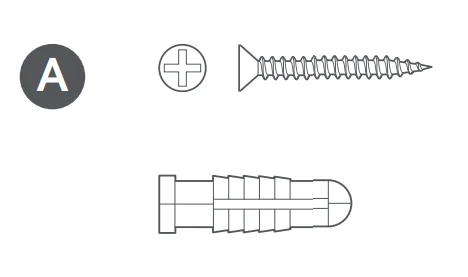
Hardware included
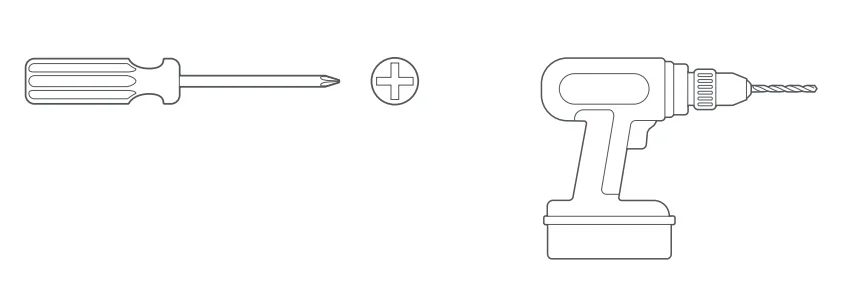
Tools needed
- Remove protective film
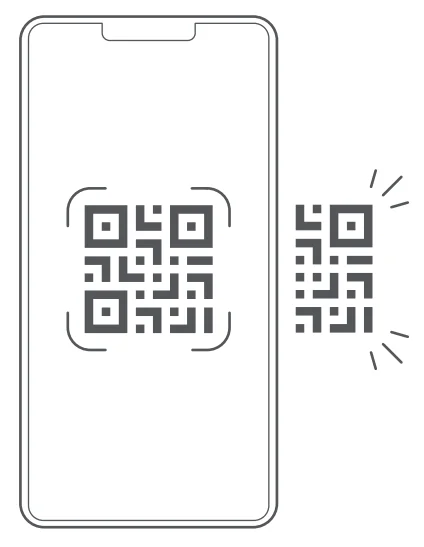
- Continue setup in Ring app.


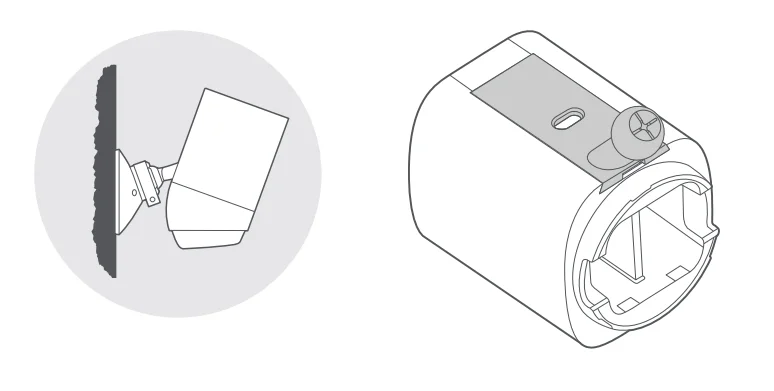
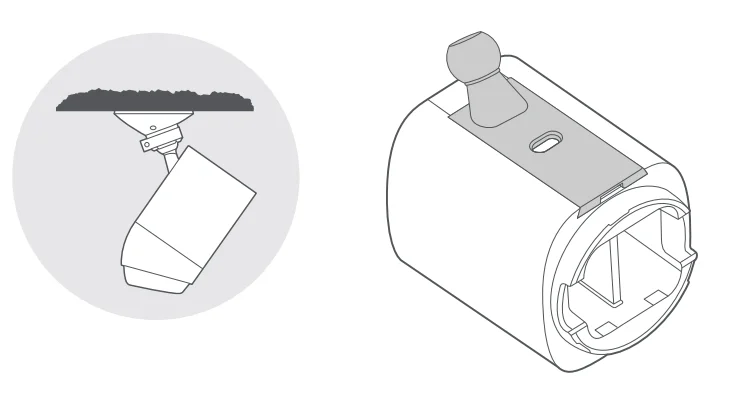
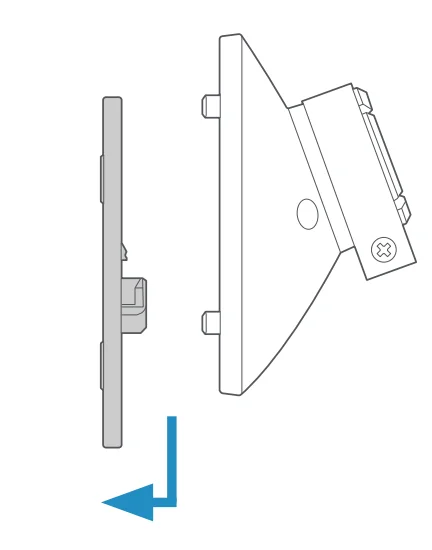
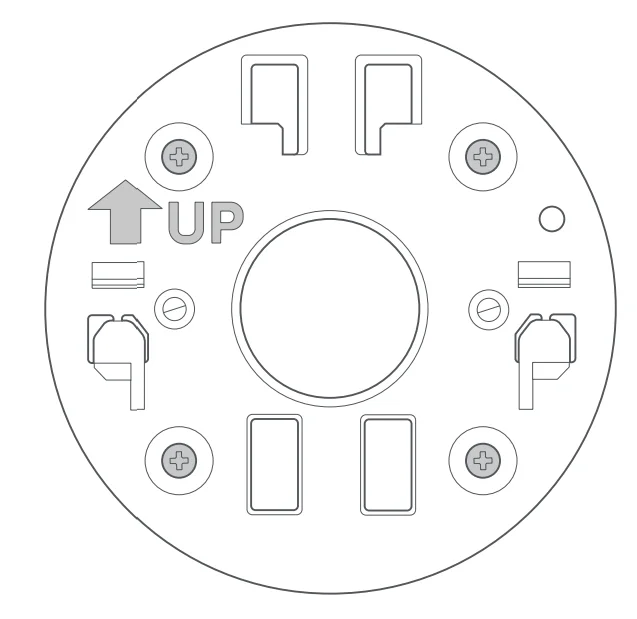
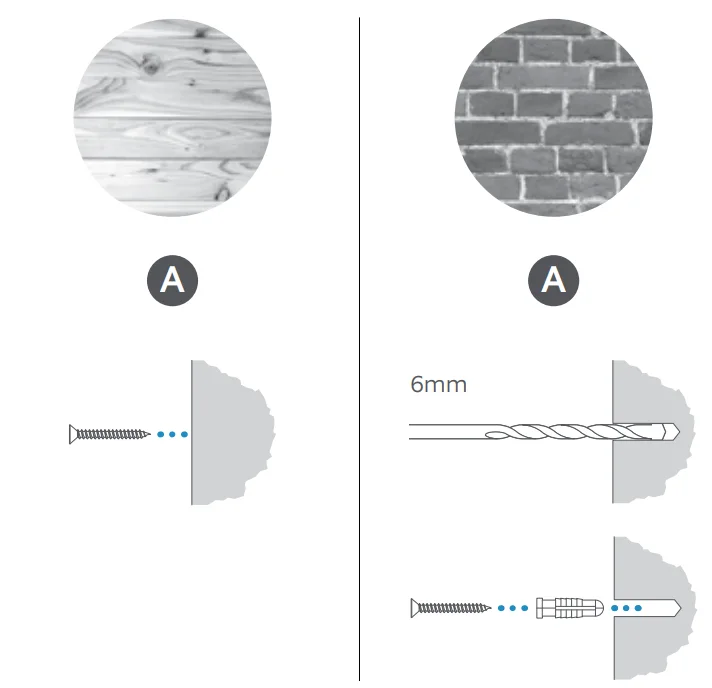
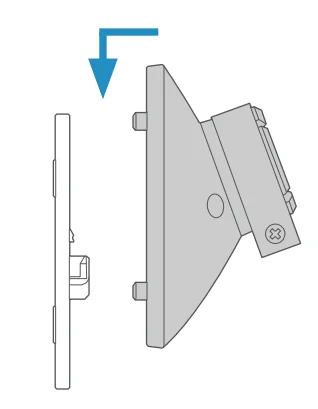
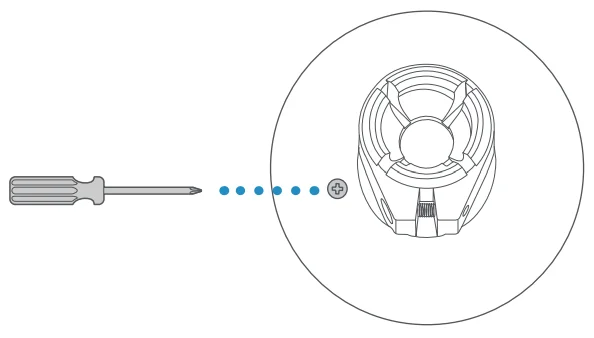
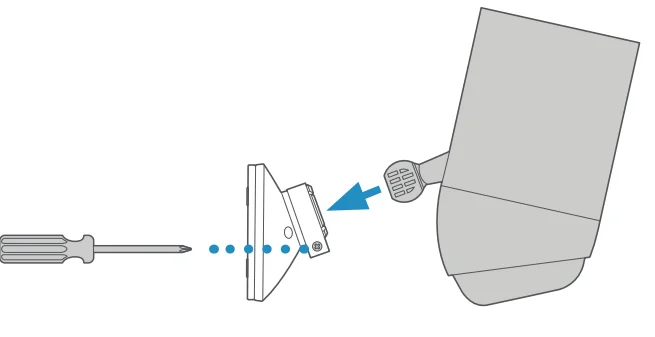
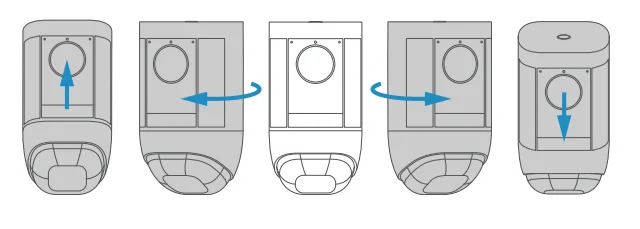
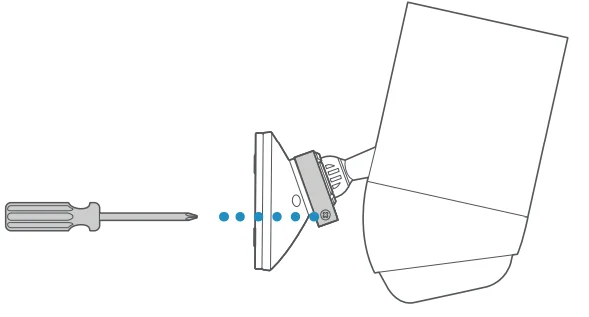
- WARNING!
Only use the included mounting screws when securing the mounting plate. - CAUTION! DO NOT drill into your home’s electrical wiring
Free Ring Protect Plan for 30 days.
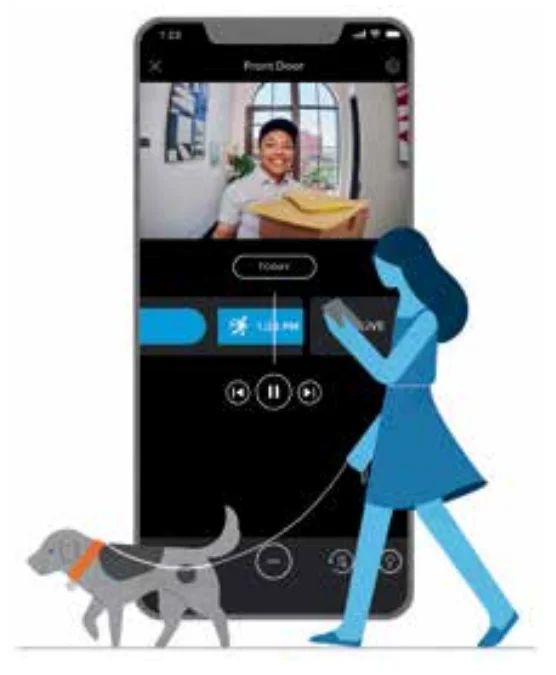
Your new device comes with a free, 30-day trial of Ring Protect. This comprehensive subscription service lets you review, save, and share your video and photo history anytime so you never miss a moment.* To continue using Ring Protect after your free trial ends, visit ring.com/protect-plans to compare plans and pricing.
* Your free trial isn’t applicable to locations with an existing Ring Protect subscription. See ring.com/protect-plans to learn more about your plan’s retention period.
For information on our warranty, theft protection, and Ring Protect Plans, visit ring.com/legal
For more manuals by Ring, visit ManualsLibraryy
Spotlight Cam Pro Battery-FAQs
How do you change the battery on the Spotlight Cam Pro?
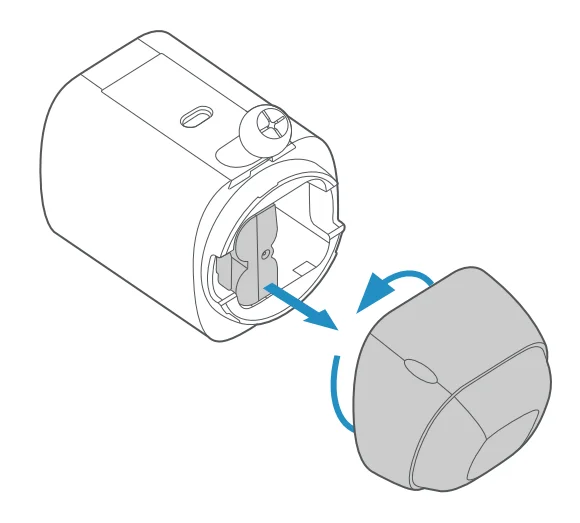
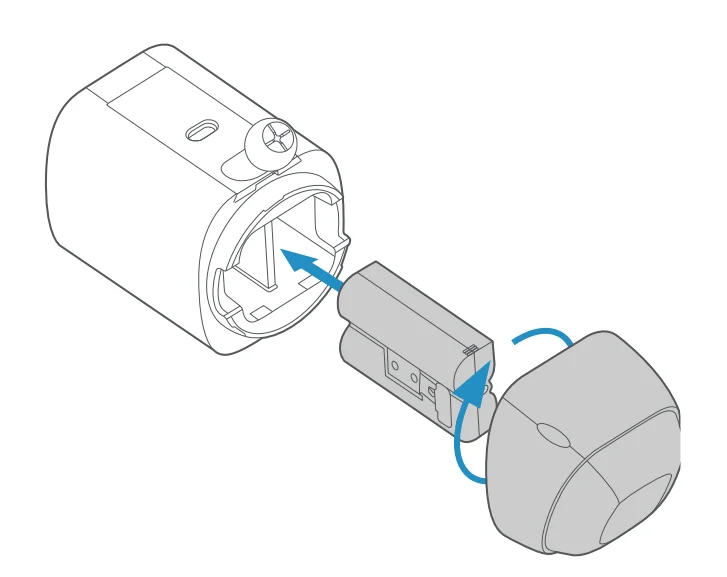
To replace the battery in the Spotlight Cam Pro, first remove the camera from its mounting bracket or open the battery compartment located at the bottom or back of the device. Press the quick-release tab to slide the rechargeable battery pack out. Insert the fully charged battery until it clicks securely into place, then close the compartment. This quick-swap design allows you to replace the battery easily without uninstalling the entire camera.
How long does the Spotlight Cam Pro battery last on a single charge?
The battery in the Spotlight Cam Pro usually lasts between six and twelve months, depending on usage and settings. Factors such as motion alerts, live view usage, and video recording frequency can affect battery life. Cameras placed in busy areas with frequent motion detection may require more frequent charging, while low-traffic locations generally allow the battery to last longer.
How can you tell when the Ring Spotlight Cam battery is fully charged?
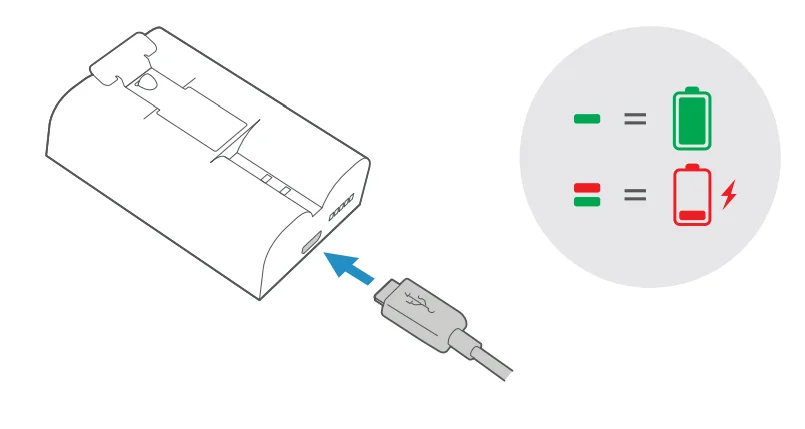
When charging the battery with a USB cable, indicator lights on the battery help you track the progress. During charging, both the red and green lights may appear. Once the battery is fully charged, the light becomes solid green, indicating that the battery has reached full capacity and is ready to be reinserted into the camera.
How do I open the battery compartment of the camera?
To access the battery compartment, locate the security screw or release panel on the camera body. Use the included tool or screwdriver to loosen the screw, then gently open the cover. Once the compartment is exposed, you can remove or insert the rechargeable battery. After installing the battery, close the compartment firmly and tighten the screw to keep the camera secure and weather-resistant.
What is a Spotlight Cam Battery?
The Spotlight Cam Battery is a wire-free, rechargeable power pack designed for Ring Spotlight security cameras. It powers the camera’s HD video recording, motion detection, and built-in spotlight features. Because it runs on battery power, the camera can be installed in places without electrical wiring, allowing homeowners to monitor outdoor areas using their phone, tablet, or computer.
How long does it take to charge the Spotlight Cam Pro battery?
Charging the Spotlight Cam Pro battery typically takes up to 10 hours using a USB charging cable connected to a wall adapter or other USB power source. Charging time may vary slightly depending on the power output of the charger. To avoid downtime, many users keep a spare battery so they can swap it while the other battery charges.
Can you leave the camera battery charging overnight?
Most modern camera batteries include built-in safety circuits that help prevent overcharging. Because of this protection, charging the battery overnight is generally safe. However, it is still recommended to unplug the charger once the battery is fully charged. This practice helps maintain long-term battery health and reduces unnecessary stress on the lithium-ion cells.
How do you know when it’s time to replace the camera battery?
A battery may need replacement if it drains much faster than usual, fails to hold a charge, or takes significantly longer to recharge. You might also notice reduced operating time or more frequent low-battery alerts. These signs usually indicate that the battery capacity has declined after many charging cycles and it may be time to install a new one.
Why is my Spotlight Cam Pro battery draining quickly?
Fast battery drain usually occurs when the camera records frequent motion events or when live view is used often. High motion sensitivity, extreme temperatures, or placement near busy streets can also increase power usage. Adjusting motion settings, reducing unnecessary alerts, or installing a compatible solar panel can help extend the camera’s battery life.