
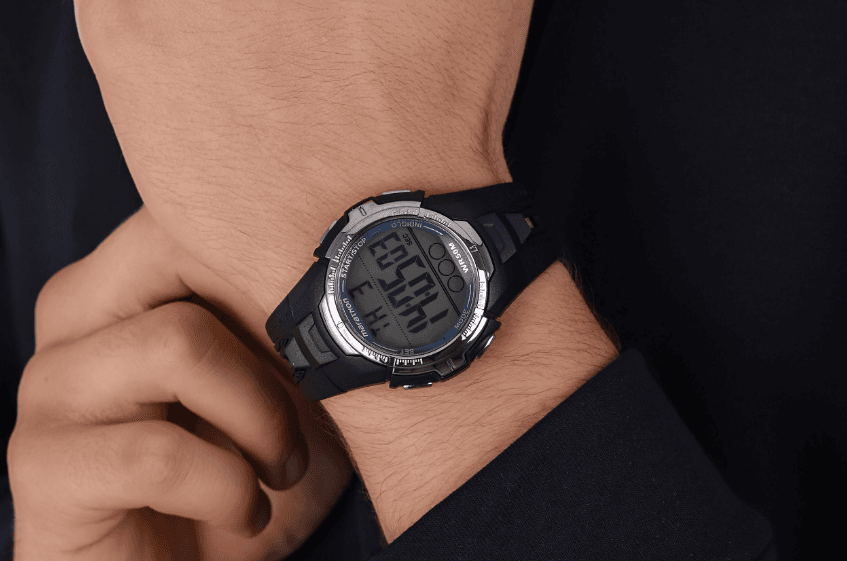

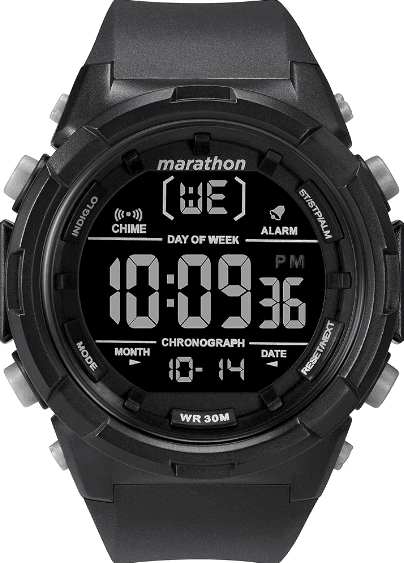
Timex Marathon Digital Watch
EXTENDED WARRANTY
Available in the U.S. only. Extend your warranty for an additional 4 years from the date of purchase for $5. You can pay with AMEX, Discover, Visa, or MasterCard by calling 1 800-448-4639 during normal business hours. Payment must be made within 30 days of purchase. Name, address, telephone number, purchase date, and 5-digit model number required. You can also mail a check for $5 to: Timex Extended Warranty, P.O. Box 1676, Dept. EF, Little Rock, AR 72203. Please read the instructions carefully to understand how to operate your Timex® watch. Your model may not have all of the features described in this
booklet.
FEATURES AND BASIC OPERATION
- Date with MM-DD (month/day) format
- Daily Alarm
- Hourly Chime
- 24-Hour Stopwatch with Split Time
- INDIGLO® night-light

Time
To set the time and date
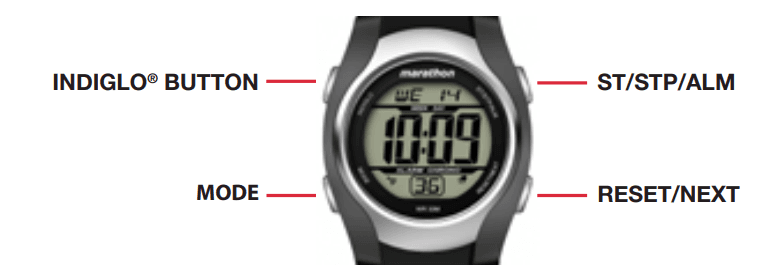
- Press MODE until you get to the screen where the Seconds can be seen flashing.
- Press ST/STP/ALM to set Seconds to zero, adding one minute if seconds are “30” or greater.
- Press RESET/NEXT to set Hours, as indicated by its flashing. Press ST/STP/ALM to advance the Hours setting. Press and hold to increment quickly.
- Press RESET/NEXT to set Minutes, as indicated by its flashing. Press ST/STP/ALM to advance the Minutes setting. Press and hold to increment quickly.
- Press RESET/NEXT to set the Month number, as indicated by its flashing. Press ST/STP/ALM to advance the Month setting. Press and hold to increment quickly.
- Press RESET/NEXT to set the Day, as indicated by its flashing. Press ST/STP/ALM to advance the Day setting. Press and hold to increment quickly.
- Press RESET/NEXT to set Day of the Week, as indicated by its flashing. Press ST/STP/ALM to advance the Day of the Week setting. Press and hold to increment quickly.
- Press MODE to exit Time Set.
- To toggle between 12-Hour and 24-Hour time format, press ST/STP/ALM.
STOPWATCH
Use this function for timing events.
- Press MODE until “ST” appears.
- Press ST/STP/ALM to start timing.
- With the stopwatch running, press RESET/NEXT to record a Split time. The stopwatch will continue timing in the background.
- Press RESET/NEXT to release the display and show the current running stopwatch time.
- Press RESET/NEXT to record another Split time.
- Press ST/STP/ALM to pause the timing.
- Either press ST/STP/ALM to resume timing, or press RESET/NEXT to reset the Stopwatch to zero.
Note: If the Stopwatch was paused when the display was showing a Split time, the first press of RESET/NEXT will show the final recorded time, and the second press will reset the Stopwatch to zero.
Alarm
To turn on/off or to set a Daily alarm with a one-time snooze feature. To turn on/off an hourly chime.
- Press MODE until “AL” appears.
- Press ST/STP/ALM repeatedly to turn on/off the Alarm or the Hourly Chime or both.
- To Set the Alarm, press RESET/NEXT. The Hour digit flashes and the Alarm ON lights.
- Press ST/STP/ALM to advance the Hours setting. Press and hold to increment quickly.
Note: The Hours will be presented in the same format (12- or 24-hour time) as the time setting. - Press RESET/NEXT to set the Minutes as indicated by its flashing. Press ST/STP/ALM to advance the Minutes setting. Press and hold to increment quickly.
- Press RESET/NEXT to exit the Alarm Setting mode.
- When the alarm sounds:
- Press RESET/NEXT to stop the alert, and the alarm will sound at the same time on the next day.
INDIGLO® NIGHT-LIGHT
Press the INDIGLO® button to illuminate the watch display for 2-3 seconds. Electroluminescent technology used in the INDIGLO® night-light illuminates the watch face at night and in low-light conditions.
WATER AND SHOCK RESISTANCE
If your watch is water-resistant, meter marking or ( ) is indicated
*pounds per square inch absolute
WARNING: TO MAINTAIN WATER-RESISTANCE, DO NOT PRESS ANY BUTTONS UNDER WATER.
- The watch is water-resistant only as long as the lens, push buttons, and case remain intact.
- The watch is not a dive watch and should not be used for diving.
- Rinse the catch with fresh water after exposure to salt water.
- Shock-resistance will be indicated on the watch face or caseback. Watches are designed to pass the ISO test for shock resistance. However, care should be taken to avoid damaging the crystal/lens.
BATTERY
Timex strongly recommends that a retailer or jeweler replace the battery. If applicable, push the reset button when replacing the battery. Battery type is indicated on the caseback. Battery life estimates are based on certain assumptions regarding usage; battery life may vary depending on actual usage. DO NOT DISPOSE OF BATTERY IN FIRE. DO NOT RECHARGE. KEEP LOOSE BATTERIES AWAY FROM CHILDREN.
TIMEX INTERNATIONAL WARRANTY
http://www.timex.com/productWarranty.html
For more manuals by Timex, visit ManualsLibraryy
Timex Marathon Digital Watch-FAQs
How do I set the time and date on my Timex Marathon digital watch?
Press and hold the SET button for 2 seconds while in Time mode. The seconds will start flashing. Use the START/STOP button to reset seconds, and press MODE to cycle through hours, minutes, date, and day settings.
How can I turn off the alarm on a Timex Marathon watch?
Press the START/STOP button repeatedly to scroll through the alarm and hourly chime options. The alarm icon (ALM or a bell symbol) disappears when the alarm is off.
What powers a Timex Marathon digital watch?
Timex watches use either a mechanical movement or a quartz battery. The Marathon series typically runs on a quartz battery.
How long does the battery last in a Timex digital watch?
The battery usually lasts between 1 to 3 years, depending on usage.
Are Timex watches reliable?
Yes, Timex watches are known for their durability, affordability, and reliable timekeeping, especially for everyday use and sports functions.
How do I stop my Timex watch from beeping every hour?
To disable the hourly chime, press the START/STOP button while in Alarm mode. Repeat until the hourly chime symbol disappears from the display.
How do I set the timer on a Timex watch?
Press and hold the Time button, then press Hour or Minute to set the current time. Hold the buttons down for fast scrolling.
How do I change the day on a Timex analog watch?
Pull the crown out to the first stop and turn it clockwise to set the date. To change the day, pull the crown all the way out and turn it until the correct day appears.