
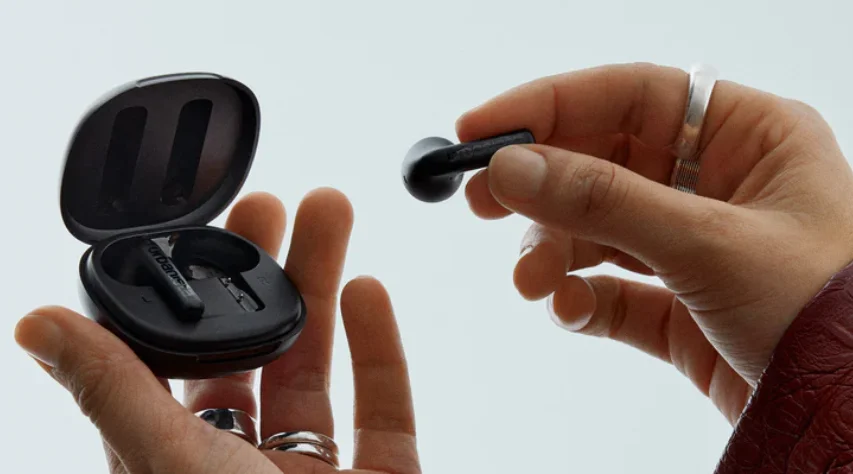

Urbanista Santa Monica Wireless Earbuds
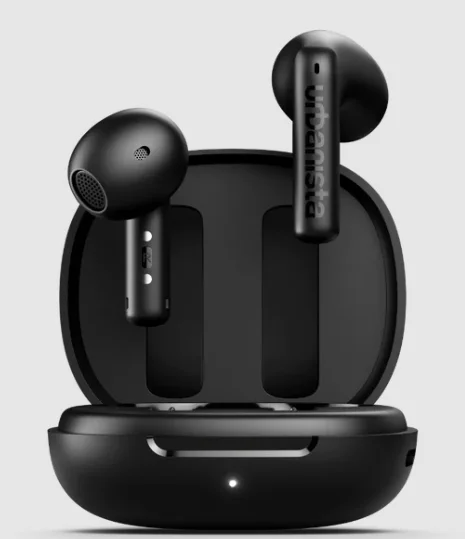
Enjoy powerful sound and everyday convenience with the Urbanista Santa Monica Wireless Earbuds. Designed for a modern, active lifestyle, these true wireless earbuds deliver clear audio with rich bass, making them perfect for music, calls, and podcasts wherever you go.
The lightweight, ergonomic design ensures a comfortable and secure fit, while Bluetooth connectivity provides quick and stable pairing with your devices. A portable charging case keeps your earbuds powered throughout the day, and the built-in microphone allows for seamless hands-free calls. Stylish, compact, and easy to use, the Urbanista Santa Monica Wireless Earbuds are a great choice for anyone looking for reliable wireless sound on the move.
WELCOME TO URBANISTA
Thank you for choosing Urbanista Santa Monica. This guide will help you get started and make the most of your new earbuds.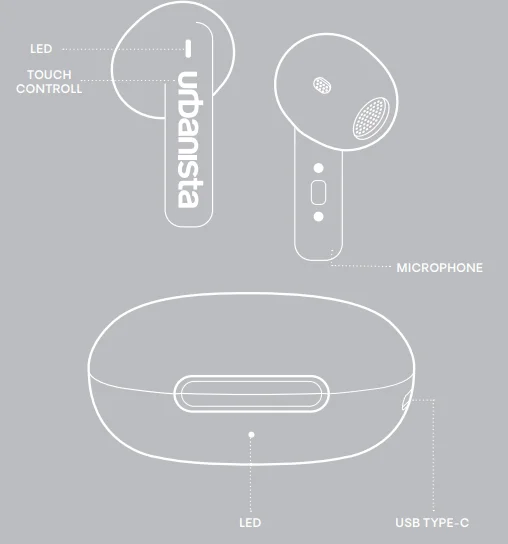
FIRST-TIME SETUP
To activate and connect your Santa Monica earbuds:
- Remove the earbuds from the charging case and peel off the protective stickers.
- Place the earbuds back into the case, then remove them again to activate pairing mode.
- Open Bluetooth settings on your device and select “Urbanista Santa Monica” to connect.
Your earbuds are now connected and ready to use. They will automatically power off when placed back in the charging case or after five minutes of disconnection.
RECONNECTION OR PAIRING A NEW DEVICE
- To power on and reconnect to your last paired device, simply remove the earbuds from the charging case.
- To connect to a new device, first disconnect the current device through its Bluetooth settings. Then, select “Urbanista Santa Monica” from the new device’s Bluetooth settings.
BLUETOOTH MULTIPOINT CONNECTION
Santa Monica supports Bluetooth multipoint, allowing you to stay connected to two devices simultaneously—seamlessly switching between, for example, your phone and computer. Note that audio from two devices cannot be played at the same time; pause playback on one device before switching.
To activate Bluetooth multipoint:
- Press and hold both the left and right earbuds simultaneously.
- Once activated, go to Bluetooth settings on your second device and select “Urbanista Santa Monica” to connect.
- Your earbuds will now automatically reconnect to both devices whenever powered on.
ADAPTIVE ANC & ADAPTIVE EQ
Santa Monica features both Adaptive Active Noise Cancelling (ANC) and Adaptive EQ, adjusting noise cancelling and sound performance based on the shape of your ear canal and the fit of the earbuds for an optimized listening experience.
- Both Adaptive ANC and Adaptive EQ need to be activated while wearing the earbuds to ensure proper calibration.
- Adaptive ANC and Adaptive EQ work independently from each other, allowing you to customize your listening experience based on your preference.
TOUCH CONTROLS
Control your music, calls, and voice assistant with intuitive touch gestures:
- Play/Pause – Double-tap (left or right)
- Answer/Hang up calls – Double-tap (left or right)
- Reject a call – Long-press (left or right)
- Activate voice assistant – Triple-tap (left)
- Next song – Triple-tap (right)
- Activate Bluetooth multipoint – Long-press both earbuds simultaneously
- Factory reset – Place both earbuds back into the charging case and tap each earphone five times independently.
- Toggle Adaptive EQ – Long-press (left)
- Toggle Adaptive ANC – Long-press (right)
CHARGING & BATTERY
Your Santa Monica earbuds charge automatically when placed in the charging case. A low battery alert notifies you at the 10% battery level. The earbuds will power off when fully drained.
To charge the case and earbuds:
- Use a certified USB-C cable.
- The charging case LED blinks while charging and turns solid when fully charged.
- Earbuds flash three times when placed in the case, then glow solid for three seconds when fully charged.
A warning tone will sound every five minutes when 30 minutes of playtime remain.
FACTORY RESET
If your earbuds experience connectivity issues or become unresponsive, reset them as follows:
- Place both earbuds back into the charging case.
- Tap each earphone five times independently.
- A solid LED light will indicate that the reset has started.
- When the reset is fully done, the LED light will turn off and start to flash to indicate broadcasting mode.
- Once reset, follow the setup instructions to reconnect.
NEED SUPPORT?
For FAQs and troubleshooting, visit www.support.urbanista.com. Enjoy your Santa Monica earbuds!
For More Manuals By Urbanista, Visit ManualsLibraryy.
Urbanista Santa Monica Wireless Earbuds -FAQs
Are Urbanista earbuds noise-cancelling?
Some Urbanista earbuds include active noise cancellation (ANC), but not all models offer this feature. Higher-end models such as the Urbanista London come with ANC that helps reduce surrounding noise for a more immersive listening experience. However, more budget-focused models like the Urbanista Santa Monica earbuds typically rely on passive noise isolation from their in-ear design rather than advanced ANC technology. This still helps block some outside noise while listening to music or taking calls.
What are the main features of the Urbanista Santa Monica wireless earbuds?
Urbanista Santa Monica wireless earbuds are designed for everyday listening with true wireless Bluetooth connectivity, touch controls, and a compact charging case. They are lightweight and comfortable for long listening sessions and typically support stable wireless pairing with smartphones, tablets, and laptops. The earbuds are built for convenience, allowing users to manage music playback, answer calls, and access voice assistants without taking out their phone.
How long does the battery last on Urbanista Santa Monica earbuds?
Urbanista earbuds generally provide around five hours of playback on a single charge, while the charging case extends total listening time to about twenty hours. This makes them suitable for daily commuting, workouts, or casual listening throughout the day. The charging case stores extra power so you can recharge the earbuds multiple times before needing to plug the case into a power source.
Are Urbanista Santa Monica earbuds compatible with iPhone and Android devices?
Yes, Urbanista Santa Monica earbuds are compatible with both iPhone and Android smartphones as long as the device supports Bluetooth connectivity. Pairing is usually simple and quick, allowing users to connect their earbuds within seconds. Once paired, the earbuds can automatically reconnect when taken out of the charging case, making them convenient for everyday use across different devices.
How good is the sound quality of Urbanista Santa Monica earbuds?
Urbanista earbuds are known for delivering balanced audio that works well for everyday music listening. They generally provide clear vocals, decent bass, and good overall sound clarity for podcasts, calls, and streaming. While they may not match premium audiophile earbuds, they offer reliable performance for their price range and are designed to satisfy casual listeners who want wireless convenience with good sound quality.
Which earbud brands are considered the best overall?
There is no single number one earbud brand because the best option depends on personal preferences, such as budget, sound quality, or noise cancellation. Brands like Apple, Sony, Bose, and Sennheiser are often considered top choices for premium earbuds due to their advanced features and sound performance. Mid-range brands such as Anker Soundcore and Jabra also offer strong value, while regional brands may be popular for affordability.
What is the difference between ANC and ENC in earbuds?
Active Noise Cancellation (ANC) reduces external sounds while listening to music by generating sound waves that cancel outside noise. Environmental Noise Cancellation (ENC) mainly focuses on improving call clarity by reducing background noise during phone conversations. If you want a quieter music experience, ANC is more useful, while ENC is better for making clearer voice calls in noisy environments.
Are Urbanista Santa Monica earbuds comfortable for workouts and daily use?
Urbanista Santa Monica earbuds are designed with a compact and lightweight in-ear fit that helps them stay comfortable during extended listening sessions. Their ergonomic shape and soft ear tips help create a secure fit, which is useful during daily activities such as commuting, walking, or light workouts. A good fit also improves passive noise isolation and overall listening comfort.
How easy is it to control music and calls on Urbanista earbuds?
Urbanista Santa Monica earbuds typically include touch controls that allow users to play or pause music, skip tracks, and answer phone calls directly from the earbuds. These controls make it easy to manage audio without taking out your phone. Many models also support voice assistants, giving users quick access to tasks like checking messages, weather updates, or controlling smart devices.
Are Urbanista earbuds a good choice for budget wireless earphones?
Urbanista earbuds are generally considered a good option for people looking for stylish and affordable true wireless earphones. They provide reliable Bluetooth connectivity, decent sound quality, and practical features like touch controls and portable charging cases. While they may not compete with premium brands in advanced features, they offer solid everyday performance for users who want convenient wireless audio at a reasonable price.