
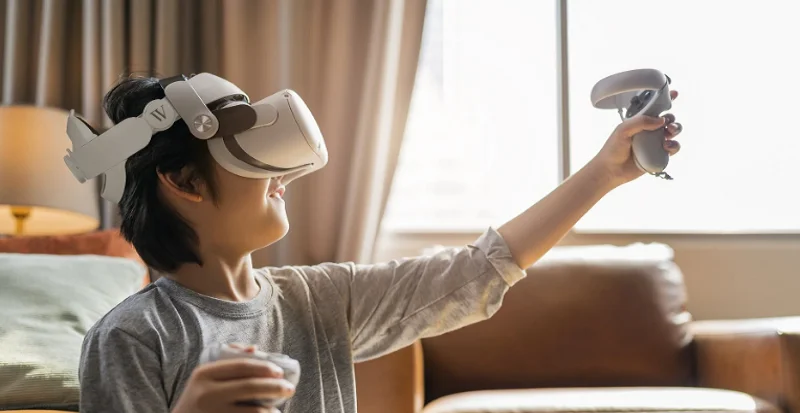

Wasserstein Carrying Case with Pro Head Strap for Oculus Quest 2 VR Instructions
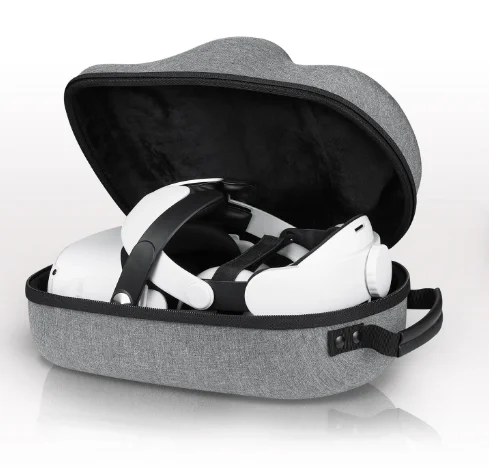
In the Box
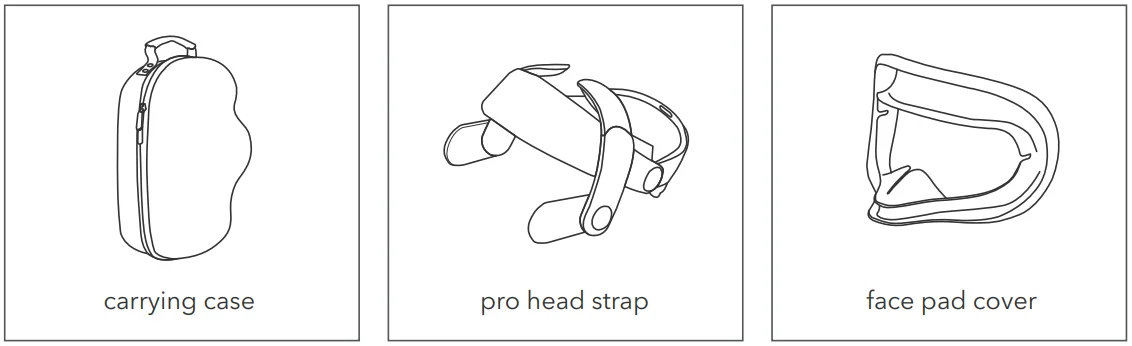
How to Use
Carrying Case
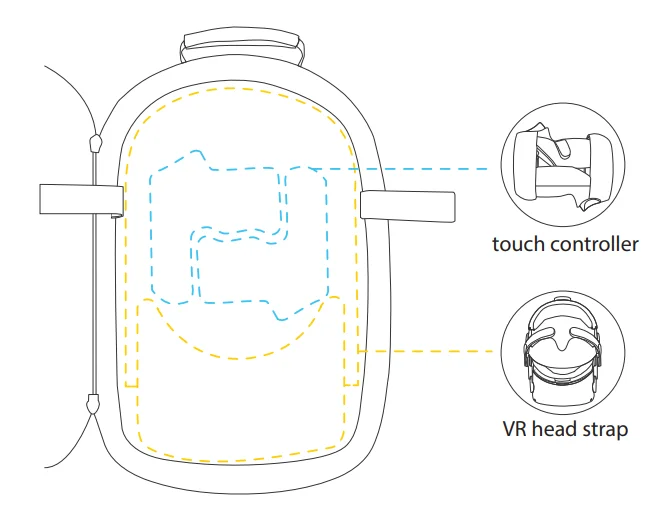
- Place the controllers in their custom slots and use the velcro strap to secure them in place.
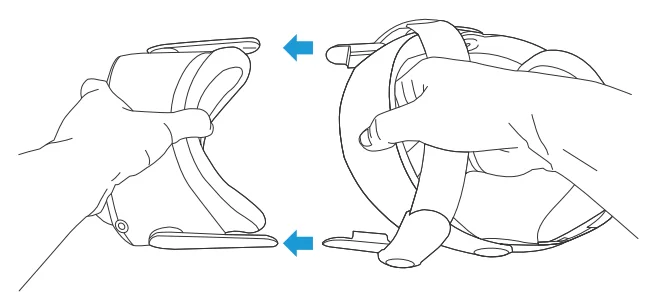
- Place the VR headset with the head strap into the slot as shown below.

Pro Head Strap
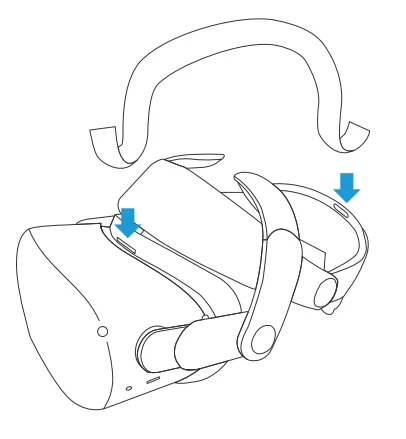
- Remove the original head strap.
- Connect the new head strap by inserting the contacts on the sides.

- Attach the velcro strap to the top of the head strap and headset (optional).

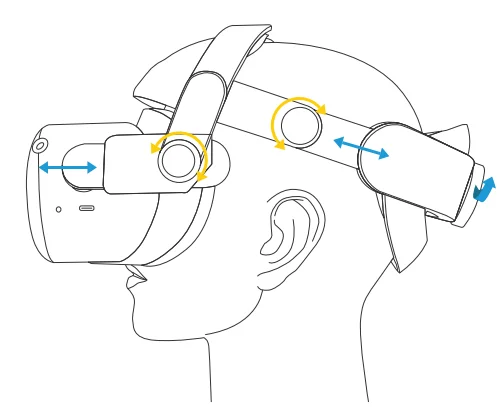
- Place on your head and adjust to your preferred position. Tighten the head strap by turning the back knob clockwise.

Face Pad Cover
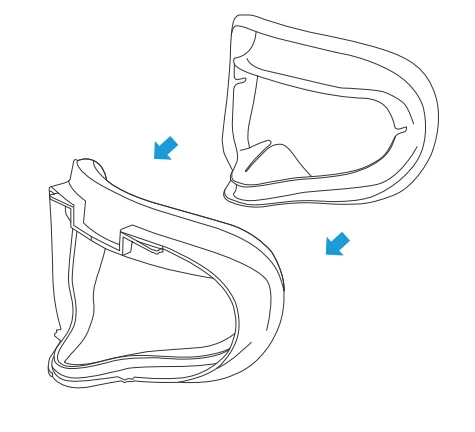
- Line up the cover with the facial interface and press it in.

Specifications
- Weight: 0.46 lb / 209 g (head strap)
1.3 lb / 570 g (case) - Size: 8.6 x 12.9 x 6.3 in (case)
- Strap adjustable length: 5.5 – 9.4 in / 14 – 24 cm
- Materials: EVA (case) / ABS + POM (head strap) / Silicone (face pad cover)
Get More Support
Scan the QR code below or email us at [email protected].

For more manuals by Wasserstein, visit ManualsLibraryy
Wasserstein Carrying Case with Pro Head Strap for Oculus Quest 2 VR Instructions- FAQs
How do I use the Pro Head Strap for Oculus Quest 2?
Place the headset on your head, then adjust the strap over the top and back of your head. Ensure it sits just above your ears and behind your head for comfort. If you have a ponytail, pull it through the split strap opening.
How can I make my Oculus Quest 2 more comfortable?
Adjust the head strap so it’s snug but not tight. Balance the weight by using the strap’s rear adjustment dial, and ensure the headset doesn’t press too hard on your forehead or face.
Can I wear glasses while using Quest 2?
Yes. Standard eyeglasses fit inside the headset, but for comfort and clear vision, prescription lens inserts are recommended.
How long does the Oculus Quest 2 battery last?
A full charge usually provides 2–3 hours of VR use, depending on the apps and games being run.
Can I use the Quest 2 while charging?
Yes, but charging while in use may slow battery charging or slightly reduce battery lifespan. Avoid high-temperature conditions to protect the battery.
Can I replace the Quest 2 battery?
Yes, but it requires significant disassembly. Use proper tools like a PH00 screwdriver and follow a repair guide to avoid damage.
How do I clean and maintain the Pro Head Strap?
Wipe the strap with a damp cloth to remove sweat and dust. Remove it from the headset occasionally to clean the connection points.
Can I use the Quest 2 lying down?
Yes, the Pro Head Strap provides a stable fit even when reclining, making it suitable for lying-down VR experiences.
Is Quest 2 outdated or ending?
The Quest 2 was discontinued for sale after December 2024, but updates and support will continue until December 2026.
Will there be a Quest 4?
Current reports suggest a Meta Quest 4 release around 2027, after the Quest 3S launched in 2024.