
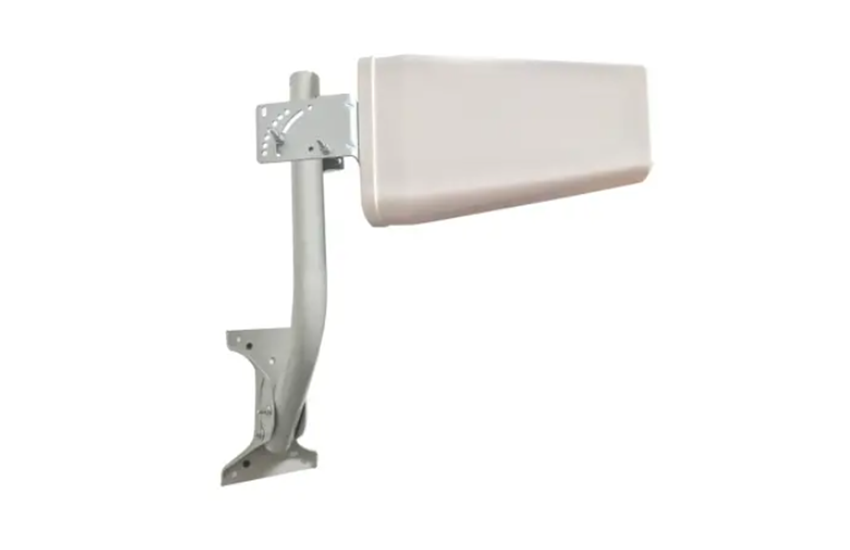

Waveform UltraPole Universal Antenna Mount
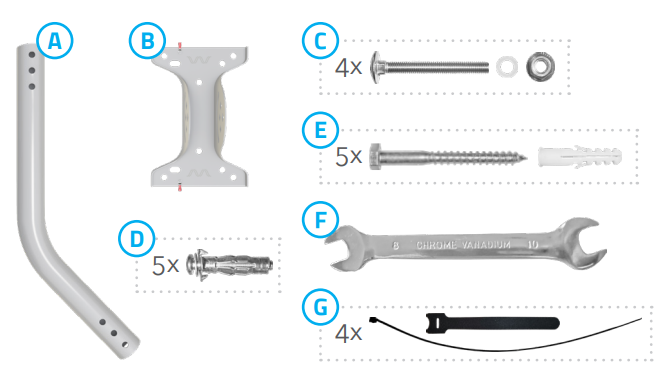
Base Kit
- A.1x J-Pole
- B.1x Footpad
- C.4x Bolts, plastic washers, and flange nuts
- D.5x Expansion bolts
- E.5x Wood screws and anchors
- F.1x Size-8/10mm wrench
- G.4x Zip and velcro ties

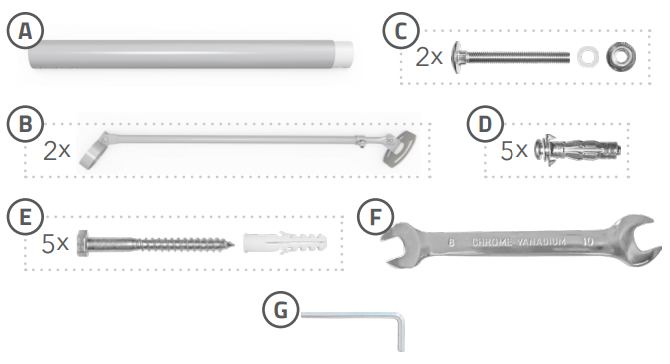
Extension Kit
- A.1x Extension pole
- B.2x Brace arms
- C.2x Bolts, plastic washers, and flange nuts
- D.5x Expansion bolts
- E.5x Wood screws and anchors
- F.1x Size-8/10mm wrench
- G.1x Size-4mm allen wrench

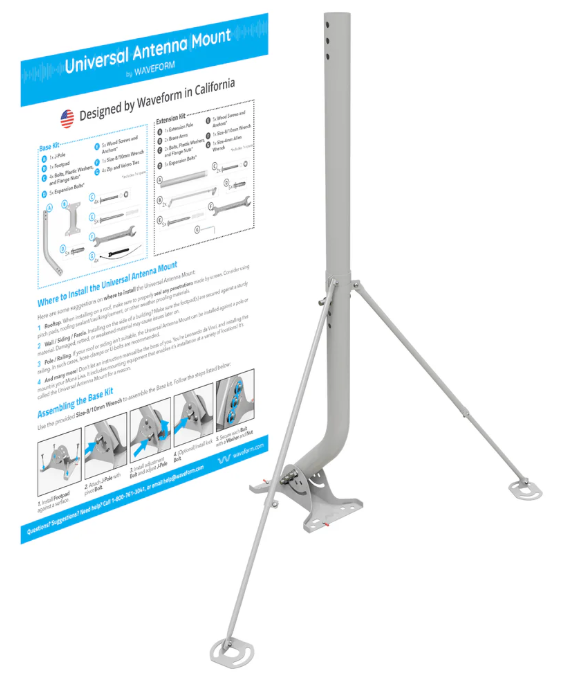
Where to Install Your UltraPole Mount.
Here are some suggestions on where to install your UltraPole:
- Rooftop. When installing on a roof, make sure to properly seal any penetrations made by screws. Consider using pitch pads, roofing sealant/caulking/cement, or other weather-proofing materials.
- Wall / Siding / Fascia. Installing on the side of a building? Make sure the footpad(s) are secured against a sturdy material. Damaged, rotted, or weakened material may cause issues later on.
- Pole / Railing. If your roof or siding isn’t suitable, your UltraPole can be installed against a pole or railing. In such cases, hose-clamps or U-bolts are recommended.
- And many more! Don’t let an instruction manual be the boss of you. You’re Leonardo da Vinci, and installing this mount is your Mona Lisa. It includes mounting equipment to enable its installation at a variety of locations! It’s called the Universal Antenna Mount for a reason.
Screw & Bolt Guide
To assemble the mount, use the Bolts, plastic washers, and flange nuts. To install the mount against a surface, use the wood screws, anchors, and expansion bolts.
- For hard materials (e.g., concrete, brick, mortar):
- Use the wood screws & anchors.
- The anchors require a pre-drilled 10mm hole.
- For semi-soft materials (e.g., wood):
- Use the wood screws.
- For soft materials (e.g., plaster, drywall):
- Use the expansion bolts.
- The expansion bolts require a pre-drilled 12mm hole and a PH2 Phillips-head screwdriver (not included).
Tip: Prior to drilling, place the footpad against the intended mounting surface and mark the location of each hole with a pencil or marker.
Assembling the Base Kit
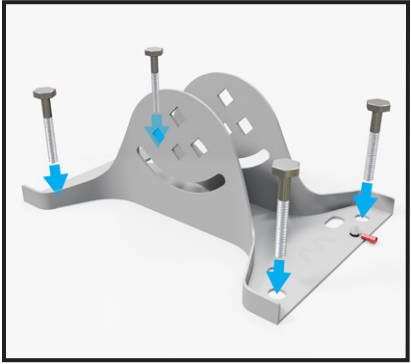
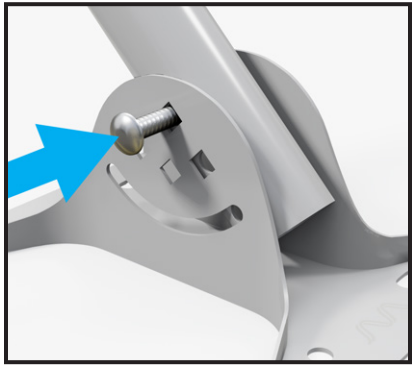
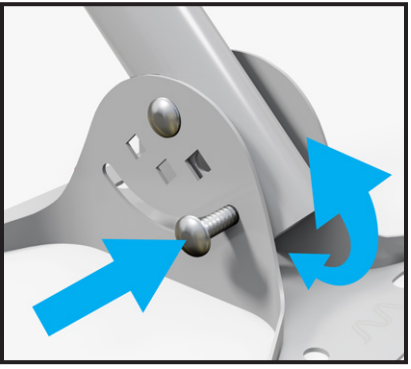
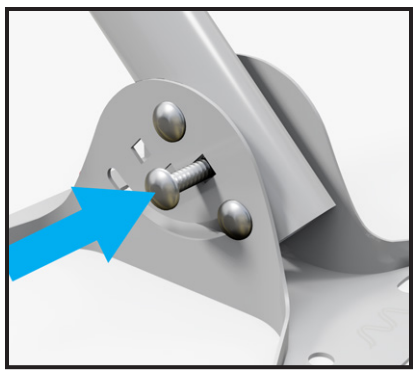
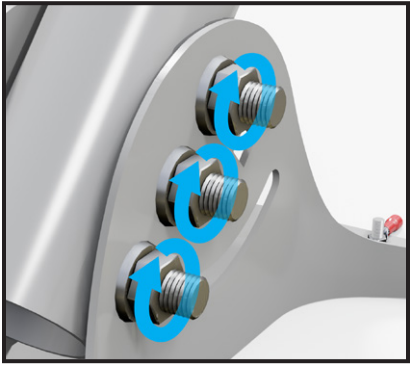
Use the provided Size-8/10mm wrench to assemble the base kit. Follow the steps listed below:
- Install the footpad against a surface.

- Attach the J-Pole with the pivot bolt.

- Install the adjustment bolt and adjust the J-Pole

- (Optional) Install the lock bolt.

- Secure each bolt with a washer and nut.

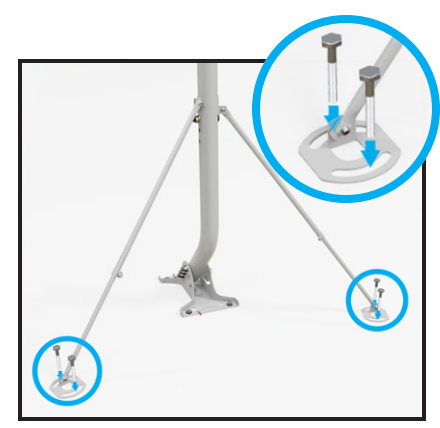
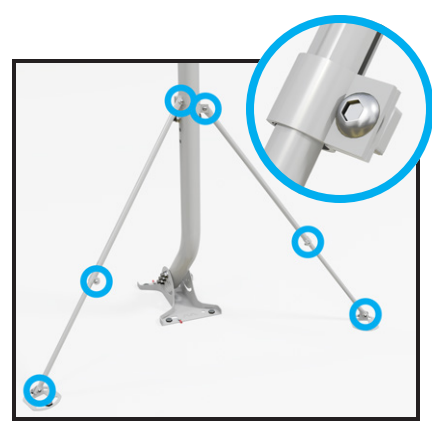
Assembling the Extension Kit
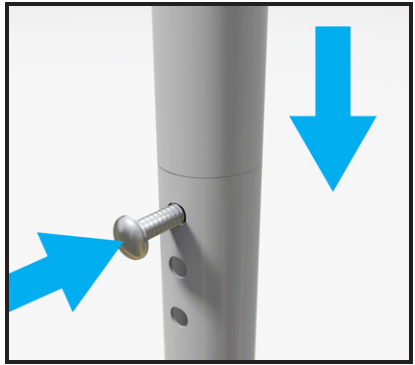
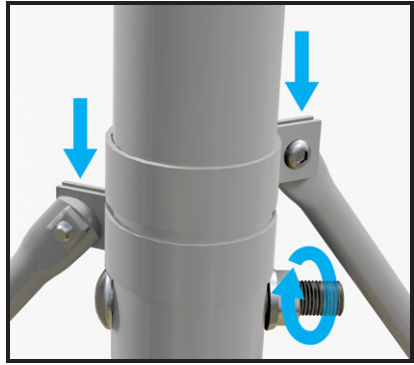
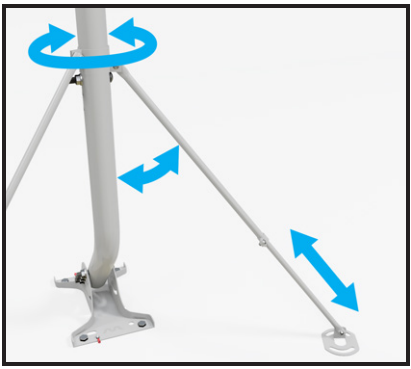
Use the provided Size-8/10mm wrench and Size-4mm allen wrench to assemble the extension kit. Follow the steps listed below:
- Insert the extension pole into the J-Pole. Install the lock bolt.
- Secure bolt with a washer and nut. Attach brace arms.

- Adjust brace arms into position
- Install footpads against a surface.

- Tighten each brace arm bolt into place.

Attaching an Antenna to Your UltraPole Mount
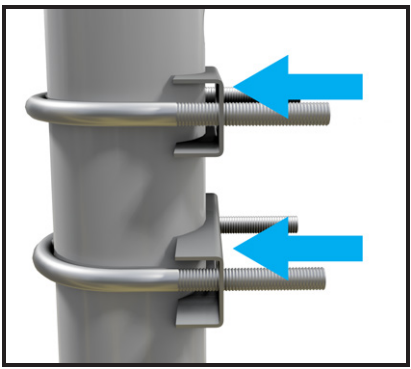
These details depend on the antenna you’ve purchased. The steps below describe how to attach the L-bracket and U-bolt assembly included with many of our Waveform antennas.
- Attach the L-bracket to the antenna.

- Position clamps and U-bolts onto the pole.
- Install the L-bracket onto the clamps and U-bolts.

- Secure assembly with washers and nuts.

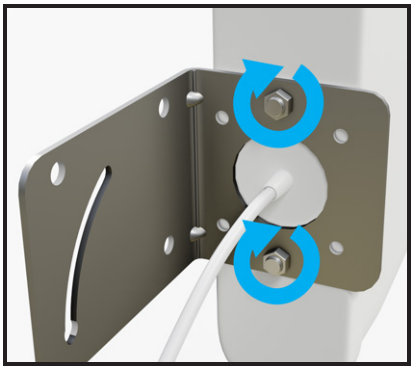
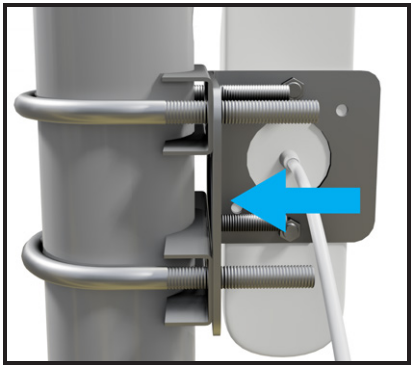
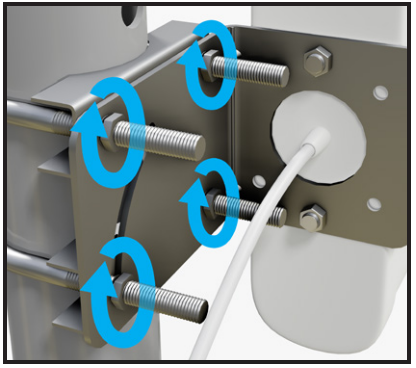
Grounding Your UltraPole Mount
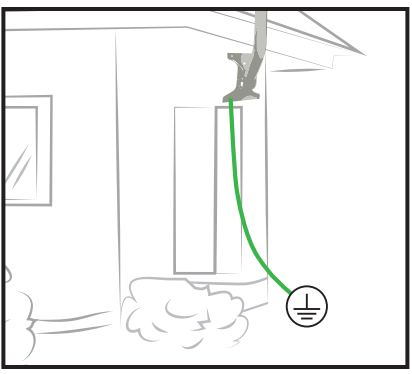
Grounding an antenna mast is highly recommended. It’s required by the National Electric Code (NEC), and the mast’s metal frame makes it a prime target for lightning strikes. Follow the steps listed below:
- Attach ground wire (not included) to an in-line surge protector (as shown) or to the antenna’s grounding port.

- Attach the ground wire(s) to the footpad’s grounding bolt. Secure the assembly with a nut.

- Attach the ground wire to a suitable electrical ground.

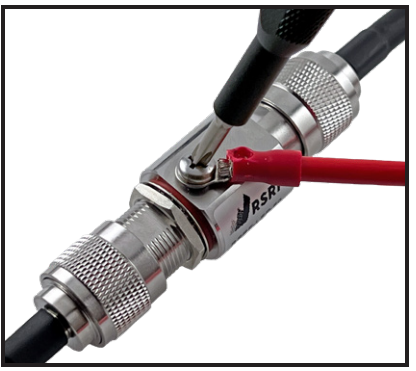
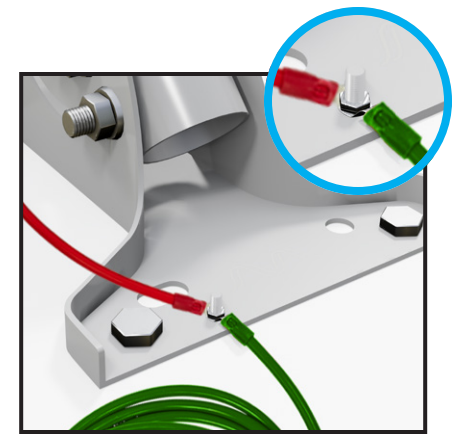
Grounding Tips
- The NEC recommends a 10 AWG or lower gauge (thicker) grounding cable (not included).
- In-line surge protectors can protect your equipment & prevent lightning from entering your home through the cable.
- If you’re unsure about your grounding setup, reach out to an electrical contractor.
- Learn which electrical grounds are suitable and more at waveform.com/grounding
Questions? Suggestions? Need help? Call 1-800-761-3041, or email [email protected]
The UltraPole Base and Extension kits are designed, sold, and supported by Waveform and our team of Signal Specialists. If you have any feedback on how we could make this mount or manual better, we’d love to hear from you. We love hearing our customers’ experiences with our products, so please reach waveform.com
For More Manuals By Waveform, Visit ManualsLibraryy.
Waveform UltraPole Universal Antenna Mount-FAQs
How do I attach an antenna to the pole?
Secure the antenna bracket with the provided nuts, washers, and bolts. Fix the clamp and U-bolt to the pole, adjust the tilt if needed, then tighten all fittings.
Where can I mount a UHF antenna if I don’t have a bullbar?
You can install it on a bonnet mount, roof rail, or roof rack. The goal is to place it where it has a clear, elevated view for better reception.
What is the best place to mount my antenna?
The rooftop or roof racks are ideal, as the antenna works best in a vertical position with minimal obstructions around it.
Does the height of a UHF antenna make a difference?
Yes, height improves performance. Taller antennas usually provide higher gain and better range, though shorter ones work well in certain conditions.
How far can a UHF antenna reach?
Depending on terrain, a UHF signal can reach 30–40 miles (48–64 km). Vehicle and base setups may extend the range further.
How do I ground my antenna mount properly?
Connect it to a suitable ground point such as a ground rod, electrical panel, conduit, water pipe, or the building’s metal frame.
How can I improve my antenna signal?
Raise the antenna higher, keep it vertical, and position it near windows or rooftops for better line-of-sight reception.
Can I install the antenna myself?
Yes, but take safety precautions. DIY installation carries risks like falls, electrical hazards, and poor signal quality if not done correctly.