


Google Home Max Smart
Introduction
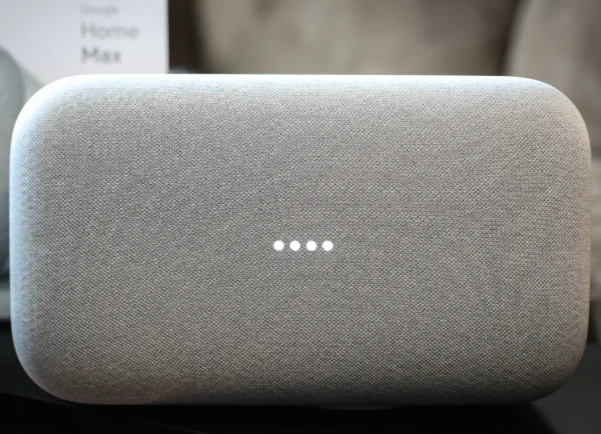
The Google Home Max is a premium smart speaker designed for powerful sound and smart voice control. It integrates Google Assistant to help you with music, smart home devices, and daily tasks.
Safety & Warnings
- Place on a stable, flat surface.
- Keep away from water, heat, and direct sunlight.
- Use only the included power adapter.
- Do not disassemble or modify.
What’s in the Box
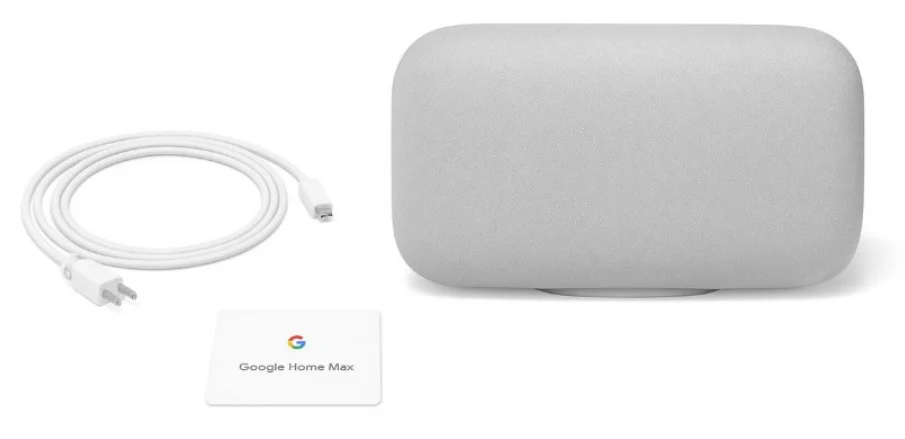
- Google Home Max speaker
- Power cable
- Quick start card

Device Overview
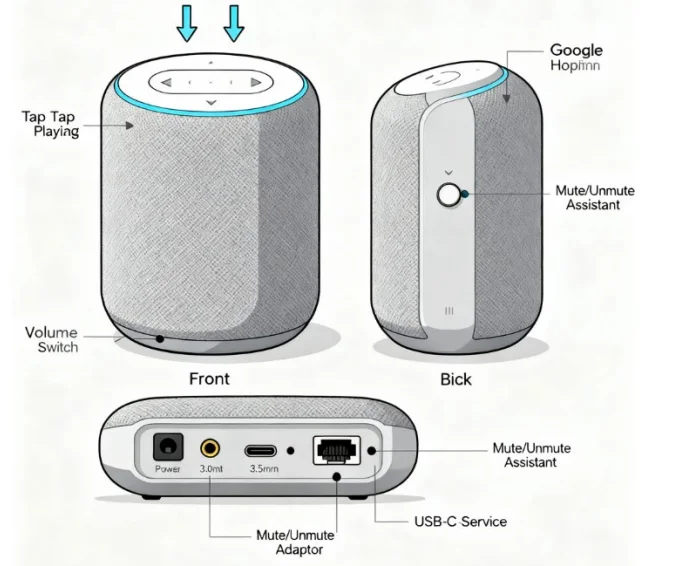
- Touch Panel: Tap/swipe for playback and volume
- Microphone Switch: Mute/unmute Assistant
- Ports: Power, 3.5mm audio, USB-C (service), Ethernet adapter (optional)

Setup Guide
- Plug in the device.
- Download the Google Home app (iOS/Android).
- Open app → Tap “+” → “Set up device.”
- Connect to Wi-Fi and sign in with Google.
- Assign to a room and link music services.
Daily Use
- Say “Hey Google” or “OK Google” to activate.
- Example: “Hey Google, play relaxing music.”
- Smart home: “Hey Google, turn on the living room lamp.”
Touch Controls
- Tap center: Play/Pause
- Swipe right: Volume up
- Swipe left: Volume down
- Long press: Pairing mode
Audio Features
- Smart Sound: Adjusts EQ to the room.
- Stereo Pairing: Pair two Max speakers.
- Chromecast Built-In: Stream from apps.
Troubleshooting
- Wi-Fi not connecting: Restart router & device.
- No sound: Check volume & app.
- Assistant not responding: Check mic switch.
- Factory reset: Hold volume down for 12s.
Technical Specs
- Dimensions: 13.2 × 7.4 × 6.0 in
- Weight: 11.7 lbs (5.3 kg)
- Connectivity: Wi-Fi, Bluetooth, Chromecast
- Speakers: 2 woofers, 2 tweeters
Google Home Max — Quick Reference Card
 Quick Setup
 Quick Setup
- Plug in your Google Home Max.
- Download the Google Home app (iOS/Android).
- Open → “+” → Set up device → New device.
- Connect to Wi-Fi & sign in.
- Say “Hey Google” to test.
 Touch Gestures
 Touch Gestures
- Tap center → Play/Pause
- Swipe right → Volume up
- Swipe left → Volume down
- Long press → Pairing mode
- Switch (back) → Mute/unmute mic
 Popular Commands
 Popular Commands
- Music: “Hey Google, play jazz on Spotify.”
- Info: “Hey Google, what’s the time?”
- Timers: “Hey Google, set a 10-minute timer.”
- Smart Home: “Hey Google, turn off bedroom light.”
- Routines: “Hey Google, good morning.”
 Troubleshooting Quick Fix
 Troubleshooting Quick Fix
- Device not found → Restart router & phone.
- No sound → Check volume, reboot speaker.
- Wi-Fi drops → Move closer to the router.
- Factory reset → Hold volume down 12s.
 Google Home Max — Infographic Guide
 Google Home Max — Infographic Guide
Section 1: Quick Setup (Icons)
 Plug in →
  Step 2: Install app →
  Step 3: Wi-Fi →
  Step 4: Say “Hey Google”
Section 2: Touch Controls (Icons)
 Volume (swipe le /right) → ⏯ Play/Pause (tap) →
  Stop alarm (tap & hold) → 🎙🎙 Mic mute (switch)
Sec on 3: Popular Commands (Icons)
 Music → “Hey Google, play pop hits.”
  Weather → “Hey Google, what’s the forecast?”
 Smart Home → “Hey Google, turn on the lights”
 News → “Hey Google, play the latest news”
 Productivity → “Hey Google, what’s on my calendar?”
 Music → “Hey Google, play pop hits.”
  Weather → “Hey Google, what’s the forecast?”
 Smart Home → “Hey Google, turn on the lights”
 News → “Hey Google, play the latest news”
 Productivity → “Hey Google, what’s on my calendar?”
For More Manuals By Google, Visit ManualsLibraryy.
Google Home Max Smart-FAQs
How do I set up my Google Home Max?
Plug in your Google Home Max and open the Google Home app on your phone. Tap “Set Up Device”, follow the on-screen prompts, confirm the pairing code, choose your Wi-Fi network, and finish linking your Google account.
Why was the Google Home Max discontinued?
Google ended production of the Home Max in 2020 to focus on newer, more affordable models like the Nest Audio and Nest Mini. However, existing units still receive software and security updates.
What is the main use of Google Home Max?
The Google Home Max is a premium smart speaker powered by Google Assistant. It lets you stream music, control smart home devices, make voice searches, manage schedules, and enjoy rich stereo sound.
Is Google Home Max still supported?
Yes. While discontinued, Google continues to provide software and security updates for the device, ensuring compatibility and performance for current users.
How do I connect my Google Home Max to Wi-Fi?
Open the Google Home app, tap the “+” icon → Set Up Device → New Device, then select your speaker and choose a Wi-Fi network. Follow the in-app steps to complete setup.
How can I use Google Home Max as a Bluetooth speaker?
Say “Hey Google, Bluetooth pairing” or enable pairing in the Google Home app. Then, select “Google Home Max” from your phone’s Bluetooth list to stream audio directly.
How do I reset my Google Home Max?
Press and hold the factory reset button near the power cord for about 15 seconds until you hear a chime. This restores your device to its original settings.
How do I pair two Google Home Max speakers for stereo sound?
In the Google Home app, tap and hold one speaker → Settings → Audio → Stereo pair, then select the second speaker and assign left or right channels.
What should I do if my Google Home Max won’t connect to Wi-Fi?
Double-check your Wi-Fi password, restart your router, and move the speaker closer to the signal source. If issues persist, reset the network settings in the Google Home app.
How does Google Home Max update its software?
Updates are installed automatically when the speaker is connected to Wi-Fi. You don’t need to do anything—just keep it powered and online.