
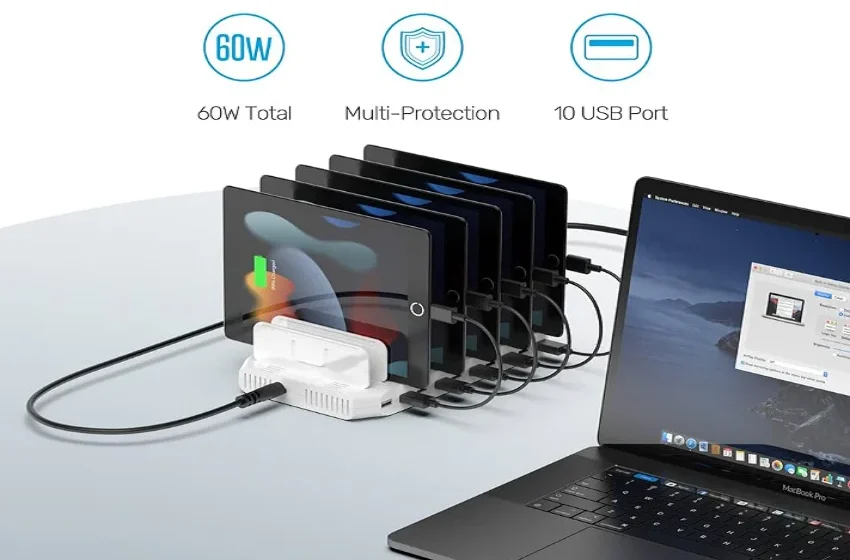

Unitek PS65B150Y4000S USB Charging Station
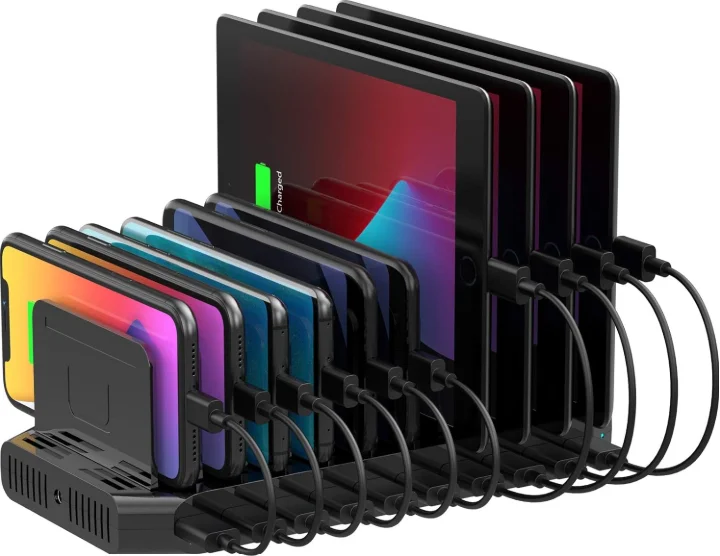
Introduction
Thank you for choosing the Unitek 10 Port Charging Station. Please read the user manual carefully before use and save it. If you need any help, please get in touch with our professional customer service team at [email protected].
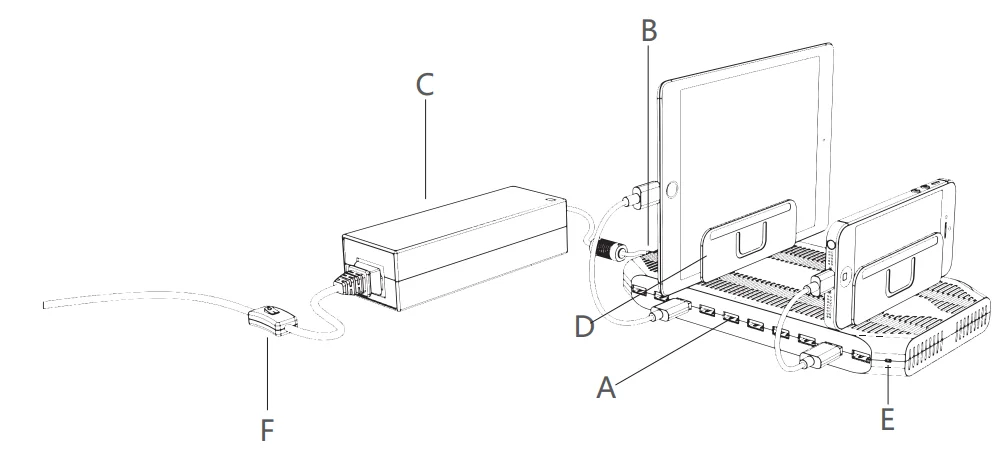
Product Diagram
- A: Smart USB Output
- B: Charging Station Power Connector
- C: Power Adapter Connector
- D: Adjustable Divider (11 pieces)
- E: Power Indicator
- F: Power Switch
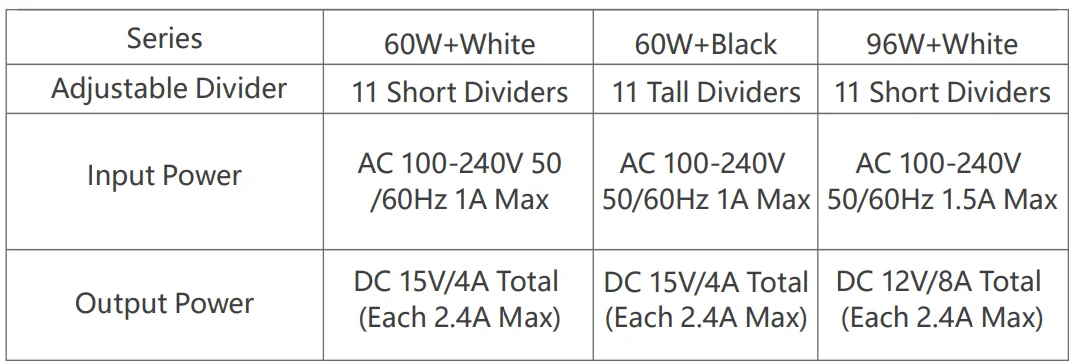
Specification
Package Contents
- 1 x Charging Station
- 1 x Power Cord
- 1 x AC Adapter
- 1 x User Manual
- 11 x Adjustable Divider
How to Use
- Connect the AC power cord to the power adapter and then connect it to the charging station.
- Install the divider on the charging stand according to your actual needs. The distance between the dividers can be adjusted according to the width of the device.
- Before connecting to the power supply, ensure that the connection between the AC power cord, the power adapter, and the charging stand issecured.
- Turn on the AC power switch and verify that the LED indicator is illuminated.
Note
- When inserting the bracket, please pay attention to the insertion slot and ensure that there is no space between the charging station and the bracket.
- The space between the brackets should be adjusted according to the thickness of the charging device, and should not leave too much space.
- It is recommended to charge the device with the original USB charging cable. To avoid repeated insertion and removal of the charging cable, you can use the AC power switch to disconnect the power.
- Keep away from liquids and high-temperature sources when using.
- Do not drop, knock, or disassemble the product yourself.
- Do not place charging equipment weighing more than 2 kg on the product.
- Keep it out of reach of children
FAQ
Q: Why is the charging time varying each time?
A: This is because smartphones and tablets will automatically evaluate the battery power level and output the most efficient power. When the charging device has a higher remaining battery, the charging speed will be slower, then switch to trickle charging.
Q: Does every single USB port output 5V/2.4A of power when all USB ports are connected?
A: Yes, the charging station will distribute maximum power, which isdemanded byy the smartphone/tablet.
Q: Why does the charging station stop working suddenly?
A: When the total power output exceeds the limit, the charging station will stop charging automatically to protect the devices from damage cauovervoltageoltage. Just remove some of the devices and turn on the charging station, and then you can continue to use it.
Warranty
The Unitek 10-Port USB Charging Station is covered by Unitek’s warranty for 24 months. If the product fails due to manufacturer defects, please contact us by email at [email protected]
For more manuals by Unitek, visit ManualsLibraryy
Unitek PS65B150Y4000S USB Charging Station- FAQs
What is the Unitek PS65B150Y4000S USB Charging Station?
The Unitek PS65B150Y4000S is a multi-port USB charging station designed to power several devices at the same time from a single outlet, making it ideal for homes, offices, and shared spaces.
What should I look for when choosing a USB charging station?
Key factors include charging speed, total power output, number and type of ports, built-in safety features, device compatibility, durability, and compact design.
How many devices can this charging station charge at once?
A USB charging station can typically charge multiple devices simultaneously, depending on the number of available USB ports and total power capacity.
Is it safe to charge multiple devices at the same time?
Yes. The charging station includes safety protections such as over-current, over-voltage, overheating, and short-circuit protection.
Can this charging station be used with earbuds and smartwatches?
Yes. It is suitable for charging low-power devices such as wireless earbuds, smartwatches, fitness trackers, and Bluetooth accessories.
Does the charging speed reduce when many devices are connected?
Power is shared across ports, but smart charging technology helps distribute power efficiently so each device charges safely.
How do I know if my device is charging properly?
Most devices display a charging icon or battery animation. Some charging stations also include LED indicators to show active charging.
Can I leave my devices plugged in after they are fully charged?
Yes. Modern USB charging stations regulate power flow and reduce charging once devices reach full capacity.