
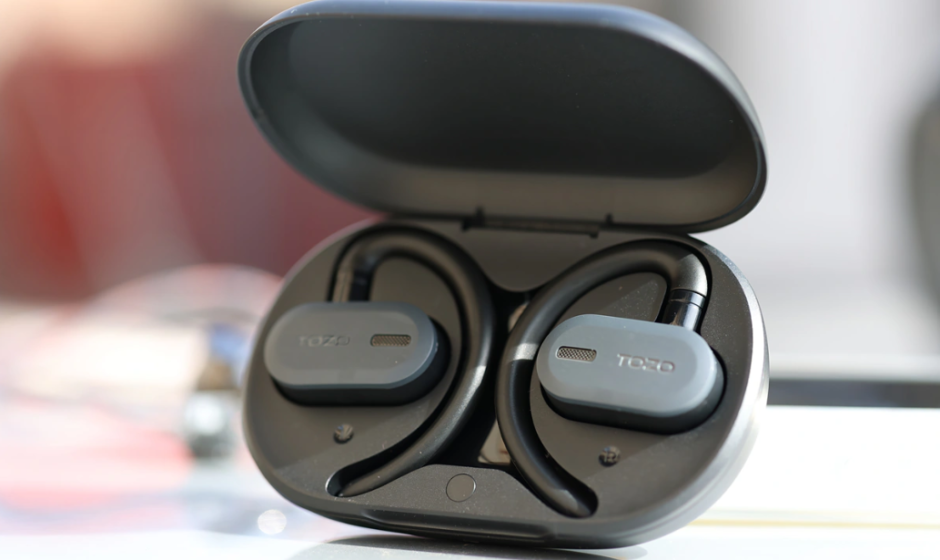

TOZO Open Buds
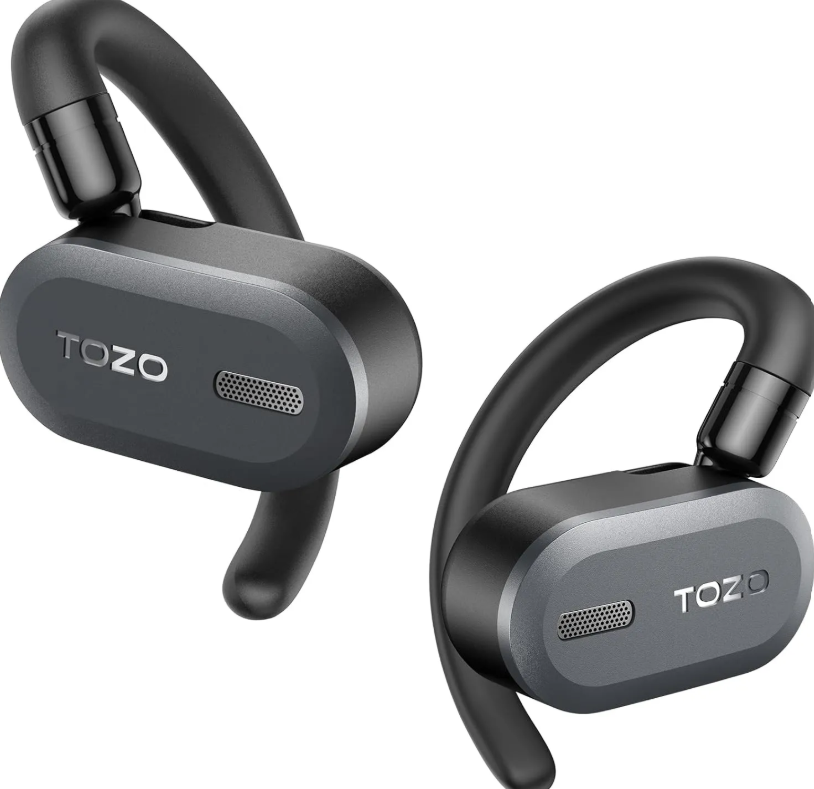
Thanks for purchasing
The earphones provide an extraordinary experience of stable voice calls and peaceful music in noisy surroundings, with a fashionable appearance and multiple functions, making them a great choice for work, going out, and driving.
Specifications
- Speaker Size: Φ 14.2mm
- Charging Time: s2H
- FR Range: 20Hz-20KHz
- Impedance: 16Q+15%
- Transmission Range: 10M
- Earphone Battery Capacity: 70mAh
- Charging Case Battery Capacity: 650mAh
- Charging Parameters: 5V=1A
- Product Size And Weight: 93+58+28mm; 78g
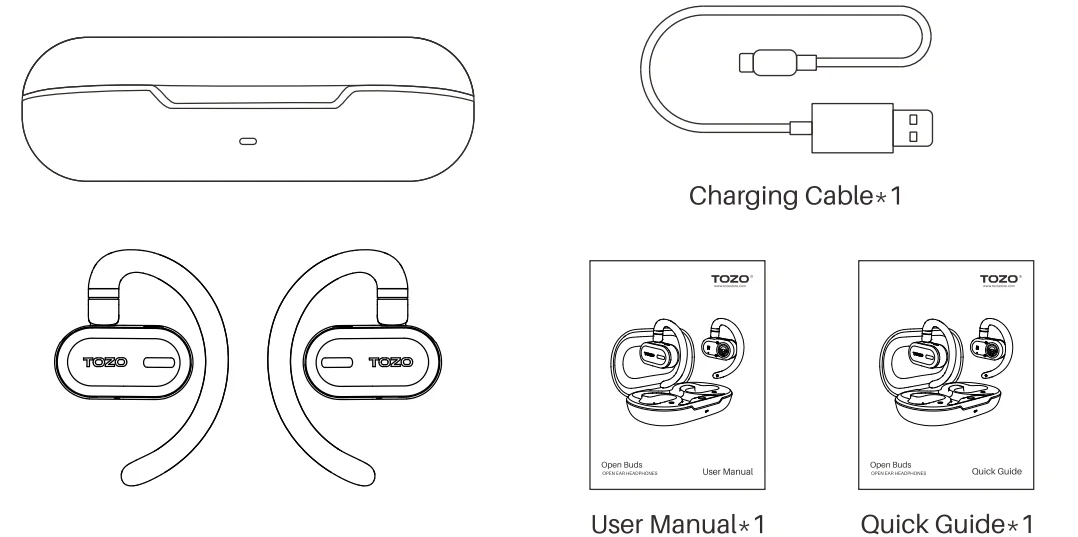
Product list
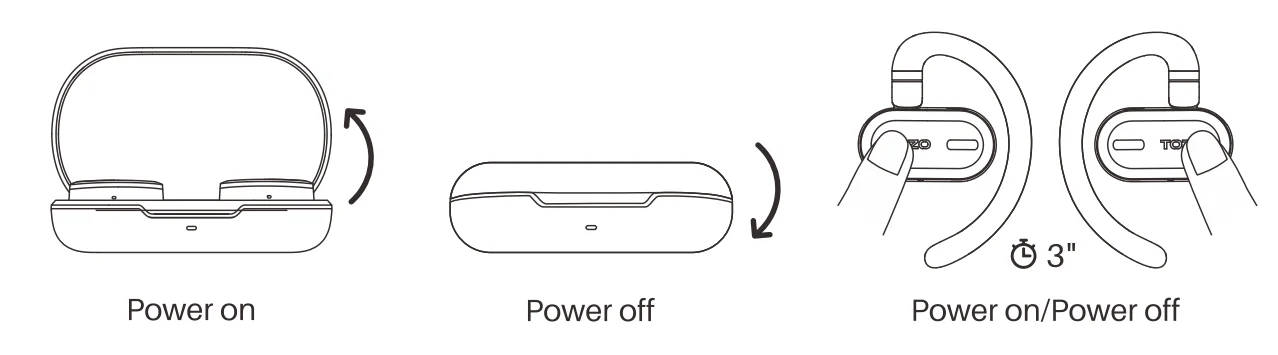
Power on/off
Power on:
- Auto power on: Open the charging case, and the earbuds will power on automatically.
- Holding L or R for 3 seconds will turn on the earbuds when they are out of the charging case.
Power off:
- Auto power off: Put the earbuds back into the charging box, close the cover, and the earbuds will power off automatically.
- Holding L or R for 3 seconds will turn it off when no media is playing.
Wearing
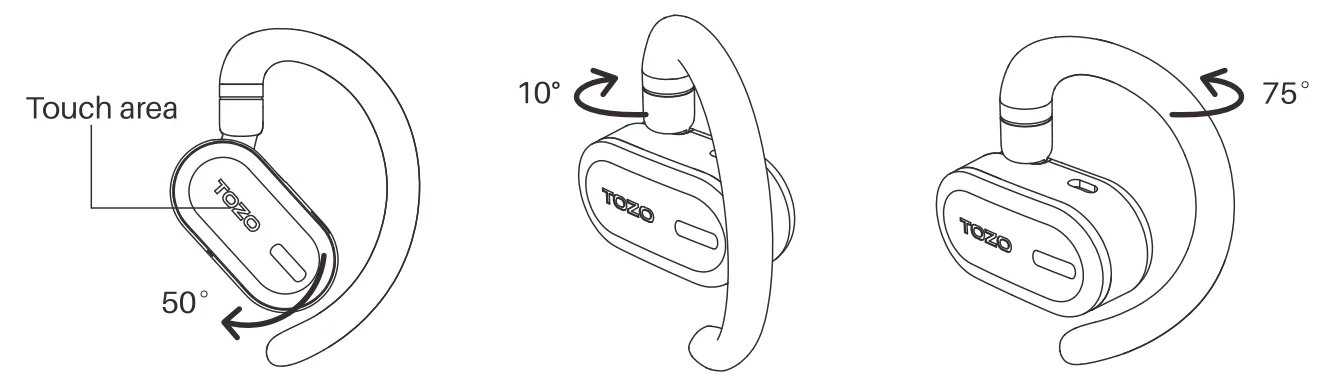
- The earphone ear hook can rotate forward and backward, as well as left and right. The touch area is shown in the picture.

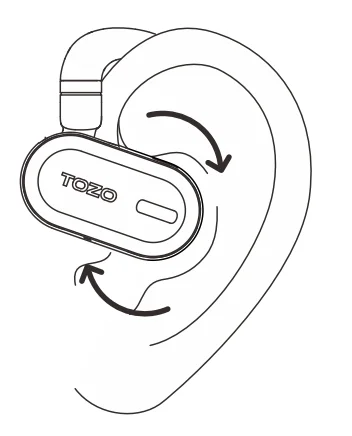
- Adjust the curved part of the rotating earphone to adjust forward, backward, left, and right. Then wear it on the left and right ears respectively, and adjust the earphone’s sound outlet to align with the ear canal, as shown in the picture.

Bluetooth connection
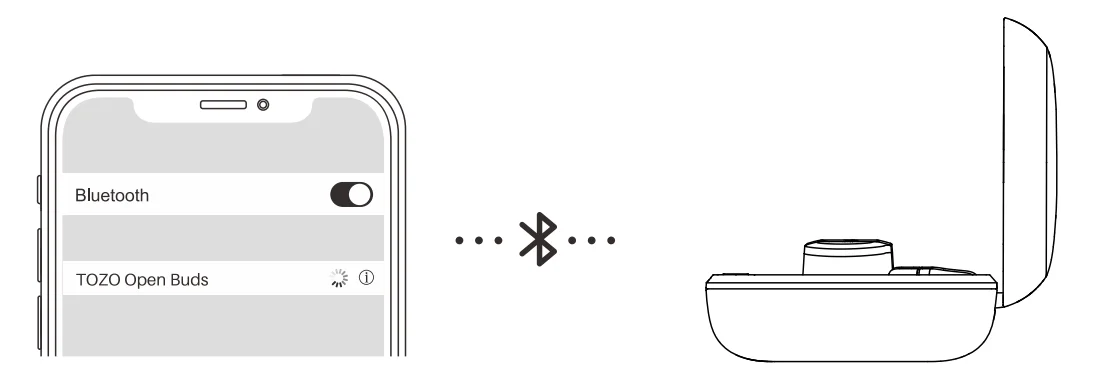
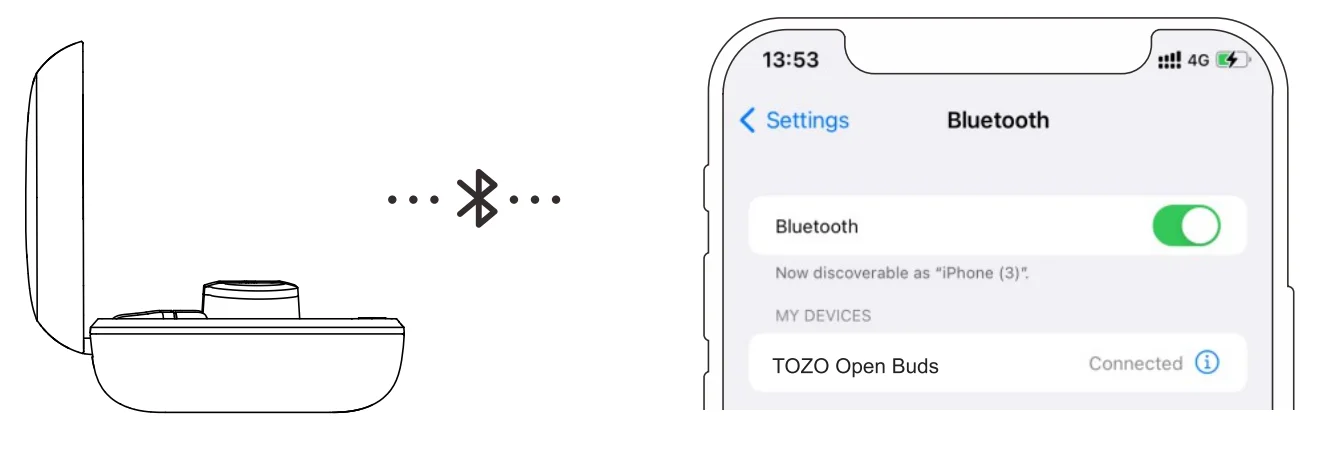
- Connection inside the charging case: Open the charging case, and the blue and white signal lights will flash alternately. Search for the signal [TOZO Open Buds] and connect to it.
- Connection outside the charging case: Touch the left and right earphones for 3 seconds to turn them on, and then search for the signal [TOZO Open Buds] to connect to it. You can also choose to use only one earphone.
- After a successful connection, the signal light on the earphones will go off.
Reset
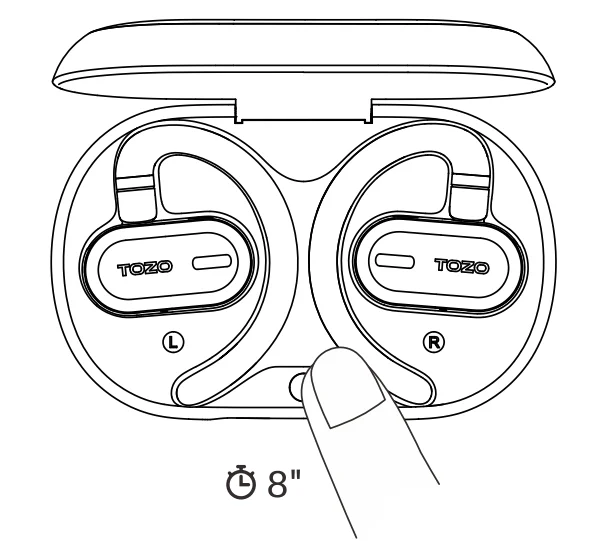
When the earphones are placed in the charging case, press and hold the charging case button for 8 seconds to clear the Bluetooth pairing records and restore the factory settings.
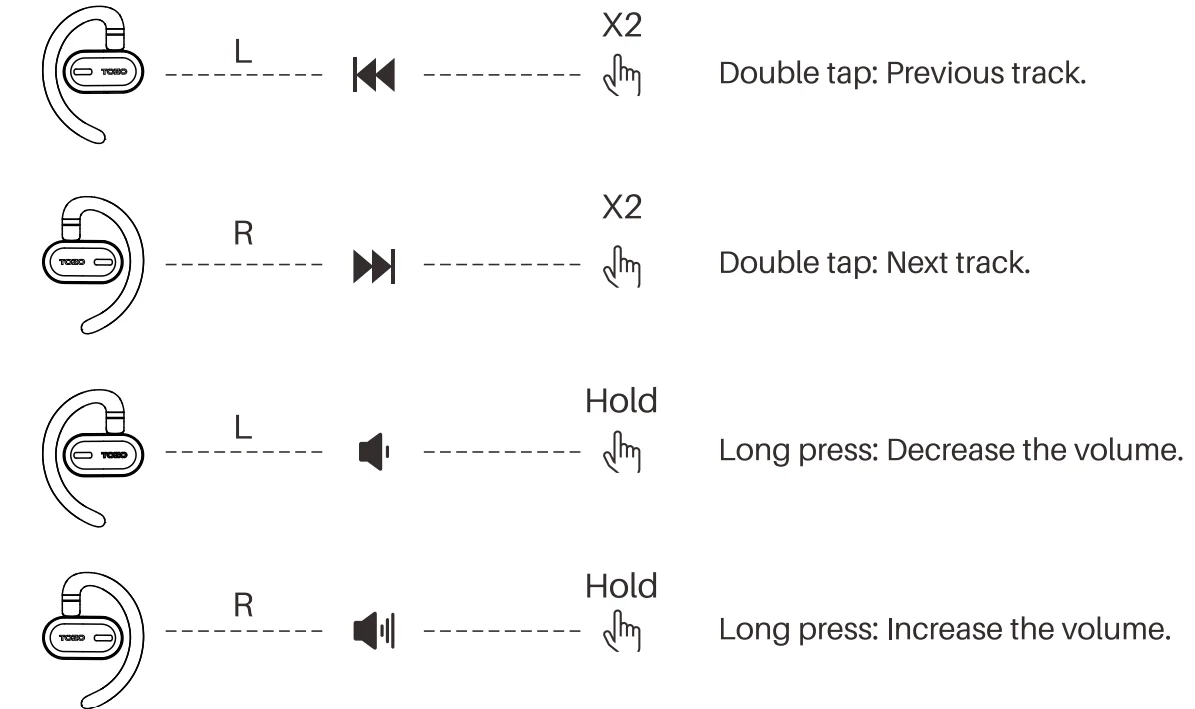
Music control

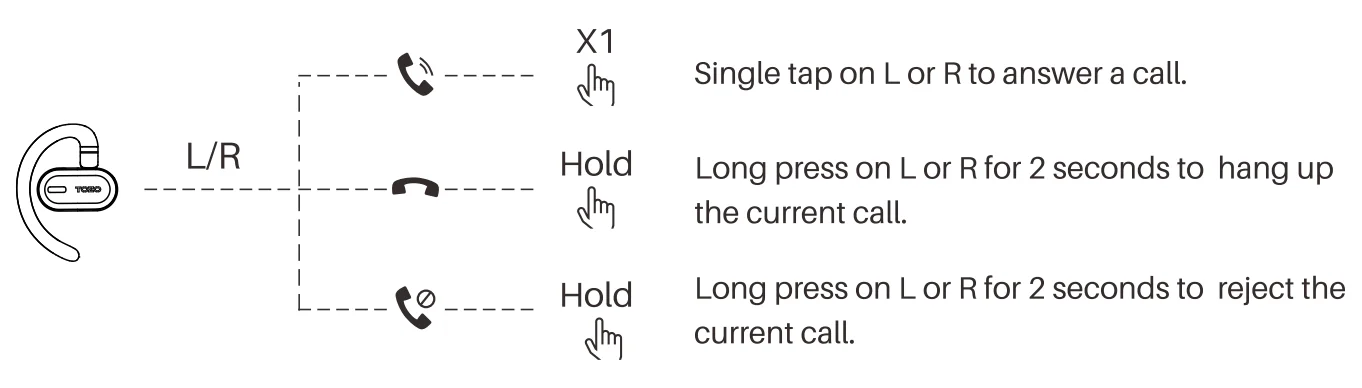
Calling control
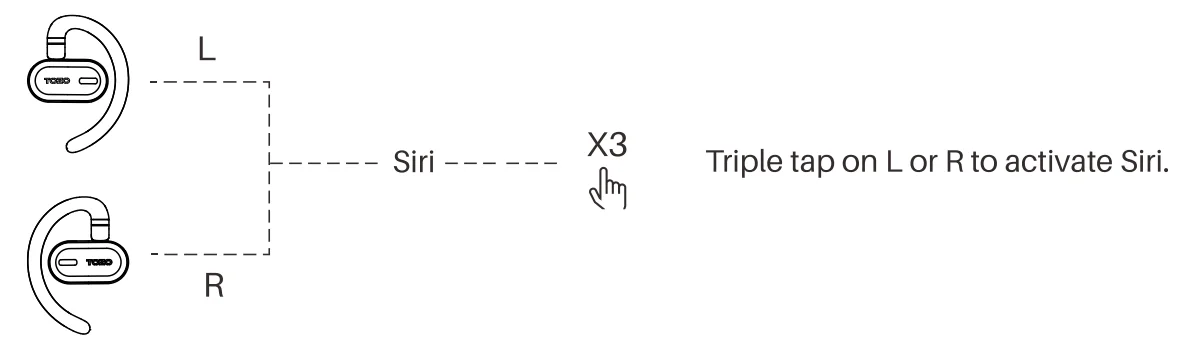
Voice assistant
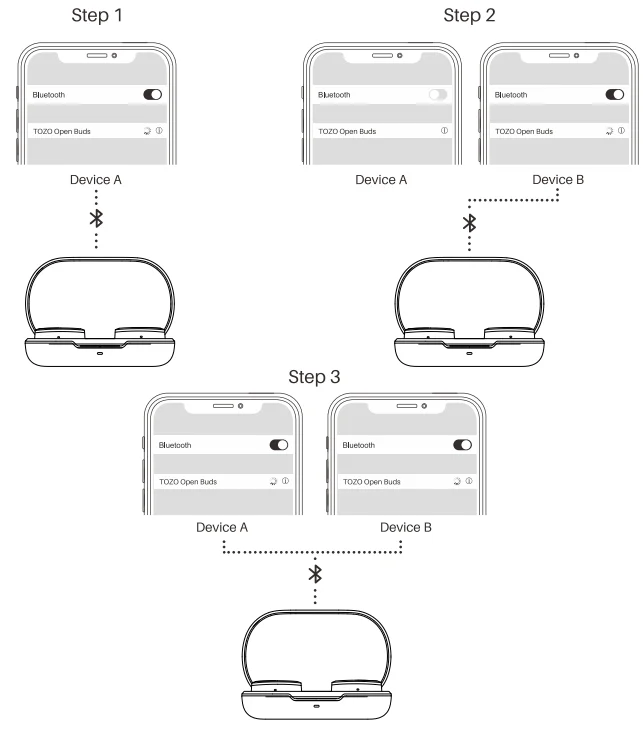
Bluetooth multipoint feature
- With the earphones turned on, put them in pairing mode and connect them to the first phone via Bluetooth.
- Turn off Bluetooth on the first phone, put the earphones back into pairing mode, then connect them to the second phone via Bluetooth.
- Turn on Bluetooth on the first phone and search for the earphones in the list of paired devices. Click on the earphones to connect to both phones simultaneously.
Charging methods
- Earphone charging: Place the earphones into the charging case to charge them.
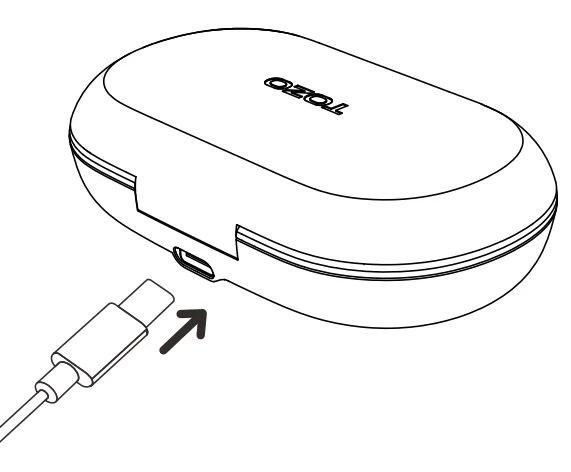
- Charging case charging: It is recommended to use a 5V output charger to charge the charging case. Insert the Type-C charging cable into the charging case’s charging port to charge it.
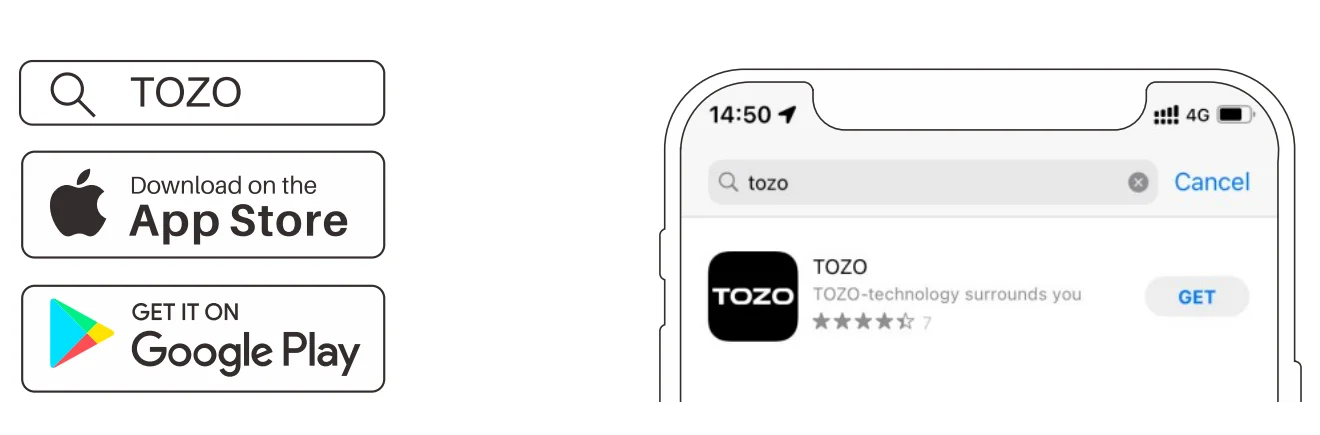
TOZO APP
Download the TOZO App for Ul customization, EQ settings, and more.
- Ul customization: Most of the controls can be customized in the App.
- EQ settings: The app offers many EQ options to optimize your experience across different music genres.
- Earbuds firmware update: The earbuds’ firmware can be updated in the App. You will be notified when the new firmware version is detected when you connect the earbuds to the App.
TOZO APP pairing
- Step 1: Download the TOZO App on your phone.

- Step 2: Bluetooth pairing with your earphones.

- Step 3: Pair the TOZO App with your earphones.

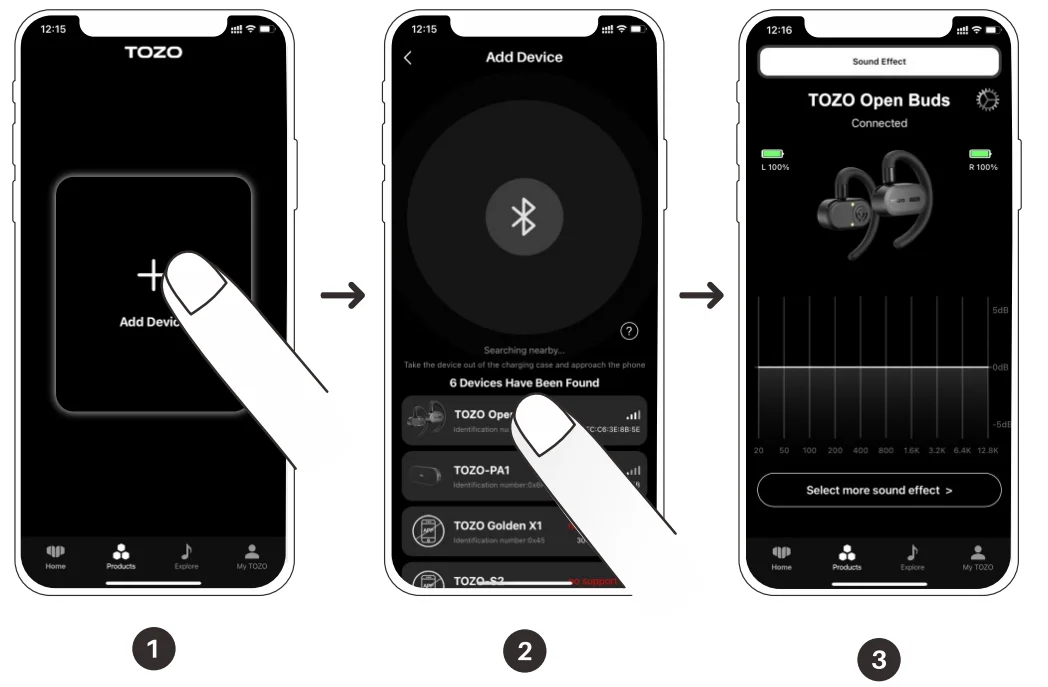
Troubleshooting and reminders
- Cannot turn on: Trying to charge the earphones and charging case, check whether the charging case’s red light is on before attempting to turn them on.
- Water damage: Do not charge the product, and immediately turn it off, wipe off any surface water to let it dry, and then try to use it again.
- Playback or connection issues: Put the earphones in the charging case, press and hold the charging case button for 10 seconds to restore factory settings, and then try to use them again.
- Unable to connect to phone: Make sure Bluetooth is turned on, delete the pairing, turn on the earphones, and search for the earphones’ Bluetooth signal to connect. If it still does not work, try restoring factory settings.
- No sound: Ensure Bluetooth is connected, then try increasing the earphone volume.
- Unable to charge? Try using a different 5V power adapter or replace the charging cable to see if that resolves the issue.
- If the problem persists, please contact TOZO customer service.
FCC Statement
This equipment has been tested and found to comply with the limits for a Class B digital device, pursuant to Part 15 of the FCC Rules. These limits are designed to provide reasonable protection against
harmful interference in a residential installation. This equipment generates uses and can radiate radio frequency energy and, if not installed and used in accordance with the instructions, may cause harmful interference to radio communications. However, there is no guarantee that interference will not occur in a particular installation. If this equipment does cause harmful interference to radio or television reception, which can be determined by turning the equipment off and on, the user is encouraged to try to correct the interference by one or more of the following measures:
- Reorient or relocate the receiving antenna.
- Increase the separation between the equipment and receiver.
- Connect the equipment into an outlet on a circuit different from that to which the receiver is connected.
- Consult the dealer or an experienced radio/TV technician for help.
- This device complies with part 15 of the FCC Rules. Operation is subject to the following two conditions.
- This device may not cause harmful interference, and
- this device must accept any interference received, including interference that may cause undesired operation.
Changes or modifications not expressly approved by the party responsible for compliance could void the user’s authority to operate the equipment.
For more manuals by TOZO, visit ManualsLibraryy
TOZO Open Buds-FAQs
Are TOZO Open Buds a good choice for everyday use?
Yes, TOZO Open Buds are a solid option for daily listening, especially if you prefer comfort and awareness. Their open-ear design avoids ear fatigue and allows you to hear your surroundings while listening to music or calls. They may not offer deep noise isolation like in-ear models, but they provide a balanced audio experience suitable for casual listening, workouts, and outdoor activities.
How do you use TOZO Open Buds for the first time?
To use TOZO Open Buds, remove them from the charging case and they will automatically power on. Enable Bluetooth on your device and select the earbuds from the available list to pair. Once connected, you can control music, calls, and volume using touch controls on the earbuds. The process is quick and designed for beginners, requiring minimal setup.
How do I reset TOZO Open Buds if they stop working properly?
To reset the earbuds, place both buds back into the charging case and ensure they are charging. Then press and hold the touch area on both earbuds for several seconds until the indicator lights flash. This clears previous pairings and restores factory settings. After resetting, reconnect them to your device as if you were setting them up for the first time.
Are TOZO Open Buds waterproof or sweat-resistant?
TOZO Open Buds typically come with water resistance suitable for workouts and outdoor use, such as protection against sweat and light rain. However, they are not designed for full water submersion like swimming or showering. Always check the exact IP rating of your model to understand its limits and ensure long-term durability.
How do I control music and calls on TOZO Open Buds?
The earbuds feature intuitive touch controls that allow you to play or pause music, skip tracks, adjust volume, and answer or end calls. You simply tap or hold specific areas on the earbuds to perform these actions. This eliminates the need to reach for your phone, making them convenient during exercise, commuting, or multitasking.
How long does the battery last on TOZO Open Buds?
Battery life varies by model, but TOZO Open Buds generally provide several hours of playback on a single charge, with additional charges available from the case. Combined usage can last up to a full day depending on volume and usage patterns. This makes them reliable for extended listening sessions, travel, or daily routines without frequent recharging.
Can I use TOZO Open Buds for phone calls?
Yes, TOZO Open Buds support hands-free calling with built-in microphones. They are designed to deliver clear voice quality for calls, even in moderately noisy environments. While they may not completely block background noise, they use noise reduction technology to improve voice clarity, making them suitable for calls during work or outdoor use.
Do TOZO Open Buds have noise cancellation?
Most open-ear earbuds, including TOZO Open Buds, do not offer full active noise cancellation (ANC). Instead, they focus on situational awareness, allowing you to hear surrounding sounds while listening. This design is ideal for safety during activities like running or cycling, but it means external noise will still be audible compared to traditional in-ear earbuds.
Can I use only one TOZO Open Bud at a time?
Yes, you can use a single earbud independently if needed. This is useful for calls or when you want to stay more aware of your surroundings. Simply take one earbud out of the case and connect it to your device. The system supports mono use without affecting basic functionality like audio playback or calls.
How should I wear TOZO Open Buds correctly?
TOZO Open Buds are designed to rest outside your ear canal rather than inside it. Position them securely around your ears so they sit comfortably without slipping. Proper placement ensures better sound quality and stability during movement. Since they don’t seal the ear, adjusting their position slightly can help you achieve the best listening experience.