
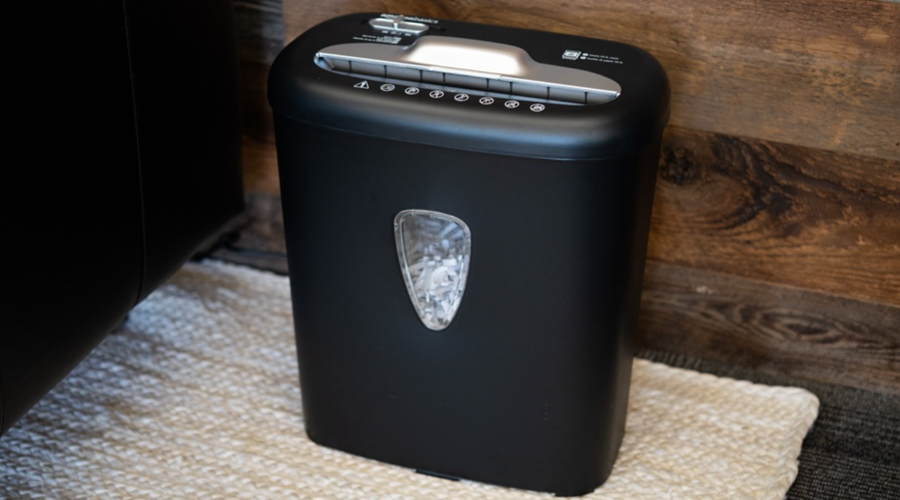

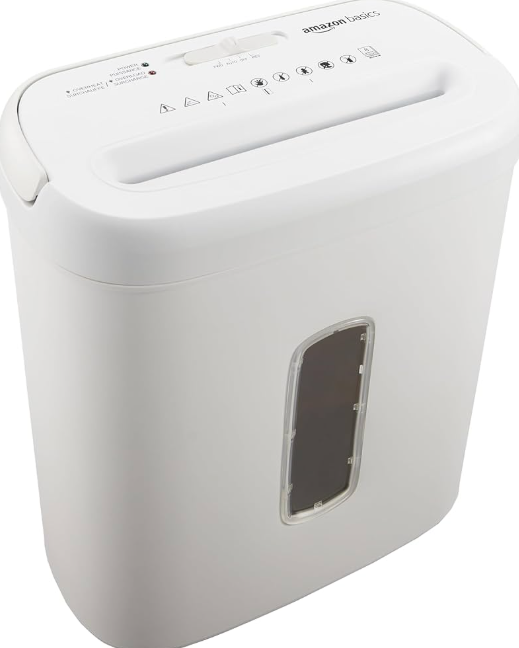
Amazon Basics 8-Sheet Cross-Cut Paper Shredder
Important Safety Instructions
Read these instructions carefully and retain them for future use. If this product is passed to a third party, then these instructions must be included. When using electrical products, basic safety precautions should always be followed to reduce the risk of fire, electric shock, and/or injury to persons, including the following:
DANGER: Risk of electric shock!
Do not attempt to repair the product yourself. In case of malfunction, repairs are to be conducted by qualified personnel only.
CAUTION: Risk of fire!
Never use any petroleum-based or flammable oils or lubricants in or around the machine, as some oils can combust, causing serious injuries.
CAUTION: Risk of injury!
The product has very sharp exposed cutters on the underside. Never touch the underside of the shredding mechanism.
- Always switch the product off and unplug the power supply cord from the socket-outlet when not in use, before cleaning, moving or emptying the paper bin.
- Never dispose of materials that have come into contact with flammable chemicals (for example, nail polish, acetone, and gasoline) in the paper bin.
- The ventilation should not be impeded by covering the ventilation openings with items, such as newspapers, tablecloths, curtains, etc.
- The minimum distances of 5 cm around the product are required for sufficient ventilation.
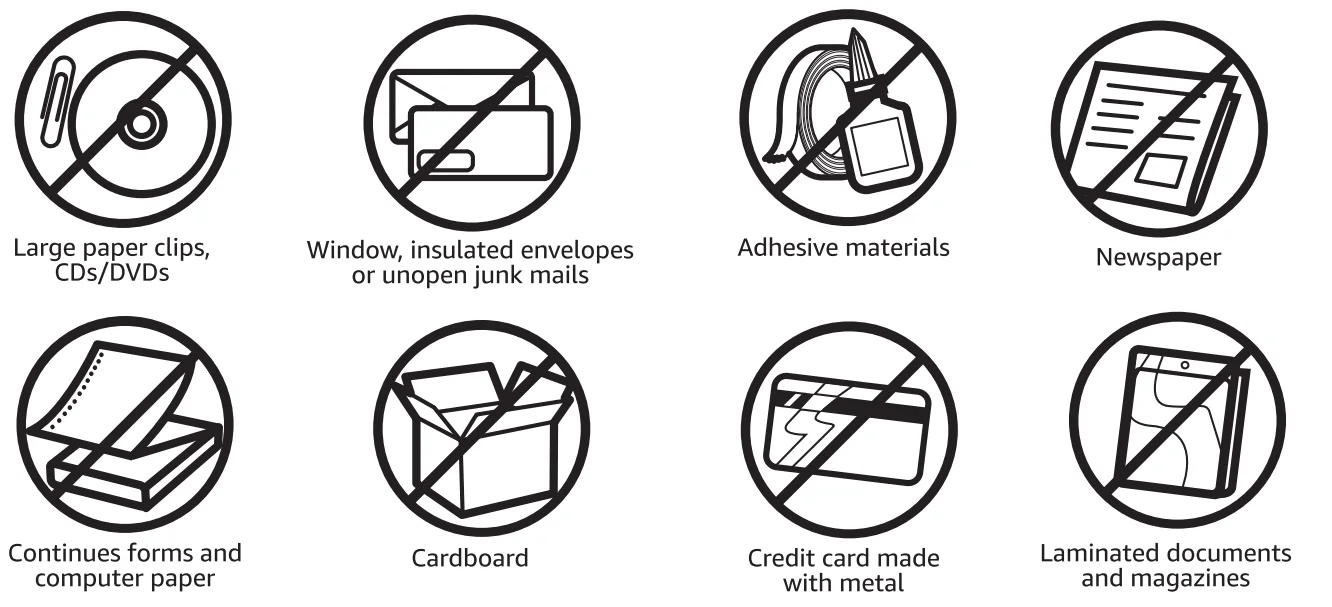
- Never shred large paper clips, metal credit cards, window or insulated envelopes, continuous forms, continuous computer paper, newsprint, bound pages (for example: notepads, checkbooks, magazines, etc.), transparencies, laminated documents, cardboard, or any items with adhesives, hard materials, or plastic.
- The socket-outlet shall be installed near the product and shall be easily accessible.
- Empty the bin regularly. An overfilled bin might lead to jams.
- The product shall not be exposed to dripping or splashing, and no objects filled with liquids, such as vases, shall be placed on the product.
- Regularly check the power plug and power supply cord for damage. If the power supply cord is damaged, it must be replaced by a qualified person to avoid a hazard.
- Never try to clean or clear the shredder cutters.
- Never shred beyond the specified sheet capacity. This may result in product damage.
- This product should be used in moderate climates only.
- This appliance has a polarized plug (one blade is wider than the other). To reduce the risk of electric shock, this plug will fit the outlet only one way. If the plug does not fit fully in the outlet, reverse the plug. If it still does not fit, contact a qualified electrician. Do not modify the plug in any way.
SAVE THESE INSTRUCTIONS
Product Description
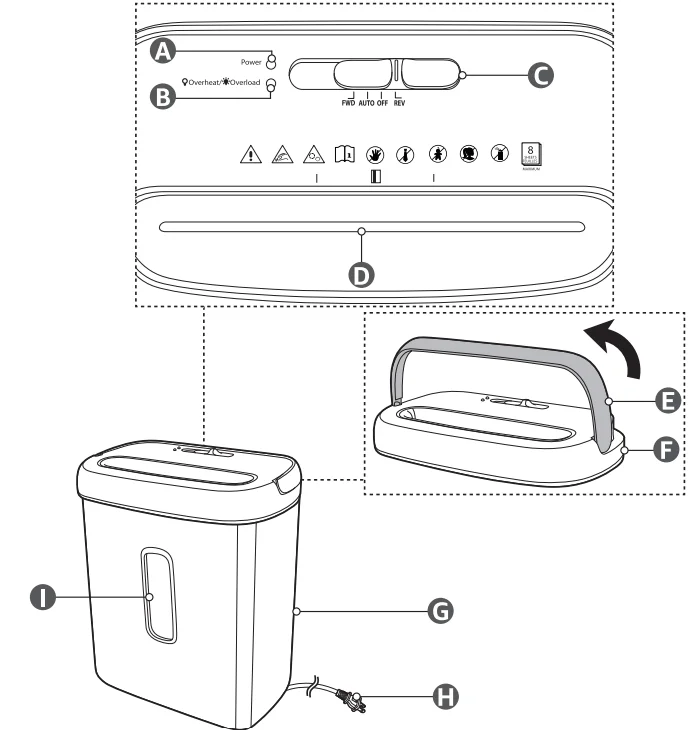
- A. Power indicator
- B.
 Overheat/
 Overload indicator
 - C. slide switch
- D. Feed slot
- E. Handle
- F. Shredder
- G. Waste bin
- H. Power cord with plug
- I. Transparent window
 Overheat/
 Overload indicator
Intended Use
- This product is intended for shredding paper, plastic, credit cards, and similar materials only. Do not shred CDs, DVDs, or greeting cards with sound chips or batteries.
- This product is intended for office and private use.
- This product is intended to be used in dry indoor areas only.
Before First Use
DANGER: Risk of suffocation!
Keep any packaging materials away from children and pets – these materials are a potential source of danger, e.g. suffocation.
- Remove all the packing materials.
- Remove and review all components before assembly.
- Check the product for transport damage.
- Before connecting the product to the power supply, check that the power supply voltage and current rating correspond with the power supply details shown on the product rating label.
Assembly and Placement
NOTICE: Keep a minimum distance of 5 cm between the product and any walls for sufficient ventilation.
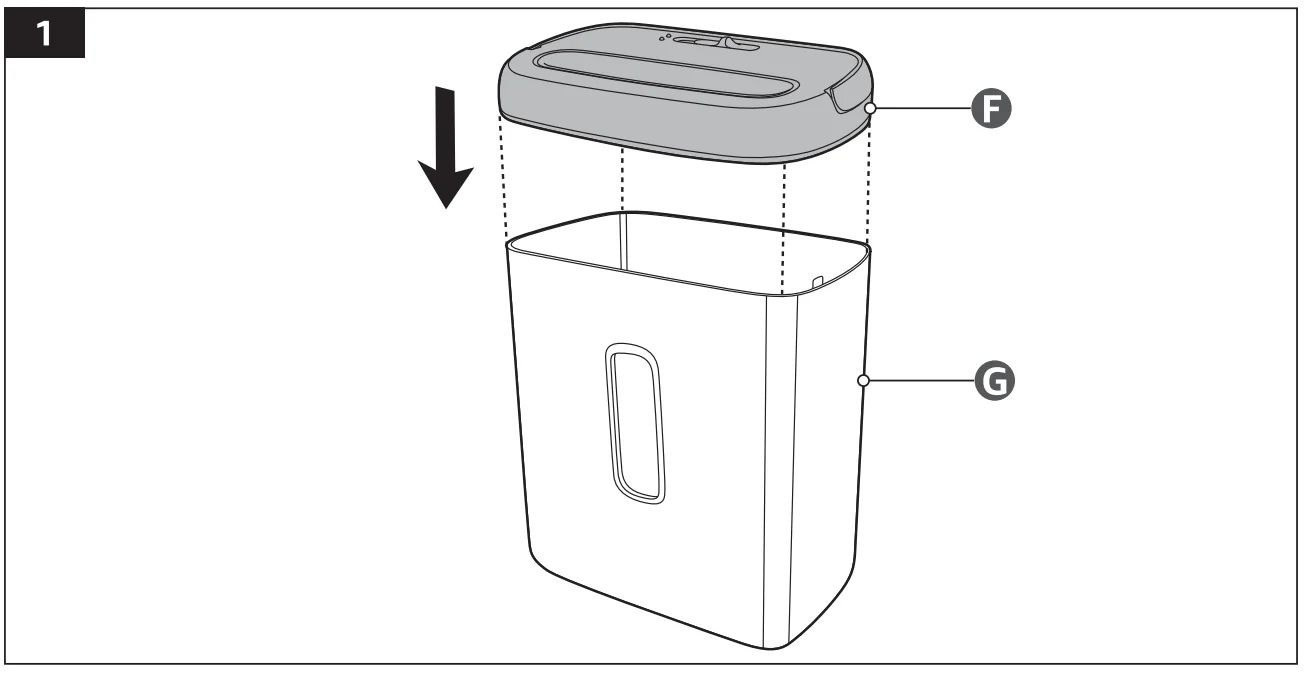
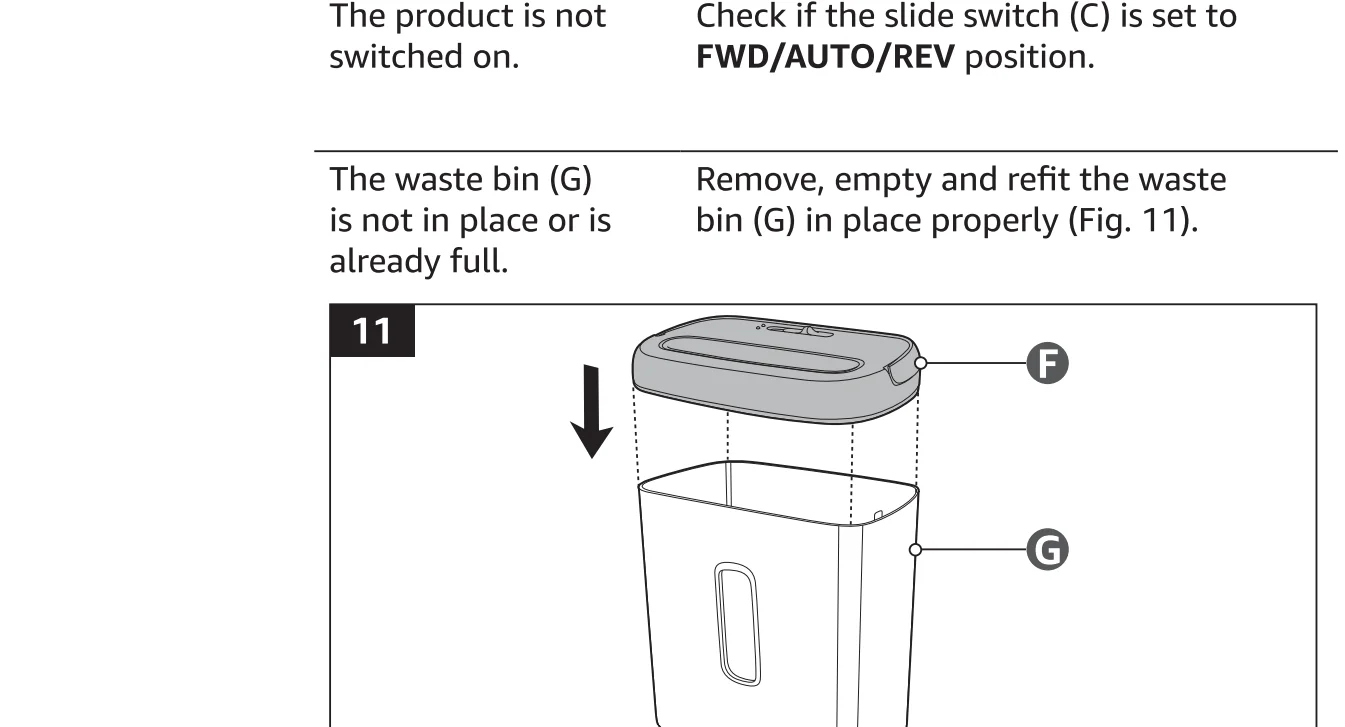
Fit the shredder (F) onto the top of the waste bin (G) (Fig. 1 ).
Operation
Do not shred
NOTICE
- Always set the slide switch (C) to the OFF position and unplug the product when not in use.
- Remove any plastic bags from the Waste bin (G). This may cause the product to not operate properly.
Switch on/off
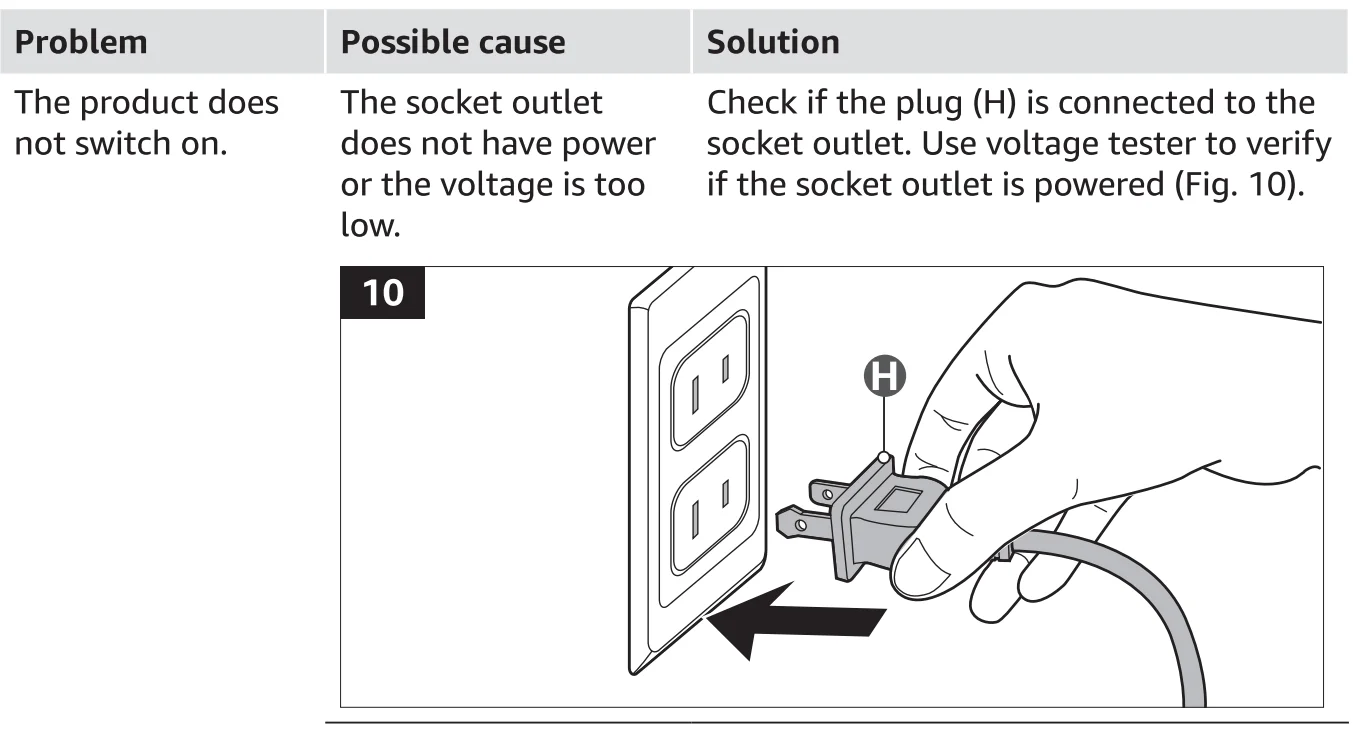
- Connect the power plug (H) to a suitable socket-outlet.
- Switch on the product by setting the slide switch (C) to FWD/AUTO/REV position.
- Switch off the product by setting the slide switch (C) to the OFF position.
Operating the slide switch
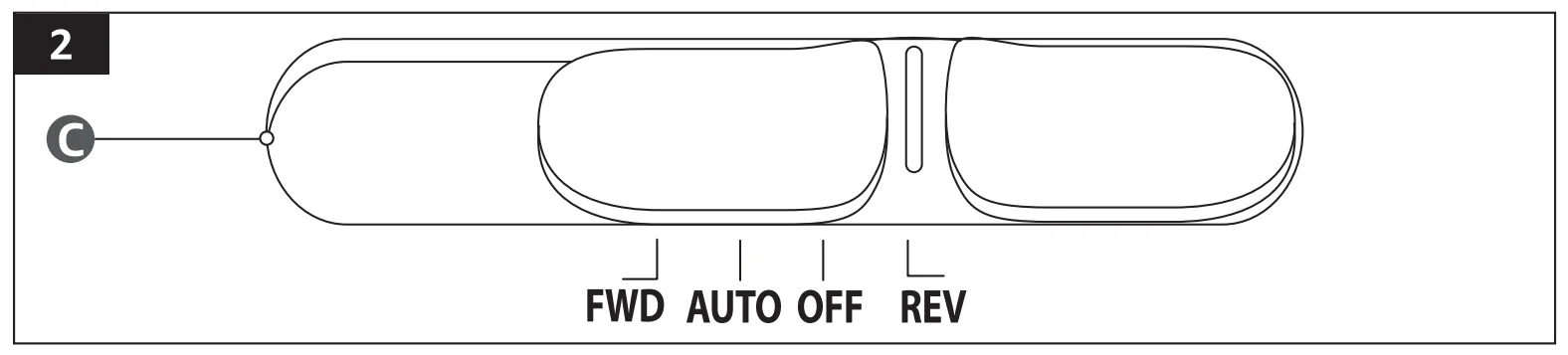
Set the slide switch (C) to the desired mode.
- FWD
Forward: The FWD mode allows manual start the shredding mode. While in FWD mode, the product continues to shred even without any paper or items placed in it. The Power indicator (A) lights up green. - Auto
While in AUTO mode, the product does not start until paper or card is inserted into the feed slot (D). Always insert the paper or card as straight AUTO as possible. When the paper or card has passed through, the product stops automatically. The Power indicator (A) stays green. - Off
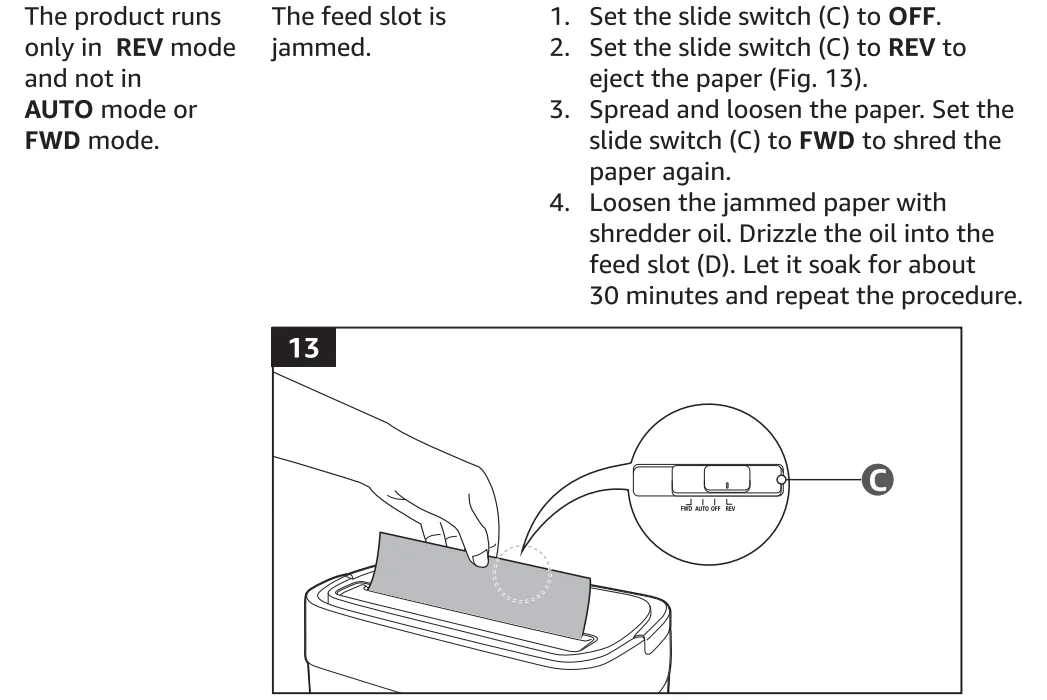
While in OFF mode, the product is still connected to the power, but is OFF not prepared for shredding. The Power indicator (A) goes off. - REV
Reverse: The reverse setting can be used to help clear the cutters of material that did not pass through during a paper jam. While in REV mode, the product will continue to reverse even without any paper or card placed in it. The Power indicator (A) stays green.
Shredding
NOTICE
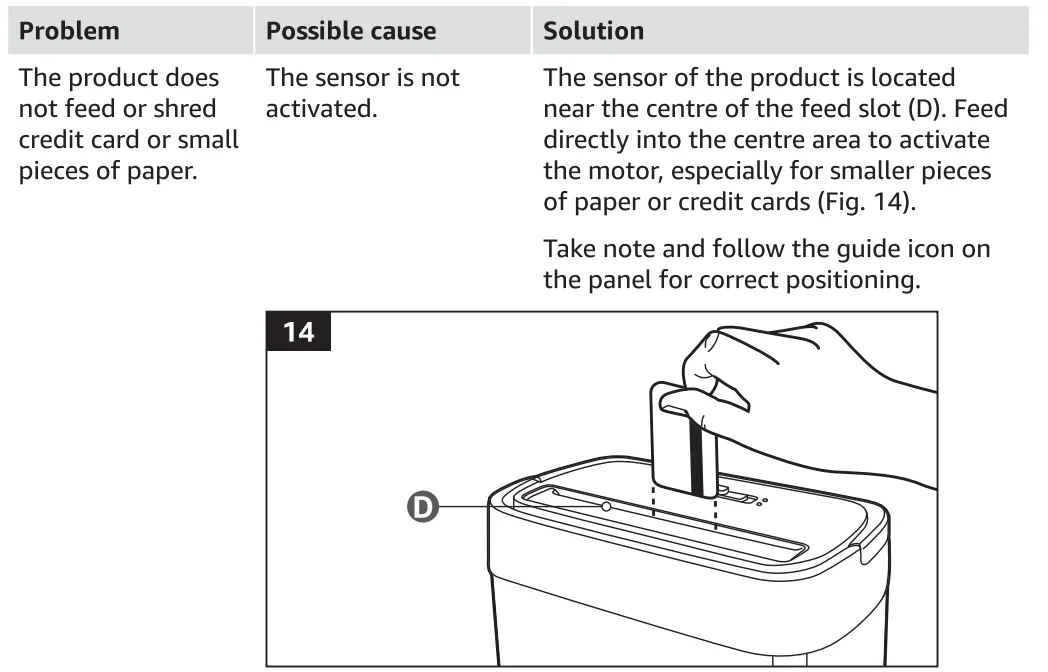
- A sensor is located in the centre of the feed slot (D). In AUTO mode, always insert the item into the centre of the feed slot (D).
- This product can shred staples and small paper clips. However, it is recommended to remove paper clips whenever possible to extend the lifespan of the product.
Paper
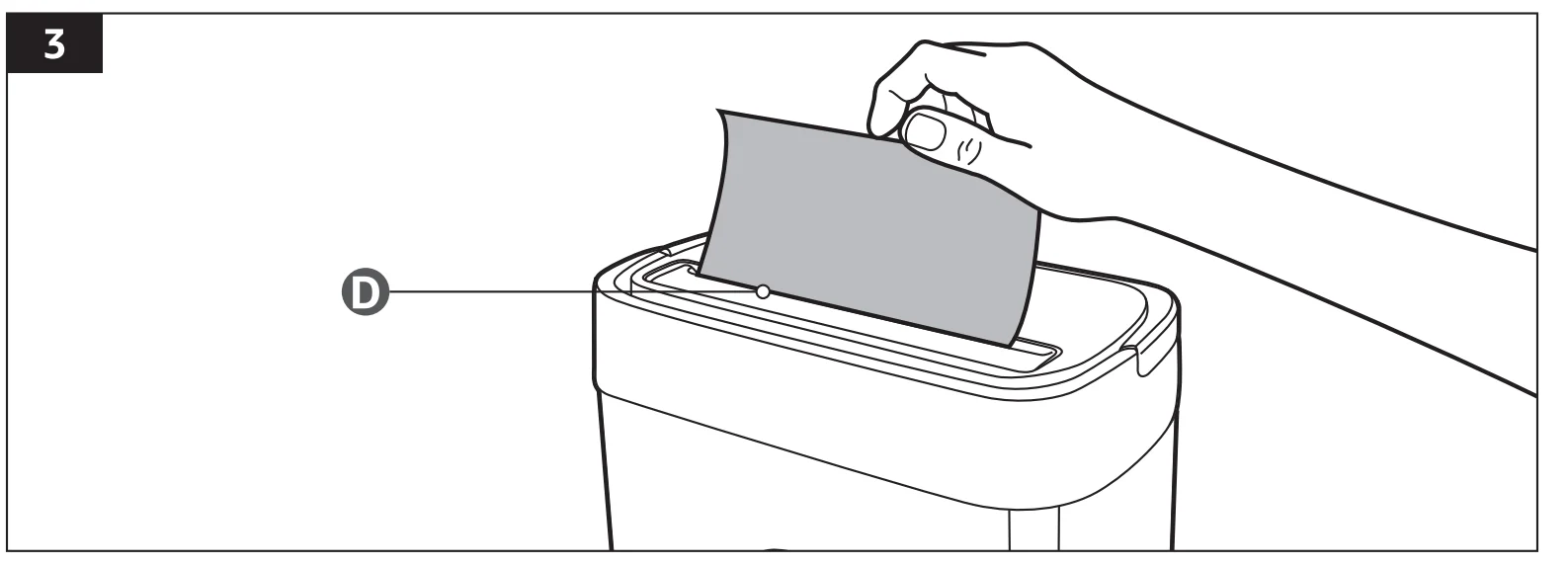
- Do not exceed the sheet count per pass (8 sheets max.)
- One folded sheet of paper equates to 2 sheets of paper. Usage of heavier paper, relative humidity, and a supply voltage lower than the rated voltage may reduce the shredding capacity of the product.
Credit card
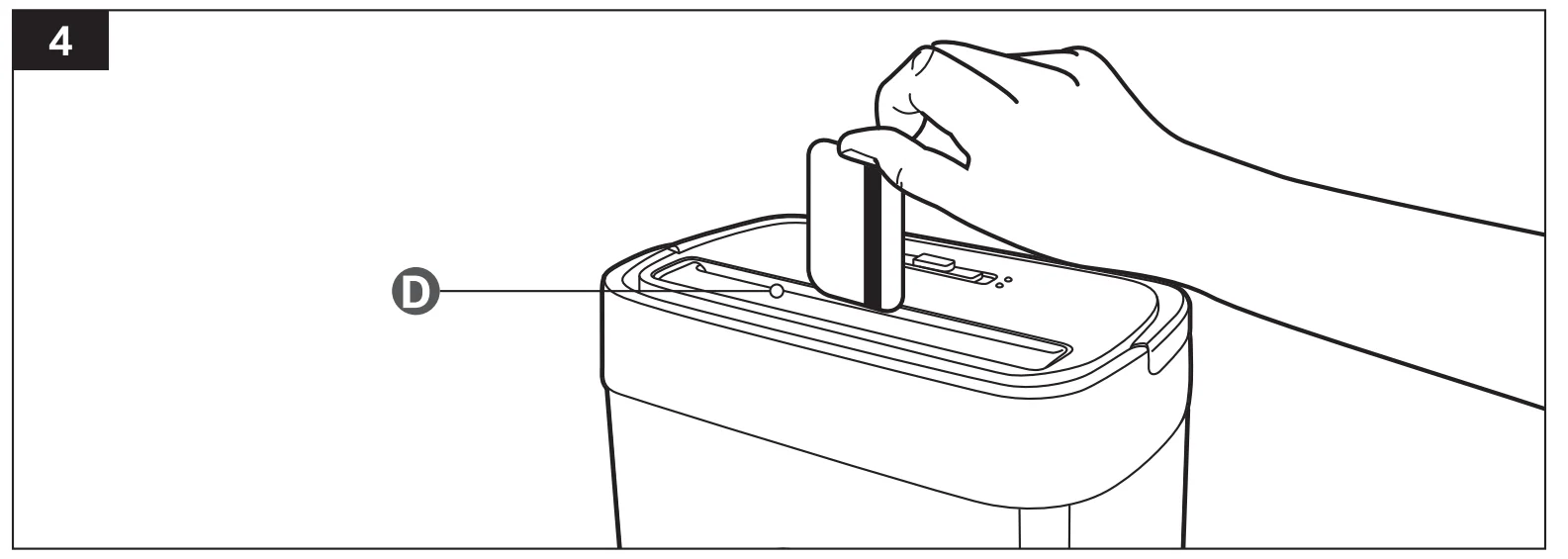
- Only shred credit cards by inserting them vertically into the centre of the feed slot (D). Release the card when shredding begins.
- The sensor is located in the centre of the feed slot (D). Do not insert credit cards at either side.
- Only feed one credit card at a time into the product.
Status indicators

- Power
The power indicator goes off when the slide switch (C) is set to OFF. When set in other modes and the product is on standby, the indicator lights up green. - Overheat/Overload indicator
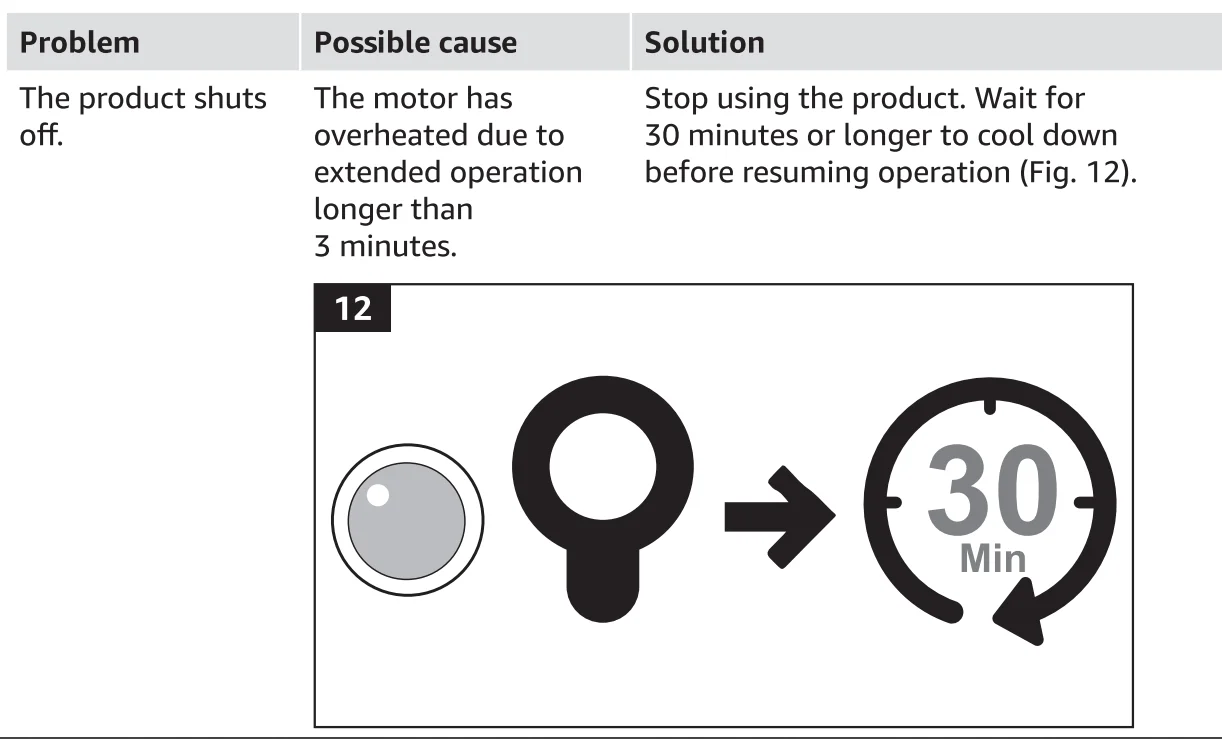
This indicator stays on red when the product has been running continuously beyond the maximum running time of 3 minutes, and has overheated. The product automatically shuts off. Switch the shredder off for 30 minutes or longer before resuming normal operation. This indicator flashes when too much paper has been inserted into the feed slot (D). The product stops automatically. Set the product to REV mode to pull out the batch of paper. Reduce the number of sheets and try again.
Emptying the bin
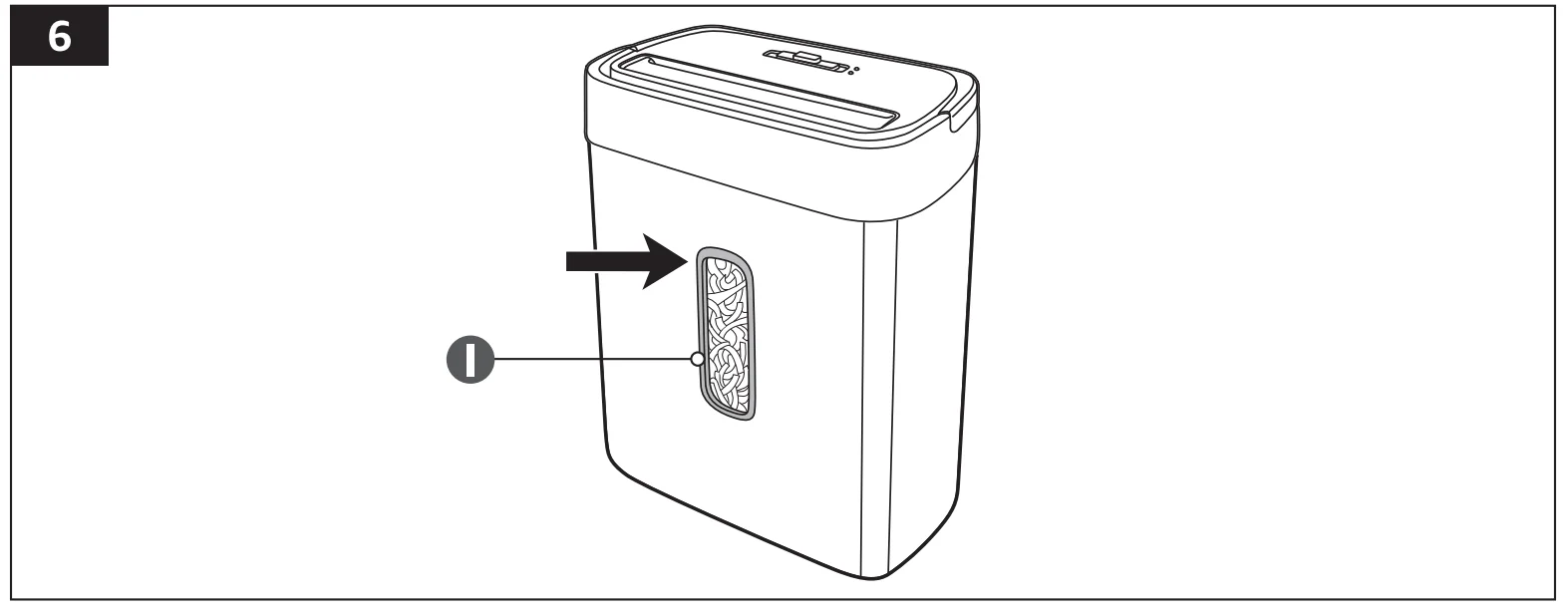
- Look through the transparent window (I) to determine whether the waste bin (G) is already full (Fig. 6).
- Lift the handle (E) to separate the shredder (F) from the waste bin (G) and throw away the shredded paper in the trash.
WARNING: Risk of injury!
- It is recommended to switch to OFF mode when lifting the product. The blades on the feed slot (D) may cause hair or clothes to accidentally go through and cause injury.
- The blades on the bottom of the product are enclosed; however, exercise caution when removing papers that are stuck when emptying the waste bin (G).
NOTICE: The sensor will trigger the motor to automatically stop when the waste bin (G) is lifted. The Power indicator (A) goes off.
Cleaning and Maintenance
Risk of electric shock!
- To prevent electric shock, unplug the product before cleaning.
- During cleaning, do not immerse the electrical parts of the product in water or other liquids. Never hold the shredder (F) under running water.
WARNING: Risk of explosion!
- Do not spray or keep any aerosol products in or around the product.
Cleaning
- To clean the product, wipe with a soft, slightly damp cloth.
- Wipe the product dry after cleaning.
- Do not use corrosive detergents, wire brushes, abrasive scourers, or metal or sharp utensils to clean the product.
- Do not try to clean the shredder cutters on the feed slot (D).
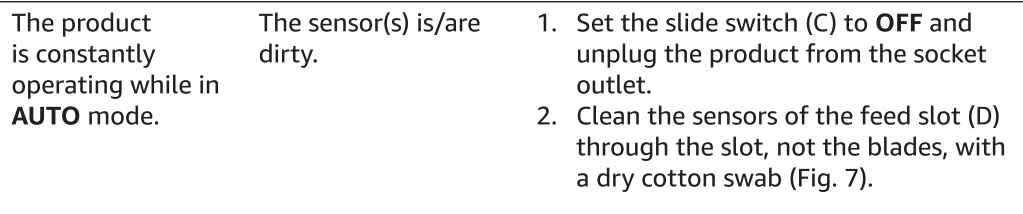
Cleaning the sensor
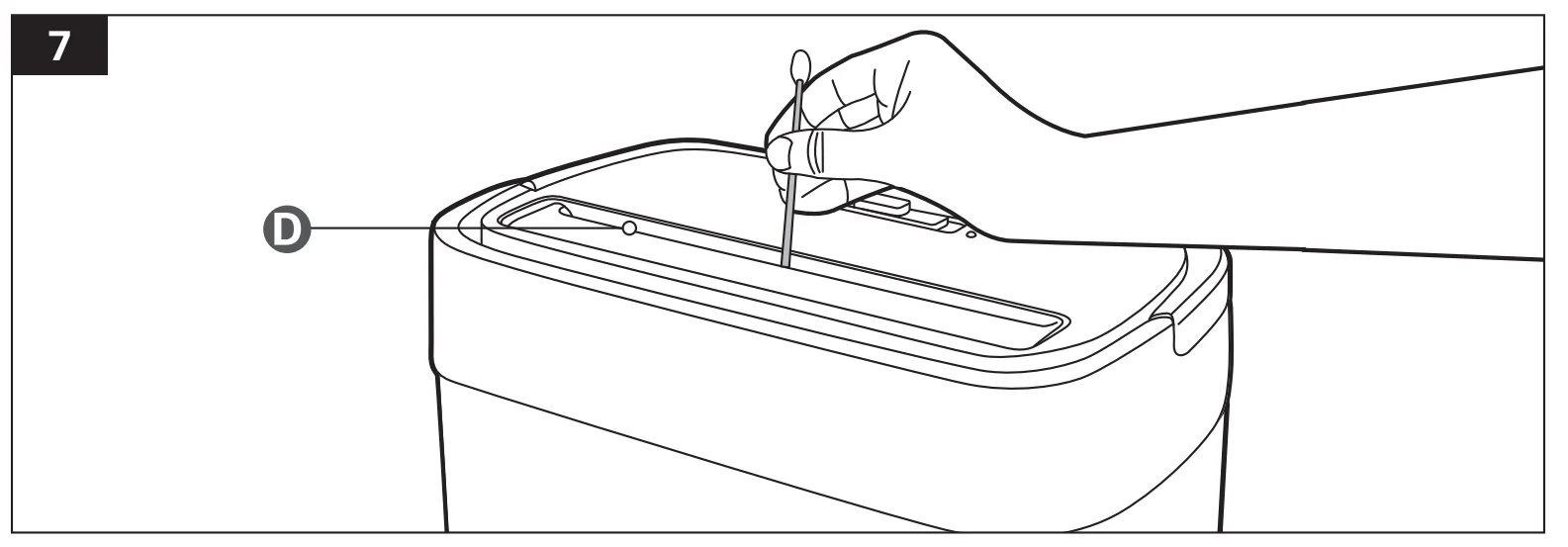
- Unplug the product from the power supply.
- Using a Q-tip, gently wipe away dust and buildup from the sensor (Fig. 7).
Oiling procedure
WARNING: Risk of explosion!
- Do not use aerosol/pressurized products.
NOTICE: If not oiled, this product may experience diminished shredding capacity, intrusive noise when shredding, and could ultimately stop operating. Use a dedicated shredder oil or lubricant sheets only (not provided).
Using shredder oil (not provided)
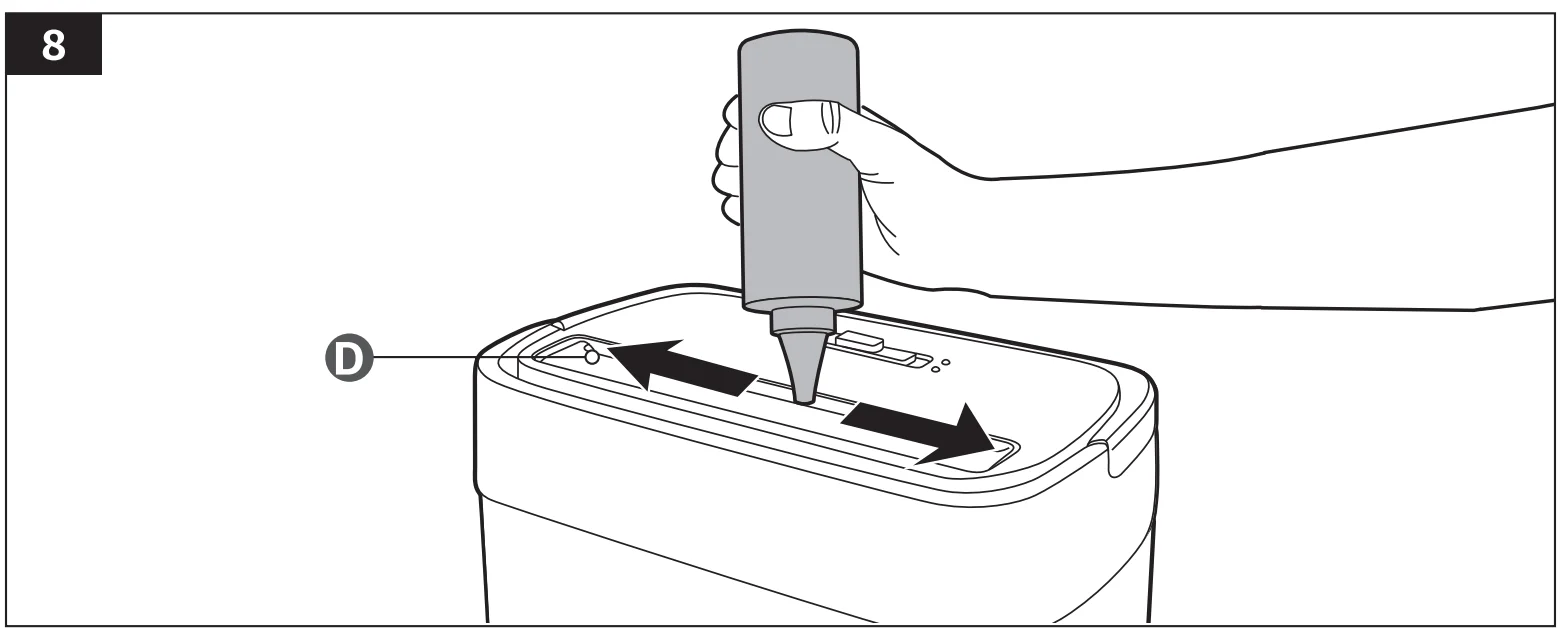
- Set the slide switch (C) to OFF.
- Drizzle some oil onto the feed slot (D) (Fig. 8).
- Set the slide switch (C) to REV to activate reverse mode for 3 -5 seconds.
Using lubricant sheets (not provided)
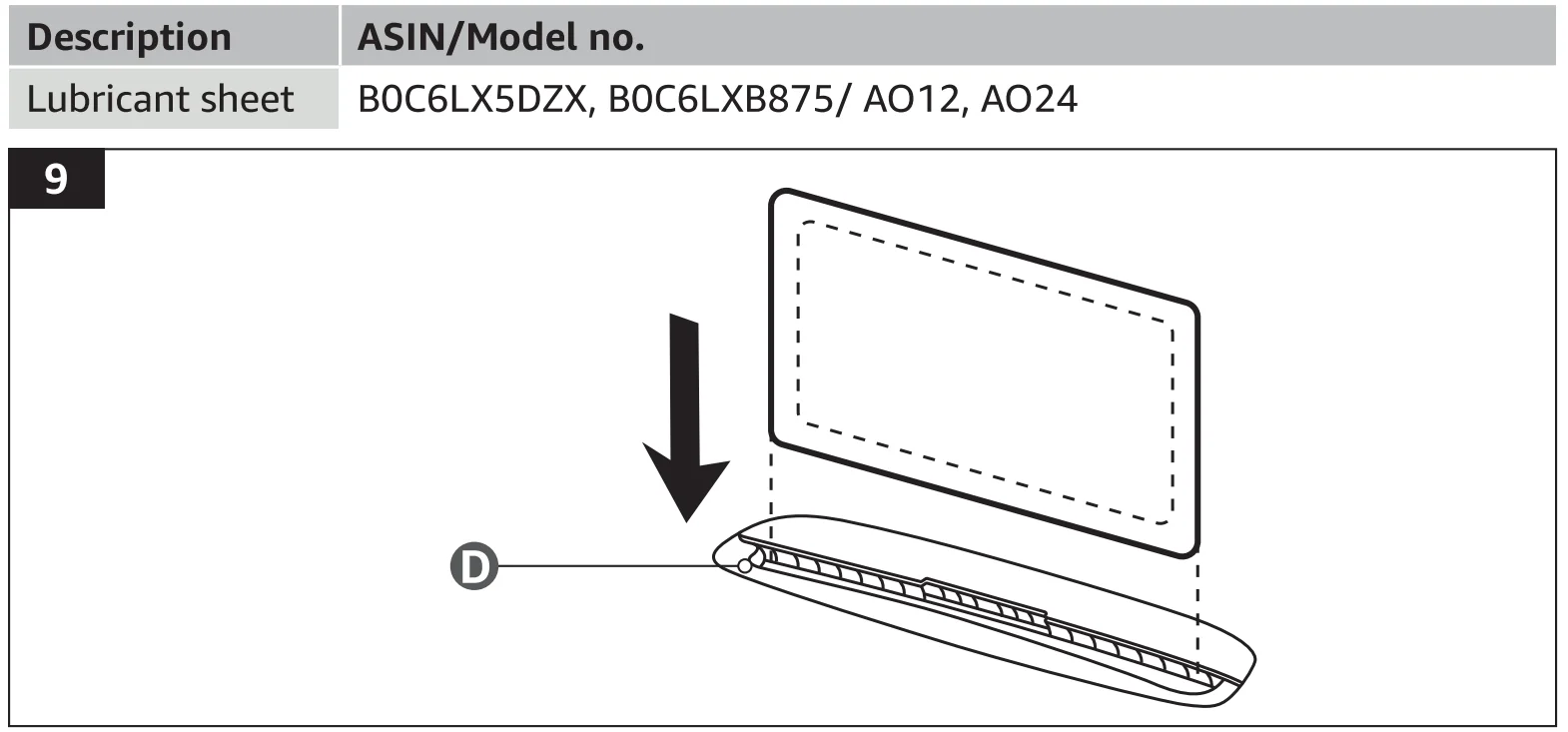
- Insert one lubricant sheet into the feed slot (D) and let it shred (Fig. 9).
- After shredding, set the slide switch (C) to REV for 10 seconds to allow the lubricant to coat all blades.
Storage
- Store the product in its original packaging in a dry area. Keep away from children and pets.
- Avoid placing the product in moist and humid areas to prevent rust.
Maintenance
Any other servicing than mentioned in this manual should be performed by a professional repair center.
FCC – Supplier’s Declaration of Conformity

FCC Compliance Statement
- This device complies with Part 15 of the FCC Rules. Operation is subject to the following two conditions:
- This device may not cause harmful interference, and
- This device must accept any interference received, including interference that may cause undesired operation.
- Changes or modifications not expressly approved by the party responsible for compliance could void the user’s authority to operate the equipment.
FCC Interference Statement
This equipment has been tested and found to comply with the limits for a Class B digital device, pursuant to part 15 of the FCC Rules. These limits are designed to provide reasonable protection against harmful interference in a residential installation. This equipment generates, uses and can radiate radio frequency energy and, if not installed
and used in accordance with the instructions, may cause harmful interference to radio communications. However, there is no guarantee that interference will not occur in a particular installation. If this equipment does cause harmful interference to radio or television reception, which can be determined by turning the equipment off and on, the user is encouraged to try to correct the interference by one or more of the following measures:
- Reorient or relocate the receiving antenna.
- Increase the separation between the equipment and receiver.
- Connect the equipment into an outlet on a circuit different from that to which the receiver is connected.
- Consult the dealer or an experienced radio/ TV technician for help.
Canada IC Notice
This Class B digital apparatus complies with the Canadian CAN ICES 003(B) / NMB-003(B) standard.
Frequently Asked Questions
Specifications
- Model number: C276-A
- Rated voltage: 120 VAC, 60 Hz
- Rated power consumption: 2.5A
- Noise emission: <70 dB (without loading)
- Protection class: Class II
- Sheet capacity: max 8 sheets of 75 gsm paper
- Shredded paper size: 0.24 x 0.98″ (6 x 25 mm) pieces
- Shred type: Cross-cut
- Shredding slot width: 8.7″ (22 cm)
- Credit card capacity: 1 at a time
- Paper bin volume: 3.7 gal (14 1)
- Security level: P-4
- Net weight: approx. 8.6 lbs (3.9 kg)
- Dimensions (W x H x D): approx. 11.8 x 7.1 x 13.8″ (30 x 18 x 35 cm)
Feedback and Help
We would love to hear your feedback. To ensure we are providing the best customer experience possible, please consider writing a customer review. Scan QR Code below with your phone camera or QR reader:

If you need help with your Amazon Basics product, please use the website or number below.
- amazon.com/gp/help/customer/contact-us
- +1 877-485-0385
For more manuals by Amazon Basics, visit ManualsLibraryy
Amazon Basics 8-Sheet Cross-Cut Paper Shredder-FAQs
What does an 8-sheet paper shredder mean?
An 8-sheet shredder can handle up to eight sheets of paper at once in a single pass. This makes it suitable for light home or small office use, allowing you to shred documents quickly without overloading the machine.
How is a cross-cut shredder different from a regular shredder?
A cross-cut shredder cuts paper into small, confetti-like pieces instead of long strips. This provides better security because the shredded pieces are harder to reassemble compared to strip-cut shredders.
How is a cross-cut shredder different from a regular shredder?
Yes, the Amazon Basics 8-sheet shredder is designed for personal or home office use. It offers a balance of affordability, decent capacity, and improved security for everyday document disposal.
How long does a paper shredder typically last?
Most paper shredders last between 5 to 10 years, depending on how often they are used and how well they are maintained. Regular cleaning and proper usage can extend the lifespan significantly.
What should I look for when buying a shredder?
Key factors include sheet capacity, bin size, runtime, and security level. For home use, an 8-sheet cross-cut shredder like this model provides a good mix of performance and security.
Can I shred items other than paper?
This shredder may handle small items like credit cards, but you should avoid materials like thick plastic, cardboard, metal, or laminated sheets, as they can damage the blades.
What are common mistakes to avoid when using a shredder?
Common mistakes include overloading the shredder, not oiling it regularly, and inserting prohibited items. These can lead to jams, overheating, or reduced performance.
Can I use WD-40 or cooking oil in the shredder?
No, WD-40 and cooking oils like olive or vegetable oil are not suitable. They can cause residue buildup or paper jams. Always use oil specifically designed for shredders.
Should I use shredder oil or lubricant sheets?
Both options work, but shredder oil is generally easier and more effective. It ensures better blade coverage and keeps the cutting mechanism running efficiently.
How often should I oil the shredder?
It is recommended to oil the shredder about once every two months or after heavy use. Proper lubrication helps maintain smooth performance and prevents paper jams.