
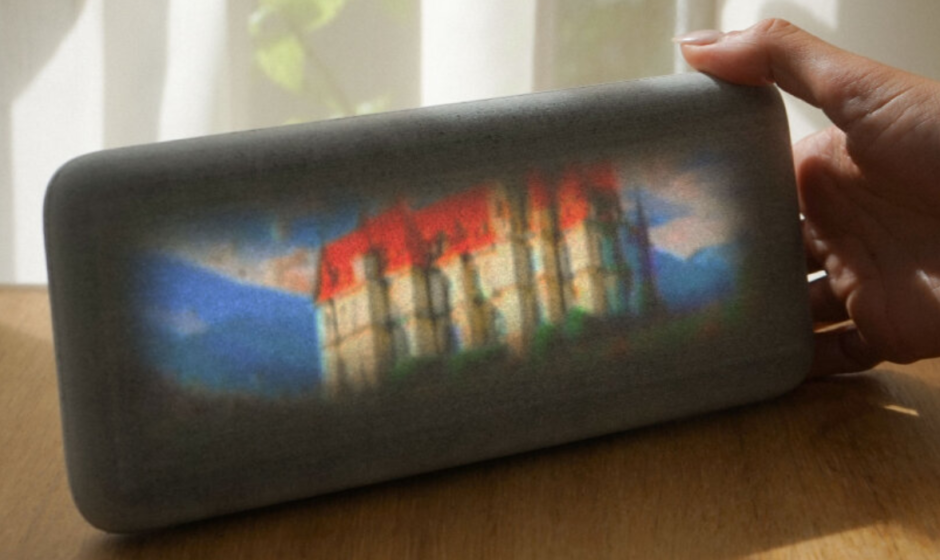

Dream Recorder Hardware
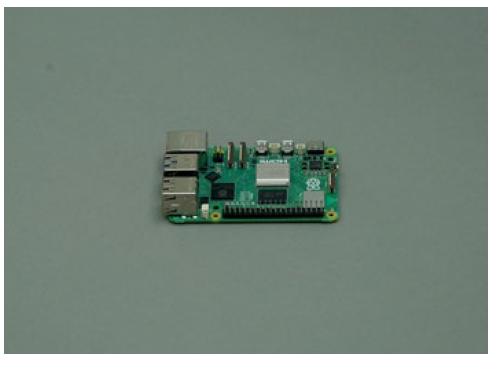
- Step 1
Let’s begin by mounting the active cooling fan onto your Raspberry Pi.
- Step 2
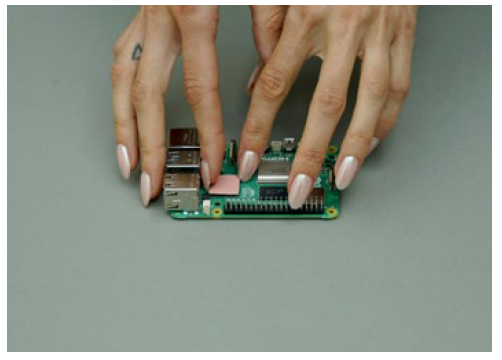
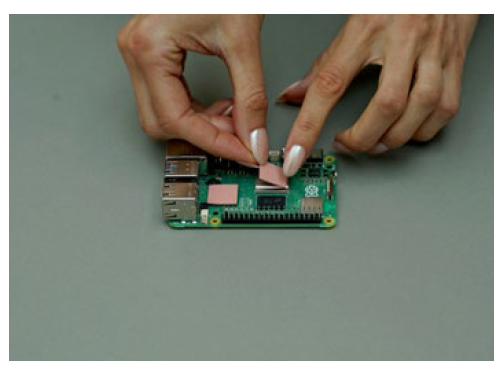
Carefully peel off the thin protective film covering the underside of the three pink thermal pads.
- Step 3
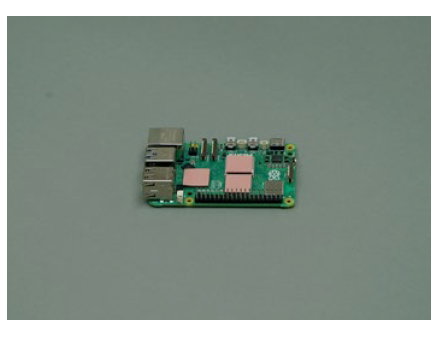
Place each of the three thermal pads onto the corresponding chips on the Raspberry Pi: CPU, GPU, and RAM.
- Step 4
Now, carefully peel off the protective film from the top side of each of the thermal pads you just placed.
- Step 5
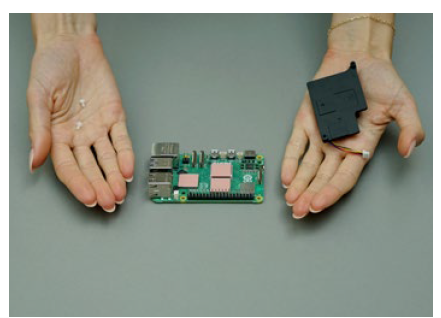
With the thermal pads ready, you can now prepare to mount the active cooling fan onto the Raspberry Pi.
- Step 6
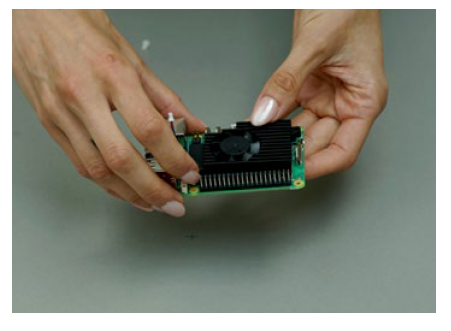
Align the fan carefully and place it directly on top of the thermal pads you applied in the previous steps.
- Step 7
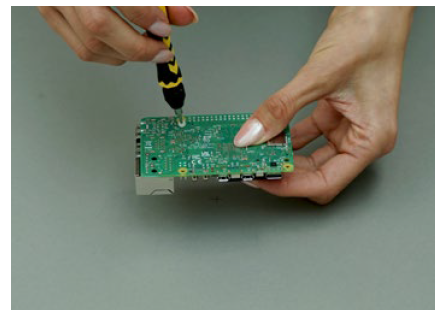
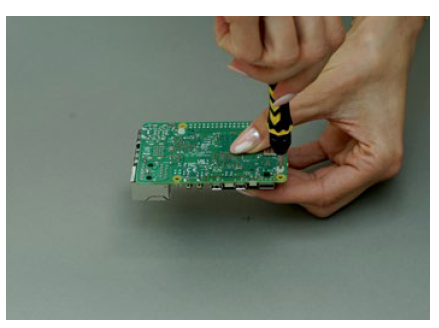
Gently flip the Raspberry Pi over. Align the mounting holes on the Pi with those on the fan assembly.
- Step 8
Using the two plastic screws provided, gently secure the fan to the Raspberry Pi. Avoid overtightening; just enough to hold it firmly.
- Step 9
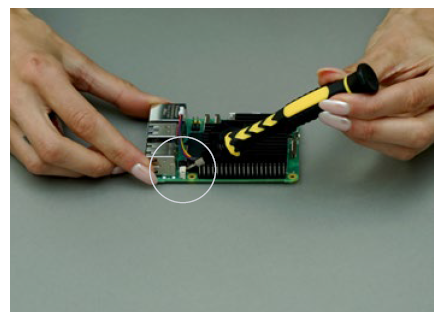
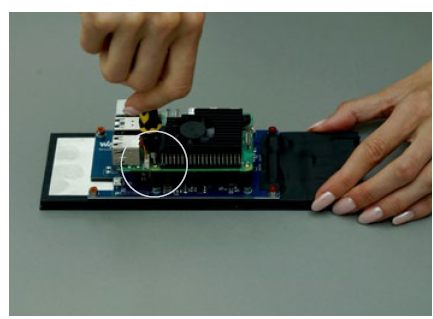
Locate the fan’s power connector port on the Pi. Use a small screwdriver to gently release the plastic retaining clip.
- Step 10
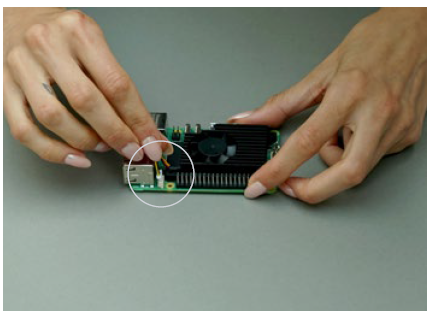
Carefully insert the fan’s power connector into the designated port on the Raspberry Pi. Ensure it’s fully seated.
- Step 11
Next, you will prepare the screen assembly for mounting the Raspberry Pi unit onto its back.
- Step 12
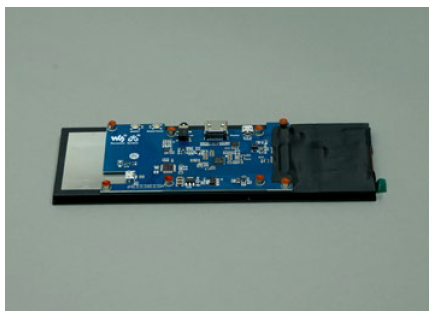
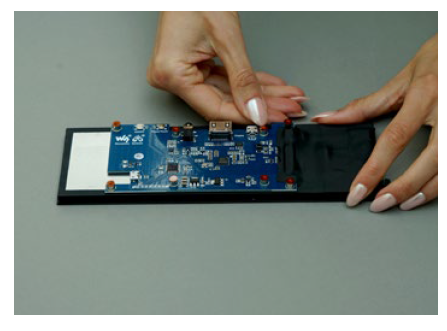
Find the orange plastic protective film covering the screw holes on the back of the screen and peel it off.
- Step 13
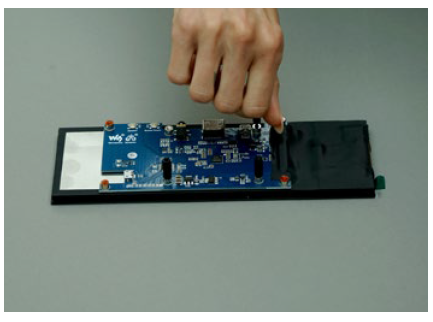
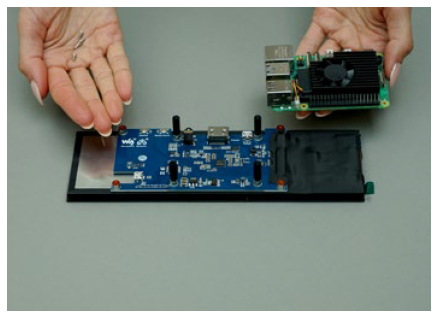
Screw the four nylon spacer legs into the designated mounting holes on the back of the screen.
- Step 14
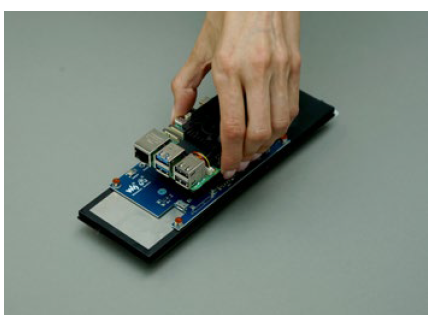
Now it’s time to attach the Raspberry Pi assembly (with the fan) onto the back of the screen unit.
- Step 15
Align the Raspberry Pi’s mounting holes with the spacer legs and secure it using four screws, being careful not overtighten.
- Step 16
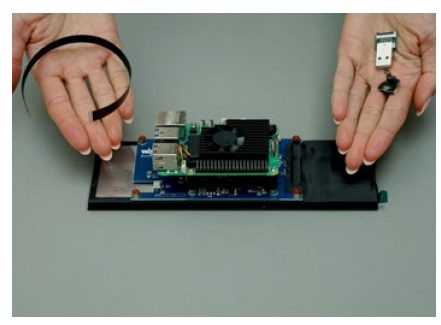
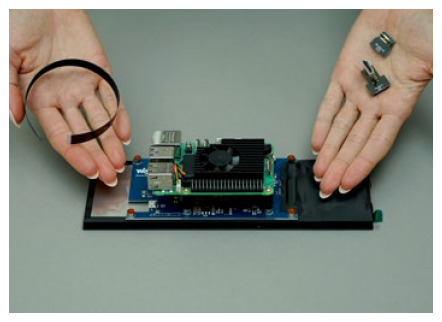
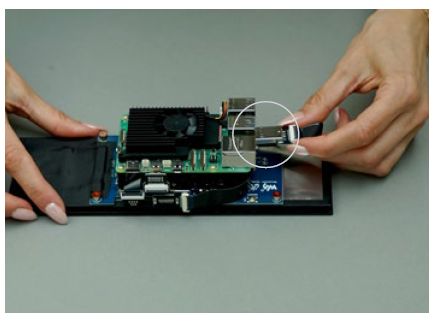
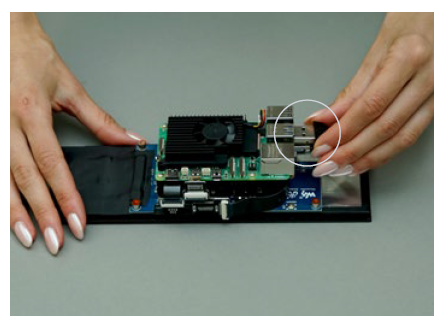
Next, you will assemble the USB-A to USB micro-B ribbon cable, which will connect the Pi to the screen for power.
- Step 17
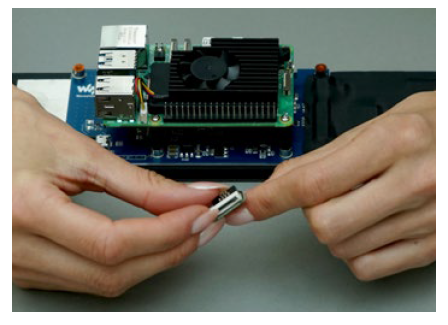
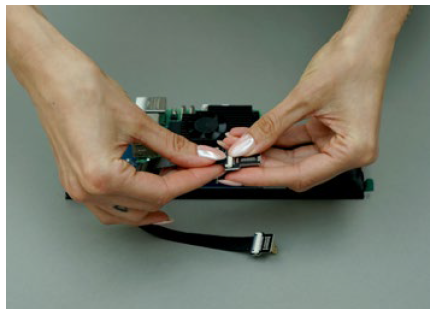
Take the USB micro-B connector end and ensure the small black plastic clip is flipped open (unlatched).
- Step 18
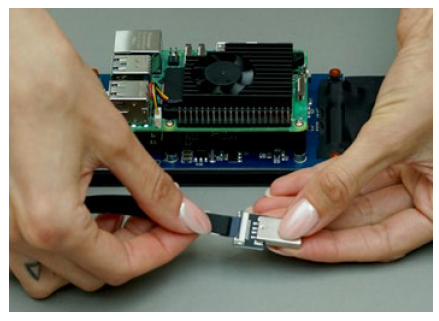
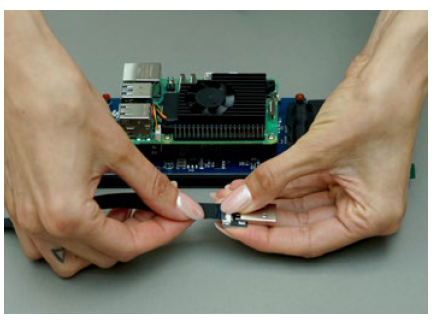
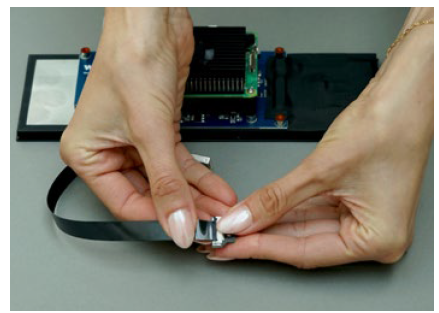
Insert the ribbon cable into the micro-B clip. Ensure the shiny contacts face the connector pins correctly.
- Step 19
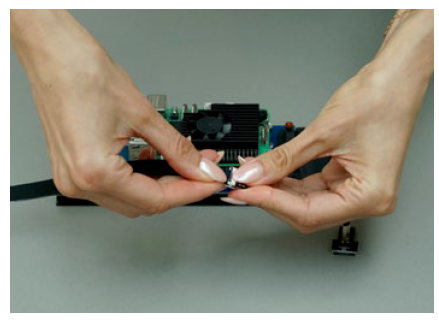
Gently push down the black clip on the USB micro-B connector to latch it closed, securing the ribbon cable.
- Step 20
Repeat the same process for the other end of the ribbon cable, attaching it to the USB A connector end. - Step 21
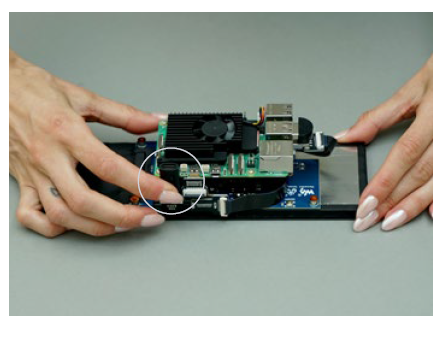
Next, you will assemble the HDMI to micro-HDMI ribbon cable for connecting the video signal. 
- Step 22
Similar to the USB cable, insert the ribbon into both HDMI and micro-HDMI connectors, ensuring correct orientation. - Step 23
Secure the ribbon cable by closing the black plastic latches on both the HDMI and micro-HDMI connectors.
- Step 24
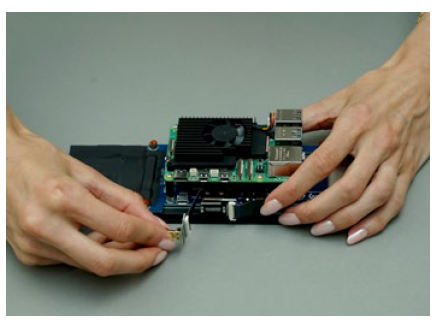
With the cables assembled, carefully rotate the entire screen and Raspberry Pi unit 180 degrees.
- Step 25
Plug the standard HDMI end of the ribbon cable into the screen’s HDMI input port. - Step 26
Carefully route the HDMI ribbon cable around the side of the screen assembly towards the Raspberry Pi. - Step 27
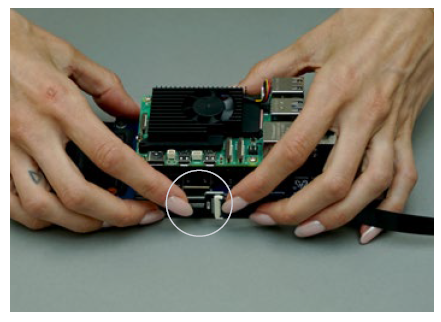
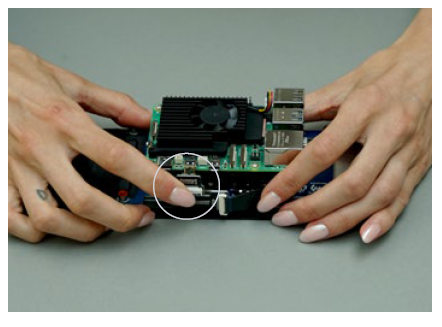
Gently feed the micro-HDMI end of the ribbon cable through the gap between the screen and the Pi.
- Step 28
Plug the micro-HDMI connector into the corresponding micro-HDMI port on the Raspberry Pi.
- Step 29
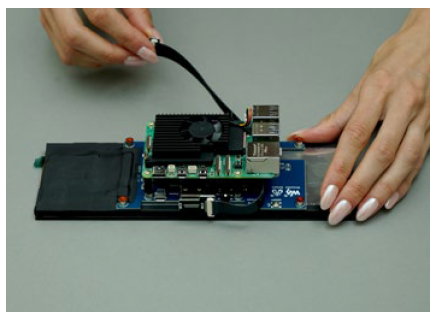
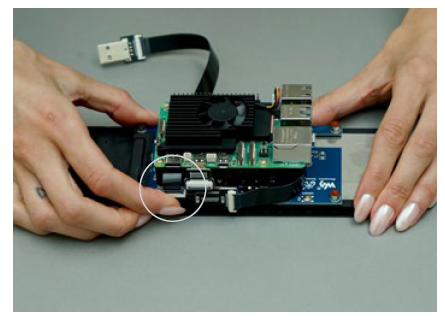
Now, plug the micro-USB connector of the other ribbon cable into the screen’s micro-USB port for power/touch.
- Step 30
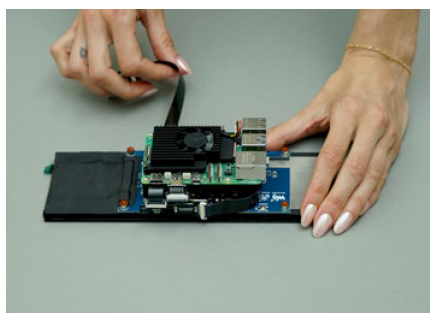
Route the USB ribbon cable carefully through the gap between the screen and the Raspberry Pi.
- Step 31
Plug the USB A connector end of the ribbon cable into one of the available USB ports on the Raspberry Pi.
- Step 32
Plug the USB microphone securely into one of the remaining free USB ports on the Raspberry Pi.
- Step 33
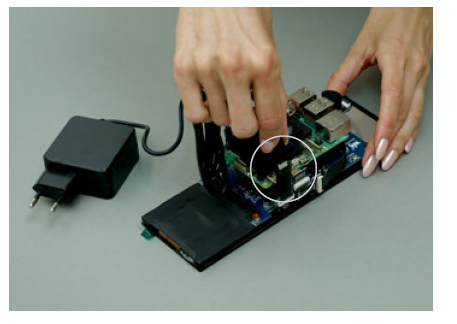
Insert the 90-degree angled USB-C adapter into the Raspberry Pi’s USB-C power input port.
- Step 34
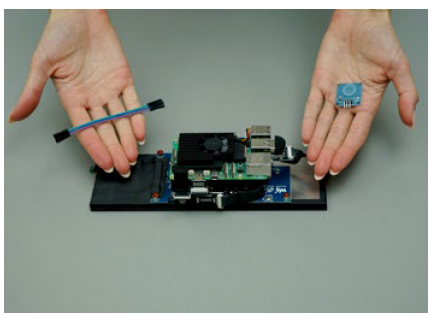
The next step involves connecting the touch sensor wires to the GPIO pins located on the Raspberry Pi.
- Step 35
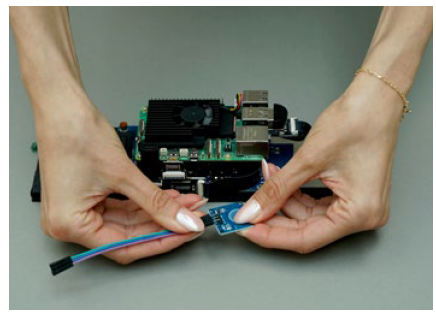
Attach three female-to-female Dupont jumper wires securely to the three pins on the touch sensor module.
- Step 36
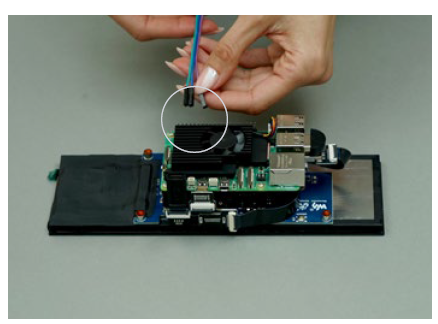
Now, connect the other end of the Dupont wires to the correct GPIO pins on the Raspberry Pi. Very carefully check the pin connection by referencing the pinout diagram included on the next page. - Step 37
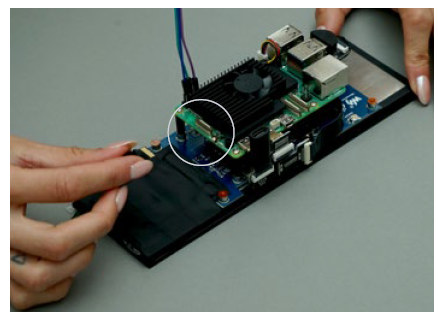
You can now insert the pre-programmed microSD card into the slot on the Raspberry Pi – gold contacts facing upwards.
- Step 38
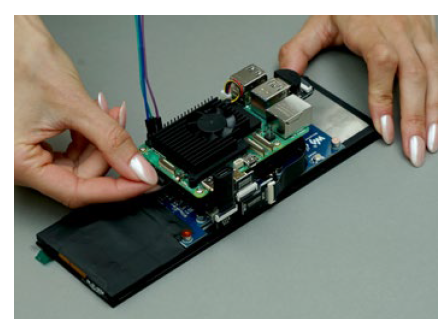
Gently push the microSD card so it feels firmly in place.
- Step 39
Finally, connect the USB C 5v power supply cable to the 90-degree adapter plugged into the Raspberry Pi.
Wiring diagram
- GND – Top row, pin 3 (Ground)
- VCC – Top row, pin 2 (5v power)
- SIG – Bottom row, pin 4 (GPIO 4)
Dream Recorder is a collaboration between Modem, Mark Hinch, Ben Levinas, and Joe Tsao. This project is an experimental open-source project and is undergoing rapid development.
For more manuals by Modem Works, visit ManualsLibraryy
Dream Recorder Hardware-FAQs
What is Dream Recorder hardware?
Dream Recorder hardware is an experimental device that uses sensors, AI, and sometimes brain-signal data to capture and visualize dream-related information during sleep.
Is a dream recorder real or just science fiction?
Yes, early versions are real. Research labs and startups have demonstrated AI systems that can partially reconstruct dream imagery using brain activity data, though consumer versions are still limited.
How does a dream recorder work?
It collects brain signals or spoken dream memories and uses artificial intelligence to convert that data into visual or audio representations resembling dream experiences.
Can AI really record dreams?
AI cannot record dreams directly like a video camera, but it can analyze brain signals or dream descriptions and generate visual outputs that reflect dream patterns.
What technology is used in dream recorder devices?
Most systems rely on EEG, fMRI data, machine learning models, and 3D visualization software to interpret neural activity during sleep.
Is there a headset that can record dreams?
Experimental neural headsets using EEG and AI are being tested to capture dream-related brain activity, but they are not yet widely available for consumers.
Can MRI machines detect dreams?
MRI scans cannot directly see dreams, but they can analyze brain activity patterns that help researchers infer what a person is dreaming about.
How much does a dream recorder cost?
DIY or experimental devices may cost around $300, while advanced research systems using MRI or EEG equipment are significantly more expensive.
What technology is used in dream recorder devices?
Yes. Japanese research institutes have used MRI and AI models to visualize dream content with reported accuracy levels of around 60%.