
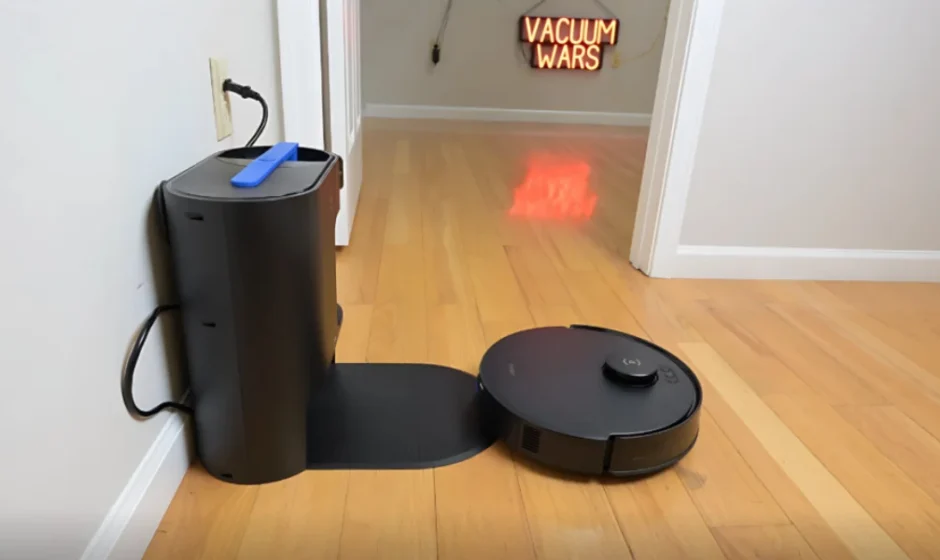

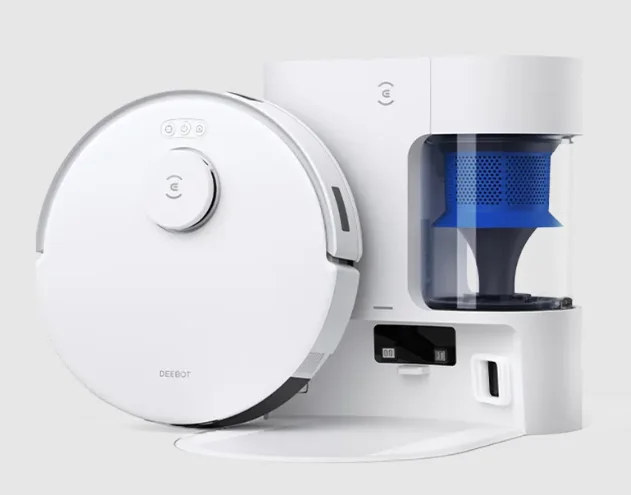
ECOVACS DEEBOT N20 Plus Robot Vacuum Cleaner
 Important Safety Instructions
 Important Safety Instructions
IMPORTANT SAFETY INSTRUCTIONS
When using an electrical Appliance, basic precautions should always be followed, including the following:
READ ALL INSTRUCTIONS BEFORE USING THIS APPLIANCE
SAVE THESE INSTRUCTIONS
- This Appliance can be used by children aged 8 years and above and by persons with reduced physical, sensory, or mental capabilitiess, or a ck of experience and knowledgee, providedthey have been given supervision or instruction concerning the safe se of the Appliance and understand the hazards involved. Children shall not play with the Appliance. Cleaning and user maintenance shall not be made by children without supervision.
- Clear the area to be cleaned. Remove power cords and small objects from the floor that could entangle the Appliance. Tuck rug fringe under the rug base, and lift items such as curtains and tablecloths off the floor.
- If there is a drop off in the cleaning area due to a step or stairs, you should operate the Appliance to ensure that it can detect the step without falling over the edge. It may become necessary to place a physical barrier at the edge to keep the unit from falling. Make sure the physical barrier is not a trip hazard.
- Only use as described in this manual. Only use attachments recommended or sold by the manufacturer.
- Please make sure your power supply source voltage matches the power voltage marked on the Auto-Empty Station.
- For INDOOR household use ONLY. Do not use the Appliance in outdoor, commercial or industrial environments.
- Use only the original rechargeable battery and anAuto-Emptyy Station provided with the Appliance from the manufacturer. Non-rechargeable batteries are prohibited. For battery information, please refer to the Specifications section.
- Do not use without a dust bin and/or filters in place.
- Do not operate the Appliance in an area where there are lit candles or fragile objects.
- Do not use in extremely hot or cold environments (below -5˚C/23˚F or above 40˚C/104˚F).
- Keep hair, loose clothing, fingers, and all parts of the body away from any openings and moving parts.
- Do not operate the Appliance in a room where an infant or child is sleeping.
- Do not use the Appliance on wet surfaces or surfaces with standing water.
- Do not allow the Appliance to pick up large objects like stones, large pieces of paper or any item that may clog the Appliance.
- Do not use an Appliance to pick up flammable or combustible materials such as gasoline, printer or copier toner, or use it in areas where they may be present.
- Do not use the Appliance to pick up anything that is burning or smoking, such as cigarettes, matches, hot ashes, or anything that could cause a fire.
- Do not put objects into the suction intake. Do not use if the suction intake is blocked. Keep the intake clear of dust, lint, hair, or anything that may reduce air flow.
- Take care not to damage the power cord. Do not pull on or carry the Appliance or Auto-Empty Station by the power cord, use the power cord as a handle, close a door on the power cord, or pull the power cord around sharp edges or corners. Do not run the Appliance over the power cord. Keep the power cord away from hot surfaces.
- If the power cord is damaged, it must be replaced by the manufacturer or its service agent to avoid a hazard.
- Do not use with a damaged power cord or receptacle. Do not use the Appliance or Auto-Empty Station if it is not working properly, has been dropped, damaged, left outdoors, or has come in contact with water. It must be repaired by the manufacturer or its service agent to avoid a hazard.
- The lithium battery type suitable for CH2403 is max. 8 cells, max. Nominal voltage DC 14.4 V, and rated capacity 4,800 mAh.The battery must be removed and discarded according to local laws and regulations before disposal of the Appliance.
- Turn OFF the power switch before cleaning or maintaining the Appliance.
- The plug must be removed from the receptacle before cleaning or maintaining the Auto-Empty Station.
- Remove the Appliance from the Auto-Empty Station, and turn OFF the power switch to the Appliance before removing the battery for disposal of the Appliance.
- The battery must be removed and discarded according to local laws and regulations before disposal of the Appliance.
- Please dispose of used batteries according to local laws and regulations.
- Do not incinerate the Appliance even if it is severely damaged. The batteries can explode in a fire.
- When not using the Auto-Empty Station for a long period of time, please unplug it.
- The Appliance must be used in accordance with the directions in this Instruction Manual. ECOVACS ROBOTICS cannot be held liable or responsible for any damages or injuries caused by improper use.
- The robot contains batteries that are only replaceable by skilled persons. To replace the robot’s battery, please contact Customer Service.
- If the robot will not be used for a long time, power OFF the robot for storage and unplug the Auto-Empty Station.
- WARNING: For the purposes of recharging the battery, only use the detachable supply unit CH2403 provided with the Appliance.
Device Update
Typically, some devices are updated bi-monthly, but not always so specifically.
Some devices, especially those that went on sale more than three years ago, will only be updated if a critical vulnerability is found and fixed.
To satisfy RF exposure requirements, a separation distance of 20 cm or more should be maintained between this device and persons during device operation. To ensure compliance, operations at closer than this distance arenot recommended. The antenna used for this transmitter must not be co-located in conjunction with any other antenna or transmitter.
Ensure the robot is always connected to a network, for smart features to function properly.
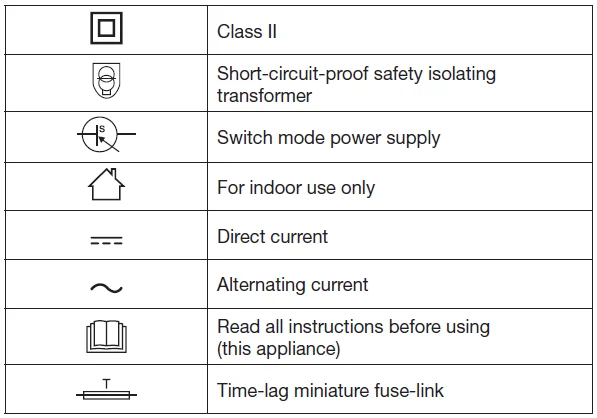
For EU Countries
For EU Declaration of Conformity information, visit https://www.ecovacs.com/global/complian..ce..
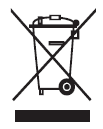
Correct Disposal of this Product
This marking indicates that this product should not be disposed of with other household waste throughout the EU. To prevent possible harm to the environment or human health from uncontrolled waste disposal, recycle it responsibly to promote the sustainable reuse of material resources. To recycle your used device, please use the return and collection systems or contact the retailer where the product was purchased. They can safely recycle this product.
European Union Compliance Statement
Information on Disposal for Users of Waste Electrical & Electronic Equipment
This symbol on the product or on its packaging indicates that used electrical and electronic products should not be mixed with unsorted municipal waste. For proper treatment, it is your responsibility to dispose of your waste equipment by arranging to return it to designated collection points. Disposing of this product correctly will help save valuable resources and prevent any potential negative effects on human health and the environment, which could otherwise arise from inappropriate waste handling.
To return your used device, please use the return and collection systems or contact the retailer where the product was purchased, which is free of charge. Please contact your local authority for further details of your nearest designated collection point. Penalties may be applicable for incorrect disposal of this waste, in accordance with your national legislation.
Restriction of the use of certain hazardous substances (RoHS) Directive
Ecovacs Home Service Robotics Co., Ltd. hereby declares the whole product including parts (cables, cords, and so on) meets the requirements of RoHS Directive 2011/65/EU and amendment Commission Delegated Directive (EU) 2015/863 on the restriction of the use of certain hazardous substances in electrical and electronic equipment (“RoHS recast” or “RoHS 2.0”).
Radio Equipment Directive
Ecovacs Home Service Robotics Co., Ltd. hereby declares that the product listed in this section complies with the essential requirements and other relevant provisions of the Radio Equipment Directive 2014/53/EU.
Europe Authorised Representative:

Ecovacs Home Service Robotics Co., Ltd. hereby declares that the product complies with the essential requirements and other relevant provisions of the RoHS Directive 2011/65/EU and amendment Commission Delegated Directive (EU) 2015/863, the Radio Equipment Directive 2014/53/EU. The declaration of conformity can be viewed at the following address: https://www.ecovacs.com/global/compliance.
PACKAGE CONTENTS
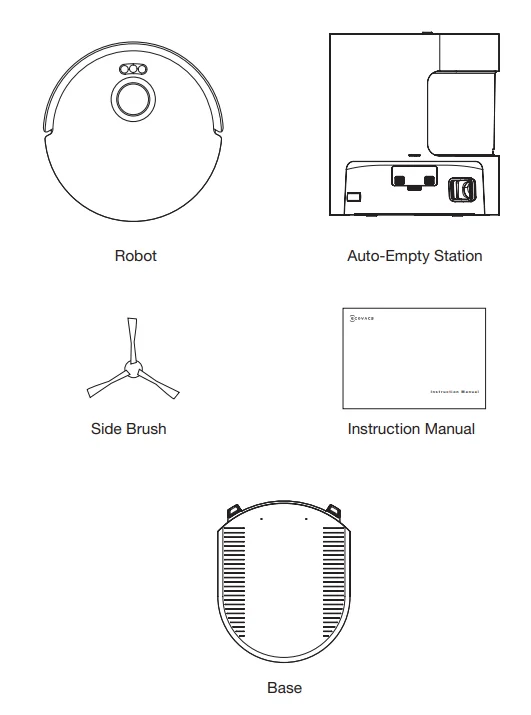
OZMO Pro 2.0 Vibrating Mopping System and Vacuum Module (DKX55)
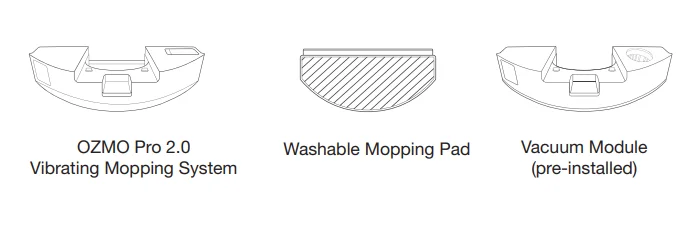
Reservoir and Mopping Pad Module (DKX56)
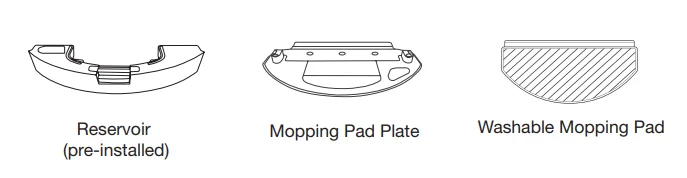
Note: Figures and illustrations are for reference only and may differ from actual product appearance. Product design and specifications are subject to changes without notice.
PRODUCT DIAGRAM
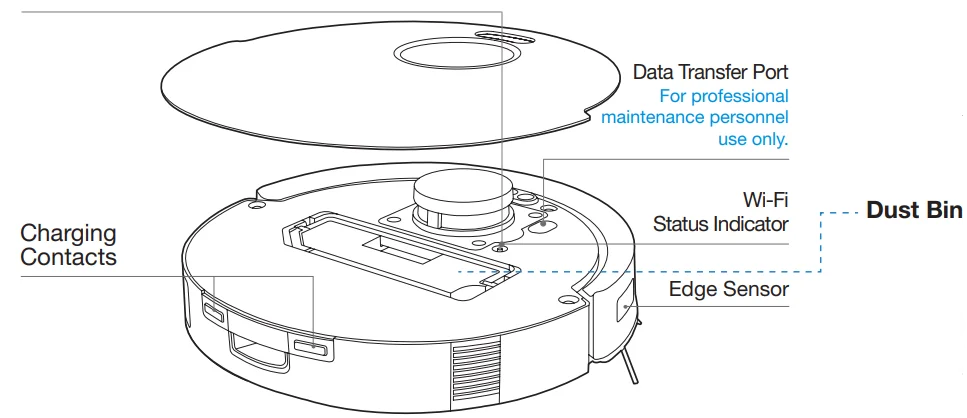
Robot
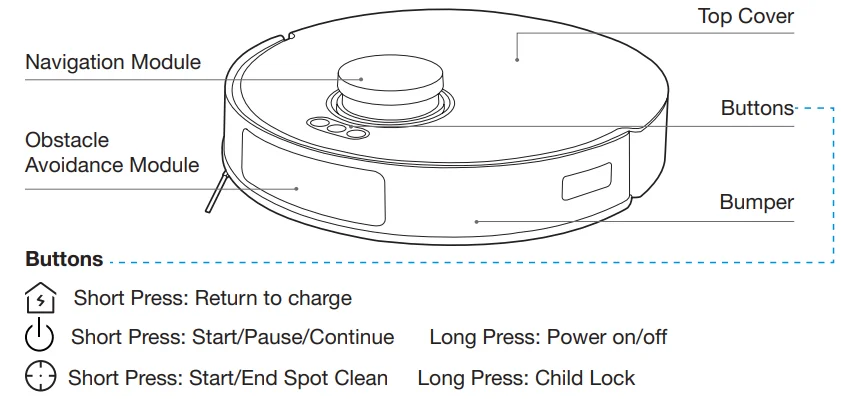
RESET Button
Connect to App: Short-press the RESET Button and follow the voice prompts to connect to the App. Restore to default settings: Press and hold the RESET Button for 5 seconds. After you hear the voice prompt, the startup music will be played, and the robot will be restored to default settings.
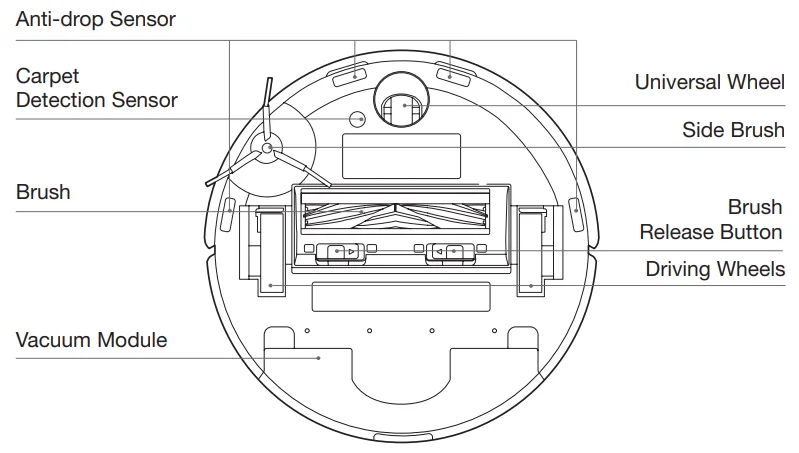
Bottom View (DKX55)
OZMO Pro 2.0 Vibrating Mopping System
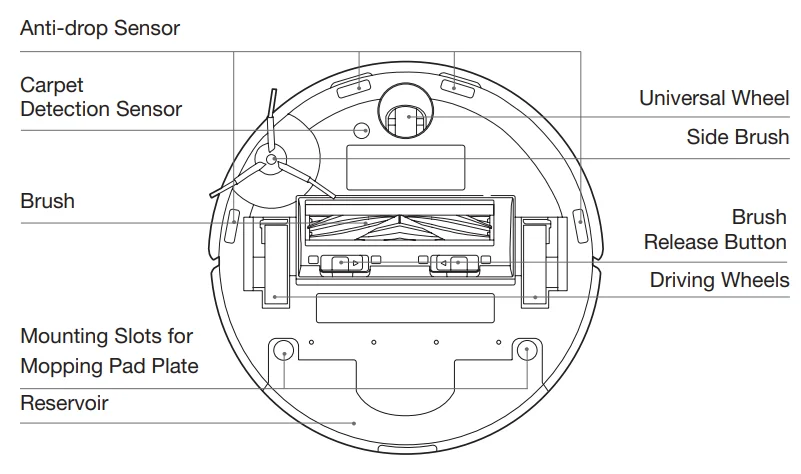
Bottom View (DKX56)
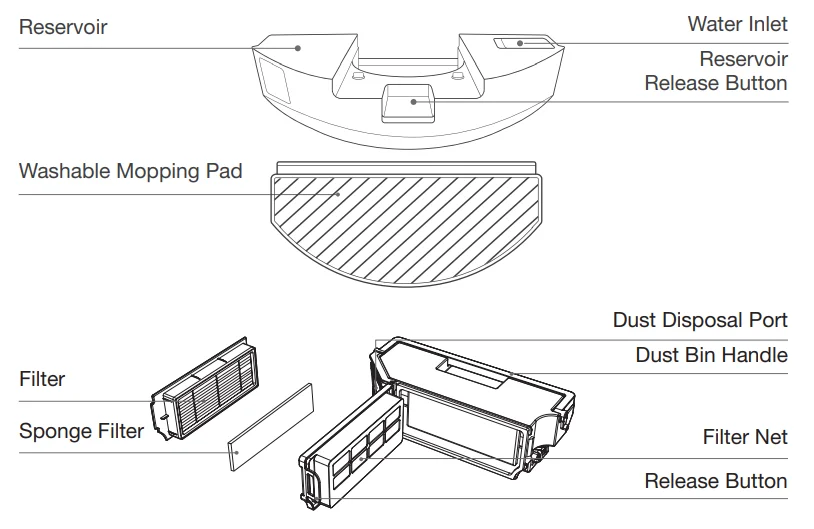
Mopping Pad Module
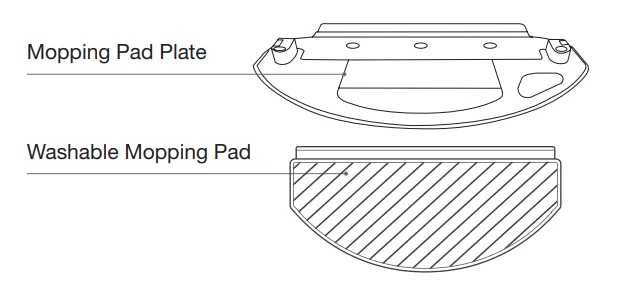
Note: Figures and illustrations are for reference only and may differ from actual product appearance. Product design and specifications are subject to changes without notice.
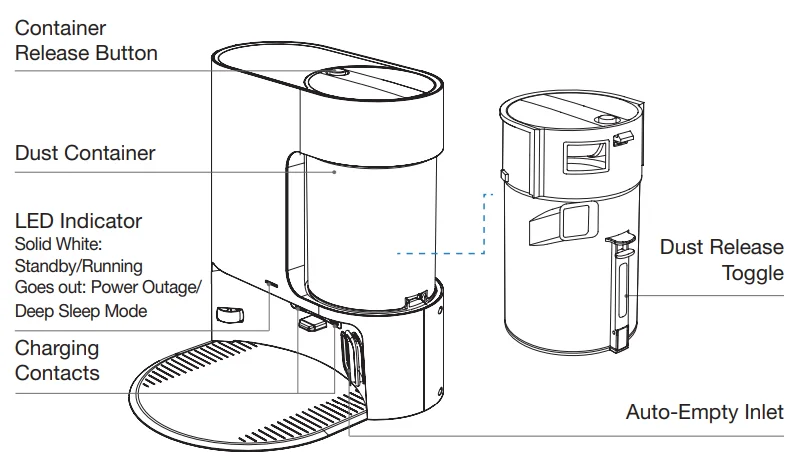
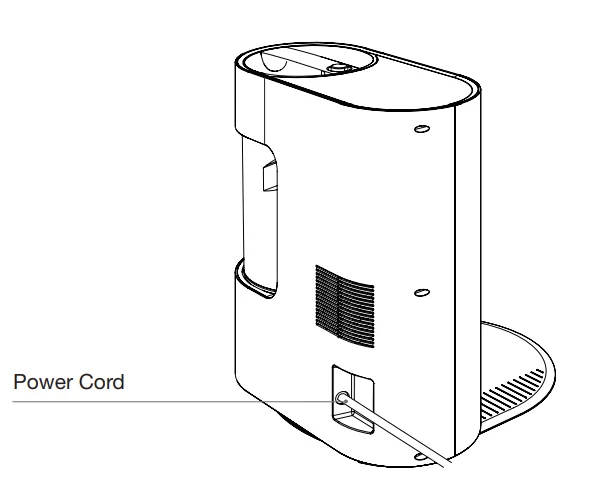
Auto-Empty Station
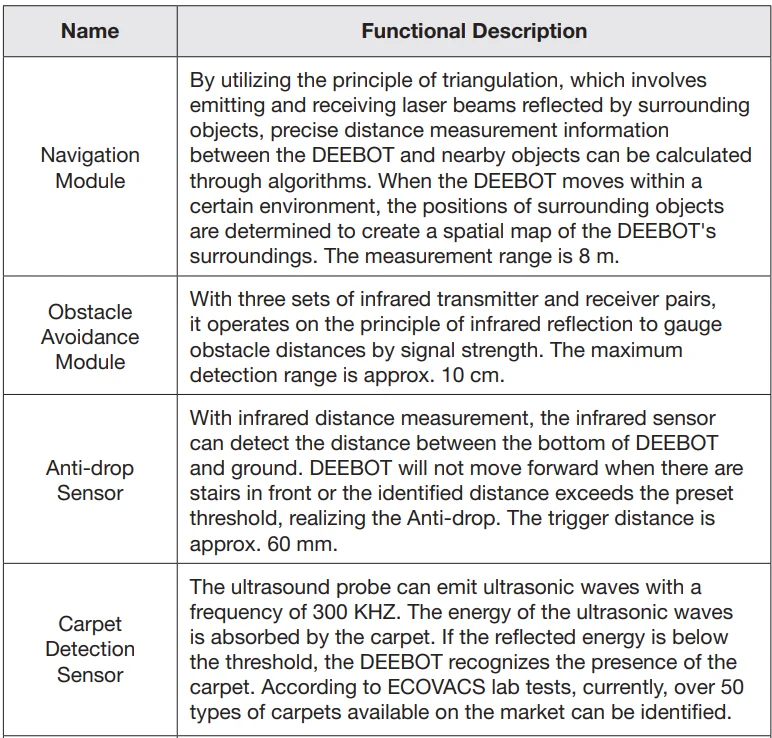
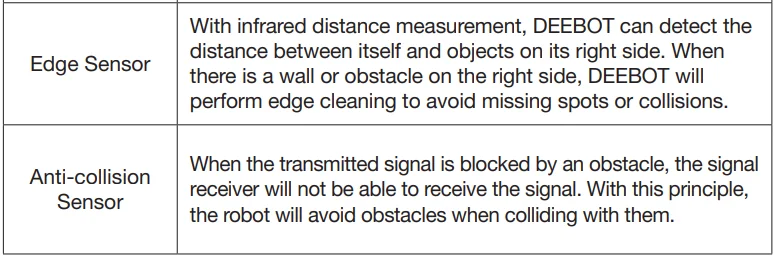
SENSORS
NOTES BEFORE CLEANING
- Tidy up the area to be cleaned by putting furniture, such as chairs, in their proper place.

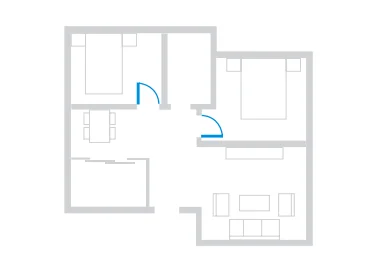
- During the first use, make sure each room door is open to help DEEBOT fully explore your house.

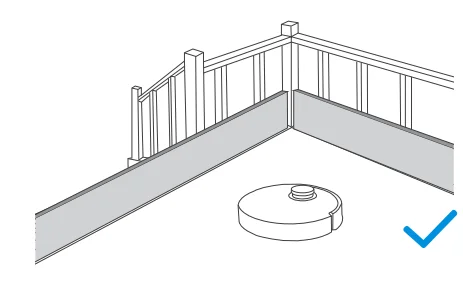
- It may be necessary to place a physical barrier at the edge of a drop to stop the unit from falling over the edge.

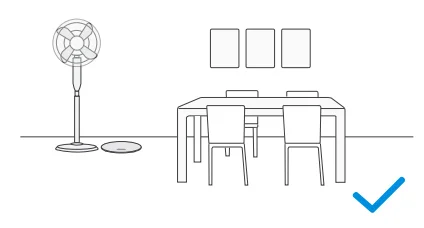
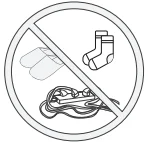 Put away objeobjectsincluding cables, clothes, and slippers, et,,c. on the floor to improve the cleaning efficiency.
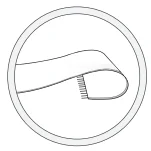 Before using the product on a rug wittasselledd edges, please fold the rug edges under.
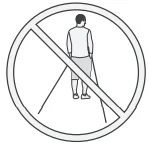 Please do not stand in narrow spaces, such as hallways, and make sure not to block sensors.
QUICK START
Please remove all protective materials before use.
Installation
The sound of a Click indicates proper installation.
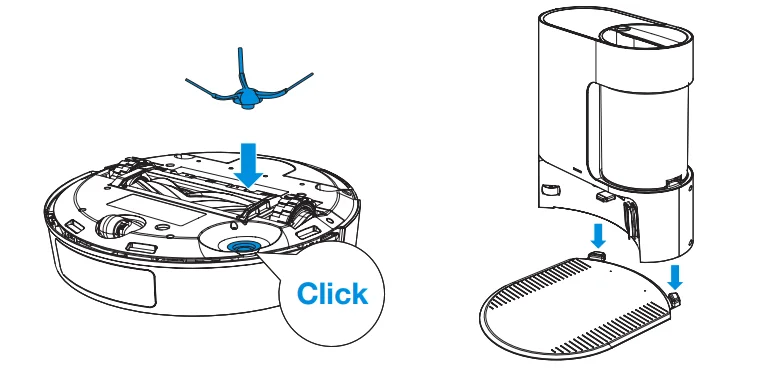
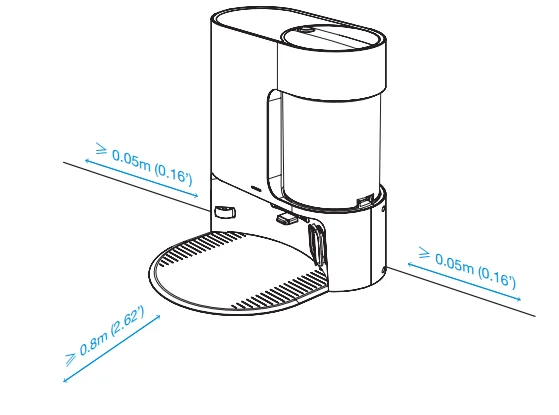
Place the Auto-Empty Station
Keep the area around the Auto-Empty Station clear of objects, especially objects with reflective surfaces.
DOWNLOAD THE ECOVACS HOME APP
To enjoy all available features, it is recommended to control your DEEBOT via the ECOVACS HOME App.
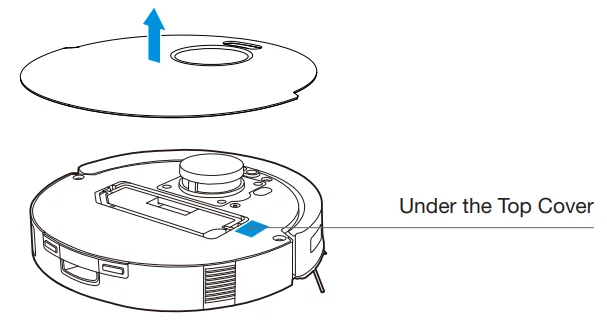
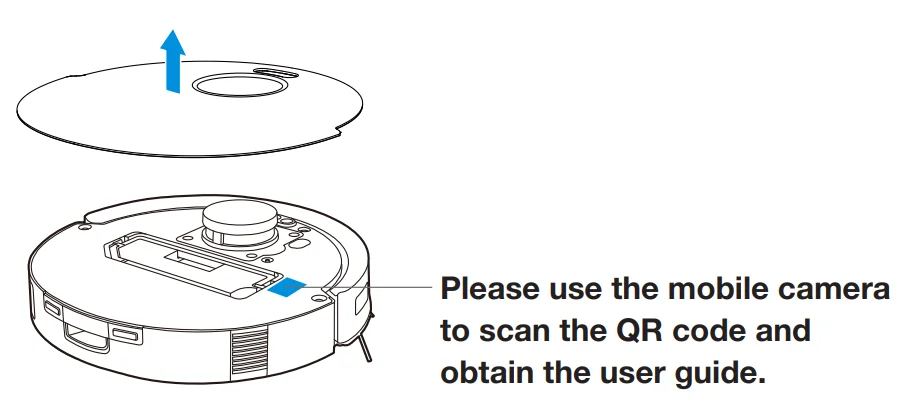
- Scan the QR Code under the Top Cover to download the App.

- Search ECOVACS HOME to download the App.

POWER ON DEEBOT
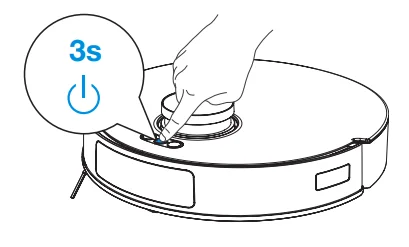
Press and hold  for 3 seconds to power on DEEBOT.
CONNECT DEEBOT WITH APP
Wi-Fi Network Requirements
- You are using a 2.4 GHz or 2.4/5 GHz mixed network.
- Your router supports 802.11b/g/n and IPv4 protocol.
- Do not use a VPN (Virtual Private Network) or Proxy Server.
- Do not use a hidden network.
- WPA and WPA2 using TKIP, PSK, AES/CCMP encryption.
- WEP EAP (Enterprise Authentication Protocol) is not supported.
- Use Wi-Fi channels 1-11 in North America and channels 1-13 outside North America (refer to local regulatory agency).
- If you are using a network extender/repeater, the network name (SSID) and password are the same as your primary network.
- Please enable WPA2 on your router.
Wi-Fi Indicator

Please be aware that the realrealisationintelligent functions such as remote startup, voice interaction, 2D map display and control settings, andpersonalisingg (depending on different products) requires users to download and use the ECOVACS HOME App, which is constantly updated. You need to agree to our Privacy Policy and User Agreement before we can process some of your basic and necessary information and enable you to operate the product. If you do not agree with our Privacy Policy and User Agreement, some of the aforementioned intelligent functions cannot be rerealised throughhe ECOVACS HOME App, but you can still use the basic functions of this product for manual operation.
CHARGE DEEBOT
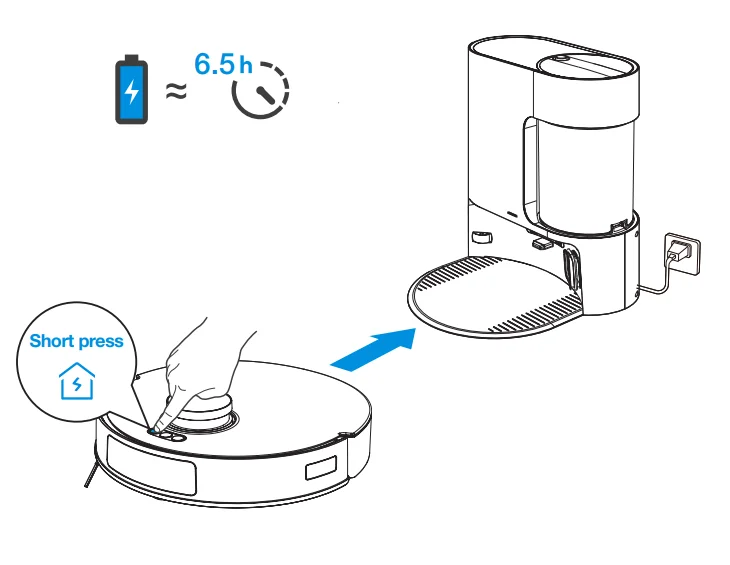
Short-press  to recall DEEBOT back to the Auto-Empty Station to charge.
OPERATE DEEBOT
Remove the Mopping Pad Plate/Module before mapping. When creating a map for the first time, please follow DEEBOT to help eliminate some minor issues. For example, DEEBOT may get stuck under the furniture. Please refer to the following solutions:
- Raise your low-sitting furniture if possible.
- Cover the bottom of the furniture.
- Set up Virtual Boundary via the App.
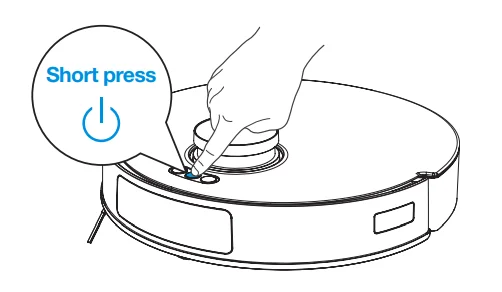
Before first vacuuming, please make sure DEEBOT is in the Auto-Empty Station and fully charged. Short-press to start cleaning and mapping.
Note:
- Do not frequently remove washable mopping pads.
- Do not use a rag or any other object to scratch the MoMoppingd Plate.
- When the ECOVACS HOME App prompts that the mopping pad needs to be replaced, please replace it in time. Explore more accessories athe t the ECOVACS HOME App or at https://www.ecovacs.com.
TECHNICAL SPECIFICATIONS
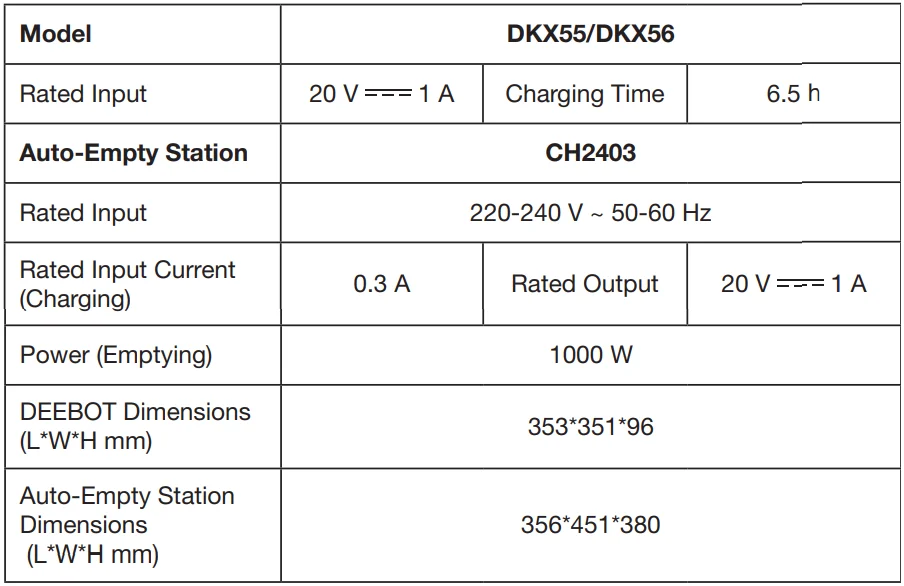
The output power of the Wi-Fi module is less than 100 mW
Note: Technical and design specifications may be changed for continuous product improvement. Explore more accessories at https://www.ecovacs.com.
For more manuals by ECOVACS, visit ManualsLibraryy
ECOVACS DEEBOT N20 Plus Robot Vacuum Cleaner- FAQs
Is ECOVACS a Chinese company?
Yes, ECOVACS Robotics is a Chinese home-robotics company founded in 1998 and headquartered in Suzhou, China.
What are the key features of the DEEBOT N20?
It offers strong suction (up to 8000 Pa), 2-in-1 vacuum and mop, anti-hair-tangle design, app control, and long run time of up to 300 minutes.
How do I clean the DEEBOT N20 Plus?
Empty the dustbin, clean the brushes, wash the filter if washable, and wipe the sensors with a dry cloth. Make sure all parts are fully dry before reassembling.
Does the DEEBOT N20 mop the floor?
Yes, it uses the OZMO mopping system with a 220 ml water tank and a reusable mopping pad for wet cleaning.
What are the disadvantages of robot vacuums?
They can be expensive, may struggle in very large homes, can be noisy, need regular maintenance, and suction power varies by model.
Can I put vinegar in my DEEBOT?
No, only pH-neutral cleaners are safe. Vinegar or harsh chemicals can damage the water tank and internal components.
How do I fill the DEEBOT N20 water tank?
Open the station cover, remove the clean water tank, fill it to the MAX line, attach the mopping pad to the robot, and place it back on the dock.
Can I use the DEEBOT without Wi-Fi?
Yes. It can clean with the physical start button, but you will lose app controls, mapping options, and scheduling features.