
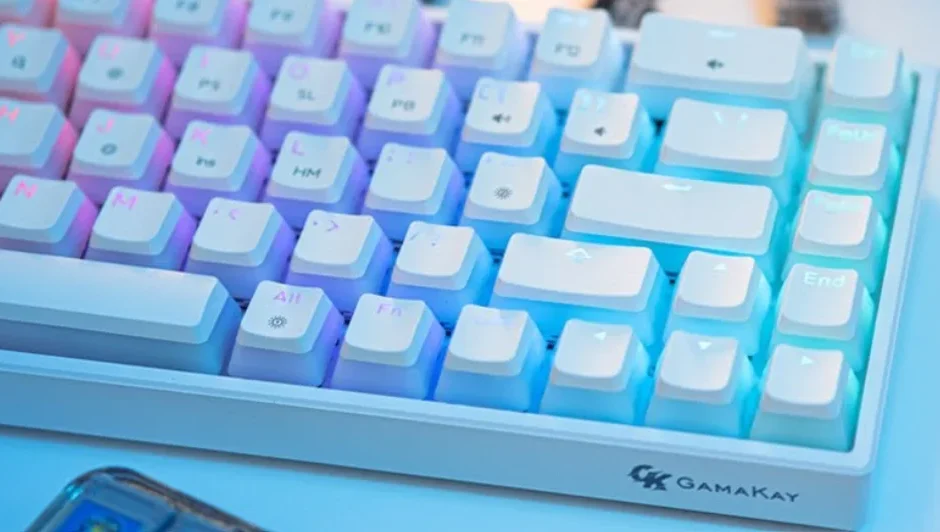

GamaKay MK68 Gaming Keyboard
Introduction
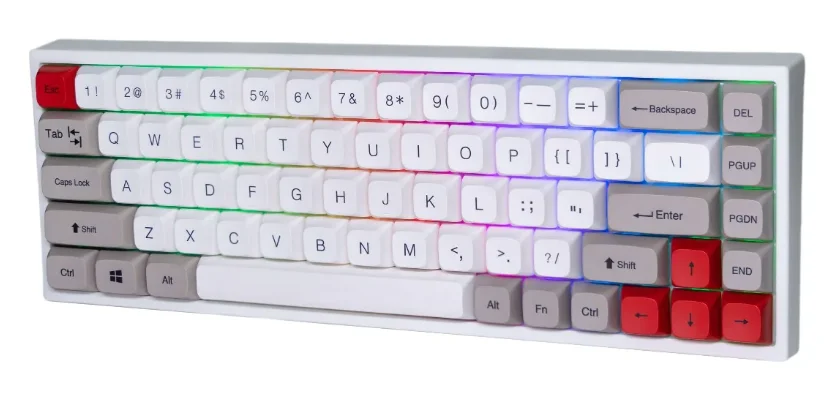
The GamaKay MK68 Gaming Keyboard is designed for gamers who demand precision, speed, and style. Featuring a compact 65% layout, it provides all the essential keys while saving desk space, making it perfect for both gaming and productivity setups. Equipped with high-quality mechanical switches, the MK68 delivers tactile feedback and ultra-fast response times, ensuring every keystroke is accurate during intense gaming sessions.
Customize your gaming experience with fully programmable RGB backlighting. The keyboard offers multiple lighting modes, colors, and effects that can be adjusted easily through onboard shortcuts, letting you create a vibrant, immersive setup. Whether you prefer dynamic rainbow waves, reactive key lighting, or a single solid color, the MK68 adapts to your style.
Connectivity is flexible with wired USB and Bluetooth options, allowing seamless switching between devices, including PCs, laptops, and even tablets. Its durable build and premium keycaps guarantee long-lasting performance, capable of withstanding millions of keystrokes without losing quality.
The GamaKay MK68 also supports macro programming and multimedia controls, giving gamers an edge in complex gameplay while simplifying everyday tasks. Sleek, compact, and responsive, the MK68 Gaming Keyboard combines functionality and aesthetics, making it a perfect companion for any modern gaming setup.
Product specification
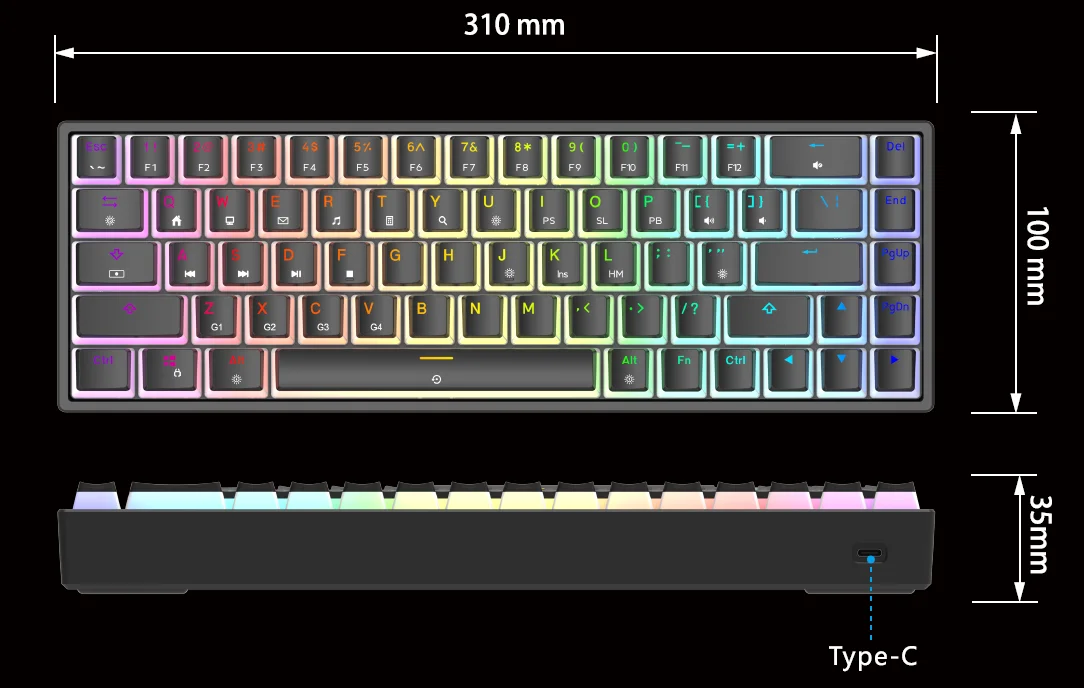
- Size : 310mm*100mm*35mm=5
- Weight: 900 g
- Backlight colors: 16.8 million RGB
- Key amount: 68 Key
- Switch type: Hot-swappable

Multi-function key
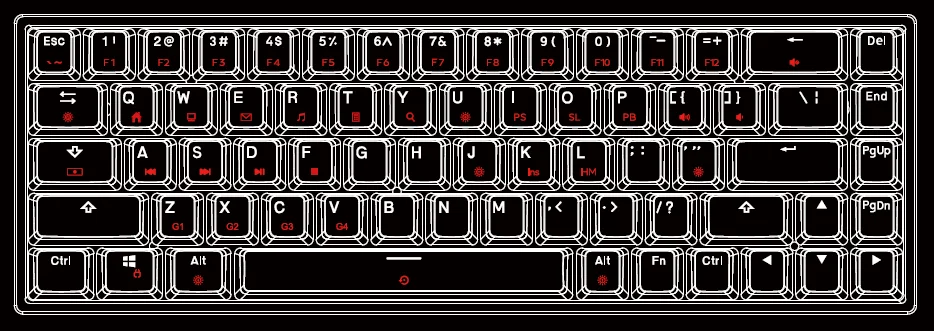
- Fn+1~0: F1~F10
- Fn+-: F11
- Fn+=: F12
- Fn + Backspace : Mute
- Fn + Tab: Switch Lighting Effect
- Fn + Q: Homepage
- Fn + W: My Computer
- Fn +E: Email
- Fn +R: Media Player
- Fn + T: Calculator
- Fn+Y: Search
- Fn + U: Brightness Up
- Fn + J: Brightness Down
- Fn +1: Print Screen
- Fn +O: Scroll Lock
- Fn +P: Pause Break
- Fn+[: Volume Up
- Fn +]: Volume Down
Backlight mode
- Fn + A: Previous Track
- Fn +S: Next Track
- Fn + D: Play/Pause
- Fn + F: Stop
- Fn +K: Insert
- Fn+L: Home
- Fn+ “: Switch Color
- Fn + L Alt: Lighting Effect Speed Down
- Fn + R Alt: Lighting Effect Speed Up
- Fn + Space: Reset Default (3S)
- Fn + Win: Winlock
Backlight Record
- FN+(Z/X/C/V) directly enters the G1~G4.
- FN+CAPS enter the modification.
- FN+’ select the current button color, the CAPS key flashes the current color.
- Press the key position to record, press once on, and then press once off.
- After recording, press FN+CAPS to save.
For more manuals by GamaKay, visit ManualsLibraryy
GamaKay MK68 Gaming Keyboard-FAQs
How many keys does the GamaKay MK68 have?
The GamaKay MK68 features a 65% compact layout with 68 keys. This design removes the number pad while keeping arrow keys and essential navigation buttons, helping save desk space without sacrificing everyday usability.
Is the GamaKay MK68 keyboard hot-swappable?
Yes, the GamaKay MK68 supports hot-swappable switches, allowing you to replace mechanical switches without soldering. This makes it ideal for beginners and enthusiasts who want to customize switch types or replace faulty switches easily.
How do I change RGB colors on the GamaKay MK68?
You can control RGB lighting directly from the keyboard. Use Fn key combinations to cycle through lighting effects, adjust brightness, and change colors. The MK68 offers multiple RGB modes suitable for gaming, typing, or a clean desktop setup.
Does the GamaKay MK68 support wired and wireless modes?
Yes, the MK68 supports both wired USB and wireless (Bluetooth) connectivity, allowing you to switch between devices easily. This flexibility makes it suitable for PCs, laptops, and tablets.
How do I charge the GamaKay MK68 keyboard?
Use the included USB Type-C cable to charge the keyboard. For best results, switch to wired mode while charging and allow the battery to fully charge before using wireless mode again.
Is a 65% keyboard good for gaming?
Yes, a 65% keyboard like the MK68 is popular among gamers because it offers more mouse space, faster hand movement, and essential keys like arrows, making it a balanced option between 60% and larger layouts.
Is the GamaKay MK68 good for beginners?
Yes, thanks to its hot-swap support, compact layout, and easy RGB controls, the MK68 is beginner-friendly while still offering advanced features appreciated by experienced users.
How long does an RGB mechanical keyboard last?
Mechanical keyboards like the GamaKay MK68 are built for durability. The switches typically last 50 million keystrokes or more, meaning the keyboard can perform reliably for many years with proper care.
How do I reset the GamaKay MK68 to factory settings?
To reset the keyboard, press and hold the Fn + Esc (or specified reset combination) for a few seconds until the RGB lights flash. This restores default settings and clears custom configurations.