
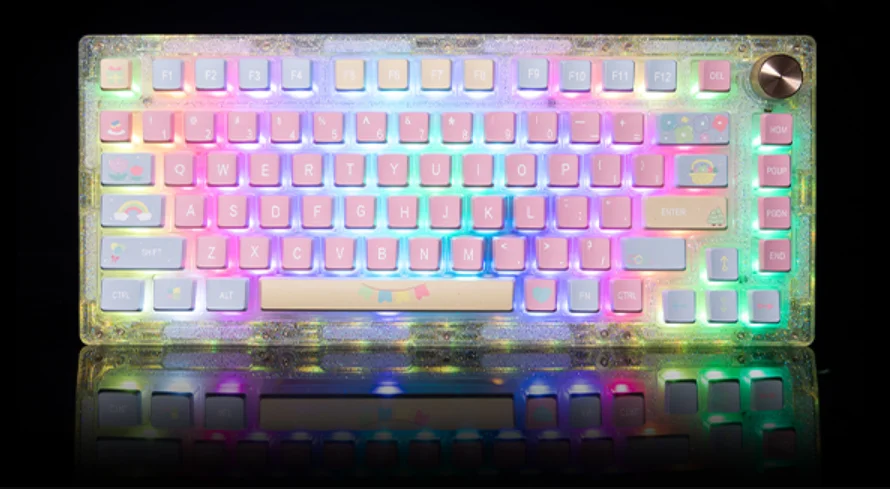

GamaKay SN75 Mechanical Keyboard
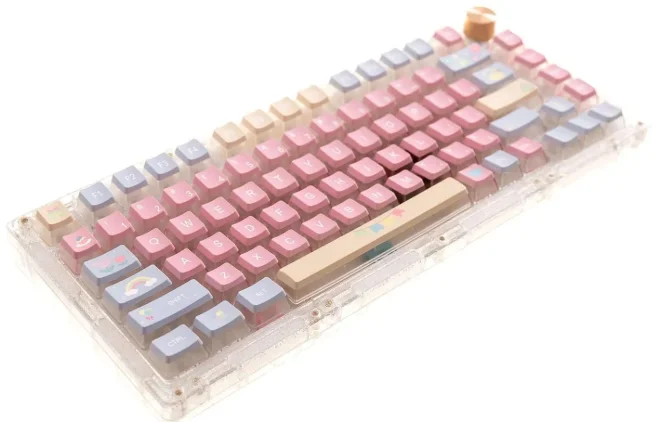
The GamaKay SN75 Mechanical Keyboard is a versatile and customizable 75% mechanical keyboard kit designed for enthusiasts, gamers, and creative professionals. Boasting a compact 81-key layout, this keyboard combines high-end functionality with DIY flexibility. The SN75 features hot-swappable support for both 3-pin and 5-pin mechanical switches, allowing users to swap out switches without soldering, which makes it perfect for tailored typing and gaming experiences. Equipped with a VIA tri-mode programmable chip, you can remap keys, set advanced macros, and personalize RGB lighting effects to suit your workflow or playstyle.
Connectivity is effortless with three modes — Type-C wired, Bluetooth 5.0, and 2.4 GHz wireless — so you can easily switch between devices and enjoy a reliable wireless connection with minimal latency. The keyboard’s gasket-mounted design and multi-function knob enhance comfort and control, while the 16 million color RGB backlighting adds stunning visual flair. Accessories include a Type-C cable, switch and keycap pullers, screwdrivers, and an aluminum alloy positioning plate.
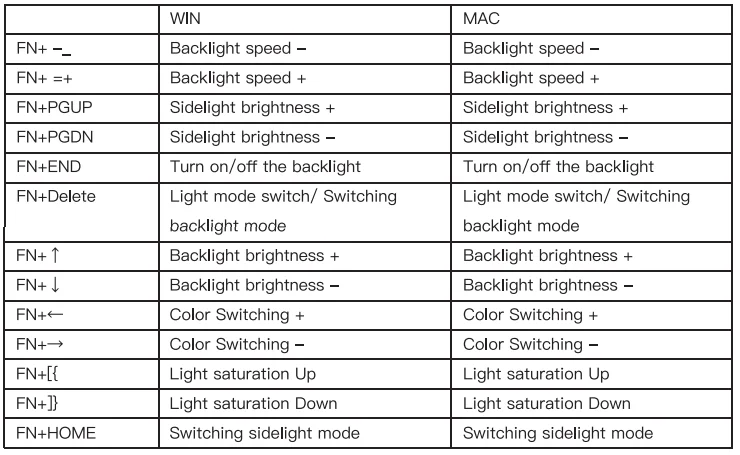
Keyboard lighting setting
Query power:
- Long press the FN+Backspace key combination, 1~0 10 keys lights are always on display, other keys lights are not on; when the power is lower than 30%, 1~3 keys red lights are always on display; power is lower than 50%, 1~5 keys yellow lights are always on display; power is greater than 50%, 1~0 keys green lights are always on display.
- After releasing the key combination to restore the current light effect, and only when the battery is alone, can you check the power supply.
Knob function:
The counterclockwise rotation function is: volume minus; press the middle key function is: pause/play; the clockwise rotation function is: volume plus.
GASKET/TOP double structure swap
The default structure of the keyboard is the Gasket structure. You can change the Gasket structure to the Top structure by using the positioning plate and screws included in the package to lock the top cover.
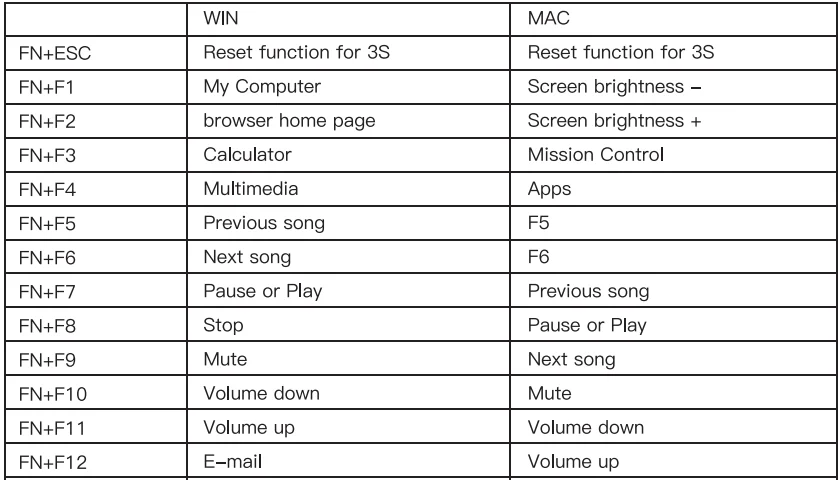
FN key combination function
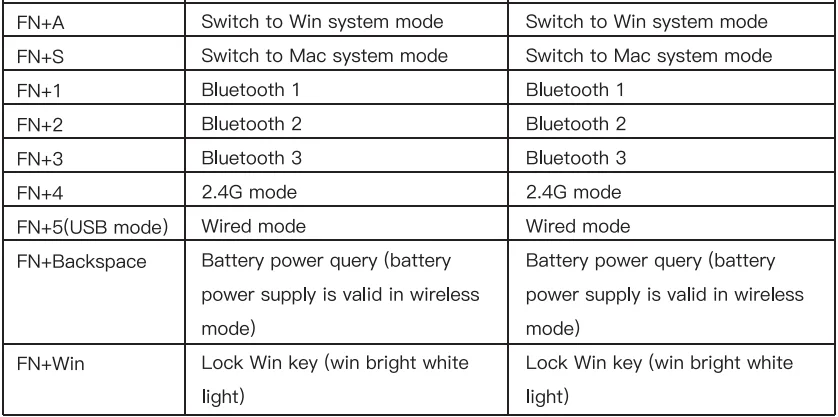
Connection mode combination key and connection method
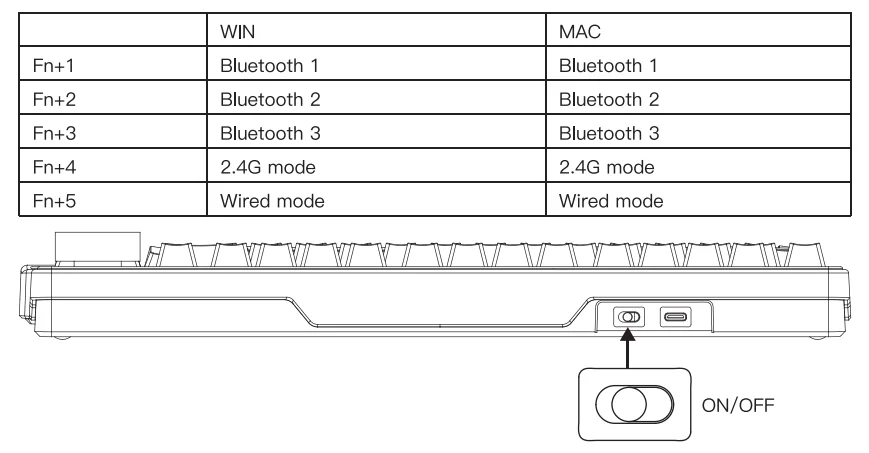
Wired mode:
Connect the Type C data cable, then press FN+5 to enter the wired mode. (Note: after switching the Bluetooth/2.4G mode or unplugging the data cable, you must press FN+5 again to enter the wired mode)
Bluetooth mode:
Toggle switch to the right after toggling the keyboard on, first press the FN+1/2/3 key combination to select the corresponding Bluetooth channel, and then long press the FN+1/2/3 key combination 3S to enter the pairing mode, the keyboard enters the pairing code state, blue indicator light flashing, connected to the device light is always on, can not find the pairing device 120s later, exit the pairing code mode light off, the keyboard goes to sleep.
2.4G mode:
Toggle the switch to the right after toggling the keyboard on, and then press the FN + 4 key combination 3S into the pairing mode, insert the receiver, the white light flashes, pairing successful, exit pairing code, the mode light is always on, can not find the pairing device 30s later, exit pairing mode light off, the keyboard into sleep.
For More Manuals By GamaKay, Visit ManualsLibraryy.
GamaKay SN75 Mechanical Keyboard -FAQs
What is the GamaKay SN75 Mechanical Keyboard?
The GamaKay SN75 is a 75% mechanical keyboard designed to balance compact size with essential keys for everyday use and gaming.
Why are 75% keyboards like the SN75 so popular?
They remove the numpad to save space but keep arrow keys and the function row, offering compact size without losing usability.
How many keys does the GamaKay SN75 have?
A typical 75% layout like the SN75 has around 84–87 keys, depending on layout design.
Is the GamaKay SN75 hot-swappable?
Yes, the SN75 supports hot-swappable mechanical switches, allowing easy switch changes without soldering.
Is the GamaKay SN75 good for gaming?
Yes, it provides more mouse space than full-size keyboards while keeping function keys useful for in-game bindings.
Is a 75% keyboard good for typing?
Yes, many users find 75% keyboards comfortable for typing due to full arrow keys and minimal hand movement.
What are the disadvantages of a 75% keyboard?
Some users may need time to adjust, customization space is limited, and prices can be higher than basic full-size boards.
Is the GamaKay SN75 suitable for programming?
Yes, it’s a popular choice for programming because it retains function keys and arrows in a comIt’s ideal for users who want a compact, versatile keyboard for gaming, typing, or work without needing a numpad.pact layout.
Is a 75% keyboard too small?
For most users, no. It’s smaller than TKL but still practical for daily work and gaming.
Who should buy the GamaKay SN75?
It’s ideal for users who want a compact, versatile keyboard for gaming, typing, or work without needing a numpad.