
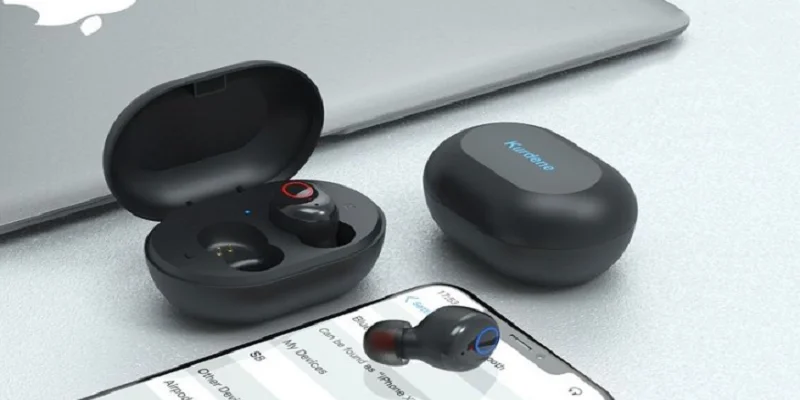

Kurdene S8 Wireless Electronic Earbuds
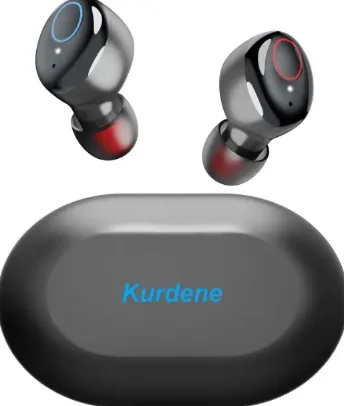
How to Wear Your Kurdene Earbuds
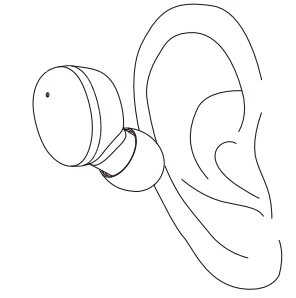
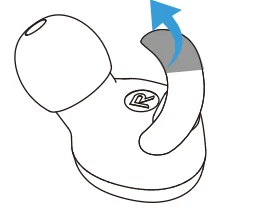
Make sure the ear caps face down and put on the earbuds as shown.
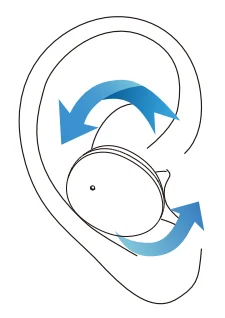
Afterwards, gently rotate the earbuds to a comfortable and secure position as shown in the picture. Now, you got them on correctly!
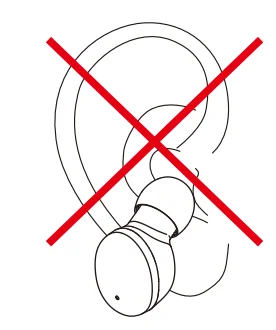
Error demonstration
Do not put on the earbuds in the way shown in the picture on the left.
How to Pair
- Tear off the insulating film.

- Put the two earbuds back in the charging case to charge (the red light will turn on after activating the earphones).
- Take out the two earbuds, they will automatically power on and interconnect to enter the pairing mode(Red/blue lights flashing alternately)

- After pairing, one light will go out, and the other one will flash red and blue alternately.
- Turn on the Bluetooth function on your phone and search for【S8】 and connect it.



Reset
If your earbuds accidentally only get one earbud to work or fail to pair. Please reset it.
- Clear the record: Turn off Bluetooth on the phone end quickly, press the MFB button four times when the earbuds power on but are not connected.
- After resetting, please delete ‘S8’ and search for ‘S8’ again for pairing.

Left Earbud


Right Earbud


For more manuals by Kurdene, visit ManualsLibraryy
Kurdene S8 Wireless Electronic Earbuds- FAQs
How do I pair my Kurdene S8 earbuds with my phone?
Make sure the earbuds are charged. Open the charging case, and enable Bluetooth on your phone. Select “S8” (or “DBK05”) from the available devices list to connect. The earbuds will automatically pair after the first connection.
How do I put my Kurdene S8 earbuds in pairing mode?
Take both earbuds out of the charging case. If they don’t enter pairing mode automatically, press and hold the multifunction button for a few seconds until the LED indicators flash red and blue alternately.
How do I reset my Kurdene S8 earbuds?
Turn off Bluetooth on your phone. When the earbuds are powered on but not connected, quickly press the multifunction button four times on each earbud. Then, delete “S8” from your phone’s Bluetooth list and reconnect.
How long does the Kurdene S8 battery last?
Each earbud provides up to 8 hours of playtime on a single charge. With the charging case, you can enjoy up to 48 hours of total listening time.
Are Kurdene S8 earbuds waterproof?
Yes. The Kurdene S8 earbuds are rated IPX8 waterproof, meaning they can handle sweat and rain, making them ideal for workouts and outdoor use. However, avoid wearing them while swimming or showering.
How do I know when my earbuds are fully charged?
When charging, the LED indicator turns red. Once fully charged, it turns green or goes off depending on the model version. The case itself shows a solid green light when it’s 100% charged.
How do I control volume and playback on the S8 earbuds?
Tap the right earbud to increase volume and the left earbud to decrease it. Double-tap either side to play or pause music, and triple-tap to skip tracks or activate voice assistants.
How can I fix one Kurdene S8 earbud not working or connecting?
Ensure both earbuds are clean and charged. Reset them and reconnect by deleting the device from your phone’s Bluetooth list, then pair again. If the issue continues, check for any debris in the charging pins.