
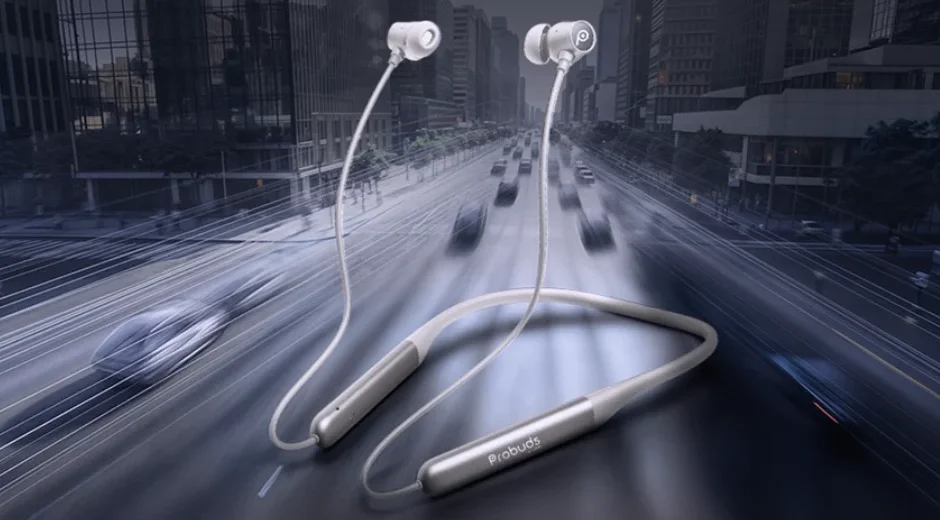

LAVA Probuds Wave 931
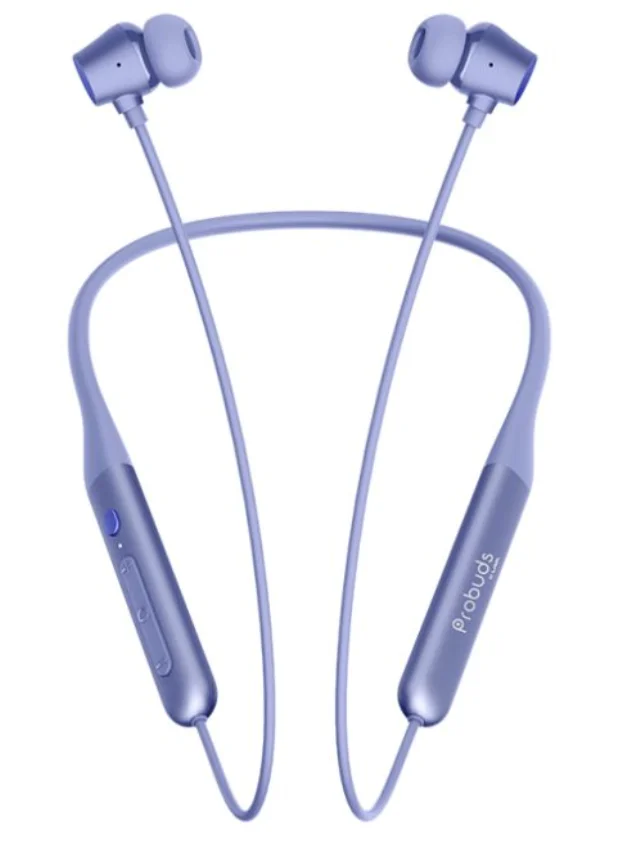
STEPS TO FOLLOW BEFORE
 CHARGING
Fully charge the headset before using it
CELL PHONE:- Choose a Cell Phone which is compatible with a Bluetooth headset or other Bluetooth devices to pair with the “PROBUDS WAVE 931.”
 CHARGING
TIP: – Keep the headset away from your credit card or other magnetic storage media. The stored information may get lost due to demagnetization
FACTORY RESET
 RESET FACTORY SETTING
Press “Volume+” & “Volume-” for 5 seconds to reset. All pairing records are now deleted.
 RESET FACTORY SETTING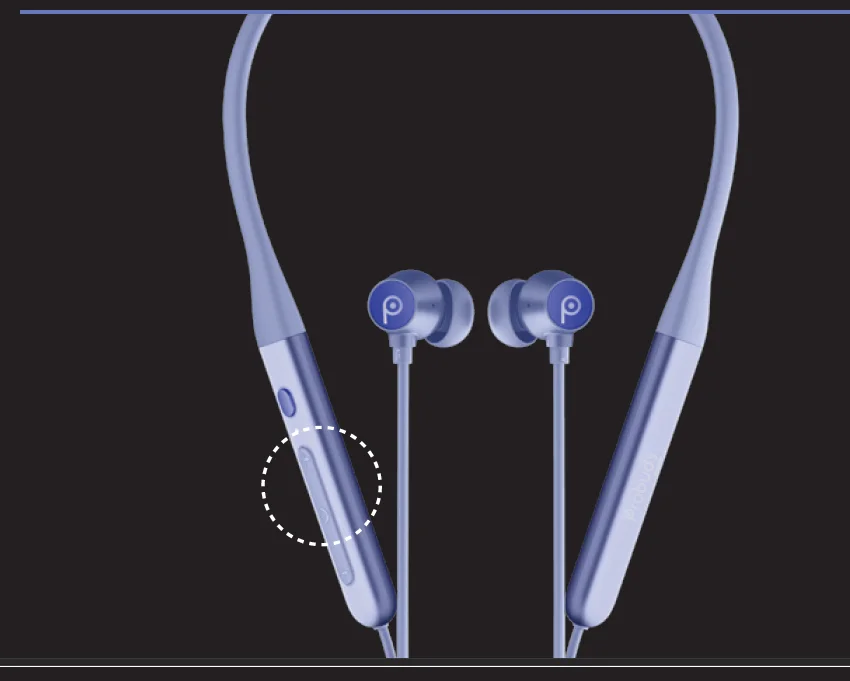
BUTTON OVERVIEW
Some button overview will required like below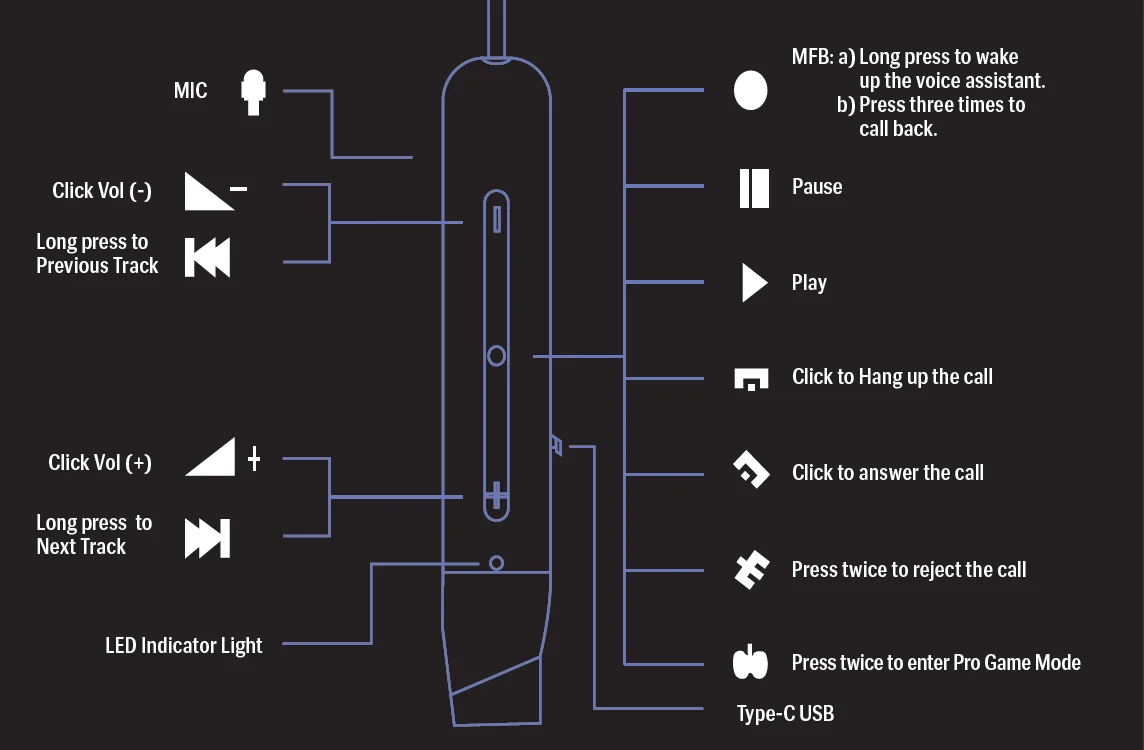
SWITCHING THE NECKBAND ON & OFF
 POWER ON/OFF
- POWER ON:- Separate the earbuds to power them on
- POWER OFF:- Reattach the earbuds to disconnect them from your device and power them off
 POWER ON/OFF
CONNECTING WITH THE PHONE
 PAIRING
CONNECTION − SHUTDOWN STATE- STEP 1: Turn on your Device. Enters Bluetooth mode with Voice Prompt “Bluetooth Mode”. After 1 second Enters Pairing mode with Voice Prompt “Pairing.”
- STEP 2: Search for available devices with Bluetooth on your Device
- STEP 3: Choose “PROBUDS WAVE 931”
- STEP 4: Prompt tone “ Connected” on PROBUDS WAVE 931
NOTE: When powered on, “PROBUDS WAVE 931” automatically connects with the last paired Device if it is in the connection range with Bluetooth turned on: You get a voice prompt sound “Connected”. If the device disconnects, you get a voice prompt “Disconnected.” PROBUDS WAVE 931 will remain in pairing mode for 5 minutes. If no other device gets connected within that time frame, then automatically PROBUDS WAVE 931 will go to the switch-off state.
 DUAL PAIRING
- Pair “PROBUDS WAVE 931” with “Device A”. Once pairing is done, disable the Bluetooth function of A.
- Pair “PROBUDS WAVE 931” with “Device B’ and after connecting successfully, enable the Bluetooth function of A.
- Both A & B are now connected in parallel
 PAIRING
 DUAL PAIRING
NOTE: If your Device supports the automatic re-connection function, ‘PROBUDS WAVE 931′ will be automatically connected to the previous paired device, if its Bluetooth pairing is ON.
CONTROLLING THE CALL WITH MFB
 ANSWER/END CALL
Press the “Multi-function button” once to Answer or End Call – It notifies with a voice Prompt “Incoming call.” REJECT CALL
Press the “Multi-function button“ twice during an incoming call
- HANGUP CALL
Press the “Multi-function button“ once during the call - REDIAL LAST DIALED
Triple-click the “Multi-function button
 ANSWER/END CALL
 REJECT CALL
 HANGUP CALL
NOTE: The above functions work in Standby State, Music State
CONTROLLING THE SECOND CALL DURING THE FIRST CALL WITH MFB
During the ongoing first call from the PROBUDS WAVE 931, the second call can be managed by-
- ANSWER SECOND CALL, HANG UP FIRST CALL
Short-press the “Multi-function button” during an 2nd incoming call - ANSWER SECOND CALL, HOLD FIRST CALL
Press the “Multi-function button“ twice during a 2nd incoming call - REJECT SECOND CALL, CONTINUE FIRST CALL
Hold the “Multi-function button“ for 2 seconds during an 2nd incoming call. Hold the “Multi-function button“ for 2 seconds during an 2nd incoming call - SWITCH THE CALLS
Press the “Multi-function button“ twice during during on-going calls, the second call will go on hold
CONTROLLING THE MUSIC WITH MFB
 MUSIC PLAY/PAUSE
In music mode, press the “Multi-function button” once to pause, press it again to play VOLUME UP/DOWN
Short-press “Volume -“ for volume down. Short-press “Volume +“ for volume up. The beep sound indicates the maximum/minimum volume reached of device PREVIOUS/NEXT SONG
Press for 2 seconds “Volume -“ for the previous. Press for 2 seconds “Volume +“ for next song
 MUSIC PLAY/PAUSE
 VOLUME UP/DOWN
 PREVIOUS/NEXT SONG
GAME
 GAME MODE
When the phone is connected, press the Multi-function button twice to enter/exit game mode with a Voice Prompt “Pro- Game Mode.”
 GAME MODE
ANC/TRANSPARENCY/NORMAL MODE
Short-press the “ANC button” to switch between different modes
CONTROLLING THE VOICE ASSISTANT
 ENABLING/DISABLING THE VOICE ASSISTANCE
GOOGLE/SIRI:- At the standby or Music State, long-press the Multi-function button for 3 seconds and release. The beep sound is an indication that it is enabled.
 ENABLING/DISABLING THE VOICE ASSISTANCE
CHARGING
 LOW BATTERY
At 20% battery notification with Voice prompt “Battery Low” and red-light flash after every 15 seconds to notify of low battery CHARGING
Red light indicator on FULL CHARGEFULL CHARGE
White Light on
 LOW BATTERY
 CHARGING
 FULL CHARGEFULL CHARGE
SAFETY AND MAINTENANCE
Please read the suggestions below to help prolong the product’s lifespan and clearly understand the warranty clauses.
- Keep the product dry and avoid placing it in humid conditions to prevent a short circuit.
- Do not expose it to the sun or high heat. High heating will short lifespan of electronic components, damage the battery, and deform some plastic parts.
- Do not put it in cold circumstances to avoid damage to the PCB board.
- Do not attempt to take apart the product.
- Do not fall, vibrate strongly, or strike with hard objects, to avoid damage to the inner electronic circuit.
- Do not use high chemical products detergent to clean the item.
- Do not scratch the surface with sharp items to avoid damaging the case and appearance.
- Do not overcharge continuously for the sake of lifespan.
For more manuals by LAVA, visit ManualsLibraryy
LAVA Probuds Wave 931-FAQs
How do I know when the LAVA Probuds Wave 931 are fully charged?
When the earbuds are placed correctly in the charging case, the LED indicator shows a steady light. Once the light turns off or changes color (depending on the model), the earbuds are fully charged.
What is the correct way to charge LAVA Probuds Wave 931?
Insert both earbuds into the charging case properly and connect the case to a power source using the charging cable. Always use a standard charger and avoid fast chargers for longer battery life.
How long does the battery of LAVA Probuds Wave 931 last?
The earbuds offer several hours of continuous playback on a single charge, while the charging case provides additional backup, allowing extended use throughout the day.
What does TWS mean in LAVA Probuds Wave 931?
TWS stands for True Wireless Stereo, meaning both earbuds connect wirelessly to your device and to each other without any physical cables.
Can the earbuds be overcharged?
No, the earbuds cannot be overcharged due to built-in protection. However, frequent long charging cycles may slightly reduce battery capacity over time.
What are common problems with TWS earbuds?
Common issues include connection drops, one earbud not working, low volume, or battery draining quickly. Most of these can be resolved by resetting or fully charging the earbuds.
Why are my LAVA Probuds Wave 931 not connecting to Bluetooth?
This may happen due to low battery, pairing conflicts, or distance issues. Turn Bluetooth off and on, reset the earbuds, and reconnect from your device’s Bluetooth menu.
What should I do if only one earbud is working?
Make sure both earbuds are fully charged, then reset them and pair again. This usually fixes syncing issues between the left and right earbuds.
Can I factory reset LAVA Probuds Wave 931?
Yes. To reset, place both earbuds in the charging case, press and hold the touch controls for a few seconds until the LED flashes, then reconnect them to your device.